2023 BUICK ENVISION seats
[x] Cancel search: seatsPage 78 of 356

Buick Envision Owner Manual (GMNA-Localizing-U.S./Canada/Mexico-
16060855) - 2023 - CRC - 2/9/22
Seats and Restraints 77
3. Pick up the latch plate, and run the lapand shoulder portions of the vehicle seat
belt through or around the restraint.
Ensure the seat belt webbing is routed
as direct as possible, and is not caught
on seat handles or plastic trim. The child
restraint instructions will show you how.
4. Push the latch plate into the buckle untilit clicks.
Position the release button on the
buckle, away from the child restraint, so
that the seat belt could be quickly
unbuckled if necessary.
5. Pull the shoulder belt all the way out ofthe retractor to set the lock. When the
retractor lock is set, the belt can be
tightened but not pulled out of the
retractor.6. To tighten the belt, push down on thechild restraint, pull the shoulder portion
of the belt to tighten the lap portion of
the belt, and feed the shoulder belt back
into the retractor.
There must be finger clearance between
the push button and the child restraint.
If there is not clearance between the
buckle push button and the child
restraint, move the seat upward and
repeat prior installation steps. Otherwise
secure the child restraint in a rear seat.
When installing a forward-facing child
restraint, it may be helpful to use your
knee to push down on the child restraint
as you tighten the belt.
Page 79 of 356

Buick Envision Owner Manual (GMNA-Localizing-U.S./Canada/Mexico-
16060855) - 2023 - CRC - 2/9/22
78 Seats and Restraints
Try to pull the belt out of the retractor
to make sure the retractor is locked.
If the retractor is not locked, repeat
Steps 5 and 6.
7. Before placing a child in the child restraint, make sure it is securely held in
place. To check, grasp the child restraint
at the seat belt path and attempt to
move it side to side and back and forth.
When the child restraint is properly
installed, there should be no more than
2.5 cm (1 in) of movement.
If the airbag is off, the off indicator in the
passenger airbag status indicator will come
on and stay on when the vehicle is started.
If a child restraint has been installed and
the on indicator is lit, see “If the On
Indicator Is Lit for a Child Restraint” under
Passenger Sensing System 056.
To remove the child restraint, unbuckle the
vehicle seat belt and let it return to the
stowed position.
Page 125 of 356
Buick Envision Owner Manual (GMNA-Localizing-U.S./Canada/Mexico-
16060855) - 2023 - CRC - 2/9/22
124 Lighting
heated seats, engine cooling fans, trailer
loads, and loads plugged into accessory
power outlets.
EPM works to prevent excessive discharge of
the battery. It does this by balancing the
generator's output and the vehicle's
electrical needs. It can increase engine idle
speed to generate more power, whenever
needed. It can temporarily reduce the power
demands of some accessories.
Normally, these actions occur in steps or
levels, without being noticeable. In rare
cases at the highest levels of corrective
action, this action may be noticeable to the
driver. If so, a DIC message might be
displayed and it is recommended that the
driver reduce the electrical loads as much as
possible.
Battery Power Protection
This feature helps prevent the battery from
being drained if the interior courtesy lamps
or reading lamps are accidentally left on.
If any of these lamps are left on, they
automatically turn off after 10 minutes whenthe vehicle is turned off. The lamps will not
come back on again until one of the
following occurs:
.The vehicle is started.
.The doors are closed and then re-opened.
Exterior Lighting Battery Saver
The exterior lamps turn off about 10 minutes
after the vehicle is turned off, if the parking
lamps or headlamps have been manually
left on. This protects against draining the
battery. To restart the 10-minute timer, turn
the exterior lamp control to the
Oposition
and then back to the
;or2position.
To keep the lamps on for more than
10 minutes, the vehicle must be on or in
Accessory mode.
Page 135 of 356

Buick Envision Owner Manual (GMNA-Localizing-U.S./Canada/Mexico-
16060855) - 2023 - CRC - 2/9/22
134 Infotainment System
Audio Players
Avoiding Untrusted Media Devices
When using media devices such as USB and
mobile devices, consider the source.
Untrusted media devices could contain files
that affect system operation or performance
and should be avoided.
USB Port
Audio stored on a USB device may be
listened to.
Depending on your vehicle, it may be
equipped with two USB ports in the center
console under the armrest and another two
on the center stack. These ports are for data
and charging. There may also be two USB
ports at the rear of the center console and a
USB port on each side of the third row seats
for charging only.
Caution
To avoid vehicle damage, unplug all
accessories and disconnect all accessory
cables from the vehicle when not in use.
Accessory cables left plugged into the
vehicle, unconnected to a device, could be
(Continued)
Caution (Continued)
damaged or cause an electrical short if
the unconnected end comes in contact
with liquids or another power source such
as the accessory power outlet.
Playing from a USB
A USB mass storage device can be connected
to the USB port.
Audio extensions supported by the USB may
include:
.MP3
.AAC
.OGG
.3GP
My Media Library
MyMedia is only available when more than
one indexed device is connected. It allows
access to content from all indexed media
sources. MyMedia will show as an available
source in the Source page.
USB MP3 Player and USB Devices
The USB MP3 players and USB devices
connected must comply with the USB Mass
Storage Class specification (USB MSC). To play a USB device:
1. Connect the USB.
2. Touch Audio from the Home Page.
3. Select USB device.
Use the following when playing an active
USB source:
p: Touch to play the current media source.
j: Touch to pause playback of the current
media source.
7:
.Touch to seek the beginning of the
current or previous track.
.Touch and hold to reverse quickly
through playback. Release to return to
playing speed. Elapsed time displays.
6:
.Touch to seek the next track.
.Touch and hold to advance quickly
through playback. Release to return to
playing speed. Elapsed time displays.
Shuffle : Touch the shuffle icon to play
music in random order.
Page 175 of 356

Buick Envision Owner Manual (GMNA-Localizing-U.S./Canada/Mexico-
16060855) - 2023 - CRC - 2/9/22
174 Climate Controls
Remote Start Climate Control Operation
If equipped with remote start, the climate
control system may run when the vehicle is
started remotely. If equipped with heated or
ventilated seats or a heated steering wheel,
these features may come on during a
remote start. SeeRemote Vehicle Start 013,
Heated and Ventilated Front Seats 041, and
Heated Steering Wheel 085.
Afterblow Feature
If equipped, under certain conditions, the
fan may stay on or may turn on and off
several times after you turn off and lock the
vehicle. This is normal.Dual Automatic Climate Control System
The heating, cooling, and ventilation for the vehicle can be controlled with this system.
1. Recirculation
2. AUTO (Automatic Operation)
3. ON/OFF
4. CLIMATE
5. Defrost
6. Rear Window Defogger
7. A/C (Air Conditioning) 8. Driver and Passenger Heated and
Ventilated Seats (If Equipped)
9. Passenger Temperature Controls
10. Fan Control
11. Driver Temperature Controls
12. SYNC (Synchronized Temperature)
Page 177 of 356

Buick Envision Owner Manual (GMNA-Localizing-U.S./Canada/Mexico-
16060855) - 2023 - CRC - 2/9/22
176 Climate Controls
Manual Operation
ON/OFF :Press to turn the system off or
on. When off is selected, the system will
prevent outside air from entering the
vehicle. If any climate control buttons are
pressed, the system will turn on and
operate at the current setting.
Q^or^ R:Lift or press to increase or
decrease the fan speed. The fan speed
setting appears on the main display. Lifting
or pressing either button cancels automatic
fan control and the fan is controlled
manually. Press AUTO to return to
automatic operation.
Q/R: The temperature can be adjusted
separately for the driver and the passenger.
Lift or press to increase or decrease the
temperature.
SYNC : Press to link the passenger
temperature settings to the driver setting.
The SYNC indicator light will turn on. When
the passenger settings are adjusted, the
SYNC indicator light turns off.
Air Delivery Mode Controls : In the climate
control display, press
z,Y, or[to
change the direction of the airflow. The
indicator light in the button will turn on.
Any combination of the three buttons can be selected. The current mode appears in
the display. Pressing any of the three
buttons cancels automatic air delivery
control and the direction of the airflow is
controlled manually. Press AUTO to return
to automatic operation.
To change the current mode, select one or
more of the following:
z:
Clears the windows of fog or moisture.
Air is directed to the windshield.
Y: Air is directed to the instrument panel
outlets.
[: Air is directed to the floor outlets.
0MAX : Air is directed to the windshield
and the fan runs at a higher speed. Fog or
frost is cleared from the windshield more
quickly. When the button is pressed again,
the system returns to the previous mode
setting.
For best results, clear all snow and ice from
the windshield before defrosting.
A/C : Press to turn the air conditioning
system on or off. If the climate control
system is turned off or the outside
temperature falls below freezing, the air
conditioner will not run. Pressing this button cancels automatic air
conditioning and turns off the air
conditioner. Press AUTO to return to
automatic operation and the air conditioner
runs automatically as needed. When the
indicator light is on, the air conditioner runs
automatically to cool the air inside the
vehicle or to dry the air needed to defog
the windshield faster.
@:
Press to turn on recirculation. An
indicator light comes on. Air is recirculated
to quickly cool the inside of the vehicle or
to reduce the entry of outside air and odors.
xory: Liftxoryfor the highest
heated seat setting. Lifting the heated seat
button again will keep the heated seat at
the highest setting. Press the heated seat
button down to lower the heat level or turn
the heated seat off.
Press
xory, if available, for the highest
ventilated seat setting. Pressing the
ventilated seat button again will keep the
ventilated seat at the highest setting. Lift
the ventilated seat button to lower the vent
level or turn the ventilated seat off. See
Heated and Ventilated Front Seats 041.
Page 178 of 356

Buick Envision Owner Manual (GMNA-Localizing-U.S./Canada/Mexico-
16060855) - 2023 - CRC - 2/9/22
Climate Controls 177
Auto Defog :The climate control system
may have a sensor to automatically detect
high humidity inside the vehicle. When high
humidity is detected, the climate control
system may adjust to outside air supply and
turn on the air conditioner. The fan speed
may slightly increase to help prevent
fogging. If the climate control system does
not detect possible window fogging, it
returns to normal operation.
Rear Window Defogger
K: Press to turn the rear window defogger
on or off. An indicator light on the button
comes on to show that the rear window
defogger is on.
The defogger can be turned off by turning
the vehicle off or to accessory mode.
The rear window defogger can be set to
automatic operation. When auto rear defog
is selected, the rear window defogger turns
on automatically when the interior
temperature is cold and the outside
temperature is about 7 °C (44 °F) and below.
The auto rear defogger turns off
automatically. If equipped, the heated outside mirrors turn
on when the rear window defogger button
is on and help to clear fog or frost from the
surface of the mirror. See
Heated Mirrors
0 27.
Caution
Do not try to clear frost or other material
from the inside of the front windshield
and rear window with a razor blade or
anything else that is sharp. This may
damage the rear window defogger grid
and affect the radio's ability to pick up
stations clearly. The repairs would not be
covered by the vehicle warranty.
Remote Start Climate Control Operation :
If equipped with remote start, the climate
control system may run when the vehicle is
started remotely. If equipped with heated or
ventilated seats or a heated steering wheel,
these features may come on during a
remote start. See Remote Vehicle Start 013,
Heated and Ventilated Front Seats 041, and
Heated Steering Wheel 085.
Sensor
The solar sensor, on top of the instrument
panel near the windshield, monitors the
solar heat. The climate control system uses the sensor
information to adjust the temperature, fan
speed, recirculation, and air delivery mode
for best comfort.
Do not cover the sensor; otherwise the
automatic climate control system may not
work properly.
Interior Air Quality
If equipped, the Interior Air Quality display
indicates the concentration of PM2.5
(2.5 micron and smaller) pollution present in
the interior air of the vehicle. The source of
this pollution is the environment
surrounding the vehicle. Your vehicle is
Page 179 of 356
Buick Envision Owner Manual (GMNA-Localizing-U.S./Canada/Mexico-
16060855) - 2023 - CRC - 2/9/22
178 Climate Controls
equipped with a cabin filter which cleans the
air and reduces this pollution anytime the
HVAC is on.
The displayed value is updated every few
seconds by a sensor in the vehicle’s interior.
Higher numbers indicate a higher level of
pollution in the air while lower numbers
indicate cleaner air. A reading of zero
indicates the pollution level is too low to be
read by the sensor.
The interior air quality level is displayed in
the application which can be opened from
the home screen. The interior air quality
level may also be continually displayed in
the lower right corner of the screen. This
can be turned on or off. Select Settings >
Applications > Air Quality.
The number scaling, colors, and categories
are set according to regional standards.
More information is available by touching
the screen within the Interior Air Quality
application. For more information on the
pollution scale in your region visit:
https://www.epa.gov/pm-pollutionAfterblow Feature
If equipped, under certain conditions, the
fan may stay on or may turn on and off
several times after you turn off and lock the
vehicle. This is normal.
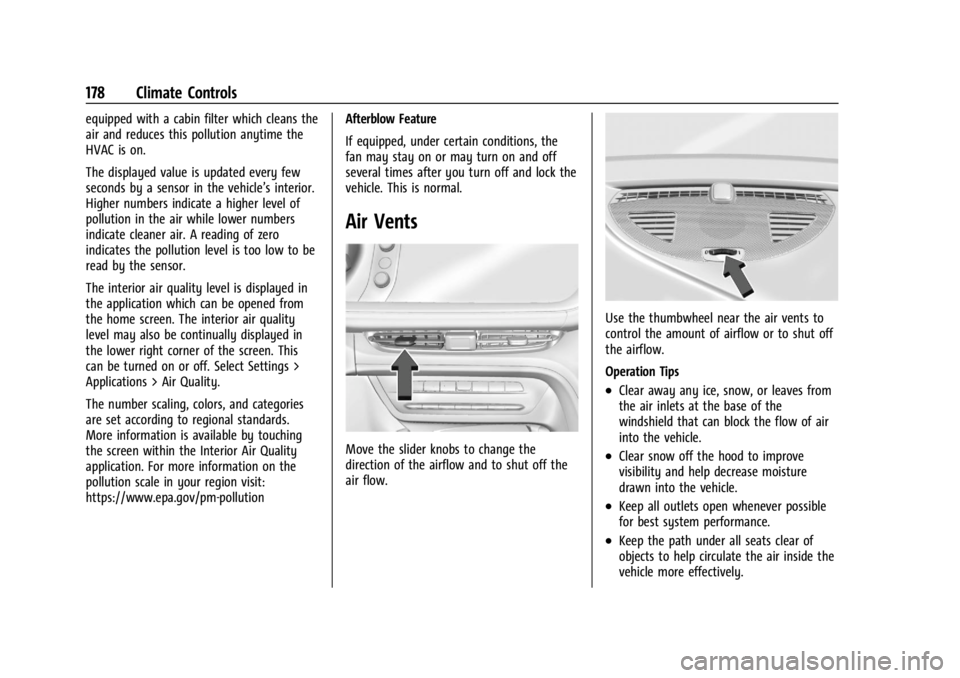
Air Vents
Move the slider knobs to change the
direction of the airflow and to shut off the
air flow.
Use the thumbwheel near the air vents to
control the amount of airflow or to shut off
the airflow.
Operation Tips
.Clear away any ice, snow, or leaves from
the air inlets at the base of the
windshield that can block the flow of air
into the vehicle.
.Clear snow off the hood to improve
visibility and help decrease moisture
drawn into the vehicle.
.Keep all outlets open whenever possible
for best system performance.
.Keep the path under all seats clear of
objects to help circulate the air inside the
vehicle more effectively.