2023 BUICK ENCORE GX auto stop
[x] Cancel search: auto stopPage 150 of 367

Buick Encore GX Owner Manual (GMNA-Localizing-U.S./Canada/Mexico-
16263917) - 2023 - CRC - 2/24/22
Infotainment System 149
Show POI Icons
To see the POI categories, touch Options,
then touch Show on Map. Up to eight
categories of icons can be selected.
Smart POI Icons on Map (If Equipped)
The smart POI icons such as fuel stations
and parking may appear based on time,
location, driver search behavior, driving
conditions, and vehicle conditions.
Touch a smart POI icon to open the
corresponding details:
.Left side: Name and address of the POI.
.Right side:E+ ETE (Estimated Time
Enroute.)
Smart Fuel Station Icons
Fuel station prices are shown if available for
nearby stations when the vehicle is low
on fuel. Smart Parking Icons
When reaching a densely populated
destination and the system determines that
parking may be limited, the system will
attempt to display nearby parking
destinations with pricing information,
if available.
Report an Issue Using POI Details (If
Equipped)
In the POI details page, a POI issue can be
reported if the data is not accurate or the
address is incorrect. Touch Report an Issue
near the bottom of the display to access the
issue selection page. Touch one of the
predefined issues on the selection page,
then touch Send. The system will send the
information for analysis.
Search
Touch Search on the infotainment display to
open the search display. It has a search field
entry box, quick category icon shortcuts,
recents icon, favorites icon, and keyboard.
Auto Complete
Enter a partial location in the field entry box
on the search display. Auto complete will
attempt to complete the destination based
on what is being entered. Touch the
suggested item to search.
Search While in Motion with No Front Seat
Passenger Present
The search display will not allow changes or
text input with the keyboard when the
vehicle is in motion. As a result, a display
showing three rows of the most commonly
used categories appears. Touching the search
box will activate speech recognition.
Search While in Motion with Front Seat
Passenger Present
If the system detects that the front seat
passenger is present with both driver and
passenger seat belts buckled, touching the
search icon will display an alert message
that allows the passenger to search for a
destination as if the vehicle were stopped.
Connected Navigation
Connected Navigation is a subscription
service that enables certain capabilities
within the navigation system, such as
Traffic, Smart Search/Routing, and Predictive
Page 151 of 367

Buick Encore GX Owner Manual (GMNA-Localizing-U.S./Canada/Mexico-
16263917) - 2023 - CRC - 2/24/22
150 Infotainment System
Navigation capabilities. The system will
show an alert when the subscription is
expiring and will ask to renew the plan.
Global Positioning System (GPS)
If equipped, the position of the vehicle is
determined by using satellite signals, various
vehicle signals, and map data.
At times, other interference such as the
satellite condition, road configuration,
condition of the vehicle, and/or other
circumstances can affect the navigation
system's ability to determine the accurate
position of the vehicle.
The GPS shows the current position of the
vehicle using signals sent by GPS satellites.
When the vehicle is not receiving signals
from the satellites, a symbol appears in the
status bar.
This system might not be available or
interference can occur if any of the
following are true:
.Signals are obstructed by tall buildings,
trees, large trucks, or a tunnel.
.Satellites are being repaired or improved.For more information if the GPS is not
functioning properly, see
Problems with
Route Guidance 0150 and
If the System Needs Service 0151.
Vehicle Positioning
At times, the position of the vehicle on the
map could be inaccurate due to one or more
of the following reasons:
.The road system has changed.
.The vehicle is driving on slippery road
surfaces such as sand, gravel, or snow.
.The vehicle is traveling on winding roads
or long, straight roads.
.The vehicle is approaching a tall building
or a large vehicle.
.The surface streets run parallel to a
freeway.
.The vehicle has been transferred by a
vehicle carrier or a ferry.
.The current position calibration is set
incorrectly.
.The vehicle is traveling at high speed.
.The vehicle changes directions more than
once, or the vehicle is turning on a turn
table in a parking lot.
.The vehicle is entering and/or exiting a
parking lot, garage, or a lot with a roof.
.The GPS signal is not received.
.A roof carrier is installed on the vehicle.
.Tire chains are installed on the vehicle.
.The tires are replaced or worn.
.The tire pressure for the tires is incorrect.
.This is the first navigation use after the
map data is updated.
.The 12-volt battery has been disconnected
for several days.
.The vehicle is driving in heavy traffic
where driving is at low speeds, and the
vehicle is stopped and started repeatedly.
Problems with Route Guidance
Inappropriate route guidance can occur
under one or more of the following
conditions:
.The turn was not made on the road
indicated.
.Route guidance might not be available
when using automatic rerouting for the
next right or left turn.
.The route might not be changed when
using automatic rerouting.
.There is no route guidance when turning
at an intersection.
.Plural names of places might be
announced occasionally.
Page 153 of 367

Buick Encore GX Owner Manual (GMNA-Localizing-U.S./Canada/Mexico-
16263917) - 2023 - CRC - 2/24/22
152 Infotainment System
If your language supports it, try stating a
one-shot command, such as“Directions to
address
while stating the address during the
command. Another example of a one-shot
Destination Entry command is, “Directions to
Place of Interest at
commands do not work, try saying, “Take
me to Place of Interest” or“Find address”
and the system will walk you through by
asking additional questions.
Hybrid Speech Recognition
If equipped, this feature helps distinguish
words by using Internet-based information
along with the system’s voice recognition
database. This allows you to speak more
naturally when using voice recognition.
Using Voice Recognition
Voice recognition becomes available once
the system has been initialized. This begins
when the ignition is turned on. Initialization
may take a few moments.
1. Press
gon the steering wheel controls
to activate voice recognition.
2. The audio system mutes and the system plays a prompt. 3. Clearly speak one of the commands
described in this section.
A voice recognition system prompt can
be interrupted while it is playing by
pressing
gagain.
Once voice recognition is started, both the
infotainment display and instrument cluster
show the selections and visual dialog
content. These displays can be turned on or
off in the Tutorial Mode under Settings
0 162.
There are three voice prompt modes
supported:
.Informative verbal prompts: This type of
prompt will provide more information
regarding the supported actions.
.Short prompts: This type of prompt will
provide simple instructions about what
can be stated.
.Auto informative prompts: This type of
prompt plays during the first few speech
sessions, then automatically switches to
the short prompt after some experience
has been gained through using the
system.
If a command is not spoken, the voice
recognition system says a help prompt. Prompts and Infotainment Displays
While a voice recognition session is active,
there may be corresponding options
showing on the displays. A selection can be
made by manually touching the option,
or by speaking the number for the option to
select. Manual interaction in the voice
recognition session is permitted. Interaction
during a voice session may be completed
entirely using voice commands while some
manual commands may expedite a task. If a
selection is made using a manual control,
the voice recognition dialog will progress in
the same way as if the selection were made
using a voice command. Once the system
completes the task, or the session is
terminated, the voice recognition dialog
stops.
An example of this type of manual
intervention is touching an entry of a
displayed number list instead of speaking
the number associated with the entry
desired.
Canceling Voice Recognition
.Touch or say
“Cancel”or“Exit” to
terminate the voice recognition session
and show the display where voice
recognition was initiated.
Page 167 of 367
Buick Encore GX Owner Manual (GMNA-Localizing-U.S./Canada/Mexico-
16263917) - 2023 - CRC - 2/24/22
166 Infotainment System
.Access or delete Report Card data.
Set up/Add keys to activate Teen Driver and
assign restrictions to the key:
Any vehicle key can be registered, up to a
maximum of eight keys. Label the key to
tell it apart from the other keys.
For a pushbutton start system: 1. Start the vehicle.
2. For automatic transmissions, the vehicle must be in P (Park). For manual
transmissions, the vehicle must be
stopped with the parking brake set.
3. From the Settings menu, touch Vehicle and then Teen Driver.
4. Enter the PIN.
5. Place the remote key you wish to register in the transmitter pocket. The
key does not need to be the one that
started the vehicle. See Remote Key
Operation 08for transmitter pocket
location.
6. From the Teen Driver menu, touch Setup Keys or Add/Remove Teen Driver Keys.
.If the remote key has not previously
been registered, the option to add
the key displays. Touch Add and a
confirmation message displays. Teen Driver restrictions will be applied
whenever this remote key is used to
operate the vehicle.
.If the remote key has already been
registered, the option to remove the
key displays. If Remove is touched,
the remote key is no longer
registered. A confirmation message
displays, and Teen Driver restrictions
will not be applied if this remote key
is used to operate the vehicle.
In vehicles with a pushbutton start system,
if a Teen Driver and a non-Teen Driver key
are both present at start up, the vehicle will
recognize the non-Teen Driver key to start
the vehicle. The Teen Driver settings will not
be active.
For a keyed ignition system: 1. Start the vehicle.
2. For automatic transmissions, the vehicle must be in P (Park). For manual
transmissions, the vehicle must be
stopped with the parking brake set.
3. From the Settings menu, touch Vehicle and then Teen Driver.
4. Enter the PIN. 5. Touch Setup Keys or Add/Remove Teen
Driver Keys. The system displays
instructions for registering or
unregistering a key. A confirmation
message displays.
Manage Settings or Teen Driver Settings
Depending on the options of your vehicle,
the following menu items may be displayed:
Buckle to Drive : When turned ON, Buckle to
Drive prevents the driver from shifting out
of P (Park) for a period of time after the
brake pedal is pressed if the driver, or on
some vehicles the detected passenger, has
not buckled their seat belt. On some
vehicles, Buckle to Drive is always ON when
Teen Driver is active and is not configurable.
Audio Volume Limit : Allows a maximum
audio volume to be set. Turn the audio
volume limit on or off. Use the arrows to
choose the maximum allowable level for the
audio volume. On some infotainment
systems, touch Set Audio Volume Limit to
choose the maximum allowable audio
volume level.
Set Audio Volume Limit : Use the arrows to
choose the maximum allowable level for the
audio volume.
Page 184 of 367

Buick Encore GX Owner Manual (GMNA-Localizing-U.S./Canada/Mexico-
16263917) - 2023 - CRC - 2/24/22
Driving and Operating 183
Driving and Operating
Driving Information
Driver Behavior . . . . . . . . . . . . . . . . . . . . . . . . 184
Driving Environment . . . . . . . . . . . . . . . . . . . 184
Vehicle Design . . . . . . . . . . . . . . . . . . . . . . . . . 184
Driving for Better Fuel Economy . . . . . . . 184
Distracted Driving . . . . . . . . . . . . . . . . . . . . . 185
Defensive Driving . . . . . . . . . . . . . . . . . . . . . . 185
Impaired Driving . . . . . . . . . . . . . . . . . . . . . . . 185
Control of a Vehicle . . . . . . . . . . . . . . . . . . . 186
Braking . . . . . . . . . . . . . . . . . . . . . . . . . . . . . . . . 186
Steering . . . . . . . . . . . . . . . . . . . . . . . . . . . . . . . 186
Off-Road Recovery . . . . . . . . . . . . . . . . . . . . . 187
Loss of Control . . . . . . . . . . . . . . . . . . . . . . . . 187
Driving on Wet Roads . . . . . . . . . . . . . . . . . 188
Hill and Mountain Roads . . . . . . . . . . . . . . 188
Winter Driving . . . . . . . . . . . . . . . . . . . . . . . . 189
If the Vehicle Is Stuck . . . . . . . . . . . . . . . . . 190
Vehicle Load Limits . . . . . . . . . . . . . . . . . . . . 191
Starting and Operating
New Vehicle Break-In . . . . . . . . . . . . . . . . . . 193
Ignition Positions . . . . . . . . . . . . . . . . . . . . . . 194
Starting the Engine . . . . . . . . . . . . . . . . . . . . 195
Stop/Start System . . . . . . . . . . . . . . . . . . . . . 196
Winter Cover . . . . . . . . . . . . . . . . . . . . . . . . . . 197
Engine Heater . . . . . . . . . . . . . . . . . . . . . . . . . 199
Retained Accessory Power (RAP) . . . . . . 200
Shifting Into Park . . . . . . . . . . . . . . . . . . . . . 200Shifting out of Park . . . . . . . . . . . . . . . . . . . 201
Parking over Things That Burn . . . . . . . . . 201
Extended Parking . . . . . . . . . . . . . . . . . . . . . . 201
Engine Exhaust
Engine Exhaust . . . . . . . . . . . . . . . . . . . . . . . . 202
Running the Vehicle While Parked . . . . . 202
Automatic Transmission
Automatic Transmission . . . . . . . . . . . . . . . 202
Manual Mode . . . . . . . . . . . . . . . . . . . . . . . . . 204
Drive Systems
All-Wheel Drive . . . . . . . . . . . . . . . . . . . . . . . . 205
Brakes
Electric Brake Boost . . . . . . . . . . . . . . . . . . . 205
Antilock Brake System (ABS) . . . . . . . . . . 205
Electric Parking Brake . . . . . . . . . . . . . . . . . 206
Brake Assist . . . . . . . . . . . . . . . . . . . . . . . . . . . 207
Hill Start Assist (HSA) . . . . . . . . . . . . . . . . . 207
Ride Control Systems
Traction Control/Electronic Stability
Control . . . . . . . . . . . . . . . . . . . . . . . . . . . . . . 208
Cruise Control
Cruise Control . . . . . . . . . . . . . . . . . . . . . . . . . 209
Adaptive Cruise Control (Camera) . . . . . . 211
Driver Assistance Systems
Driver Assistance Systems . . . . . . . . . . . . . 221 Assistance Systems for Parking or
Backing . . . . . . . . . . . . . . . . . . . . . . . . . . . . . . 222
Rear Vision Camera (RVC) . . . . . . . . . . . . . . 222
Surround Vision System . . . . . . . . . . . . . . . 223
Park Assist . . . . . . . . . . . . . . . . . . . . . . . . . . . . . 225
Automatic Parking Assist (APA) . . . . . . . . 225
Rear Cross Traffic Alert (RCTA) System . . . . . . . . . . . . . . . . . . . . . . . . . . . . . . 227
Assistance Systems for Driving . . . . . . . . 227
Forward Collision Alert (FCA) System . . . . . . . . . . . . . . . . . . . . . . . . . . . . . . 227
Automatic Emergency Braking (AEB) . . . . . . . . . . . . . . . . . . . . . . . . 230
Front Pedestrian Braking (FPB) System . . . . . . . . . . . . . . . . . . . . . . . . . . . . . . . 231
Side Blind Zone Alert (SBZA) . . . . . . . . . . . 233
Lane Change Alert (LCA) . . . . . . . . . . . . . . . 233
Lane Keep Assist (LKA) . . . . . . . . . . . . . . . . . 235
Fuel
Top Tier Fuel . . . . . . . . . . . . . . . . . . . . . . . . . . 237
Recommended Fuel . . . . . . . . . . . . . . . . . . . . 237
Prohibited Fuels . . . . . . . . . . . . . . . . . . . . . . . 237
Fuels in Foreign Countries . . . . . . . . . . . . . 238
Fuel Additives . . . . . . . . . . . . . . . . . . . . . . . . . 238
Filling the Tank . . . . . . . . . . . . . . . . . . . . . . . . 238
Filling a Portable Fuel Container . . . . . . . 239
Trailer Towing
General Towing Information . . . . . . . . . . 240
Page 197 of 367

Buick Encore GX Owner Manual (GMNA-Localizing-U.S./Canada/Mexico-
16263917) - 2023 - CRC - 2/24/22
196 Driving and Operating
Gasoline Engine Starting Procedure
1. With the Keyless Access system, theremote key must be in the vehicle. Press
ENGINE START/STOP with the brake pedal
applied. When the engine begins
cranking, let go of the button.
The idle speed will go down as the
engine gets warm. Do not race the
engine immediately after starting it.
If the remote key is not in the vehicle,
if there is interference, or if the remote
key battery is low, a Driver Information
Center (DIC) will display a message. See
Remote Key Operation 08.
Caution
Cranking the engine for long periods of
time, by returning the ignition to the
START position immediately after
cranking has ended, can overheat and
damage the cranking motor, and drain
the battery. Wait at least 15 seconds
between each try, to let the cranking
motor cool down.
2. If the engine does not start after five to 10 seconds, especially in very cold
weather (below −18 °C or 0 °F), it could
be flooded with too much gasoline. Try pushing the accelerator pedal all the way
to the floor and holding it there as you
press ENGINE START/ STOP. Wait at least
15 seconds between each try, to allow
the cranking motor to cool down. When
the engine starts, release the accelerator.
If the vehicle starts briefly but then
stops again, do the same thing. This
clears the extra gasoline from the
engine. Do not race the engine
immediately after starting it. Operate
the engine and transmission gently until
the oil warms up and lubricates all
moving parts.
Stop/Start System
If equipped and enabled, the Stop/Start
system will shut off the engine to help
conserve fuel. It has components designed
for the increased number of starts.
{Warning
The automatic engine Stop/Start feature
causes the engine to shut off while the
vehicle is still on. Do not exit the vehicle
before shifting to P (Park). The vehicle
may restart and move unexpectedly.
Always shift to P (Park), and then turn
the ignition off before exiting the vehicle.
Auto Engine Stop/Start
When the brakes are applied and the vehicle
is at a complete stop, the engine may turn
off. When stopped, the tachometer displays
AUTO STOP. See
Tachometer096. When
the brake pedal is released or the
accelerator pedal is pressed, the engine will
restart.
To maintain vehicle performance, other
conditions may cause the engine to
automatically restart before the brake pedal
is released.
Auto Stops may not occur and/or auto
restarts may occur because:
.The climate control settings require the
engine to be running to cool or heat the
vehicle interior.
.The vehicle battery needs to charge.
.The vehicle battery has recently been
disconnected.
.Minimum vehicle speed has not been
reached since the last Auto Stop.
.The accelerator pedal is pressed.
.The engine or transmission is not at the
required operating temperature.
.The outside temperature is not in the
required operating range.
Page 198 of 367
Buick Encore GX Owner Manual (GMNA-Localizing-U.S./Canada/Mexico-
16263917) - 2023 - CRC - 2/24/22
Driving and Operating 197
.The vehicle transmission is shifted out of
D (Drive) to any gear other than P (Park).
.Certain driver modes have been selected.
.The vehicle is on a steep hill or grade.
.The driver door has been opened or driver
seat belt has been unbuckled.
.The hood has been opened.
.The Auto Stop has reached the maximum
allowed time.
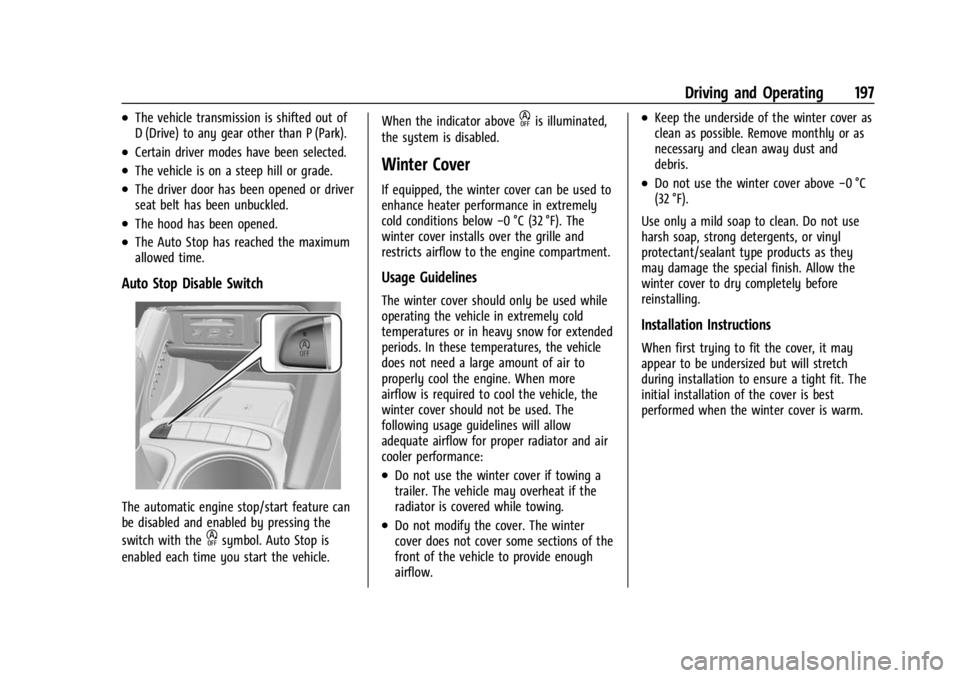
Auto Stop Disable Switch
The automatic engine stop/start feature can
be disabled and enabled by pressing the
switch with the
hsymbol. Auto Stop is
enabled each time you start the vehicle. When the indicator above
his illuminated,
the system is disabled.
Winter Cover
If equipped, the winter cover can be used to
enhance heater performance in extremely
cold conditions below −0 °C (32 °F). The
winter cover installs over the grille and
restricts airflow to the engine compartment.
Usage Guidelines
The winter cover should only be used while
operating the vehicle in extremely cold
temperatures or in heavy snow for extended
periods. In these temperatures, the vehicle
does not need a large amount of air to
properly cool the engine. When more
airflow is required to cool the vehicle, the
winter cover should not be used. The
following usage guidelines will allow
adequate airflow for proper radiator and air
cooler performance:
.Do not use the winter cover if towing a
trailer. The vehicle may overheat if the
radiator is covered while towing.
.Do not modify the cover. The winter
cover does not cover some sections of the
front of the vehicle to provide enough
airflow.
.Keep the underside of the winter cover as
clean as possible. Remove monthly or as
necessary and clean away dust and
debris.
.Do not use the winter cover above −0 °C
(32 °F).
Use only a mild soap to clean. Do not use
harsh soap, strong detergents, or vinyl
protectant/sealant type products as they
may damage the special finish. Allow the
winter cover to dry completely before
reinstalling.
Installation Instructions
When first trying to fit the cover, it may
appear to be undersized but will stretch
during installation to ensure a tight fit. The
initial installation of the cover is best
performed when the winter cover is warm.
Page 204 of 367

Buick Encore GX Owner Manual (GMNA-Localizing-U.S./Canada/Mexico-
16263917) - 2023 - CRC - 2/24/22
Driving and Operating 203
Warning (Continued)
Do not leave the vehicle when the engine
is running. If the engine has been left
running, the vehicle can move suddenly.
You or others could be injured. To be
sure the vehicle will not move, even
when on fairly level ground, always set
the parking brake and place the
transmission into P (Park). SeeShifting
Into Park 0200 and
Driving Characteristics and Towing Tips
0 240.
The vehicle has an automatic transmission
shift lock control system. You must fully
apply the regular brake first and then press
the shift lever button before shifting from
P (Park) when the ignition is on. If you
cannot shift out of P (Park), ease pressure
on the shift lever, then push the shift lever
all the way into P (Park) as you maintain
brake application. Then press the shift lever
button and move the shift lever into
another gear. See Shifting out of Park 0201
R : Use this gear to back up.
Caution
Shifting to R (Reverse) while the vehicle is
moving forward could damage the
transmission. The repairs would not be
covered by the vehicle warranty. Shift to
R (Reverse) only after the vehicle is
stopped.
To rock the vehicle back and forth to get
out of snow, ice, or sand without damaging
the transmission, see If the Vehicle Is Stuck
0 190
N : In this position, the engine does not
connect with the wheels. To restart the
engine when the vehicle is already moving,
use N (Neutral) only.
{Warning
Shifting into a drive gear while the
engine is running at high speed is
dangerous. Unless your foot is firmly on
the brake pedal, the vehicle could move
very rapidly. You could lose control and
hit people or objects. Do not shift into a
drive gear while the engine is running at
high speed.
Caution
Shifting out of P (Park) or N (Neutral)
with the engine running at high speed
may damage the transmission. The
repairs would not be covered by the
vehicle warranty. Be sure the engine is
not running at high speed when shifting
the vehicle.
Caution
A transmission hot message may display
if the automatic transmission fluid is
too hot.
Driving under this condition can damage
the vehicle. Stop and idle the engine to
cool the automatic transmission fluid.
This message clears when the
transmission fluid has cooled sufficiently.
D : This position is for normal driving.
If more power is needed for passing, press
the accelerator pedal down.