Page 170 of 416
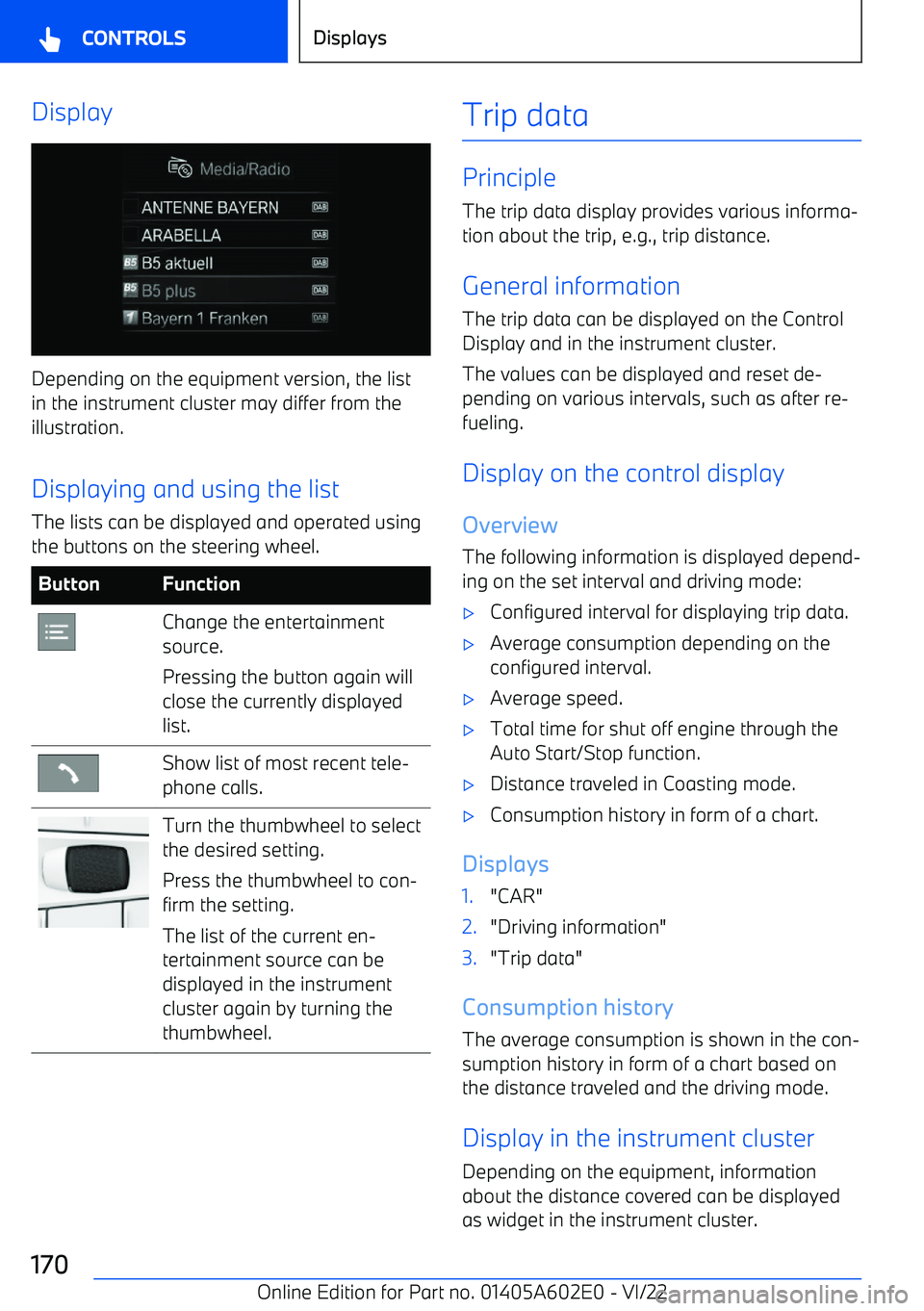
Display
Depending on the equipment version, the list
in the instrument cluster may differ from the illustration.
Displaying and using the list The lists can be displayed and operated using
the buttons on the steering wheel.
ButtonFunctionChange the entertainment
source.
Pressing the button again will
close the currently displayed
list.Show list of most recent tele
Page 228 of 416

Setting the functionWhen the system is active, press the
button repeatedly until the desired function is selected in the toolbar. The
toolbar for Assisted Driving mode is displayed
at the bottom of the instrument cluster.IconFunctionCruise Control with Distance Control.Depending on the equipment version,
cruise control with distance control
and Steering Assistant.
The selected function is shown in green.
Turning on
With Steering Assistant:
1. Press the button on the steering
wheel.2. If necessary, set the cruise control.
Without Steering Assistant:
Press the button on the steering
wheel.
The indicator lights in the instrument cluster light up and the mark on the speedometer is
set to the current speed.
Cruise control is active. The current speed is
maintained and stored as set speed.
If necessary, the Dynamic Stability Control willbe turned on.
Turning off
To switch off the system while stationary, step on brake pedal at the same time.
Press the button on the steering wheel:
With Steering Assistant.
Without Steering Assistant.
The displays turn off. The stored set speed is deleted.
Interrupting manually When active, press the button on the steering
wheel:
With Steering Assistant.
Without Steering Assistant.
If interrupting the system while stationary,
press on the brake pedal at the same time.
Interrupting automatically The system is automatically interrupted in the
following situations:
Page 239 of 416
displayed in the Assisted Driving View in thecentral display area of the instrument cluster.
Additional information:
Assisted Driving View, refer to page 155.
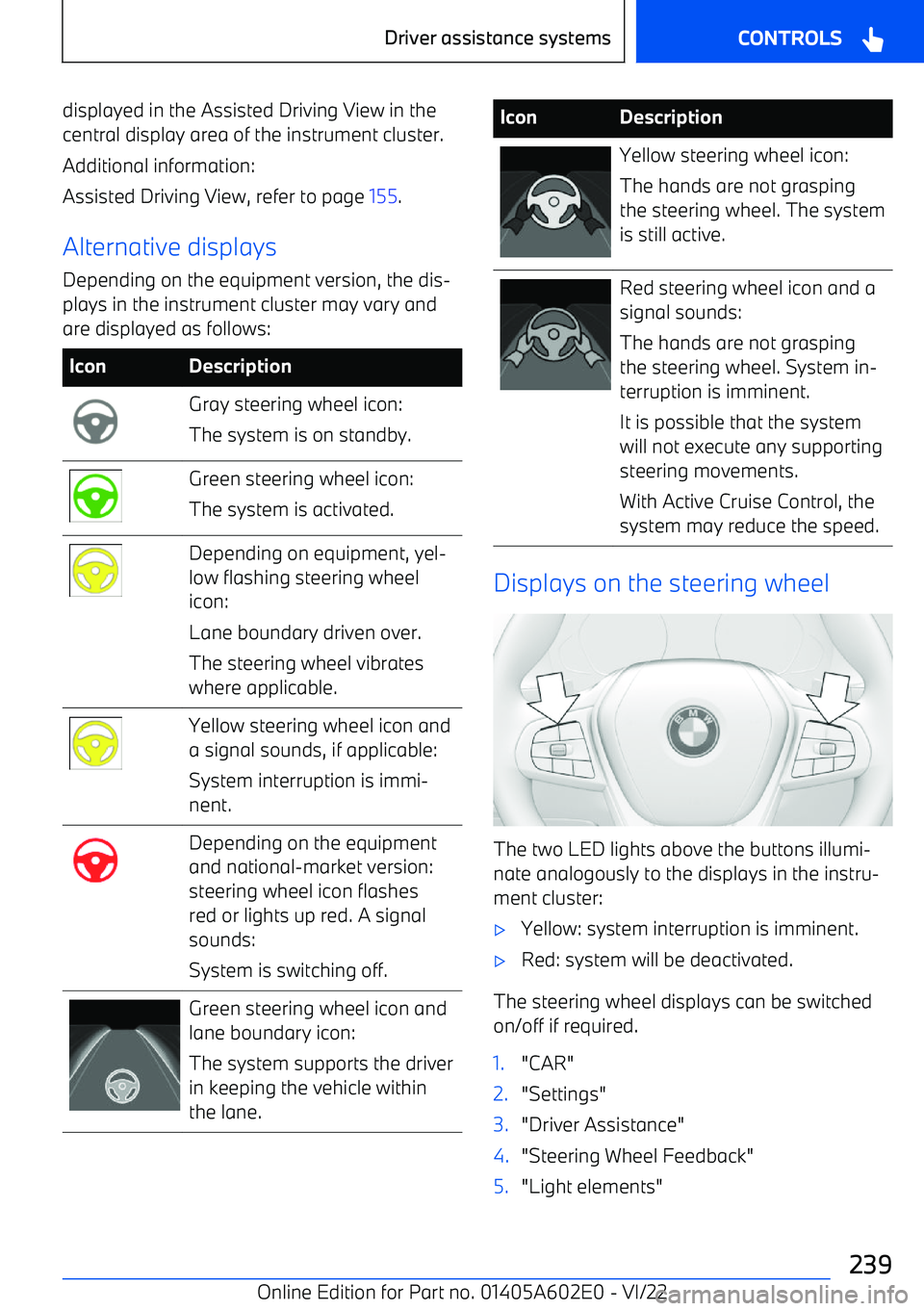
Alternative displays Depending on the equipment version, the dis
Page 410 of 416
Water on roads 312
Water, see Condensation water under the parked vehicle 313
Web page 7
Website, see Internet 7
Weights 391
Welcome Light Carpet, see Welcome light 176
Welcome light during unlocking 82
Welcome lights 176
Welcome screen, driver profiles 67
Wheelbase 390
Wheel base, vehicle 390
Wheel change 354
Wheels and tires 328
Wheels and tires, exchange 336
Widgets, iDrive 43
Widgets, instrument cluster 156, 157
Width, vehicle 390
Wi