Page 407 of 713

Continued405
uuBluetooth ® HandsFreeLink ®u HFL Menus
Features
When there is an inco ming call, an audible
notification sounds (if activated) and the
Incoming Call... screen appears.
Move the left selector wheel to the right to
answer the call. Move it to the left to decline
or end the call. u You can also select Answer or Ignore
on the audio/information screen to use
hands-free calling.
■Receiving a Call1 Receiving a Call
Call Waiting
To put a call on hold so that you can answer an
incoming call, move the left selector wheel to the
right.
Move the left selector wheel to the right to resume
the call.
Select Ignore to ignore the incoming call if you do
not want to answer it.
Move the left selector wheel to the left to end a call.
Instead of using the selector wheel, you can use the
icons on the audio/informati on screen to perform the
above mentioned functions.
When a screen other than the phone screen is
displayed in the A-zone, th e incoming call screen is
displayed in the B-zone.
23 ACURA RDX-31TJB6400.book 405 ページ 2022年8月4日 木曜日 午後1時51分
Page 408 of 713
uuBluetooth ® HandsFreeLink ®u HFL Menus
406
Features
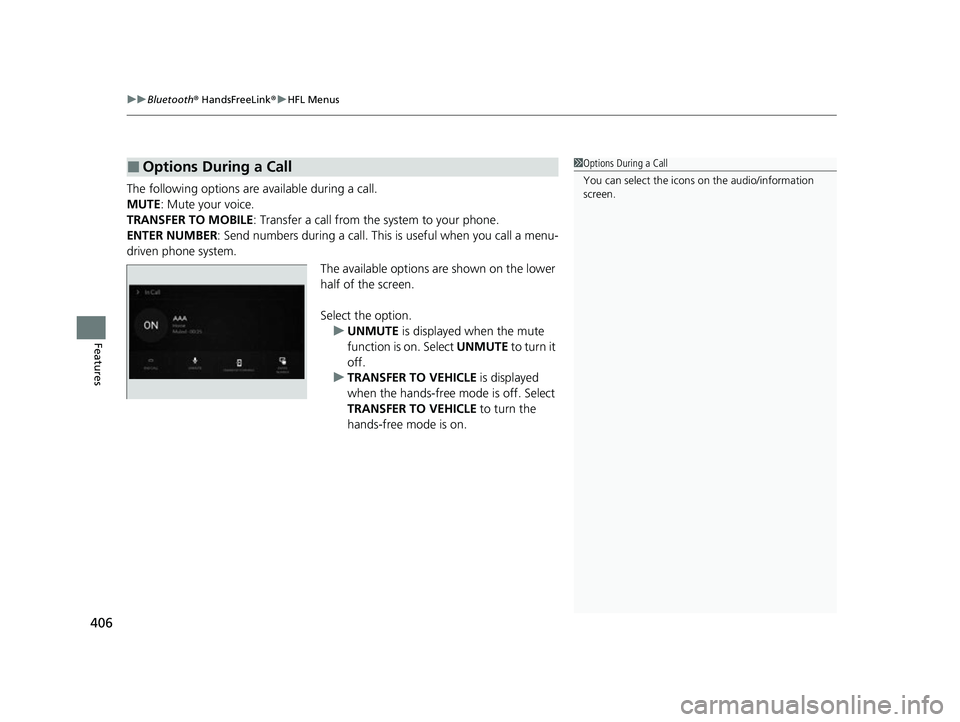
The following options are available during a call.
MUTE: Mute your voice.
TRANSFER TO MOBILE : Transfer a call from the system to your phone.
ENTER NUMBER: Send numbers during a call. This is useful when you call a menu-
driven phone system.
The available options are shown on the lower
half of the screen.
Select the option. u UNMUTE is displayed when the mute
function is on. Select UNMUTE to turn it
off.
u TRANSFER TO VEHICLE is displayed
when the hands-free mode is off. Select
TRANSFER TO VEHICLE to turn the
hands-free mode is on.
■Options During a Call1 Options During a Call
You can select the icons on the audio/information
screen.
23 ACURA RDX-31TJB6400.book 406 ページ 2022年8月4日 木曜日 午後1時51分
Page 409 of 713
407
uuBluetooth ® HandsFreeLink ®u Text Message
Continued
Features
Text Message
You can operate the various options of th e text message function from the message
box. 1.Press the (home) button.
2. Select Messages.
The following options are available:
Inbox : Shows received messages.
Send Message to Contact : Sends a message
to your contact on the list.
2 Send Message to Contact P. 418
Add Favorite: Adds the favorite contact to
the message box.
u You can add a shortcut to the home
screen that will take you directly to your
favorite contact. Select and hold the
contact, then select Add to Home
Page.
MENU : Sets the message option for changing
the connected device, turning on or off
message notifications, or editing replies.
1 Text Message
The text message features may not be available
depending on the cellular phone.
23 ACURA RDX-31TJB6400.book 407 ページ 2022年8月4日 木曜日 午後1時51分
Page 411 of 713
Continued409
uuBluetooth ® HandsFreeLink ®u Text Message
Features
■To turn on or off the text message
notice
1. Press the (home) button.
2. Select Messages.
3. Select MENU .
4. Select Notifications .
5. Select On or Off .
■To Set Up Text Message Options1To Set Up Text Message Options
To use the text message func tion, it may be necessary
to set up on your phone.
1 To turn on or off the text message notice
On: A pop-up notification comes on every time you
receive a new message.
Off: The message you receive is stored in the system
without not ification.
When a screen other than the Messages function
screen is displayed in th e A-zone, a text message
notification is displa yed in the B-zone.
23 ACURA RDX-31TJB6400.book 409 ページ 2022年8月4日 木曜日 午後1時51分
Page 412 of 713

uuBluetooth ® HandsFreeLink ®u Text Message
410
Features
HFL can display newly received text messa ges as well as the last 20 messages
received on a linked cell phone. Each received message can be read aloud and
replied to using a fixed common phrase. 1.A pop-up appears and notifies you of a new
text message.
2. Select Open.
3. Select to listen to the message. To stop
listening to the message, select .
u Select to hear the message from the
beginning.
■Receiving a Text Message1Receiving a Text Message
Some cell phones might not be able to read the
transmission log of data sent and data received.
The system does not display any received messages
while you are driving. You can only hear them read
aloud.
The system can only receive messages that are sent as
text (SMS) messages. Messages sent using the data
services will not be displayed in the list.
With some phones, you may be able to display up to
20 of the last text messages received.
State or local laws may limit your use of the HFL text
message feature. Only use the text message feature
when conditions allow you to do so safely.
Depending on the status of the A-zone, the received
message screen may be displayed on the B-zone.
23 ACURA RDX-31TJB6400.book 410 ページ 2022年8月4日 木曜日 午後1時51分
Page 413 of 713
Continued411
uuBluetooth ® HandsFreeLink ®u Text Message
Features
You can select one from the Bluetooth® device list to be active and receive
notifications. 1.Press the (home) button.
2. Select Messages.
3. Select MENU .
4. Select Change Connected Phone .
5. Change a desired phone.
2 To change the currently paired phone
P. 397
■Selecting a Phone1 Selecting a Phone
You can only receive notifications from one phone at
a time.
You can only connect one de vice to use both text
message function and Bluetooth® hands-free phone
function.
If there is a connection to Apple CarPlay or Android
Auto, a message will appear if this setting is selected
allowing the user to e nd the Apple CarPlay or
Android Auto session and continue with the setting.
23 ACURA RDX-31TJB6400.book 411 ページ 2022年8月4日 木曜日 午後1時51分
Page 414 of 713
uuBluetooth ® HandsFreeLink ®u Text Message
412
Features
1. Press the (home) button.
2. Select Messages.
3. Select Inbox.
4. Select a message.
u The message information is displayed.
5. Select View Message .
u The text message is displayed.
■Displaying Messages1Displaying Messages
The icon appears next to an unread message.
If you delete a message on the phone, the message
will also be dele ted from the system. If you send a
message from the system, the message goes to your
phone’s outbox.
To see the previous or next message, select Prev or
Next on the message screen.
Message List
Message
Information
23 ACURA RDX-31TJB6400.book 412 ページ 2022年8月4日 木曜日 午後1時51分
Page 416 of 713

uuBluetooth ® HandsFreeLink ®u Text Message
414
Features
■Reply to a message
1. Display the message information.
2. Select Reply.
3. Select the reply message.
u The pop-up menu appears on the screen.
4. Select Send to send the message.
u Message sent appears on the screen
when the reply messag e was successfully
sent.1 Reply to a message
The available reply messages are as follows:
•I’m on my way.
•I’m running late.
•No•OK
•Talk to you later, I'm driving.
•Yes
The display language of th e default reply message
depends on the connected phone. 2 To edit a reply message P. 415
You can add or delete a re ply message by selecting
Saved Replies.
2 To edit a reply message P. 415
2 To delete a reply message P. 415
Only certain phones receive and send messages when
paired and connected. For a list of compatible
phones:
•U.S.: Visit www.handsfreeli nk.com/Acura, or call 1-
888-528-7876.
•Canada: For more info rmation on smartphone
compatibility, call 1-855-490-7351.
23 ACURA RDX-31TJB6400.book 414 ページ 2022年8月4日 木曜日 午後1時51分