Page 120 of 713

118
uuIndicators uMulti-Information Display Warn ing and Information Messages
Instrument Panel
MessageConditionExplanation
•Appears when the (P button is pressed while the
vehicle is moving.• Make sure that the vehicl e comes to a stop before
operating the select button.
●Appears if you put the transmission into (R while the
vehicle is moving forward, or into
(D while the
vehicle is reversing.
• Appears when you set the power mode to OFF while
driving.•Immediately stop in a safe place, set the parking brake,
then restart the engine. If the message disappears,
continue driving.
•Appears when the vehicle is stopped with the
driver’s seat belt unfastened and there is a chance
that the vehicle may roll unintentionally.•Press the (P button before release the brake pedal
when idling, parking or exiting the vehicle.
2 Shift Operation P. 453
●Appears when you attempt to change to another
gear position with the transmission in
(P and the
engine OFF.
●To select another gear position while in (P, the engine
must be ON.
23 ACURA RDX-31TJB6400.book 118 ページ 2022年8月4日 木曜日 午後1時51分
Page 122 of 713

120
uuIndicators uMulti-Information Display Warn ing and Information Messages
Instrument Panel
MessageConditionExplanation
•Appears when you press and hold (N button for
more than two seconds.• Disappears when you set the shift position to other
than
(N.
2 If you want to keep the transmission in (N
position [car wash mode] P. 455
• Appears for a few seconds if you have not pressed
the
(N button long enough to initiate Neutral-Hold
mode.
2 If you want to keep the transmission in (N
position [car wash mode] P. 455
• Appears when neutral hold mode is not available
due to the transmission being too hot.•When the transmission is to o hot, neutral hold mode
may not be available. Let the engine idle until the
transmission has cooled down.
2 If you want to keep the transmission in (N
position [car wash mode] P. 455
• Appears if there is a prob lem with the auto high-
beam.• Manually operate the headlight switch.
• If you are driving with the high-beam headlights when
this happens, the headlights are changed to low beams.
23 ACURA RDX-31TJB6400.book 120 ページ 2022年8月4日 木曜日 午後1時51分
Page 123 of 713
121
uuIndicators uMulti-Information Display Warning and Information Messages
Continued
Instrument Panel
MessageConditionExplanation
●Appears when ACC has been automatically
canceled.●You can resume the set speed after the condition that
caused ACC to cancel improves. Press the RES/+
button.
2 Adaptive Cruise Control (ACC) with Low Speed
Follow P. 502
●Flashes when the system senses a likely collision with
a vehicle in front of yo u. The beeper sounds.●Take appropriate action to pr event a collision (apply the
brakes, change lanes, etc.)
2 Collision Mitigation Braking SystemTM (CMBSTM)
P. 486
2 Adaptive Cruise Control (ACC) with Low Speed
Follow P. 502
2 Low Speed Braking Control
* P. 497
●Appears when the low speed braking control system
is activated.
—
Models with Low Speed Braking Control
Models with Low
Speed Braking
Control
* Not available on all models
23 ACURA RDX-31TJB6400.book 121 ページ 2022年8月4日 木曜日 午後1時51分
Page 128 of 713
126
uuIndicators uMulti-Information Display Warn ing and Information Messages
Instrument Panel
MessageConditionExplanation
●Appears when SET/–, RES/+, CANCEL , or interval
button is pressed while ACC is off.●After pressing the button, press the SET/–, RES/+ ,
CANCEL , or interval button.
2Adaptive Cruise Control (ACC) with Low Speed
Follow P. 502
●Appears when interval button is pressed while Cruise
mode is selected.●After selecting ACC, press the interval button.
2Adaptive Cruise Control (ACC) with Low Speed
Follow P. 502
•Appears when the vehicle ahead of you resumes
driving, after your vehicle has been stopped
automatically by ACC.●Press the RES/+ or SET/– button or depress the
accelerator pedal to resume.
2 Adaptive Cruise Control (ACC) with Low Speed
Follow P. 502
23 ACURA RDX-31TJB6400.book 126 ページ 2022年8月4日 木曜日 午後1時51分
Page 135 of 713

133
uuIndicators uMulti-Information Display Warning and Information Messages
Continued
Instrument Panel
MessageConditionExplanation
●Appears if there is a problem with the fuel pump
system.●Set the power mode to OFF for a while, then set the
power mode to ON. The message disappears if there is
no problem. If the message appears again, take your
vehicle to a dealer.
●Appears if there is a problem with the engine
management system.●Set the power mode to OFF for a while, then set the
power mode to ON. The message disappears if there is
no problem. If the message appears again, take your
vehicle to a dealer.
●Appears if there is a pr oblem with the ignition
system.●Set the power mode to OFF for a while, then set the
power mode to ON. The message disappears if there is
no problem. If the message appears again, take your
vehicle to a dealer.
●Appears if there is a problem with the seat heaters.●Turn off the seat heaters un til the message disappears.
If the message appears again, take your vehicle to a
dealer.
23 ACURA RDX-31TJB6400.book 133 ページ 2022年8月4日 木曜日 午後1時51分
Page 136 of 713
134
uuIndicators uMulti-Information Display Warn ing and Information Messages
Instrument Panel
MessageConditionExplanation
●Appears if there is a problem with the climate control
system.●Turn off the climate control system until the message
disappears. If the message appears again, take your
vehicle to a dealer.
MessageConditionExplanation
●Appears when you unlock and open the driver’s door
while the engine is running by remote engine start.
2Remote Engine Start* P. 445
MessageConditionExplanation
●Appears if there is a pr oblem with the adaptive
damper system.●Have your vehicle checked by a dealer. Your vehicle will
have normal damping ability without the adaptive
damper feature.
Models with remote engine start
Models with head-up display
* Not available on all models
23 ACURA RDX-31TJB6400.book 134 ページ 2022年8月4日 木曜日 午後1時51分
Page 137 of 713
135
uuIndicators uMulti-Information Display Warning and Information Messages
Instrument Panel
MessageConditionExplanation
• Appears if there is a proble m with the parking sensor
system.• Check if the area around the sensor(s) is covered with
mud, ice, snow, etc. If th e indicator(s) stays on even
after you clean the area, have the system checked by a
dealer.
Models with parking sensor system
23 ACURA RDX-31TJB6400.book 135 ページ 2022年8月4日 木曜日 午後1時51分
Page 144 of 713
uuGauges and Displays uMulti-Information Display
142
Instrument Panel
2 Indicators P. 80
2 Multi-Information Display Warning and Information Messages P. 107
Shows the remaining oil life and Maintenance MinderTM.
2Maintenance MinderTM P. 585
Shows each tire’s pressure.
2Tire Pressure Monitoring System (TPMS) with Tire Fill Assist P. 475
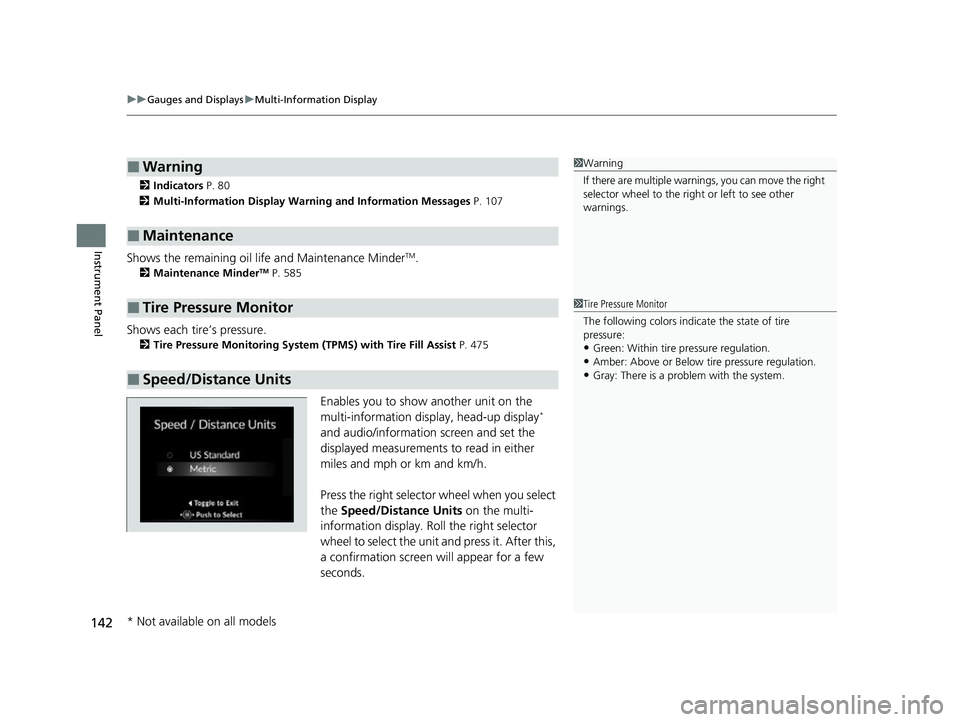
Enables you to show another unit on the
multi-information display, head-up display*
and audio/information screen and set the
displayed measurements to read in either
miles and mph or km and km/h.
Press the right selector wheel when you select
the Speed/Distance Units on the multi-
information display. Roll the right selector
wheel to select the unit and press it. After this,
a confirmation screen will appear for a few
seconds.
■Warning
■Maintenance
■Tire Pressure Monitor
■Speed/Distance Units
1 Warning
If there are multiple warnings, you can move the right
selector wheel to the right or left to see other
warnings.
1 Tire Pressure Monitor
The following colors indicate the state of tire
pressure:
•Green: Within tire pressure regulation.•Amber: Above or Below tire pressure regulation.
•Gray: There is a problem with the system.
* Not available on all models
23 ACURA RDX-31TJB6400.book 142 ページ 2022年8月4日 木曜日 午後1時51分


