Page 217 of 592

2174-2. Driving procedures
4
Driving
SEQUOIA_OM_USA_OM0C047U■
If the engine does not start
●The engine immobilizer system may not have been deactivated. ( P. 82)
Contact your Toyota dealer.
● Check that the shift lever is securely set in P. The engine may not start if the
shift lever is displaced out of P. “Shift to P Position” will b e displayed on the
multi-information display.
■ Steering lock
After turning the engine switch off and opening and closing the doors, the
steering wheel will be locked due to the steering lock function. Operating the
engine switch again automatically cancels the steering lock.
■ When the steering lock cannot be released
■ Steering lock motor overheating prevention
To prevent the steering lock motor from overheating, operation of the motor
may be suspended if the engine is turned on and off repeatedly in a short
period of time. In this case, refrain from running the engine. After about
10 seconds, the steering lock motor will resume functioning.
■ When “Smart Entry & Start System Check” is displayed on the multi-
information display
The system may be malfunctioning. Have the vehicle inspected by your
Toyota dealer immediately.
■ If the electronic key battery is depleted
P. 448
■ Operation of the engine switch
●If the switch is not pressed shortly and firmly, the engine swi tch mode may
not change or the engine may not start.
● If attempting to restart the engine immediately after turning t he engine
switch off, the engine may not start in some cases. After turni ng the engine
switch off, please wait a few seconds before restarting the eng ine.
■ If the smart key system has been d eactivated by a customized setting
P. 509 A message will be displayed on the multi-
information display.
Check that the shift lever is in P. Press the
engine switch while turning the steering
wheel left and right.
Page 219 of 592

2194-2. Driving procedures
4
Driving
SEQUOIA_OM_USA_OM0C047U
NOTICE
■To prevent battery discharge
● Do not leave the engine switch in ACC or ON for long periods of time with-
out the engine running.
● If “ACCESSORY” or “IGNITION ON” is displayed on the multi-infor mation
display while the engine is not running, the engine switch is not off. Exit the
vehicle after turning the engine switch off.
● Do not stop the engine when the shift lever is in a position ot her than P. If
the engine is stopped in another shift lever position, the engine switch will
not be turned off but instead be turned to ACC. If the vehicle is left in ACC,
battery discharge may occur.
■ When starting the engine
● Do not race a cold engine.
● If the engine becomes difficult to start or stalls frequently, have your vehi-
cle checked by your Toyota dealer immediately.
■ Symptoms indicating a malf unction with the engine switch
If the engine switch seems to be operating somewhat differently than usual,
such as the switch sticking slightly, there may be a malfunction. Contact
your Toyota dealer immediately.
Page 230 of 592
2304-3. Operating the lights and wipers
SEQUOIA_OM_USA_OM0C047U■
Automatic light off system
●When the headlights come on: The headlights and tail lights aut omatically
turn off after 30 seconds when all doors are closed with the en gine switch
turned to ACC or OFF. (The lights turn off immediately if the button on
the wireless remote control is pressed after all doors are lock ed.)
● When only the tail lights come on: The tail lights turn off aut omatically with
the engine switch turned to ACC or OFF and the driver’s door is opened.
To turn the lights on again, turn the engine switch to ON, or turn the headlight
switch off once and then back to the or position.
■ Customization
Settings (e.g. light sensor sensitivity) can be changed.
(Customizable features: P. 548)
NOTICE
■To prevent battery discharge
Do not leave the lights on longer than necessary when the engin e is not
running.
Page 261 of 592
2614-5. Using the driving support systems
4
Driving
SEQUOIA_OM_USA_OM0C047U
■Operational conditions
The pre-collision system is enabled and the system determines that the pos-
sibility of a frontal collision with a vehicle or pedestrian is high.
Each function is operational at the following speeds:
● Pre-collision warning:
• Vehicle speed is between approximately 7 and 110 mph (10 and 1 80 km/h).
(For detecting a pedestrian, vehicle speed is between approximately 7 and
50 mph [10 and 80 km/h].)
• The relative speed between your vehicle and the vehicle or ped estrian
ahead is approximately 7 mph (10 km/h) or more.
● Pre-collision brake assist:
• Vehicle speed is between approximately 20 and 110 mph (30 and 180 km/h).
(For detecting a pedestrian, vehicle speed is between approxima tely 20 and
50 mph [30 and 80 km/h].)
• The relative speed between your vehicle and the vehicle or ped estrian
ahead is approximately 20 mph (30 km/h) or more.
● Pre-collision braking:
• Vehicle speed is between approximately 7 and 110 mph (10 and 1 80 km/h).
(For detecting a pedestrian, vehicle speed is between approximately 7 and
50 mph [10 and 80 km/h].)
• The relative speed between your vehicle and the vehicle or ped estrian
ahead is approximately 7 mph (10 km/h) or more.
The system may not operate in the following situations:
● If a battery terminal has been disconnected and reconnected and then the
vehicle has not been driven for a certain amount of time
● If the shift lever is in R
● If VSC is disabled (only the pre-collision warning function wil l be opera-
tional)
● If the low speed four-wheel drive indicator is illuminated (onl y the pre-colli-
sion warning function will be operational)
Page 328 of 592

3284-5. Using the driving support systems
SEQUOIA_OM_USA_OM0C047U■
Automatic reactivation of TRAC, Trailer Sway Control and VSC sy stems
After turning the TRAC, Trailer Sway Control and VSC systems of f, the sys-
tems will be automatically re-enabled in the following situatio ns:
● When the engine switch is turned off
● If only the TRAC system is turned off, the TRAC will turn on wh en vehicle
speed increases
If both the TRAC and VSC systems are turned off, automatic re-e nabling will
not occur when vehicle speed increases.
■ If the brake system overheats
TRAC will cease operation, and the slip indicator will change f rom flashing to
being on continuously to alert the driver. Stop the vehicle in a safe place.
(There is no problem with continuing normal driving.)
■ Shifting to the “4L” position
The VSC off indicator will come on.
If the center differential is locked, VSC and Trailer Sway Cont rol are automat-
ically turned off.
■ Power steering system operation sound
When you turn the engine switch to ON after the battery has bee n discon-
nected and reconnected, a sound may be heard from the engine co mpart-
ment.
This does not indicate a malfunction.
Page 336 of 592
3364-6. Driving tips
SEQUOIA_OM_USA_OM0C047U
Winter driving tips
●Use fluids that are appropriate t o the prevailing outside tempera-
tures. • Engine oil
• Engine coolant
• Washer fluid
● Have a service technician inspec t the condition of the battery.
● Have the vehicle fitted with four snow tires or purchase a set of tire
chains for the rear tires.
Ensure that all tires are the same size and brand, and that chains match
the size of the tires.
Carry out the necessary preparations and inspections before
driving the vehicle in winter. Always drive the vehicle in a ma n-
ner appropriate to the prevailing weather conditions.
Preparation for winter
Page 349 of 592
3495-1. Using the air conditioning system and defogger
5
Interior features
SEQUOIA_OM_USA_OM0C047U
WARNING
■To prevent the windshield from fogging up
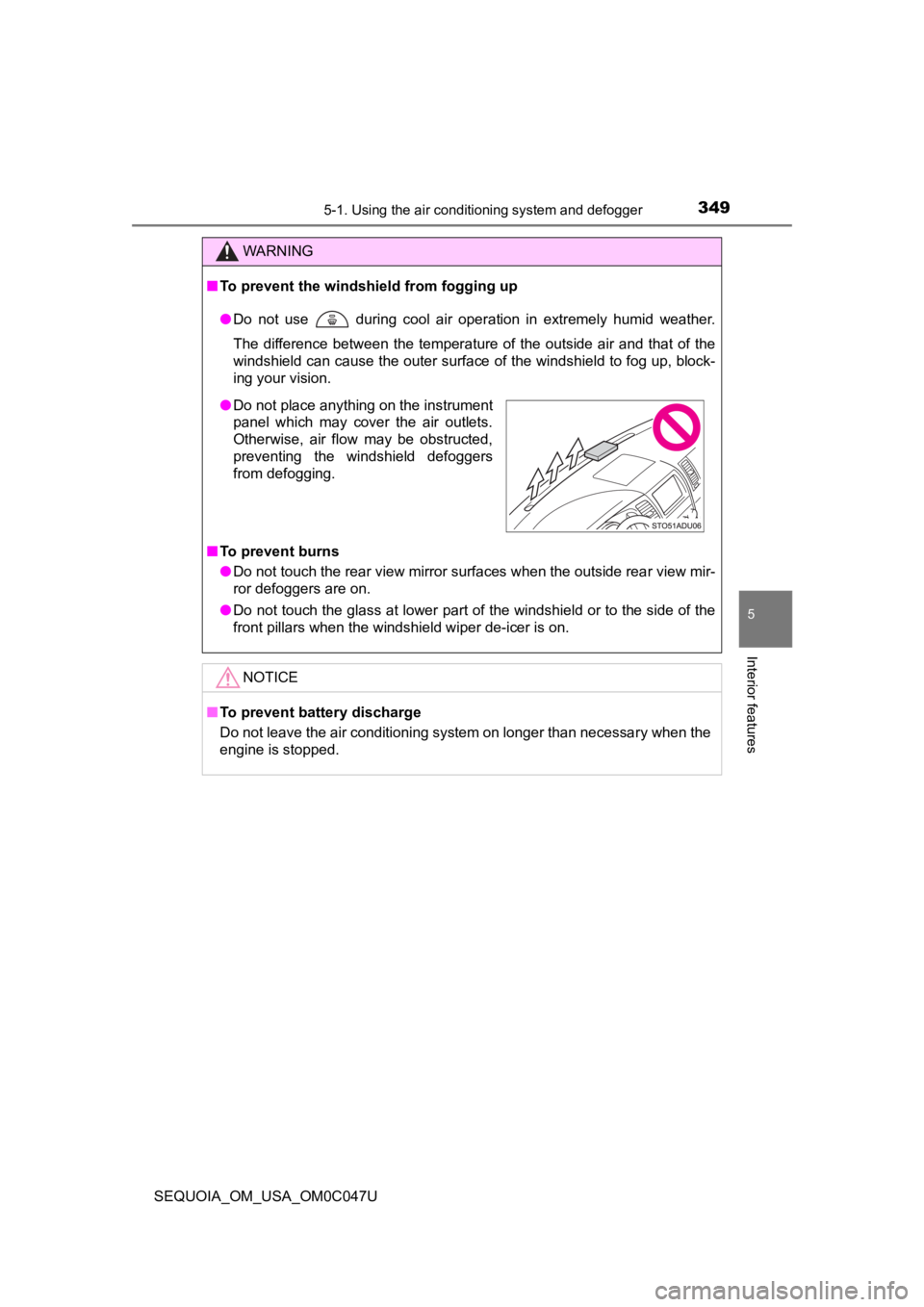
● Do not use during cool air operation in extremely humid weathe r.
The difference between the temperature of the outside air and that of the
windshield can cause the outer surface of the windshield to fog up, block-
ing your vision.
■ To prevent burns
● Do not touch the rear view mirror surfaces when the outside rear view mir-
ror defoggers are on.
● Do not touch the glass at lower part of the windshield or to the side of the
front pillars when the windshield wiper de-icer is on.
NOTICE
■To prevent battery discharge
Do not leave the air conditioning system on longer than necessa ry when the
engine is stopped.
● Do not place anything on the instrument
panel which may cover the air outlets.
Otherwise, air flow may be obstructed,
preventing the windshield defoggers
from defogging.
Page 353 of 592
3535-1. Using the air conditioning system and defogger
5
Interior features
SEQUOIA_OM_USA_OM0C047U
■Button lock function
During the “SYNC” mode is on, the rear air conditioning system buttons will
be automatically locked. ( P. 344)
appears on the display when the buttons are locked.
To unlock the buttons, choose the “SYNC” mode is off.
NOTICE
■ To prevent battery discharge
Do not leave the air conditioning system on longer than necessa ry when the
engine is stopped.