2022 TOYOTA CAMRY wheel
[x] Cancel search: wheelPage 201 of 664

2014-1. Before driving
4
Driving
CAMRY_U
WARNING
Observe the following precautions.
Failure to do so may result in death or serious injury.
■When taking a nap in the vehicle
Always turn the engine off. Otherwise, if you accidentally move the shift
lever or depress the accelerator pedal, this could cause an acc ident or fire
due to engine overheating. Additionally, if the vehicle is parked in a poorly
ventilated area, exhaust gases may collect and enter the vehicl e, leading to
death or a serious health hazard.
■ When braking
● When the brakes are wet, drive more cautiously.
Braking distance increases when the brakes are wet, and this may cause
one side of the vehicle to brake differently than the other side. Also, the
parking brake may not securely hold the vehicle.
● If the brake booster device does not operate, do not follow oth er vehicles
closely and avoid hills or shar p turns that require braking.
In this case, braking is still possible, but the brake pedal should be
depressed more firmly than usual. Also, the braking distance will increase.
Have your brakes fixed immediately.
● Do not pump the brake pedal if the engine stalls.
Each push on the brake pedal uses up the reserve for the power-assisted
brakes.
● The brake system consists of 2 individual hydraulic systems; if one of the
systems fails, the other will still operate. In this case, the brake pedal
should be depressed more firmly than usual and the braking dist ance will
increase.
Have your brakes fixed immediately.
■ If the vehicle becomes stuck (AWD models)
Do not spin the wheels excessively when any of the tires is up in the air, or
the vehicle is stuck in sand, mud, etc. This may damage the driveline com-
ponents or propel the vehicle forward or backward, causing an accident.
Page 202 of 664

2024-1. Before driving
CAMRY_U
NOTICE
■When driving the vehicle
● Do not depress the accelerator and brake pedals at the same tim e during
driving, as this may restrain engine output.
● Do not use the accelerator pedal or depress the accelerator and brake
pedals at the same time to hold the vehicle on a hill.
■ When parking the vehicle
Always set the parking brake and shift the shift lever to P. Failure to do so
may cause the vehicle to move or the vehicle may accelerate sud denly if
the accelerator pedal is accidentally depressed.
■ Avoiding damage to vehicle parts
● Do not turn the steering wheel fully in either direction and ho ld it there for
an extended period of time.
Doing so may damage the power steering motor.
● When driving over bumps on the road, drive as slowly as possible to avoid
damaging the wheels, underside of the vehicle, etc.
■ If you get a flat tire while driving
A flat or damaged tire may cause the following situations. Hold the steering
wheel firmly and gradually depress the brake pedal to slow down the vehi-
cle.
● It may be difficult to control your vehicle.
● The vehicle will make abnormal sounds or vibrations.
● The vehicle will lean abnormally.
Information on what to do in case of a flat tire ( P. 543)
■ When encountering flooded roads
Do not drive on a road that has flooded after heavy rain etc. D oing so may
cause the following serious damage to the vehicle:
● Engine stalling
● Short in electrical components
● Engine damage caused by water immersion
In the event that you drive on a flooded road and the vehicle i s flooded, be
sure to have your Toyota dealer check the following:
● Brake function
● Changes in quantity and quality of oil and fluid used for the e ngine, tran-
saxle, transfer (AWD models), rear differential (AWD models), e tc.
● Lubricant condition for the bearings and suspension joints (where possi-
ble), and the function of all joints, bearings, etc.
Page 207 of 664
2074-1. Before driving
4
Driving
CAMRY_U
Trailer towing
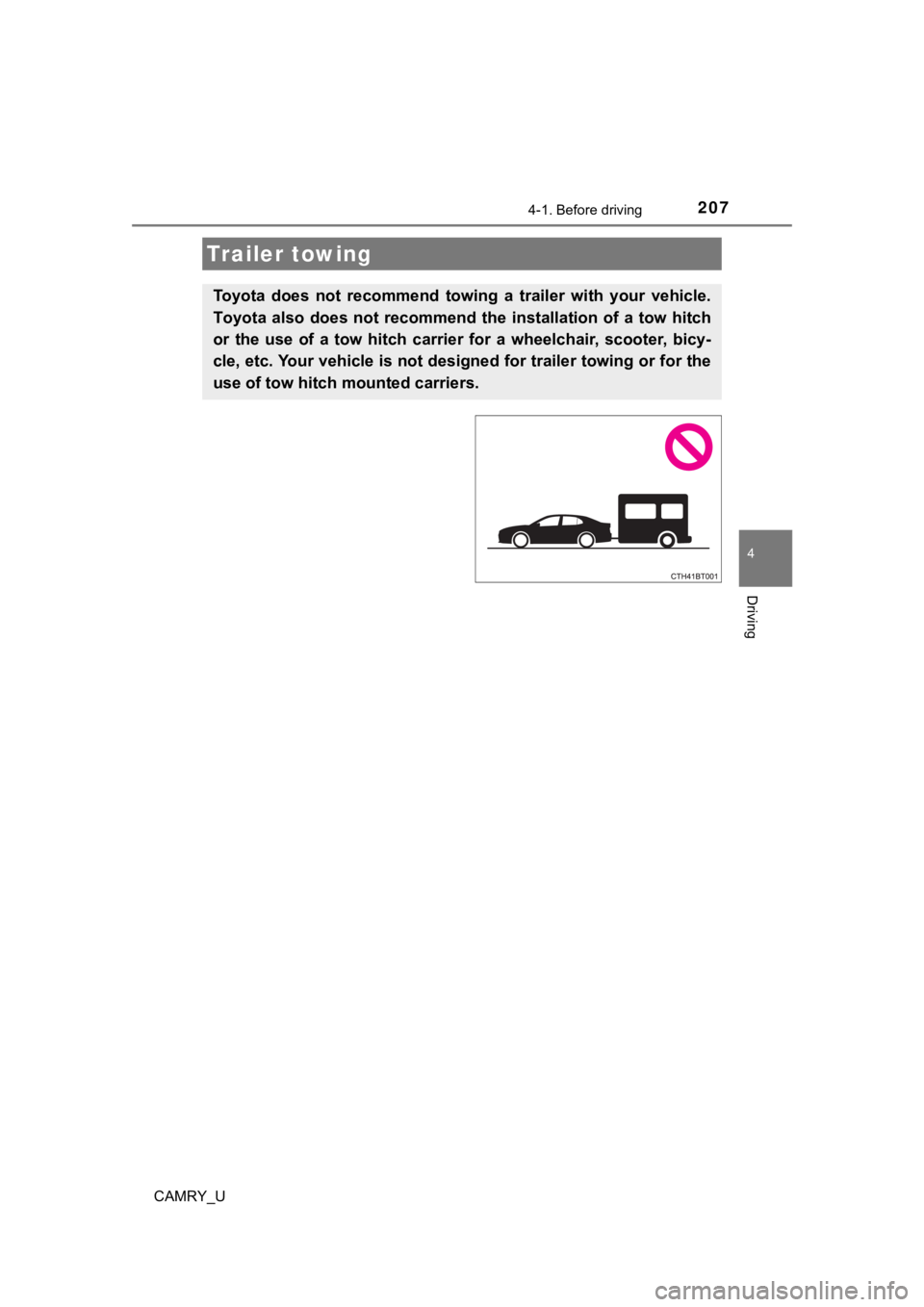
Toyota does not recommend towing a trailer with your vehicle.
Toyota also does not recommend the installation of a tow hitch
or the use of a tow hitch carrier for a wheelchair, scooter, bi cy-
cle, etc. Your vehicle is not des igned for trailer towing or for the
use of tow hitch mounted carriers.
Page 208 of 664
2084-1. Before driving
CAMRY_U
Dinghy towing
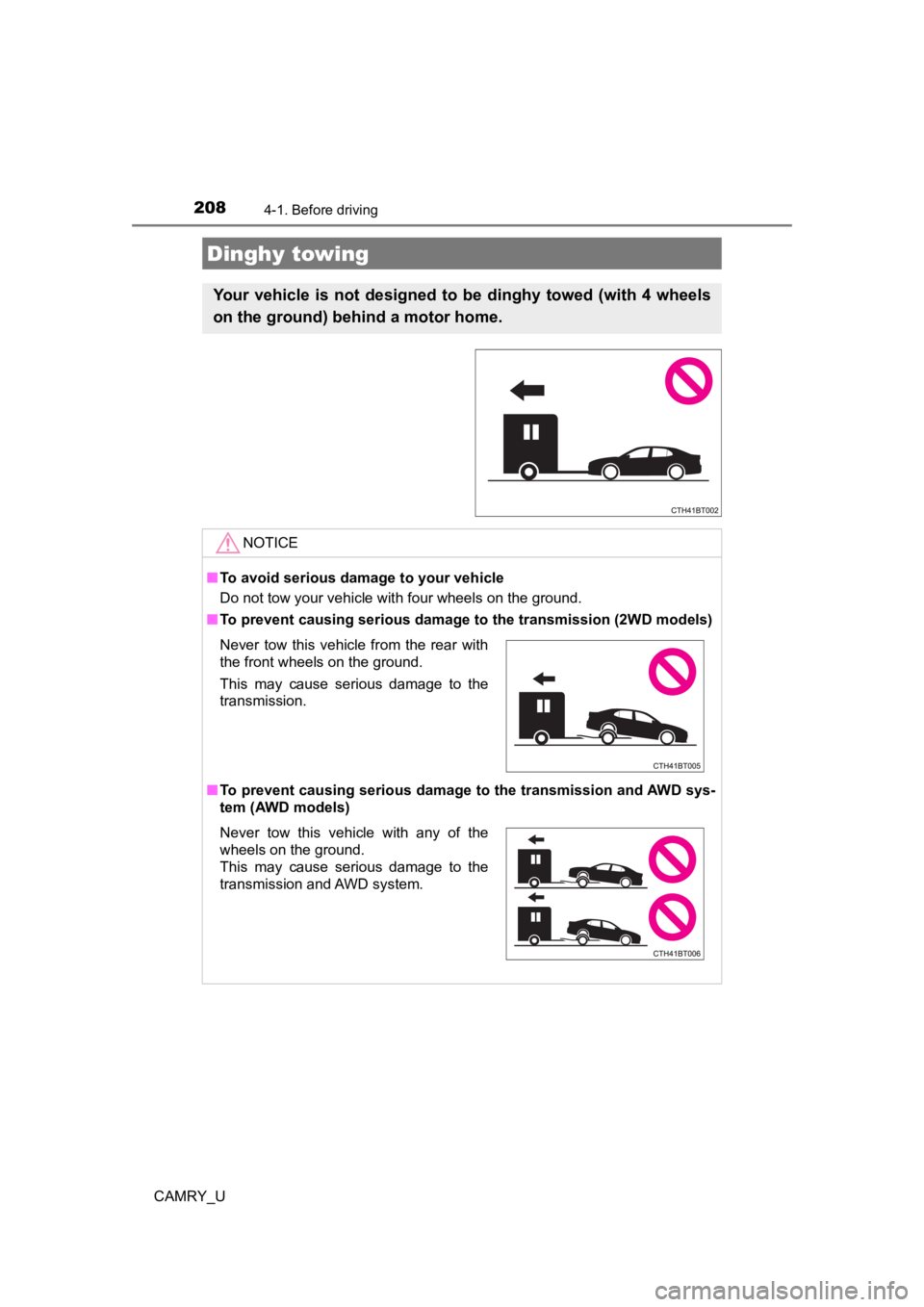
Your vehicle is not designed to be dinghy towed (with 4 wheels
on the ground) behind a motor home.
NOTICE
■To avoid serious damage to your vehicle
Do not tow your vehicle with four wheels on the ground.
■ To prevent causing serious damage to the transmission (2WD models)
■ To prevent causing serious damage to the transmission and AWD sys-
tem (AWD models)
Never tow this vehicle from the rear with
the front wheels on the ground.
This may cause serious damage to the
transmission.
Never tow this vehicle with any of the
wheels on the ground.
This may cause serious damage to the
transmission and AWD system.
Page 209 of 664

209
4
Driving
CAMRY_U
4-2. Driving procedures
Check that the parking brake is set.
Check that the shift lever is in P.
Firmly depress the brake pedal.
Turn the engine switch to the “START” position and start the
engine.
“LOCK”
The steering wheel is locked and
the key can be removed. (The key
can be removed only when the
shift lever is in P.)
“ACC”
Some electrical components such
as the audio system can be used.
“ON”
All electrical components can be used.
“START”
For starting the engine.
■ Turning the key from “ACC” to “LOCK”
Shift the shift lever to P. ( P. 217)
■ If “Not Ready to Drive” is displayed on the multi-information d isplay
Depress the brake pedal and then turn the engine switch to the “START”
position to start the engine.
Engine (ignition) switch (vehicles without a
smart key system)
Starting the engine
Changing the engine switch positions
1
2
3
4
1
2
Push in the key and turn it to the
“LOCK” position.
3
4
1
2
Page 210 of 664

2104-2. Driving procedures
CAMRY_U■
When “Check Fuel Cap” is displayed on the multi-information dis play
P. 247
■ If the engine does not start
The engine immobilizer system may not have been deactivated. ( P. 80)
Contact your Toyota dealer.
■ When the steering lock cannot be released
■ Key reminder function
A buzzer sounds if the driver’s door is opened while the engine switch is in
the “LOCK” or “ACC” position to remind you to remove the key. When starting the engine, the engine
switch may seem stuck in the “LOCK”
position. To free it, turn the key while turn-
ing the steering wheel slightly left and
right.
WARNING
■ When starting the engine
Always start the engine while sitting in the driver’s seat. Do not depress the
accelerator pedal while starting the engine under any circumsta nces.
Doing so may cause an accident resulting in death or serious in jury.
■ Caution when driving
Do not turn the engine switch to the “LOCK” position while driving. If, in an
emergency, you must turn the engine off while the vehicle is moving, turn
the engine switch only to the “ACC” position to stop the engine . An accident
may result if the engine is stopped while driving. ( P. 517)
NOTICE
■To prevent battery discharge
Do not leave the engine switch in the “ACC” or “ON” position fo r long peri-
ods of time without the engine running.
■ When starting the engine
● Do not crank the engine for more than 30 seconds at a time. This may
overheat the starter and wiring system.
● Do not race a cold engine.
● If the engine becomes difficult to start or stalls frequently, have your vehi-
cle checked by your Toyota dealer immediately.
Page 214 of 664

2144-2. Driving procedures
CAMRY_U
■Auto power off function
If the vehicle is left in ACCESSORY mode for more than 20 minut es or IGNI-
TION ON mode (with the engine is not running) for more than an hour with
the shift lever in P, the engine switch will automatically turn off. However, this
function cannot entirely prevent battery discharge. Do not leav e the vehicle
with the engine switch in ACCESSORY or IGNITION ON mode for lon g peri-
ods of time when the engine is not running.
■ Electronic key battery depletion
P. 145
■ Conditions affecting operation
P. 163
■ Notes for the entry function
P. 164
■ If the engine does not start
●The engine immobilizer system may not have been deactivated. ( P. 80)
Contact your Toyota dealer.
● Check that the shift lever is securely set in P. The engine may not start if the
shift lever is displaced out of P.
■ Steering lock
After turning the engine switch off and opening and closing the doors, the
steering wheel will be locked due to the steering lock function. Operating the
engine switch again automatically cancels the steering lock.
■ When the steering lock cannot be released
■ Steering lock motor overheating prevention
To prevent the steering lock motor from overheating, the motor may be sus-
pended if the engine is turned on and off repeatedly in a short period of time.
In this case, refrain from operating the engine. After about 10 seconds, the
steering lock motor will resume functioning.
■ When “Check Fuel Cap” is displayed on the multi-information display
P. 247
■ When a message requesting the smart key system be inspected is dis-
played on the multi-information display
The system may be malfunctioning. Have the vehicle inspected by your
Toyota dealer immediately. A message informing the driver that the
steering wheel is locked will be displayed
on the multi-information display.
Check that the shift lever is set in P. Press
the engine switch while turning the steer-
ing wheel left and right.
Page 238 of 664

2384-3. Operating the lights and wipers
CAMRY_U■
Conditions to turn the high beams on/off automatically
●When all of the following conditions are met, the high beams will be turned
on automatically (after approximately 1 second):
• The vehicle speed is approximately 21 mph (34 km/h) or more.
• The area ahead of the vehicle is dark.
• There are no vehicles ahead with headlights or tail lights turned on.
• There are few streetlights on the road ahead.
● If any of the following conditions is met, the high beams will turn off automat-
ically:
• The vehicle speed is below approximately 17 mph (27 km/h).
• The area ahead of the vehicle is not dark.
• Vehicles ahead have their headlights or tail lights turned on.
• There are many streetlights on the road ahead.
■ Front camera detection information
●The high beams may not be automatically turned off in the follo wing situa-
tions:
• When a vehicle suddenly appears from around a curve
• When the vehicle is cut in front of by another vehicle
• When vehicles ahead cannot be detected due to repeated curves, road dividers or roadside trees
• When vehicles ahead appear in a faraway lane on a wide road
• When the lights of vehicles ahead are not on
● The high beams may be turned off if a vehicle ahead that is usi ng fog lights
without its headlights turned on is detected.
● House lights, street lights, traffic signals, and illuminated billboards or signs
and other reflective objects may cause the high beams to change to the low
beams, or the low beams to remain on.
● The following factors may affect the amount of time taken for t he high
beams to turn on or off:
• The brightness of the headlights, fog lights, and tail lights of vehicles
ahead
• The movement and direction of vehicles ahead
• When a vehicle ahead only has operational lights on one side
• When a vehicle ahead is a two-wheeled vehicle
• The condition of the road (gradient, curve, condition of the r oad surface,
etc.)
• The number of passengers and amount of luggage in the vehicle
● The high beams may turn on or off unexpectedly.
● Bicycles or similar vehicles may not be detected.