2022 TOYOTA CAMRY ESP
[x] Cancel search: ESPPage 132 of 664

1322. Instrument cluster
CAMRY_U
■Head-up display
The head-up display may seem dark or hard to see when viewed th rough
sunglasses, especially polarized sunglasses.
Adjust the brightness of the head-up display or remove your sunglasses.
■ Display brightness
The brightness of the head-up display can be adjusted on of the multi-
information display. Also, it is automatically adjusted accordi ng to the ambient
brightness.
■ Enabling/disabling of the head-up display
If the head-up display is disabled, it will remain disabled when the engine
switch is turned off then back to IGNITION ON mode.
■ Street name display (vehicles with a navigation system)
Only street names which are included in the map data will be displayed.
WARNING
■Before using the head-up display
● Check that the position and brightness of the head-up display i mage does
not interfere with safe driving. Incorrect adjustment of the image’s position
or brightness may obstruct the driver’s view and lead to an accident,
resulting in death or serious injury.
● Do not continuously look at the head-up display while driving a s you may
fail to see pedestrians, objects on the road, etc. ahead of the vehicle.
■ Caution for changing settings of the head-up display
As the engine needs to be running while changing the settings of the head-
up display, ensure that the vehicle is parked in a place with adequate venti-
lation. In a closed area such as a garage, exhaust gases includ ing harmful
carbon monoxide (CO) may collect and enter the vehicle. This may lead to
death or a serious health hazard.
Page 155 of 664

1553-2. Opening, closing and locking the doors
3
Operation of each component
CAMRY_U
WARNING
■To prevent an accident
Observe the following precautions while driving the vehicle.
Failure to do so may result in a door opening and an occupant f alling out,
resulting in death or serious injury.
● Ensure that all doors are properly closed.
● Do not pull the inside handle of the doors while driving.
Be especially careful for the front doors, as the doors may be opened
even if the inside lock buttons are in locked position.
● Set the rear door child-protector locks when children are seated in the rear
seats.
■ When opening or closing a door
Check the surroundings of the vehicle such as whether the vehicle is on an
incline, whether there is enough space for a door to open and w hether a
strong wind is blowing.
When opening or closing the door, hold the door handle tightly to prepare
for any unpredictable movement.
Page 162 of 664

1623-2. Opening, closing and locking the doors
CAMRY_U■
Alarms and warning indicators
A combination of exterior and interior alarms as well as warnin g messages
shown on the multi-information display are used to prevent theft of the vehicle
and accidents resulting from erroneous operation. Take appropriate mea-
sures in response to any warning message on the multi-information display.
( P. 538)
When only an alarm sounds, circumstances and correction procedu res are as
follows.
AlarmSituationCorrection procedure
Exterior alarm sounds
once for 5 seconds An attempt was made
to lock the vehicle while
a door was open.
Close all of the doors
and lock the doors
again.
The trunk was closed
while the electronic key
was still inside the trunk
and all the doors were
locked. Retrieve the electronic
key from the trunk and
close the trunk lid.
Interior alarm pings
repeatedly The engine switch was
turned to ACCESSORY
mode while the driver’s
door was open (The
driver’s door was
opened when the
engine switch was in
ACCESSORY mode).
Turn the engine switch
off and close the
driver’s door.
The engine switch was
turned off while the
driver’s door was open. Close the driver’s door.
Page 172 of 664
1723-3. Adjusting the seats
CAMRY_U■
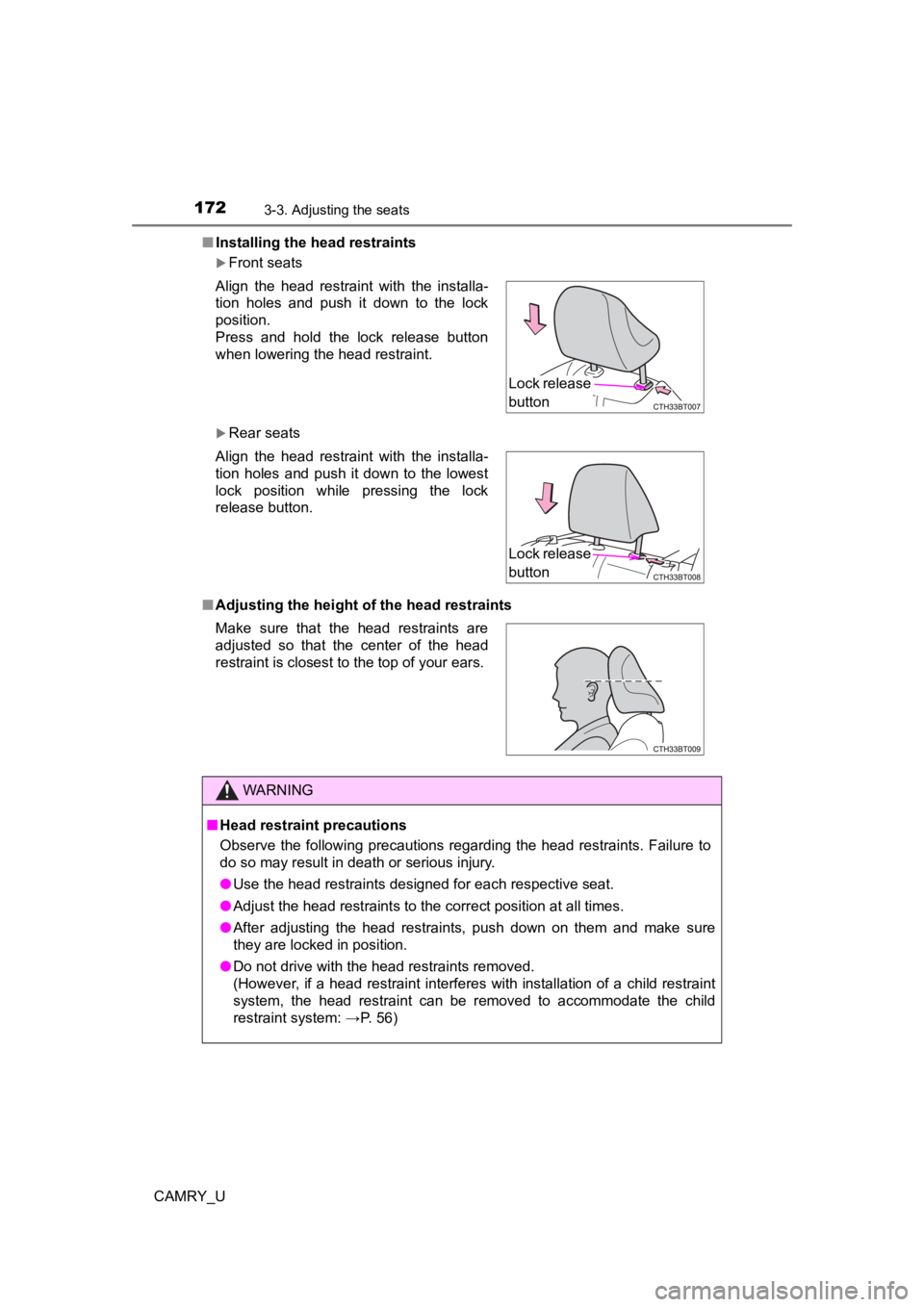
Installing the head restraints
Front seats
Rear seats
■ Adjusting the height o f the head restraints
Align the head restraint with the installa-
tion holes and push it down to the lock
position.
Press and hold the lock release button
when lowering the head restraint.
Align the head restraint with the installa-
tion holes and push it down to the lowest
lock position while pressing the lock
release button.
Make sure that the head restraints are
adjusted so that the center of the head
restraint is closest to the top of your ears.
WARNING
■
Head restraint precautions
Observe the following precautions regarding the head restraints. Failure to
do so may result in death or serious injury.
● Use the head restraints designed for each respective seat.
● Adjust the head restraints to the correct position at all times.
● After adjusting the head restraints, push down on them and make sure
they are locked in position.
● Do not drive with the head restraints removed.
(However, if a head restraint interferes with installation of a child restraint
system, the head restraint can be removed to accommodate the ch ild
restraint system: →P. 56)
Lock release
button
Lock release
button
Page 176 of 664

1763-4. Adjusting the steering wheel and mirrors
CAMRY_U
Auto anti-glare inside rear view mirror
Responding to the level of brightness of the headlights of vehi cles
behind, the reflected light is automatically reduced.
Changing automatic anti-glare
function mode
On/off
When the automatic anti-glare
function is in ON mode, the indica-
tor illuminates.
The function will set to ON mode
each time the engine switch is
turned to IGNITION ON mode.
Pressing the button turns the func-
tion to OFF mode. (The indicator
also turns off.)
■ To prevent sensor error (vehicles with an auto anti-glare insid e rear view
mirror)
Indicator
To ensure that the sensors operate prop-
erly, do not touch or cover them.
WARNING
Do not adjust the position of the mirror while driving.
Doing so may lead to mishandling of the vehicle and cause an accident,
resulting in death or serious injury.
Page 182 of 664
1823-5. Opening and closing the windows
CAMRY_U
WARNING
Observe the following precautions.
Failure to do so may result in death or serious injury.
■Closing the windows
● The driver is responsible for all the power window operations, including the
operation for the passengers. In order to prevent accidental op eration,
especially by a child, do not let a child operate the power windows. It is
possible for children and other passengers to have body parts c aught in
the power window. Also, when riding with a child, it is recommended to use
the window lock switch.( P. 179)
● When using the wireless remote control, key or mechanical key a nd oper-
ating the power windows, operate the power window after checkin g to
make sure that there is no possibility of any passenger having any of their
body parts caught in the window. Also do not let a child operate window by
the wireless remote control, key or mechanical key. It is possi ble for chil-
dren and other passengers to get caught in the power window.
● When exiting the vehicle, turn the engine switch off, carry the key and exit
the vehicle along with the child. There may be accidental operation, due to
mischief, etc., that may possibly lead to an accident.
■ Jam protection function
● Never use any part of your body to intentionally activate the jam protection
function.
● The jam protection function may not work if something gets jammed just
before the window is fully closed. Be careful not to get any pa rt of your
body jammed in the window.
■ Catch protection function
● Never use any part of your body or clothing to intentionally ac tivate the
catch protection function.
● The catch protection function may not work if something gets caught just
before the window is fully opened. Be careful not to get any part of your
body or clothing caught in the window.
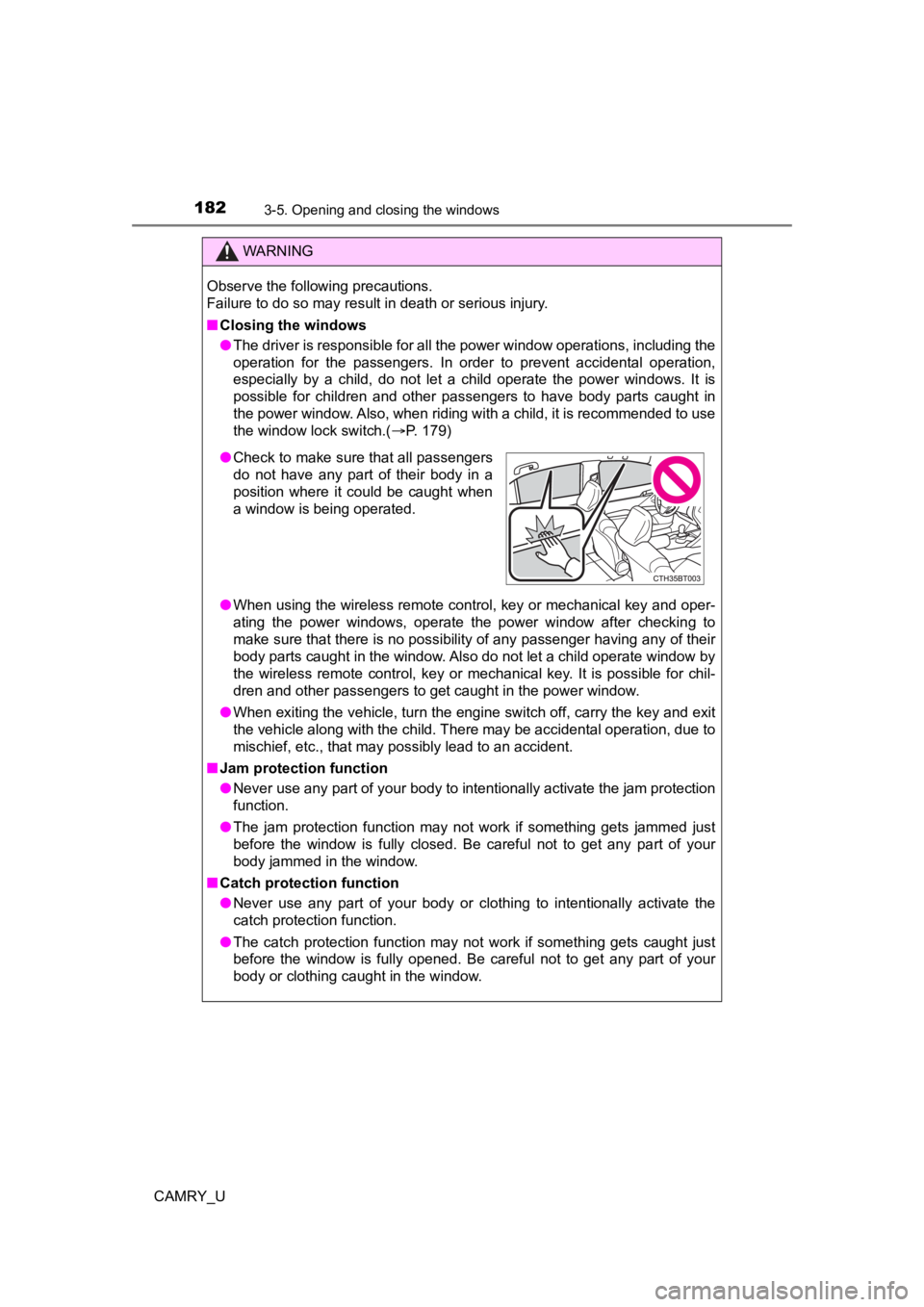
●Check to make sure that all passengers
do not have any part of their body in a
position where it could be caught when
a window is being operated.
Page 186 of 664
1863-5. Opening and closing the windows
CAMRY_U
WARNING
Observe the following precautions.
Failure to do so may cause death or serious injury.
■Opening the moon roof
● Do not allow any passengers to put their hands or heads outside the vehi-
cle while it is moving.
● Do not sit on top of the moon roof.
■ Closing the moon roof
● The driver is responsible for moon roof opening and closing operations.
In order to prevent accidental operation, especially by a child, do not let a
child operate the moon roof. It is possible for children and other passen-
gers to have body parts caught in the moon roof.
● When exiting the vehicle, turn the engine switch off, carry the key and exit
the vehicle along with the child. There may be accidental operation, due to
mischief, etc., that may possibly lead to an accident.
■ Jam protection function
● Never use any part of your body to intentionally activate the jam protection
function.
● The jam protection function may not work if something gets caught just
before the moon roof is fully closed. Also, the jam protection function is not
designed to operate while the switch is being pressed. Take care so that
your fingers, etc. do not get caught.
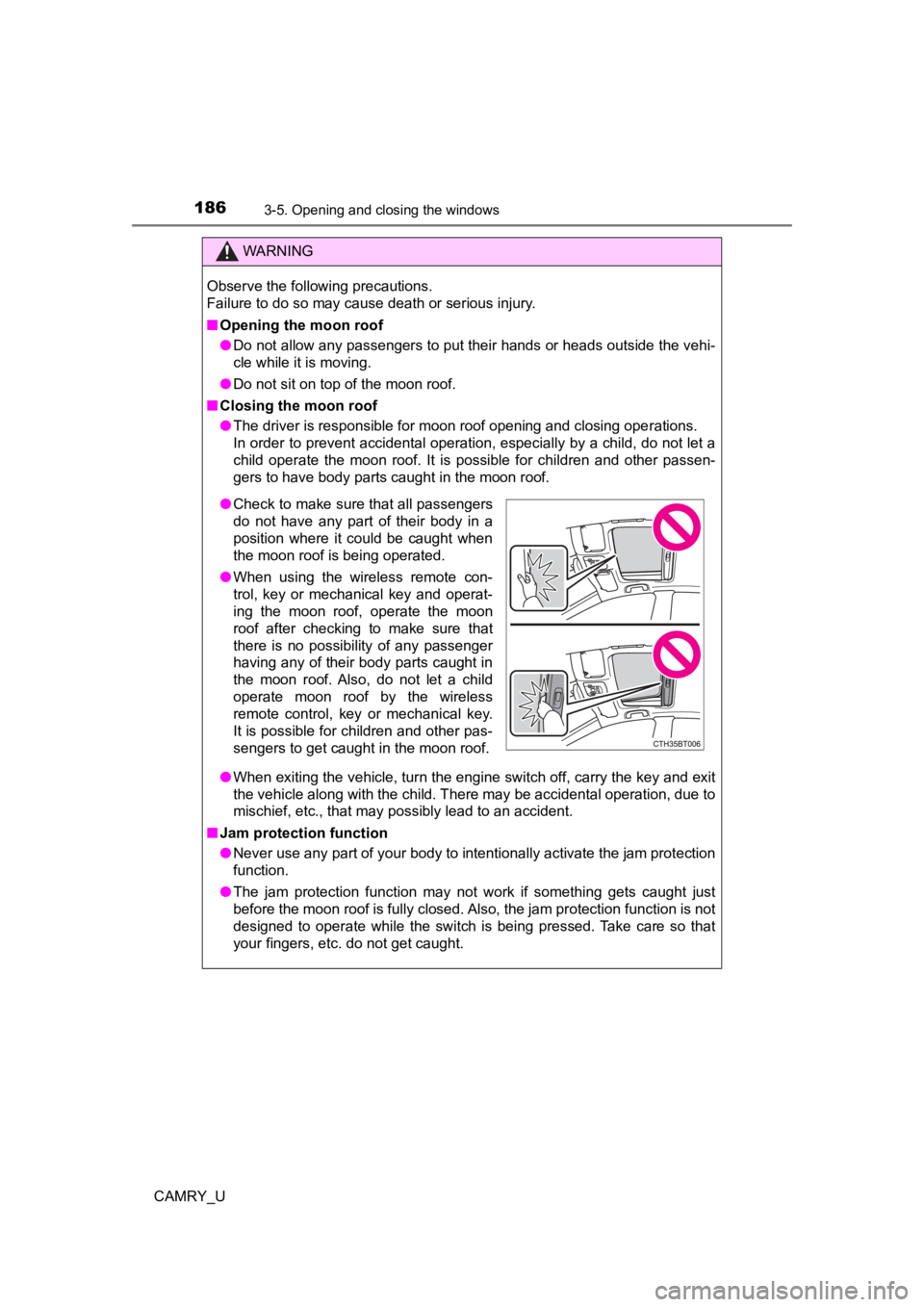
●Check to make sure that all passengers
do not have any part of their body in a
position where it could be caught when
the moon roof is being operated.
● When using the wireless remote con-
trol, key or mechanical key and operat-
ing the moon roof, operate the moon
roof after checking to make sure that
there is no possibility of any passenger
having any of their body parts caught in
the moon roof. Also, do not let a child
operate moon roof by the wireless
remote control, key or mechanical key.
It is possible for children and other pas-
sengers to get caught in the moon roof.
Page 190 of 664
1903-5. Opening and closing the windows
CAMRY_U
WARNING
Observe the following precautions.
Failing to do so may cause death or serious injury.
■Opening and closing the electronic sunshade
■ Opening and closing the panoramic moon roof
● The driver is responsible for panoramic moon roof opening and c losing
operations.
In order to prevent accidental operation, especially by a child, do not let a
child operate the panoramic moon roof. It is possible for children and other
passengers to have body parts caught in the panoramic moon roof .
● When exiting the vehicle, turn the engine switch off, carry the key and exit
the vehicle along with the child. There may be accidental operation, due to
mischief, etc., that may possibly lead to an accident.
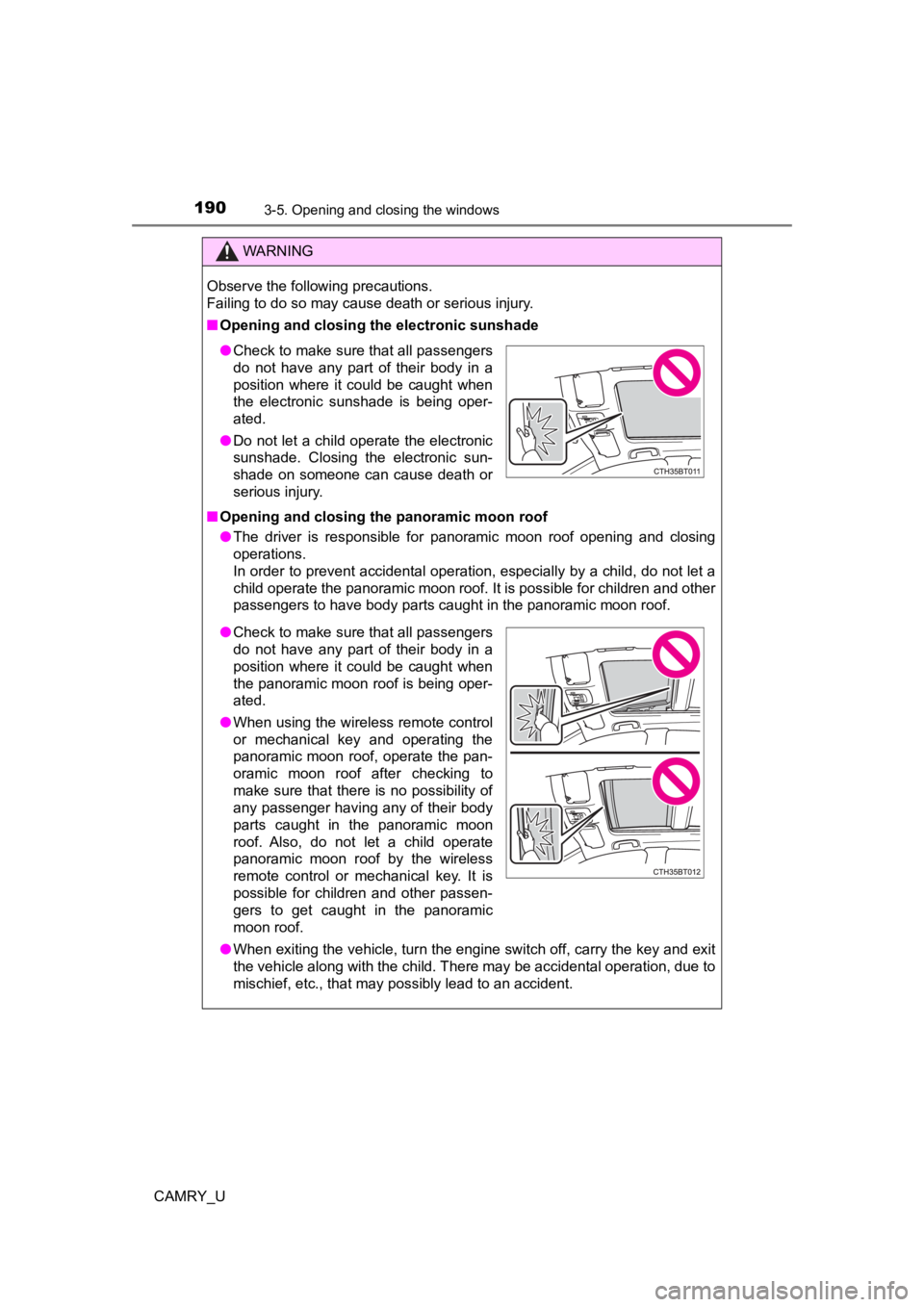
●Check to make sure that all passengers
do not have any part of their body in a
position where it could be caught when
the electronic sunshade is being oper-
ated.
● Do not let a child operate the electronic
sunshade. Closing the electronic sun-
shade on someone can cause death or
serious injury.
●Check to make sure that all passengers
do not have any part of their body in a
position where it could be caught when
the panoramic moon roof is being oper-
ated.
● When using the wireless remote control
or mechanical key and operating the
panoramic moon roof, operate the pan-
oramic moon roof after checking to
make sure that there is no possibility of
any passenger having any of their body
parts caught in the panoramic moon
roof. Also, do not let a child operate
panoramic moon roof by the wireless
remote control or mechanical key. It is
possible for children and other passen-
gers to get caught in the panoramic
moon roof.