2022 TOYOTA AVALON HYBRID change wheel
[x] Cancel search: change wheelPage 258 of 584
2584-5. Using the driving support systems
• If a vehicle ahead is narrow, such as a personal mobility vehi cle
• If a preceding vehicle has a small rear end, such as an unload ed truck
• If a vehicle ahead is carrying a load which protrudes past its rear bumper
• If a vehicle ahead is irregularly shaped, such as a tractor or side car
• If a vehicle ahead is a child sized bicycle, a bicycle that is carrying a large
load, a bicycle ridden by more than one person, or a uniquely shaped
bicycle (bicycle with a child seat, tandem bicycle, etc.)
• If a pedestrian/ or the riding height of a bicyclist ahead is shorter than
approximately 3.2 ft. (1 m) or taller than approximately 6.5 ft. (2 m)
• If a pedestrian/bicyclist is wearing oversized clothing (a rai n coat, long
skirt, etc.), making their silhouette obscure
• If a pedestrian is bending forward or squatting or bicyclist i s bending for-
ward
• If a pedestrian/bicyclist is moving fast
• If a pedestrian is pushing a stroller, wheelchair, bicycle or other vehicle
• When driving in inclement weather such as heavy rain, fog, snow or a sandstorm
• When driving through steam or smoke
• When the surrounding area is dim, such as at dawn or dusk, or while at
night or in a tunnel, making a detectable object appear to be n early the
same color as its surroundings
• When driving in a place where the surrounding brightness changes sud- denly, such as at the entrance or exit of a tunnel
• After the hybrid system has started the vehicle has not been d riven for a
certain amount of time
• While making a left/right turn and for a few seconds after mak ing a left/
right turn
• While driving on a curve and for a few seconds after driving o n a curve
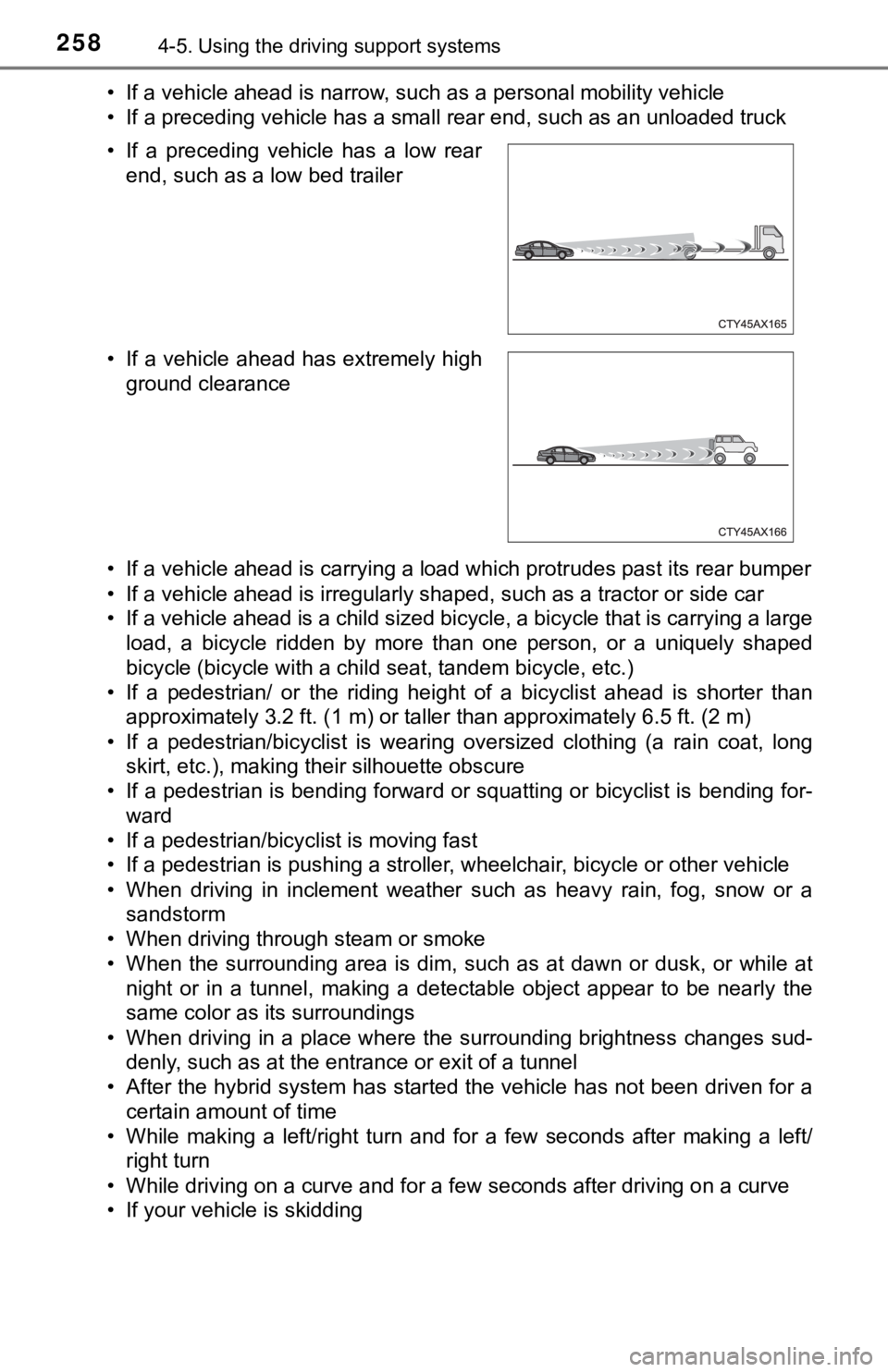
• If your vehicle is skidding • If a preceding vehicle has a low rear
end, such as a low bed trailer
• If a vehicle ahead has extremely high ground clearance
Page 263 of 584
2634-5. Using the driving support systems
4
Driving
WARNING
■Conditions in which functions may not operate properly
In the following situations, the functions may not operate properly and the
vehicle may depart from its lane. Drive safely by always paying careful
attention to your surroundings and operate the steering wheel to correct the
path of the vehicle without relying solely on the functions.
● When the follow-up cruising display is displayed ( P. 271) and the pre-
ceding vehicle is swaying. (Your vehicle may sway accordingly a nd depart
from the lane.)
● When the follow-up cruising display is displayed ( P. 271) and the pre-
ceding vehicle departs from its lane. (Your vehicle may follow the preced-
ing vehicle and depart from the lane.)
● When the follow-up cruising display is displayed ( P. 271) and the pre-
ceding vehicle is being driven extremely close to the left/righ t lane line.
(Your vehicle may follow the preceding vehicle and depart from the lane.)
● Vehicle is being driven around a sharp curve.
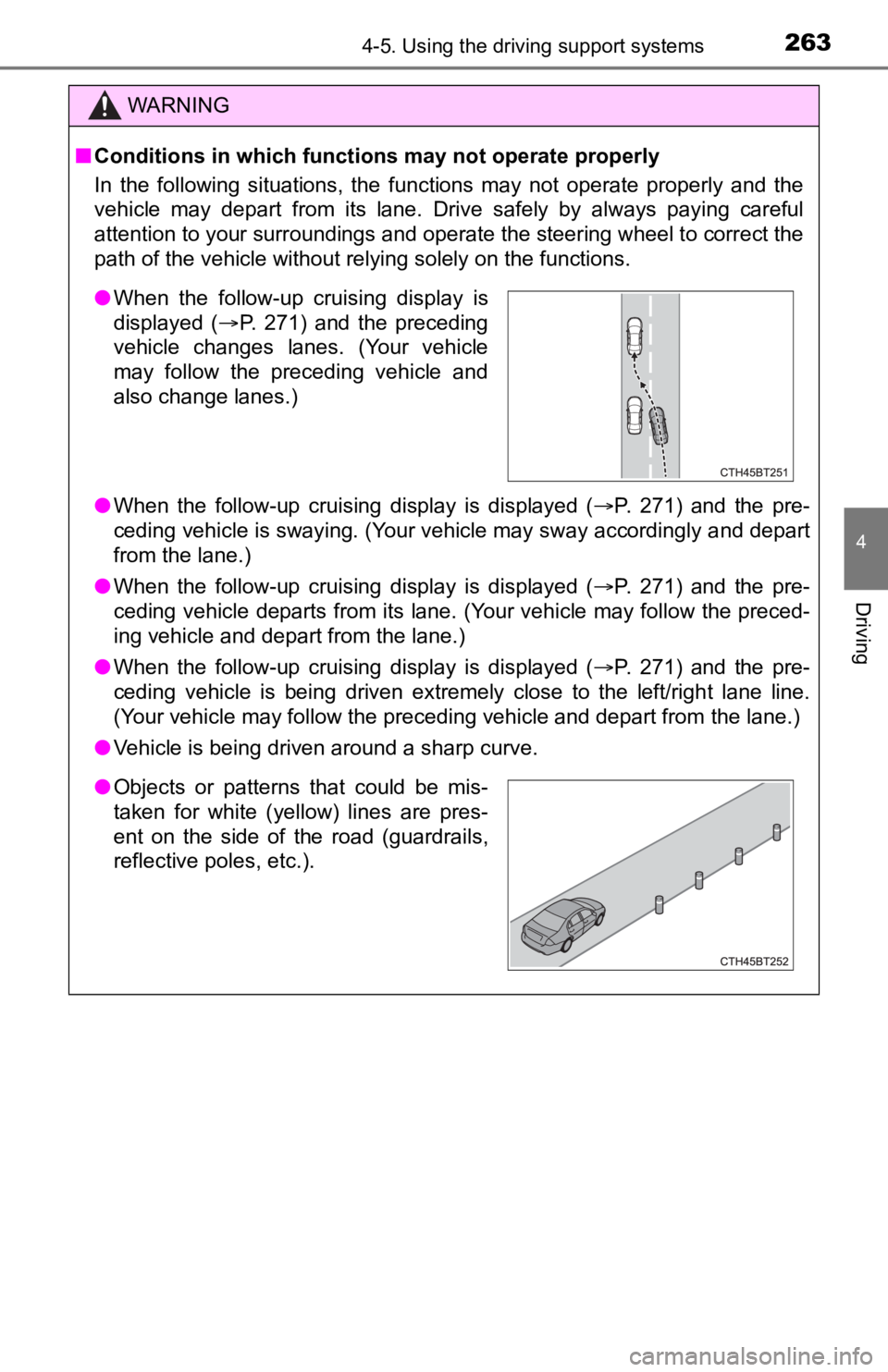
●When the follow-up cruising display is
displayed ( P. 271) and the preceding
vehicle changes lanes. (Your vehicle
may follow the preceding vehicle and
also change lanes.)
● Objects or patterns that could be mis-
taken for white (yellow) lines are pres-
ent on the side of the road (guardrails,
reflective poles, etc.).
Page 350 of 584

3504-5. Using the driving support systems
WARNING
■Replacing tires
Make sure that all tires are of the specified size, brand, trea d pattern and
total load capacity. In addition, make sure that the tires are inflated to the
recommended tire inflation pressure level.
The ABS, TRAC and VSC systems will not function correctly if different tires
are installed on the vehicle.
Contact your Toyota dealer for further information when replaci ng tires or
wheels.
■ Handling of tires and the suspension
Using tires with any kind of problem or modifying the suspensio n will affect
the driving assist systems, and may cause a system to malfunction.
■ Secondary Collision Brake
Do not rely solely upon the Secondary Collision Brake. This system is
designed to help reduce the possibility of further damage due to a second-
ary collision, however, that effect changes according to variou s conditions.
Overly relying on the system may result in death or serious inj ury.
Page 372 of 584
3725-1. Using the air conditioning system and defogger
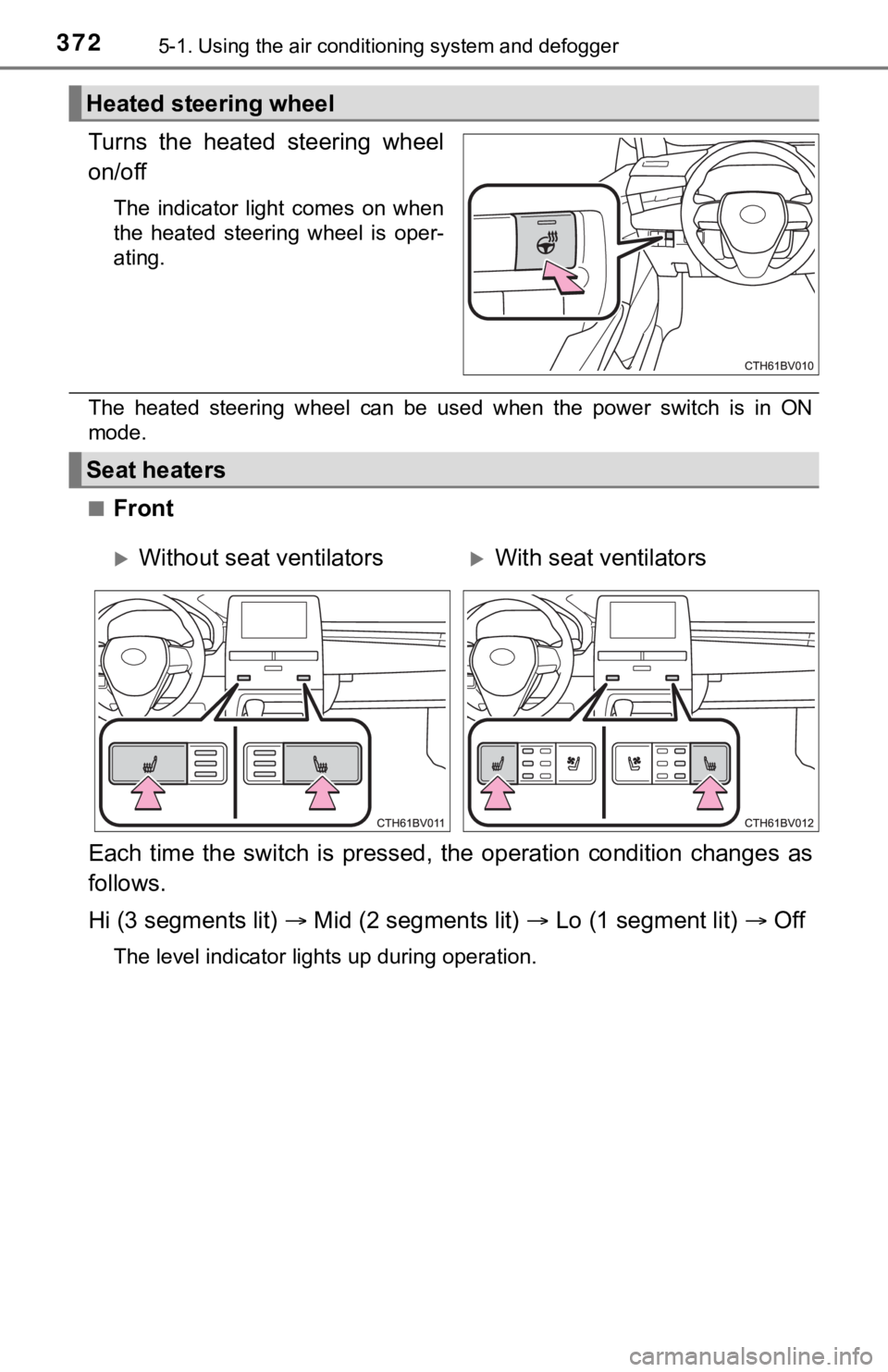
Turns the heated steering wheel
on/off
The indicator light comes on when
the heated steering wheel is oper-
ating.
The heated steering wheel can be used when the power switch is in ON
mode.
■
Front
Each time the switch is pressed, the operation condition change s as
follows.
Hi (3 segments lit) Mid (2 segments lit) Lo (1 segment lit) Off
The level indicator lights up during operation.
Heated steering wheel
Seat heaters
Without seat ventilatorsWith seat ventilators
Page 439 of 584

4396-3. Do-it-yourself maintenance
6
Maintenance and care
◆Installing tire pressure warning valves and transmitters
When replacing the tires or wheels, the tire pressure warning v alve
and transmitters must be install ed to the wheels which will be
installed to the vehicle.
When new tire pressure warning valve and transmitters are
installed, new ID codes must be registered in the tire pressure
warning computer and the tire pressure warning system must be
initialized. ( P. 441)
◆Initializing the tire pressure warning system
■The tire pressure warning system must be initialized in the fol-
lowing circumstances:
● When the tire inflation pressure is changed such as when chang-
ing traveling speed or load weight.
● When the tire inflation pressure is changed such as when the ti re
size is changed.
● When rotating the tires.
● After performing the transmitter ID code registration procedure .
( P. 441)
When the tire pressure warning sy stem is initialized, the current tire
inflation pressure is set as the benchmark pressure.
■How to initialize the tire pressure warning system
Park the vehicle in a s afe place and turn the power switch off.
The initialization procedure cannot be started while the vehicle is
moving.
Adjust the tire inflation pressure to the specified cold tire i nflation
pressure level. ( P. 530)
Make sure to adjust the tire pre ssure to the specified cold tire infla-
tion pressure level. The tire pressure warning system will oper ate
based on this pr essure level.
Start the hybrid system. ( P. 2 0 0 )
Select on the multi-information display using the meter con-
trol switches on the steering wheel. ( P. 1 1 1 )
Select and then press and hold .
Select “TPWS” and then press .
1
2
3
4
5
6
Page 441 of 584
4416-3. Do-it-yourself maintenance
6
Maintenance and care
◆Registering ID codes
Every tire pressure warning valve and transmitter has a unique ID
code. When replacing a tire pressure warning valve and transmit ter,
it is necessary to reg ister the ID codes.
The ID codes can be registered on of the multi-information dis -
play.
■How to register the ID codes
Select on the multi-information display using the meter con-
trol switches on the steering wheel. ( P. 1 1 1 )
Select and then press and hold .
Select “TPWS” and then press .
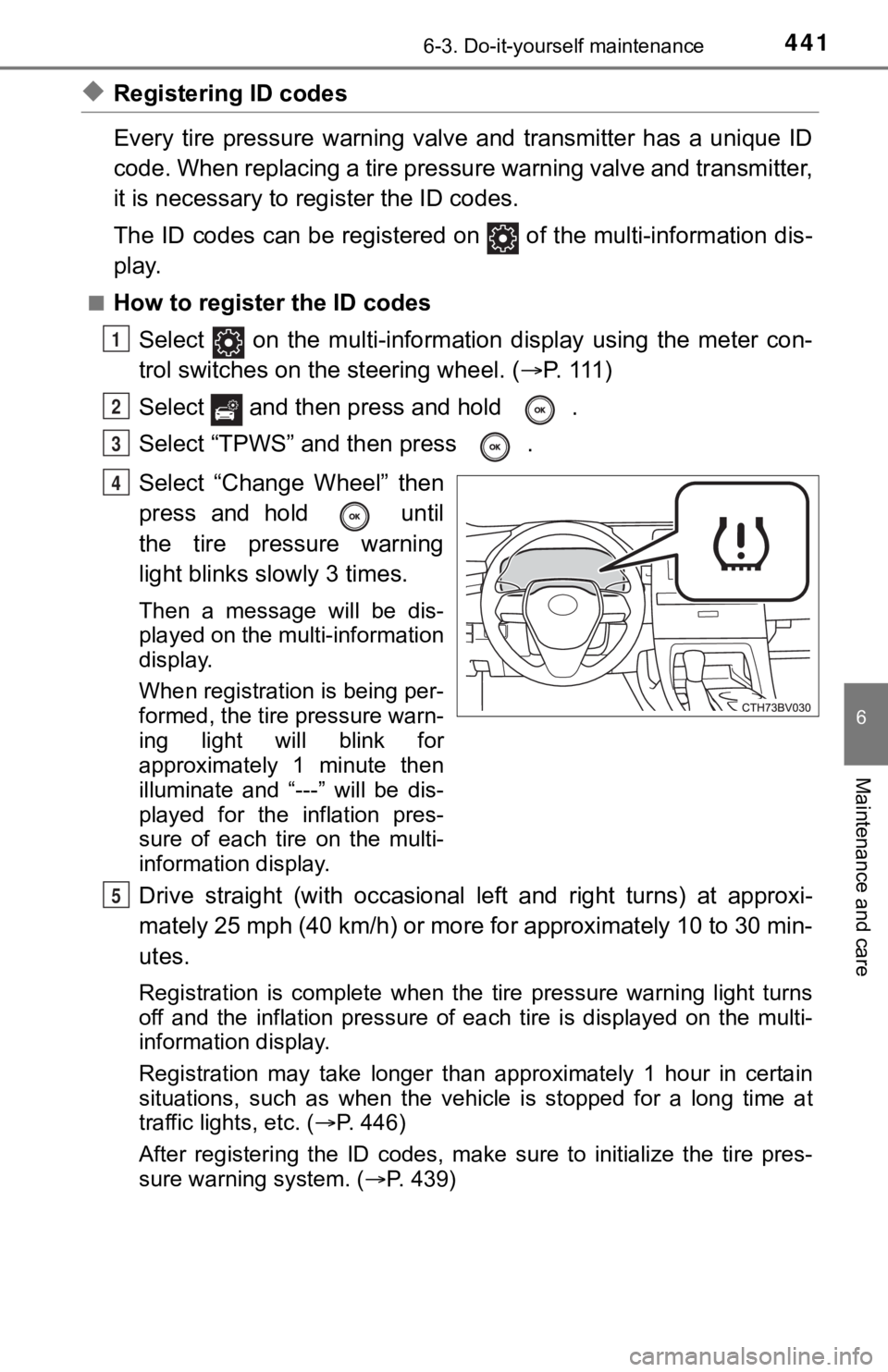
Select “Change Wheel” then
press and hold until
the tire pressure warning
light blinks slowly 3 times.
Then a message will be dis-
played on the multi-information
display.
When registration is being per-
formed, the tire pressure warn-
ing light will blink for
approximately 1 minute then
illuminate and “---” will be dis-
played for the inflation pres-
sure of each tire on the multi-
information display.
Drive straight (with occasional left and right turns) at approxi-
mately 25 mph (40 km/h) or more for approximately 10 to 30 min-
utes.
Registration is complete when the tire pressure warning light t urns
off and the inflation pressure of each tire is displayed on the multi-
information display.
Registration may take longer than approximately 1 hour in certain
situations, such as when the veh icle is stopped for a long time at
traffic lights, etc. ( P. 446)
After registering the ID codes, make sure to initialize the tir e pres-
sure warning system. ( P. 439)
1
2
3
4
5
Page 444 of 584

4446-3. Do-it-yourself maintenance
■Situations in which the tire pressure warning system may not oper-
ate properly
●In the following situations, the tire pressure warning system m ay not
operate properly.
• If non-genuine Toyota wheels are used.
• If a tire has been replaced with a tire that is not an OE (Ori ginal
Equipment) tire.
• If a tire has been replaced with a tire that is not of the spe cified size.
• If tire chains, e tc. are installed.
• If a window tint that affects r adio wave signals is installed.
• If there is a lot of snow or ice on the vehicle, particularly around the
wheels or wheel housings.
• If the tire inflation pressure is much higher than the specifi ed level.
• If wheels not equipped with tire pressure warning valve and tr ansmit-
ter are used.
• If the ID codes of the tire pre ssure warning valve and transmi tters are
not registered in the tire pressure warning computer.
●Performance may be affected in the following situations.
• When driving near a TV tower, electric power plant, gas statio n, radio
station, large display, airport or other facilit y that generates strong
radio waves or electrical noise
• When carrying a portable radio, cellular phone, cordless phone or
other wireless communication device
If tire position information is not correctly displayed due to the radio
wave conditions, the display ma y be corrected by changing the l ocation
of the vehicle as the radio wa ve conditions may change.
●When the vehicle is stopped, the time taken for the warning to start or
turn off may be longer.
●When the inflation pressure of a tire drops rapidly, for exampl e when a
tire has burst, the warning may not operate.
■Initialization procedure
●Make sure to perform the initialization procedure after adjusti ng the tire
inflation pressure.
Also, make sure the tires are cold before performing the initia lization
procedure or adjusting the tire inflation pressure.
●If the power switch is turned off during initialization, it is not necessary to
restart the initialization procedure from the beginning as it w ill begin
automatically when the power swit ch is turned back to ON mode.
●If initialization has accidentally been started when it is not necessary,
adjust the tire inflation pressu re to the specified level when the tires are
cold and then perform the ini tialization procedure again.
●While the position of each tire is being determined and the inf lation pres-
sures are not being displayed on the multi-information display, if the
inflation pressure of a tire drops, the tire pressure warning l ight will come
on.
Page 445 of 584

4456-3. Do-it-yourself maintenance
6
Maintenance and care
■Warning performance of the tire pressure warning system
The warning of the tire pressure warning system will change in accor-
dance with the conditions under which it was initialized. For t his reason,
the system may give a warning even if the tire pressure does no t reach a
low enough level, or if the pressure is higher than the pressur e that was
adjusted to when the sys tem was initialized.
■If the tire pressure warning syst em is not initialized properly
●In the following situations, init ialization may take longer than usual to be
completed or may not be possible. (Usually, the vehicle will ne ed to be
driven for approximately 10 to 30 minutes to complete initializ ation.)
If initialization is not complete after driving approximately 3 0 minutes,
continue driving for a while.
• If the vehicle is driven on an unpaved road, it may take longe r to com-
plete initialization.
• If the vehicle is backed up while performing initialization, d ata col-
lected during initialization will be cleared and it will take l onger than
normal to complete.
• If the vehicle is driven in heavy traffic or another situation where other
vehicles are driven close by, i t may take time for the system to recog-
nize the tire pressure warning valve and transmitters of your v ehicle
over those of other vehicles.
If initialization is not complete after driving for approximate ly 1 hour,
park the vehicle in a safe place for approximately 20 minutes and then
drive the vehicle again.
●In the following situ ations, initialization will not be started or was not
completed properly and the system will not operate properly. Pe rform
the initialization procedure again.
• If, when attempting to start initialization, the tire pressure warning light
does not blink 3 times.
• If, when the vehicle has been driven for about 20 minutes afte r per-
forming initializatio n, the tire pressure warning light blinks for approxi-
mately 1 minute and then illuminates.
●If initialization cannot be completed after performing the abov e proce-
dure, contact your Toyota dealer.
■When registering ID codes
●Before performing ID code registration, make sure that no wheel s with
tire pressure warning valve and transmitters installed are near the vehi-
cle.
●Make sure to initialize the tire pressure warning system after registering
the ID codes. If the system is initialized before registering t he ID codes,
the initialized values will be invalid.
●As the tires will be war m when registration is completed, make sure to
allow the tires to cool befo re performing initialization.