2022 SUZUKI IGNIS front camera
[x] Cancel search: front cameraPage 15 of 505

ILLUSTRATED TABLE OF CONTENTS
75RM4-01E
1. Sun visor (P.5-4)
2. Front interior light (P.5-5, 7-49)
3. Stereo camera (if equipped) (P.3-63)
4. Inside rearview mirror (P.2-23)
5. Hands-free microphone (if equipped) (P.5-65)
75RM344
1
2
345
EXAMPLE
VIEW A
Page 17 of 505

ILLUSTRATED TABLE OF CONTENTS
75RM4-01E
1. Instrument cluster (P.2-68)/Information display (P.2-72, P.2-93)
2. Windshield wiper and washer lever
(P.2-125)/
Rear window wiper/washer switch
(P.2-127)
3. Hazard warning switch (P.2-125)
4. Front passenger air bag deactivation system indicator (if equipped)
(P.2-65)/
Theft deterren t alarm system
(if equipped) (P.2-16)/
Theft deterrent light (if equipped)
(P.2-19)
5. Audio (if equipped) (P.5-33)
6. Ignition switch (vehicle without keyless push start system) (P.3-3)
7. Engine switch (v ehicle with keyless
push start system) (P.3-5)
8. Gearshift lever (P.3-17)
9. AUX/USB socket (if equipped) (P.5-7)
10. Dual camera brake support OFF switch (if equipped) (P.3-61)/
Lane departure warning OFF switch
(if equipped) (P.3-62)/
Hill descent control switch
(if equipped) (P.3-81)/
Grip control switch (if equipped)
(P.3-83)
11. Accessory socket (P.5-6)
12. Heating and air co nditioning system
(P.5-15)/
Heated rear window switch /
heated outside rearview mirrors
switch (if equipped) (P.2-129)
75RM261
6
79
10 11
812 12
5
34
EXAMPLE
VIEW C
Page 134 of 505

2-111BEFORE DRIVING
75RM4-01E
Lane departure warning OFF indica-tor light (if equipped)
62R0317
When the ignition switch is turned to “ON”
position or the engine switch is pressed to
change the ignition mode to ON, this light
comes on briefly so you can check that the
light is working.
When the lane departure warning OFF
switch is pushed to turn off the lane depar-
ture warning, this light comes on.
For details, refer to “Dual camera brake sup-
port” in the “OPERATING YOUR VEHICLE”
section.
Automatic headlight leveling system warning light (if equipped)
64J046
When the ignition switch is turned to “ON”
position or the engine switch is pressed to
change the ignition mode to ON, this light
comes on briefly so you can check that the
light is working.
If this light comes on, there is a problem
with the automatic headlight leveling sys-
tem. Bring the vehicle to your SUZUKI
dealer to have the problem corrected.
Front fog light indicator light (if equipped)
82PH045
The front fog light indicator light comes on
when the front fog light operates.Rear fog light indicator light (if equipped)
54G491
The rear fog light indicator light comes on
when the rear fog light operates.
Page 139 of 505

2-116
BEFORE DRIVING
75RM4-01E
Dual camera brake support warning light (if equipped)
80P0382
When the ignition switch is turned to “ON”
position, this light comes on briefly so you
can check that the light is working.
If the function of the stereo camera stops
temporarily or failure, this light will blink
when the ignition switch is in “ON” position.
For details, refer to “Dual camera brake
support” in the “OPERATING YOUR VEHI-
CLE” section.
Lighting control lever
57L21128
Lighting operation
75RM149
To turn the lights on or off, twist the knob
on the end of the lever. There are three
positions:
OFF
All lights are off.
AUTO (if equipped)
Refer to “Auto-on headlight system” for
details.
Front position lights, tail lights, license
plate light and instrument lights are on, but
headlights are off.
Front position lights, tail lights, license
plate light, instrument lights and headlights
are on.
WA R N I N G
To avoid possible injury, do not oper-
ate controls by reaching through the
steering wheel.
EXAMPLE
Page 203 of 505
3-50
OPERATING YOUR VEHICLE
75RM4-01E
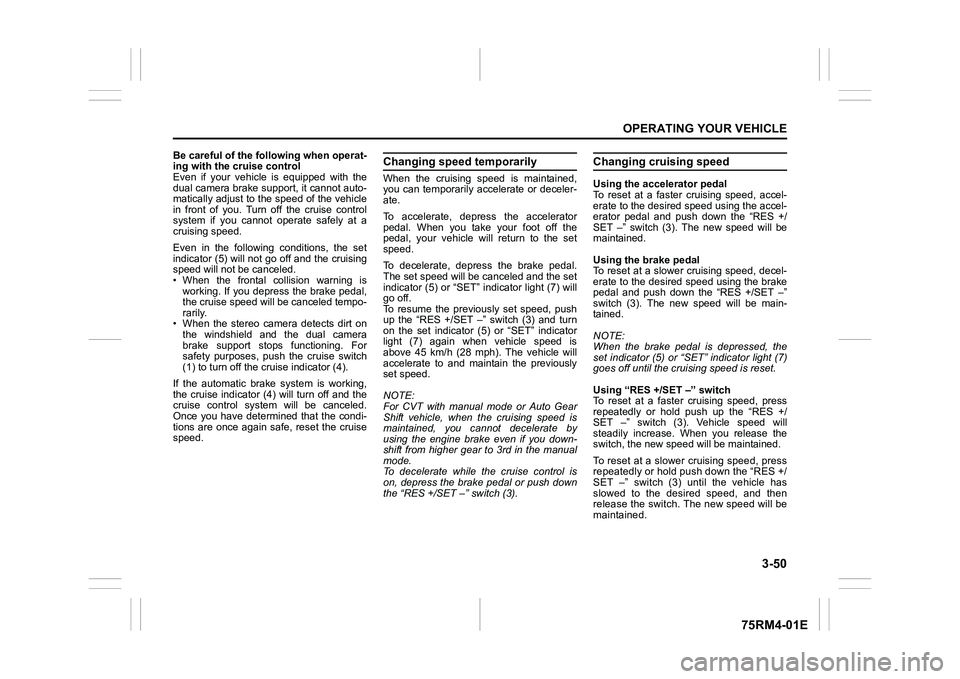
Be careful of the following when operat-
ing with the cruise control
Even if your vehicle is equipped with the
dual camera brake support, it cannot auto-
matically adjust to the speed of the vehicle
in front of you. Turn off the cruise control
system if you cannot operate safely at a
cruising speed.
Even in the following conditions, the set
indicator (5) will not go off and the cruising
speed will not be canceled.
• When the frontal collision warning isworking. If you depress the brake pedal,
the cruise speed will be canceled tempo-
rarily.
• When the stereo camera detects dirt on
the windshield and the dual camera
brake support stops functioning. For
safety purposes, push the cruise switch
(1) to turn off the cru ise indicator (4).
If the automatic brake system is working,
the cruise indicator (4) will turn off and the
cruise control system will be canceled.
Once you have determined that the condi-
tions are once again safe, reset the cruise
speed.
Changing speed temporarilyWhen the cruising speed is maintained,
you can temporarily accelerate or deceler-
ate.
To accelerate, depre ss the accelerator
pedal. When you take your foot off the
pedal, your vehicle will return to the set
speed.
To decelerate, depress the brake pedal.
The set speed will be canceled and the set
indicator (5) or “SET” indicator light (7) will
go off.
To resume the previously set speed, push
up the “RES +/SET –” switch (3) and turn
on the set indicator (5) or “SET” indicator
light (7) again when vehicle speed is
above 45 km/h (28 mph). The vehicle will
accelerate to and maintain the previously
set speed.
NOTE:
For CVT with manual mode or Auto Gear
Shift vehicle, when the cruising speed is
maintained, you cannot decelerate by
using the engine brake even if you down-
shift from higher gear to 3rd in the manual
mode.
To decelerate while the cruise control is
on, depress the brake pedal or push down
the “RES +/SET –” switch (3).
Changing cruising speedUsing the accelerator pedal
To reset at a faster cruising speed, accel-
erate to the desired speed using the accel-
erator pedal and push down the “RES +/
SET –” switch (3). The new speed will be
maintained.
Using the brake pedal
To reset at a slower cruising speed, decel-
erate to the desired speed using the brake
pedal and push down the “RES +/SET –”
switch (3). The new speed will be main-
tained.
NOTE:
When the brake pedal is depressed, the
set indicator (5) or “ SET” indicator light (7)
goes off until the cruising speed is reset.
Using “RES +/ SET –” switch
To reset at a faster cruising speed, press
repeatedly or hold push up the “RES +/
SET –” switch (3). Vehicle speed will
steadily increase. When you release the
switch, the new speed will be maintained.
To reset at a slower cruising speed, press
repeatedly or hold push down the “RES +/
SET –” switch (3) until the vehicle has
slowed to the desired speed, and then
release the switch. The new speed will be
maintained.
Page 206 of 505

3-53OPERATING YOUR VEHICLE
75RM4-01E
Canceling speed limiter• To cancel the speed limiter, push “CAN-CEL” switch (2). The set indicator (5) will
go off.
• To resume the previously set speed, push up the “RES +/SET –” switch (3)
and turn on the set indicator (5).
To turn off the speed limiter system, push
“LIMIT” switch (1) and check that limit indi-
cator (4) is off.
Also, you can turn off the speed limiter by
turning off the engine.
NOTE:
If you turn off the speed limiter system, the
previously set speed in the memory is
cleared. Set your speed again.
Dual camera brake support (if equipped)Dual camera brake support is a system
that detects obstacles or partition lines in
front of your vehicle by the stereo camera,
attempts to avoid a crash by giving warn-
ing to the driver, and attempts to reduce
damage in the event of a crash. NOTE:
• While the system is working, if a vehicle
in front of you moves outside of the ste-
reo camera’s detection field or the vehi-
cle can no longer be detected, the
system may stop functioning.
• While the system is working, a braking sound may be heard even if you do not
depress the brake pedal, but this is nor-
mal.
WA R N I N G
• Dual camera brake support has lim-its and may not function properly
depending on the driving condi-
tions. Do not rely excessively on
the system and always drive in a
safe manner.
• For safety reasons, do not check the operation of the system by
yourself.
• Check that all passengers fasten their seat belts when the vehicle is
being operated.
When the system is activated, there
is a risk of serious injury from
being thrown.
Page 209 of 505

3-56
OPERATING YOUR VEHICLE
75RM4-01E
Situations where the system does not activateUnder the following situations, the system
does not activate.
• When the engine is off (except when theengine is automatically stopped by the
ENG A-STOP system)
• After several seconds from starting the
engine
• When the gearshift lever is in reverse gear
• When the ESP
® system is activated
(except the frontal collision warning)
• When the following switches are pushed
and the system is turned off:
– Dual camera brake support OFFswitch
– ESP
® OFF switch
• When the stereo camera is temporarily stopped or malfunctioning
Situations where the system may not activate properlyUnder the following situations, the system
may not activate.
• When the stereo camera cannot detectobstacles in front of your vehicle
• When you take evasive action with the
steering wheel or a ccelerator pedal
Situations where the vehicle may not decelerate properlyUnder the following situations, the vehicle
may not decelerate properly even when
the system is activated.
• When the outside temperature is low, or
when the temperature of the brake is low
such as right after starting
• When the brake is overheating and the brake effect is deteriorated due to con-
tinuing to travel on a downhill road
• When the brake effect is deteriorated due to passing over puddles or washing
the vehicle
• When driving on the following roads – On sharp curves or extremely roughsurfaces
– On a steep slope
• When driving on the following slippery surfaces
– Frozen or snow-covered surfaces
– Over manholes or metal constructionplates
–Gravel
• When driving in a rainy day
Situations where the system may activate by chanceUnder the following situations, the stereo
camera may judge that there is an obstacle
in front of you, and the system may acti-
vate. Drive carefully and calmly.
• When passing through a toll booth with more than recommended speeds
• Before the parking lot gates or railroad crossing gates are opened fully
• When operating on hills that have vary-
ing slopes
• When you suddenly accelerate and approach the vehicle in front of you or on
neighboring lane
• Front visibility is poor due to that there is water vapor, sand or smoke or when the
vehicle in front of you or on oncoming
lane is surrounded by exhaust, water or
snow
• When passing through masses of water vapor or smoke
• When stopping close to an obstacle in
front of you
• When passing through near a vehicle or obstacle
Page 210 of 505

3-57OPERATING YOUR VEHICLE
75RM4-01E
54P000330
• When you pass by an oncoming vehicleon a curvy road
54P000332
• When there is a roadside guard rail, orsign, on a curve
• When approaching a large shaped float-
ing object such as a vinyl sheet which is
blown by the wind.
Frontal colli sion warningWhen you are operating at a speed of
approximately 5 km/h (3 mph) or over and
there is a risk of a frontal crash, a warning
will work.
• The interior buzzer will intermittently
beep and the indication on the informa-
tion display will appear.
75RM286
• When the frontal collision warningsounds, depending on the distance from
the vehicle in front of you and driving
conditions, take evasive action with the
steering wheel or brake pedal.
Warning brake systemWhen you are operating at speeds
between approximately 5 km/h to 120 km/h
(3 mph to 75 mph) and if the driver cannot
take or is insufficient t o take evasive action
such as brake operation and steering oper-
ation after frontal collision warning acti-
vates, the system appl ies brake lightly.
• While the warning brake system is work-
ing, the interior buzz er will intermittently
beep, the dual camera brake support
indicator light will blink, the indication on
the information display will appear, and
the brake lights will be turned on.
75RM287
• While the warning brake system is work-
ing, depending on the distance from the
vehicle in front of you and driving condi-
tions, take evasive action with the brake
pedal.
EXAMPLEEXAMPLE
with tachometer without
tachometer
Information display
with tachometer without
tachometer
Information display
Indicator light