2022 RAM CHASSIS CAB air condition
[x] Cancel search: air conditionPage 186 of 428

184STARTING AND OPERATING
The loaded vehicle weight, including the snowplow
system, all aftermarket accessories, driver,
passengers, options, and cargo, must not exceed
either the Gross Vehicle Weight Rating (GVWR) or
Gross Axle Weight Rating (GAWR). These weights
are specified on the Safety Compliance
Certification Label on the driver's side door
opening.
NOTE:Detach the snowplow when transporting
passengers.
Vehicle front end wheel alignment was set to
specifications at the factory without consideration
for the weight of the plow. Front end toe-in should
be checked and reset if necessary at the beginning
and end of the snowplow season. This will help
prevent uneven tire wear.
The blade should be lowered whenever the vehicle
is parked.
Maintain and operate your vehicle and snowplow
equipment following the recommendations
provided by the specific snowplow manufacturer.
OVER THE ROAD OPERATION WITH
S
NOWPLOW ATTACHED
The blade restricts air flow to the radiator and
causes the engine to operate at higher than
normal temperatures. Therefore, when
transporting the plow, angle the blade completely
and position it as low as road or surface conditions
permit. Do not exceed 40 mph (64 km/h). The
operator should always maintain a safe stopping
distance and allow adequate passing clearance.
OPERATING TIPS
Under ideal snow plowing conditions, 20 mph
(32 km/h) should be maximum operating speed.
The operator should be familiar with the area and
surface to be cleaned. Reduce speed and use
extreme caution when plowing unfamiliar areas or
under poor visibility.
GENERAL MAINTENANCE
Snowplows should be maintained in accordance
with the plow manufacturer's instructions.
Keep all snowplow electrical connections and
battery terminals clean and free of corrosion.
When plowing snow, to avoid transmission and
drivetrain damage, the following precautions
should be observed.
Operate with transfer case in 4WD LOW when
plowing small or congested areas where speeds
are not likely to exceed 15 mph (24 km/h). At
higher speeds operate in 4WD HIGH.
Vehicles with automatic transmissions should
use 4WD LOW when plowing deep or heavy
snow for extended periods of time to avoid
transmission overheating.
Do not shift the transmission unless the engine
has returned to idle and wheels have stopped.
Make a practice of stepping on the brake pedal
while shifting the transmission.
22_DPF_OM_EN_USC_t.book Page 184
Page 234 of 428
232MULTIMEDIA
Smooth Road Surface
Fully Closed Windows
Dry Weather Conditions
Operation From The Driver's Seat
Performance such as audio clarity, echo, and
loudness to a large degree rely on the phone and
network, and not the Uconnect Phone.
Echo at the far end can sometimes be reduced by
lowering the in-vehicle audio volume.
Phone Voice Commands
Making and answering hands-free phone calls is
easy with Uconnect. When the Phonebook button
is illuminated on your touchscreen, your system is
ready. Check UconnectPhone.com for mobile
phone compatibility and pairing instructions.
Push the Phone button and wait for the beep to
say a command. See some examples below:
“ Call John Smith”
“Dial 123 456 7890”
“Redial ” (call previous outgoing phone number)
“Call back ” (call previously answered incoming
phone number)
Did You Know: When providing a Voice Command,
push the Phone button and say “ Call”, then
pronounce the name exactly as it appears in your
phonebook. When a contact has multiple phone
numbers, you can say “ Call John Smith work ”.Voice Text Reply — If Equipped
Uconnect can announce
incoming text messages.
Push the VR button or Phone button and
say:
1. “
Listen
” to have the system read an incoming
text message. (Must have compatible mobile
phone paired to Uconnect system.)
2. “ Reply ” after an incoming text message has
been read.
Listen to the Uconnect prompts. After the
beep, repeat one of the predefined messages
and follow the system prompts.
NOTE:Only use the numbering listed in the provided
table. Otherwise, the system will not transpose the
message.
Did You Know: Your mobile phone must have the
full implementation of the Message Access Profile
(MAP) to take advantage of this feature. For details
about MAP, visit UconnectPhone.com.
Apple® iPhone® iOS 5 or later supports reading
incoming text messages only. For further
information on how to enable this feature on your
Apple® iPhone®, refer to your iPhone® “User
Manual”.
Did You Know: Voice Text Reply is not compatible
with iPhone®, but if your vehicle is equipped with
Siri® Eyes Free, you can use your voice to send a
text message.
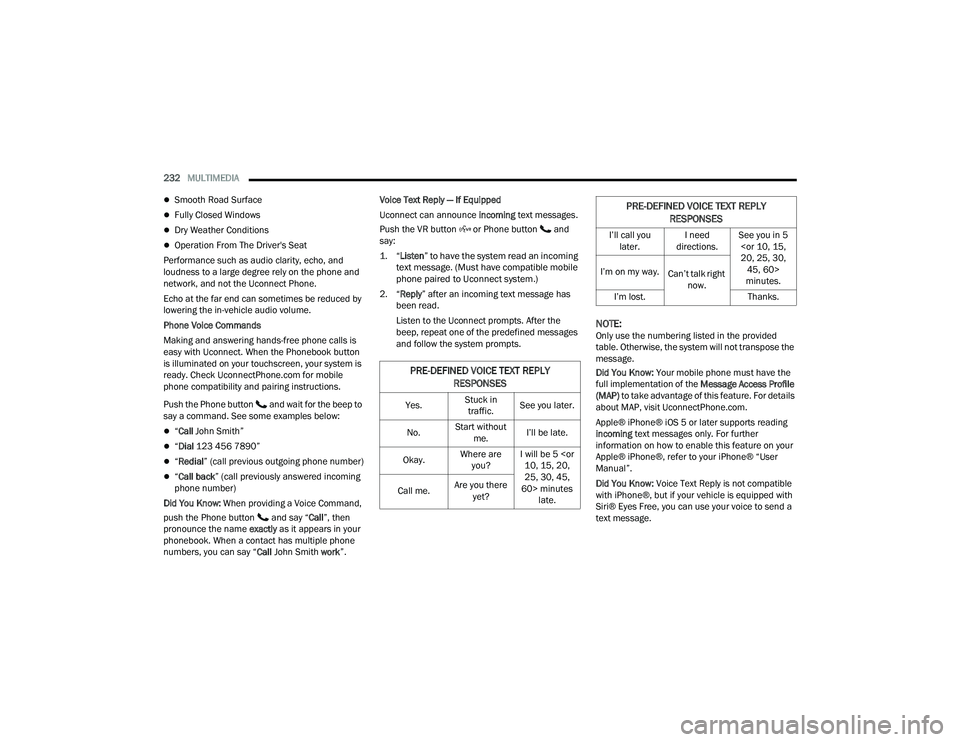
PRE-DEFINED VOICE TEXT REPLY
RESPONSES
Yes. Stuck in
traffic. See you later.
No. Start without
me. I’ll be late.
Okay. Where are
you? I will be 5
25, 30, 45,
60> minutes late.
Call me.
Are you there
yet?
I’ll call you later. I need
directions. See you in 5
minutes.
I’m on my way.
Can’t talk right
now.
I’m lost. Thanks.
PRE-DEFINED VOICE TEXT REPLY
RESPONSES
22_DPF_OM_EN_USC_t.book Page 232
Page 239 of 428
MULTIMEDIA237
NOTE:Certain SiriusXM Guardian™ connected services
are dependent on an operational Uconnect
system, cellular network availability that is
compatible with the device in your vehicle, and
GPS network availability. Not all features of
SiriusXM Guardian™ are available everywhere at
all times, particularly in remote or enclosed areas.
How It Works
1. Push the SOS Call button; the indicator light will turn green indicating a call has been
placed.
NOTE:
In case the SOS Call button is accidentally
pushed, there is a 10-second delay before
the SOS call is placed. The system will
verbally alert you that a call is about to be
made. To cancel the SOS Call connection,
push the SOS Call button on the rearview
mirror or overhead console or press the
Cancel button on the touchscreen within
10 seconds.
During an SOS Call, the Bluetooth®-paired
phone is disconnected so incoming or
outgoing calls will go through your mobile
device versus the hands-free system which
is not available due to the SOS Call. 2. Once a connection between the vehicle and a
SiriusXM Guardian™ Customer Care agent is
made, the agent will stay on the line with you.
NOTE:Calls between the vehicle occupants and the
SiriusXM Guardian™ Customer Care center may be
recorded or monitored for quality assurance
purposes. Through your enrollment in and use of
the SiriusXM Guardian™ connected services, you
consent to being recorded.
SOS Call System Limitations
Vehicles that have been purchased in the US and
that travel into Mexico and Canada may have
limited services. In particular, responses to SOS
calls or other emergency services may be
unavailable or very limited. Vehicles purchased
outside the United States and Canada are unable
to receive SiriusXM Guardian™ connected
services.
If the SOS Call system detects a malfunction, any
of the following may occur at the time the
malfunction is detected:
The light will continuously be illuminated red.
The screen will display the following message
“Vehicle phone requires service. Please contact
your dealer.”
An in-vehicle audio message will state “Vehicle
phone requires service. Please contact your
dealer.”
Even if the SOS Call system is fully functional,
factors beyond FCA US LLC’s control may prevent
or stop SOS Call system operation. These include,
but are not limited to, the following factors:
The ignition key is in OFF position.
The vehicle’s electrical systems are not intact.
The vehicle battery loses power or becomes
disconnected during a vehicle crash.
The SOS Call system software and/or hardware
is damaged during a vehicle crash.
LTE (voice/data) or 3G or 4G (data) coverage
and/or GPS signals are unavailable or
obstructed.
Network congestion.
Weather conditions.
Buildings, structures, geographic terrain, or
tunnels.
If your vehicle loses battery power for any reason
(including during or after an accident), the SOS Call
system, among other vehicle systems, will not
operate.
5
22_DPF_OM_EN_USC_t.book Page 237
Page 240 of 428
238MULTIMEDIA
(Continued)
(Continued)
Requirements
This feature is available only on vehicles sold in
the US or Canada.
Vehicle must be properly equipped with the
SiriusXM Guardian™ connected services.
Vehicle must be registered with SiriusXM
Guardian™ and have an active subscription that
includes the applicable feature.
Vehicle must have an operable LTE (voice/data)
or 3G or 4G (data) network connection compat
-
ible with your device.
Vehicle must be powered in the ON/RUN or ACC
(Accessory) position with a properly functioning
electrical system.
Automatic SOS — If Equipped
Automatic SOS is a hands-free safety service that
can immediately connect you with help in the event
that your vehicle’s airbags deploy. After an
accident, a live agent will contact you through the
Uconnect system and alert emergency services.
NOTE:An active SiriusXM Guardian™ subscription is
required for this feature to function.
WARNING!
Never place anything on or near the vehicle’s
LTE (voice/data) or 3G or 4G (data) and GPS
antennas. You could prevent LTE (voice/data)
or 4G (data) and GPS signal reception, which
can prevent your vehicle from placing an
emergency call.
Do not add any aftermarket electrical equip -
ment to the vehicle’s electrical system. This
may prevent your vehicle from sending a
signal to initiate an emergency call. To avoid
interference that can cause the SOS Call
system to fail, never add aftermarket equip -
ment (e.g., two-way mobile radio, CB radio,
data recorder, etc.) to your vehicle’s electrical
system or modify the antennas on your
vehicle. IF YOUR VEHICLE LOSES POWER FOR
ANY REASON (INCLUDING DURING OR AFTER
AN ACCIDENT), NEITHER THE MOBILE APPS
NOR THE SIRIUSXM GUARDIAN™ CONNECTED
SERVICES WILL OPERATE.
The Occupant Restraint Controller (ORC) turns
on the Air Bag Warning Light on the instru -
ment panel if a malfunction in any part of the
air bag system is detected. If the Air Bag
Warning Light is illuminated, the air bag
system may not be working properly and the
SOS Call system may not be able to send a
signal to the SiriusXM Guardian™ Customer
Care center. If the Air Bag Warning Light is illu -
minated, have an authorized dealer service
your vehicle immediately.
WARNING!
Ignoring the Rearview Mirror Light could mean
you will not have SOS Call services if needed.
If the Rearview Mirror Light is illuminated,
have an authorized dealer service the SOS
Call system immediately.
If anyone in the vehicle could be in danger
(e.g., fire or smoke is visible, dangerous road
conditions or location), do not wait for voice
contact from a SiriusXM Guardian™ Customer
Care agent. All occupants should exit the
vehicle immediately and move to a safe loca -
tion.
Failure to perform scheduled maintenance
and regular inspection of your vehicle may
result in vehicle damage, accident or injury.
WARNING!
22_DPF_OM_EN_USC_t.book Page 238
Page 254 of 428
252MULTIMEDIA
17. What if I forgot to remove my account
information before I returned my lease vehicle
or sold it? Contact SiriusXM Guardian™
Customer Care.
18. What will happen if an operable LTE (voice/
data), 4G (data), or 5G (data) network
connection compatible with my device is
temporarily unavailable? The SOS Call and
ASSIST buttons will NOT function if you are not
connected to an operable LTE (voice/data) or
3G, 4G (data), 5G (data) network. Services that
required your smartphone only direct calls to
Roadside Assistance Call may be functioning if
you have an operable network.
DATA COLLECTION & PRIVACY
The Uconnect system collects and transmits data
which may include information about your vehicle,
your vehicle’s health and performance, your
vehicle’s location, your utilization of the features in
your vehicle, and other data. The collection, use
and sharing of this information is required to
provide the SiriusXM Guardian™ connected
services and is further described by the Uconnect
Privacy Policy, which can be found at
www.driveuconnect.com/connectedservices/
privacy.html (US Residents) or
www.driveuconnect.ca (Canadian Residents). This
information may be collected by SiriusXM®
Connected Vehicle Services Inc. and shared with FCA US LLC for the purposes stated in the
Uconnect Privacy Policy. Vehicle health and
diagnostic information including location data may
be used by Uconnect to provide a Vehicle Health
Report to you.
Even if you cancel your SiriusXM Guardian™
subscription, this vehicle diagnostic health
information, including location data, may still be
transmitted from your vehicle and you may still
have a Vehicle Health Report sent to you.
Use of any of the Connected Services including
SiriusXM Guardian™ is deemed to be your consent
to the collection, use and disclosure of this
information in accordance with the Uconnect
Privacy Policy. If you do not want this information to
be collected, used, or shared, you must cancel your
Uconnect services in their entirety by contacting us
as referenced in the Uconnect Privacy Policy.
RADIO OPERATION AND MOBILE PHONES
Under certain conditions, the mobile phone being
on in your vehicle can cause erratic or noisy
performance from your radio. This condition may
be lessened or eliminated by repositioning the
mobile phone within the vehicle. This condition is
not harmful to the radio. If your radio performance
does not satisfactorily improve from repositioning
the mobile phone, it is recommended that the
volume be turned down or off during mobile phone
operation when not using the Uconnect system.
REGULATORY AND SAFETY
I
NFORMATION
US/CANADA
Exposure to Radio Frequency Radiation
The radiated output power of the internal wireless
radio is far below the FCC and IC radio frequency
exposure limits. Nevertheless, the wireless radio
will be used in such a manner that the radio is 8 in
(20 cm) or further from the human body.
The internal wireless radio operates within
guidelines found in radio frequency safety
standards and recommendations, which reflect
the consensus of the scientific community.
The radio manufacturer believes the internal
wireless radio is safe for use by consumers. The
level of energy emitted is far less than the
electromagnetic energy emitted by wireless
devices such as mobile phones. However, the use
of wireless radios may be restricted in some
situations or environments, such as aboard
airplanes. If you are unsure of restrictions, you are
encouraged to ask for authorization before turning
on the wireless radio Ú page 412.
22_DPF_OM_EN_USC_t.book Page 252
Page 262 of 428

260SAFETY
Anti-Lock Brake System (ABS) Warning
Light
The yellow ABS Warning Light will turn on when the
ignition is placed in the ON/RUN mode and may
stay on for as long as four seconds.
If the ABS Warning Light remains on or comes on
while driving, it indicates that the anti-lock portion
of the brake system is not functioning and that
service is required. However, the conventional
brake system will continue to operate normally if
the ABS Warning Light is on.
If the ABS Warning Light is on, the brake system
should be serviced as soon as possible to restore
the benefits of anti-lock brakes. If the ABS Warning
Light does not come on when the ignition is placed
in the ON/RUN mode, have the light repaired as
soon as possible.
ELECTRONIC BRAKE CONTROL (EBC)
S
YSTEM
Your vehicle is equipped with an advanced
Electronic Brake Control (EBC) system. This system
includes Anti-Lock Brake System (ABS), Brake
Assist System (BAS), Electronic Brake Force
Distribution (EBD), Hill Start Assist (HSA),
Electronic Roll Mitigation (ERM), Electronic
Stability Control (ESC), and Traction Control
System (TCS). These systems work together to
enhance both vehicle stability and control in
various driving conditions. Your vehicle may also be equipped with Trailer
Sway Control (TSC) and Hill Descent Control (HDC).
Brake Assist System (BAS)
The BAS is designed to optimize the vehicle’s
braking capability during emergency braking
maneuvers. The system detects an emergency
braking situation by sensing the rate and amount
of brake application and then applies optimum
pressure to the brakes. This can help reduce
braking distances. The BAS complements the
Anti-Lock Brake System (ABS). Applying the brakes
very quickly results in the best BAS assistance. To
receive the benefit of the system, you must apply
continuous braking pressure during the stopping
sequence (do not “pump” the brakes). Do not
reduce brake pedal pressure unless braking is no
longer desired. Once the brake pedal is released,
the BAS is deactivated.
Brake System Warning Light
The red Brake System Warning Light will turn on
when the ignition is placed in the ON/RUN mode
and may stay on for as long as four seconds.
If the Brake System Warning Light remains on or
comes on while driving, it indicates that the brake
system is not functioning properly and that
immediate service is required. If the Brake System
Warning Light does not come on when the ignition
is placed in the ON/RUN mode, have the light
repaired as soon as possible.
Electronic Brake Force Distribution (EBD)
EBD manages the distribution of the braking
torque between the front and rear axles by limiting
braking pressure to the rear axle. This is done to
prevent overslip of the rear wheels to avoid vehicle
instability, and to prevent the rear axle from
entering ABS before the front axle.
Electronic Roll Mitigation (ERM)
ERM anticipates the potential for wheel lift by
monitoring the driver’s steering wheel input and
the speed of the vehicle. When ERM determines
that the rate of change of the steering wheel angle
and vehicle’s speed are sufficient to potentially
cause wheel lift, it then applies the appropriate
brake and may also reduce engine power to lessen
the chance that wheel lift will occur. ERM can only
reduce the chance of wheel lift occurring during
severe or evasive driving maneuvers; it cannot
WARNING!
The Brake Assist System (BAS) cannot prevent the
natural laws of physics from acting on the vehicle,
nor can it increase the traction afforded by pre
-
vailing road conditions. BAS cannot prevent colli -
sions, including those resulting from excessive
speed in turns, driving on very slippery surfaces,
or hydroplaning. The capabilities of a BAS-
equipped vehicle must never be exploited in a
reckless or dangerous manner, which could jeop -
ardize the user's safety or the safety of others.
22_DPF_OM_EN_USC_t.book Page 260
Page 273 of 428

SAFETY271
Accumulation of snow or ice around the wheels
or wheel housings.
Using tire chains on the vehicle.
Using wheels/tires not equipped with TPMS
sensors.
A system fault may occur due to an incorrect TPMS
sensor location condition. When a system fault
occurs due to an incorrect TPMS sensor location,
the Tire Pressure Monitoring System Warning Light
will flash on and off for 75 seconds and then
remain on solid. The system fault will also sound a
chime. In addition, the instrument cluster will
display a “Tire Pressure Temporarily Unavailable”
message in place of the tire pressure display
screen. If the ignition switch is cycled, this
sequence will repeat, providing the system fault
still exists. If the system fault no longer exists, the
Tire Pressure Monitoring System Warning Light will
no longer flash and the tire pressure display screen
will be displayed showing the tire pressure values
in the correct locations.
Vehicles With Non-Matching Full Size Spare Or
Compact Spare
The non-matching full size spare or compact
spare tire does not have a TPMS sensor. There -
fore, the TPMS will not monitor the pressure in
the non-matching full size spare or compact
spare tire.
If you install the non-matching full size spare or
compact spare tire in place of a road tire that
has a pressure below the low-pressure warning
limit, upon the next ignition switch cycle, the
TPMS Warning Light and a “LOW TIRE” message
will remain on and a chime will sound. In addi-
tion, the graphic in the instrument cluster will
still display a pressure value in a different color
and an “Inflate to XX” message.
After driving the vehicle for up to 20 minutes
above 15 mph (24 km/h), the TPMS Warning
Light will flash on and off for 75 seconds and
then remain on solid. In addition, the instrument
cluster will display a "SERVICE TPM SYSTEM"
message for a minimum of five seconds and
then display dashes (- -) in place of the pressure
value.
For each subsequent ignition switch cycle, a
chime will sound, the TPMS Warning Light will
flash on and off for 75 seconds and then remain
on solid, and the instrument cluster will display
a "SERVICE TPM SYSTEM" message for a
minimum of five seconds and then display
dashes (- -) in place of the pressure value.
Once you repair or replace the original road tire
and reinstall it on the vehicle in place of the
non-matching full size spare or compact spare,
the TPMS will update automatically. In addition,
the TPMS Warning Light will turn off and the
graphic in the instrument cluster will display a
new pressure value instead of dashes (- -), as
long as no tire pressure is below the low-pres -
sure warning limit in any of the four active road
tires. The vehicle may need to be driven for up
to 20 minutes above 15 mph (24 km/h) in
order for the TPMS to receive this information.
Trailer Tire Pressure Monitoring System
(TTPMS) — If Equipped
The Trailer Tire Pressure Monitoring System
(TTPMS) is a feature that displays the trailer tire
pressure values and warns the driver of a low tire
pressure event based on the driver’s set target tire
pressure value, through TTPMS settings found in
the radio.
The TTPMS monitors the pressure of each tire and
warns the driver through the instrument cluster,
when either a low tire pressure condition falls
below 25% of the driver’s set pressure or if a
system malfunction occurs. The instrument cluster
will display the actual tire pressure or dashes for 6
22_DPF_OM_EN_USC_t.book Page 271
Page 275 of 428

SAFETY273
Trailer Tire Pressure Monitoring System Low
Pressure Warnings
When a low tire pressure in one or more of the
active road tires is detected, the instrument cluster
will display a message stating “Trailer Tire
Pressure Low”. The instrument cluster will then
display the TTPMS graphic showing the pressure
values of each tire with the low tire pressure values
in a different color.
Should this occur, you should stop as soon as
possible and inflate the tires with a low pressure
condition (those in a different color in the
instrument cluster graphic) to the customer
programmed target tire pressure value as shown
at the top of the TTPMS instrument cluster graphic.
Once the tire(s) are inflated, the system will
automatically update the graphic display in the
instrument cluster, returning to its original color.
The vehicle may need to be driven for up to
10 minutes above 15 mph (24 km/h) in order for
the TTPMS to receive the updated information.
Service TTPMS Warning
If a system fault is detected, the instrument cluster
will display a “Trailer Tire Pressure System Service
Required” message for a minimum of five seconds.
Once the system fault is corrected the "Trailer Tire
Pressure System Service Required" message will
no longer be displayed. The vehicle may need to be
driven for up to 10 minutes above 15 mph (24 km/h) in order for the TTPMS to receive the
trailer tire pressure information.
Trailer Tire Pressure System Not Configured
A “Trailer Tire Pressure System Not Configured”
message will be displayed in the instrument
cluster on the TTPMS instrument cluster graphic
when a trailer number is selected that has not had
trailer tire pressure sensors paired Ú
page 191.
Trailer Sensors Detected Do Not Match Active
Trailer
The “Trailer Sensors Detected Do Not Match Active
Trailer” message will be displayed in the
instrument cluster when the trailer sensors being
received by the TTPMS module do not match the
trailer sensors paired to the current trailer number
selected. This message will be displayed when the
sensors being received completely match the
sensors paired to another trailer number
configured in the TTPMS module.
To correct this condition, the correct trailer number
must be selected in the radio Ú page 191.
System Limitations
The TTPMS may have difficulty transmitting
through steel-walled tires or on trailers longer than
30 ft. It is recommended to use standard tires and
trailers less than 30 ft long to avoid dropouts or
difficulty when pairing.
NOTE:The vehicle may not be driven until the pairing
process is complete.
Tire Fill Alert — If Equipped
This feature notifies the user when the placard tire
pressure is attained while inflating or deflating the
tire.
The customer may choose to disable or enable the
Tire Fill Alert feature through use of the customer
settings in the radio.
NOTE:The Tire Fill Alert feature disables every time the
ignition is placed in the OFF position. The feature
must be re-enabled through the radio each time
the ignition is placed back in the ON/RUN position
Ú page 191.
NOTE:
Only one tire can be filled at a time when using
the Tire Fill Alert system.
The Tire Fill Alert feature cannot be entered if an
existing TPMS fault is set to “active” or if the
system is in deactivation mode (if equipped).
The system will be activated when the TPMS
receiver module detects a change in tire pressure.
The ignition must be in the RUN mode, with the
transmission in PARK (P).
6
22_DPF_OM_EN_USC_t.book Page 273