2022 PEUGEOT PARTNER fuel consumption
[x] Cancel search: fuel consumptionPage 136 of 324
134
Driving
2.Pressing the control displays the modes on the
instrument panel.
With an electric motor, when starting the vehicle,
no mode can be selected until the READY
indicator lamp is displayed.
When the message disappears, the selected
mode is activated and remains indicated on the
instrument panel (except Normal
mode).
Whenever the ignition is switched on,
Normal
driving mode is selected by default.
Normal
To restore the default settings.
Eco
To reduce energy consumption by reducing the
performance of the heating and air conditioning,
without deactivating them.
To reduce consumption of the traction battery's
electrical energy by limiting engine torque.
Power (Electric)
Allows a fully laden vehicle (GVW) to obtain
equivalent performance to that of an unladen
vehicle in Normal mode.
All modes are displayed on the instrument panel, except for Normal
mode.
Coasting mode
Depending on version or engine, with an
EAT8 gearbox and the gear selector in mode
D, gradually releasing the accelerator pedal
fully allows free-wheeling which can save fuel.
A drop in engine speed is normal (rev counter
at idle, drop in engine noise).
Gear shift indicator
(Depending on engine)
This system is designed to reduce fuel
consumption by recommending the most suitable
gear.
Operation
Depending on the driving situation and
the vehicle's equipment, the system may
recommend skipping one or more gears.
Gear engagement recommendations are
not to be considered mandatory. Indeed, the
configuration of the road, the traffic density and
safety remain determining factors when choosing
the best gear. Therefore, the driver remains
responsible for deciding whether or not to follow
the system’s advice.
The system cannot be deactivated.
With an automatic gearbox, the system is
only active in manual operation.
The information appears on the instrument panel, in the form of an “up” or
“down” arrow and the recommended gear.
The system adapts the gear change instructions according to the driving
conditions (e.g.
slope, load) and driving style
(e.g.
power demand, acceleration, braking).
The system never suggests:
–
engaging first gear;
–
engaging reverse gear
.
Stop & Start (Petrol or
Diesel)
The Stop & Start function puts the engine temporarily into standby - STOP mode - during
phases when the vehicle is stationary (e.g.
red
lights, traffic jams). The engine automatically
restarts - START mode - as soon as the driver
indicates the intention of moving off again.
Primarily designed for urban use, the function
is intended to reduce fuel consumption and
exhaust emissions as well as the noise level
when stationary.
The function does not affect the functionalities of
the vehicle, in particular the braking.
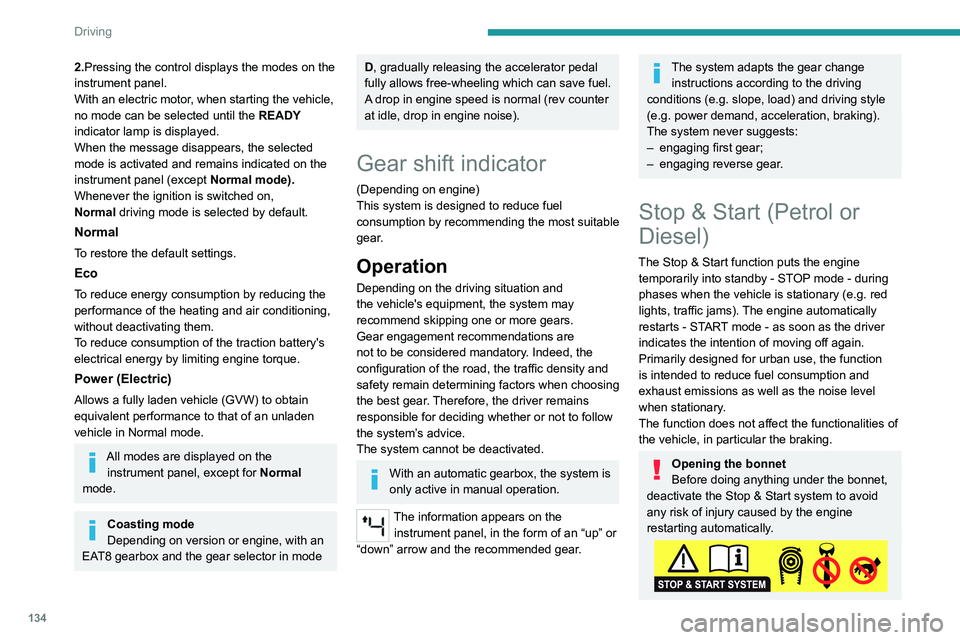
Opening the bonnet
Before doing anything under the bonnet,
deactivate the Stop & Start system to avoid
any risk of injury caused by the engine
restarting automatically.
Page 197 of 324

195
Practical information
7Automatic gearbox
The gearbox does not require any maintenance (no oil change).
Drive selector
The drive selector does not require any maintenance.
Brake pads
Brake wear depends on the style of
driving, particularly in the case of vehicles
used in town, over short distances. It may be
necessary to have the condition of the brakes
checked, even between vehicle services.
Unless there is a leak in the circuit, a drop in the
brake fluid level indicates that the brake pads
are worn.
After washing the vehicle, moisture, or in wintry conditions, ice can form on the
brake discs and pads: braking efficiency may
be reduced. Gently dab the brakes to dry and
defrost them.
Brake disc wear
For information on checking brake disc
wear, contact a PEUGEOT dealer or a
qualified workshop.
Manual parking brake
If you notice excessive brake lever travel
or decreased effectiveness, the parking
brake must be adjusted, even between two
services.
This system must be checked by a PEUGEOT
dealer or a qualified workshop.
Electric parking brake
This system does not require any routine servicing. However, in the event of a
problem, do not hesitate to have the system
checked by a PEUGEOT dealer or a qualified
workshop.
For more information on the Electric
parking brake, refer to the
corresponding section.
Wheels and tyres
The inflation pressure of all tyres, including the spare wheel, must be
checked on "cold” tyres.
The pressures indicated on the tyre pressure
label are valid for "cold" tyres. If you have driven
for more than 10 minutes or more than 6 miles
(10 kilometres) at over 31 mph (50
km/h), add
0.3 bar (30 kPa) to the values indicated on the
label.
Under-inflation increases energy
consumption. Non-compliant tyre
pressures cause tyres to wear prematurely
and have an adverse effect on the vehicle's
road holding - risk of accident! Driving with worn or damaged tyres reduces the
braking and road holding performance of the
vehicle. Regularly check the condition of the
tyres (tread and sidewalls) and rims as well as
the presence of the valve caps.
When the wear indicators no longer appear set
back from the tread, the depth of the grooves is
less than 1.6 mm; replace the tyres as soon as
possible.
Using different size wheels and tyres from those
specified can affect the lifetime of tyres, wheel
rotation, ground clearance, the speedometer
reading and have an adverse effect on road
holding.
Fitting different tyres on the front and rear axles
can cause the ESC to mistime.
Always mark the direction of rotation on the tyres
that will be stored when fitting winter or summer
tyres. Store them in a cool, dry place and away
from direct exposure to the sun's rays.
Winter or 4-seasons tyres can be
identified by this symbol on their
sidewalls.
AdBlue® (BlueHDi)
To respect the environment and ensure compliance with the Euro 6 standard, without
adversely affecting the performance or fuel
consumption of its Diesel engines, PEUGEOT
has taken the decision to equip its vehicles with
a system that combines SCR (Selective Catalytic
Page 244 of 324

242
Touch screen BLUETOOTH audio system
Settings
Adjusting the brightness
Press "Settings".
Select "Display".
Press the buttons to adjust the
brightness of the screen and/or of
the instrument panel (depending on version).
Modifying system settings
Press "Settings".
Press "System ".
Press "Privacy" to access the privacy
settings.
Select "Units" to change the units of
distance, fuel consumption and
temperature.
Press "Factory settings" to return to the
initial settings.
Press "System Info" to check the system
version.
Privacy settings
Three data privacy options are available:"No data sharing (data, vehicle
position) "
"Only data sharing"
“Data and vehicle position sharing "
When data and vehicle position sharing
are enabled, this symbol is displayed in
the upper bar of the touch screen.
Selecting the language
Press "Settings".
Select "Languages" to change the
language.
Setting the date and time
Press "Settings".
Press "Date/Time".
Setting the date:
Press the arrows to set the day, month
and year.
First set the day, then the month.
Setting the time:
Press these buttons to set hours and
minutes.
Select or deselect the 24h format.
In 12h format, choose "AM" or "PM".
The system does not automatically manage the change between winter and
summer time. Date format:
Select the display format for the date.
Frequently asked
questions
The following information groups together the
answers to the most frequently asked questions
concerning the system.
Radio
The reception quality of the tuned radio
station gradually deteriorates or the station
presets are not working (no sound, 87.5 MHz
is displayed, etc.).
The vehicle is too far from the selected station’s
transmitter, or no transmitter is present in the
geographical area.
►
Activate the "RDS" function in the upper bar
to enable the system to check whether there is
a more powerful transmitter in the geographical
area.
The environment (hills, buildings, tunnels,
basement car parks, etc.) is blocking reception,
including in RDS mode.
This is a perfectly normal phenomenon, and is
not indicative of an audio system malfunction.
The aerial is missing or has been damaged
(for example while entering a car wash or
underground car park).
►
Have the aerial checked by a dealer
.
Page 257 of 324
255
PEUGEOT Connect Radio
11Press this button to enter a name for the
profile using the virtual keypad.
Press "OK" to save.
Press the back arrow to confirm.
Press this button to activate the profile.
Press the back arrow again to confirm.
Press this button to reset the selected
profile.
Adjusting the brightness
Press Settings to display the main page.
Press Brightness.
Move the slider to adjust the brightness of
the screen and/or the instrument panel
(depending on version).
Press in the shaded area to confirm.
Modifying system settings
Press Settings to display the main page.
Press "Configuration" to access the
secondary page.
Press "System configuration".
Press the "Units" tab to change the units of
distance, fuel consumption and temperature.
Press the "Factory settings" tab to restore the
initial settings.
Returning the system to factory settings
activates the English language by default
(depending on version).
Press the "System info" tab to display the
versions of the various modules installed in the
system.
Press the "Privacy " tab,
or
Press Settings to display the main page.
Press "Privacy" to activate or deactivate
the private data mode.
Activate or deactivate:
–
"No sharing (data, vehicle position) ".
–
"Only data sharing ”
–
"Data and vehicle position sharing "
Press the back arrow to confirm.
Press Settings to display the main page.
Press "Configuration" to access the
secondary page.
Press "Screen configuration".
Press "Brightness".
Move the slider to adjust the brightness of
the screen and/or the instrument panel
(depending on version).
Press the back arrow to confirm.
Press "Animation".
Activate or deactivate: “Automatic scrolling ”.
Select "Animated transitions".
Press the back arrow to confirm.
Selecting the language
Press Settings to display the main page.
Press "Configuration" to access the
secondary page.
Select "Language" to change the
language.
Press the back arrow to confirm.
Setting the time
Press Settings to display the main page.
Press "Configuration" to access the
secondary page.
Press "Date and time".
Select "Time".
Press this button to set the time using the
virtual keypad.
Press "OK" to save the time.
Page 280 of 324
278
PEUGEOT Connect Nav
The "Position" settings (All passengers,
Driver and Front only) are common to all
sources.
Activate or deactivate "Touch tones ",
"Volume linked to speed " and "Auxiliary
input ".
Onboard audio: Arkamys Sound Staging©
optimises the sound distribution inside
the passenger compartment.
Configuring profiles
Press Settings to display the main page.
Press the "OPTIONS " button to access the
secondary page.
Select "Setting of the profiles".
Select "Profile 1", "Profile 2", "Profile 3” or
"Common profile ".
Press this button to enter a name for the
profile using the virtual keypad.
Press "OK" to confirm.
Press this button to add a photograph to
the profile.
Insert a USB memory stick containing the
photograph in the USB port.
Select the photograph.
Press "OK" to accept the transfer of the
photograph.
Press "OK" again to save the settings.
The location for the photograph is square; the system reshapes the original
photograph if in another format.
Press this button to reset the selected
profile.
Resetting the selected profile activates
the English language by default.
Select a "Profile" (1 or 2 or 3) to link "Audio
settings" with it.
Select "Audio settings".
Then select "Ambience", "Position"; "Sound ",
"Voice" or "Ringtone ".
Press "OK" to save the selected profile’s
settings.
Modifying system settings
Press Settings to display the main page.
Press the "OPTIONS " button to access the
secondary page.
Select "Screen configuration".
Select "Animation".
Activate or deactivate:Automatic scrolling
Select "Brightness".
Move the slider to adjust the brightness of
the screen and/or the instrument panel.
Press Settings to display the main page.
Press the "OPTIONS " button to access the
secondary page.
Select "System settings".
Select "Units" to change the units of distance,
fuel consumption and temperature.
Select "Factory settings" to restore the initial
settings.
Resetting the system to "Factory
settings" activates English and degrees
Fahrenheit and deactivates summer time.
Select "System info" to display the versions of
the various modules installed in the system.
Selecting the language
Press Settings to display the main page.
Press the "OPTIONS " button to access the
secondary page.
Select "Languages" to change the
language.
Setting the date
Press Settings to display the main page.
Press the "OPTIONS " button to access the
secondary page.
Page 290 of 324

288
Alphabetical index
E
EBFD 95
Eco-driving (advice)
8
ECO mode
134
Economy mode
185
Electric motor
5, 9, 30, 174, 188,
191, 213, 216, 234
Electric windows
47
Electronic brake force distribution (EBFD)
95
Emergency braking assistance (EBA)
95
Emergency call
92–93
Emergency warning lamps
67, 94
Emissions control system, SCR
195
Energy economy mode
185
Energy flows
30
Energy recovery
133
Engine compartment
191
Engine, Diesel
172, 191, 200, 227–229, 233
Engine, petrol
191, 225–226
Engines
225–229, 233
Environment
8, 40, 81, 118
ESC (electronic stability control)
95
Expanded traffic sign recognition
142
Exterior lighting
86
F
Fatigue detection 158
Filling the AdBlue® tank
193, 197
Filling the fuel tank
172–173
Filter, air 194
Filter, oil
194
Filter, particle
193–194
Filter, passenger compartment
73, 194
Finisher
207
Fitting a wheel
205–206
Fitting roof bars
189–190
Fittings, interior
60, 64
Flap, fuel filler
172–173
Flap, removable
69
Flashing indicators
84, 211
Fluid, brake
193
Fluid, engine coolant
193
Foglamp, rear
2 11
Foglamps
210
Foglamps, front
83, 208
Foglamps, rear
83
Folding the rear seats
56–57
Frequency (radio)
272
Fuel
8, 172
Fuel consumption
8
Fuel tank
172–174
Fuses
212
G
Gauge, fuel 172–173
Gearbox, automatic
126–132, 195, 214
Gearbox, manual
126–127, 194
Gear lever, automatic gearbox
127–129
Gear lever, manual gearbox
126–127
Gear shift indicator ~ Gear efficiency
indicator
134
Glove box
60
G.P.S.
266
H
Hazard warning lamps 67, 94
Headlamp adjustment
88
Headlamps, automatic dipping
86–87
Headlamps, automatic illumination
84–86
Headlamps, dipped beam
83, 208–209
Headlamps, halogen
208
Headlamps, main beam
83, 86, 208, 210
Head restraints, front
59
Head restraints, rear
56–57
Heating
73–75, 79–80
Heating, additional
46, 79–80
Heating, programmable
46, 79–81
High voltage
174
Hill Assist Descent Control (HADC)
98
Hill start assist
126
Histogramme, fuel consumption
30
Horn
95
I
Ignition 121–122, 276
Ignition on
122
Immobiliser, electronic
119
Page 292 of 324

290
Alphabetical index
O
Obstacle detection 159
Oil change
192
Oil consumption
192
OIl, engine
192
On-board tools
200–201
Opening the bonnet
190
Opening the boot
32–33
Opening the doors
32–33
Overhead storage
60
P
Pads, brake 195
Paint
199, 234
Paint colour code
234
Park Assist
167
Parking brake
123, 195
Parking brake, electric
123–125, 195
Parking sensors, audible and visual
159
Parking sensors, front
160
Parking sensors, rear
159
Passenger compartment temperature pre-
conditioning (Electric)
81
Passenger's air bag
70
Pedestrian horn (Electric)
95, 118
Personalisation
12–13
Plates, identification
234
Player, Apple®
239, 251, 274
Player, USB
239, 250, 273
Port, USB 62, 239, 250–251, 269, 273
Power indicator (Electric)
9
Pressures, tyres
195, 204, 207, 234
Pre-tensioning seat belts
102
Priming pump
200
Priming the fuel system
200
Profiles
254, 278
Programmable cruise control
145
Protecting children
104, 106–108, 110, 114–116
Public fast charging station
177, 183
Puncture
202, 204
R
Radar (warnings) 138
Radio
237–239, 248–249, 272
Radio, digital (Digital Audio
Broadcasting - DAB)
238, 250, 273
Range, AdBlue®
193
RDS
238, 249, 272
Rear screen, demisting
78
Recharging the battery
214–215
Recharging the traction battery
178
Recharging the traction battery
(Electric)
174, 181, 183, 185
Recirculation, air
75–76
Recovery
216
Recovery of the vehicle
216
Reduction of electrical load
186
Regeneration of the particle filter
194
Regenerative braking (deceleration
by engine braking)
132–133
Reinitialisation of the under-inflation
detection system
137
Reinitialising the remote control
41
Reminder, key in ignition
121
Reminder, lighting on
84
Remote control
32–35, 37–38, 119
Remotely operable functions (Electric)
81, 184
Removing a wheel
205–206
Removing the mat
60
Replacing bulbs
207–208
Replacing fuses
212
Replacing the air filter
194
Replacing the oil filter
194
Replacing the passenger compartment
filter
194
Reservoir, screenwash
193
Rev counter
10, 12
Reversing camera
138, 161, 165–166
Reversing lamps
2 11
Roof
60
Roof bars
189–190
Roof flap
44
Running out of fuel (Diesel)
200
S
Safety, children 104, 106–108, 110, 114–116
Saturation of the particle filter (Diesel)
194
Screen, cold climate
186