Page 225 of 618
CAUTION
When cleaning the inner side of the rear
window, be careful not to scratch or
damage the rear window defroster.HEADLIGHT SWITCH
Lighting
�1Rotate the switch to theposition,
the front parking, tail, license plate, and
instrument panel lights come on.
�2Rotate the switch to theposition,
the headlights come on and all the
other lights remain on.
LIC3026
Type B (if so equipped)
SIC3668
Type A (if so equipped)
LIC3241
Type B (if so equipped)
HEADLIGHT AND TURN SIGNAL
SWITCH
2-48Instruments and controls
Page 227 of 618

To turn the autolight system off, turn the
switch to the OFF,orposition.
The autolight system can turn on the
headlights and tail lights automatically
when it is dark and turn off the headlights
when it is light.
For US models: The headlights and tail
lights will also be turned on automatically
at twilight or in rainy weather (when the
windshield wiper is operated continuously).
If the power switch is placed in the OFF
position and one of the doors is opened
and this condition continues, the head-
lights remain on for 45 seconds.
Automatic headlights off delay
You can keep the headlights on for up to
180 seconds af ter you push the power
switch to OFF and open any door then
close all the doors.
You can adjust the period of the automatic
headlights off delay from 0 seconds (OFF)
to 180 seconds. The factory default setting
is 45 seconds.
NOTE:
For additional information on adjust-
ing the automatic headlights off de-
lay, see “Vehicle information display ”
(P. 2-26).
Be sure not to put anything on top of the
photo sensor
O1located on the top of
the instrument panel. The photo sensor
controls the autolight; if it is covered, the
photo sensor reacts as if it is dark and
the headlights will illuminate.Headlight beam select
�1To select the low beam, have the lever
in the neutral position as shown and
rotate the switch to the desired posi-
tion. For additional information, see
“Headlight switch” (P. 2-48).
�2To select the high beam, push the lever
forward while the switch is in the
position. The high beams will come on
and the high beam indicator (blue)
will illuminate. Pull it back to return to
the low beam.
SAA1232SIC3670
2-50Instruments and controls
Page 231 of 618
WARNING
When the LED DRL system is active, tail
lights on your vehicle are not on. It is
necessary at dusk to turn on your
headlights. Failure to do so could cause
an accident injuring yourself and
others.
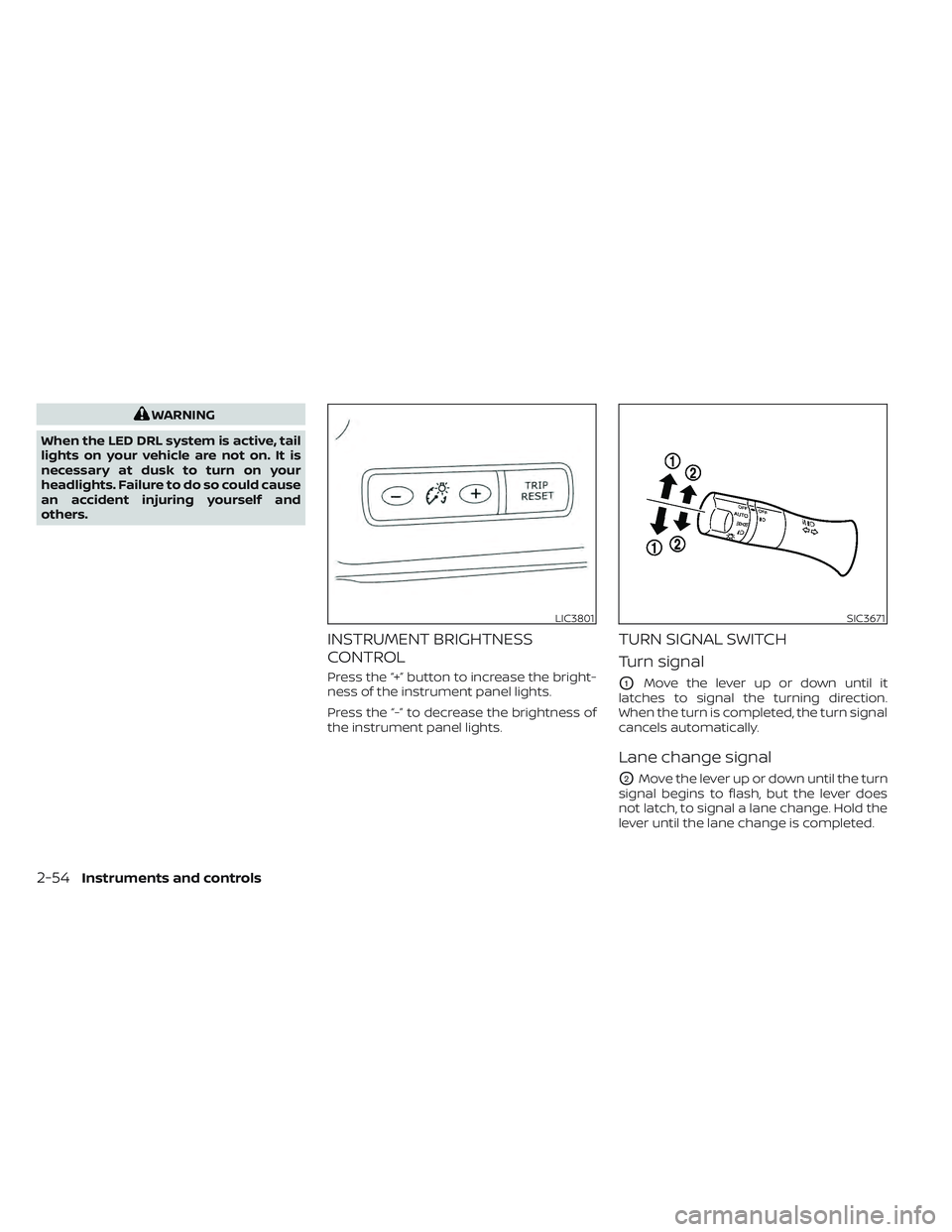
INSTRUMENT BRIGHTNESS
CONTROL
Press the “+” button to increase the bright-
ness of the instrument panel lights.
Press the “-” to decrease the brightness of
the instrument panel lights.
TURN SIGNAL SWITCH
Turn signal
O1Move the lever up or down until it
latches to signal the turning direction.
When the turn is completed, the turn signal
cancels automatically.
Lane change signal
O2Move the lever up or down until the turn
signal begins to flash, but the lever does
not latch, to signal a lane change. Hold the
lever until the lane change is completed.
LIC3801SIC3671
2-54Instruments and controls
Page 239 of 618
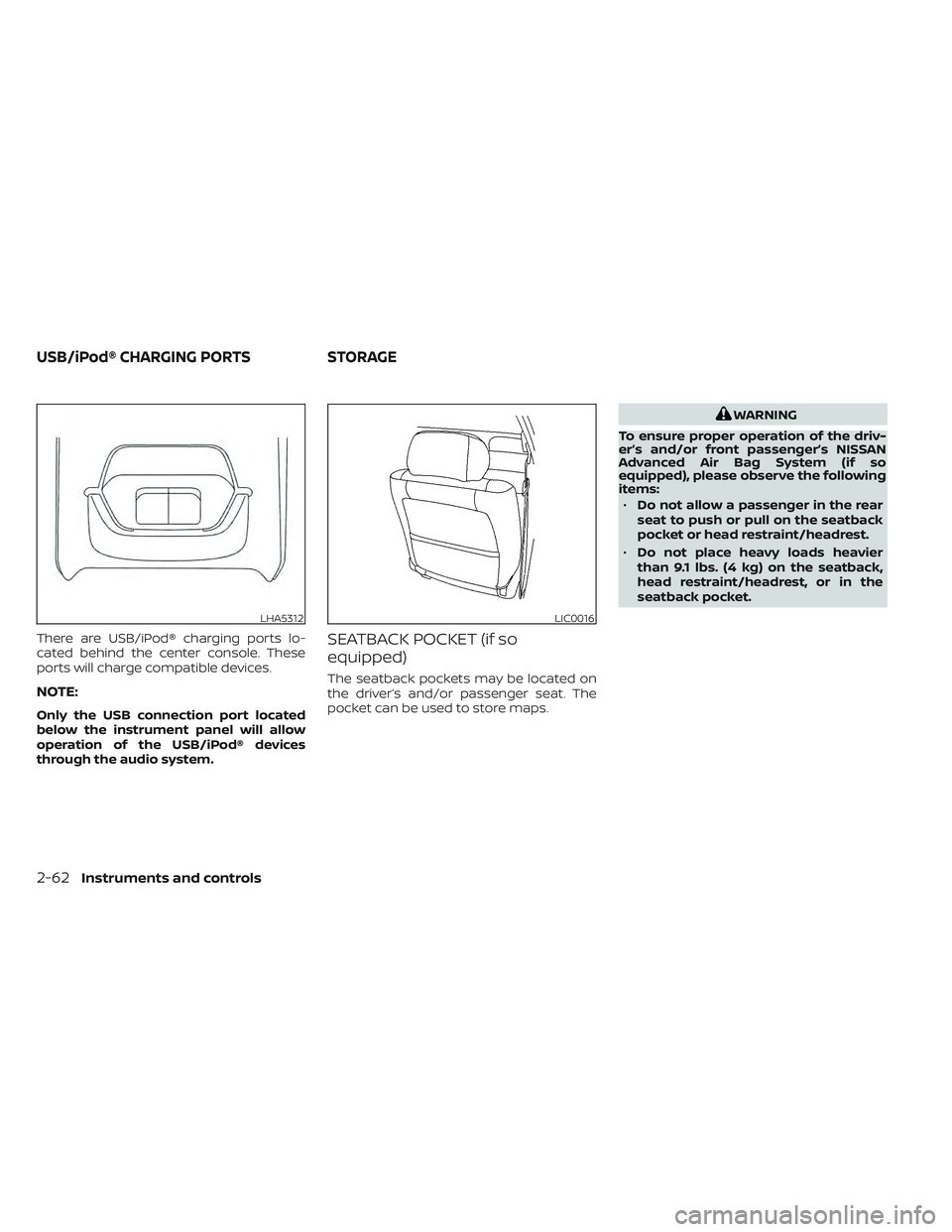
There are USB/iPod® charging ports lo-
cated behind the center console. These
ports will charge compatible devices.
NOTE:
Only the USB connection port located
below the instrument panel will allow
operation of the USB/iPod® devices
through the audio system.
SEATBACK POCKET (if so
equipped)
The seatback pockets may be located on
the driver’s and/or passenger seat. The
pocket can be used to store maps.
WARNING
To ensure proper operation of the driv-
er’s and/or front passenger’s NISSAN
Advanced Air Bag System (if so
equipped), please observe the following
items: • Do not allow a passenger in the rear
seat to push or pull on the seatback
pocket or head restraint/headrest.
• Do not place heavy loads heavier
than 9.1 lbs. (4 kg) on the seatback,
head restraint/headrest, or in the
seatback pocket.
LHA5312LIC0016
USB/iPod® CHARGING PORTS STORAGE
2-62Instruments and controls
Page 240 of 618
STORAGE TRAY
WARNING
Do not place sharp objects in the tray(s)
to help prevent injury in an accident or
sudden stop.
GLOVE BOX
To open the glove box, pull the handle.
To close, push the lid in until it latches.
WARNING
Keep the glove box lid closed while
driving to prevent injury in case of an
accident or a sudden stop.
CONSOLE BOX
To open the console box, pull up the lever
and pull up the lid. To close, push the lid
down until it is latched.
LIC4292
Instrument panel
LIC4349LIC3813
Instruments and controls2-63
Page 263 of 618

NOTE:
• Request switches for all doors andhatch can be deactivated when the Ext.
Door Switch feature is switched to OFF
using the “Settings” menu on the ve-
hicle information display. For addi-
tional information, see “Settings”
(P. 2-27).
• Doors do not lock by pushing the door handle request switch while the driv-
er’s door is open. However, the driver’s
door locks with the mechanical key
even if any door is open. • Doors do not lock with the door handle
request switch with the Intelligent Key
inside the vehicle and a beep sounds to
warn you. However, when an Intelligent
Key is inside the vehicle, doors can be
locked with another Intelligent Key.
WARNING
Af ter locking the doors using the re-
quest switch, make sure that the doors
have been securely locked by operat-
ing the door handles. Failure to follow
these instructions may result in inad-
vertently unlocking the door, which
may decrease the safety and security
of your vehicle.
CAUTION
• When locking the doors using the re-
quest switch, make sure to have the
Intelligent Key in your possession
before operating the request switch.
• The request switch is operational
only when the Intelligent Key has
been detected by the Intelligent Key
system.
Lockout protection
To prevent the Intelligent Key from being
accidentally locked in the vehicle, lockout
protection is equipped with the Intelligent
Key system.
When the driver’s side door is open, the
doors are locked, then the Intelligent Key is
lef t inside the vehicle and the door is
closed, all doors will unlock automatically.
NOTE:
The doors may not lock when the Intelli-
gent Key is in the same hand that is op-
erating the request switch to lock the
door. Put the Intelligent Key in a purse,
pocket or your other hand.
CAUTION
The lockout protection may not func-
tion under the following conditions:
• When the Intelligent Key is placed on
top of the instrument panel.
• When the Intelligent Key is placed in-
side the glove box or a storage bin.
• When the Intelligent Key is placed in-
side the door pockets.
• When the Intelligent Key is placed in-
side or near metallic materials.
LPD3151
3-10Pre-driving checks and adjustments
Page 269 of 618

Switching procedure:
To switch the hazard indicator and horn
(chime) operation, press the
andbuttons on the Intelligent Key simulta-
neously for more than two seconds.
• When the hazard indicator mode is set, the hazard indicator flashes three times.
• When the hazard indicator and horn mode is set, the hazard indicator flashes
once and the horn chirps once.
12-VOLT BATTERY SAVER SYSTEM
When all the following conditions are met
for a period of time, the battery saver sys-
tem will cut off the power supply to prevent
12-volt battery discharge.
• The power switch is in the ACC or ONposition,
• All doors are closed, and
• The vehicle is in the P (Park) position.
WARNING SIGNALS
To help prevent the vehicle from moving
unexpectedly by erroneous operation of
the Intelligent Key or to help prevent the
vehicle from being stolen, a chime or
buzzer sounds from inside and outside the
vehicle and a warning is displayed in the
instrument panel.
When a chime or beep sounds or a warning
is displayed, be sure to check the vehicle
and the Intelligent Key.
For additional information, see “Trouble-
shooting guide” (P. 3-16) and “Vehicle infor-
mation display warnings and indicator”
(P. 2-34 ).
TROUBLESHOOTING GUIDE
Verif y the location of all Intelligent Keys that
are programmed for the vehicle. If another
Intelligent Key is in range or inside the ve-
hicle, the vehicle system may respond dif-
ferently than expected.
NOS1695
3-16Pre-driving checks and adjustments
Page 271 of 618
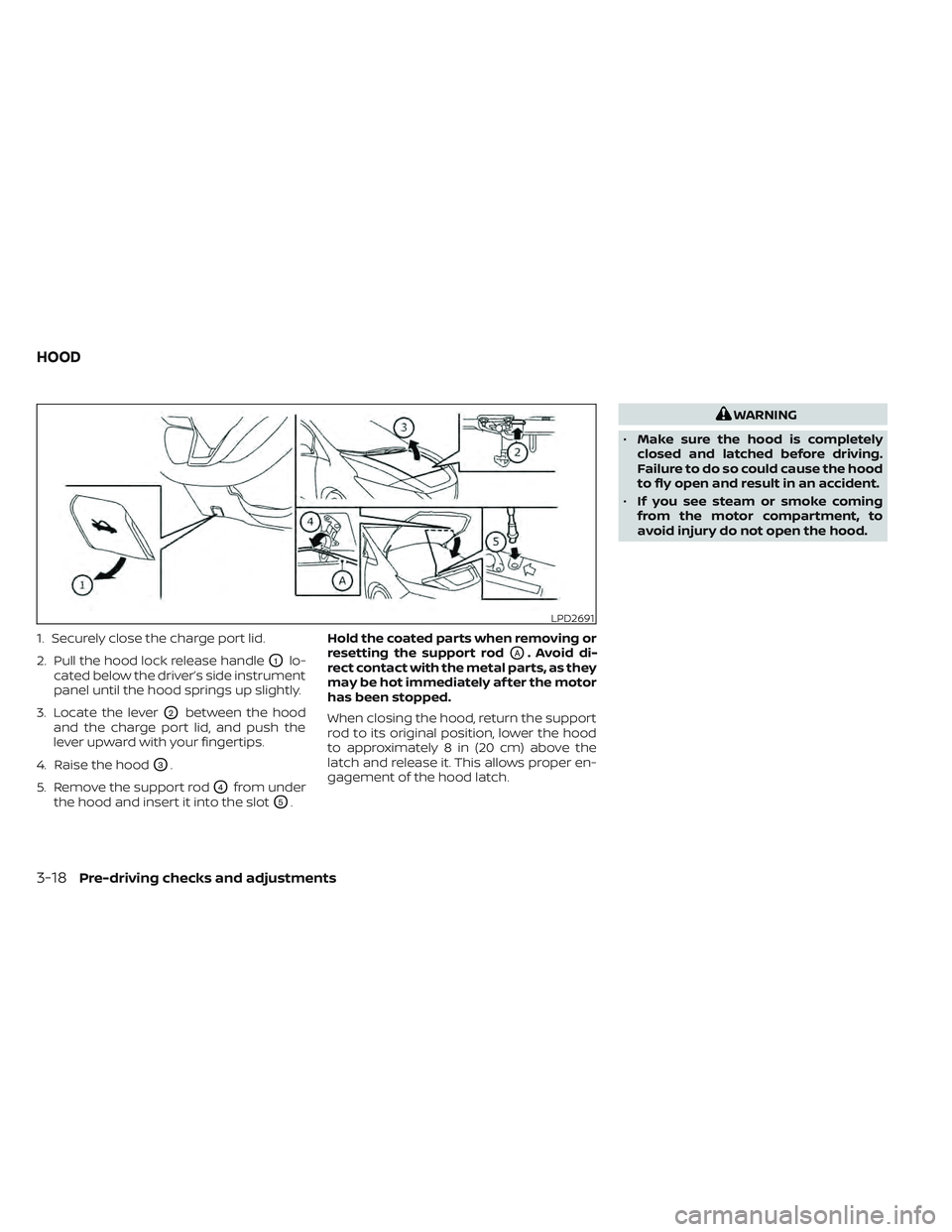
1. Securely close the charge port lid.
2. Pull the hood lock release handle
O1lo-
cated below the driver’s side instrument
panel until the hood springs up slightly.
3. Locate the lever
O2between the hood
and the charge port lid, and push the
lever upward with your fingertips.
4. Raise the hood
O3.
5. Remove the support rod
O4from under
the hood and insert it into the slot
O5. Hold the coated parts when removing or
resetting the support rod
OA. Avoid di-
rect contact with the metal parts, as they
may be hot immediately af ter the motor
has been stopped.
When closing the hood, return the support
rod to its original position, lower the hood
to approximately 8 in (20 cm) above the
latch and release it. This allows proper en-
gagement of the hood latch.
WARNING
• Make sure the hood is completely
closed and latched before driving.
Failure to do so could cause the hood
to fly open and result in an accident.
• If you see steam or smoke coming
from the motor compartment, to
avoid injury do not open the hood.
LPD2691
HOOD
3-18Pre-driving checks and adjustments