2022 NISSAN KICKS stop start
[x] Cancel search: stop startPage 361 of 500
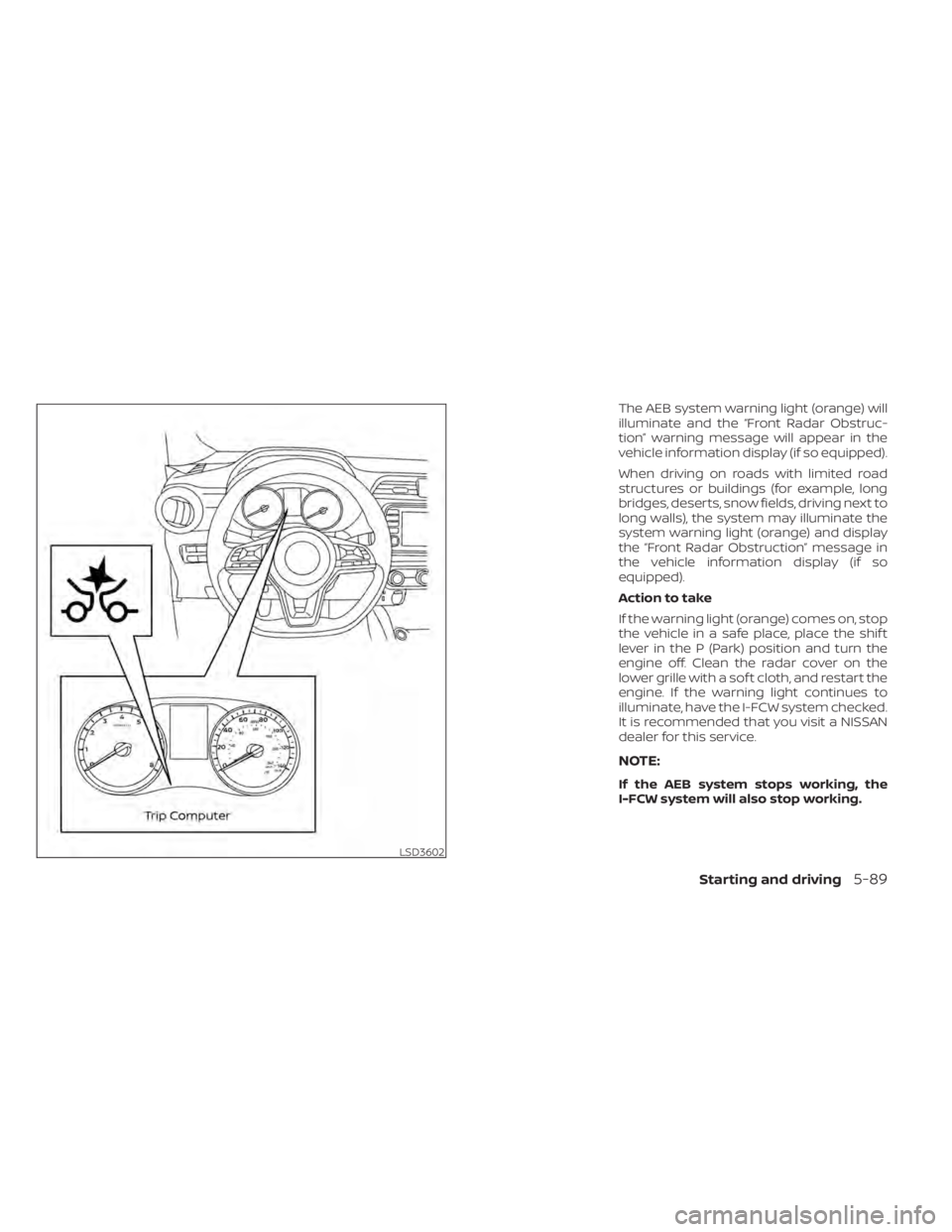
The AEB system warning light (orange) will
illuminate and the “Front Radar Obstruc-
tion” warning message will appear in the
vehicle information display (if so equipped).
When driving on roads with limited road
structures or buildings (for example, long
bridges, deserts, snow fields, driving next to
long walls), the system may illuminate the
system warning light (orange) and display
the “Front Radar Obstruction” message in
the vehicle information display (if so
equipped).
Action to take
If the warning light (orange) comes on, stop
the vehicle in a safe place, place the shif t
lever in the P (Park) position and turn the
engine off. Clean the radar cover on the
lower grille with a sof t cloth, and restart the
engine. If the warning light continues to
illuminate, have the I-FCW system checked.
It is recommended that you visit a NISSAN
dealer for this service.
NOTE:
If the AEB system stops working, the
I-FCW system will also stop working.
Page 362 of 500
SYSTEM MALFUNCTION
If the I-FCW system malfunctions, it will be
turned off automatically, a chime will
sound, the AEB system warning light (or-
ange) will illuminate and the warning mes-
sage [Malfunction] will appear in the vehicle
information display (if so equipped).
Action to take
If the warning light (orange) comes on, stop
the vehicle in a safe location, turn the en-
gine off and restart the engine. If the warn-
ing light continues to illuminate, have the
I-FCW system checked. It is recommended
that you visit a NISSAN dealer for this ser-
vice.
SYSTEM MAINTENANCE
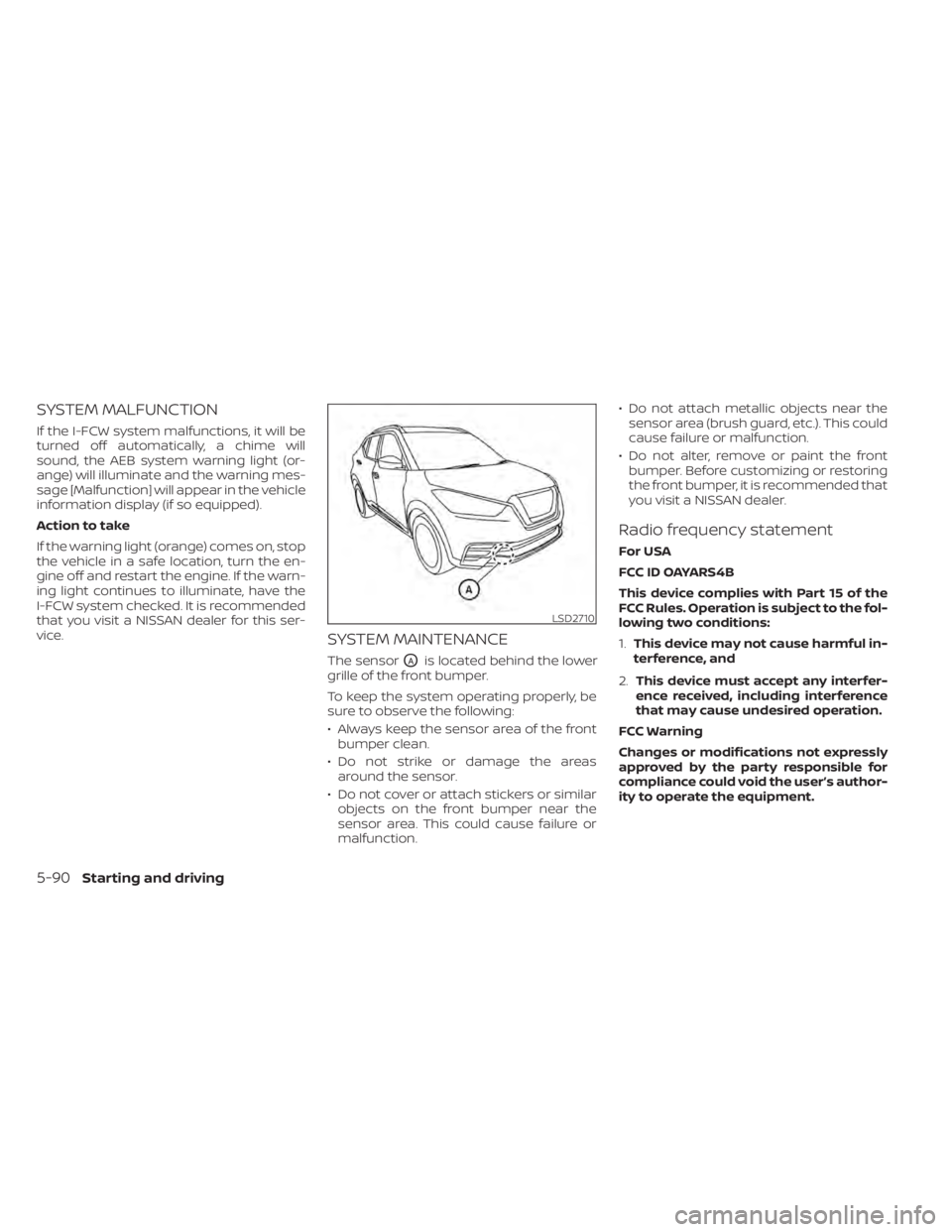
The sensorOAis located behind the lower
grille of the front bumper.
To keep the system operating properly, be
sure to observe the following:
• Always keep the sensor area of the front bumper clean.
• Do not strike or damage the areas around the sensor.
• Do not cover or attach stickers or similar objects on the front bumper near the
sensor area. This could cause failure or
malfunction. • Do not attach metallic objects near the
sensor area (brush guard, etc.). This could
cause failure or malfunction.
• Do not alter, remove or paint the front bumper. Before customizing or restoring
the front bumper, it is recommended that
you visit a NISSAN dealer.
Radio frequency statement
For USA
FCC ID OAYARS4B
This device complies with Part 15 of the
FCC Rules. Operation is subject to the fol-
lowing two conditions:
1. This device may not cause harmful in-
terference, and
2. This device must accept any interfer-
ence received, including interference
that may cause undesired operation.
FCC Warning
Changes or modifications not expressly
approved by the party responsible for
compliance could void the user’s author-
ity to operate the equipment.
5-90Starting and driving
Page 367 of 500
Follow these easy-to-use Fuel Efficient
Driving Tips to help you achieve the most
fuel economy from your vehicle.
1.Use Smooth Accelerator and Brake
Pedal Application
• Avoid rapid starts and stops.
• Use smooth, gentle accelerator and brake application whenever possible.
• Maintain constant speed while com- muting and coast whenever possible.
2. Maintain Constant Speed
• Look ahead to try and anticipate and minimize stops.
• Synchronizing your speed with traffic lights allows you to reduce your num-
ber of stops.
• Maintaining a steady speed can mini- mize red light stops and improve fuel
efficiency.
3. Use Air Conditioning (A/C) at Higher
Vehicle Speeds
• Below 40 mph (64 km/h), it is more efficient to open windows to cool the
vehicle due to reduced engine load.
• Above 40 mph (64 km/h), it is more efficient to use A/C to cool the vehicle
due to increased aerodynamic drag. • Recirculating the cool air in the cabin
when the A/C is on reduces cooling
load.
4. Drive at Economical Speeds and
Distances
• Observing the speed limit and not ex- ceeding 60 mph (97 km/h) (where le-
gally allowed) can improve fuel effi-
ciency due to reduced aerodynamic
drag.
• Maintaining a safe following distance behind other vehicles reduces unnec-
essary braking.
• Safely monitoring traffic to anticipate changes in speed permits reduced
braking and smooth acceleration
changes.
• Select a gear range suitable to road conditions.
5. Use Cruise Control
• Using cruise control during highway driving helps maintain a steady speed.
• Cruise control is particularly effective in providing fuel savings when driving
on flat terrains.
6. Plan for the Shortest Route
• Utilize a map or navigation system to determine the best route to save time. 7.
Avoid Idling
• Shutting off your engine when safe for stops exceeding 30–60 seconds saves
fuel and reduces emissions.
8. Buy an Automated Pass for Toll Roads
• Automated passes permit drivers to use special lanes to maintain cruising
speed through the toll and avoid stop-
ping and starting.
9. Winter Warm Up
• Limit idling time to minimize impact to fuel economy.
• Vehicles typically need no more than 30 seconds of idling at start-up to ef-
fectively circulate the engine oil before
driving.
• Your vehicle will reach its ideal operat- ing temperature more quickly while
driving versus idling.
10. Keeping your Vehicle Cool
• Park your vehicle in a covered parking area or in the shade whenever pos-
sible.
• When entering a hot vehicle, opening the windows will help to reduce the
inside temperature faster, resulting in
reduced demand on your A/C system.
FUEL EFFICIENT DRIVING TIPS
Starting and driving5-95
Page 377 of 500
The hill start assist system automatically
keeps the brakes applied to help prevent
the vehicle from rolling backwards in the
time it takes the driver to release the brake
pedal and apply the accelerator when the
vehicle is stopped on a hill.
The hill start assist system will operate au-
tomatically under the following conditions:
• The transmission is shif ted to a forwardor reverse gear.
• The vehicle is stopped completely on a hill by applying the brake.
The maximum holding time is 2 seconds.
Af ter 2 seconds the vehicle will begin to roll
back and the hill start assist system will
stop operating completely.
The hill start assist system will not operate
when the transmission is shif ted to the N
(Neutral) or P (Park) position or on a flat and
level road.
When the Vehicle Dynamic Control (VDC)
indicator light illuminates in the meter, the
hill start assist system will not operate. For
additional information, refer to “Vehicle Dy-
namic Control (VDC) indicator light” in the
“Instruments and controls” section of this
manual. The RSS sounds a tone to inform the driver
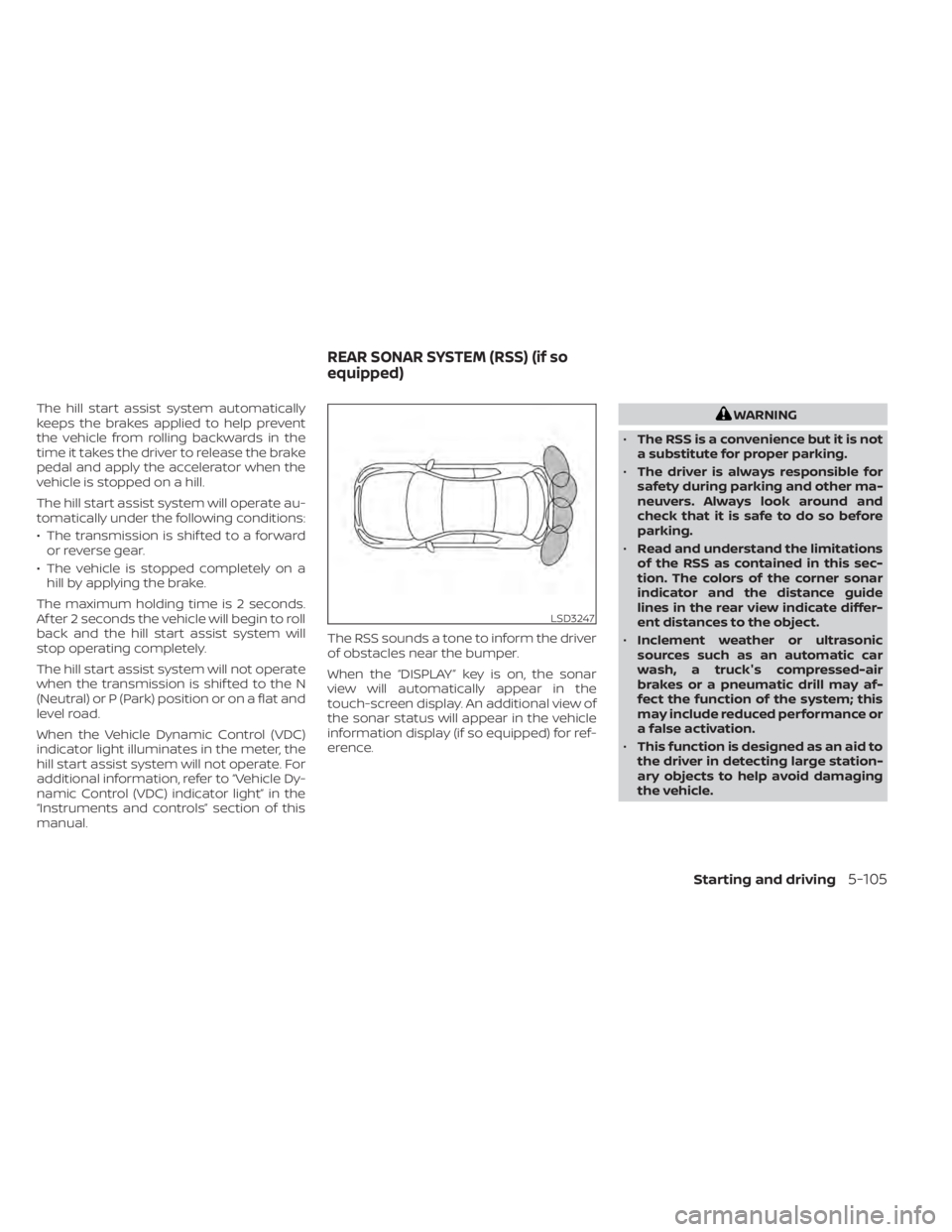
of obstacles near the bumper.
When the “DISPLAY” key is on, the sonar
view will automatically appear in the
touch-screen display. An additional view of
the sonar status will appear in the vehicle
information display (if so equipped) for ref-
erence.
Starting and driving5-105
Page 413 of 500
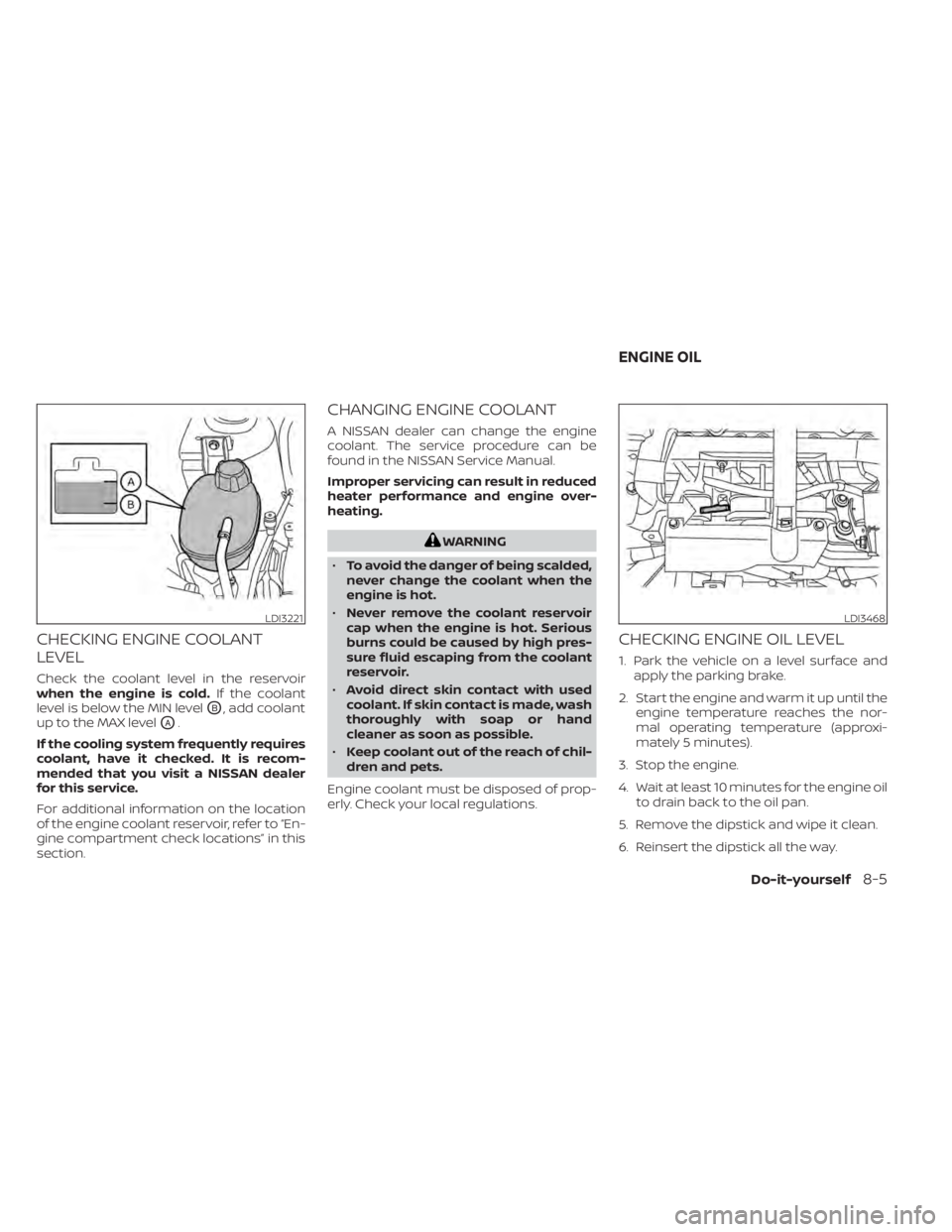
CHECKING ENGINE COOLANT
LEVEL
Check the coolant level in the reservoir
when the engine is cold.If the coolant
level is below the MIN level
OB, add coolant
up to the MAX level
OA.
If the cooling system frequently requires
coolant, have it checked. It is recom-
mended that you visit a NISSAN dealer
for this service.
For additional information on the location
of the engine coolant reservoir, refer to “En-
gine compartment check locations” in this
section.
CHANGING ENGINE COOLANT
A NISSAN dealer can change the engine
coolant. The service procedure can be
found in the NISSAN Service Manual.
Improper servicing can result in reduced
heater performance and engine over-
heating.
WARNING
• To avoid the danger of being scalded,
never change the coolant when the
engine is hot.
• Never remove the coolant reservoir
cap when the engine is hot. Serious
burns could be caused by high pres-
sure fluid escaping from the coolant
reservoir.
• Avoid direct skin contact with used
coolant. If skin contact is made, wash
thoroughly with soap or hand
cleaner as soon as possible.
• Keep coolant out of the reach of chil-
dren and pets.
Engine coolant must be disposed of prop-
erly. Check your local regulations.
CHECKING ENGINE OIL LEVEL
1. Park the vehicle on a level surface and apply the parking brake.
2. Start the engine and warm it up until the engine temperature reaches the nor-
mal operating temperature (approxi-
mately 5 minutes).
3. Stop the engine.
4. Wait at least 10 minutes for the engine oil to drain back to the oil pan.
5. Remove the dipstick and wipe it clean.
6. Reinsert the dipstick all the way.
LDI3221LDI3468
ENGINE OIL
Do-it-yourself8-5
Page 424 of 500
WARNING
• Operating the engine with the air
cleaner filter off can cause you or
others to be burned. The air cleaner
filter not only cleans the intake air, it
also stops the flame if the engine
backfires. If the air cleaner is not in-
stalled and the engine backfires, you
could be burned. Never drive with the
air cleaner filter off. Be cautious
working on the engine when the air
cleaner is off. •
Never pour fuel into the throttle body
or attempt to start the engine with
the air cleaner removed. Doing so
could result in serious injury.
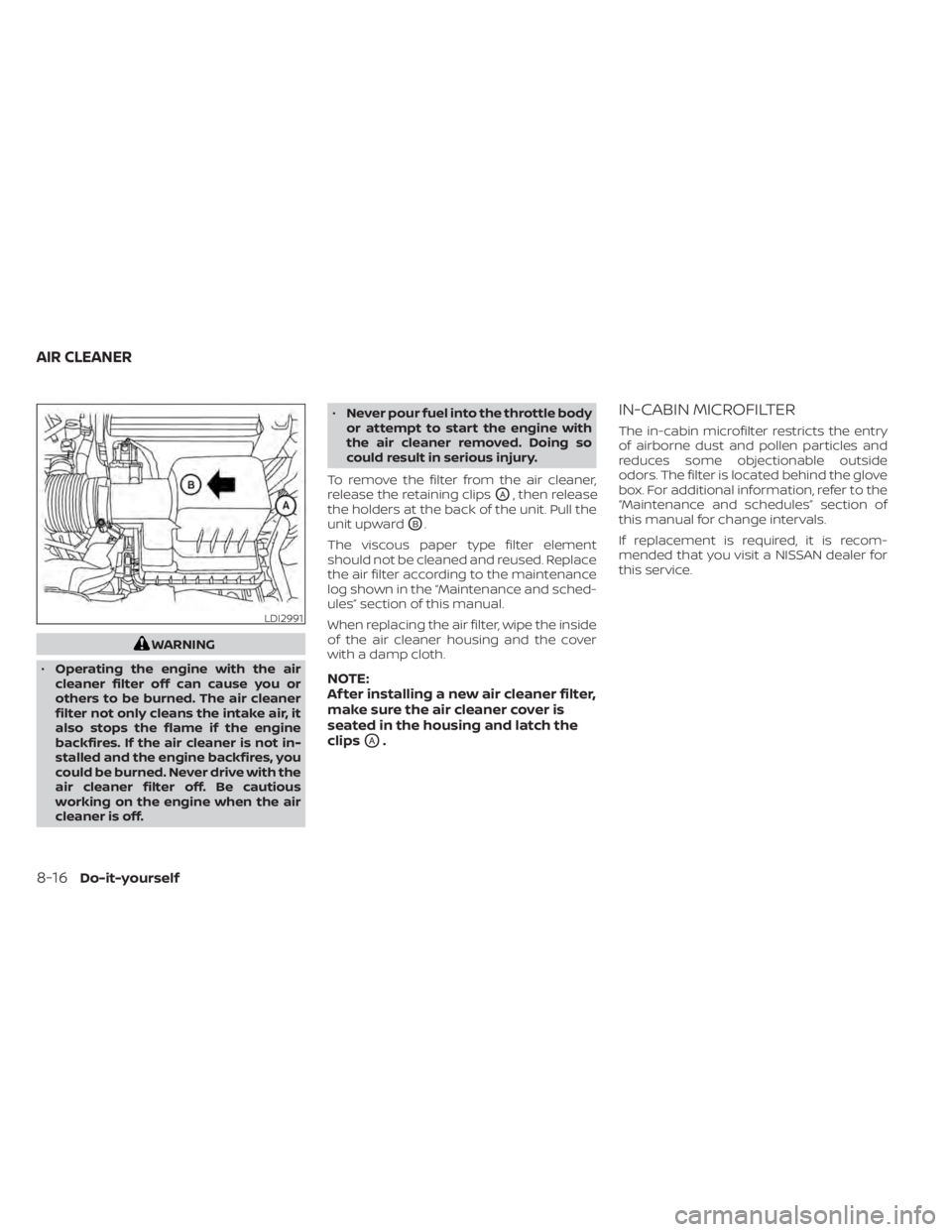
To remove the filter from the air cleaner,
release the retaining clips
OA, then release
the holders at the back of the unit. Pull the
unit upward
OB.
The viscous paper type filter element
should not be cleaned and reused. Replace
the air filter according to the maintenance
log shown in the “Maintenance and sched-
ules” section of this manual.
When replacing the air filter, wipe the inside
of the air cleaner housing and the cover
with a damp cloth.
NOTE:
Af ter installing a new air cleaner filter,
make sure the air cleaner cover is
seated in the housing and latch the
clips
OA.
IN-CABIN MICROFILTER
The in-cabin microfilter restricts the entry
of airborne dust and pollen particles and
reduces some objectionable outside
odors. The filter is located behind the glove
box. For additional information, refer to the
“Maintenance and schedules” section of
this manual for change intervals.
If replacement is required, it is recom-
mended that you visit a NISSAN dealer for
this service.
LDI2991
AIR CLEANER
Page 488 of 500
Interior light...................2-71iPod® Player..................4-57ISOFIX child restraints.............1-23
J
Jump starting...............6-9, 8-13
K
Key.........................3-2Key fob battery replacement........8-22Keyless entry
With Intelligent Key system
(See Intelligent Key system)
.......3-12KeysNISSAN Intelligent Key®...........3-7NISSAN Vehicle Immobilizer System
keys..................... .3-3
L
Labels
Air conditioner specification label. . .10-12Emission control information label. .10-11Engine serial number...........10-11F.M.V.S.S. certification label........10-11Tire and Loading Information label. .10-12Vehicle identification number (VIN). .10-10Vehicle identification number (VIN)
plate.................... .10-10Warning labels (for SRS)..........1-61
Lane Departure Warning (LDW).......5-23Lane Departure Warning (LDW) switch. .2-54LATCH (Lower Anchors and Tethers for
CHildren) System...............1-23Launch bar menu...............4-8License plate
Installing the license plate........10-12Lif tgate.....................3-22LightAir bag warning light........1-62, 2-18Brake light (See stop light)........8-26Bulb check/instrument panel......2-12Bulb replacement.............8-26Charge warning light...........2-13Exterior and Interior lights........8-26Fog lights..................8-24Fog light switch...............2-51Headlight and turn signal switch. . . .2-44Headlight control switch.........2-44Headlights..................8-24Interior light.................2-71Light bulbs.................8-24Low tire pressure warning light.....2-15Low windshield-washer fluid warning
light......................2-16Passenger air bag and status light. . .1-51Personal lights...............2-72Security indicator light..........2-21Trunk light..................2-73Lights......................8-24Map lights..................2-72LockChild safety rear door lock.........3-6Door locks................3-4, 3-5
Fuel-filler door lock opener lever. . . .3-25Power door locks...........3-5, 3-6Low fuel warning light......2-15,2-16, 2-33Low tire pressure warning light.......2-15Low windshield-washer fluid warning
light........................2-16Luggage hook................ .2-63Luggage rack (see roof rack). . . .2-65, 2-66Luggage (See vehicle loading
information)................. .10-13
M
Maintenance
General maintenance...........9-2Inside the vehicle..............9-3Maintenance precautions.........8-2Outside the vehicle.............9-2Seat belt maintenance..........1-17Under the hood and vehicle.......9-4Maintenance log................9-11Maintenance requirements..........9-2Maintenance schedules............9-6Maintenance under severe operation
conditions....................9-10Malfunction indicator light.........2-20Manual front seat adjustment........1-3Map lights....................2-72Map pocket.................. .2-59Menu button...................4-6Meters and gauges..............2-4Instrument brightness control.....2-50
11-4Index
Page 490 of 500

Registering a vehicle in another
country.....................10-10Remote Engine Start..........3-18,5-16Reporting safety defects (US only). . . .10-19Roof rack................2-65, 2-66
S
Safety
Child safety rear door lock.........3-6Child seat belts.....1-21,1-27, 1-33, 1-38Reporting safety defects (US only). . .10-19Seat adjustment
Front manual seat adjustment......1-3Rear seat adjustment............1-4Seatback pockets...............2-60Seat beltChild safety.................1-18Infants and small children........1-19Injured person................1-13Larger children...............1-19Precautions on seat belt usage.....1-10Pregnant women..............1-13Seat belt extenders.............1-17Seat belt maintenance..........1-17Seat belts................1-10,7-6Shoulder belt height adjustment. . . .1-16Three-point type with retractor.....1-13Seat belt extenders..............1-17Seat belt warning light.........1-13,2-18SeatsAdjustment..................1-2Front seats..................1-2
Manual front seat adjustment......1-3Rear seat.................. .1-4Security indicator light............2-21Security system (NISSAN Anti-Thef t System),
engine start...............2-39, 5-14Security system (NISSAN Vehicle Immobilizer
System), engine start.........2-40, 5-14Security systems
Vehicle security system.........2-38Self-adjusting brakes.............8-18Service manual order form.........10-21Servicing air conditioner...........4-44Shif tingContinuously Variable Transmission
(CVT)
.....................5-18Shoulder belt height adjustment......1-16Siri® Eyes-Free................ .4-64Sonar
Rear system................5-105Spark plug replacement...........8-15Spark plugs...................8-15Specifications................ .10-8Speedometer...............2-5, 2-6SRS warning label...............1-61Stability control................5-100Standard maintenance.........9-7,9-8Starting
Before starting the engine........5-15Jump starting.............6-9, 8-13Precautions when starting and
driving.................... .5-4Push starting................6-11Starting the engine............5-15Starting the engine..............5-15
Steering
Power steering system..........5-97Steering wheel.................3-26Steering wheel audio control switch. . .4-63Stop light....................8-26Storage.................... .2-59Storage tray..................2-60Sun visors....................3-27Supplemental air bag warning labels. . .1-61Supplemental air bag warning
light................... .1-62, 2-18Supplemental front impact air bag
system..................... .1-48Supplemental restraint system
Information and warning labels.....1-61Precautions on supplemental restraint
system................... .1-42Supplemental restraint system
(Supplemental air bag system).......1-42Switch
Autolight switch..............2-45Automatic power window switch. . .2-70Fog light switch...............2-51Hazard warning flasher switch......6-2Headlight and turn signal switch. . . .2-44Headlight control switch.........2-44Instrument brightness control.....2-50Power door lock switch........3-5, 3-6Rear sonar system OFF switch.....2-55Rear window and outside mirror defroster
switch................ .2-44, 4-43Rear window defroster switch. .2-44, 4-35Rear window wiper and washer
switches.................. .2-43
11-6Index