2022 MAZDA MODEL CX-30 Personaliz
[x] Cancel search: PersonalizPage 262 of 595

Speed Limit Sign Alert setting
Off: The excessive speed warning is not activated.Visual: The area around the speed limit sign displayed in the display flashes in
amber, and if the vehicle speed continues to exceed the displayed speed limit
sign, the indication stops flashing and remains on.
Visual + Audible: The area around the speed limit sign displayed in the display
flashes in amber and the warning sound is activated at the same time. If the
vehicle speed continues to exceed the displayed speed limit sign, the indication
stops flashing and remains on. The warning sound is activated continuously until
the vehicle speed decreases below the speed limit sign.
Speed Limit Sign Threshold setting
+ 0 km/h (+ 0 mph): If the vehicle speed exceeds the speed limit sign displayed in
the display, the excessive speed warning is activated.
+ 5 km/h (+ 3 mph): If the vehicle speed exceeds the speed limit sign displayed in
the display by 5 km/h (3 mph), the excessive speed warning is activated.
+ 10 km/h (+ 5 mph): If the vehicle speed exceeds the speed limit sign displayed
in the display by 10 km/h (5 mph), the excessive speed warning is activated.
NOTE
In the following cases, the excessive speed warning stops operating.
The vehicle speed is less than the speed of the displayed speed limit sign. (If the
activation timing for the excessive speed warning is changed in the
personalization features, the excessive speed warning stops operating when the
vehicle speed is less than the changed vehicle speed.
A speed limit sign indication has been updated and the vehicle speed is lower
than the updated indication.
Display of the speed limit sign stops.The warning indication is displayed at the same time the excessive speed warning
sound is activated if the vehicle speed exceeds the speed indicated on the speed
limit sign.
Refer to Excessive Speed Warning on page 7-43.
If the Forward Sensing Camera (FSC) or data recorded in the navigation system
incorrectly recognizes the actual speed li mit sign at a lower speed, the excessive
speed alarm is activated even if the vehicle is driven at the legal speed.
When Driving
i-ACTIVSENSE
4-115
CX-30_8KN2-EA-21L_Edition1_new 2021-9-15 19:39:56
Page 264 of 595

If the ignition is switched OFF while
you have canceled the system using
the i-ACTIVSENSE OFF switch, the
system is automatically enabled the
next time the ignition is switched
ON. However, if the system is
canceled using the personalization
features, the system is not
automatically enabled.
▼Vehicle Ahead Close Proximity
War n in g
When the system determines that the
distance between your vehicle and a
vehicle ahead is close, the
i-ACTIVSENSE status symbol (warning/
risk avoidance support system)
changes from green to amber and the
warning indication is displayed on the
multi-information display. While
checking the safety of the surrounding
area, depress the brake pedal while
keeping a safe distance from the
vehicle ahead.
Driver Attention Alert
(DAA)
*
▼Driver Attention Alert (DAA)
The DAA is a system which detects
driver fatigue and decreased
attentiveness, and encourages the
driver to take a rest.
When the vehicle is driven inside traffic
lane lines at about 65 to 140 km/h
(41 to 86 mph), the DAA estimates the
amount of accumulated fatigue and
decreased attentiveness of the driver
based on the information from the
Forward Sensing Camera (FSC) and
other vehicle information, and
encourages the driver to take a rest
using an indication on the
multi-information display and a
warning sound.
Use the DAA on expressways or
highways.
Refer to Forward Sensing Camera
(FSC) on page 4-197.
When Driving
i-ACTIVSENSE
*Some models.4-117
CX-30_8KN2-EA-21L_Edition1_new
2021-9-15 19:39:56
Page 271 of 595

The temperature near the radar
sensors becomes extremely hot
due to driving for a long time on
slopes during the summer.
The battery voltage has decreased.The front side radar sensor of the
FCTA may be regulated under the
radio wave related laws of the
country where the vehicle is driven.
If this system is used abroad, it may
be necessary to turn off the system.
Refer to Front Side Radar Sensor
on page 4-203.
▼Canceling Operation of Front
Cross Traffic Alert (FCTA)
The FCTA can be set to inoperable.
(If only the FCTA is turned
off)
Refer to the Settings section in the
Mazda Connect Owner's Manual.
(If the FCTA is turned off by
operating the i-ACTIVSENSE OFF
switch)
Refer to i-ACTIVSENSE OFF Switch
on page 4-98.
NOTE
If the ignition is switched OFF while
you have canceled the system using the
i-ACTIVSENSE OFF switch, the system
is automatically enabled the next time
the ignition is switched ON. However,
if the system is canceled using the
personalization features, the system is
not automatically enabled.
Rear Cross Traffic Alert
(RCTA)
*
▼Rear Cross Traffic Alert (RCTA)
The RCTA system is designed to assist
the driver in checking the area to the
rear left and right sides of your vehicle
while your vehicle is reversing by
alerting the driver to the presence of
vehicles approaching the rear of your
vehicle.
The RCTA system detects vehicles
approaching from the rear left and
right sides of your vehicle and the rear
of your vehicle while your vehicle is
being reversed out of a parking space,
and notifies the driver of possible
danger using the Blind Spot Monitoring
(BSM) warning indicator lights and the
warning buzzer.
1. Your vehicle
2. Detection areas
When Driving
i-ACTIVSENSE
4-124*Some models.
CX-30_8KN2-EA-21L_Edition1_new
2021-9-15 19:39:56
Page 273 of 595

A vehicle approaching from the
rear left and right side of your
vehicle makes a right or left turn
directly in front of your vehicle.
A vehicle overtakes your vehicle
while it is stopped.
Your vehicle is in an area where
strong radio waves or electrical
noise may occur such as near a
television tower or power plant.
In the following cases, the
i-ACTIVSENSE warning indication/
warning light turns on and operation
of the system is stopped. If the
i-ACTIVSENSE warning indication/
warning light remains illuminated,
have the vehicle inspected at an
Authorized Mazda Dealer as soon as
possible.
Some problem with the system
including the Blind Spot
Monitoring (BSM) warning
indicator lights has occurred.
A large deviation in the installation
position of a rear side radar sensor
on the vehicle has occurred.
There is a large accumulation of
snow or ice on the rear bumper
near a rear side radar sensor.
Driving on snow-covered roads for
long periods.
The temperature near the radar
sensors becomes extremely hot
due to driving for long periods on
slopes during the summer.
The battery voltage has decreased.Under the following conditions, the
rear side radar sensor cannot detect
approaching vehicles or it might bedifficult to detect them, and the
system may not operate normally.
The vehicle speed when reversing
is about 15 km/h (9 mph) or
faster.
The rear side radar sensor
detection area is obstructed by a
nearby wall or parked vehicle.
(Reverse the vehicle to a position
where the radar sensor detection
area is no longer obstructed.)
1. Your vehicle
A vehicle is approaching directly
from the rear of your vehicle.
1. Your vehicle
The vehicle is parked at an angle.
1. Your vehicle
Directly after the RCTA system
becomes operable using the
personalization feature.
Radio wave interference from a
radar sensor equipped on a nearby
parked vehicle.
When Driving
i-ACTIVSENSE
4-126
CX-30_8KN2-EA-21L_Edition1_new 2021-9-15 19:39:56
Page 274 of 595

In the following cases, it may be
difficult to view the illumination/
flashing of the Blind Spot Monitoring
(BSM) warning indicator lights
equipped on the door mirrors.
Snow or ice adheres to the door
mirrors.
The front door glass is fogged or
covered in snow, frost or dirt.
Turn off the RCTA system while
pulling a trailer or while an accessory
such as a bicycle carrier is installed to
the rear of the vehicle. Otherwise,
the radio waves emitted by the radar
will be blocked causing the system to
not operate normally.
The rear side radar sensor of the
RCTA may be regulated under the
radio wave related laws of the
country where the vehicle is driven. If
this system is used abroad, it may be
necessary to turn off the system.
Refer to Rear Side Radar Sensor on
page 4-204.
▼ Canceling Operation of Rear Cross
Tra ffi c
Alert (RCTA)
The RCTA can be set to inoperable.
(If only the RCTA is turned off)
Refer to the Settings section in the
Mazda Connect Owner's Manual.
(If the RCTA is turned off by
operating the i-ACTIVSENSE OFF
switch)
Refer to i-ACTIVSENSE OFF Switch
on page 4-98.
NOTE
If the ignition is switched OFF while
you have canceled the system using the
i-ACTIVSENSE OFF switch, the system
is automatically enabled the next time
the ignition is switched ON. However,
if the system is canceled using the
personalization features, the system is
not automatically enabled.
When Driving
i-ACTIVSENSE
4-127
CX-30_8KN2-EA-21L_Edition1_new
2021-9-15 19:39:56
Page 291 of 595

▼Setting the System
Operation conditions
Headway control function
The TJA operates when all of the following conditions are met.
The vehicle speed is about 0 km/h (0 mph) to 145 km/h (90 mph).The selector lever is in the D or M position (manual mode).The TJA is operating.The headway control function of the Mazda Radar Cruise Control with Stop & Go
function (MRCC with Stop & Go function) is set to operable (if it was set to
inoperable, set it to operable us
ing the personalization function).
The brake pedal is not depressed.The parking brake is released (Electric Parking Brake (EPB) indicator light is turned
off).
There is no problem with the DSC.All the doors are closed.The driver's seat belt is fastened.
NOTE
Under the following conditions, the TJA cannot be used when the vehicle speed is
30 km/h (19 mph) or slower.
There is a problem with the stop hold control function.There is a problem with the Electric Parking Brake (EPB).The TJA may not launch directly after the engine starts.
Steering assist function
The steering assist function operates when all of the following conditions are met.
Your vehicle is moving and less than about 56 km/h (35 mph).White (yellow) lane lines on both sides are detected and you are driving near the
center of the lane, or your vehicle detects a vehicle ahead.
The steering wheel is not turned sharply.The turn signal lever is not operated.The headway control function is operating.
NOTE
The steering assist function operates so that the vehicle remains near the center of
the driving lane, however, depending on conditions such as the road curvature,
road slope and undulations, and vehicle speed, the function might not be able to
keep the vehicle near the center of the driving lane.
When Driving
i-ACTIVSENSE
4-144
CX-30_8KN2-EA-21L_Edition1_new 2021-9-15 19:39:56
Page 300 of 595

NOTE
The system may not operate normally
under the following conditions.
The white (yellow) lane lines are less
visible because of dirt or paint
flaking.
White (yellow) lane lines are less
visible because of bad weather (rain,
fog , or snow).
The vehicle is driven on a temporary
lane or section with a closed lane
resulting from construction where
there might be multiple white
(yellow) lane lines, or they are
interrupted.
The camera picks up an obscure line,
such as a temporary line being used
for construction, or because of
shade, unmelted snow, or grooves
filled with water.
The surrounding brightness suddenly
changes such as when entering or
exiting a tunnel.
Back-light is reflected off the road
surface.
The road surface is wet and shiny
after rain, or there are puddles on
the road.
The width of a lane is excessively
narrow.
The vehicle is driven on roads with
tight curves.
Heavy luggage is loaded in the
luggage compartment or on the rear
seat causing the vehicle to tilt.
The vehicle is driven through a fork in
the road or a junction.
The shade of a guardrail parallel to a
white (yellow) lane line is cast on the
road.
The illumination of the headlights is
weakened because of dirt or the
optical axis is deviated at night.
The road is excessively uneven.The vehicle is shaken after hitting a
road bump.
A vehicle in front of your vehicle is
running near a white (yellow) lane
line making it less visible.
The windshield is dirty or foggy.Strong light is directed from the front
of the vehicle (such as sunlight, or
headlights (high-beam) of
on-coming vehicles).
▼System Operation
When the ignition is switched ON, the
i-ACTIVSENSE status symbol (warning/
risk avoidance support system) (white)
turns on and the system goes on
standby.
NOTE
If the i-ACTIVSENSE status symbol
(warning/risk avoidance support
system) (white) does not turn on, the
system is canceled using the
i-ACTIVSENSE OFF switch or the
personalization feature.
Operation conditions
When all of the following conditions
are met, the i-ACTIVSENSE status
symbol (warning/risk avoidance
support system) on the
multi-information display changes
from white to green and the system
becomes operational.
The vehicle speed is about 64 km/h
(40 mph) or faster.
The system detects white (yellow)
lane lines.
When Driving
i-ACTIVSENSE
4-153
CX-30_8KN2-EA-21L_Edition1_new
2021-9-15 19:39:56
Page 302 of 595
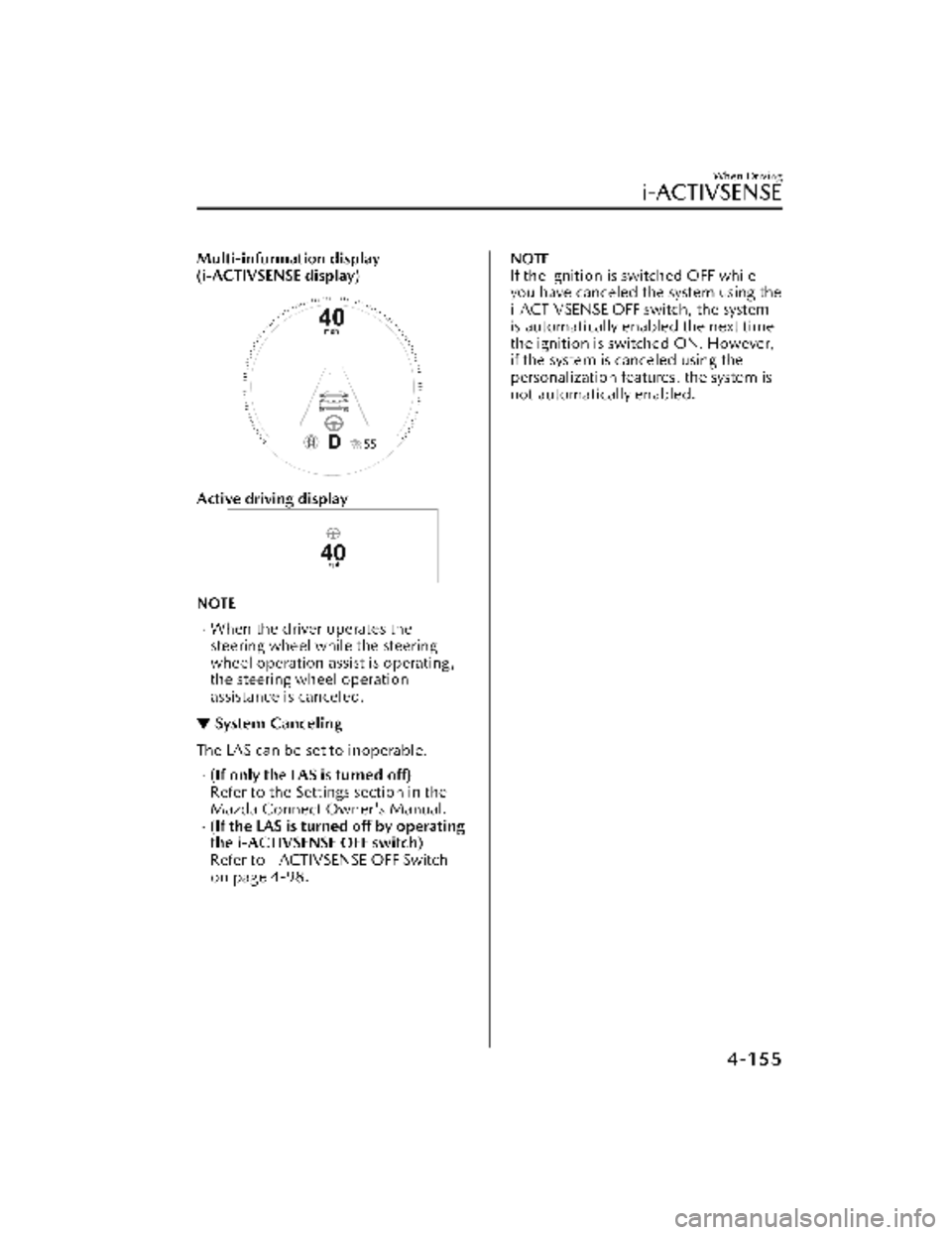
Multi-information display
(i-ACTIVSENSE display)
Active driving display
NOTE
When the driver operates the
steering wheel while the steering
wheel operation assist is operating,
the steering wheel operation
assistance is canceled.
▼System Canceling
The LAS can be set to inoperable.
(If only the LAS is turned off)
Refer to the Settings section in the
Mazda Connect Owner's Manual.
(If the LAS is turned off by operating
the i-ACTIVSENSE OFF switch)
Refer to i-ACTIVSENSE OFF Switch
on page 4-98.
NOTE
If the ignition is switched OFF while
you have canceled the system using the
i-ACTIVSENSE OFF switch, the system
is automatically enabled the next time
the ignition is switched ON. However,
if the system is canceled using the
personalization features, the system is
not automatically enabled.
When Driving
i-ACTIVSENSE
4-155
CX-30_8KN2-EA-21L_Edition1_new
2021-9-15 19:39:56