2022 LEXUS ES350 lights
[x] Cancel search: lightsPage 77 of 468

752-1. Instrument cluster
2
Vehicle status information and indicators
Displays the distance the vehicle has been
driven since the meter was last reset. Trip
meters A and B can be used to record and
display different distances independently.
Distance until next engine oil
change
Displays the distance the vehicle can be
driven until an oil change is necessary.
■Changing the display
Each time the “ODO TRIP” switch is
pressed, the displayed item will be
changed. When the trip meter is dis-
played, pressing and holding the switch
will reset the trip meter.
■Pop-up display
Distance until the next engine oil
change will be displayed when a warn-
ing message indicating that oil mainte-
nance should be performed soon or is
required is displayed.
The brightness of the instrument panel
lights can be adjusted. 1
Darker
2 Brighter
■Brightness of the meter lights (day mode
and night mode)
The brightness of the meter lights can be
adjusted individually.
In the following situations, the meters
changes between day mode and night
mode.
●Day mode: When the tail lights are off or
when the tail lights are on but the sur-
rounding area is bright
●Night mode: When the tail lights are on
and the surrounding area is dark
The display can be switched between
the center and side positions.
Changing the instrument panel
light brightness
Changing the main meter loca-
tion
Page 83 of 468

812-1. Instrument cluster
2
Vehicle status information and indicators
Select to switch between 12-hour display
and 24-hour display.
Pop-up display
Select to enable/disable some pop-up dis-
plays for each relevant system.
Accent color
Select to change the accent color on the
screen, such as the cursor color.
Rev indicator (F SPORT models)
• Select to enable/disable the rev indica-
tor.
• Select to set the engine speed at which the rev indicator (amber) will begin to be
displayed.
Rev peak (F SPORT models)
Select to enable/disable the rev peak.
Eco Driving Indicator Light
Select to enable/disable the Eco Driving
Indicator Light.
Default setting
Select to reset the meter display settings to
the default setting.
■Vehicle functions and settings that
can be changed
P.408
■Suspension of the settings display
●Some settings cannot be changed while
driving. When changing settings, park
the vehicle in a safe place.
●If a warning message is displayed, opera-
tion of the settings display will be sus-
pended.
Displays suggestions to the driver in
the following situations. To select a
response to a displayed suggestion,
use the meter control switches.
■Suggestion to turn on the head-
lights
If the headlights turn off, and the vehi-
cle speed is 3 mph (5 km/h) or higher
for a certain amount of time when the
surroundings are dark, a suggestion
message will be displayed.
■Suggestion to turn off the head-
lights
If the headlights are left on for a certain
amount of time with the headlight
switch in after the engine switch
has been turned off, a suggestion mes-
sage will be displayed asking if you
wish to turn the headlights off.
To turn the headlights off, select “Yes”.
WARNING
■Cautions during setting up the dis-
play
As the engine needs to be running
during setting up the display, ensure that
the vehicle is parked in a place with ade-
quate ventilation. In a closed area such as
a garage, exhaust gases including harm-
ful carbon monoxide (CO) may collect
and enter the vehicle. This may lead to
death or a serious health hazard.
NOTICE
■During setting up the display
To prevent battery discharge, ensure
that the engine is running while setting up
the display features.
Suggestion function
Page 96 of 468

943-1. Key information
The electronic keys are equipped with
the following wireless remote control:Locks the doors (
P.96)
Unlocks the doors ( P.96)
Opens the windows and moon
roof
*1, 2 or panoramic moon roof*1,
2
( P.96)
Opens the trunk ( P.103)
Sounds the alarm ( P.94)
*1: If equipped
*2: This setting must be customized at your
Lexus dealer.
■Theft deterrent panic mode
When is pressed for longer than
about one second, an alarm will sound
intermittently and the vehicle lights will flash
to deter any person from trying to break
into or damage your vehicle.
To stop the alarm, press any button on the
electronic key.
To take out the mechanical key, push
NOTICE
■Handling the card key (if equipped)
●Do not apply excess force when
inserting the mechanical key into the
card key. Doing so may damage the
card key.
●If the battery or card key terminals get
wet, the battery may corrode and the
card key may stop working.
If the key is dropped into water, or if
drinking water, etc. is spilled on the
key, immediately remove the battery
cover and wipe the battery and termi-
nals. (To remove th e battery cover,
lightly grasp and pull it .) If the battery is
corroded, have your Lexus dealer
replace the battery.
●Do not crush the battery cover or use
a screwdriver to re move the battery
cover. Forcibly re moving the battery
cover may bend or damage the key.
●If the battery cover is frequently
removed, the battery cover may
become loose.
●When installing the battery, make sure
to check the direction of the battery.
Installing the battery in the wrong
direction may cause the battery to
deplete rapidly.
●The surface of the card key may be
damaged, or its coating may peel off in
the following situations:
• The card key is carried together with hard objects, such as coins and keys.
• The card key is scraped with a sharp object, such as the tip of a mechanical
pencil.
• The surface of the card key is wiped with thinner or benzene.
Wireless remote controlUsing the mechanical key
A
B
C
D
E
Page 121 of 468
1193-4. Adjusting the steering wheel and mirrors
3
Before driving
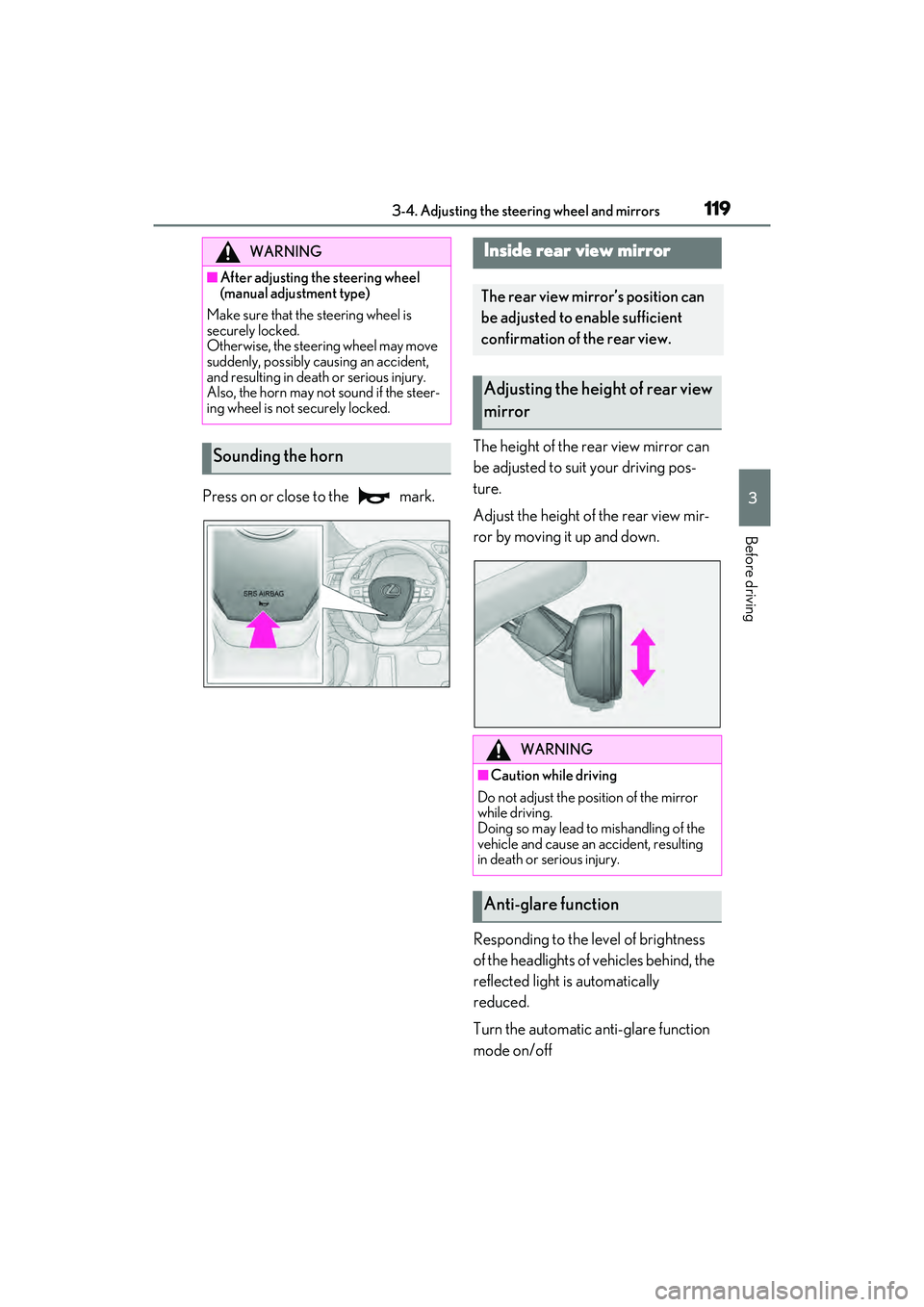
Press on or close to the mark.The height of the rear view mirror can
be adjusted to suit your driving pos-
ture.
Adjust the height of the rear view mir-
ror by moving it up and down.
Responding to the level of brightness
of the headlights of vehicles behind, the
reflected light is automatically
reduced.
Turn the automatic anti-glare function
mode on/off
WARNING
■After adjusting the steering wheel
(manual adjustment type)
Make sure that the steering wheel is
securely locked.
Otherwise, the steering wheel may move
suddenly, possibly causing an accident,
and resulting in death or serious injury.
Also, the horn may not sound if the steer-
ing wheel is not securely locked.
Sounding the horn
Inside rear view mirror
The rear view mirror’s position can
be adjusted to enable sufficient
confirmation of the rear view.
Adjusting the height of rear view
mirror
WARNING
■Caution while driving
Do not adjust the position of the mirror
while driving.
Doing so may lead to mishandling of the
vehicle and cause an accident, resulting
in death or serious injury.
Anti-glare function
Page 135 of 468
133
4
4
Driving
Driving
4-1. Before drivingDriving the vehicle ..................... 134
Cargo and luggage ................... 140
Vehicle load limits ...................... 142
Trailer towing ............................... 142
Dinghy towing ............................. 143
4-2. Driving procedures Engine (ignition) switch ........... 144
Automatic transmission ........... 149
Turn signal lever.......................... 153
Parking brake .............................. 154
Brake Hold.................................... 156
4-3. Operating the lights and wipers Headlight switch ......................... 158
AHB (Automatic High Beam) 161
Windshield wipers and washer ......................................................... 164
4-4. Refueling
Opening the fuel tank cap ...... 169
4-5. Using the driving support sys- tems
Lexus Safety System + 2.5 ...... 171
PCS (Pre-Collision System).. 176
LTA (Lane Tracing Assist)...... 186
RSA (Road Sign Assist) ........... 195
Dynamic radar cruise control with full-speed range ....................... 198
BSM (Blind Spot Monitor) .... 208
Driving Mode Select switch .. 213PKSA (Parking Support Alert)
........................................................ 215
Intuitive parking assist .............. 216
RCTA (Rear cross traffic alert) function....................................... 223
RCD (Rear Camera Detection) function....................................... 229
PKSB (Parking Support Brake) ....................................................... 232
Parking Support Brake function (static objects) ......................... 239
Parking Support Brake function (rear-crossing vehicles) ....... 242
Parking Support Brake function (rear pedestrians) .................. 244
Driving assist systems.............. 246
4-6. Driving tips Winter driving tips ..................... 251
Page 155 of 468

1534-2. Driving procedures
4
Driving
■If the S indicator does not come on or
the D indicator is displayed even after
shifting the shift lever to S
This may indicate a malfunction in the auto-
matic transmission system. Have the vehicle
inspected by your Lexus dealer immedi-
ately. (In this situation, the transmission will
operate in the same manner as when the
shift lever is in D.)
1 Right turn
2 Lane change to the right (move the
lever partway and release it)
The right hand signals will flash 3 times.
3Lane change to the left (move the
lever partway and release it)
The left hand signals will flash 3 times.
4Left turn
■Turn signals can be operated when
The engine switch is in IGNITION ON
mode.
■If the indicator flashes faster than usual
Check that a light bulb in the front or rear
turn signal lights has not burned out.
■If the turn signals stop flashing before a
lane change has been performed
Operate the lever again.
Turn signal lever
Operating instructions
Page 160 of 468

1584-3. Operating the lights and wipers
4-3.Op erating the lights and wipers
Operating the switch turns on
the lights as follows:U.S.A.
Canada
1 The side marker, parking
lights/daytime running lights
( P.158), tail, license plate and
instrument panel lights turn on.
2 The headlights and all the
lights listed above (except daytime
running lights) turn on.
3 The headlights, parking
lights/daytime running lights (
P.158) and all the lights listed
above turn on and off automatically.
4 (U.S.A.) Off
■AUTO mode can be used when
The engine switch is in IGNITION ON
mode.
■Daytime running light system
●The daytime running lights illuminate
using the same lights as the parking lights
and illuminate brighter than the parking
lights.
●To make your vehicle more visible to
other drivers during daytime driving, the
daytime running lights turn on automati-
cally when all of the following conditions
are met. (The daytime running lights are
not designed for use at night.)
• The engine is running
• The parking brake is released
• The headlight switch is in the or
* position
*: When the surroundings are bright
The daytime running lights remain on after
they illuminate, even if the parking brake is
set again.
●For the U.S.A.: Daytime running lights
can be turned off by operating the head-
light switch to position.
●Compared to turning on the headlights,
the daytime running light system offers
greater durability and consumes less
electricity, so it can help improve fuel
economy.
■Headlight control sensor
The sensor may not function properly if an
object is placed on the sensor, or anything
that blocks the sensor is affixed to the wind-
shield.
Doing so interferes with the sensor detect-
ing the level of ambient light and may cause
the automatic headlight system to malfunc-
tion.
Headlight switch
The headlights can be operated
manually or automatically.
Turning on the headlights
A
B
Page 161 of 468
1594-3. Operating the lights and wipers
4
Driving
■Automatic light off system
●When the headlights come on: The head-
lights and tail lights turn off 30 seconds
after the driver’s door is opened and
closed if the engine switch is turned to
ACCESSORY mode or turned off. (The
lights turn off immediately if on
the key is pressed after all the doors are
locked.)
●When only the tail lights come on: The tail
lights turn off automatically if the engine
switch is turned to ACCESSORY mode
or turned off and the driver’s door is
opened.
For the U.S.A.: To turn the lights on again,
turn the engine switch to IGNITION ON
mode, or turn the ligh t switch off once and
then back to or .
For Canada: To turn the lights on again, turn
the engine switch to IGNITION ON mode,
or turn the light switch to position once
and then back to or .
■Light reminder buzzer
A buzzer sounds when the engine switch is
turned off or turned to ACCESSORY
mode and the driver’s door is opened while
the lights are turned on.
■Automatic headlight leveling system (if
equipped)
The level of the headlights is automatically
adjusted according to the number of pas-
sengers and the loading condition of the
vehicle to ensure that the headlights do not
interfere with other road users.
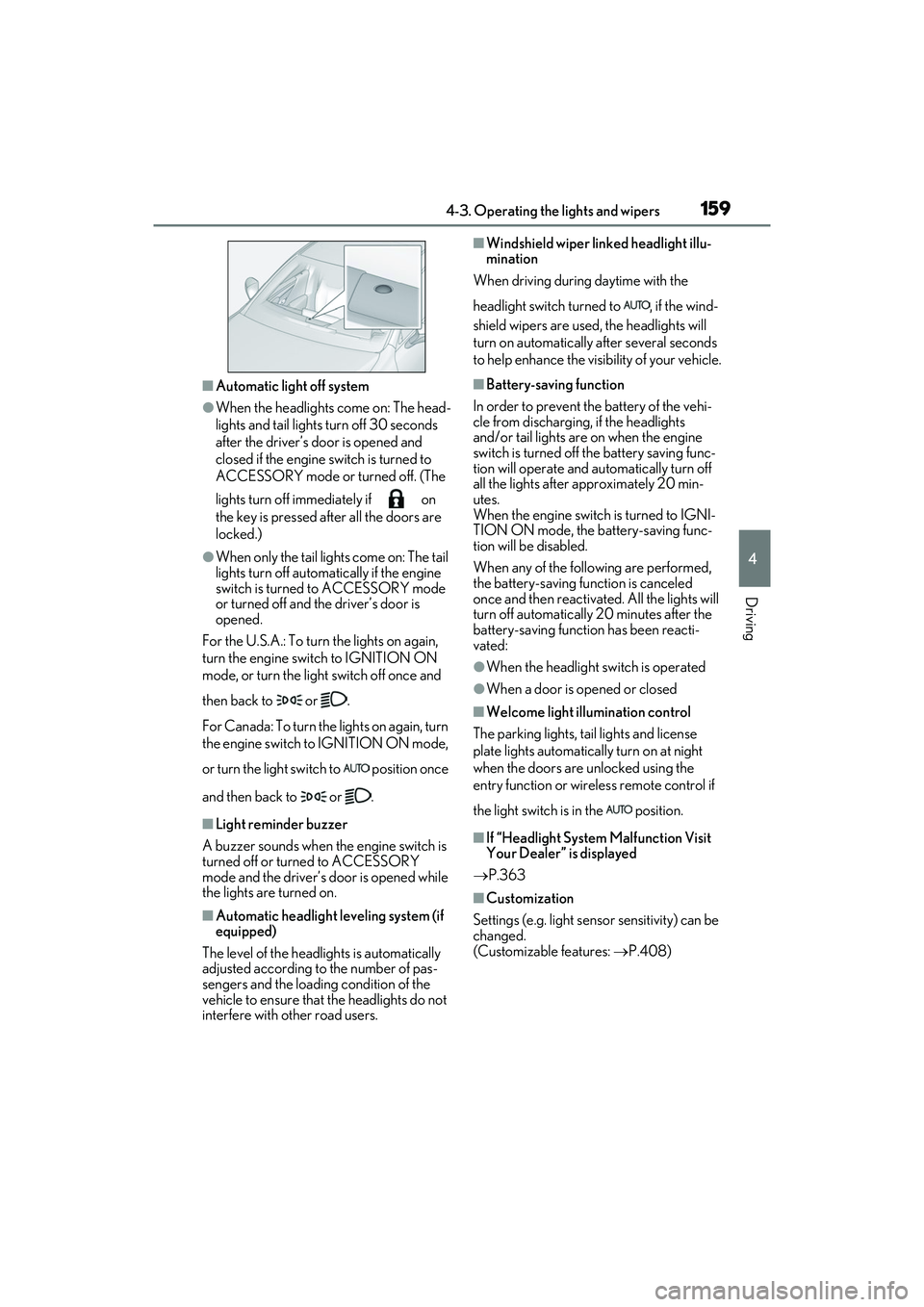
■Windshield wiper linked headlight illu-
mination
When driving during daytime with the
headlight switch turned to , if the wind-
shield wipers are used, the headlights will
turn on automatically after several seconds
to help enhance the visibility of your vehicle.
■Battery-saving function
In order to prevent the battery of the vehi-
cle from discharging, if the headlights
and/or tail lights are on when the engine
switch is turned off the battery saving func-
tion will operate and automatically turn off
all the lights after approximately 20 min-
utes.
When the engine switch is turned to IGNI-
TION ON mode, the battery-saving func-
tion will be disabled.
When any of the following are performed,
the battery-saving function is canceled
once and then reactivat ed. All the lights will
turn off automatically 20 minutes after the
battery-saving function has been reacti-
vated:
●When the headlight switch is operated
●When a door is opened or closed
■Welcome light illumination control
The parking lights, tail lights and license
plate lights automatically turn on at night
when the doors are unlocked using the
entry function or wireless remote control if
the light switch is in the position.
■If “Headlight System Malfunction Visit
Your Dealer” is displayed
P.363
■Customization
Settings (e.g. light sensor sensitivity) can be
changed.
(Customizable features: P.408)