2022 KIA RIO fuel
[x] Cancel search: fuelPage 139 of 528
Features of your vehicle
60
4
Automatic reset (for type B cluster)
To make the average fuel economy
be reset automatically whenever refu-
eling, select the "Fuel Econ. Reset"
mode in User Setting menu of the
LCD display (Refer to "User settings
mode" on this chapter).
OFF - You may set to default manu-
ally by using the trip switch reset but-
ton.
After Vehicle On – The vehicle is automatically set to default, if open-
ing the driver's door after turning off
the engine or 3 minutes passes after
restarting the engine.
After refueling - After refueling more than 1.6 gallons (6 liters) and driving
over 1 mph (1 km/h), the vehicle will
reset to default automatically.
✽ ✽ NOTICE
The average fuel economy is not dis-
played for more accurate calculation
if the vehicle does not drive more
than 10 seconds or 0.19 miles (300
meters) since the ignition or
ENGINE STRAT/STOP button is
turned to ON.
Instant Fuel Economy (3)
This mode displays the instant fuel
economy during the last few sec-
onds when the vehicle speed is
more than 5 MPH (8 km/h).
- Fuel economy range:
0.0 ~ 50.0 MPG or 0.0 ~ 30.0
L/100km Trip A/B (for type A cluster)
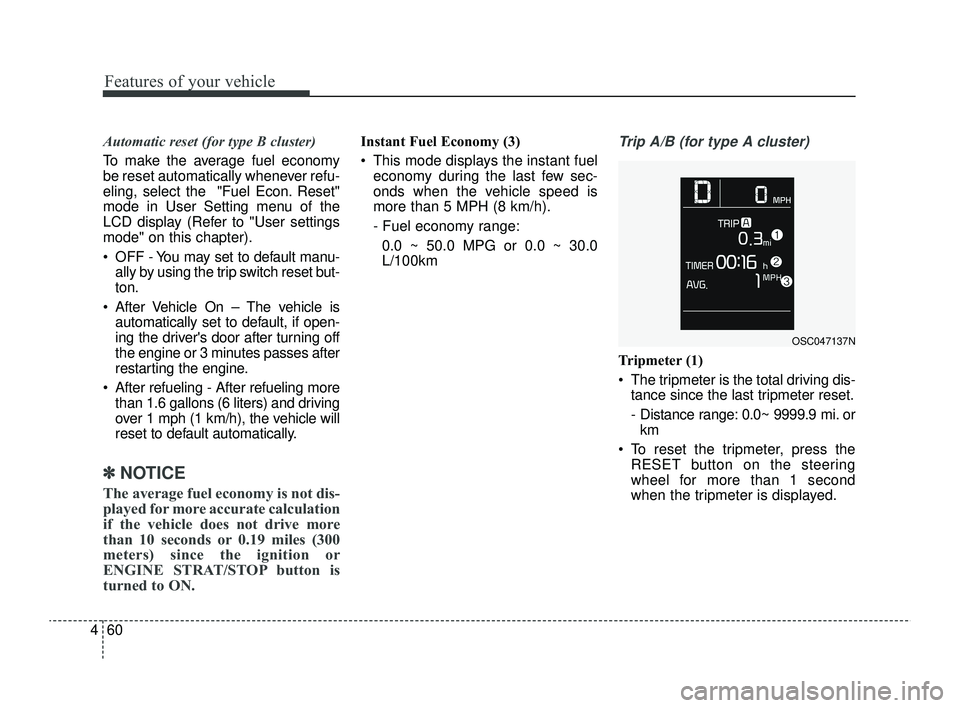
Tripmeter (1)
The tripmeter is the total driving dis- tance since the last tripmeter reset.
- Distance range: 0.0~ 9999.9 mi. orkm
To reset the tripmeter, press the RESET button on the steering
wheel for more than 1 second
when the tripmeter is displayed.
OSC047137N
SC PE USA 4.QXP 9/9/2021 6:04 PM Page 60
Page 141 of 528
Features of your vehicle
62
4
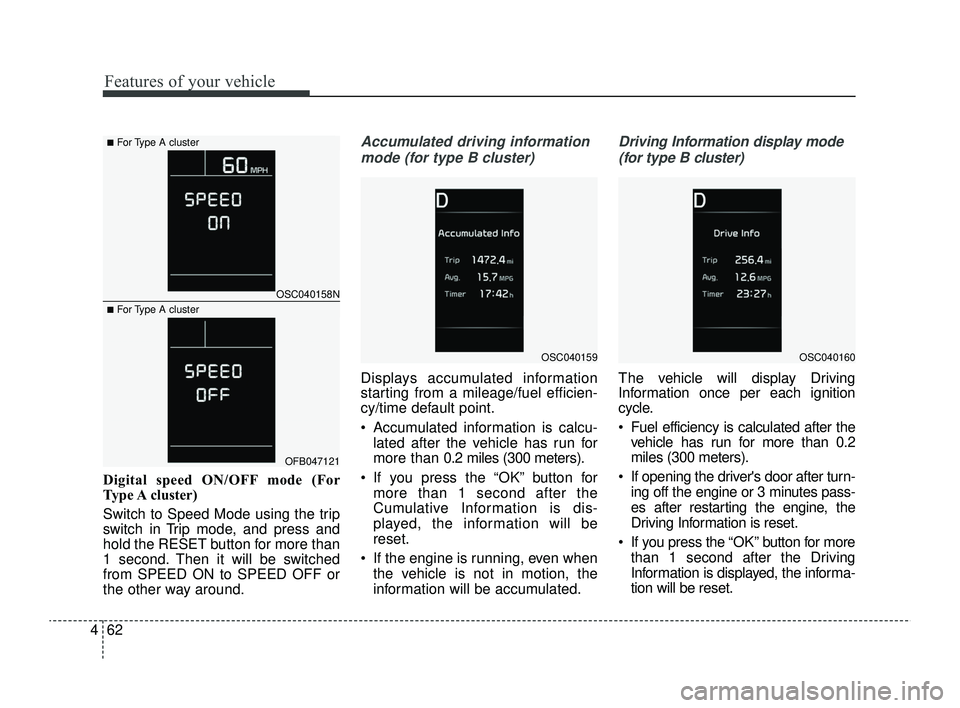
Digital speed ON/OFF mode (For
Type A cluster)
Switch to Speed Mode using the trip
switch in Trip mode, and press and
hold the RESET button for more than
1 second. Then it will be switched
from SPEED ON to SPEED OFF or
the other way around.
Accumulated driving information
mode (for type B cluster)
Displays accumulated information
starting from a mileage/fuel efficien-
cy/time default point.
Accumulated information is calcu- lated after the vehicle has run for
more than 0.2 miles (300 meters).
If you press the “OK” button for more than 1 second after the
Cumulative Information is dis-
played, the information will be
reset.
If the engine is running, even when the vehicle is not in motion, the
information will be accumulated.
Driving Information display mode
(for type B cluster)
The vehicle will display Driving
Information once per each ignition
cycle.
Fuel efficiency is calculated after the vehicle has run for more than 0.2
miles (300 meters).
If opening the driver's door after turn- ing off the engine or 3 minutes pass-
es after restarting the engine, the
Driving Information is reset.
If you press the “OK” button for more
than 1 second after the Driving
Information is displayed, the informa-
tion will be reset.
OSC040159OSC040160
OSC040158N
OFB047121
■For Type A cluster
■For Type A cluster
SC PE USA 4.QXP 9/9/2021 6:04 PM Page 62
Page 143 of 528
Features of your vehicle
64
4
LCD DISPLAY (FOR TYPE B CLUSTER)
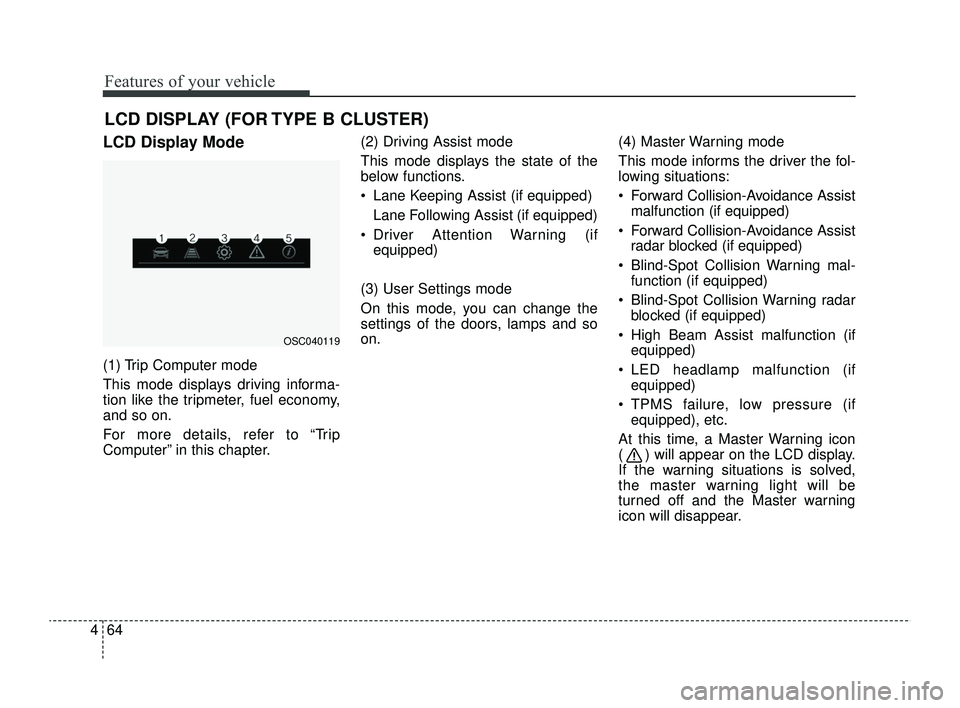
LCD Display Mode
(1) Trip Computer mode
This mode displays driving informa-
tion like the tripmeter, fuel economy,
and so on.
For more details, refer to “Trip
Computer” in this chapter. (2) Driving Assist mode
This mode displays the state of the
below functions.
Lane Keeping Assist (if equipped)
Lane Following Assist (if equipped)
Driver Attention Warning (if equipped)
(3) User Settings mode
On this mode, you can change the
settings of the doors, lamps and so
on. (4) Master Warning mode
This mode informs the driver the fol-
lowing situations:
Forward Collision-Avoidance Assist
malfunction (if equipped)
Forward Collision-Avoidance Assist radar blocked (if equipped)
Blind-Spot Collision Warning mal- function (if equipped)
Blind-Spot Collision Warning radar blocked (if equipped)
High Beam Assist malfunction (if equipped)
LED headlamp malfunction (if equipped)
TPMS failure, low pressure (if equipped), etc.
At this time, a Master Warning icon
( ) will appear on the LCD display.
If the warning situations is solved,
the master warning light will be
turned off and the Master warning
icon will disappear.
OSC040119
SC PE USA 4.QXP 9/9/2021 6:04 PM Page 64
Page 151 of 528
Features of your vehicle
72
4
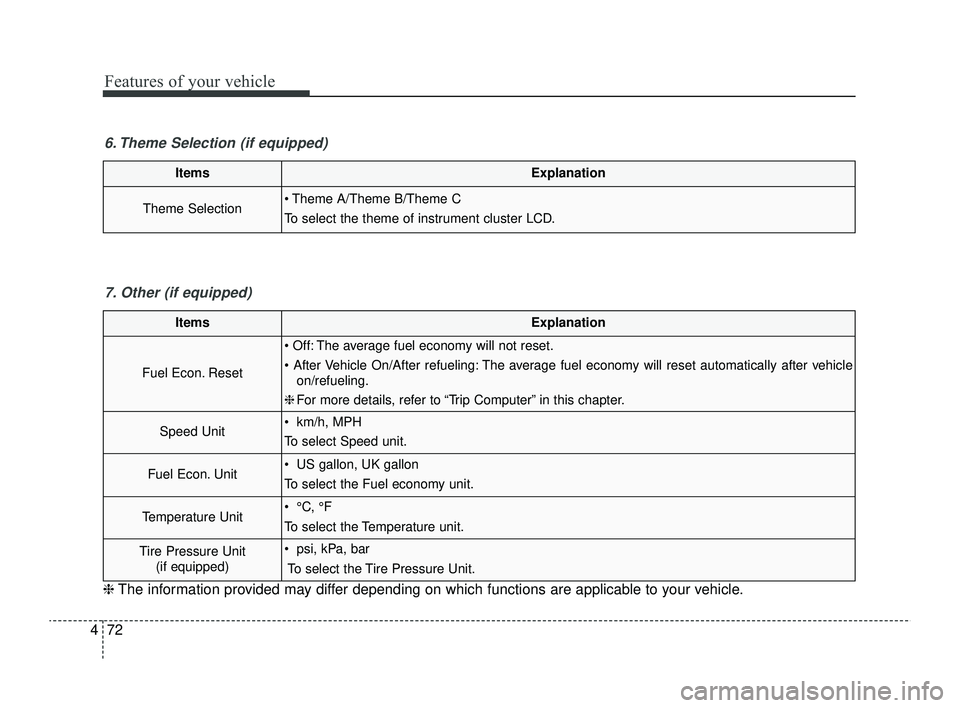
ItemsExplanation
Theme Selection Theme A/Theme B/Theme C
To select the theme of instrument cluster LCD.
6. Theme Selection (if equipped)
ItemsExplanation
Fuel Econ. Reset
Off: The average fuel economy will not reset.
After Vehicle On/After refueling: The average fuel economy will reset automatically after vehicle
on/refueling.
❈ For more details, refer to “Trip Computer” in this chapter.
Speed Unit km/h, MPH
To select Speed unit.
Fuel Econ. Unit US gallon, UK gallon
To select the Fuel economy unit.
Temperature Unit °C, °F
To select the Temperature unit.
Tire Pressure Unit
(if equipped) psi, kPa, bar
To select the Tire Pressure Unit.
7. Other (if equipped)
❈ The information provided may differ depending on which functions are applicable to your vehicle.
SC PE USA 4.QXP 9/9/2021 6:05 PM Page 72
Page 161 of 528
Features of your vehicle
82
4
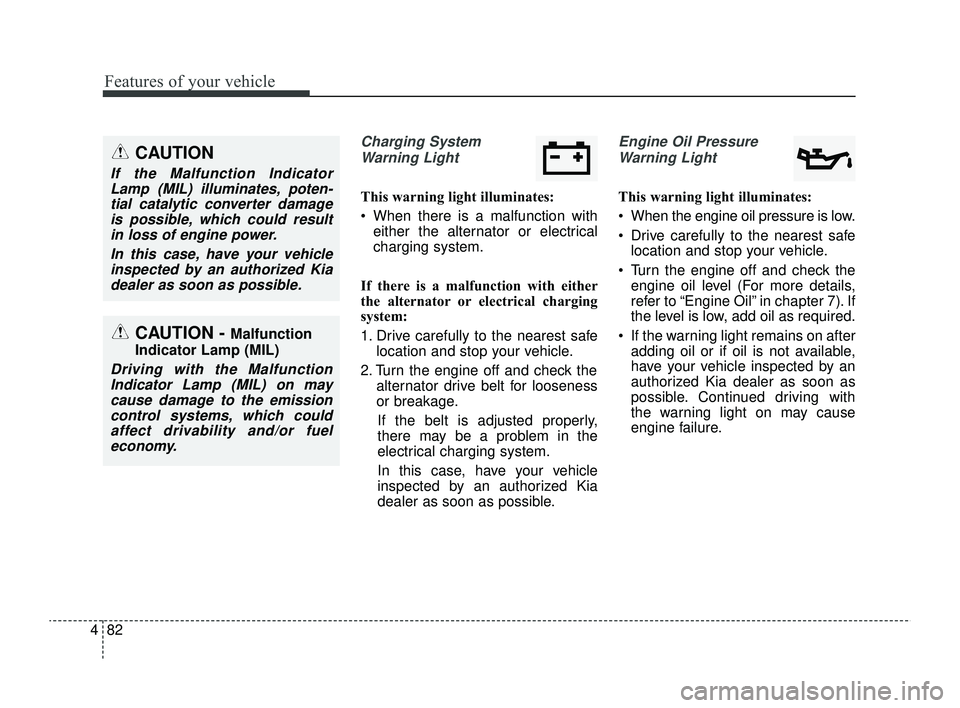
Charging System
Warning Light
This warning light illuminates:
When there is a malfunction with either the alternator or electrical
charging system.
If there is a malfunction with either
the alternator or electrical charging
system:
1. Drive carefully to the nearest safe location and stop your vehicle.
2. Turn the engine off and check the alternator drive belt for looseness
or breakage.
If the belt is adjusted properly,
there may be a problem in the
electrical charging system.
In this case, have your vehicle
inspected by an authorized Kia
dealer as soon as possible.
Engine Oil Pressure Warning Light
This warning light illuminates:
When the engine oil pressure is low.
Drive carefully to the nearest safe location and stop your vehicle.
Turn the engine off and check the engine oil level (For more details,
refer to “Engine Oil” in chapter 7). If
the level is low, add oil as required.
If the warning light remains on after adding oil or if oil is not available,
have your vehicle inspected by an
authorized Kia dealer as soon as
possible. Continued driving with
the warning light on may cause
engine failure.
CAUTION - Malfunction
Indicator Lamp (MIL)
Driving with the Malfunction Indicator Lamp (MIL) on maycause damage to the emissioncontrol systems, which couldaffect drivability and/or fueleconomy.
CAUTION
If the Malfunction IndicatorLamp (MIL) illuminates, poten-tial catalytic converter damageis possible, which could resultin loss of engine power.
In this case, have your vehicleinspected by an authorized Kiadealer as soon as possible.
SC PE USA 4.QXP 9/9/2021 6:05 PM Page 82
Page 162 of 528
483
Features of your vehicle
✽ ✽NOTICE
When engine oil pressure decreases
due to insufficient engine oil, etc.,
the Engine Oil Pressure warning
light will illuminate.
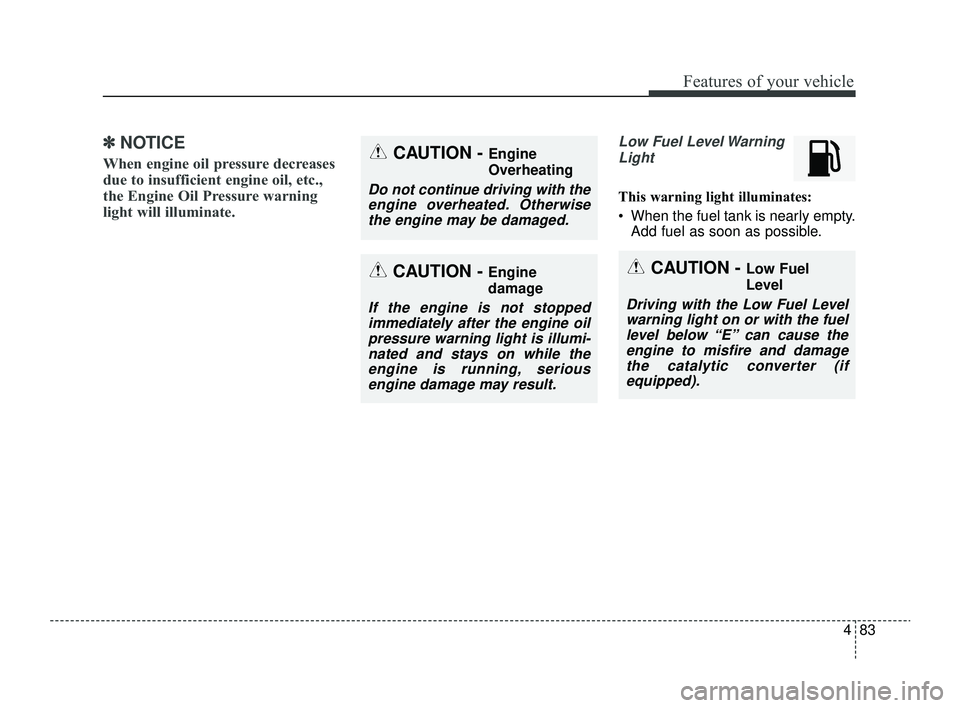
Low Fuel Level Warning
Light
This warning light illuminates:
When the fuel tank is nearly empty. Add fuel as soon as possible.
CAUTION - Engine
damage
If the engine is not stoppedimmediately after the engine oilpressure warning light is illumi-nated and stays on while theengine is running, seriousengine damage may result.
CAUTION - Engine
Overheating
Do not continue driving with theengine overheated. Otherwisethe engine may be damaged.
CAUTION - Low Fuel
Level
Driving with the Low Fuel Levelwarning light on or with the fuellevel below “E” can cause theengine to misfire and damagethe catalytic converter (ifequipped).
SC PE USA 4.QXP 9/9/2021 6:05 PM Page 83
Page 254 of 528
Driving your vehicle
20
5
D (Drive)
This is the normal forward driving
position. The transmission will auto-
matically shift, providing the best fuel
economy and power.
For extra power when passing anoth-
er vehicle or climbing grades,
depress the accelerator fully, at which
time the transmission will automati-
cally downshift to the next lower gear.
✽ ✽
NOTICE
Always come to a complete stop
before shifting into D (Drive).
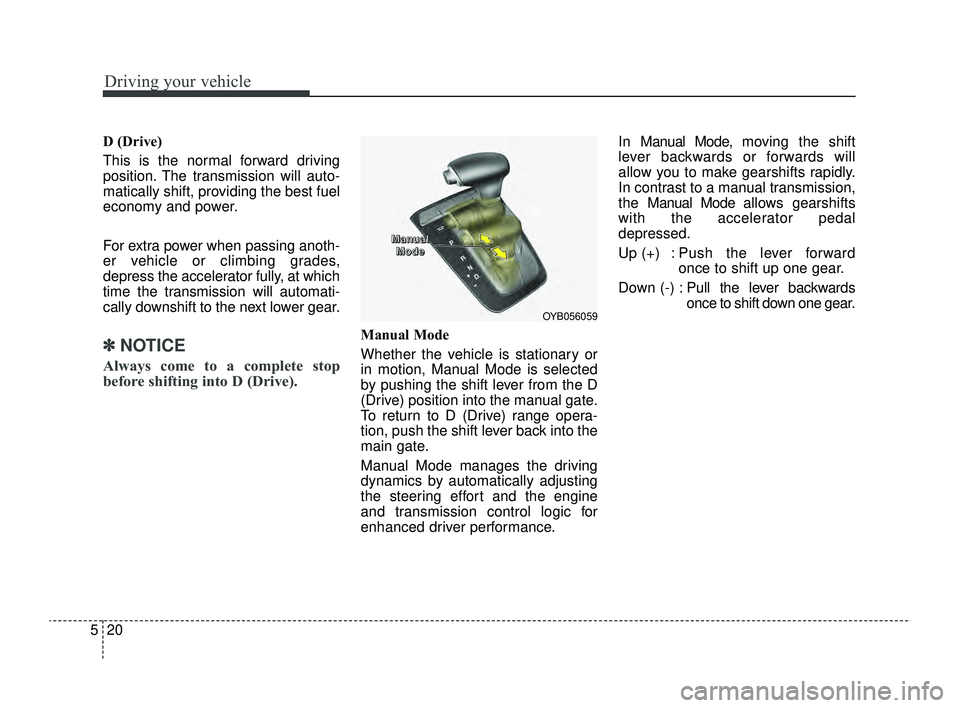
Manual Mode
Whether the vehicle is stationary or
in motion, Manual Mode is selected
by pushing the shift lever from the D
(Drive) position into the manual gate.
To return to D (Drive) range opera-
tion, push the shift lever back into the
main gate.
Manual Mode manages the driving
dynamics by automatically adjusting
the steering effort and the engine
and transmission control logic for
enhanced driver performance. In Manual Mode, mo
ving the shift
lever backwards or forwards will
allow you to make gearshifts rapidly.
In contrast to a manual transmission,
the Man ual Mode allows gearshifts
with the accelerator pedal
depressed.
Up (+) : Push the lever forward once to shift up one gear.
Down (-) : Pull the lever backwards
once to shift down one gear.
OYB056059
M M
M M
a a
a a
n n
n n
u u
u u
a a
a a
l l
l l
M M
M M
o o
o o
d d
d d
e e
e e
SC PE USA 5.QXP 9/9/2021 6:18 PM Page 20
Page 255 of 528
521
Driving your vehicle
✽ ✽NOTICE
• In Manual Mode, the driver must
execute upshifts in accordance
with road conditions, being care-
ful to keep the engine speed below
the red zone.
• In Manual Mode, only the 8 for- ward gears can be selected. To
reverse or park the vehicle, move
the shift lever to the R (Reverse)
or P (Park) position as required.
• In Manual Mode, downshifts are made automatically when the
vehicle slows down. When the
vehicle stops, 1st gear is automati-
cally selected.
• In Manual Mode, when the engine rpm approaches the red zone, shift
points are varied to upshift auto-
matically.
• To maintain the required levels of vehicle performance and safety,
the system may not execute cer-
tain gearshifts when the shift lever
is operated. (Continued)(Continued)
• When driving on a slippery road,
push the shift lever forward into
the +(up) position. This causes the
transmission to shift into the 2nd
gear which is better for smooth
driving on a slippery road. Push
the shift lever to the -(down) side
to shift back to the 1st gear.
• When Manual Mode is activated: - The engine rpm will tend toremain raised over a certain
length of time even after releas-
ing the accelerator
- Upshifts are delayed when accel- erating
• In Manual Mode, the fuel efficien- cy may decrease.
Shift lock system
For your safety, the Intelligent
Variable Transmission (IVT) has a
shift lock system which prevents
shifting the transmission from P
(Park) into R (Reverse) unless the
brake pedal is depressed.
To shift the transmission from P
(Park) into R (Reverse):
1. Depress and hold the brake pedal.
2. Start the engine or turn the ignition
switch or ENGINE START/STOP
button to the ON position.
3. Move the shift lever.
If the brake pedal is repeatedly
depressed and released with the shift
lever in the P (Park) position, a chat-
tering noise near the shift lever may
be heard. This is a normal condition.
WARNING
Always fully depress the brake
pedal before and while shifting
out of the P (Park) position into
another position to avoid inad-
vertent motion of the vehicle,
which could injure persons in
or around the vehicle.
SC PE USA 5.QXP 9/9/2021 6:18 PM Page 21