Page 238 of 528
Driving your vehicle
45
Be sure the exhaust system
does not leak.
The exhaust system should be
checked whenever the vehicle is
raised to change the oil or for any
other purpose. If you hear a change
in the sound of the exhaust or if you
drive over something that strikes the
underneath side of the vehicle, have
the exhaust system checked as soon
as possible by an authorized Kia
dealer.
WARNING- Engineexhaust
Do not inhale exhaust fumes or
leave your engine running in an
enclosed area for a prolonged
time.
Exhaust fumes contain carbon
monoxide, a colorless, odorless
gas that can cause uncon-
sciousness and death by
asphyxiation.
WARNING- Open trunk/liftgate
Do not drive with the trunk/lift-
gate open.
Poisonous exhaust gases can
enter the passenger compart-
ment. If you must drive with the
trunk/liftgate open proceed as
follows:
1.Close all windows.
2.Open side vents.
3.Set the air intake control at “Fresh”, the air flow control at
“Floor” or “Face” and the fan
at the highest speed.
SC PE USA 5.QXP 9/9/2021 6:17 PM Page 4
Page 242 of 528

Driving your vehicle
85
START
Turn the ignition switch to the START
position to start the engine. The
engine will crank until you release
the key; then it returns to the ON
position. The brake warning light can
be checked in this position.
✽ ✽
NOTICE
If you leave the ignition switch to the
ACC or ON position for a long time,
the battery may discharge.
WARNING- Ignition
switch
Never turn the ignition switch to
LOCK or ACC while the vehicle
is moving. This would result in
loss of directional control and
braking function, which could
cause an accident.
WARNING- Steering wheel
Never reach for any controls
through the steering wheel
while the vehicle is in motion.
The presence of your hand or
arm in this area could cause a
loss of vehicle control.
WARNING- Key holder
Do not attach small purses,
multiple keys, or any other
heavy accessories to the dri-
ver's key chain used to start the
vehicle. This may cause the
inserted key to inadvertently
change the ignition position to
the ACC position while the vehi-
cle is moving, thereby increas-
ing the risk of an accident and
deactivating several safety fea-
tures.
WARNING- Leaving the vehicle
To avoid unexpected or sudden
vehicle movement, never leave
your vehicle if the transmission
is not locked in the P (Park)
position and the parking brake
is not fully engaged. Before
leaving the driver's seat, always
make sure the shift lever is
engaged in P (Park), set the
parking brake fully and shut the
engine off.
SC PE USA 5.QXP 9/9/2021 6:17 PM Page 8
Page 246 of 528
Driving your vehicle
12
5
ON
With Intelligent Variable Transmission
Press the ENGINE START/STOP
button while it is in the ACC position
without depressing the brake pedal.
The warning lights can be checked
before the engine is started. Do not
leave the ENGINE START/STOP
button in the ON position for a long
time. The battery may discharge,
because the engine is not running.
START/RUN
With Intelligent Variable Transmission
To start the engine, depress the brake
pedal and press the ENGINE
START/STOP button with the shift
lever in the P (Park) or the N (Neutral)
position. For your safety, start the
engine with the shift lever in the P
(Park) position.
✽ ✽
NOTICE
If you press the ENGINE
START/STOP button without
depressing the brake pedal for
Intelligent Variable Transmission
vehicles, the engine will not start
and the ENGINE START/STOP
button changes as follow:
OFF ➔ ➔
ACC ➔ ➔
ON ➔ ➔
OFF or ACC
SC PE USA 5.QXP 9/9/2021 6:17 PM Page 12
Page 253 of 528
519
Driving your vehicle
R (Reverse)
Use this position to drive the vehicle
backward.
N (Neutral)
The wheels and transmission are not
engaged. The vehicle will roll freely
even on the slightest incline unless
the parking brake or service brakes
are applied.-Parking in N (Neutral) gear
Follow the steps below when parking
if you want the vehicle to move when
pushed.
1.After parking your vehicle, step on
the brake pedal and move the shift
lever to “P” with the ignition switch or
ENGINE START/STOP button in
“ON” or while the engine is running.
2.If the parking brake is applied unlock the parking brake.
3.While pressing the brake pedal, turn the ignition switch or ENGINE
START/STOP button “OFF”.
- For smart key equipped vehicles,the ignition switch or ENGINE
START/STOP button can be
moved to “OFF” only when the
shift lever is in “P”.
4.Change the gear shift lever to “N” (Neutral) while pressing the brake
pedal and pushing “SHIFT LOCK
RELEASE” button or inserting, a
tool (e.g. flathead screw-driver) into
the “SHIFT LOCK RELEASE”
access hole at the same time. Then,
the vehicle will move when external
force is applied.
CAUTION
Always come to a complete stopbefore shifting into or out of R(Reverse); you may damage thetransmission if you shift into Rwhile the vehicle is in motion,except as explained in “Rockingthe vehicle” in this chapter.
WARNING
Do not drive with the shift lever
in N (Neutral).
The engine brake may not work,
which may lead to an accident.
WARNING
With the exception of parking in neutral gear, always park
the vehicle in “P” (Park) for
safety and engage the parking
brake.
Before parking in “N” (Neutral) gear, first make sure the park-
ing ground is level and flat. Do
not park in “N” gear on any
slopes or gradients.
If parked and left in “N”, the
vehicle may move and cause
serious damage and injury.
SC PE USA 5.QXP 9/9/2021 6:17 PM Page 19
Page 261 of 528
527
Driving your vehicle
Rear drum brakes (if equipped)
Your rear drum brakes do not have
wear indicators. Therefore, have the
rear brake linings inspected if you
hear a rear brake rubbing noise. Also
have your rear brakes inspected
each time you change or rotate your
tires and when you have the front
brakes replaced.
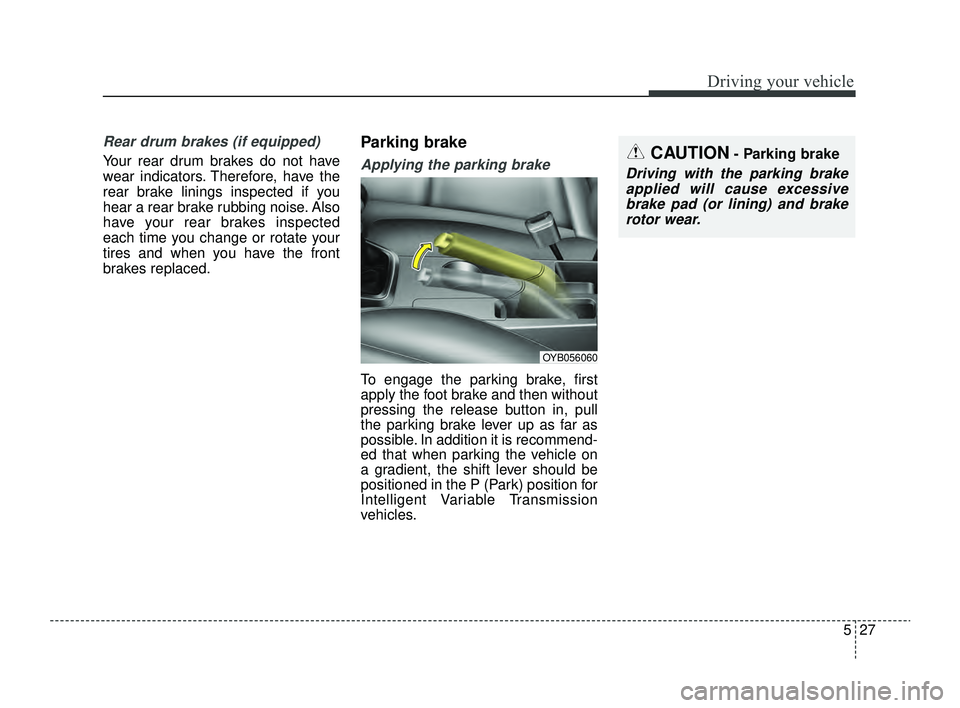
Parking brake
Applying the parking brake
To engage the parking brake, first
apply the foot brake and then without
pressing the release button in, pull
the parking brake lever up as far as
possible. In addition it is recommend-
ed that when parking the vehicle on
a gradient, the shift lever should be
positioned in the P (Park) position for
Intelligent Variable Transmission
vehicles.
CAUTION- Parking brake
Driving with the parking brakeapplied will cause excessivebrake pad (or lining) and brakerotor wear.
OYB056060
SC PE USA 5.QXP 9/9/2021 6:18 PM Page 27
Page 274 of 528
Driving your vehicle
40
5
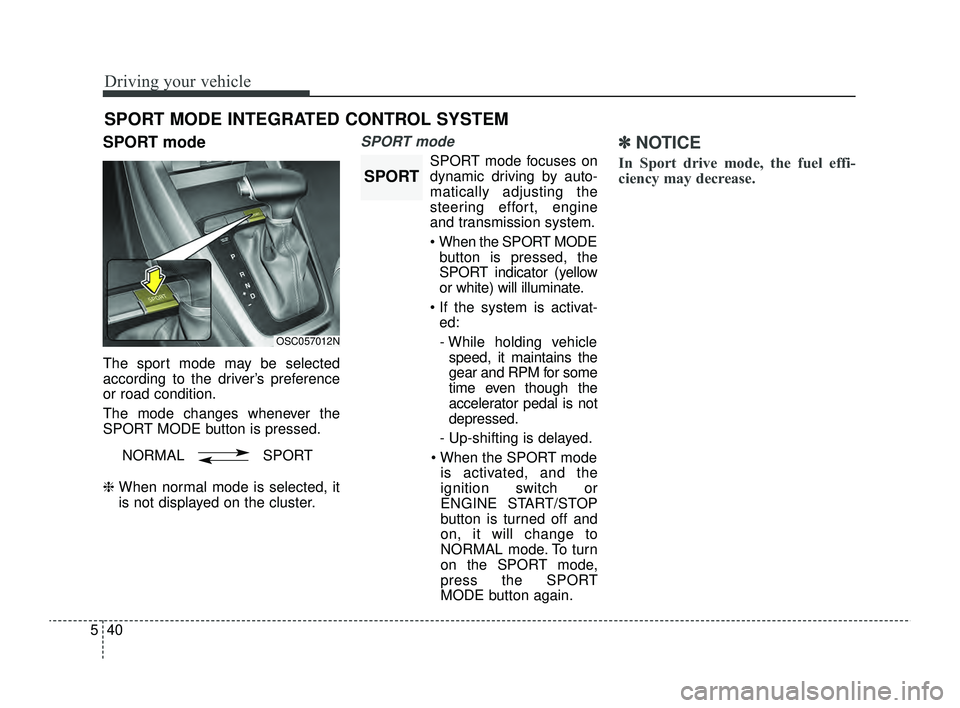
SPORT mode
The sport mode may be selected
according to the driver’s preference
or road condition.
The mode changes whenever the
SPORT MODE button is pressed.
❈ When normal mode is selected, it
is not displayed on the cluster.
SPORT mode
SPORT mode focuses on
dynamic driving by auto-
matically adjusting the
steering effort, engine
and transmission system.
When the SPORT MODE
button is pressed, the
SPORT indicator (yellow
or white) will illuminate.
If the system is activat- ed:
- While holding vehicle speed, it maintains the
gear and RPM for some
time even though the
accelerator pedal is not
depressed.
- Up-shifting is delayed.
When the SPORT mode is activated, and the
ignition switch or
ENGINE START/STOP
button is turned off and
on, it will change to
NORMAL mode. To turn
on the SPORT mode,
press the SPORT
MODE button again.
✽ ✽
NOTICE
In Sport drive mode, the fuel effi-
ciency may decrease.
SPORT MODE INTEGRATED CONTROL SYSTEM
OSC057012N
NORMAL SPORT
SPORT
SC PE USA 5.QXP 9/9/2021 6:18 PM Page 40
Page 296 of 528
Driving your vehicle
62
5
✽ ✽
NOTICE
• For more details on setting the
functions, refer to "LCD Display
Mode" in chapter 4.
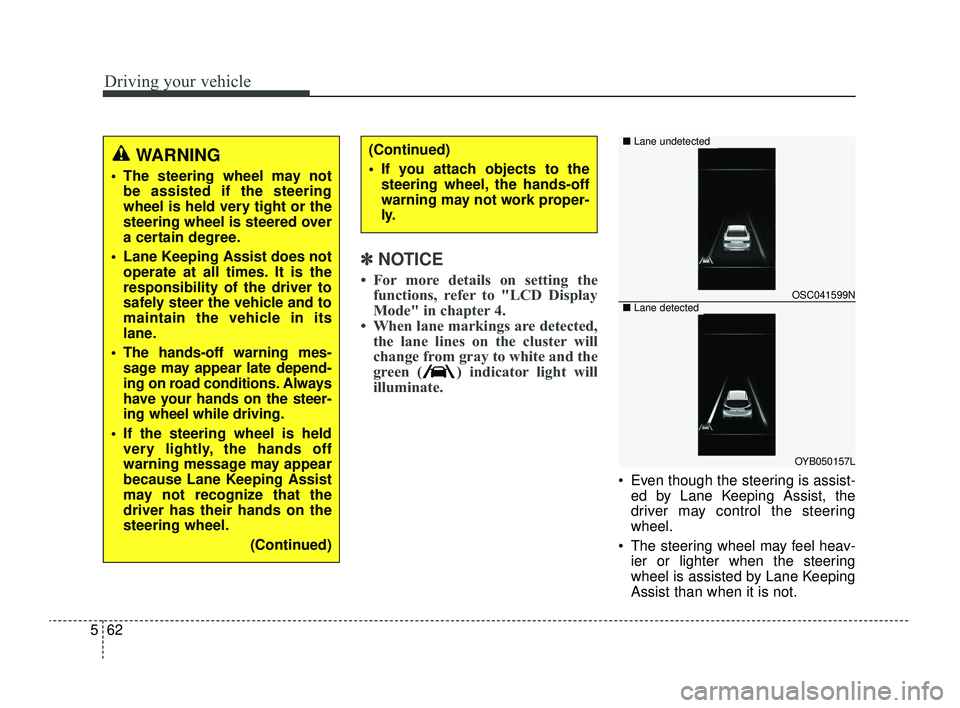
• When lane markings are detected, the lane lines on the cluster will
change from gray to white and the
green ( ) indicator light will
illuminate.
Even though the steering is assist-
ed by Lane Keeping Assist, the
driver may control the steering
wheel.
The steering wheel may feel heav- ier or lighter when the steering
wheel is assisted by Lane Keeping
Assist than when it is not.
WARNING
The steering wheel may notbe assisted if the steering
wheel is held very tight or the
steering wheel is steered over
a certain degree.
Lane Keeping Assist does not operate at all times. It is the
responsibility of the driver to
safely steer the vehicle and to
maintain the vehicle in its
lane.
The hands-off warning mes- sage may appear late depend-
ing on road conditions. Always
have your hands on the steer-
ing wheel while driving.
If the steering wheel is held very lightly, the hands off
warning message may appear
because Lane Keeping Assist
may not recognize that the
driver has their hands on the
steering wheel.
(Continued)
(Continued)
If you attach objects to thesteering wheel, the hands-off
warning may not work proper-
ly.
OSC041599N
OYB050157L
■ Lane undetected
■Lane detected
SC PE USA 5.QXP 9/9/2021 6:19 PM Page 62
Page 302 of 528
Driving your vehicle
68
5
✽ ✽
NOTICE
If the engine is restarted, Blind-Spot
Collision Warning will maintain the
last setting.
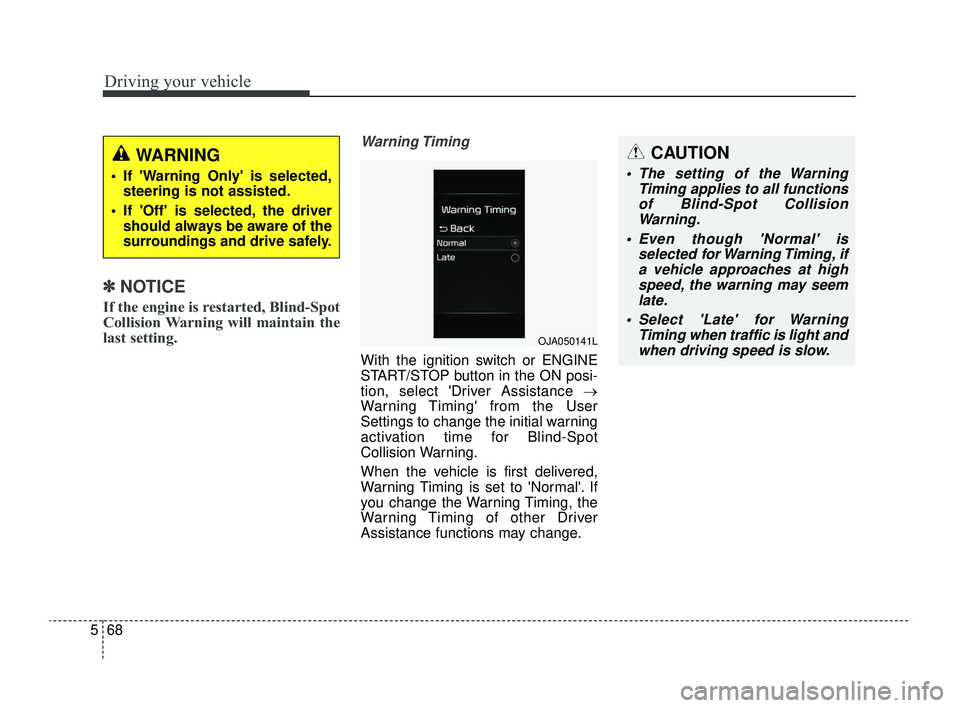
Warning Timing
With the ignition switch or ENGINE
START/STOP button in the ON posi-
tion, select 'Driver Assistance →
Warning Timing' from the User
Settings to change the initial warning
activation time for Blind-Spot
Collision Warning.
When the vehicle is first delivered,
Warning Timing is set to 'Normal'. If
you change the Warning Timing, the
Warning Timing of other Driver
Assistance functions may change.
WARNING
If 'Warning Only' is selected,
steering is not assisted.
If 'Off' is selected, the driver should always be aware of the
surroundings and drive safely.
OJA050141L
CAUTION
The setting of the Warning Timing applies to all functionsof Blind-Spot CollisionWarning.
Even though 'Normal' is selected for Warning Timing, ifa vehicle approaches at highspeed, the warning may seemlate.
Select 'Late' for Warning Timing when traffic is light andwhen driving speed is slow.
SC PE USA 5.QXP 9/9/2021 6:19 PM Page 68