2022 HYUNDAI VELOSTER engine
[x] Cancel search: enginePage 115 of 446
3-37
Convenient features of your vehicle
3
For example
: Indicates that shifting up to the
3rd gear is recommended (cur-
rently the shift lever is in the
2nd or 1st gear).
: Indicates that shifting down to
the 3rd gear is recommended
(currently the shift lever is in the
4th, 5th, or 6th gear).
This indicator is displayed when driv-
ing in NORMAL/ECO mode.Shift lights
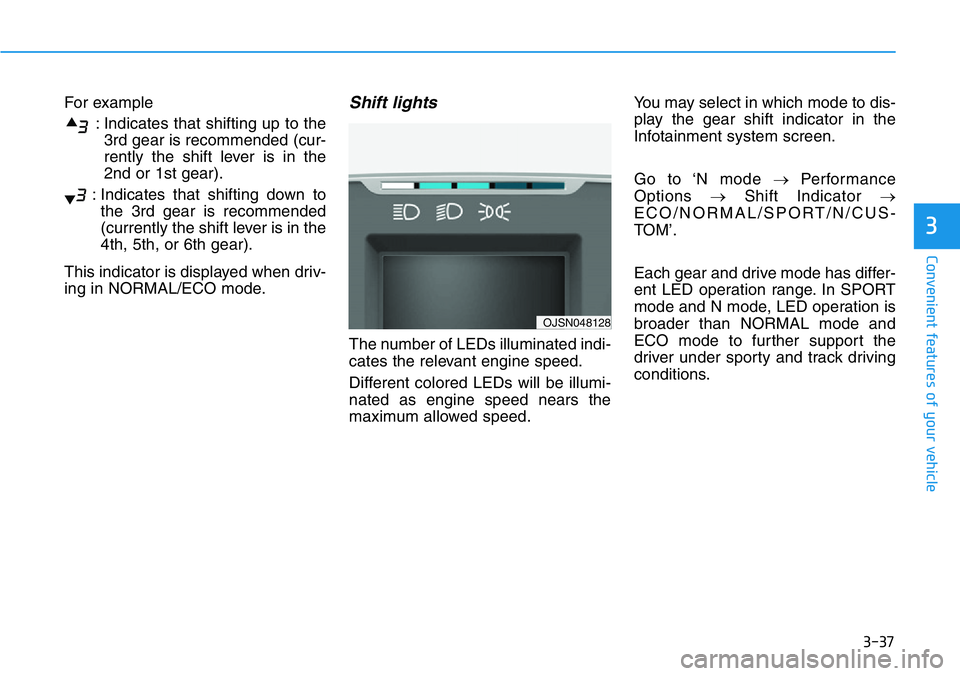
The number of LEDs illuminated indi-
cates the relevant engine speed.
Different colored LEDs will be illumi-
nated as engine speed nears the
maximum allowed speed.You may select in which mode to dis-
play the gear shift indicator in the
Infotainment system screen.
Go to ‘N mode →Performance
Options →Shift Indicator →
ECO/NORMAL/SPORT/N/CUS-
TOM’.
Each gear and drive mode has differ-
ent LED operation range. In SPORT
mode and N mode, LED operation is
broader than NORMAL mode and
ECO mode to further support the
driver under sporty and track driving
conditions.
OJSN048128
Page 116 of 446
3-38
Convenient features of your vehicle
Warning and Indicator Lights
Information
Make sure that all warning lights are
OFF after starting the engine. If any
light is still ON, this indicates a situa-
tion that needs attention.
Supplemental Restraint
System Warning Light
This warning light illuminates:
• When you place the ignition switch
to the ON position.
- The air bag warning light illumi-
nates for about 6 seconds and
then turns off when all checks
have been performed
• The air bag warning light will
remain illuminated if there is a mal-
function with the Safety Restraint
System (SRS) air bag operation.
In this case, have the vehicle
inspected by an authorized
HYUNDAI dealer.
Seat Belt Warning Light
This warning light informs the driver
that the seat belt is not fastened.
For more details, refer to "Seat
Belts" in chapter 2.
Parking Brake & Brake
Fluid Warning Light
This warning light illuminates:
• When you placethe ignition switch
to the ON position.
- The parking brake light illumi-
nates for about 3 seconds and
will then turn off once the parking
brake is released.
• Whenever the parking brake is
applied.
• Whenever the brake fluid level in
the reservoir is low.
- If the warning light illuminates
with the parking brake released, it
indicates the brake fluid level in
the reservoir is low.
i
Page 117 of 446
3-39
Convenient features of your vehicle
3
If the brake fluid level in the reser-
voir is low:
1. Drive carefully to the nearest safe
location and stop your vehicle.
2. With the engine stopped, check the
brake fluid level immediately and
add fluid as required (For more
details, refer to "Brake Fluid" in
chapter 7). After adding brake
fluid, check all brake components
for fluid leaks. If a brake fluid leak is
found, or if the warning light
remains on, or if the brakes do not
operate properly, do not drive the
vehicle. Have the vehicle inspected
by an authorized HYUNDAI dealer.
Dual-diagonal braking system
Your vehicle is equipped with dual-
diagonal braking systems. This
means you still have braking on two
wheels even if one of the dual sys-
tems should fail.
With only one of the dual systems
working, more than normal pedal
travel and greater pedal pressure is
required to stop the vehicle.Also, the vehicle will not stop in as
short a distance with only a portion
of the brake system working.
If the brakes fail while you are driv-
ing, shift to a lower gear for addition-
al engine braking and stop the vehi-
cle as soon as it is safe to do so.
Anti-lock Brake System
(ABS) Warning Light
This warning light illuminates:
• When you place the ignition switch
to the ON position.
- The ABS warning light illuminates
for about 3 seconds and then
turns off.
• Whenever there is a malfunction
with the ABS.
Note that the hydraulic braking
system will still be operational even
if there is a malfunction with the
ABS.
Parking Brake & Brake Fluid
Warning Light
Driving the vehicle with a warn-
ing light ON is dangerous. If the
Parking Brake & Brake Fluid
Warning Light illuminates with
the parking brake released, it
indicates that the brake fluid
level is low.
In this case, have the vehicle
inspected by an authorized
HYUNDAI dealer.
WARNING
Page 119 of 446
3-41
Convenient features of your vehicle
3
Malfunction Indicator
Lamp (MIL)
This indicator light illuminates:
• When you place the ignition switch
to the ON position.
- The malfunction indicator light
illuminates for about 3 seconds
and then goes off.
• Whenever there is a malfunction
with either the emission control
system or the engine or the vehicle
powertrain.
If this occurs, have the vehicle
inspected by an authorized
HYUNDAI dealer.
Driving with the Malfunction
Indicator Lamp (MIL) on may
cause damage to the emission
control system which could affect
drivability and/or fuel economy.If the Malfunction Indicator Lamp
(MIL) illuminates, potential catalyt-
ic converter damage is possible
which could result in loss of
engine power.
In this case, have the vehicle
inspected by an authorized
HYUNDAI dealer as soon as possi-
ble.
Charging System
Warning Light
When this warning light illuminates
while the engine is running, the bat-
tery is not being charged. Immediately
turn OFF all electrical accessories.
Try not to use electrically operated
controls, such as the power windows.
Keep the engine running.
Have the vehicle inspected by an
authorized HYUNDAI dealer as soon
as possible.
Engine Oil Pressure
Warning Light
This warning light illuminates:
• When the engine oil pressure is low.
If the engine oil pressure is low:
1. Drive carefully to the nearest safe
location and stop your vehicle.
2. Turn the engine off and check the
engine oil level (For more details,
refer to "Engine Oil" in chapter 7).
If the level is low, add oil as required.
If the warning light remains on
after adding oil or if oil is not avail-
able, have the vehicle inspected
by an authorized HYUNDAI dealer
as soon as possible.
NOTICE
NOTICE
Page 120 of 446
3-42
Convenient features of your vehicle
• If the engine does not stop
immediately after the Engine Oil
Pressure Warning Light is illumi-
nated, severe damage could
result.
• If the warning light stays on
while the engine is running, it
indicates that there may be seri-
ous engine damage or malfunc-
tion. In this case:
1. Stop the vehicle as soon as it
is safe to do so.
2. Turn off the engine and check
the oil level. If the oil level is
low, fill the engine oil to the
proper level.
3. Start the engine again. If the
warning light stays on after
the engine is started, turn the
engine off immediately. In this
case, have the vehicle
inspected by an authorized
HYUNDAI dealer.
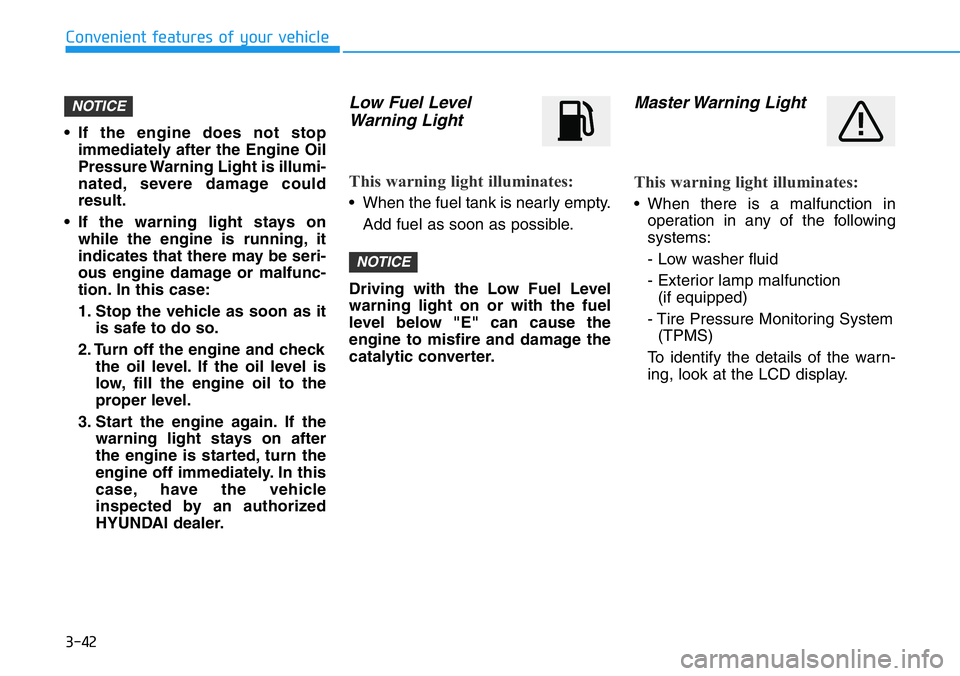
Low Fuel Level
Warning Light
This warning light illuminates:
• When the fuel tank is nearly empty.
Add fuel as soon as possible.
Driving with the Low Fuel Level
warning light on or with the fuel
level below "E" can cause the
engine to misfire and damage the
catalytic converter.
Master Warning Light
This warning light illuminates:
• When there is a malfunction in
operation in any of the following
systems:
- Low washer fluid
- Exterior lamp malfunction
(if equipped)
- Tire Pressure Monitoring System
(TPMS)
To identify the details of the warn-
ing, look at the LCD display.
NOTICE
NOTICE
Page 122 of 446
3-44
Convenient features of your vehicle
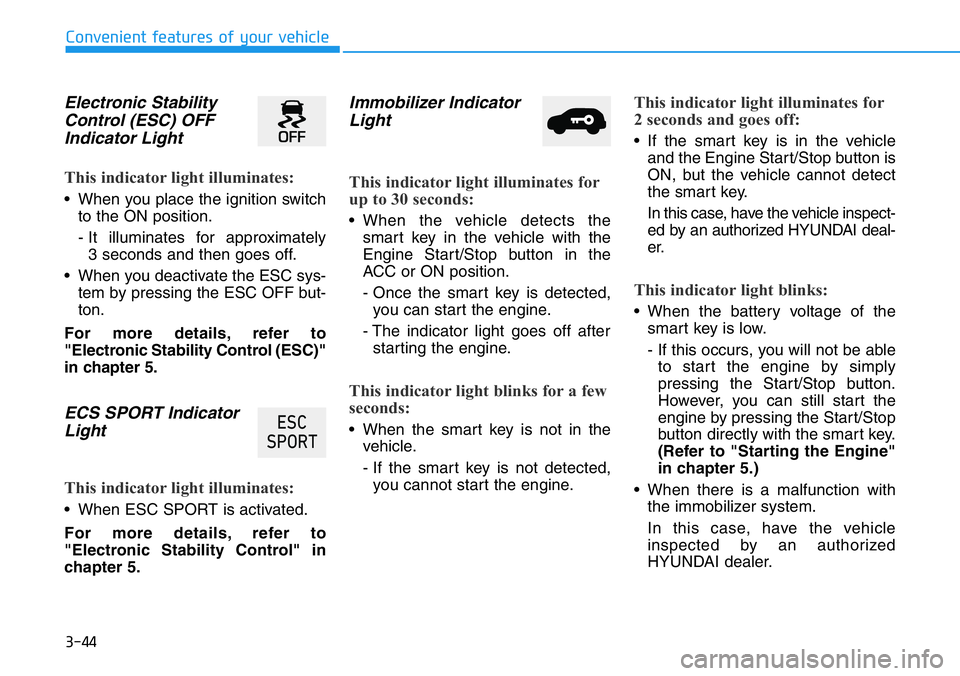
Electronic Stability
Control (ESC) OFF
Indicator Light
This indicator light illuminates:
• When you place the ignition switch
to the ON position.
- It illuminates for approximately
3 seconds and then goes off.
• When you deactivate the ESC sys-
tem by pressing the ESC OFF but-
ton.
For more details, refer to
"Electronic Stability Control (ESC)"
in chapter 5.
ECS SPORT Indicator
Light
This indicator light illuminates:
• When ESC SPORT is activated.
For more details, refer to
"Electronic Stability Control" in
chapter 5.
Immobilizer Indicator
Light
This indicator light illuminates for
up to 30 seconds:
• When the vehicle detects the
smart key in the vehicle with the
Engine Start/Stop button in the
ACC or ON position.
- Once the smart key is detected,
you can start the engine.
- The indicator light goes off after
starting the engine.
This indicator light blinks for a few
seconds:
• When the smart key is not in the
vehicle.
- If the smart key is not detected,
you cannot start the engine.
This indicator light illuminates for
2 seconds and goes off:
• If the smart key is in the vehicle
and the Engine Start/Stop button is
ON, but the vehicle cannot detect
the smart key.
In this case, have the vehicle inspect-
ed by an authorized HYUNDAI deal-
er.
This indicator light blinks:
• When the battery voltage of the
smart key is low.
- If this occurs, you will not be able
to start the engine by simply
pressing the Start/Stop button.
However, you can still start the
engine by pressing the Start/Stop
button directly with the smart key.
(Refer to "Starting the Engine"
in chapter 5.)
• When there is a malfunction with
the immobilizer system.
In this case, have the vehicle
inspected by an authorized
HYUNDAI dealer.
(6&
63257
Page 126 of 446
3-48
Convenient features of your vehicle
CREEP OFF Indicator
Light (if equipped)
When Creep Start is set to OFF in
custom mode, vehicle will not auto-
matically move and CREEP OFF
indicator will turn on even if you take
your foot off the brake pedal while
vehicle is stopped at D (Drive) or M
(Manual mode) driving position of
dual clutch transmission.
For more details, refer to “N button”
in chapter 5.
CREEP OFF operation and indicator
lighting conditions
• Driving mode : Custom
• Creep start setting : OFF
• Vehicle status : Stopping
LCD Display Messages
Low key battery
This warning message is displayed if
the battery of the smart key is dis-
charged while changing the Engine
Start/Stop button to the OFF position.
Press clutch pedal to start
engine
This warning message is displayed if
the Engine Start/Stop button
changes to the ACC position twice
by pressing the button repeatedly
without depressing the clutch pedal.
You can start the engine by depress-
ing the clutch pedal to.
Key not in vehicle
This warning message is displayed if
the smart key is not in the vehicle
when you press the Engine Start/
Stop button.
When attempting to start the vehicle,
always have the smart key with you.
&5((3
2))
CREEP START OFF allows the
vehicle to stop without depress-
ing the brake pedal on a flat sur-
face and accelerate immediately
when the accelerator pedal is
depressed.
When using this function,
always be careful as the vehicle
may move depending on the
incline and road conditions.
WARNING
Page 127 of 446
3-49
Convenient features of your vehicle
3
Key not detected
This warning message is displayed if
the smart key is not detected when you
press the Engine Start/Stop button.
Press START button again
This message is displayed if you
were unable to start the vehicle when
the Engine Start/Stop button was
pressed.
If this occurs, attempt to start the
engine by pressing the Engine Start/
Stop button again.
If the warning message appears
each time you press the Engine
Start/Stop button, have your vehicle
inspected by an authorized
HYUNDAI dealer.
Battery discharging due to
external electrical devices
This message is displayed if the bat-
tery voltage is weak due to any non-
factory electrical accessories (ex.
dashboard camera) while parking.
Be careful that the battery is not dis-
charged.
If the warning message appears
after removing the non-factory elec-
trical accessories, we recommend
that you have the vehicle inspected
by an authorized HYUNDAI dealer.
Press START button with key
This warning message is displayed if
you press the Engine Start/Stop but-
ton while the warning message "Key
not detected" is displayed.
At this time, the immobilizer indicator
light blinks.
Check BRAKE SWITCH fuse
This warning message is displayed if
the brake switch fuse is disconnected.
You need to replace the fuse with a
new one before starting the engine.
If that is not possible, you can start
the engine by pressing the Engine
Start/Stop button for 10 seconds in
the ACC position.