Page 256 of 446
5-62
Driving your vehicle
Operating condition
• N Track Sense Shift is enabled in the
Performance Options settings
• Shift lever in D (Drive) position
• Transmission mode is SPORT or
SPORT+ (Including SPORT or N
Riding Mode)
• Vehicle speed is above 21 mph
(35km/h)
• Cornering-oriented dynamic driving
detection
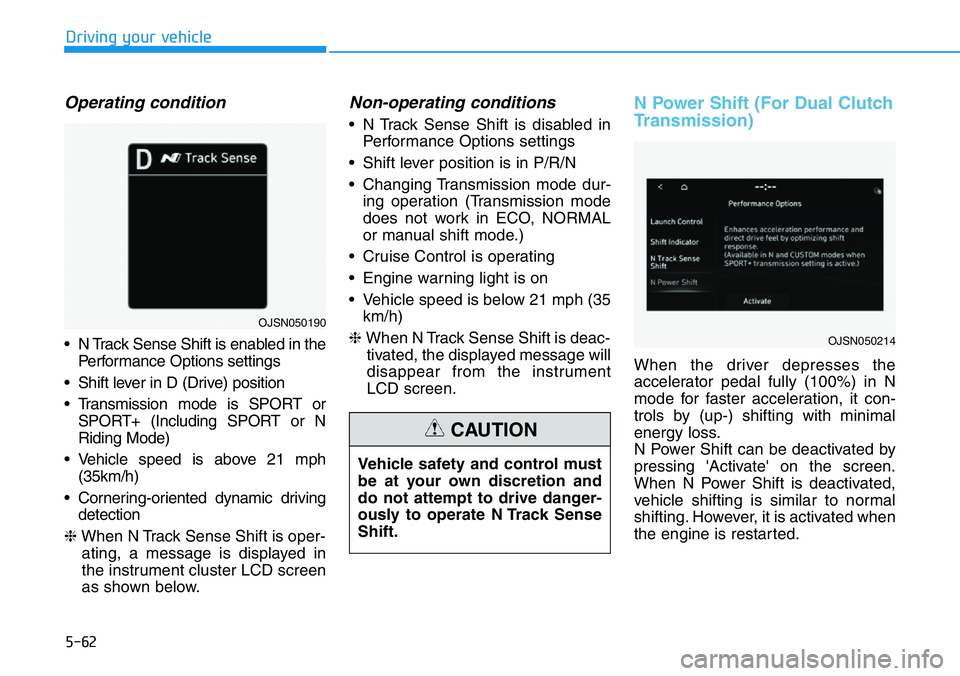
❈When N Track Sense Shift is oper-
ating, a message is displayed in
the instrument cluster LCD screen
as shown below.
Non-operating conditions
• N Track Sense Shift is disabled in
Performance Options settings
• Shift lever position is in P/R/N
• Changing Transmission mode dur-
ing operation (Transmission mode
does not work in ECO, NORMAL
or manual shift mode.)
• Cruise Control is operating
• Engine warning light is on
• Vehicle speed is below 21 mph (35
km/h)
❈When N Track Sense Shift is deac-
tivated, the displayed message will
disappear from the instrument
LCD screen.
N Power Shift (For Dual Clutch
Transmission)
When the driver depresses the
accelerator pedal fully (100%) in N
mode for faster acceleration, it con-
trols by (up-) shifting with minimal
energy loss.
N Power Shift can be deactivated by
pressing 'Activate' on the screen.
When N Power Shift is deactivated,
vehicle shifting is similar to normal
shifting. However, it is activated when
the engine is restarted. Vehicle safety and control must
be at your own discretion and
do not attempt to drive danger-
ously to operate N Track Sense
Shift.
CAUTION
OJSN050214
OJSN050190
Page 259 of 446
5-65
Driving your vehicle
5
System settings
functions for the system
Forward Safety
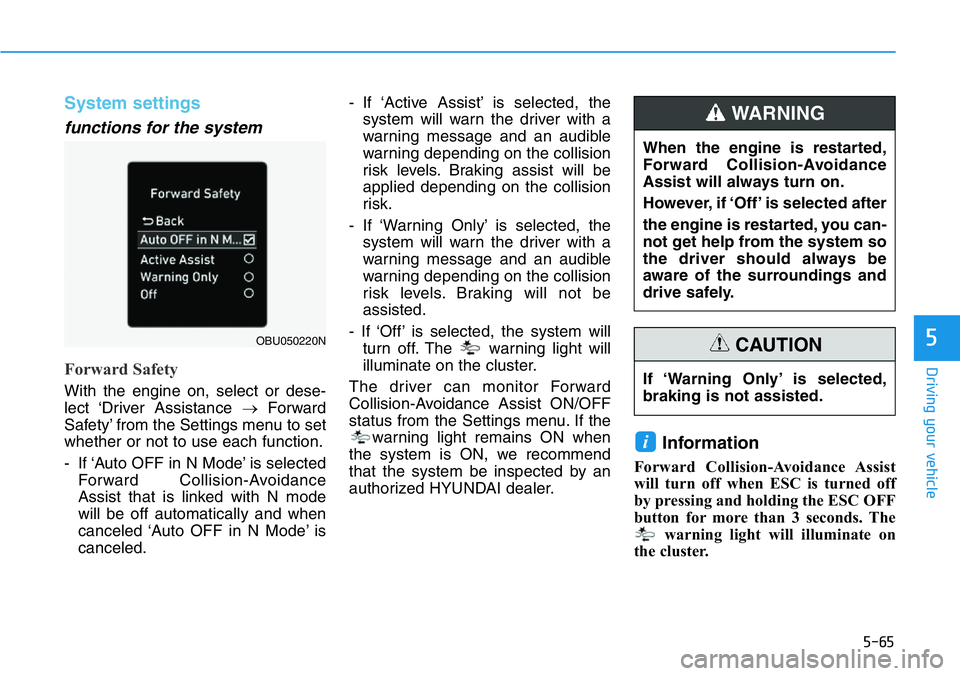
With the engine on, select or dese-
lect ‘Driver Assistance →Forward
Safety’ from the Settings menu to set
whether or not to use each function.
- If ‘Auto OFF in N Mode’ is selected
Forward Collision-Avoidance
Assist that is linked with N mode
will be off automatically and when
canceled ‘Auto OFF in N Mode’ is
canceled.- If ‘Active Assist’ is selected, the
system will warn the driver with a
warning message and an audible
warning depending on the collision
risk levels. Braking assist will be
applied depending on the collision
risk.
- If ‘Warning Only’ is selected, the
system will warn the driver with a
warning message and an audible
warning depending on the collision
risk levels. Braking will not be
assisted.
- If ‘Off’ is selected, the system will
turn off. The warning light will
illuminate on the cluster.
The driver can monitor Forward
Collision-Avoidance Assist ON/OFF
status from the Settings menu. If the
warning light remains ON when
the system is ON, we recommend
that the system be inspected by an
authorized HYUNDAI dealer.
Information
Forward Collision-Avoidance Assist
will turn off when ESC is turned off
by pressing and holding the ESC OFF
button for more than 3 seconds. The
warning light will illuminate on
the cluster.
i
OBU050220N
If ‘Warning Only’ is selected,
braking is not assisted.
CAUTION
When the engine is restarted,
Forward Collision-Avoidance
Assist will always turn on.
However, if ‘Off’ is selected after
the engine is restarted, you can-
not get help from the system so
the driver should always be
aware of the surroundings and
drive safely.
WARNING
Page 260 of 446
5-66
Driving your vehicle
Warning Timing
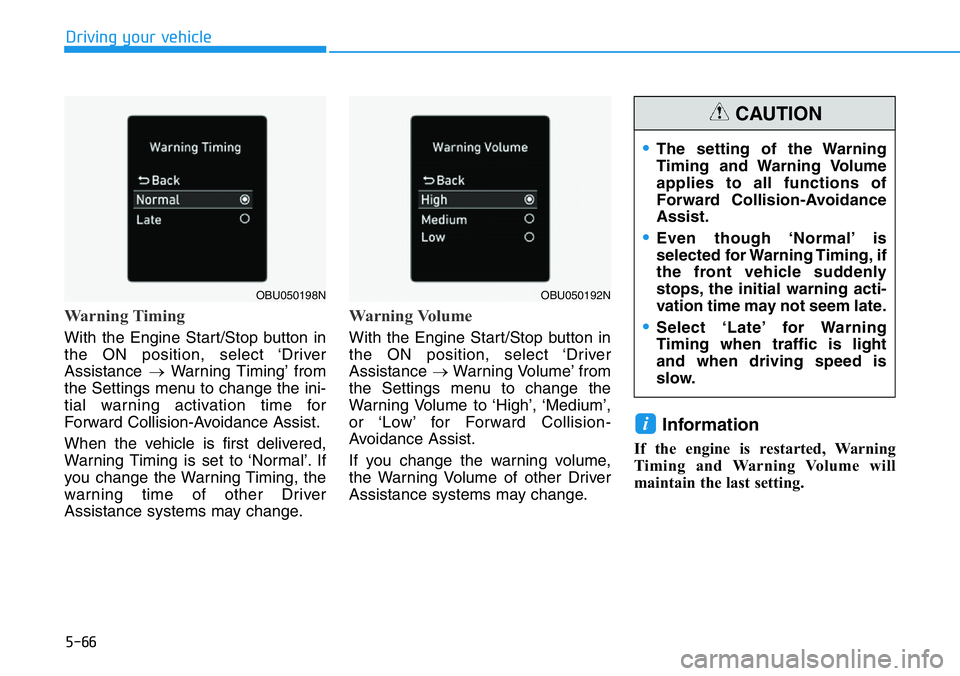
With the Engine Start/Stop button in
the ON position, select ‘Driver
Assistance →Warning Timing’ from
the Settings menu to change the ini-
tial warning activation time for
Forward Collision-Avoidance Assist.
When the vehicle is first delivered,
Warning Timing is set to ‘Normal’. If
you change the Warning Timing, the
warning time of other Driver
Assistance systems may change.
Warning Volume
With the Engine Start/Stop button in
the ON position, select ‘Driver
Assistance →Warning Volume’ from
the Settings menu to change the
Warning Volume to ‘High’, ‘Medium’,
or ‘Low’ for Forward Collision-
Avoidance Assist.
If you change the warning volume,
the Warning Volume of other Driver
Assistance systems may change.
Information
If the engine is restarted, Warning
Timing and Warning Volume will
maintain the last setting.
i
OBU050198NOBU050192N
•The setting of the Warning
Timing and Warning Volume
applies to all functions of
Forward Collision-Avoidance
Assist.
•Even though ‘Normal’ is
selected for Warning Timing, if
the front vehicle suddenly
stops, the initial warning acti-
vation time may not seem late.
•Select ‘Late’ for Warning
Timing when traffic is light
and when driving speed is
slow.
CAUTION
Page 264 of 446
5-70
Driving your vehicle
System malfunction and limi-
tations
System malfunction
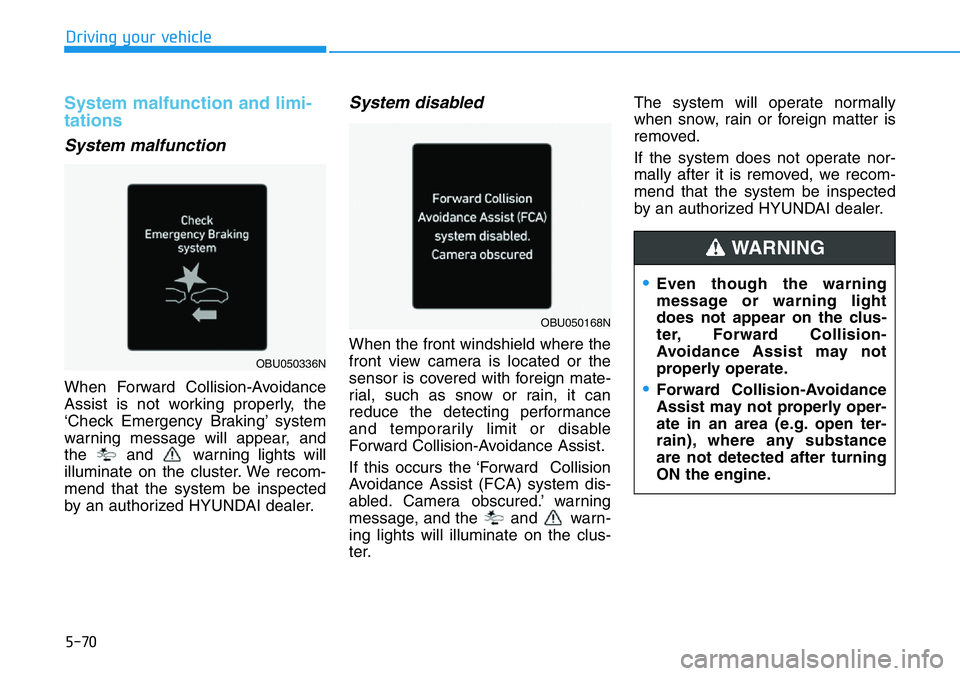
When Forward Collision-Avoidance
Assist is not working properly, the
‘Check Emergency Braking’ system
warning message will appear, and
the and warning lights will
illuminate on the cluster. We recom-
mend that the system be inspected
by an authorized HYUNDAI dealer.
System disabled
When the front windshield where the
front view camera is located or the
sensor is covered with foreign mate-
rial, such as snow or rain, it can
reduce the detecting performance
and temporarily limit or disable
Forward Collision-Avoidance Assist.
If this occurs the ‘Forward Collision
Avoidance Assist (FCA) system dis-
abled. Camera obscured.’ warning
message, and the and warn-
ing lights will illuminate on the clus-
ter.The system will operate normally
when snow, rain or foreign matter is
removed.
If the system does not operate nor-
mally after it is removed, we recom-
mend that the system be inspected
by an authorized HYUNDAI dealer.
•Even though the warning
message or warning light
does not appear on the clus-
ter, Forward Collision-
Avoidance Assist may not
properly operate.
•Forward Collision-Avoidance
Assist may not properly oper-
ate in an area (e.g. open ter-
rain), where any substance
are not detected after turning
ON the engine.
WARNING
OBU050336N
OBU050168N
Page 271 of 446
5-77
Driving your vehicle
5
Lane Keeping Assist is designed to
help detect lane markings while driv-
ing over a certain speed. The system
will warn the driver if the vehicle
leaves the lane without using the turn
signal, or will automatically assist the
driver’s steering to help prevent the
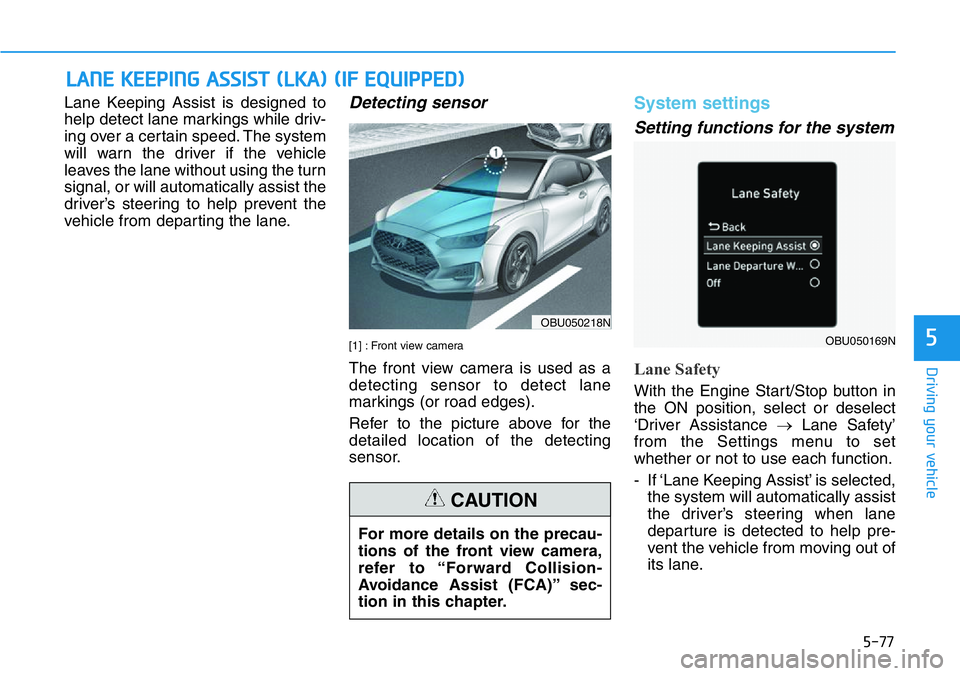
vehicle from departing the lane.Detecting sensor
[1] : Front view camera
The front view camera is used as a
detecting sensor to detect lane
markings (or road edges).
Refer to the picture above for the
detailed location of the detecting
sensor.
System settings
Setting functions for the system
Lane Safety
With the Engine Start/Stop button in
the ON position, select or deselect
‘Driver Assistance →Lane Safety’
from the Settings menu to set
whether or not to use each function.
- If ‘Lane Keeping Assist’ is selected,
the system will automatically assist
the driver’s steering when lane
departure is detected to help pre-
vent the vehicle from moving out of
its lane.
LANE KEEPING ASSIST (LKA) (IF EQUIPPED)
OBU050218N
OBU050169N
For more details on the precau-
tions of the front view camera,
refer to “Forward Collision-
Avoidance Assist (FCA)” sec-
tion in this chapter.
CAUTION
Page 272 of 446
5-78
Driving your vehicle
- If ‘Lane Departure Warning’ is
selected, the functions for the sys-
tem will warn the driver with an
audible warning when lane depar-
ture is detected. The driver must
steer the vehicle.
- If ‘Off’ is selected, the functions for
the system will turn off. The
indicator light will turn off on the
cluster.
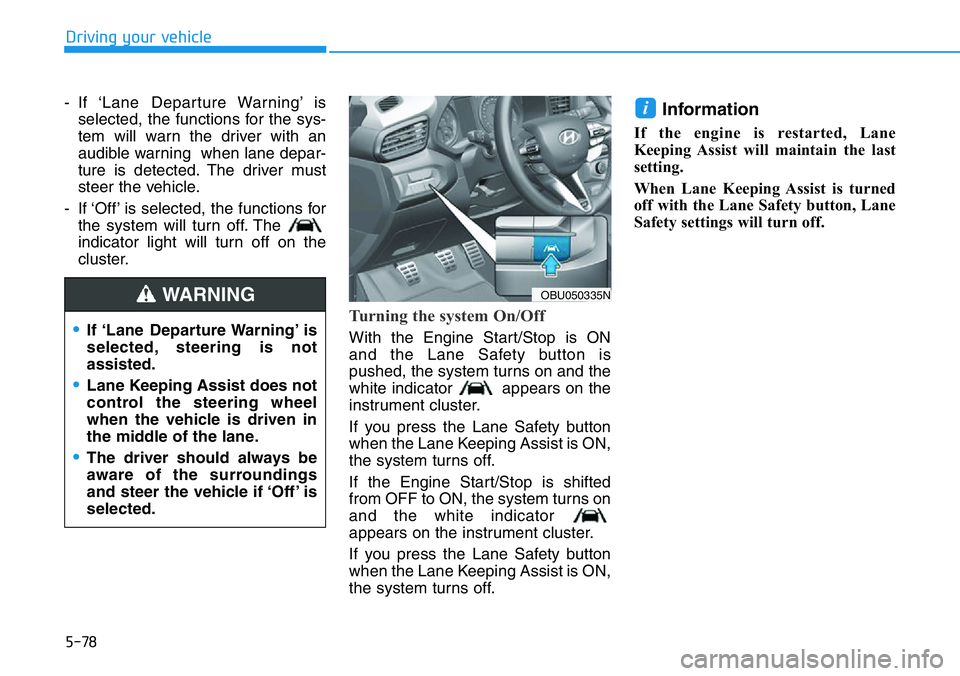
Turning the system On/Off
With the Engine Start/Stop is ON
and the Lane Safety button is
pushed, the system turns on and the
white indicator appears on the
instrument cluster.
If you press the Lane Safety button
when the Lane Keeping Assist is ON,
the system turns off.
If the Engine Start/Stop is shifted
from OFF to ON, the system turns on
and the white indicator
appears on the instrument cluster.
If you press the Lane Safety button
when the Lane Keeping Assist is ON,
the system turns off.
Information
If the engine is restarted, Lane
Keeping Assist will maintain the last
setting.
When Lane Keeping Assist is turned
off with the Lane Safety button, Lane
Safety settings will turn off.
i
OBU050335N
•If ‘Lane Departure Warning’ is
selected, steering is not
assisted.
•Lane Keeping Assist does not
control the steering wheel
when the vehicle is driven in
the middle of the lane.
•The driver should always be
aware of the surroundings
and steer the vehicle if ‘Off’ is
selected.
WARNING
Page 273 of 446
5-79
Driving your vehicle
5
Warning Timing
With the engine on, select ‘Driver
Assistance →Warning Timing’ from
the Settings menu to change the ini-
tial warning activation time for Lane
Keeping Assist.
When the vehicle is first delivered,
Warning Timing is set to ‘Normal’. If
you change the Warning Timing, the
warning time of other Driver
Assistance systems may change.
Warning Volume
With the Engine Start/Stop button in
the ON position, select ‘Driver
Assistance →Warning Volume’ from
the Settings menu to change the
Warning Volume to ‘High’, ‘Medium’,
or ‘Low’ for Lane Keeping Assist.
If you change the Warning Volume,
the Warning Volume of other Driver
Assistance systems may be
changed.
System operation
System warning and control
Lane Keeping Assist will warn and
control the vehicle with Lane
Departure Warning and Lane
Keeping Assist.
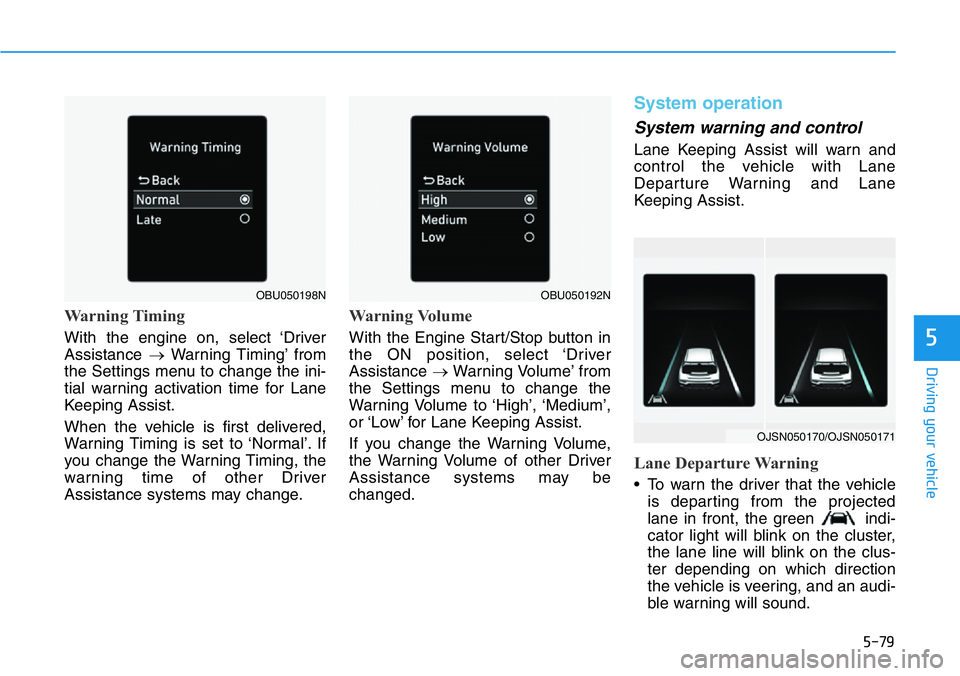
Lane Departure Warning
• To warn the driver that the vehicle
is departing from the projected
lane in front, the green indi-
cator light will blink on the cluster,
the lane line will blink on the clus-
ter depending on which direction
the vehicle is veering, and an audi-
ble warning will sound.
OBU050192NOBU050198N
OJSN050170/OJSN050171
Page 279 of 446
5-85
Driving your vehicle
5
System settings
Setting functions for the system
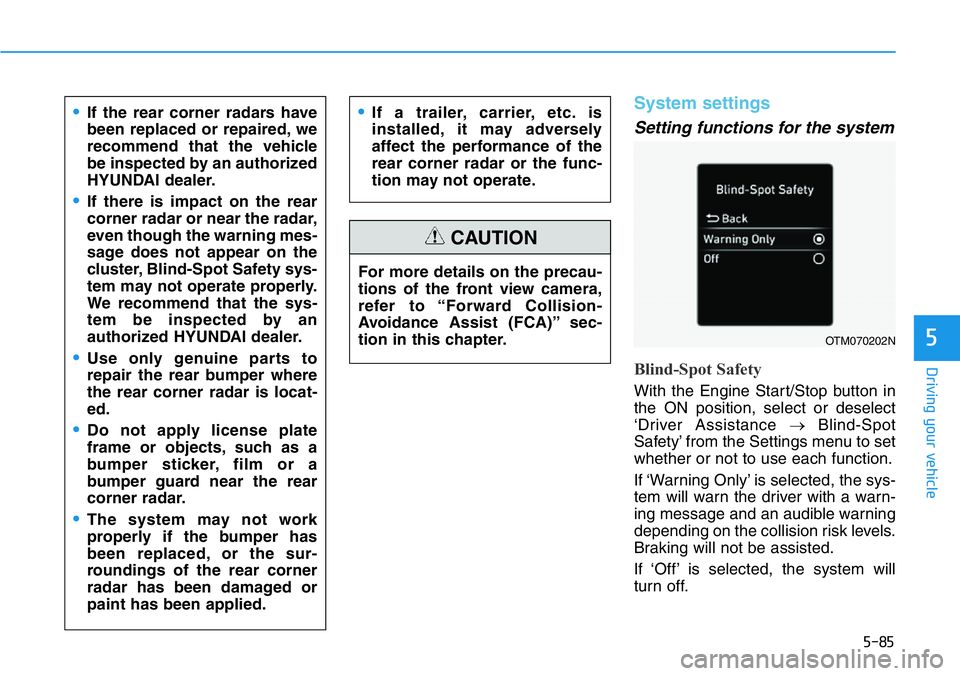
Blind-Spot Safety
With the Engine Start/Stop button in
the ON position, select or deselect
‘Driver Assistance →Blind-Spot
Safety’ from the Settings menu to set
whether or not to use each function.
If ‘Warning Only’ is selected, the sys-
tem will warn the driver with a warn-
ing message and an audible warning
depending on the collision risk levels.
Braking will not be assisted.
If ‘Off’ is selected, the system will
turn off. For more details on the precau-
tions of the front view camera,
refer to “Forward Collision-
Avoidance Assist (FCA)” sec-
tion in this chapter.
CAUTION
•If the rear corner radars have
been replaced or repaired, we
recommend that the vehicle
be inspected by an authorized
HYUNDAI dealer.
•If there is impact on the rear
corner radar or near the radar,
even though the warning mes-
sage does not appear on the
cluster, Blind-Spot Safety sys-
tem may not operate properly.
We recommend that the sys-
tem be inspected by an
authorized HYUNDAI dealer.
•Use only genuine parts to
repair the rear bumper where
the rear corner radar is locat-
ed.
•Do not apply license plate
frame or objects, such as a
bumper sticker, film or a
bumper guard near the rear
corner radar.
•The system may not work
properly if the bumper has
been replaced, or the sur-
roundings of the rear corner
radar has been damaged or
paint has been applied.
•If a trailer, carrier, etc. is
installed, it may adversely
affect the performance of the
rear corner radar or the func-
tion may not operate.
OTM070202N