2022 HYUNDAI TUCSON sun
[x] Cancel search: sunPage 258 of 638
Convenient features
5-114
Air conditioning system operation tips
• If the vehicle has been parked in
direct sunlight during hot weather,
open the windows for a short time
to let the hot air inside the vehicle
escape.
• After sufficient cooling has been
achieved, switch back from the
recirculated air to the fresh outside air
position.
• To help reduce moisture inside of
the windows on rainy or humid
days, decrease the humidity inside
the vehicle by operating the air
conditioning system with the windows
and sunroof closed.
• Use the air conditioning system every
month for a few minutes to ensure
maximum system performance.
• If you operate the air conditioner
excessively, the difference between
the temperature of the outside air and
that of the windshield could cause
the outer surface of the windshield to
fog up, causing loss of visibility. In this
case, set the mode selection button to
the
position and set the fan speed control knob to the lowest speed
setting.
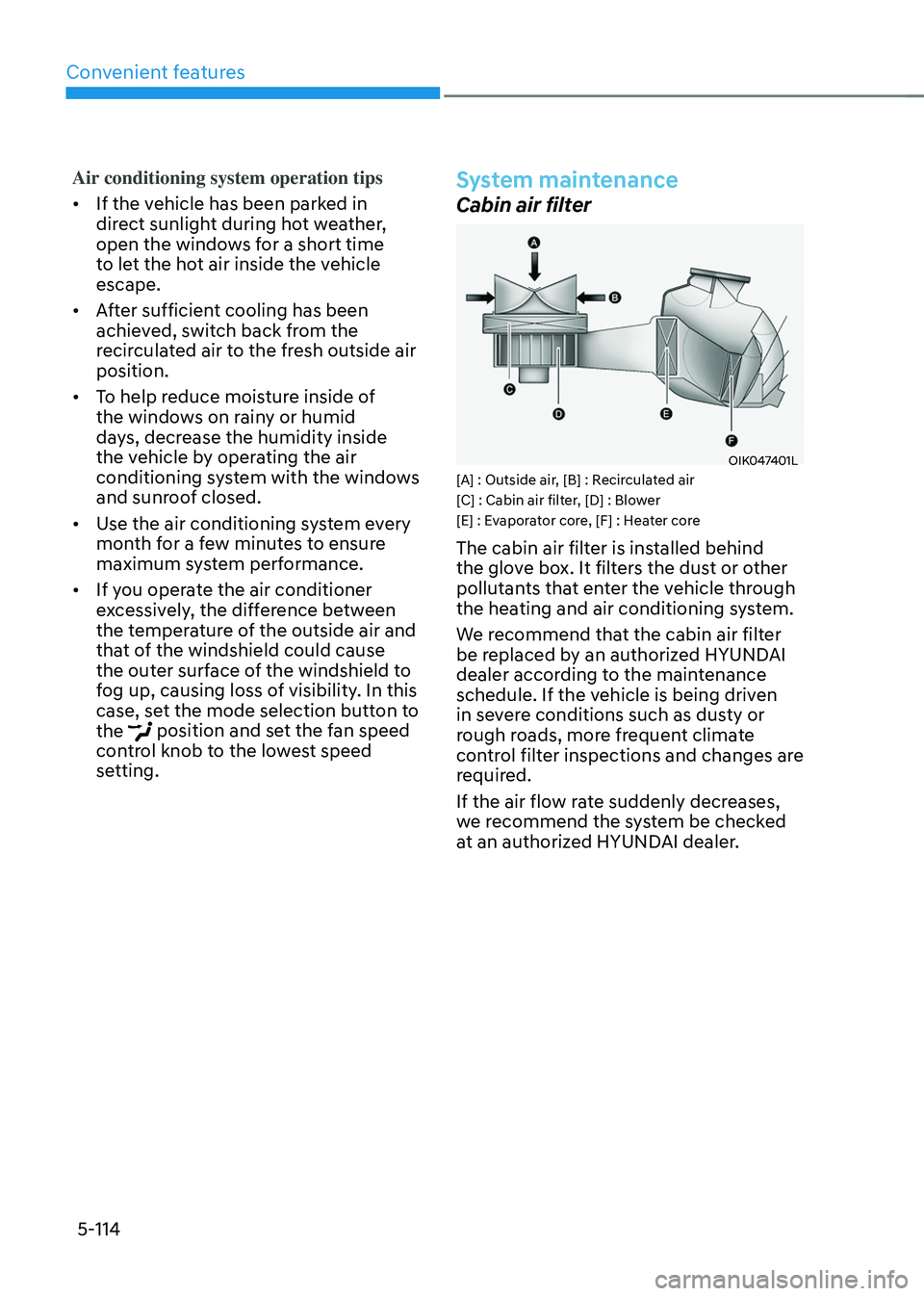
System maintenance
Cabin air filter
OIK047401L[A] : Outside air, [B] : Recirculated air
[C] : Cabin air filter, [D] : Blower
[E] : Evaporator core, [F] : Heater core
The cabin air filter is installed behind
the glove box. It filters the dust or other
pollutants that enter the vehicle through
the heating and air conditioning system.
We recommend that the cabin air filter
be replaced by an authorized HYUNDAI
dealer according to the maintenance
schedule. If the vehicle is being driven
in severe conditions such as dusty or
rough roads, more frequent climate
control filter inspections and changes are
required.
If the air flow rate suddenly decreases,
we recommend the system be checked
at an authorized HYUNDAI dealer.
Page 266 of 638
Convenient features
5-122
Sunroof inside air recirculation
(if equipped)
When the sunroof is opened, fresh
mode will be automatically selected.
At this time, if you press the air intake
control button, recirculation mode will
be selected but will change back to fresh
mode after 3 minutes. When the sunroof
is closed, the air intake position will
return to the original position that was
selected.
Automatic Controls for the
Driver Based on Climate Control
System Settings
The temperature of the driver’s seat
warmer, air ventilated seat and heated
steering wheel is automatically
controlled depending on the inside and
outside temperature of the vehicle when
the engine is running.
To use these features, it must be
enabled from the Settings menu in the
infotainment system screen. Select:
-Setup → Vehicle Settings → Seat → Heated/Ventilated Features → Heated/Ventilated Features → Auto. Controls That Use Climate Control Settings
For more details on Auto Comfort
Control, refer to “Seat Warmers” and
“Air ventilation seats” section in chapter
3 and “Heated Steering Wheel” section
in chapter 5.
Scheduled Ventilation Control
The Scheduled Ventilation Control
releases hot air in the vehicle to lower
cabin temperature before getting in the
vehicle.
Depending on the outside ambient
temperature, the blower is operated for 5
to 15 minutes while the vehicle is parked.
Turning Schedule Ventilation
Control On or Off
The Schedule Ventilation Control can be turned on and off by selecting ‘Setup → Vehicle Settings → Automatic Ventilation → Scheduled Ventilation Control’ from the infotainment system screen. Also, the
starting time can be set within 24 hours.
Schedule Ventilation Control operates
only once when the feature is set.
Page 269 of 638
05
5-125
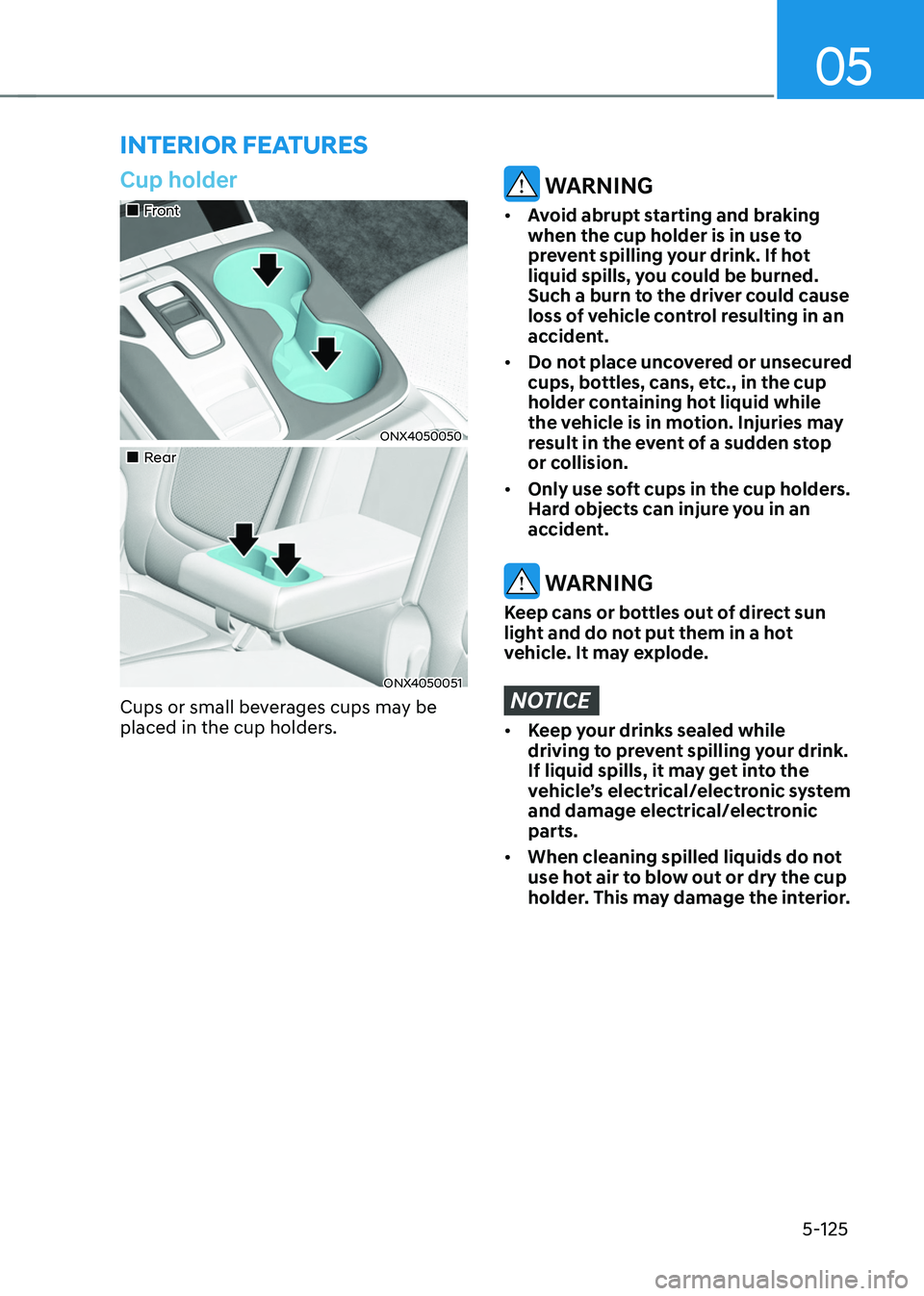
Cup holder
„„Front
ONX4050050
„„Rear
ONX4050051
Cups or small beverages cups may be
placed in the cup holders.
WARNING
• Avoid abrupt starting and braking
when the cup holder is in use to
prevent spilling your drink. If hot
liquid spills, you could be burned.
Such a burn to the driver could cause
loss of vehicle control resulting in an
accident.
• Do not place uncovered or unsecured
cups, bottles, cans, etc., in the cup
holder containing hot liquid while
the vehicle is in motion. Injuries may
result in the event of a sudden stop
or collision.
• Only use soft cups in the cup holders.
Hard objects can injure you in an
accident.
WARNING
Keep cans or bottles out of direct sun
light and do not put them in a hot
vehicle. It may explode.
NOTICE
• Keep your drinks sealed while
driving to prevent spilling your drink.
If liquid spills, it may get into the
vehicle’s electrical/electronic system
and damage electrical/electronic
parts.
• When cleaning spilled liquids do not
use hot air to blow out or dry the cup
holder. This may damage the interior.
INTERIOR FEATURES
Page 270 of 638
Convenient features
5-126
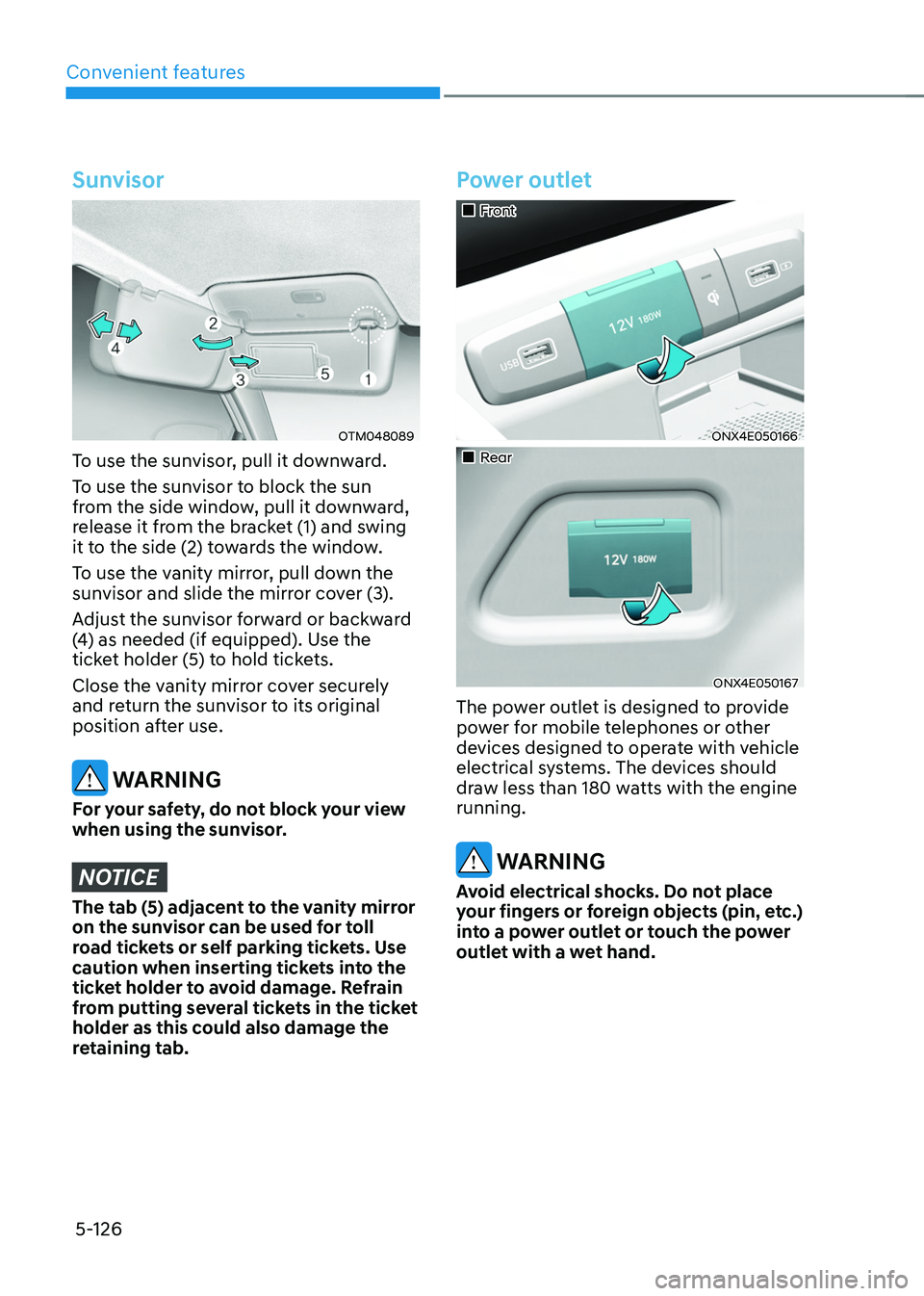
Sunvisor
OTM048089
To use the sunvisor, pull it downward.
To use the sunvisor to block the sun
from the side window, pull it downward,
release it from the bracket (1) and swing
it to the side (2) towards the window.
To use the vanity mirror, pull down the
sunvisor and slide the mirror cover (3).
Adjust the sunvisor forward or backward
(4) as needed (if equipped). Use the
ticket holder (5) to hold tickets.
Close the vanity mirror cover securely
and return the sunvisor to its original
position after use.
WARNING
For your safety, do not block your view
when using the sunvisor.
NOTICE
The tab (5) adjacent to the vanity mirror
on the sunvisor can be used for toll
road tickets or self parking tickets. Use
caution when inserting tickets into the
ticket holder to avoid damage. Refrain
from putting several tickets in the ticket
holder as this could also damage the
retaining tab.
Power outlet
„„Front
ONX4E050166
„„Rear
ONX4E050167
The power outlet is designed to provide
power for mobile telephones or other
devices designed to operate with vehicle
electrical systems. The devices should
draw less than 180 watts with the engine
running.
WARNING
Avoid electrical shocks. Do not place
your fingers or foreign objects (pin, etc.)
into a power outlet or touch the power
outlet with a wet hand.
Page 279 of 638
05
5-135
EXTERIOR FEATURES
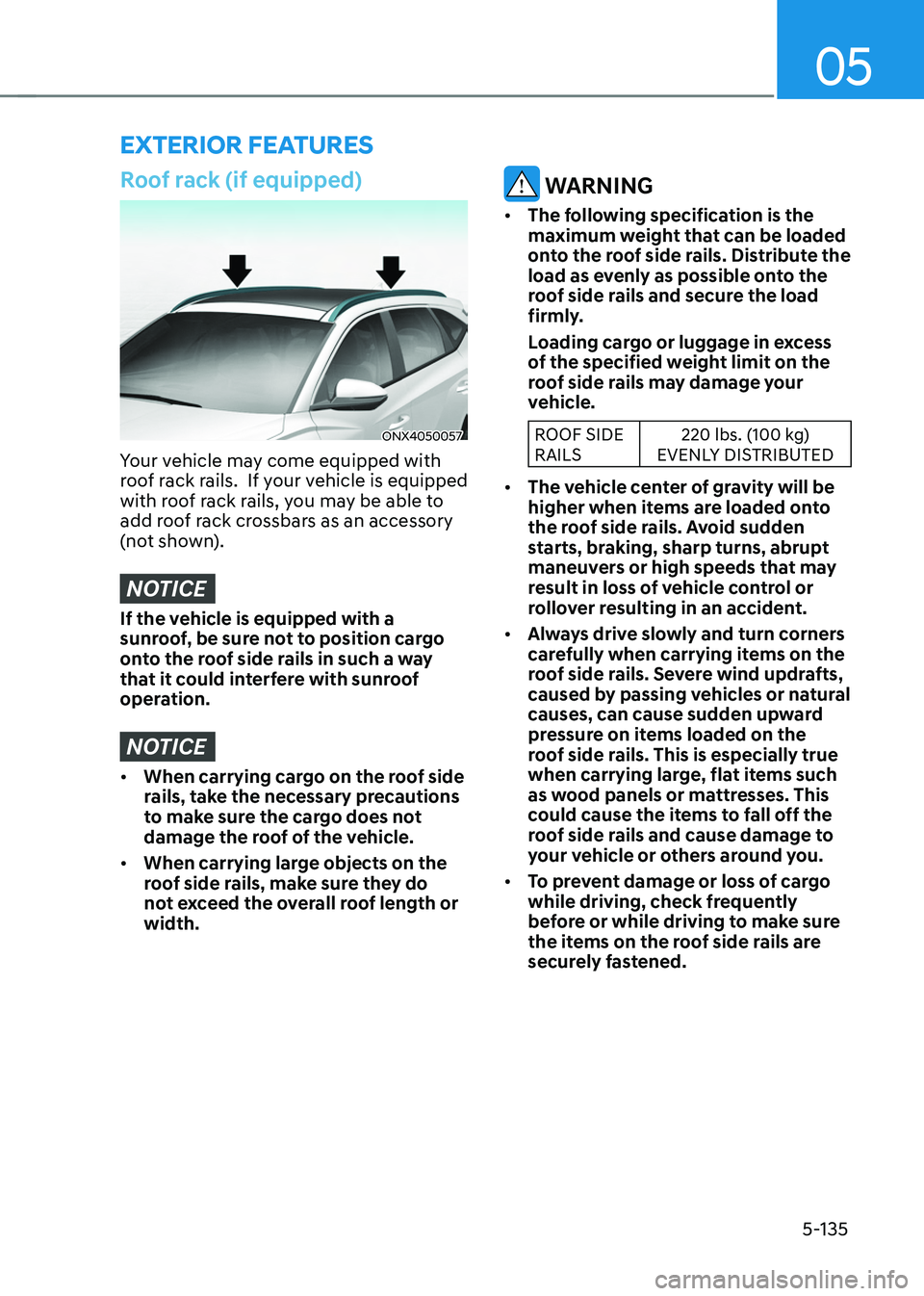
Roof rack (if equipped)
ONX4050057
Your vehicle may come equipped with
roof rack rails. If your vehicle is equipped
with roof rack rails, you may be able to
add roof rack crossbars as an accessory
(not shown).
NOTICE
If the vehicle is equipped with a
sunroof, be sure not to position cargo
onto the roof side rails in such a way
that it could interfere with sunroof
operation.
NOTICE
• When carrying cargo on the roof side
rails, take the necessary precautions
to make sure the cargo does not
damage the roof of the vehicle.
• When carrying large objects on the
roof side rails, make sure they do
not exceed the overall roof length or
width.
WARNING
• The following specification is the
maximum weight that can be loaded
onto the roof side rails. Distribute the
load as evenly as possible onto the
roof side rails and secure the load
firmly.
Loading cargo or luggage in excess
of the specified weight limit on the
roof side rails may damage your
vehicle.
ROOF SIDE
RAILS 220 lbs. (100 kg)
EVENLY DISTRIBUTED
• The vehicle center of gravity will be
higher when items are loaded onto
the roof side rails. Avoid sudden
starts, braking, sharp turns, abrupt
maneuvers or high speeds that may
result in loss of vehicle control or
rollover resulting in an accident.
• Always drive slowly and turn corners
carefully when carrying items on the
roof side rails. Severe wind updrafts,
caused by passing vehicles or natural
causes, can cause sudden upward
pressure on items loaded on the
roof side rails. This is especially true
when carrying large, flat items such
as wood panels or mattresses. This
could cause the items to fall off the
roof side rails and cause damage to
your vehicle or others around you.
• To prevent damage or loss of cargo
while driving, check frequently
before or while driving to make sure
the items on the roof side rails are
securely fastened.
Page 280 of 638
Convenient features5-136
INFOTAINMENT SYSTEM
NOTICE
• If you install an aftermarket HID
head lamp, your vehicle’s audio and
electronic devices may not function
properly.
• Prevent chemicals such as perfume,
cosmetic oil, sun cream, hand
cleaner, and air freshener from
contacting the interior parts
because they may cause damage or
discoloration.
USB Port
ONX4E050173
You can use an USB cable to connect
audio devices to the vehicle USB port.
Information
When using a portable audio device
connected to the power outlet, noise may
occur during playback. If this happens,
use the portable audio device’s power
source.
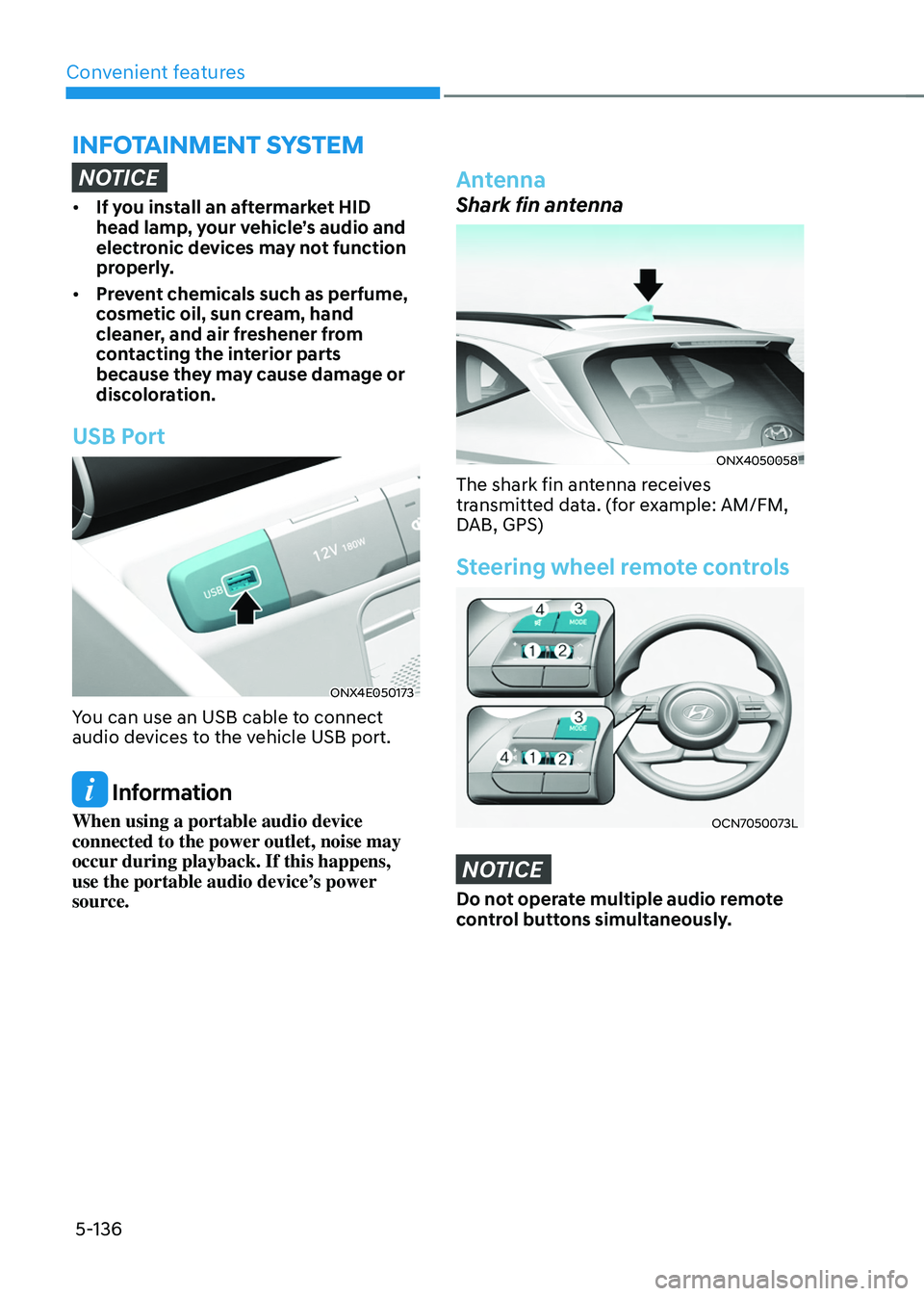
Antenna
Shark fin antenna
ONX4050058
The shark fin antenna receives
transmitted data. (for example: AM/FM,
DAB, GPS)
Steering wheel remote controls
OCN7050073L
NOTICE
Do not operate multiple audio remote
control buttons simultaneously.
Page 371 of 638
Driver assistance system
7-8
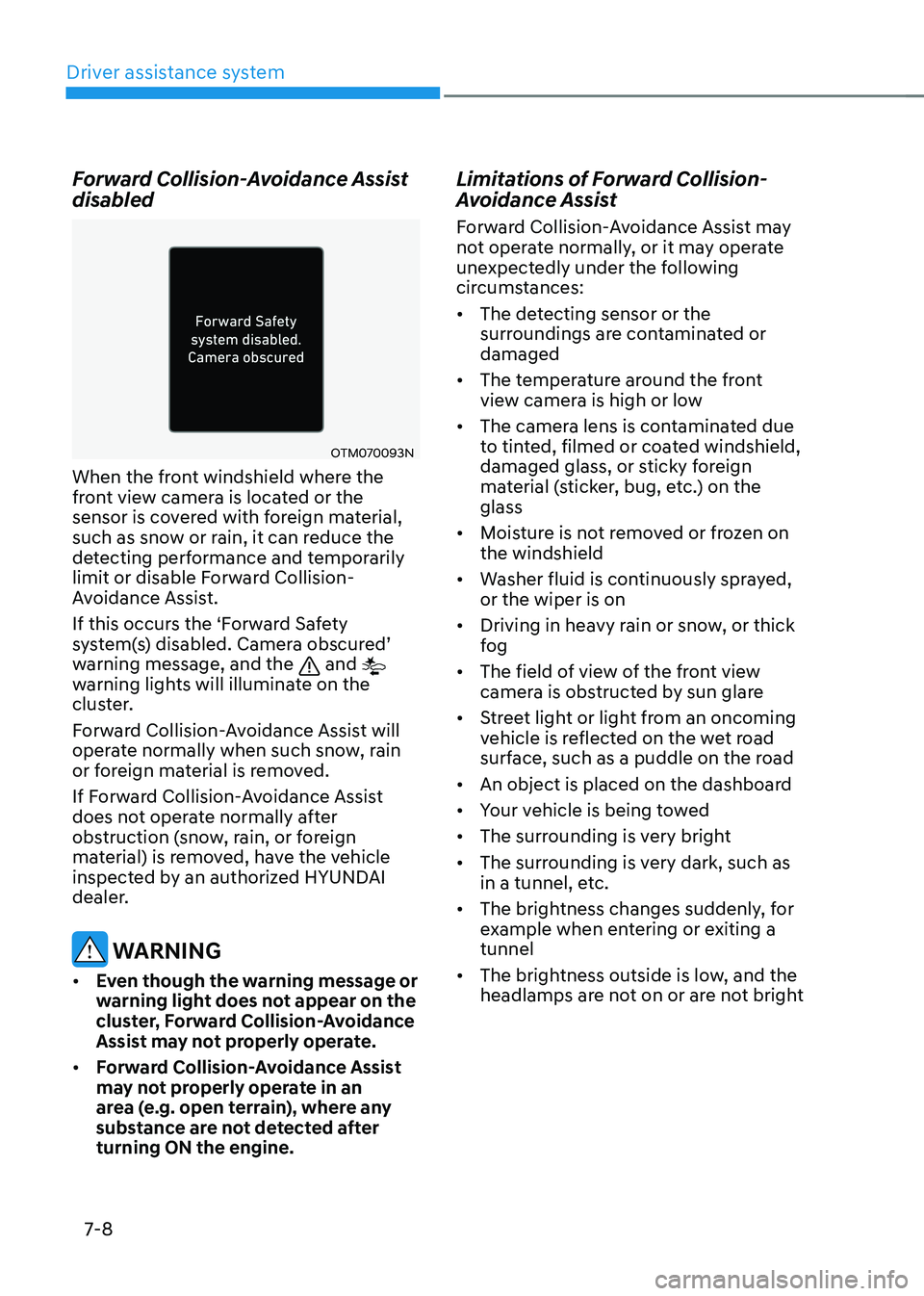
Forward Collision-Avoidance Assist
disabled
OTM070093N
When the front windshield where the
front view camera is located or the
sensor is covered with foreign material,
such as snow or rain, it can reduce the
detecting performance and temporarily
limit or disable Forward Collision-
Avoidance Assist.
If this occurs the ‘Forward Safety
system(s) disabled. Camera obscured’ warning message, and the and
warning lights will illuminate on the
cluster.
Forward Collision-Avoidance Assist will
operate normally when such snow, rain
or foreign material is removed.
If Forward Collision-Avoidance Assist
does not operate normally after
obstruction (snow, rain, or foreign
material) is removed, have the vehicle
inspected by an authorized HYUNDAI
dealer.
WARNING
• Even though the warning message or
warning light does not appear on the
cluster, Forward Collision-Avoidance
Assist may not properly operate.
• Forward Collision-Avoidance Assist
may not properly operate in an
area (e.g. open terrain), where any
substance are not detected after
turning ON the engine.
Limitations of Forward Collision-
Avoidance Assist
Forward Collision-Avoidance Assist may
not operate normally, or it may operate
unexpectedly under the following
circumstances:
• The detecting sensor or the
surroundings are contaminated or
damaged
• The temperature around the front
view camera is high or low
• The camera lens is contaminated due
to tinted, filmed or coated windshield,
damaged glass, or sticky foreign
material (sticker, bug, etc.) on the
glass
• Moisture is not removed or frozen on
the windshield
• Washer fluid is continuously sprayed,
or the wiper is on
• Driving in heavy rain or snow, or thick
fog
• The field of view of the front view
camera is obstructed by sun glare
• Street light or light from an oncoming
vehicle is reflected on the wet road
surface, such as a puddle on the road
• An object is placed on the dashboard
• Your vehicle is being towed
• The surrounding is very bright
• The surrounding is very dark, such as
in a tunnel, etc.
• The brightness changes suddenly, for
example when entering or exiting a
tunnel
• The brightness outside is low, and the
headlamps are not on or are not bright
Page 387 of 638
Driver assistance system
7-24
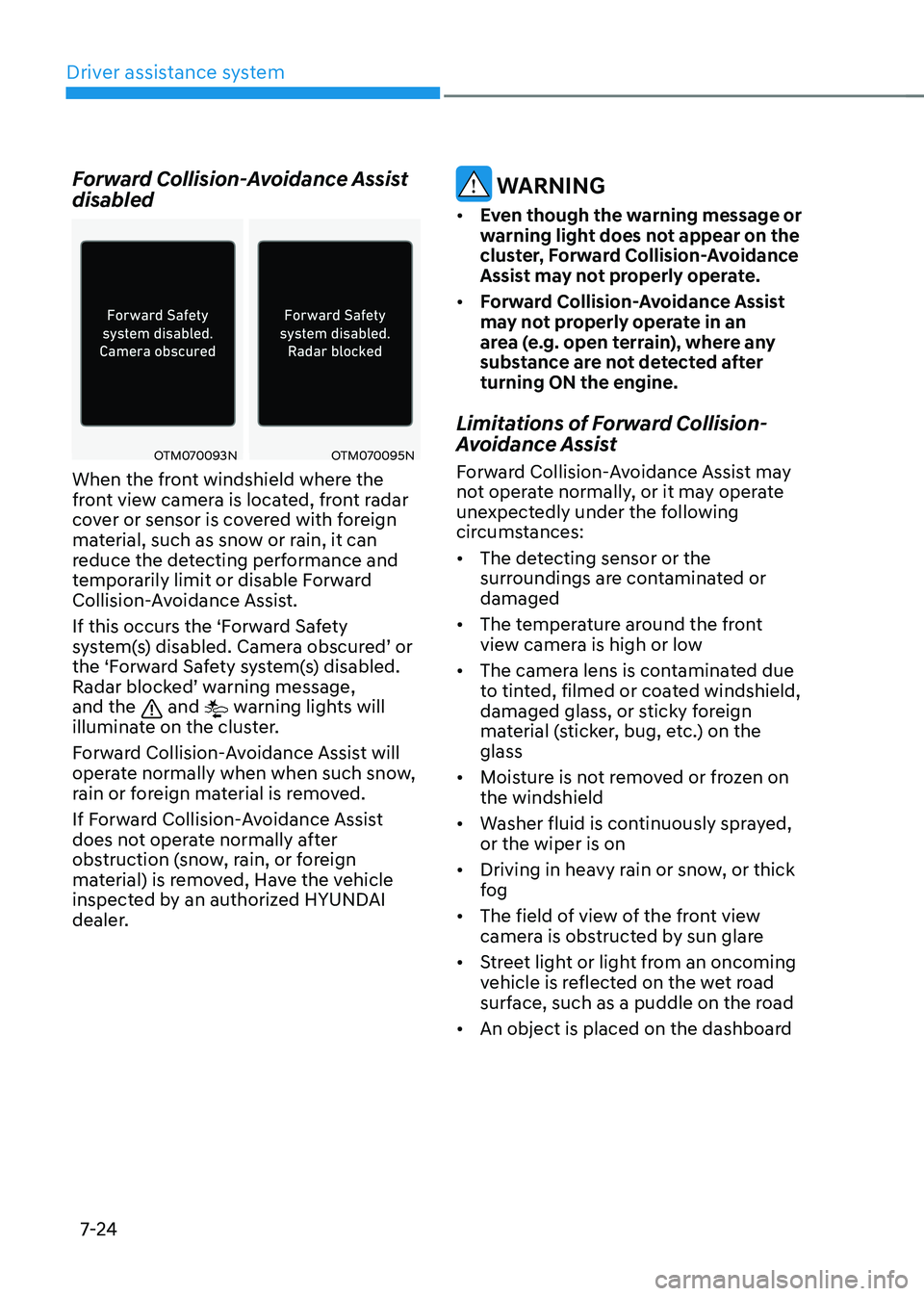
Forward Collision-Avoidance Assist
disabled
OTM070093NOTM070095N
When the front windshield where the
front view camera is located, front radar
cover or sensor is covered with foreign
material, such as snow or rain, it can
reduce the detecting performance and
temporarily limit or disable Forward
Collision-Avoidance Assist.
If this occurs the ‘Forward Safety
system(s) disabled. Camera obscured’ or the ‘Forward Safety system(s) disabled. Radar blocked’ warning message, and the and warning lights will
illuminate on the cluster.
Forward Collision-Avoidance Assist will
operate normally when when such snow,
rain or foreign material is removed.
If Forward Collision-Avoidance Assist
does not operate normally after
obstruction (snow, rain, or foreign
material) is removed, Have the vehicle
inspected by an authorized HYUNDAI
dealer.
WARNING
• Even though the warning message or
warning light does not appear on the
cluster, Forward Collision-Avoidance
Assist may not properly operate.
• Forward Collision-Avoidance Assist
may not properly operate in an
area (e.g. open terrain), where any
substance are not detected after
turning ON the engine.
Limitations of Forward Collision-
Avoidance Assist
Forward Collision-Avoidance Assist may
not operate normally, or it may operate
unexpectedly under the following
circumstances:
• The detecting sensor or the
surroundings are contaminated or
damaged
• The temperature around the front
view camera is high or low
• The camera lens is contaminated due
to tinted, filmed or coated windshield,
damaged glass, or sticky foreign
material (sticker, bug, etc.) on the
glass
• Moisture is not removed or frozen on
the windshield
• Washer fluid is continuously sprayed,
or the wiper is on
• Driving in heavy rain or snow, or thick
fog
• The field of view of the front view
camera is obstructed by sun glare
• Street light or light from an oncoming
vehicle is reflected on the wet road
surface, such as a puddle on the road
• An object is placed on the dashboard