Page 131 of 630
04
4-19
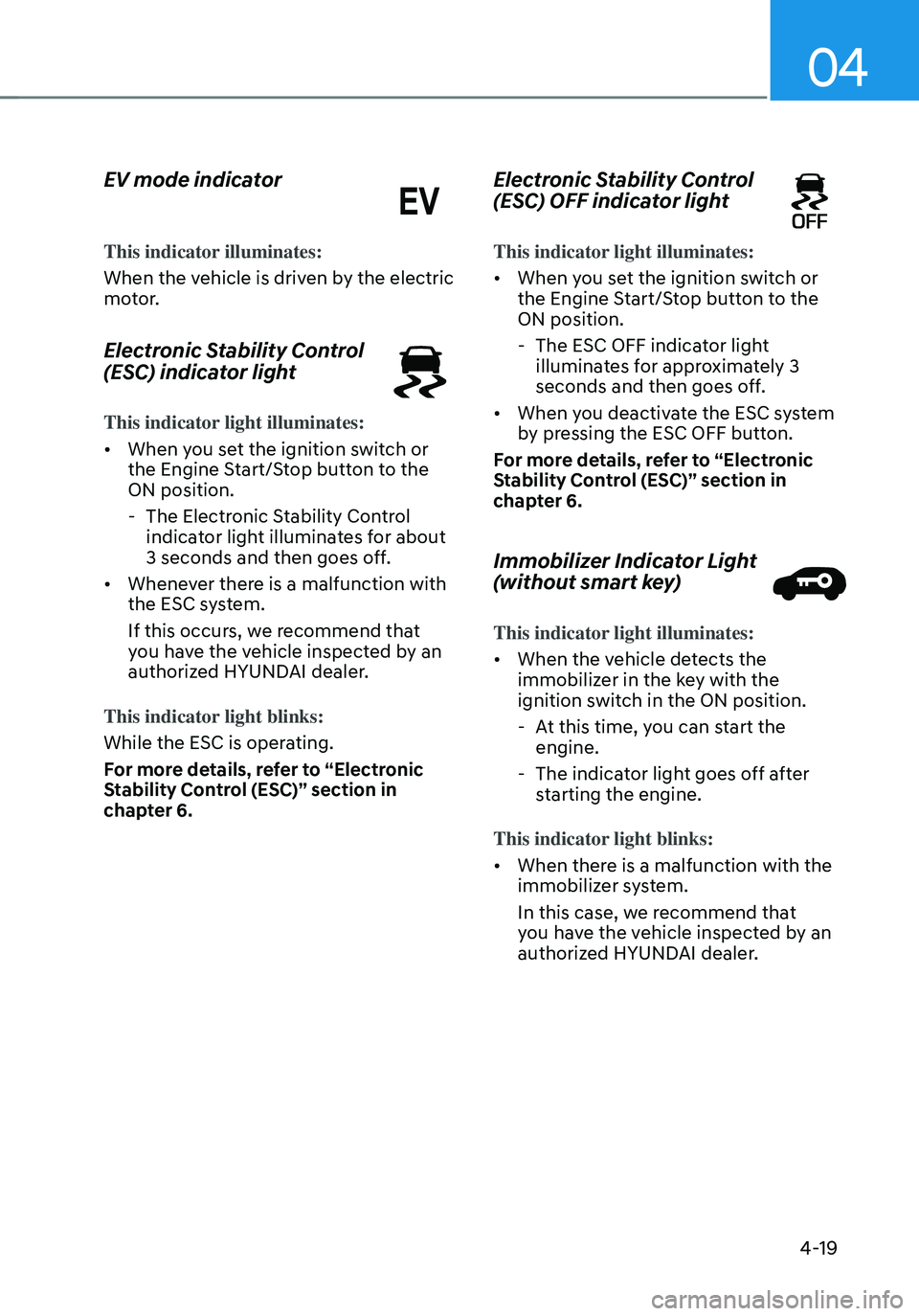
EV mode indicator
This indicator illuminates:
When the vehicle is driven by the electric
motor.
Electronic Stability Control
(ESC) indicator light
This indicator light illuminates:
• When you set the ignition switch or
the Engine Start/Stop button to the
ON position.
-The Electronic Stability Control
indicator light illuminates for about
3 seconds and then goes off.
• Whenever there is a malfunction with
the ESC system.
If this occurs, we recommend that
you have the vehicle inspected by an
authorized HYUNDAI dealer.
This indicator light blinks:
While the ESC is operating.
For more details, refer to “Electronic
Stability Control (ESC)” section in
chapter 6.
Electronic Stability Control
(ESC) OFF indicator light
This indicator light illuminates:
• When you set the ignition switch or
the Engine Start/Stop button to the
ON position.
- The ESC OFF indicator light
illuminates for approximately 3
seconds and then goes off.
• When you deactivate the ESC system
by pressing the ESC OFF button.
For more details, refer to “Electronic
Stability Control (ESC)” section in
chapter 6.
Immobilizer Indicator Light
(without smart key)
This indicator light illuminates:
• When the vehicle detects the
immobilizer in the key with the
ignition switch in the ON position.
- At this time, you can start the
engine.
-The indicator light goes off after
starting the engine.
This indicator light blinks:
• When there is a malfunction with the
immobilizer system.
In this case, we recommend that
you have the vehicle inspected by an
authorized HYUNDAI dealer.
Page 132 of 630
Instrument cluster
4-20
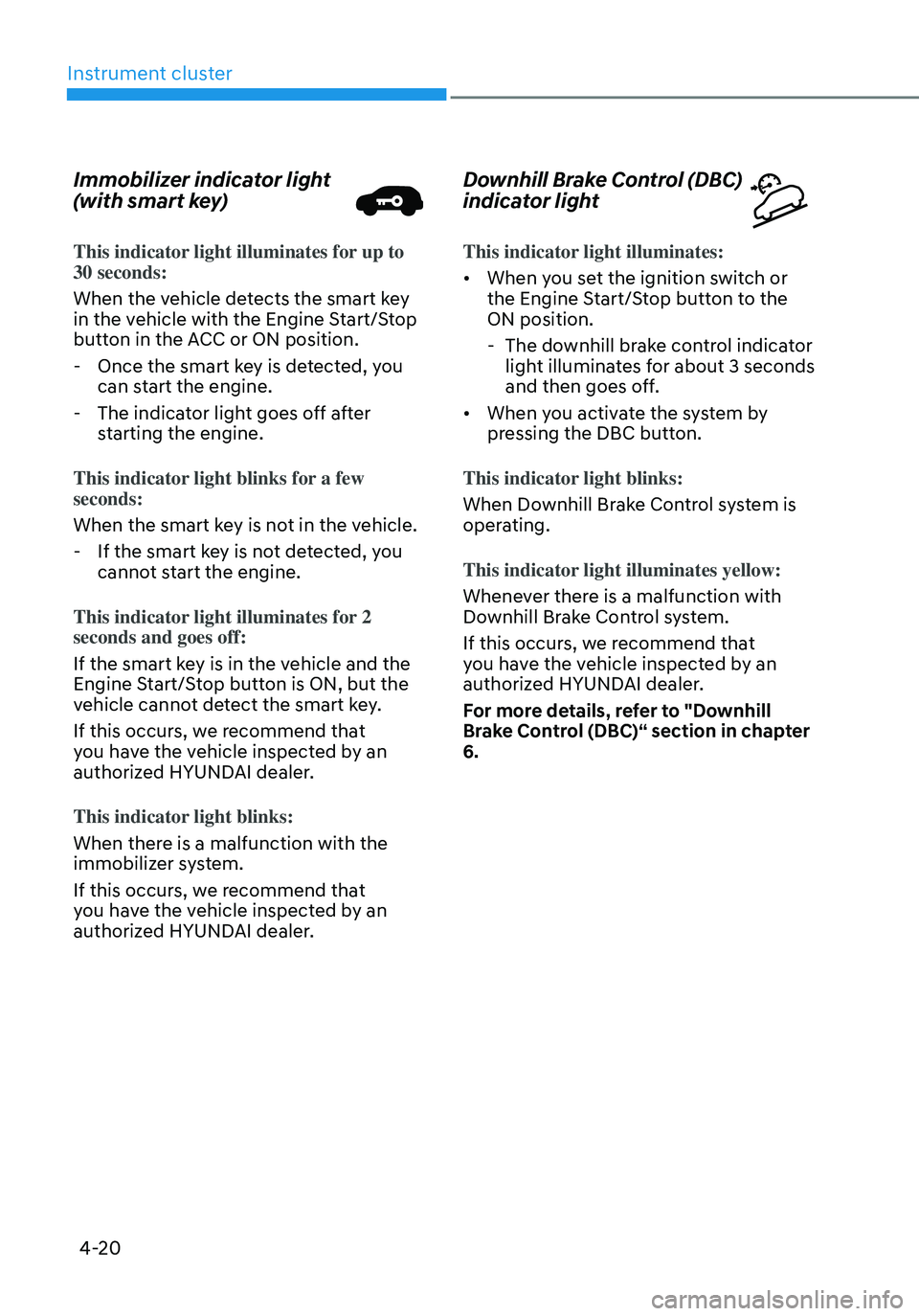
Immobilizer indicator light
(with smart key)
This indicator light illuminates for up to 30 seconds:
When the vehicle detects the smart key
in the vehicle with the Engine Start/Stop
button in the ACC or ON position.
-Once the smart key is detected, you
can start the engine.
-The indicator light goes off after
starting the engine.
This indicator light blinks for a few
seconds:
When the smart key is not in the vehicle.
- If the smart key is not detected, you
cannot start the engine.
This indicator light illuminates for 2
seconds and goes off:
If the smart key is in the vehicle and the
Engine Start/Stop button is ON, but the
vehicle cannot detect the smart key.
If this occurs, we recommend that
you have the vehicle inspected by an
authorized HYUNDAI dealer.
This indicator light blinks:
When there is a malfunction with the
immobilizer system.
If this occurs, we recommend that
you have the vehicle inspected by an
authorized HYUNDAI dealer.
Downhill Brake Control (DBC)
indicator light
This indicator light illuminates:
• When you set the ignition switch or
the Engine Start/Stop button to the
ON position.
- The downhill brake control indicator
light illuminates for about 3 seconds
and then goes off.
• When you activate the system by
pressing the DBC button.
This indicator light blinks:
When Downhill Brake Control system is
operating.
This indicator light illuminates yellow:
Whenever there is a malfunction with
Downhill Brake Control system.
If this occurs, we recommend that
you have the vehicle inspected by an
authorized HYUNDAI dealer.
For more details, refer to "Downhill
Brake Control (DBC)“ section in chapter
6.
Page 133 of 630
04
4-21
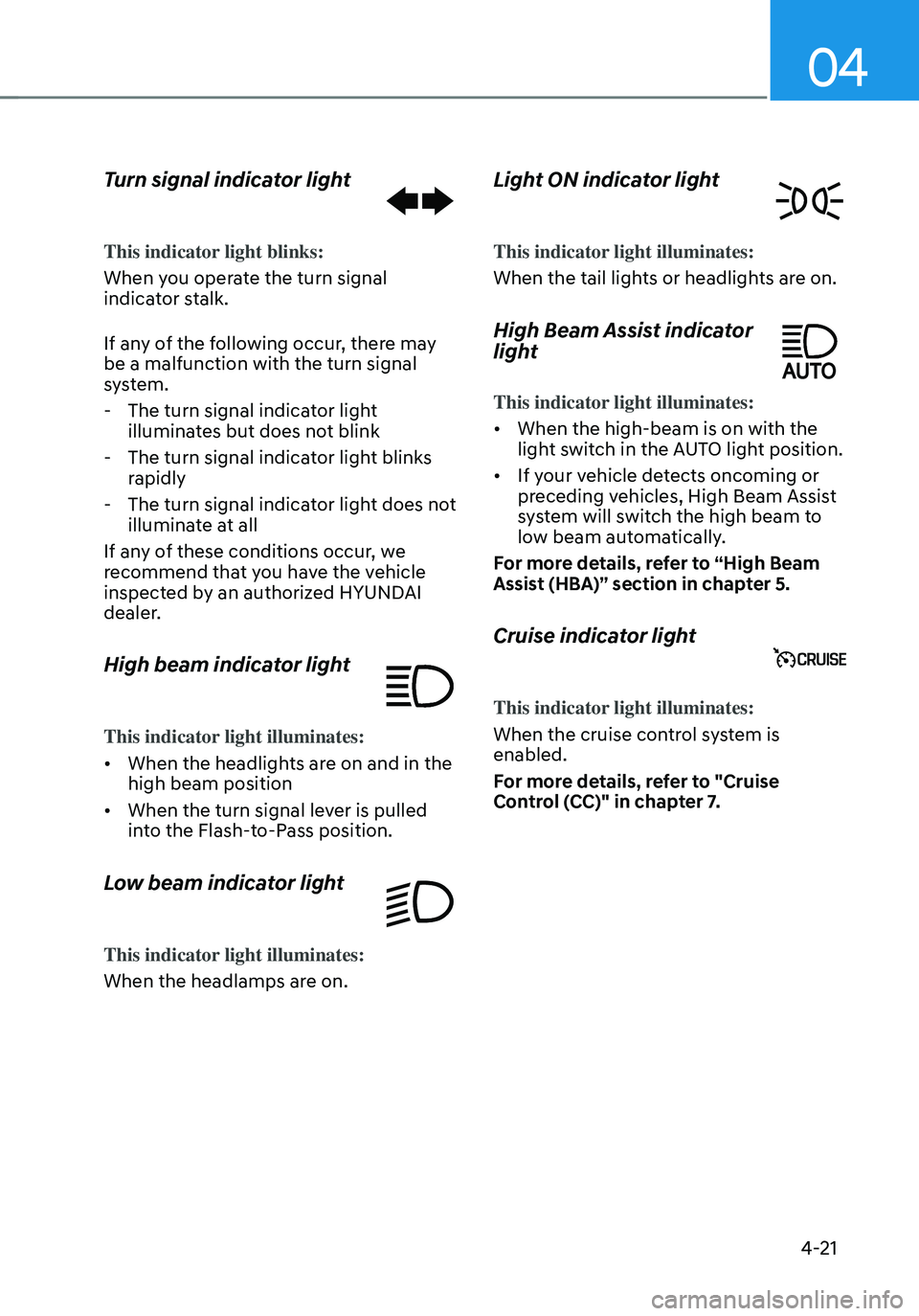
Turn signal indicator light
This indicator light blinks:
When you operate the turn signal
indicator stalk.
If any of the following occur, there may
be a malfunction with the turn signal
system.
-The turn signal indicator light
illuminates but does not blink
-The turn signal indicator light blinks
rapidly
-The turn signal indicator light does not
illuminate at all
If any of these conditions occur, we
recommend that you have the vehicle
inspected by an authorized HYUNDAI
dealer.
High beam indicator light
This indicator light illuminates:
• When the headlights are on and in the
high beam position
• When the turn signal lever is pulled
into the Flash-to-Pass position.
Low beam indicator light
This indicator light illuminates:
When the headlamps are on.
Light ON indicator light
This indicator light illuminates:
When the tail lights or headlights are on.
High Beam Assist indicator
light
This indicator light illuminates:
• When the high-beam is on with the
light switch in the AUTO light position.
• If your vehicle detects oncoming or
preceding vehicles, High Beam Assist
system will switch the high beam to
low beam automatically.
For more details, refer to “High Beam
Assist (HBA)” section in chapter 5.
Cruise indicator light
This indicator light illuminates:
When the cruise control system is
enabled.
For more details, refer to "Cruise
Control (CC)" in chapter 7.
Page 134 of 630
Instrument cluster
4-22
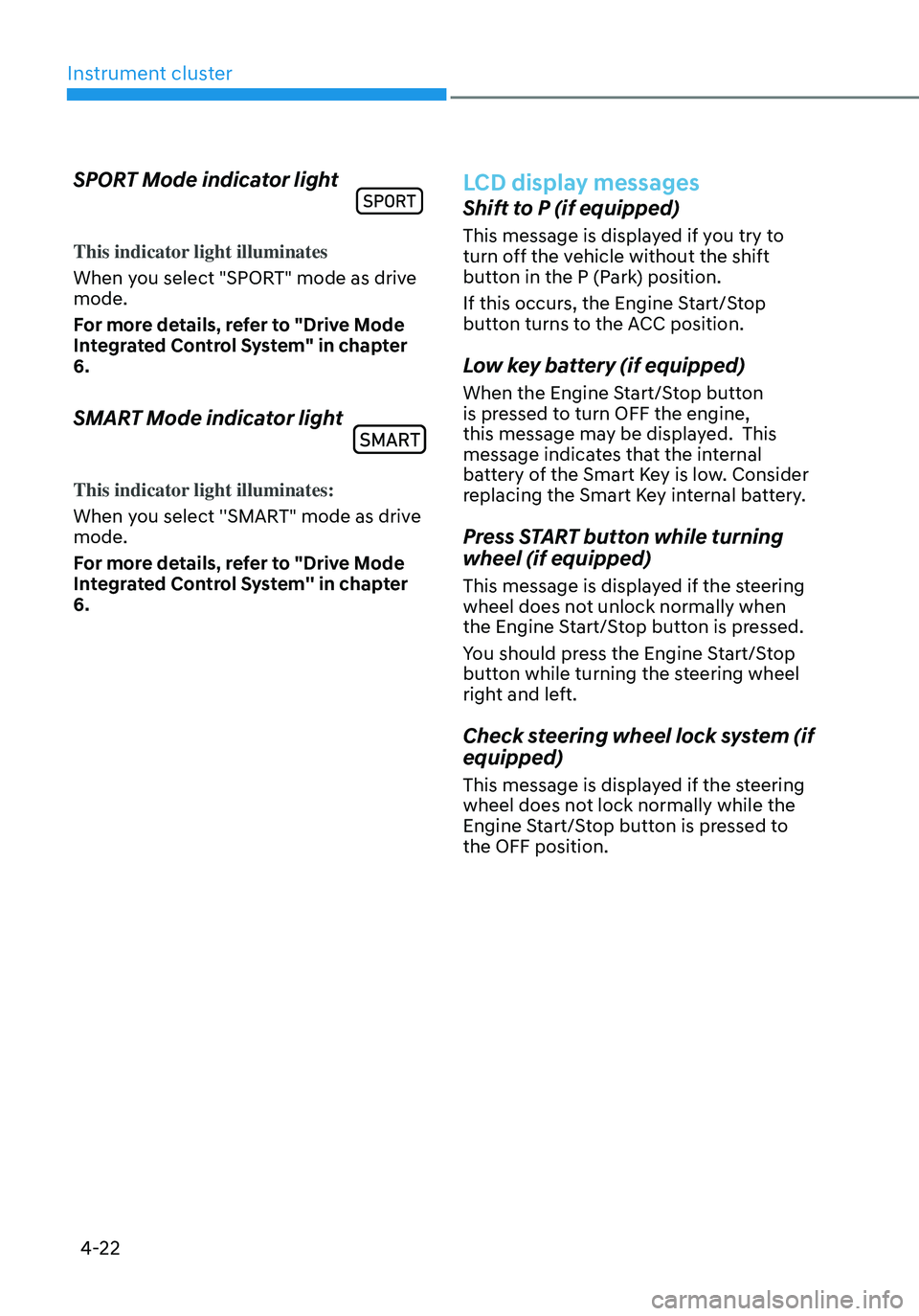
SPORT Mode indicator light
This indicator light illuminates
When you select "SPORT" mode as drive
mode.
For more details, refer to "Drive Mode
Integrated Control System" in chapter
6.
SMART Mode indicator light
This indicator light illuminates:
When you select ''SMART" mode as drive
mode.
For more details, refer to "Drive Mode
Integrated Control System'' in chapter
6.
LCD display messages
Shift to P (if equipped)
This message is displayed if you try to
turn off the vehicle without the shift
button in the P (Park) position.
If this occurs, the Engine Start/Stop
button turns to the ACC position.
Low key battery (if equipped)
When the Engine Start/Stop button
is pressed to turn OFF the engine,
this message may be displayed. This
message indicates that the internal
battery of the Smart Key is low. Consider
replacing the Smart Key internal battery.
Press START button while turning
wheel (if equipped)
This message is displayed if the steering
wheel does not unlock normally when
the Engine Start/Stop button is pressed.
You should press the Engine Start/Stop
button while turning the steering wheel
right and left.
Check steering wheel lock system (if
equipped)
This message is displayed if the steering
wheel does not lock normally while the
Engine Start/Stop button is pressed to
the OFF position.
Page 136 of 630
Instrument cluster
4-24
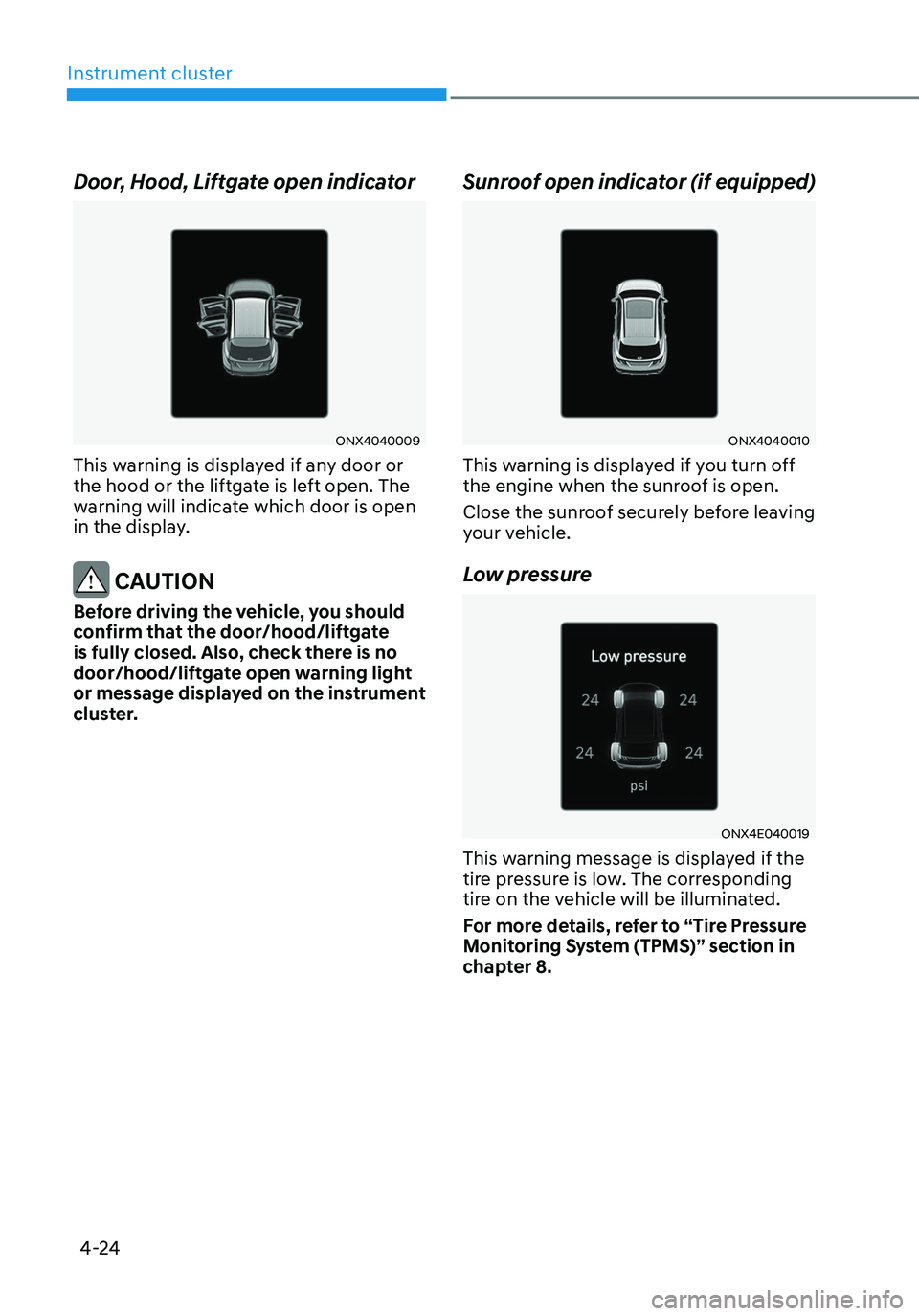
Door, Hood, Liftgate open indicator
ONX4040009
This warning is displayed if any door or
the hood or the liftgate is left open. The
warning will indicate which door is open
in the display.
CAUTION
Before driving the vehicle, you should
confirm that the door/hood/liftgate
is fully closed. Also, check there is no
door/hood/liftgate open warning light
or message displayed on the instrument
cluster.
Sunroof open indicator (if equipped)
ONX4040010
This warning is displayed if you turn off
the engine when the sunroof is open.
Close the sunroof securely before leaving
your vehicle.
Low pressure
ONX4E040019
This warning message is displayed if the
tire pressure is low. The corresponding
tire on the vehicle will be illuminated.
For more details, refer to “Tire Pressure
Monitoring System (TPMS)” section in
chapter 8.
Page 137 of 630

04
4-25
Wiper/Lights display
„„Wiper„„Lights
OJX1049008LOJX1049007L
• This indicator displays which wiper
speed is selected using the wiper
control.
• This indicator displays which exterior
light is selected using the lighting
control.
You can activate or deactivate Wiper/
Lights display function from the User
Settings menu in the cluster LCD display.
- Setup → User settings → Cluster →
Wiper/Lights display
Low washer fluid (if equipped)
This message is displayed if the washer
fluid level in the reservoir is nearly empty.
Have the washer fluid reservoir refilled.
Low fuel
This message is displayed if the fuel tank
is almost out of fuel.
When this message is displayed, the low
fuel level warning light in the cluster will
come on.
It is recommended to look for the nearest
fueling station and refuel as soon as
possible.
NOTICE
Do not drive the vehicle with low fuel.
Hybrid battery damage may occur
when the fuel tank is completely empty.
Engine has overheated
This message is displayed when the
engine coolant temperature is above
248°F (120°C). This means that the
engine is overheated and may be
damaged.
If your vehicle is overheated, refer to
“Overheating” section in chapter 8.
Check exhaust system (if equipped)
This message is displayed if there is a
problem with the GPF system. At this
time, the GPF warning light will also
blink. If this occurs, we recommend that
you have the GPF system checked by an
authorized HYUNDAI dealer.
GPF : Gasoline Particulate Filter
Check headlight (if equipped)
This message is displayed if the
headlights are not operating properly. A
headlight bulb may need to be replaced.
Make sure to replace the burned out
bulb with a new one of the same wattage
rating.
Check turn signal (if equipped)
This message is displayed if the turn
signal lamps are not operating properly.
A lamp may need to be replaced.
Make sure to replace the burned out
bulb with a new one of the same wattage
rating.
Check brake light (if equipped)
This message is displayed if the stop
lamps are not operating properly. A lamp
may need to be replaced.
Make sure to replace the burned out
bulb with a new one of the same wattage
rating.
Page 141 of 630
04
4-29
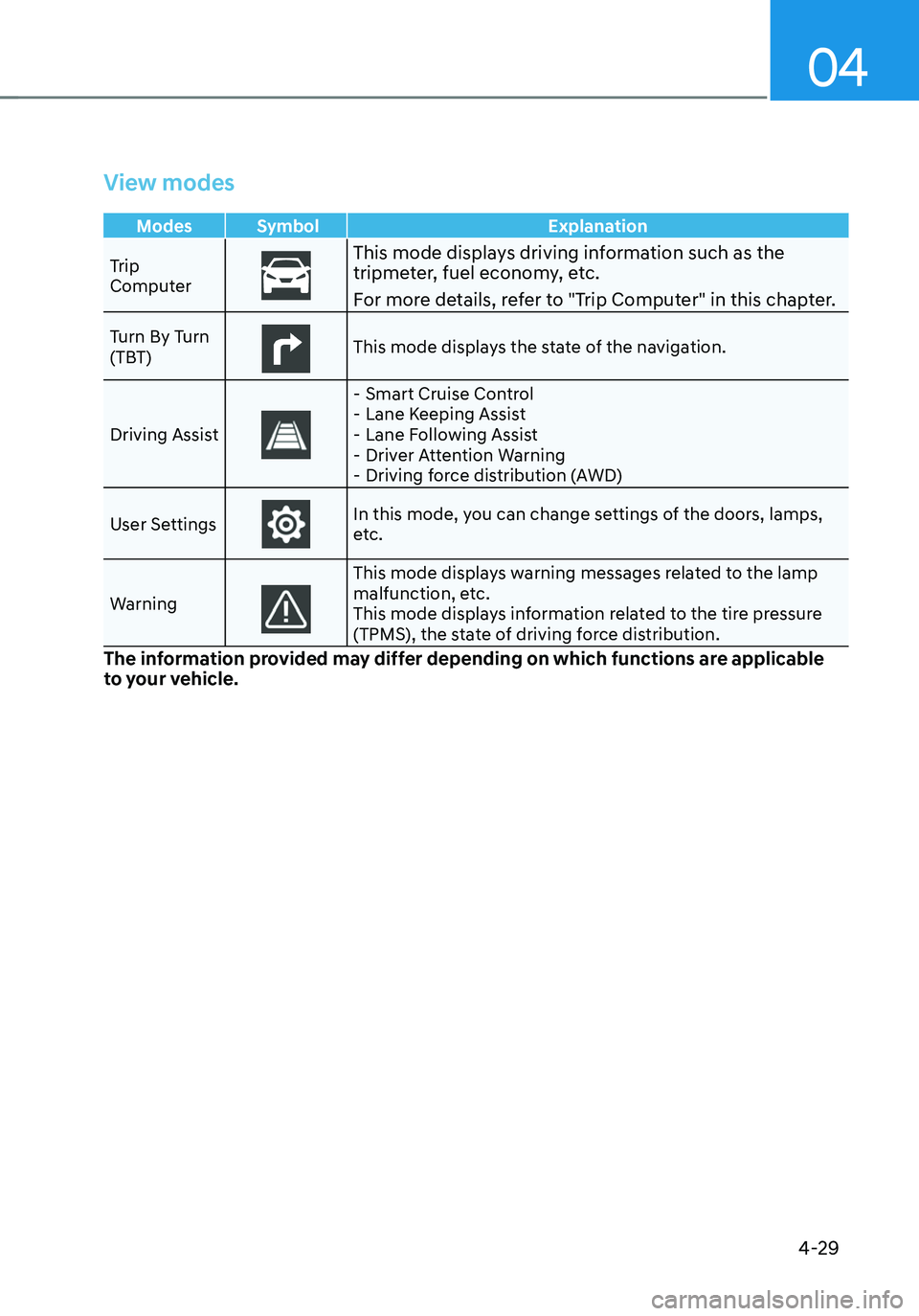
View modes
Modes Symbol Explanation
Trip
Computer
This mode displays driving information such as the tripmeter, fuel economy, etc.
For more details, refer to "Trip Computer" in this chapter.
Turn By Turn
(TBT)This mode displays the state of the navigation.
Driving Assist
- Smart Cruise Control -Lane Keeping Assist -Lane Following Assist -Driver Attention Warning -Driving force distribution (AWD)
User Settings
In this mode, you can change settings of the doors, lamps,
etc.
Warning
This mode displays warning messages related to the lamp
malfunction, etc.
This mode displays information related to the tire pressure
(TPMS), the state of driving force distribution.
The information provided may differ depending on which functions are applicable
to your vehicle.
Page 142 of 630
4-30
Instrument cluster
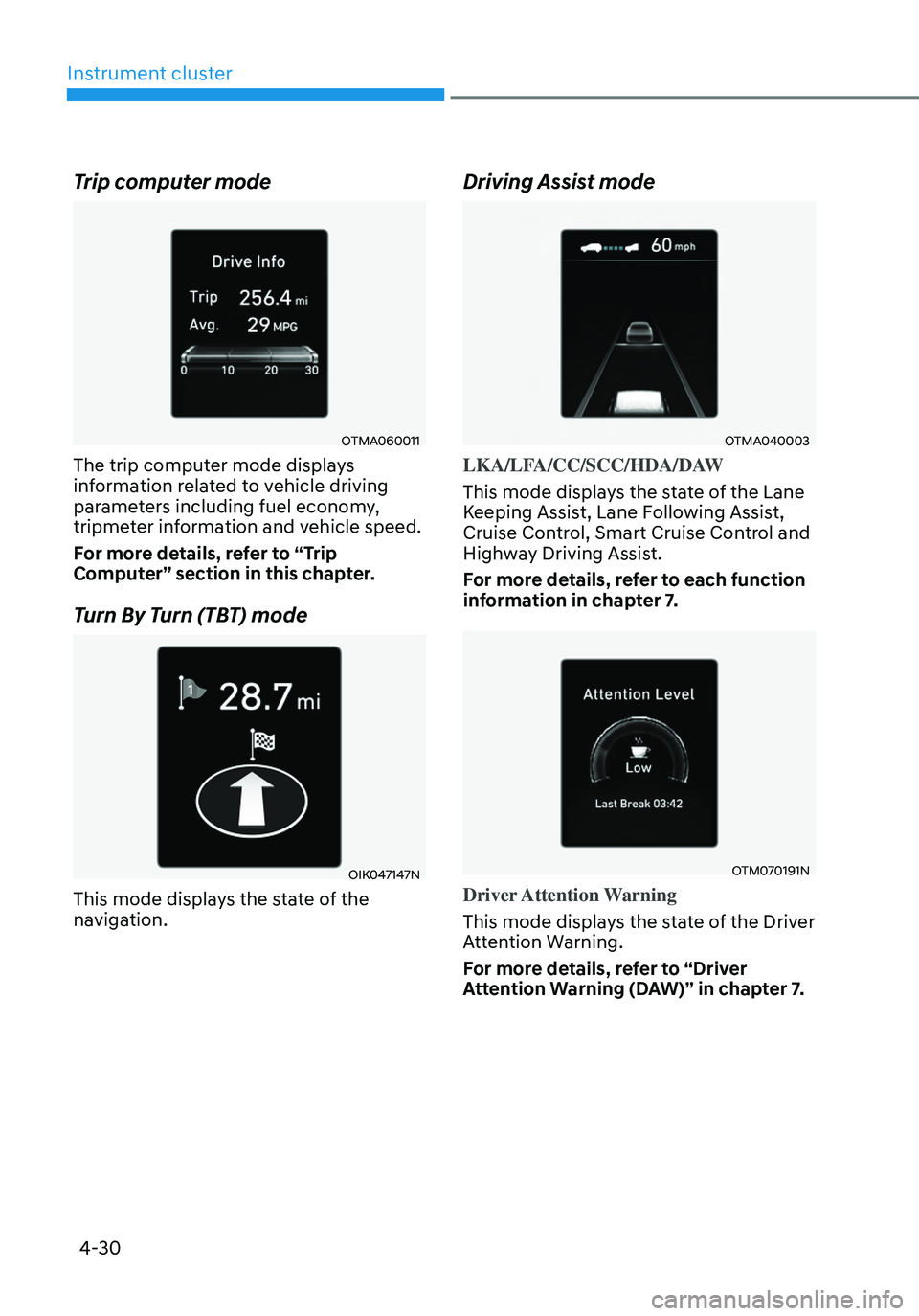
Trip computer mode
OTMA060011
The trip computer mode displays
information related to vehicle driving
parameters including fuel economy,
tripmeter information and vehicle speed.
For more details, refer to “Trip
Computer” section in this chapter.
Turn By Turn (TBT) mode
OIK047147N
This mode displays the state of the
navigation.
Driving Assist mode
OTMA040003
LKA/LFA/CC/SCC/HDA/DAW
This mode displays the state of the Lane
Keeping Assist, Lane Following Assist,
Cruise Control, Smart Cruise Control and
Highway Driving Assist.
For more details, refer to each function
information in chapter 7.
OTM070191N
Driver Attention Warning
This mode displays the state of the Driver
Attention Warning.
For more details, refer to “Driver
Attention Warning (DAW)” in chapter 7.