2022 HYUNDAI TUCSON HYBRID park assist
[x] Cancel search: park assistPage 295 of 630
Driving your vehicle
6-8
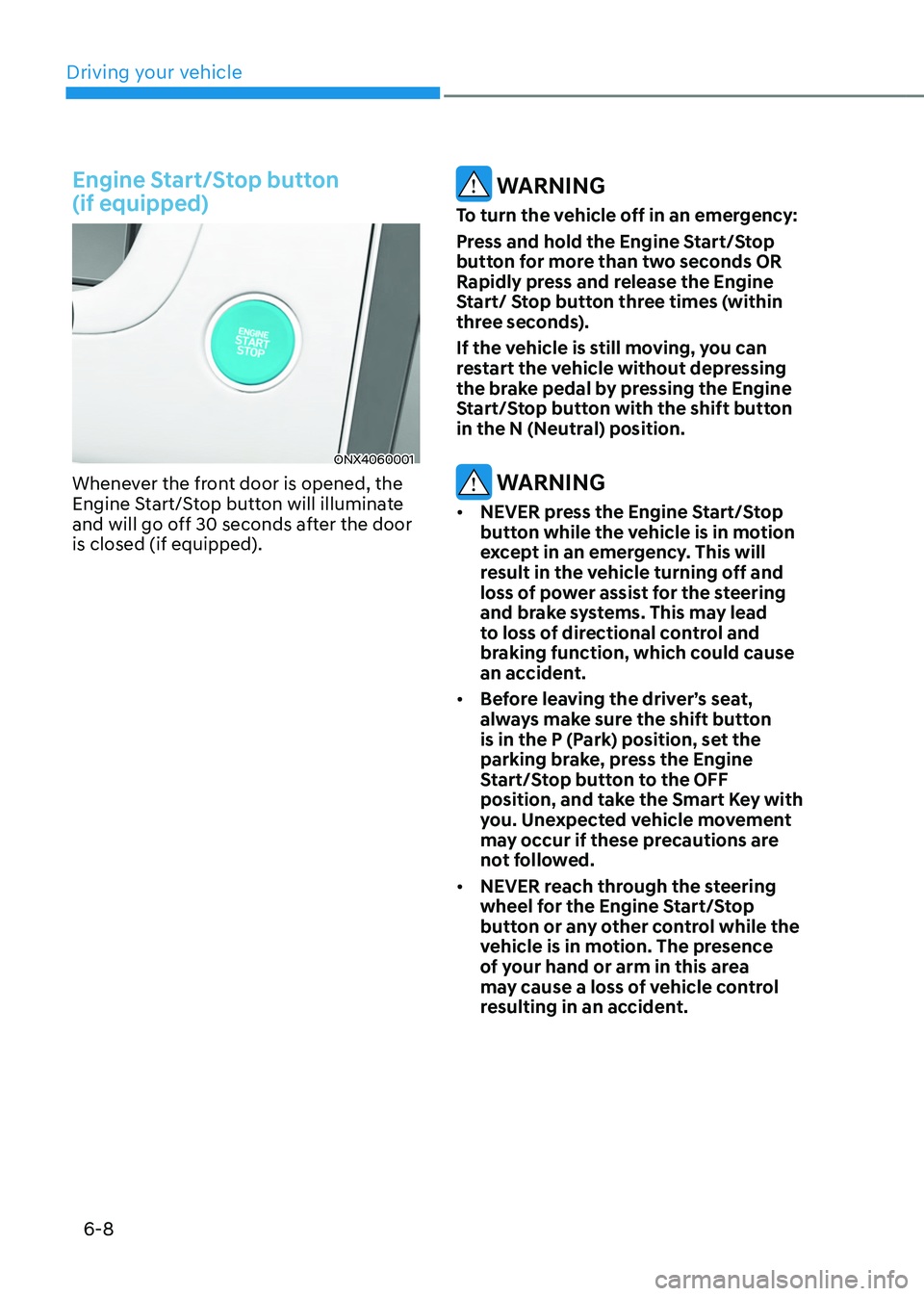
Engine Start/Stop button
(if equipped)
ONX4060001
Whenever the front door is opened, the
Engine Start/Stop button will illuminate
and will go off 30 seconds after the door
is closed (if equipped).
WARNING
To turn the vehicle off in an emergency:
Press and hold the Engine Start/Stop
button for more than two seconds OR
Rapidly press and release the Engine
Start/ Stop button three times (within
three seconds).
If the vehicle is still moving, you can
restart the vehicle without depressing
the brake pedal by pressing the Engine
Start/Stop button with the shift button
in the N (Neutral) position.
WARNING
• NEVER press the Engine Start/Stop
button while the vehicle is in motion
except in an emergency. This will
result in the vehicle turning off and
loss of power assist for the steering
and brake systems. This may lead
to loss of directional control and
braking function, which could cause
an accident.
• Before leaving the driver’s seat,
always make sure the shift button
is in the P (Park) position, set the
parking brake, press the Engine
Start/Stop button to the OFF
position, and take the Smart Key with
you. Unexpected vehicle movement
may occur if these precautions are
not followed.
• NEVER reach through the steering
wheel for the Engine Start/Stop
button or any other control while the
vehicle is in motion. The presence
of your hand or arm in this area
may cause a loss of vehicle control
resulting in an accident.
Page 312 of 630
06
6-25
Information
• A clicking sound may be heard while
operating or releasing the EPB. These
conditions are normal and indicate that
the EPB is functioning properly.
• When leaving your keys with a parking
attendant or assistant, make sure to
inform him/her how to operate the
EPB.
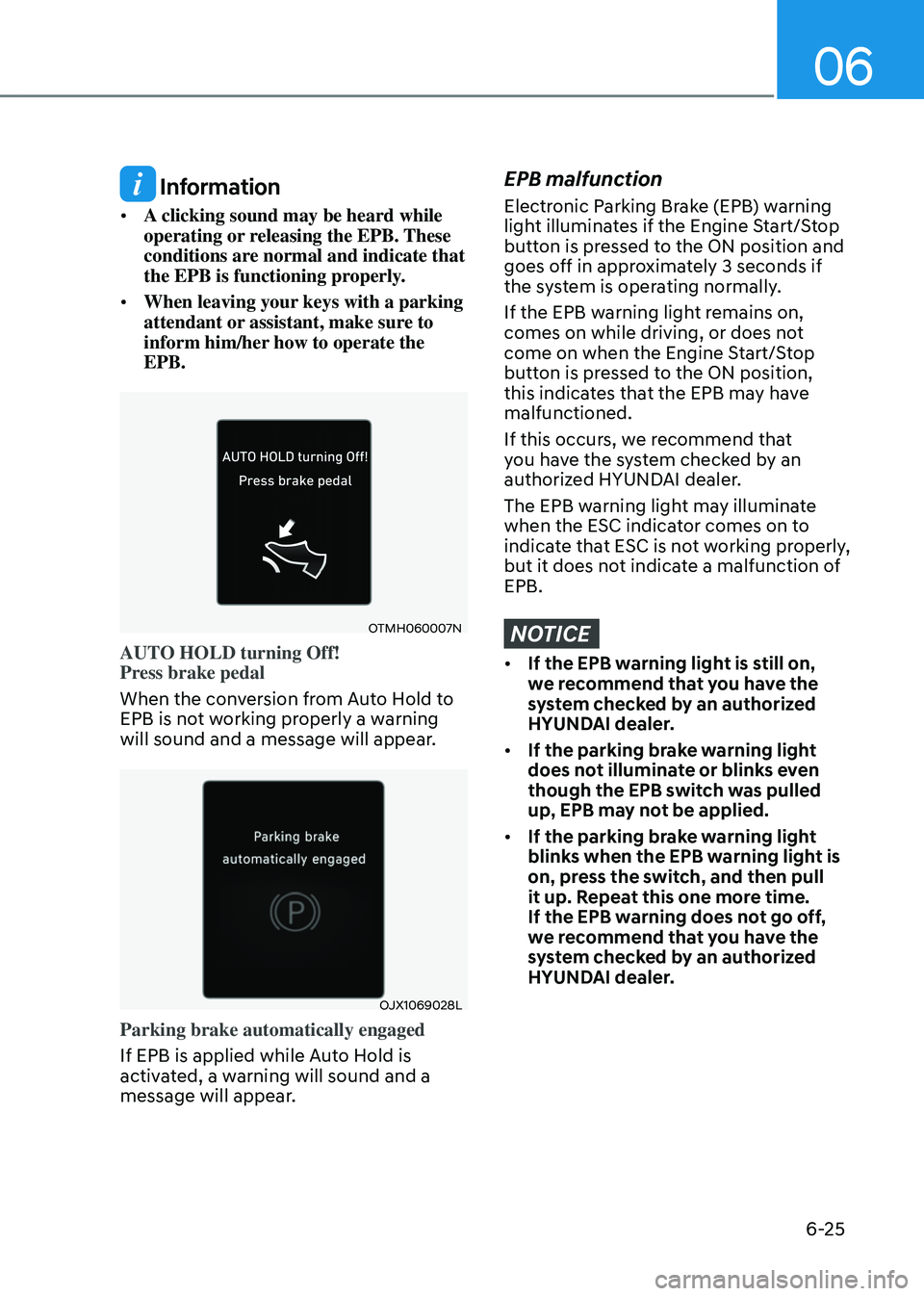
OTMH060007N
AUTO HOLD turning Off!
Press brake pedal
When the conversion from Auto Hold to
EPB is not working properly a warning
will sound and a message will appear.
OJX1069028L
Parking brake automatically engaged
If EPB is applied while Auto Hold is
activated, a warning will sound and a
message will appear.
EPB malfunction
Electronic Parking Brake (EPB) warning
light illuminates if the Engine Start/Stop
button is pressed to the ON position and
goes off in approximately 3 seconds if
the system is operating normally.
If the EPB warning light remains on,
comes on while driving, or does not
come on when the Engine Start/Stop
button is pressed to the ON position,
this indicates that the EPB may have
malfunctioned.
If this occurs, we recommend that
you have the system checked by an
authorized HYUNDAI dealer.
The EPB warning light may illuminate
when the ESC indicator comes on to
indicate that ESC is not working properly,
but it does not indicate a malfunction of
EPB.
NOTICE
• If the EPB warning light is still on,
we recommend that you have the
system checked by an authorized
HYUNDAI dealer.
• If the parking brake warning light
does not illuminate or blinks even
though the EPB switch was pulled
up, EPB may not be applied.
• If the parking brake warning light
blinks when the EPB warning light is
on, press the switch, and then pull
it up. Repeat this one more time.
If the EPB warning does not go off,
we recommend that you have the
system checked by an authorized
HYUNDAI dealer.
Page 314 of 630
06
6-27
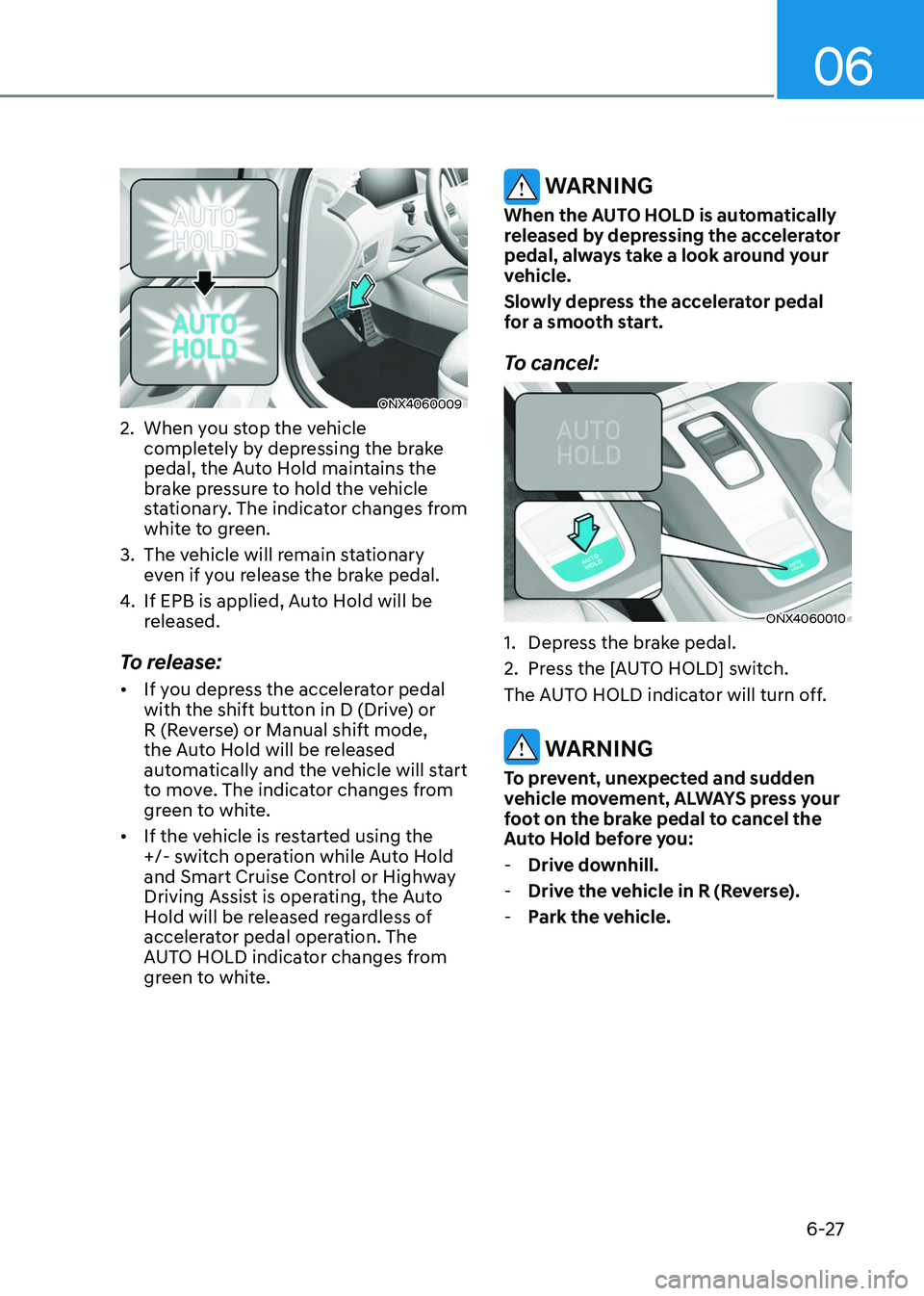
ONX4060009
2. When you stop the vehicle
completely by depressing the brake
pedal, the Auto Hold maintains the
brake pressure to hold the vehicle
stationary. The indicator changes from
white to green.
3.
The vehicle will r
emain stationary
even if you release the brake pedal.
4.
If EPB is applied, Aut
o Hold will be
released.
To release:
• If you depress the accelerator pedal
with the shift button in D (Drive) or
R (Reverse) or Manual shift mode,
the Auto Hold will be released
automatically and the vehicle will start
to move. The indicator changes from
green to white.
• If the vehicle is restarted using the
+/- switch operation while Auto Hold
and Smart Cruise Control or Highway
Driving Assist is operating, the Auto
Hold will be released regardless of
accelerator pedal operation. The
AUTO HOLD indicator changes from
green to white.
WARNING
When the AUTO HOLD is automatically
released by depressing the accelerator
pedal, always take a look around your
vehicle.
Slowly depress the accelerator pedal
for a smooth start.
To cancel:
ONX4060010
1. Depress the brake pedal.
2.
Press the [A
UTO HOLD] switch.
The AUTO HOLD indicator will turn off.
WARNING
To prevent, unexpected and sudden
vehicle movement, ALWAYS press your
foot on the brake pedal to cancel the
Auto Hold before you:
- Drive do
wnhill.
-Drive the v
ehicle in R (Reverse).
-Park the v
ehicle.
Page 322 of 630
06
6-35
VSM OFF condition
To cancel VSM operation, press the ESC
OFF button. ESC OFF indicator light (
)
will illuminate.
To turn on VSM, press the ESC OFF
button again. The ESC OFF indicator light
will go out.
WARNING
If the ESC indicator light () or EPS
warning light () stays illuminated
or blinks, your vehicle may have a
malfunction with the VSM system.
When the warning light illuminates
we recommend that the vehicle be
checked by an authorized HYUNDAI
dealer as soon as possible.
NOTICE
Driving with wheels and tires with
different sizes may cause the VSM
system to malfunction. Before replacing
tires, make sure all four tires and wheels
are the same size. Never drive the
vehicle with different sized tires and
wheels installed.
Hill-Start Assist Control (HAC)
Hill-Start Assist Control helps prevent
the vehicle from rolling backwards
when starting a vehicle from a stop
on a hill. The system operates the
brakes automatically for approximately
2 seconds and releases when the
accelerator pedal is depressed.
WARNING
Always be ready to depress the
accelerator pedal when starting off
an incline. The HAC activates only for
approximately 2 seconds.
Information
• HAC does not operate when the shift
button is in P (Park) or N (Neutral).
• HAC activates even when the ESC
(Electronic Stability Control) is off.
However, it does not activate, when
ESC does not operate normally.
Page 326 of 630
06
6-39
Good braking practices
WARNING
Whenever leaving the vehicle or
parking, always come to a complete
stop and continue to depress the brake
pedal. Move the shift button into the P
(Park) position, then apply the parking
brake, and set the ignition switch in the
LOCK/OFF position.
Vehicles parked with the parking brake
not applied or not fully engaged may
roll inadvertently and may cause injury
to the driver and others. ALWAYS apply
the parking brake before exiting the
vehicle.Wet brakes can be dangerous! The
brakes may get wet if the vehicle is
driven through standing water or if it
is washed. Your vehicle will not stop as
quickly if the brakes are wet. Wet brakes
may cause the vehicle to pull to one side.
To dry the brakes, apply the brakes
lightly until the braking action returns to
normal. If the braking action does not
return to normal, stop as soon as it is safe
to do so and we recommend that you
call an authorized HYUNDAI dealer for
assistance.
DO NOT drive with your foot resting on
the brake pedal. Even light, but constant
pedal pressure can result in the brakes
overheating, brake wear, and possibly
even brake failure.
If a tire goes flat while you are driving,
apply the brakes gently and keep the
vehicle pointed straight ahead while you
slow down. When you are moving slowly
enough for it to be safe to do so, pull off
the road and stop in a safe location.
Keep your foot firmly on the brake pedal
when the vehicle is stopped to prevent
the vehicle from rolling forward.
Page 360 of 630
Driving SafetyForward Collision–Avoidance Assist (FCA) (Front view camera only) ...................7-2
F orward Collision–Avoidance Assist (FCA) (Sensor fusion) .................................. 7
-14
Lane Keeping Assist (LKA)
........................................................................\
.............. 7
-30
Blind-Spot Collision-Avoidance Assist (BCA)
......................................................... 7
-36
Safe Exit Warning (SEW)
........................................................................\
................. 7
-50
Manual Speed Limit Assist (MSLA)
........................................................................\
. 7-56
In
telligent Speed Limit Assist (ISLA)
...................................................................... 7
-59
Driver Attention Warning (DAW)
........................................................................\
.... 7
-64
Blind-Spot View Monitor (BVM)
........................................................................\
...... 7
-7 0
Driving ConvenienceCruise Control (CC) ........................................................................\
..........................7-7 2
Smart Cruise Control (SCC) ........................................................................\
............ 7
-76
Navigation-Based Smart Cruise Control (NSCC)
.................................................. 7
-93
Lane Following Assist (LFA)
........................................................................\
.......... 7
-100
Highway Driving Assist (HDA)
........................................................................\
....... 7
-104
Parking SafetyRear View Monitor (RVM) ........................................................................\
................7- 111
Surround View Monitor (SVM) ........................................................................\
....... 7
-115
Rear Cross-Traffic Collision-Avoidance Assist (RCCA)
.......................................... 7
-121
Reverse Parking Distance Warning (PDW)
............................................................ 7
-132
Forward/Reverse Parking Distance Warning (PDW)
............................................ 7
-135
Reverse Parking Collision-Avoidance Assist (PCA)
............................................. 7
-140
Remote Smart Parking Assist (RSPA) ....................................................................7-148
Declaration of conformity ........................................................................\
...... 7- 161
7. Driver assistance system
Driver assistance system
7
Page 365 of 630
Driver assistance system
7-6
ONX4E070003
Stopping vehicle and ending brake control
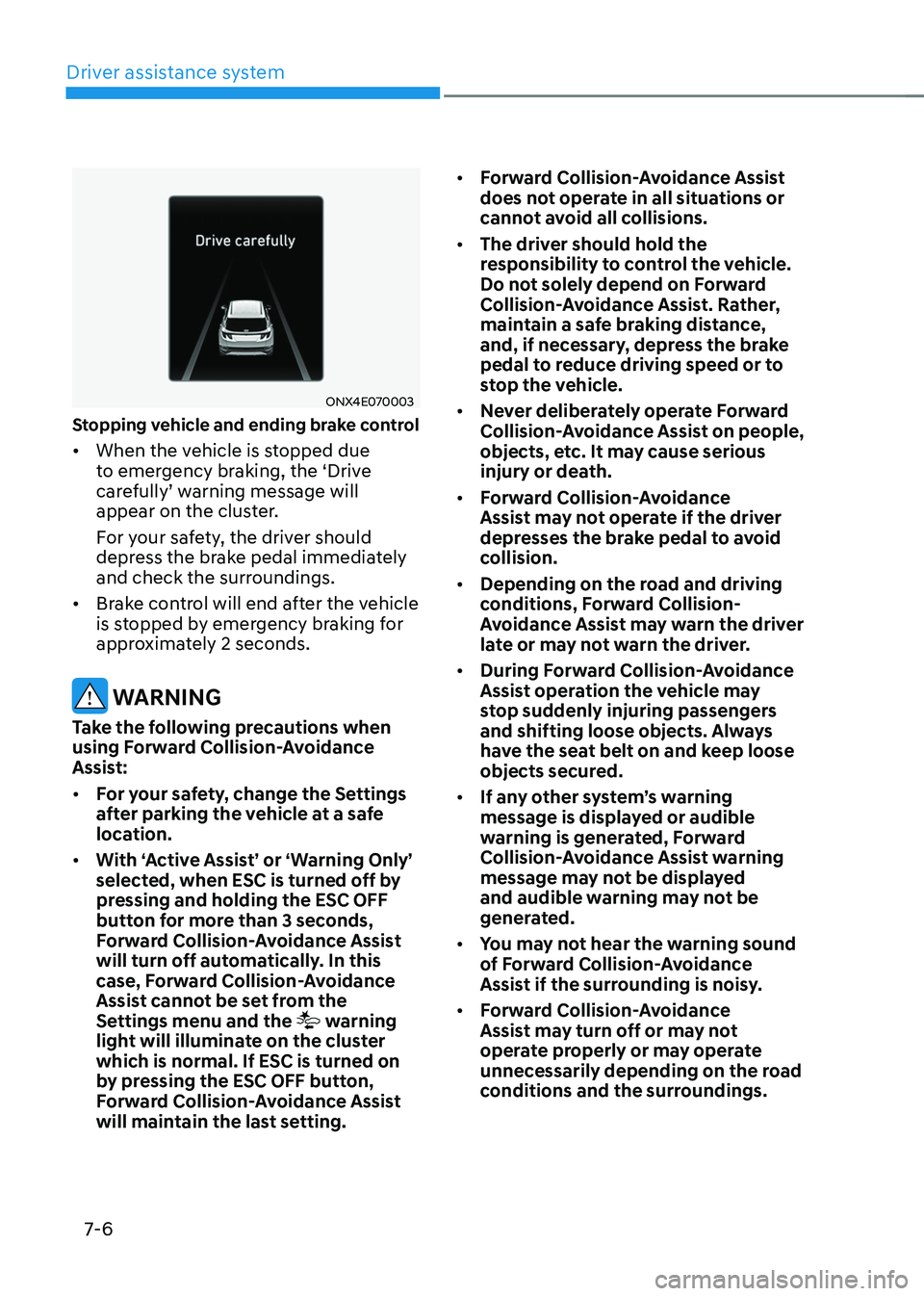
• When the vehicle is stopped due
to emergency braking, the ‘Drive
carefully’
w
arning
message will appear on the clust
er.
For your safety, the driver should
depress the brake pedal immediately
and check the surroundings.
• Brake control will end after the vehicle
is stopped by emergency braking for
approximately 2 seconds.
WARNING
Take the following precautions when
using Forward Collision-Avoidance
Assist:
• For your safety, change the Settings
after parking the vehicle at a safe
location.
• With ‘Active Assist’ or ‘Warning Only’
selected, when ESC is turned off by
pressing and holding the ESC OFF
button for more than 3 seconds,
Forward Collision-Avoidance Assist
will turn off automatically. In this
case, Forward Collision-Avoidance
Assist cannot be set from the
Settings menu and the
warning
light will illuminate on the cluster
which is normal. If ESC is turned on
by pressing the ESC OFF button,
Forward Collision-Avoidance Assist
will maintain the last setting. •
Forward Collision-Avoidance Assist
does not operate in all situations or
cannot avoid all collisions.
• The driver should hold the
responsibility to control the vehicle.
Do not solely depend on Forward
Collision-Avoidance Assist. Rather,
maintain a safe braking distance,
and, if necessary, depress the brake
pedal to reduce driving speed or to
stop the vehicle.
• Never deliberately operate Forward
Collision-Avoidance Assist on people,
objects, etc. It may cause serious
injury or death.
• Forward Collision-Avoidance
Assist may not operate if the driver
depresses the brake pedal to avoid
collision.
• Depending on the road and driving
conditions, Forward Collision-
Avoidance Assist may warn the driver
late or may not warn the driver.
• During Forward Collision-Avoidance
Assist operation the vehicle may
stop suddenly injuring passengers
and shifting loose objects. Always
have the seat belt on and keep loose
objects secured.
• If any other system’s warning
message is displayed or audible
warning is generated, Forward
Collision-Avoidance Assist warning
message may not be displayed
and audible warning may not be
generated.
• You may not hear the warning sound
of Forward Collision-Avoidance
Assist if the surrounding is noisy.
• Forward Collision-Avoidance
Assist may turn off or may not
operate properly or may operate
unnecessarily depending on the road
conditions and the surroundings.
Page 369 of 630
Driver assistance system
7-10
• There is a group of pedestrians,
cyclists or a large crowd in front
• The pedestrian or cyclist is wearing
clothing that easily blends into the
background, making it difficult to
detect
• The pedestrian or cyclist is difficult to
distinguish from the similar shaped
structure in the surroundings
• You are driving by a pedestrian,
cyclist, traffic sign, structure, etc. near
the intersection
• Driving in a parking lot
• Driving through a tollgate,
construction area, unpaved road,
partial paved road, uneven road,
speed bumps, etc.
• Driving on an incline road, curved
road, etc.
• Driving through a roadside with trees
or streetlights
• The adverse road conditions cause
excessive vehicle vibrations while
driving
• Your vehicle height is low or high
due to heavy loads, abnormal tire
pressure, etc.
• Driving through a narrow road where
trees or grass are overgrown
• There is interference by
electromagnetic waves, such as
driving in an area with strong radio
waves or electrical noise WARNING
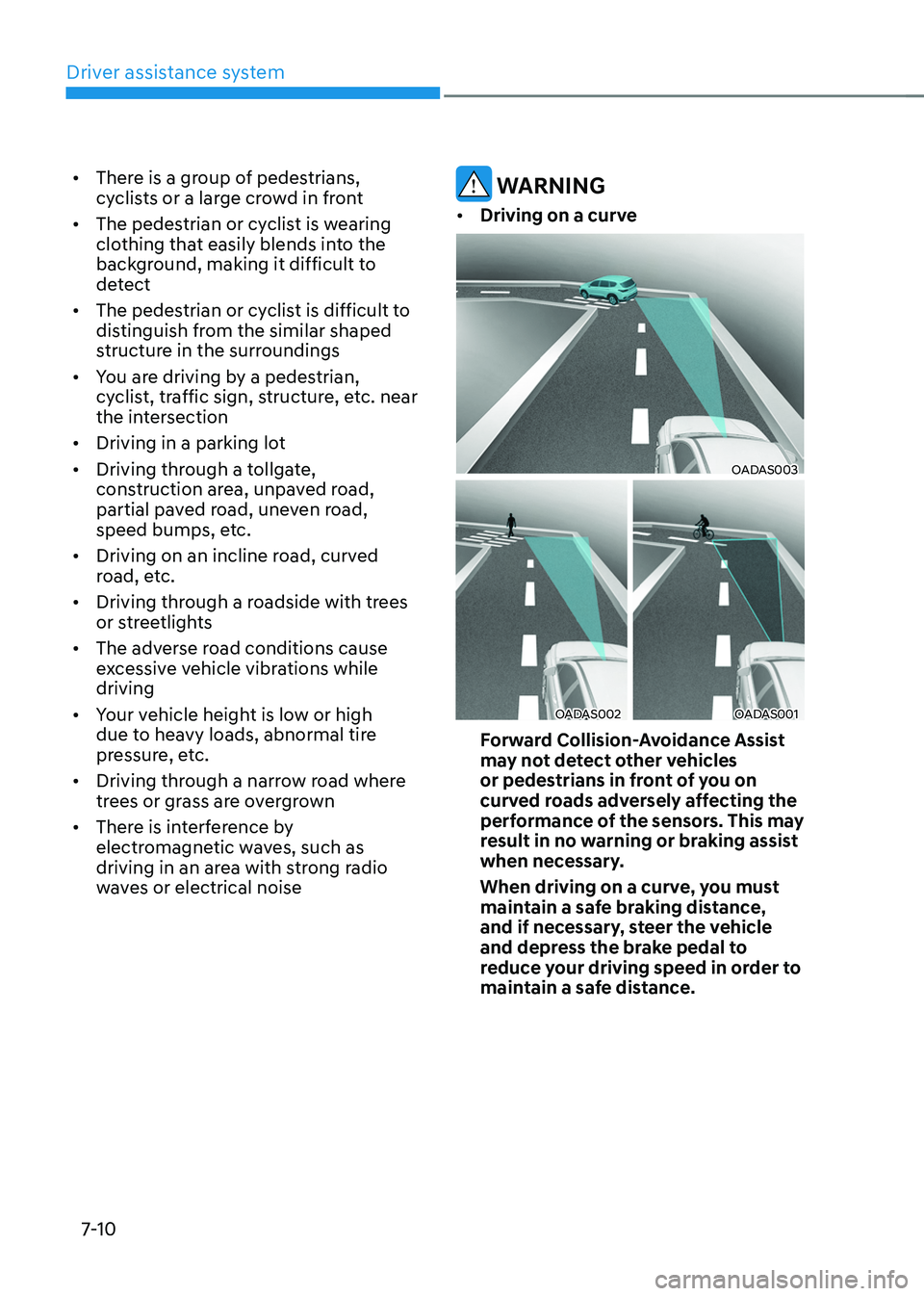
• Driving on a curve
OADAS003
OADAS002OADAS001
Forward Collision-Avoidance Assist
may not detect other vehicles
or pedestrians in front of you on
curved roads adversely affecting the
performance of the sensors. This may
result in no warning or braking assist
when necessary.
When driving on a curve, you must
maintain a safe braking distance,
and if necessary, steer the vehicle
and depress the brake pedal to
reduce your driving speed in order to
maintain a safe distance.