2022 HYUNDAI SONATA HYBRID display
[x] Cancel search: displayPage 107 of 527

Check Hybrid system ........................................................................\
.......................4-23
Stop safely and check Hybrid system ....................................................................4-23
Check Hybrid system. Do not start engine ............................................................4-23
Stop safely and check power supply ......................................................................4-23
Check virtual engine sound system ........................................................................\
4-23
Refuel to prevent Hybrid battery damage
.............................................................4-23
Refill inverter coolant ........................................................................\
......................4-23
Park with engine On to charge battery ..................................................................4-23
Start engine to avoid battery discharge .................................................................4-23
LCD Display (TYPE A, B) ........................................................................\
..........4-24LCD Display Control ........................................................................\
...........................4-24
LCD Display Modes ........................................................................\
............................4-25
Trip computer mode ........................................................................\
........................4-26
Turn By Turn (TBT) mode ........................................................................\
................4-26
Driving Assist mode ........................................................................\
.........................4-26
Master warning mode ........................................................................\
.....................4-27
User settings mode ........................................................................\
..........................4-27
Trip Computer ........................................................................\
..................................... 4-36
Trip modes
........................................................................\
........................................4-36
Average fuel economy/Instant fuel economy .......................................................4-36
Accumulated Info display ........................................................................\
................4-37
Drive Info display
........................................................................\
.............................4-37
Digital speedometer ........................................................................\
........................4-38
Smart shift ........................................................................\
........................................4-38
Engine coolant temperature ........................................................................\
...........4-38
LCD display (type c) ........................................................................\
................4-39LCD Display Control ........................................................................\
...........................4-39
View Modes ........................................................................\
.......................................4-40
Utility View Mode ........................................................................\
...............................4-41
Utility Items ........................................................................\
......................................4-41
Driving Assist view mode ........................................................................\
................4-42
Turn By Turn (TBT) view mode ........................................................................\
........4-42
Parking Assist view mode ........................................................................\
................4-42
Other Information Display ........................................................................\
..............4-43
Option Menu ........................................................................\
......................................4-43
Warning message mode ........................................................................\
................. 4-44
User Settings Mode
........................................................................\
...........................4-44
4
Page 108 of 527
4-4
Instrument Cluster
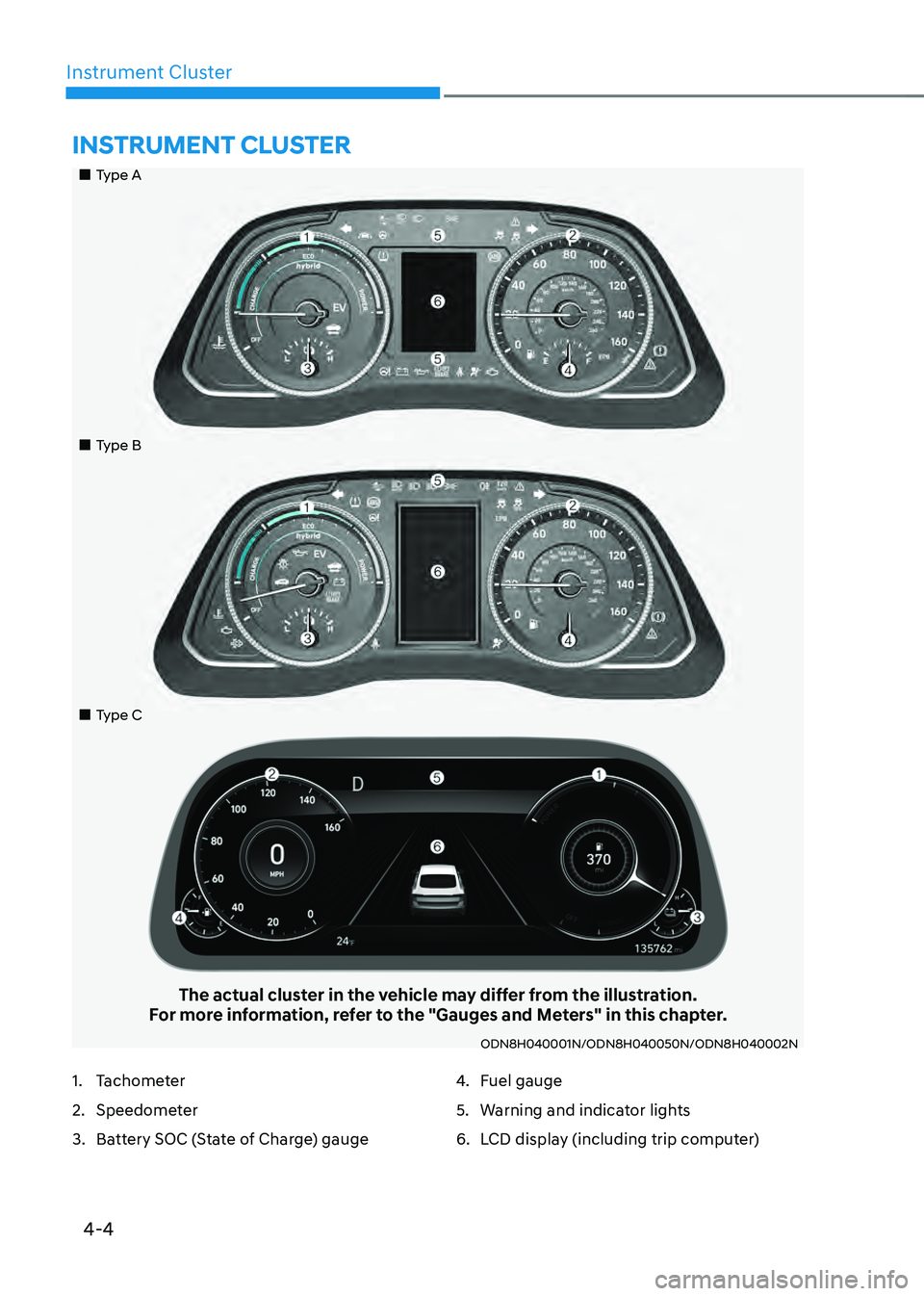
„„Type A
„„Type B
„„Type C
The actual cluster in the vehicle may differ from the illustration.For more information, refer to the "Gauges and Meters" in this chapter.
ODN8H040001N/ODN8H040050N/ODN8H040002N
INSTRUMENT CLUSTER
1. Tachometer
2. Speedometer
3. Battery SOC (State of Charge) gauge
4. Fuel gauge
5. Warning and indicator lights
6. LCD display (including trip computer)
Page 109 of 527
04
4-5
Instrument Cluster Control
Adjusting instrument cluster
illumination
ODN8A059337
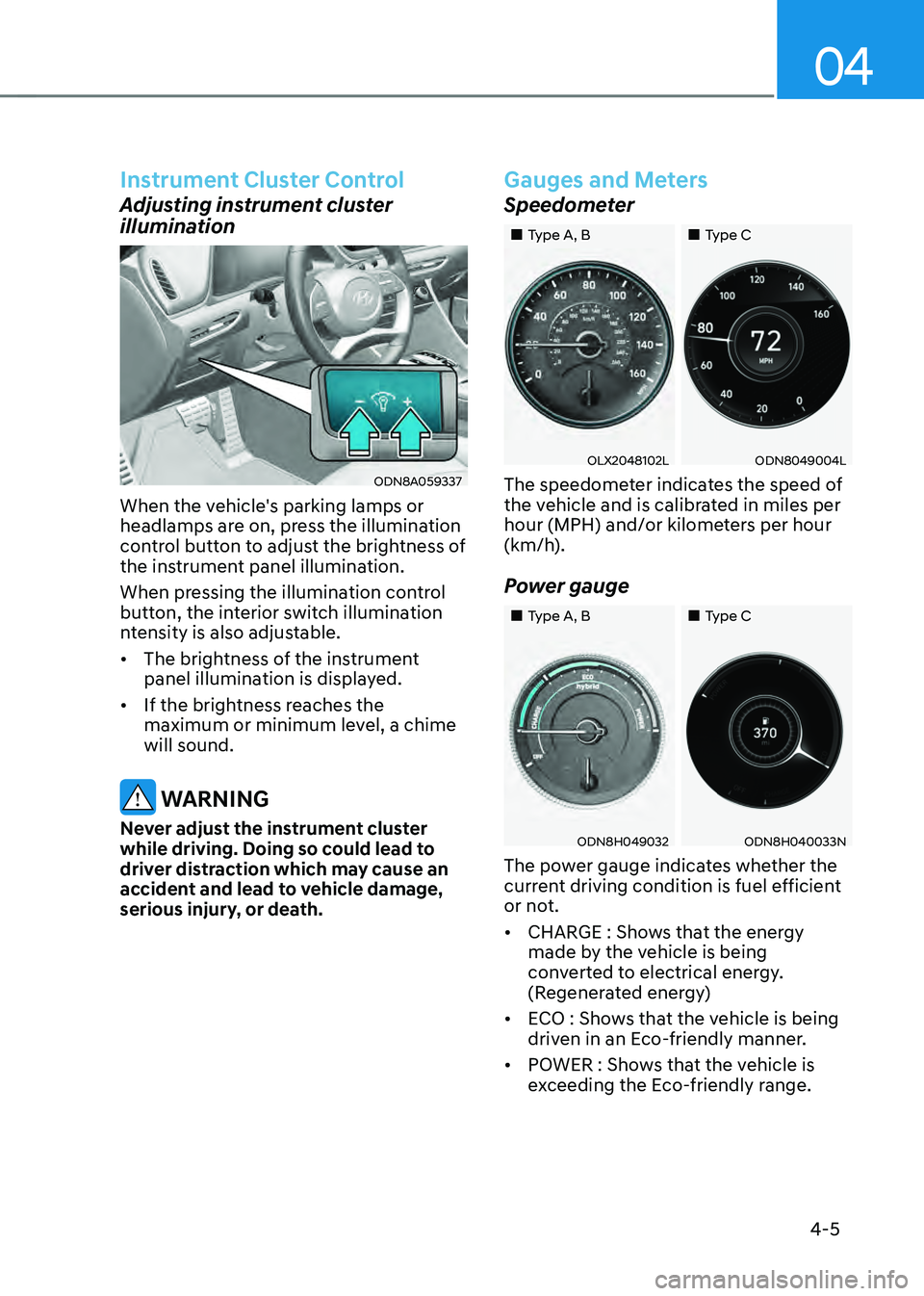
When the vehicle's parking lamps or
headlamps are on, press the illumination
control button to adjust the brightness of
the instrument panel illumination.
When pressing the illumination control
button, the interior switch illumination
ntensity is also adjustable.
• The brightness of the instrument
panel illumination is displayed.
• If the brightness reaches the
maximum or minimum level, a chime
will sound.
WARNING
Never adjust the instrument cluster
while driving. Doing so could lead to
driver distraction which may cause an
accident and lead to vehicle damage,
serious injury, or death.
Gauges and Meters
Speedometer
„„Type A, B„„Type C
OLX2048102LODN8049004L
The speedometer indicates the speed of
the vehicle and is calibrated in miles per
hour (MPH) and/or kilometers per hour
(km/h).
Power gauge
„„Type A, B„„Type C
ODN8H049032ODN8H040033N
The power gauge indicates whether the
current driving condition is fuel efficient
or not.
• CHARGE : Shows that the energy
made by the vehicle is being
converted to electrical energy.
(Regenerated energy)
• ECO : Shows that the vehicle is being
driven in an Eco-friendly manner.
• POWER : Shows that the vehicle is
exceeding the Eco-friendly range.
Page 111 of 527
04
4 -7
Information
• The fuel tank capacity is given in
chapter 2.
• The fuel gauge is supplemented by
a low fuel warning light, which will
illuminate when the fuel tank is nearly
empty.
• On inclines or curves, the fuel gauge
pointer may fluctuate or the low fuel
warning light may come on earlier than
usual due to the movement of fuel in
the tank.
WARNING
Running out of fuel can expose vehicle
occupants to danger.
You must stop and obtain additional
fuel as soon as possible after the
warning light comes on or when the
gauge indicator comes close to the "E
(Empty)" level.
NOTICE
Avoid driving with an extremely low
fuel level. Running out of fuel could
cause the engine to misfire and damage
the catalytic converter.
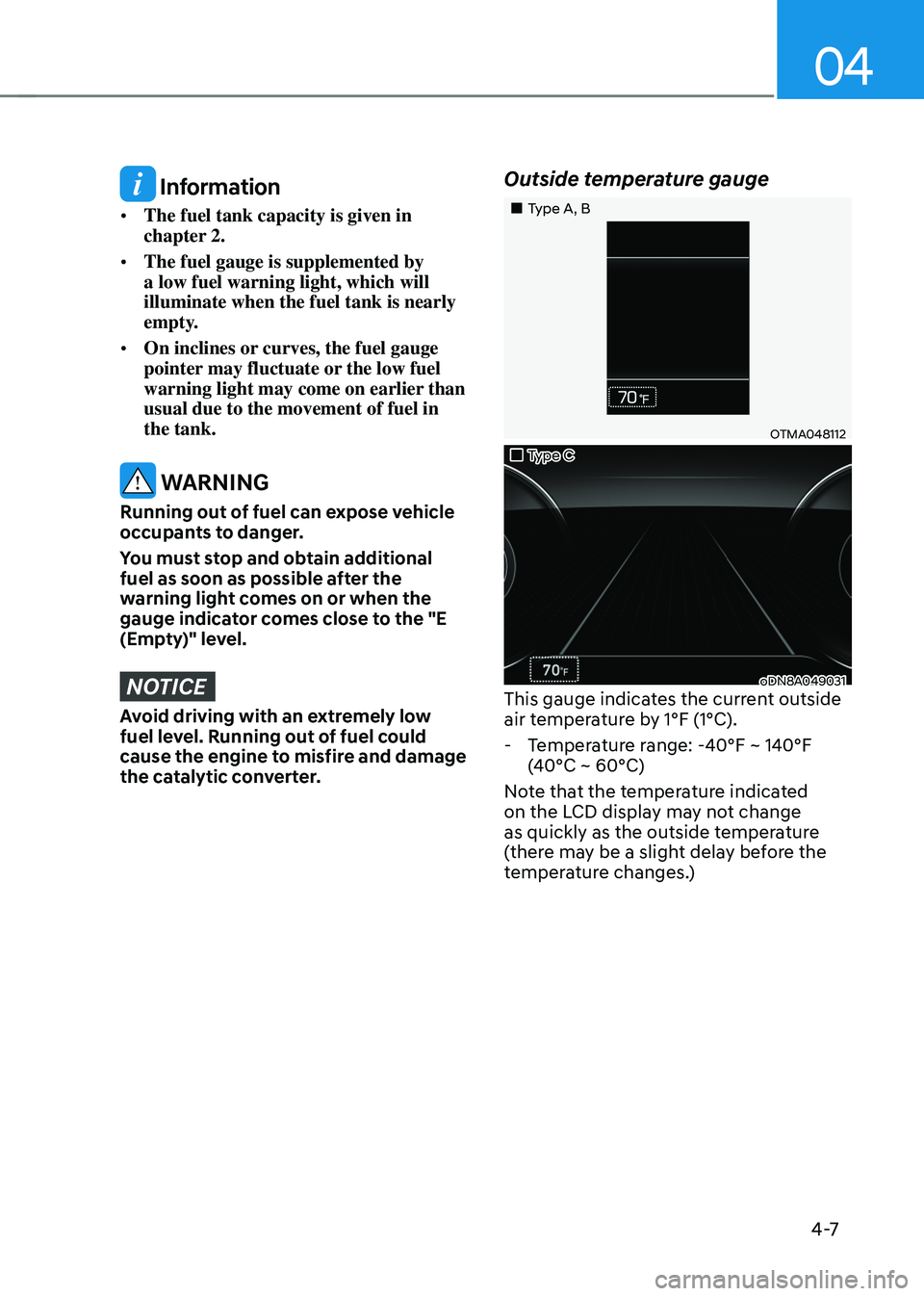
Outside temperature gauge
„„Type A, B
OTMA048112
„„Type C
oDN8A049031This gauge indicates the current outside
air temperature by 1°F (1°C).
-Temperature range: -40°F ~ 140°F
(40°C ~ 60°C)
Note that the temperature indicated
on the LCD display may not change
as quickly as the outside temperature
(there may be a slight delay before the
temperature changes.)
Page 112 of 527
Instrument Cluster
4-8
You can change the temperature unit
from °F to °C or °C to °F in the User
Settings mode in the cluster:
-Go to User Settings Mode → Other → Temperature Unit.
For vehicles equipped with Automatic
Climate Control, you can also:
- Press and hold the AUTO and OFF
buttons on the climate control unit for
3 seconds
Both the temperature unit on the cluster
LCD display and climate control screen
will change.
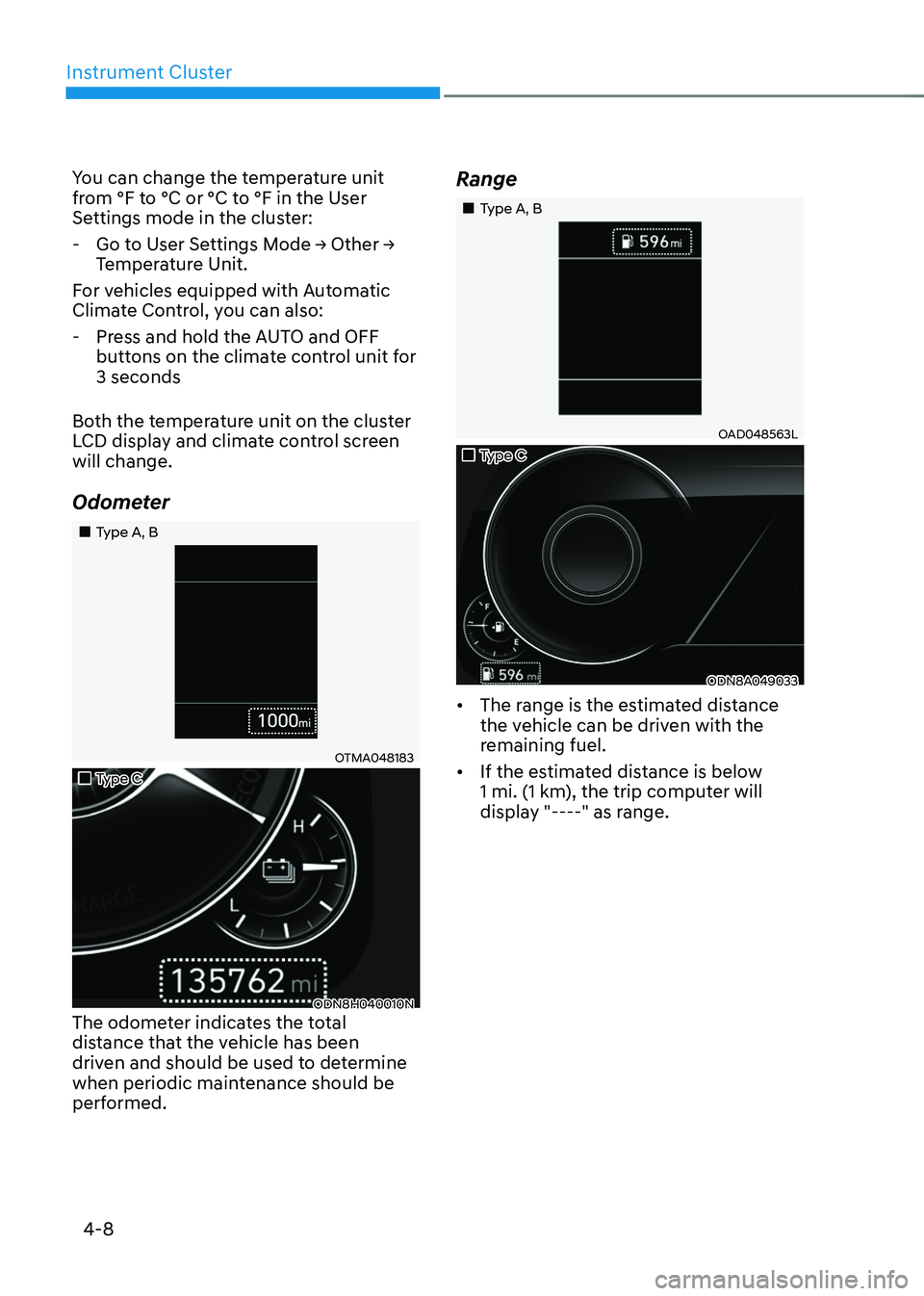
Odometer
„„Type A, B
OTMA048183
„„Type C
ODN8H040010NThe odometer indicates the total
distance that the vehicle has been
driven and should be used to determine
when periodic maintenance should be
performed.
Range
„„Type A, B
OAD048563L
„„Type C
ODN8A049033
• The range is the estimated distance
the vehicle can be driven with the
remaining fuel.
• If the estimated distance is below
1 mi. (1 km), the trip computer will
display "----" as range.
Page 113 of 527
04
4-9
Information
• If the vehicle is not on level ground or
the battery power has been interrupted,
the range function may not operate
correctly.
• The range may differ from the actual
driving distance as it is only an estimate
of the available driving range for the
vehicle and driving conditions.
• The trip computer may not register
additional fuel if less than 1.6 gallon (6
liters) of fuel are added to the vehicle.
• The range may vary significantly based
on driving conditions, driving habits,
and condition of the vehicle.
Transmission Shift Indicator
(if equipped)
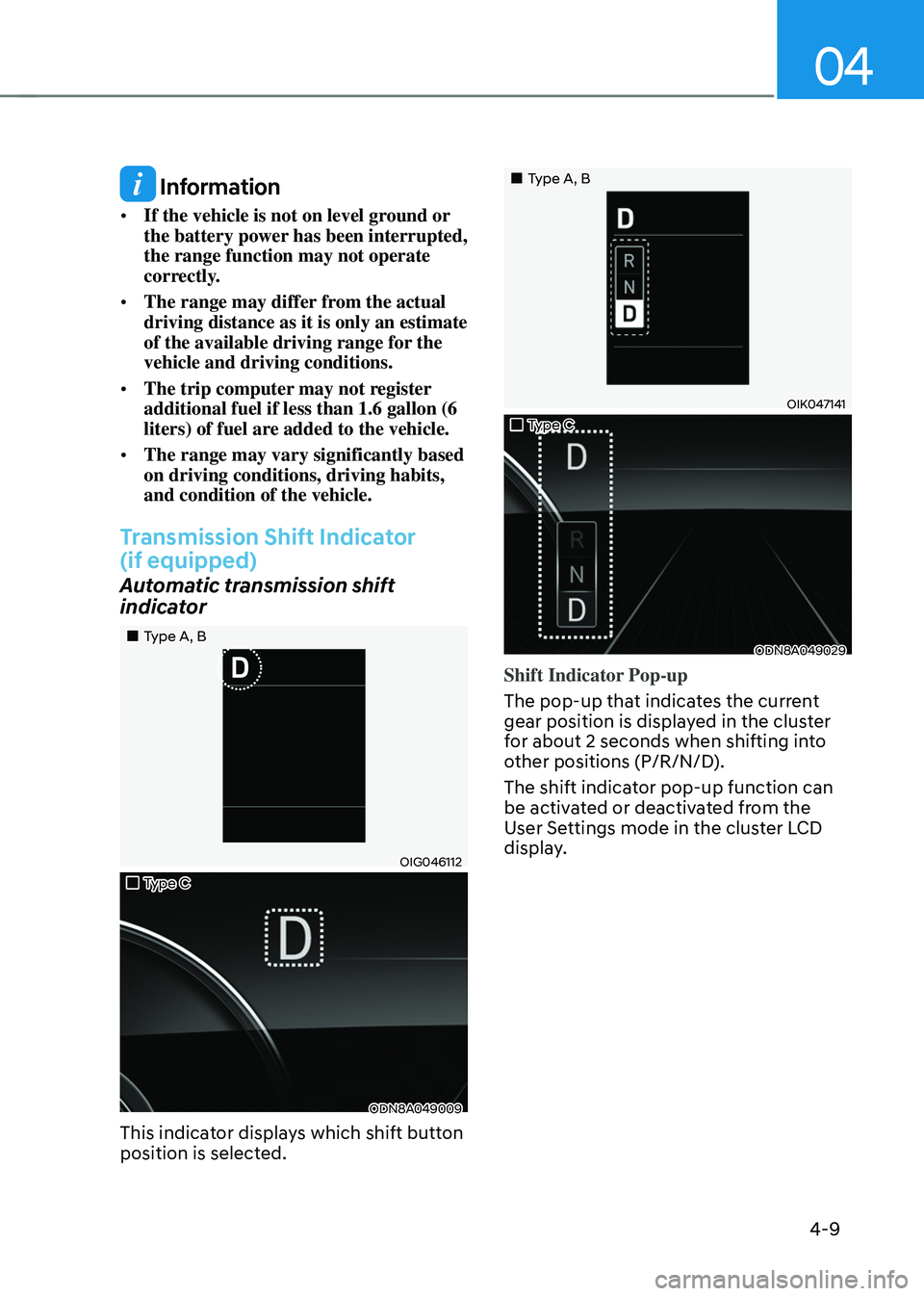
Automatic transmission shift
indicator
„„Type A, B
OIG046112
„„Type C
ODN8A049009
This indicator displays which shift button
position is selected.
„„Type A, B
OIK047141
„„Type C
ODN8A049029
Shift Indicator Pop-up
The pop-up that indicates the current
gear position is displayed in the cluster
for about 2 seconds when shifting into
other positions (P/R/N/D).
The shift indicator pop-up function can
be activated or deactivated from the
User Settings mode in the cluster LCD
display.
Page 118 of 527
Instrument Cluster
4-14
NOTICE
• If the engine is not turned OFF
immediately after the Engine
Oil Pressure Warning Light is
illuminated, severe damage could
occur.
• If the warning light stays on while the
engine is running, it indicates that
there may be serious engine damage
or malfunction. In this case:
1. Stop the vehicle as soon as it is
safe to do so.
2. Turn off the engine and check the
oil level. If the oil level is low, fill
the engine oil to the proper level.
3. Start the engine again. If the
warning light stays on after the
engine has started, turn the
engine off immediately. In this
case, have the vehicle inspected
by an authorized HYUNDAI dealer.
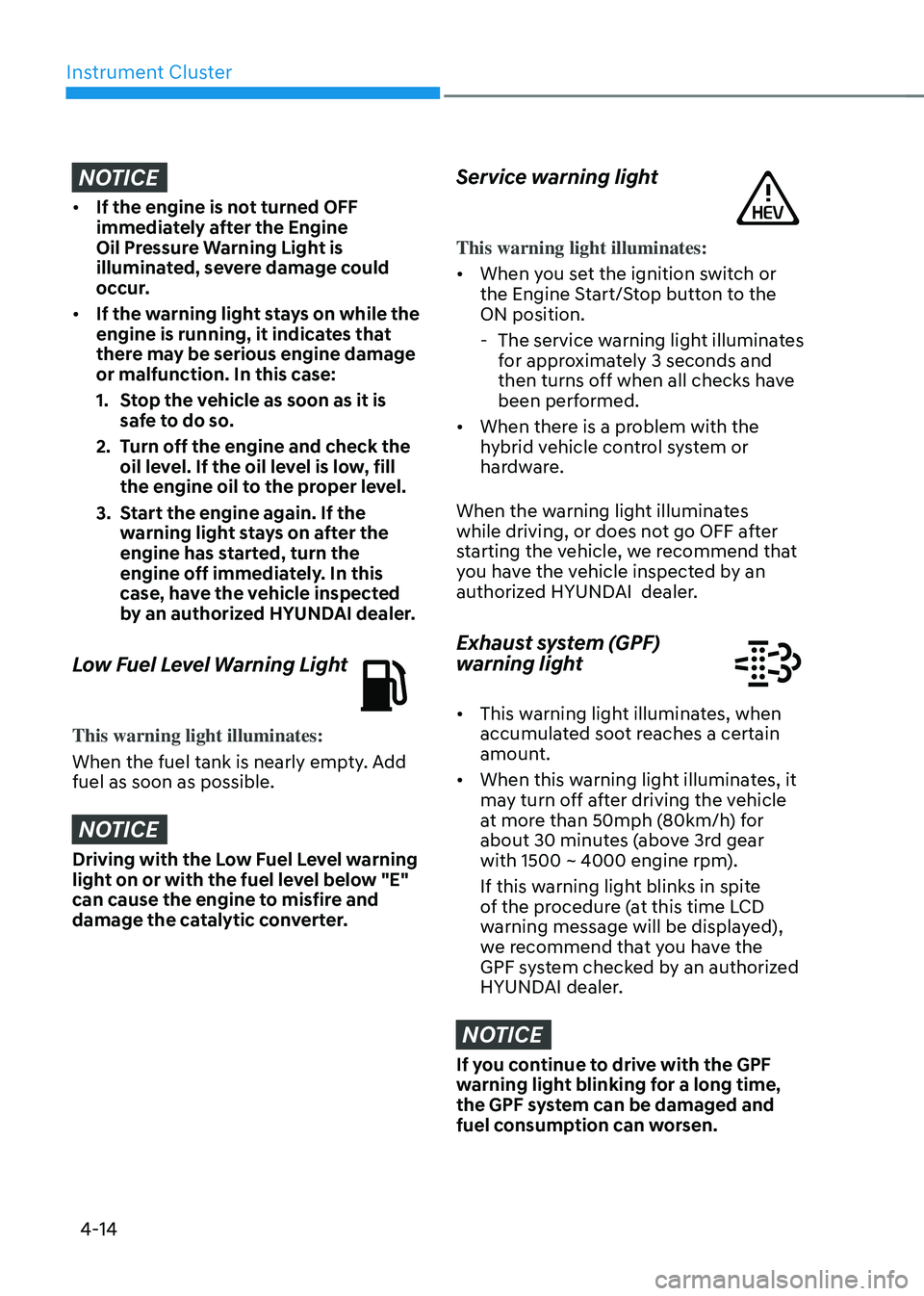
Low Fuel Level Warning Light
This warning light illuminates:
When the fuel tank is nearly empty. Add
fuel as soon as possible.
NOTICE
Driving with the Low Fuel Level warning
light on or with the fuel level below "E"
can cause the engine to misfire and
damage the catalytic converter.
Service warning light
This warning light illuminates:
• When you set the ignition switch or
the Engine Start/Stop button to the
ON position.
-The service warning light illuminates
for approximately 3 seconds and
then turns off when all checks have
been performed.
• When there is a problem with the
hybrid vehicle control system or
hardware.
When the warning light illuminates
while driving, or does not go OFF after
starting the vehicle, we recommend that
you have the vehicle inspected by an
authorized HYUNDAI dealer.
Exhaust system (GPF)
warning light
• This warning light illuminates, when
accumulated soot reaches a certain
amount.
• When this warning light illuminates, it
may turn off after driving the vehicle
at more than 50mph (80km/h) for
about 30 minutes (above 3rd gear
with 1500 ~ 4000 engine rpm).
If this warning light blinks in spite
of the procedure (at this time LCD
warning message will be displayed),
we recommend that you have the
GPF system checked by an authorized
HYUNDAI dealer.
NOTICE
If you continue to drive with the GPF
warning light blinking for a long time,
the GPF system can be damaged and
fuel consumption can worsen.
Page 119 of 527
04
4-15
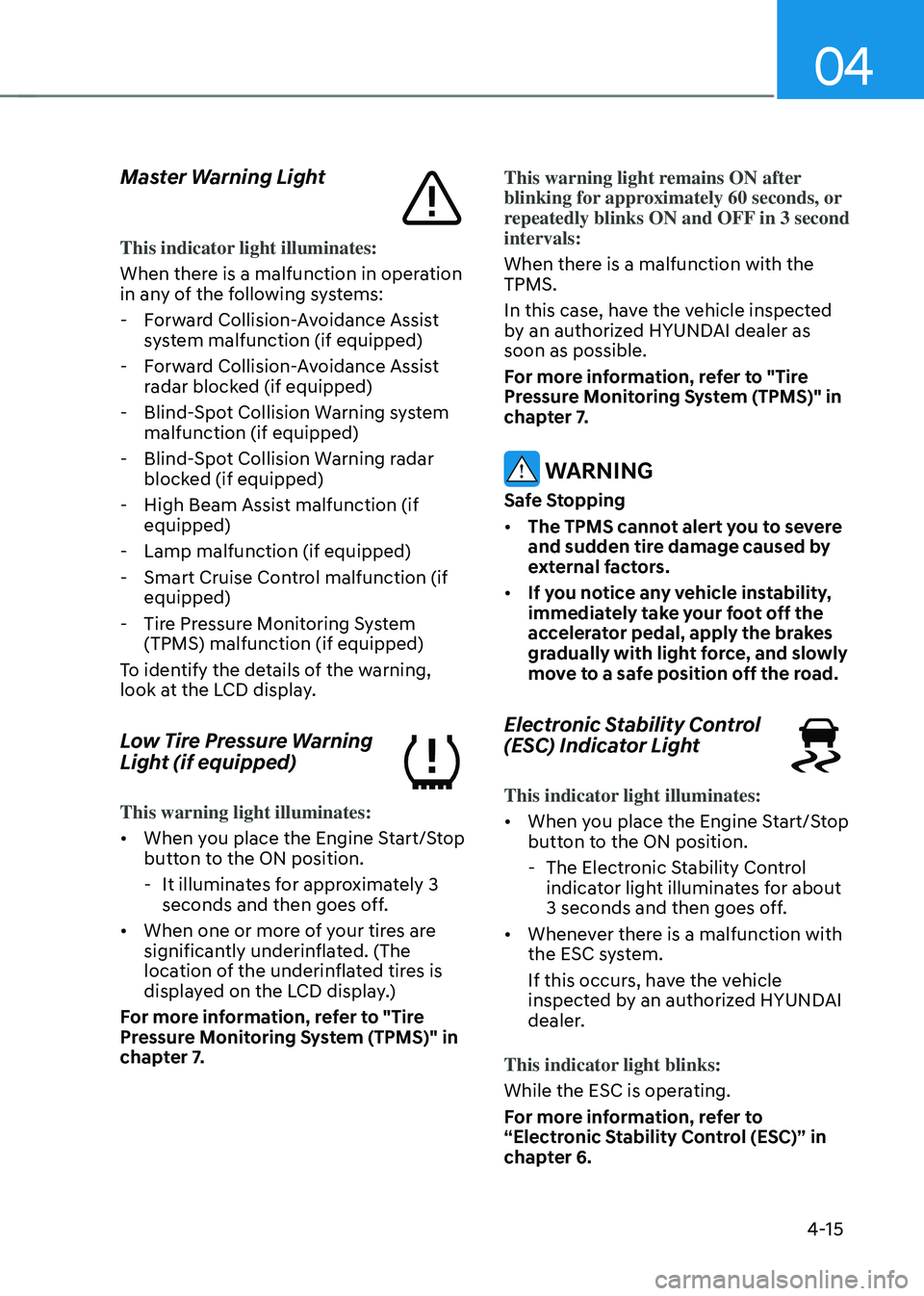
Master Warning Light
This indicator light illuminates:
When there is a malfunction in operation
in any of the following systems:
-Forward Collision-Avoidance Assist
system malfunction (if equipped)
-Forward Collision-Avoidance Assist
radar blocked (if equipped)
-Blind-Spot Collision Warning system
malfunction (if equipped)
-Blind-Spot Collision Warning radar
blocked (if equipped)
-High Beam Assist malfunction (if
equipped)
-Lamp malfunction (if equipped)
-Smart Cruise Control malfunction (if
equipped)
-Tire Pressure Monitoring System
(TPMS) malfunction (if equipped)
To identify the details of the warning,
look at the LCD display.
Low Tire Pressure Warning
Light (if equipped)
This warning light illuminates:
• When you place the Engine Start/Stop
button to the ON position.
-It illuminates for approximately 3
seconds and then goes off.
• When one or more of your tires are
significantly underinflated. (The
location of the underinflated tires is
displayed on the LCD display.)
For more information, refer to "Tire
Pressure Monitoring System (TPMS)" in
chapter 7. This warning light remains ON after
blinking for approximately 60 seconds, or
repeatedly blinks ON and OFF in 3 second
intervals:
When there is a malfunction with the
TPMS.
In this case, have the vehicle inspected
by an authorized HYUNDAI dealer as
soon as possible.
For more information, refer to "Tire
Pressure Monitoring System (TPMS)" in
chapter 7.
WARNING
Safe Stopping
• The TPMS cannot alert you to severe
and sudden tire damage caused by
external factors.
• If you notice any vehicle instability,
immediately take your foot off the
accelerator pedal, apply the brakes
gradually with light force, and slowly
move to a safe position off the road.
Electronic Stability Control
(ESC) Indicator Light
This indicator light illuminates:
• When you place the Engine Start/Stop
button to the ON position.
-The Electronic Stability Control
indicator light illuminates for about
3 seconds and then goes off.
• Whenever there is a malfunction with
the ESC system.
If this occurs, have the vehicle
inspected by an authorized HYUNDAI
dealer.
This indicator light blinks:
While the ESC is operating.
For more information, refer to
“Electronic Stability Control (ESC)” in
chapter 6.