07
7-125
System operation
Remote Smart Parking Assist button
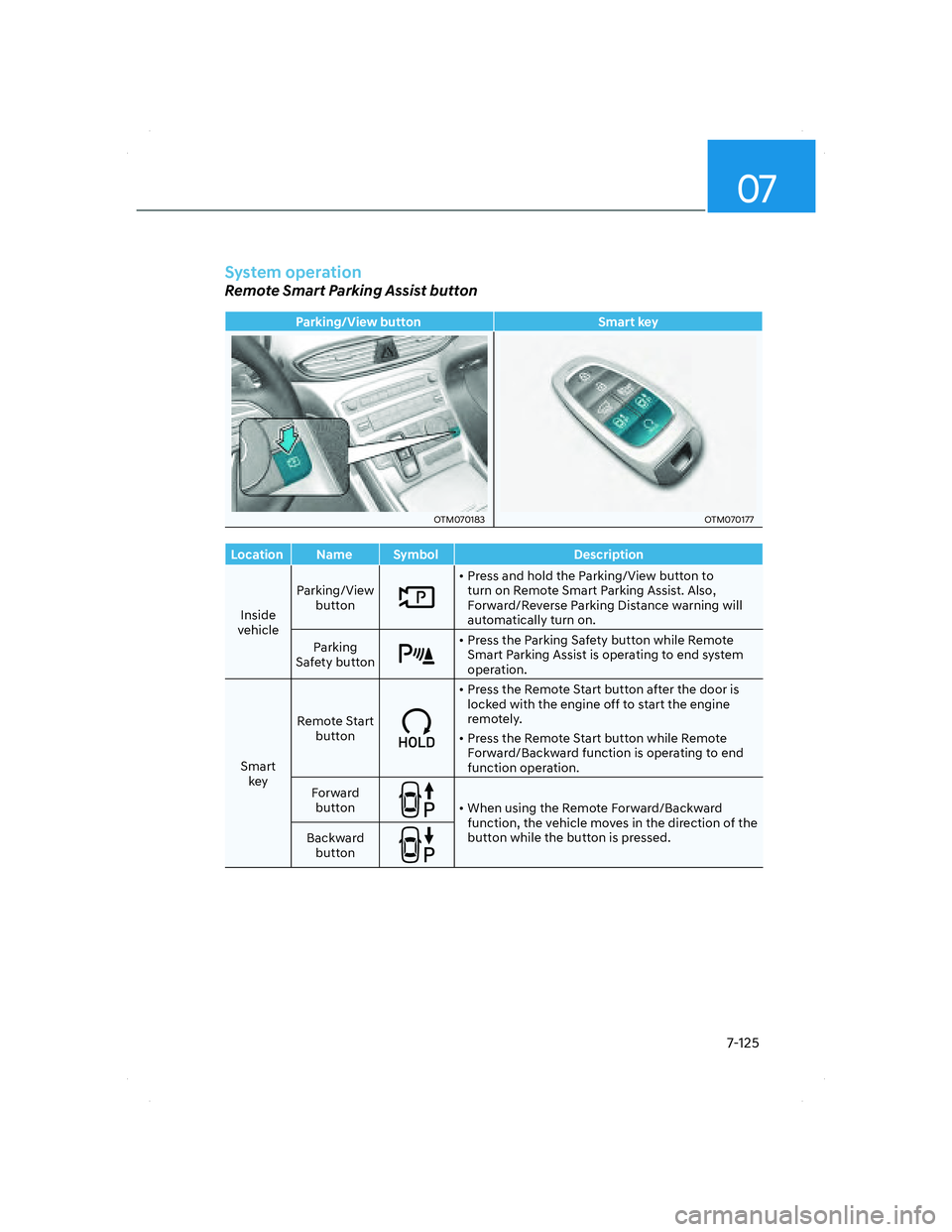
Parking/View button Smart key
OTM070183OTM070183OTM070177OTM070177
Location Name Symbol Description
Inside
vehicleParking/View
button
• Press and hold the Parking/View button to
turn on Remote Smart Parking Assist. Also,
Forward/Reverse Parking Distance warning will
automatically turn on.
Parking
Safety button
• Press the Parking Safety button while Remote
Smart Parking Assist is operating to end system
operation.
Smart
keyRemote Start
button
• Press the Remote Start button after the door is
locked with the engine off to start the engine
remotely.
• Press the Remote Start button while Remote
Forward/Backward function is operating to end
function operation.
Forward
button
• When using the Remote Forward/Backward
function, the vehicle moves in the direction of the
button while the button is pressed.
Backward
button
007_TMa_HMA.indd 7-1252021-08-26 9:27:00