Page 547 of 579
09
9-61
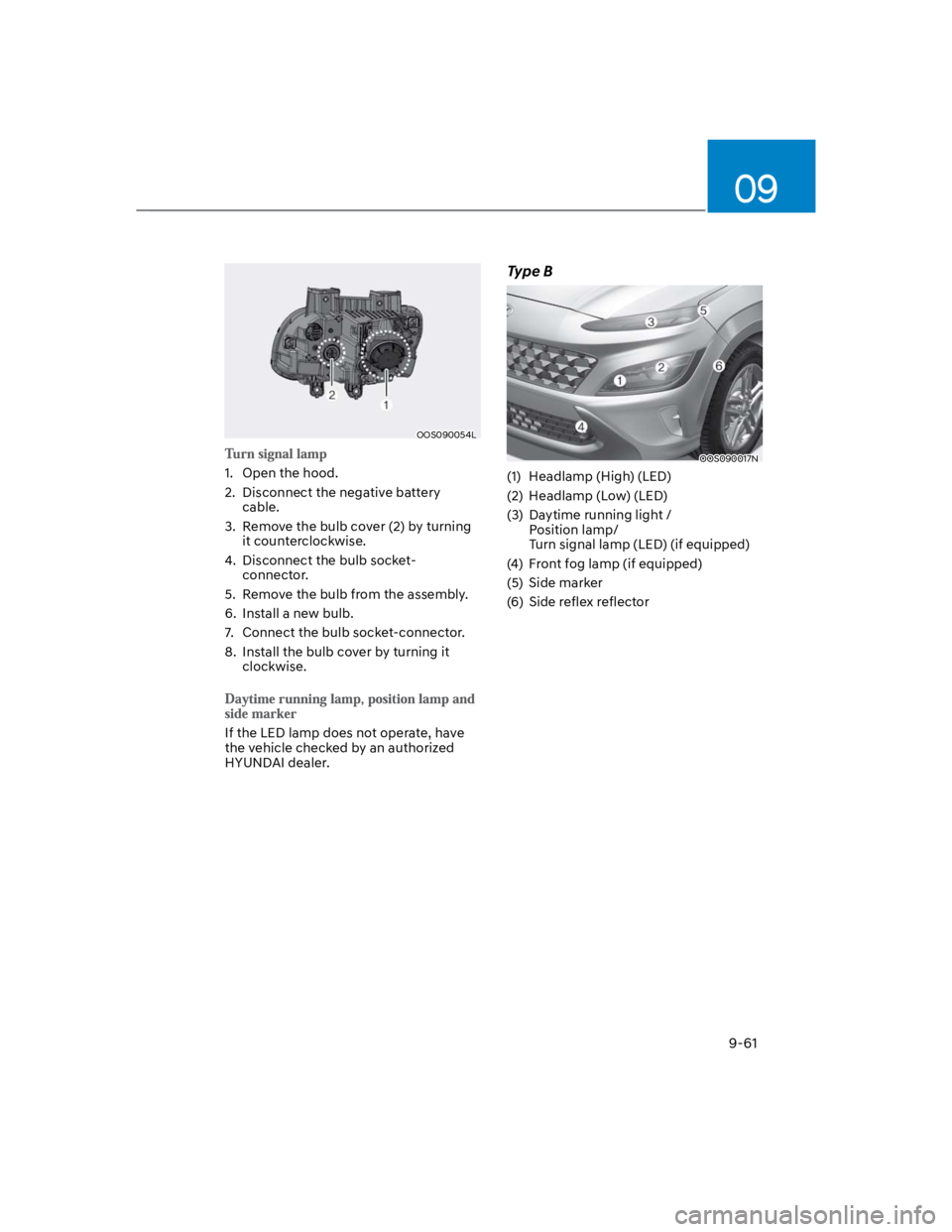
OOS090054L
1. Open the hood.
2. Disconnect the negative battery
cable.
3. Remove the bulb cover (2) by turning
it counterclockwise.
4. Disconnect the bulb socket-
connector.
5. Remove the bulb from the assembly.
6. Install a new bulb.
7. Connect the bulb socket-connector.
8. Install the bulb cover by turning it
clockwise.
If the LED lamp does not operate, have
the vehicle checked by an authorized
HYUNDAI dealer.
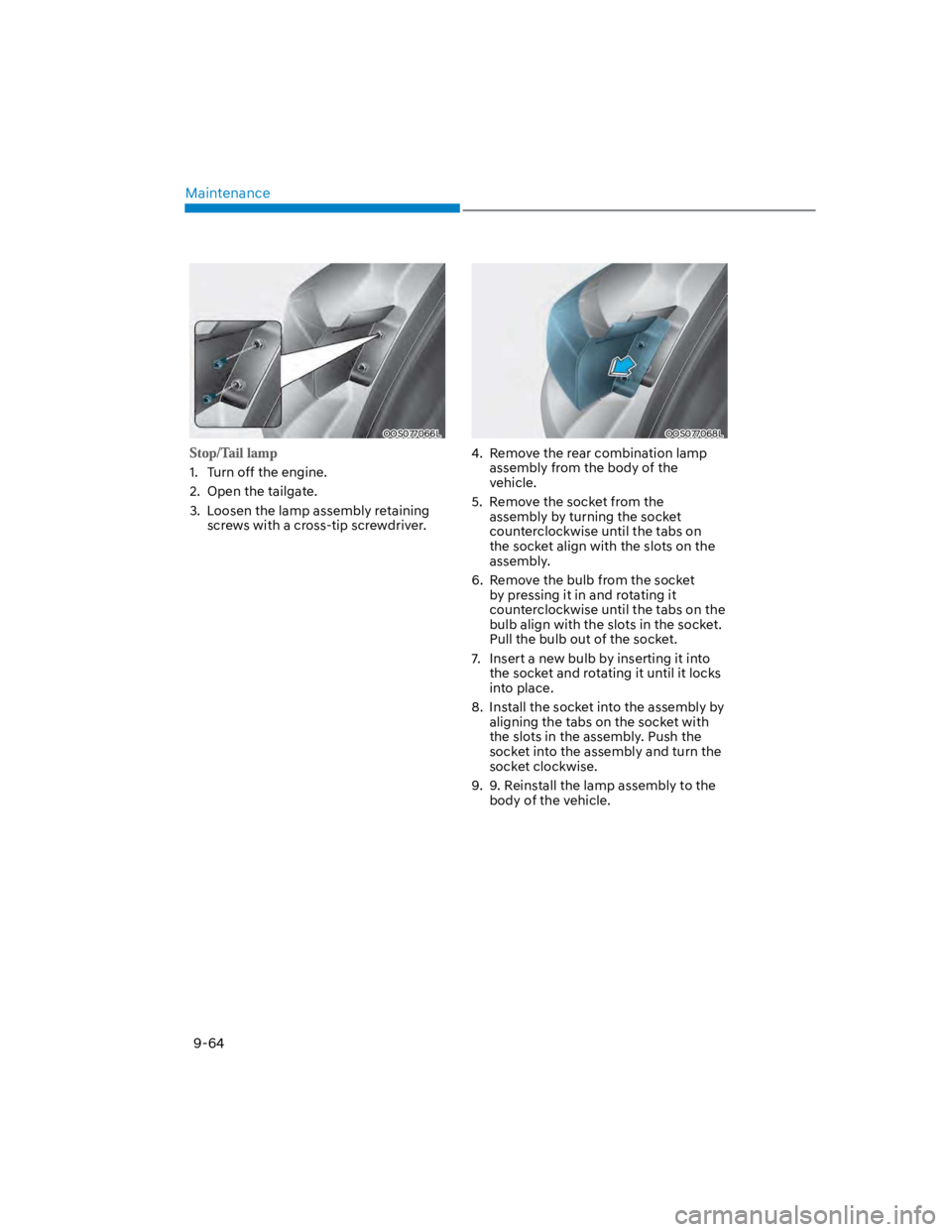
Type B
OOS090017N
(1) Headlamp (High) (LED)
(2) Headlamp (Low) (LED)
(3) Daytime running light /
Position lamp/
Turn signal lamp (LED) (if equipped)
(4) Front fog lamp (if equipped)
(5) Side marker
(6) Side reflex reflector
Page 550 of 579
Maintenance
9-64
OOS077066L
1. Turn off the engine.
2. Open the tailgate.
3. Loosen the lamp assembly retaining
screws with a cross-tip screwdriver.
OOS077068L
4. Remove the rear combination lamp
assembly from the body of the
vehicle.
5. Remove the socket from the
assembly by turning the socket
counterclockwise until the tabs on
the socket align with the slots on the
assembly.
6. Remove the bulb from the socket
by pressing it in and rotating it
counterclockwise until the tabs on the
bulb align with the slots in the socket.
Pull the bulb out of the socket.
7. Insert a new bulb by inserting it into
the socket and rotating it until it locks
into place.
8. Install the socket into the assembly by
aligning the tabs on the socket with
the slots in the assembly. Push the
socket into the assembly and turn the
socket clockwise.
9. 9. Reinstall the lamp assembly to the
body of the vehicle.
Page 551 of 579
09
9-65
OOS077069L
1. Turn off the engine.
2. Open the tailgate.
3. Remove the service cover using a flat-
blade screwdriver.
4. Remove the socket from the
assembly by turning the socket
counterclockwise until the tabs on
the socket align with the slots on the
assembly.
5. Remove the bulb from the socket
by pressing it in and rotating it
counterclockwise until the tabs on the
bulb align with the slots in the socket.
Pull the bulb out of the socket.
6. Insert a new bulb by inserting it into
the socket and rotating it until it locks
into place.
7. Install the socket into the assembly by
aligning the tabs on the socket with
the slots in the assembly. Push the
socket into the assembly and turn the
socket clockwise.
8. Reinstall the lamp assembly to the
body of the vehicle.
If the LED lamp does not operate, have
the vehicle checked by an authorized
HYUNDAI dealer.
If these lamps do not operate, have
the vehicle checked by an authorized
HYUNDAI dealer.
High mounted stop lamp
replacement
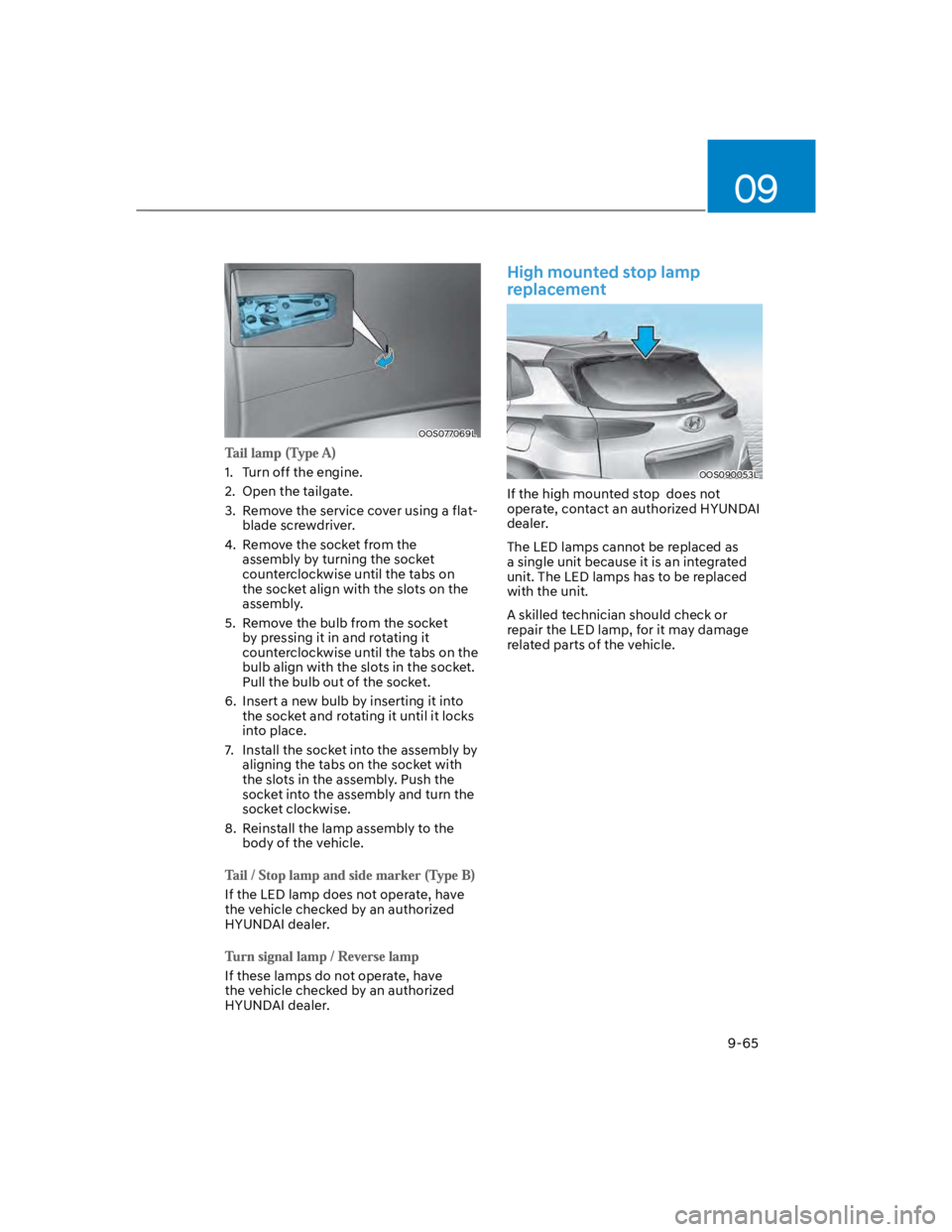
OOS090053L
If the high mounted stop does not
operate, contact an authorized HYUNDAI
dealer.
The LED lamps cannot be replaced as
a single unit because it is an integrated
unit. The LED lamps has to be replaced
with the unit.
A skilled technician should check or
repair the LED lamp, for it may damage
related parts of the vehicle.
Page 574 of 579

Index
I-8
Interior features.................................................................................................. 5-107
Cargo Area Cover ........................................................................................... 5-114
Clock .............................................................................................................. 5-112
Clothes Hanger ............................................................................................... 5-112
Cup holder ...................................................................................................... 5-107
Floor mat anchor(s) ........................................................................................ 5-113
Luggage net holder......................................................................................... 5-114
Power outlet.................................................................................................... 5-108
Sunvisor.......................................................................................................... 5-108
USB charger ................................................................................................... 5-109
Wireless smart phone charging system .......................................................... 5-110
Interior overview (I) .............................................................................................. 2-6
Interior overview (II) ............................................................................................. 2-7
J
Jump starting.......................................................................................................... 8-4
L
Lane Following Assist (LFA) ............................................................................. 7-88
Lane Following Assist malfunction and limitation .......................................... 7-91
Lane Following Assist operation...................................................................... 7-89
Lane Following Assist settings......................................................................... 7-88
Lane Keeping Assist (LKA) ............................................................................... 7-29
Lane Keeping Assist malfunction and limitations............................................ 7-33
Lane Keeping Assist operation......................................................................... 7-31
Lane Keeping Assist settings ........................................................................... 7-29
LCD display......................................................................................................... 4-28
LCD display control ......................................................................................... 4-28
Trip computer (Type A).................................................................................... 4-38
Trip computer (Type B).................................................................................... 4-40
User settings mode ........................................................................................... 4-32
View modes ...................................................................................................... 4-29
Page:
< prev 1-8 9-16 17-24