Page 289 of 546
4-3
Infotainment system
4
Steering Wheel Audio Control
Do not operate multiple audio
remote control buttons simultane-
ously.
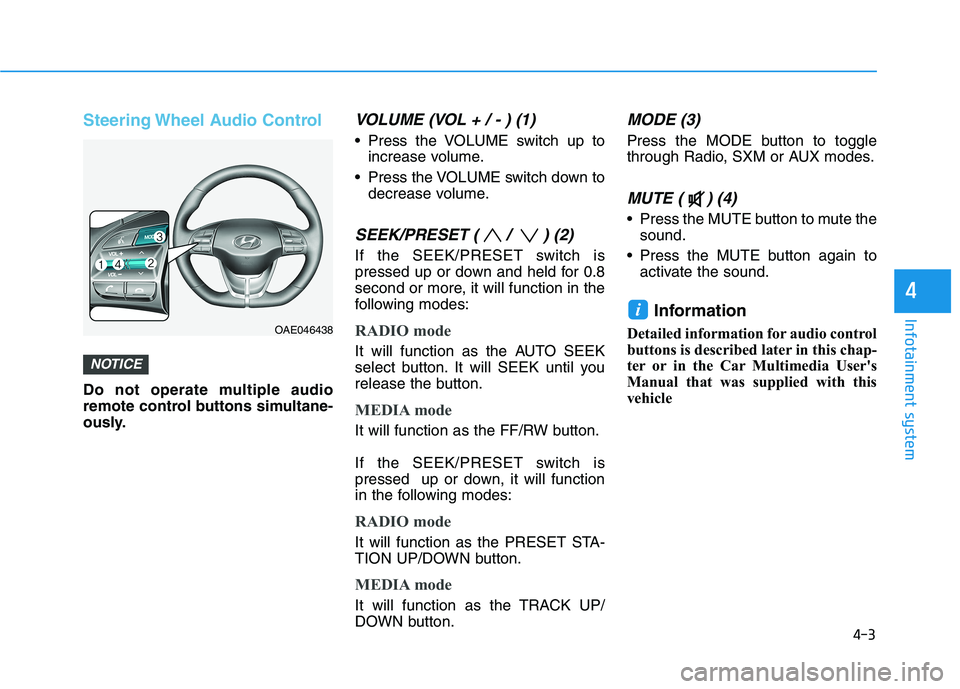
VOLUME (VOL + / - ) (1)
Press the VOLUME switch up toincrease volume.
Press the VOLUME switch down to decrease volume.
SEEK/PRESET ( / ) (2)
If the SEEK/PRESET switch is
pressed up or down and held for 0.8
second or more, it will function in the
following modes:
RADIO mode
It will function as the AUTO SEEK
select button. It will SEEK until you
release the button.
MEDIA mode
It will function as the FF/RW button.
If the SEEK/PRESET switch is
pressed up or down, it will function
in the following modes:
RADIO mode
It will function as the PRESET STA-
TION UP/DOWN button.
MEDIA mode
It will function as the TRACK UP/
DOWN button.
MODE (3)
Press the MODE button to toggle
through Radio, SXM or AUX modes.
MUTE ( ) (4)
Press the MUTE button to mute thesound.
Press the MUTE button again to activate the sound.
Information
Detailed information for audio control
buttons is described later in this chap-
ter or in the Car Multimedia User's
Manual that was supplied with this
vehicle
i
NOTICE
OAE046438
Page 290 of 546
4-4
Infotainment system
Bluetooth®Wireless
Technology Hands-Free
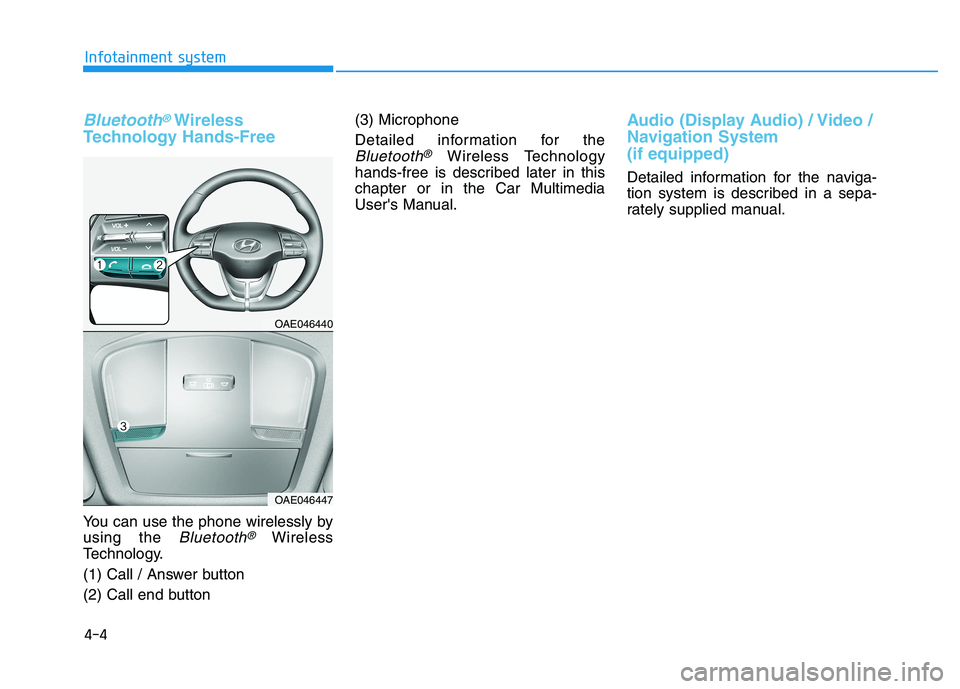
You can use the phone wirelessly by using the
Bluetooth®Wireless
Technology.
(1) Call / Answer button
(2) Call end button (3) Microphone
Detailed information for the
Bluetooth®Wireless Technology
hands-free is described later in this chapter or in the Car Multimedia
User's Manual.
Audio (Display Audio) / Video /
Navigation System (if equipped)
Detailed information for the naviga-
tion system is described in a sepa-
rately supplied manual.
OAE046440
OAE046447
Page 407 of 546
5-117
Driving your vehicle
5
Highway Driving Assist system helps
keep the vehicle between lanes,
maintain a distance with the vehicleahead, and automatically adjusts the
vehicle speed to the speed limit while
driving on the highway.Information
Highway Driving Assist system is available only on controlled access
road of certain highways.
❈
❈ Controlled access road indicates
roads with limited entrances and
exits that allow uninterrupted
high speed traffic flow. Only pas-
senger cars and motorcycles are
allowed on controlled access
roads.
Additional highways may be expanded by navigation updates.
System Setting and Operation
System setting
With the Engine Start/Stop buttonin the ON or START position,
Highway Driving Assist can be acti-
vated by selecting 'User Setting
Driver Assistance Driver Assist
Highway Driving Assist' from the
Settings menu in the infotainment
system screen. Deselect the set-
ting to turn off the system.
If the engine is turned off then on again, the system maintains thelast setting.
i
HHIIGG HH WW AAYY DD RRIIVV IINN GG AA SSSSIISS TT (( HH DDAA )) SS YY SSTT EEMM (( IIFF EE QQ UUIIPP PP EEDD ))
Highway Driving Assist sys-
tem is not a substitute for safe
driving practices, but a con-
venience function. It is theresponsibility of the driver to
always be aware of the sur-
roundings and drive safely.
Highway Driving Assist sys-
tem relies entirely on the road
information provided by the
navigation system. It is theresponsibility of the driver to
follow traffic laws and avoidaccidents.
Turn off the Highway driving assist system when the vehi-
cle is being towed.
For your safety, please read
the owner's manual beforeusing the system.
WARNING
Available highway
(Controlled access road)
USA
Select Interstate Highway
and U.S. (Federal) and State Highways
CanadaSelect Provincial andTerritorial Highways
Page 416 of 546
5-126
Driving your vehicle
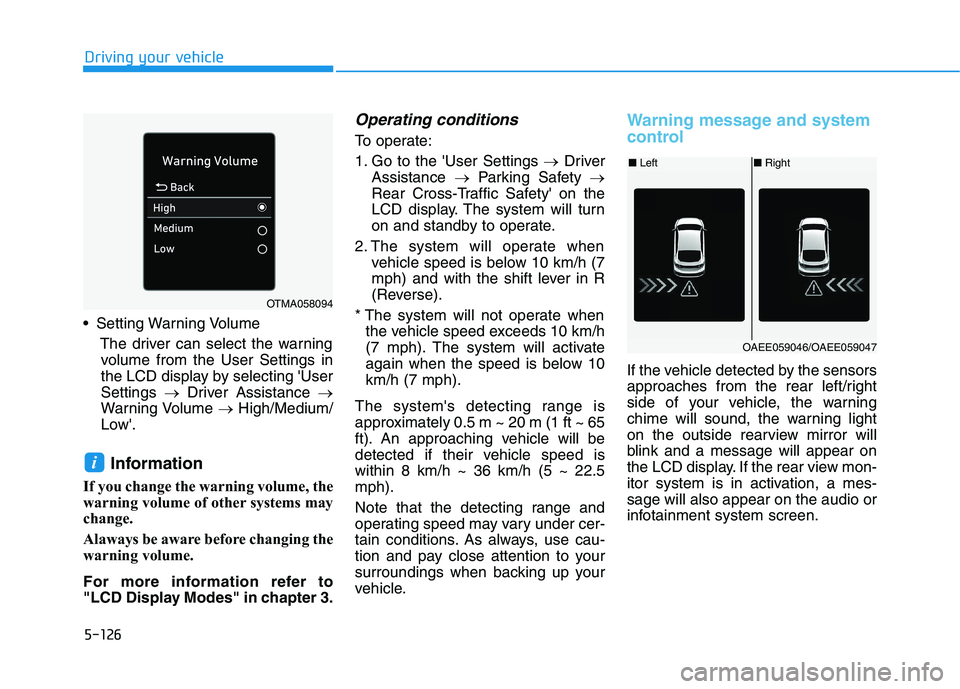
Setting Warning VolumeThe driver can select the warningvolume from the User Settings in
the LCD display by selecting 'UserSettings Driver Assistance
Warning Volume High/Medium/
Low'.
Information
If you change the warning volume, the
warning volume of other systems may
change.
Alaways be aware before changing the
warning volume.
For more information refer to
"LCD Display Modes" in chapter 3.
Operating conditions
To operate:
1. Go to the 'User Settings Driver
Assistance Parking Safety
Rear Cross-Traffic Safety' on the
LCD display. The system will turn
on and standby to operate.
2. The system will operate when vehicle speed is below 10 km/h (7
mph) and with the shift lever in R
(Reverse).
* The system will not operate when the vehicle speed exceeds 10 km/h
(7 mph). The system will activate
again when the speed is below 10km/h (7 mph).
The system's detecting range is
approximately 0.5 m ~ 20 m (1 ft ~ 65
ft). An approaching vehicle will be
detected if their vehicle speed iswithin 8 km/h ~ 36 km/h (5 ~ 22.5mph).
Note that the detecting range and
operating speed may vary under cer-
tain conditions. As always, use cau-
tion and pay close attention to your
surroundings when backing up your
vehicle.
Warning message and system
control
If the vehicle detected by the sensors
approaches from the rear left/right
side of your vehicle, the warning
chime will sound, the warning light
on the outside rearview mirror will
blink and a message will appear on
the LCD display. If the rear view mon-
itor system is in activation, a mes-sage will also appear on the audio or
infotainment system screen.
i
OTMA058094
■ Left■Right
OAEE059046/OAEE059047
Page 542 of 546
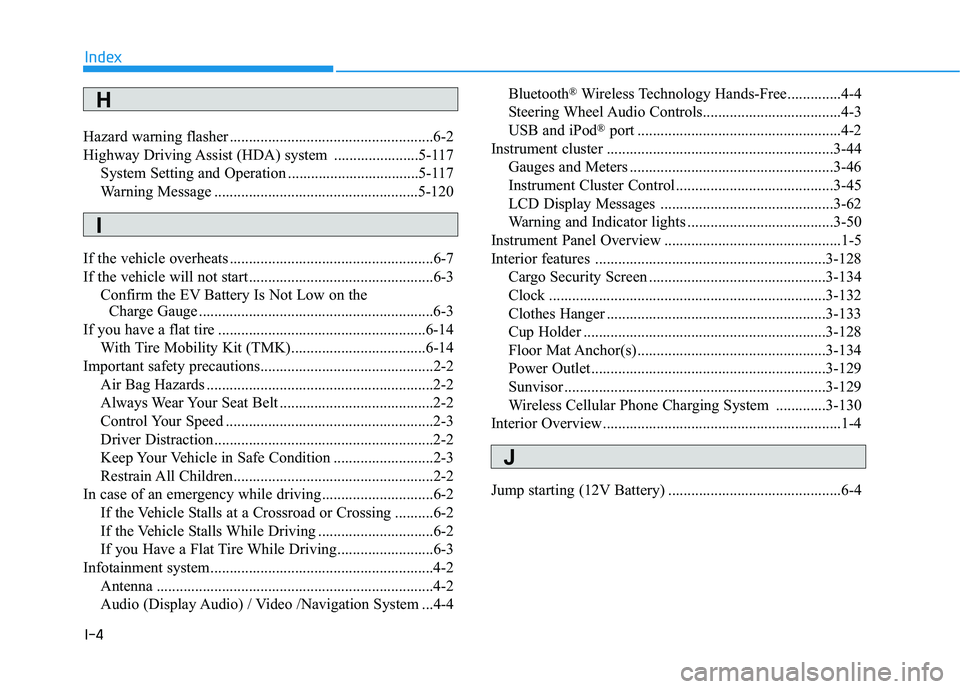
I-4
Hazard warning flasher .....................................................6-2
Highway Driving Assist (HDA) system ......................5-117
System Setting and Operation ..................................5-117
Warning Message .....................................................5-120
If the vehicle overheats .....................................................6-7
If the vehicle will not start ................................................6-3 Confirm the EV Battery Is Not Low on the Charge Gauge .............................................................6-3
If you have a flat tire ......................................................6-14
With Tire Mobility Kit (TMK)...................................6-14
Important safety precautions.............................................2-2
Air Bag Hazards ...........................................................2-2
Always Wear Your Seat Belt ........................................2-2
Control Your Speed ......................................................2-3
Driver Distraction.........................................................2-2
Keep Your Vehicle in Safe Condition ..........................2-3
Restrain All Children....................................................2-2
In case of an emergency while driving .............................6-2 If the Vehicle Stalls at a Crossroad or Crossing ..........6-2
If the Vehicle Stalls While Driving ..............................6-2
If you Have a Flat Tire While Driving.........................6-3
Infotainment system..........................................................4-2
Antenna ........................................................................4-2
Audio (Display Audio) / Video /Navigation System ...4-4 Bluetooth
®
Wireless Technology Hands-Free..............4-4
Steering Wheel Audio Controls....................................4-3
USB and iPod ®
port .....................................................4-2
Instrument cluster ...........................................................3-44 Gauges and Meters .....................................................3-46
Instrument Cluster Control .........................................3-45
LCD Display Messages .............................................3-62
Warning and Indicator lights ......................................3-50
Instrument Panel Overview ..............................................1-5
Interior features ............................................................3-128 Cargo Security Screen ..............................................3-134
Clock ........................................................................3-132
Clothes Hanger .........................................................3-133
Cup Holder ...............................................................3-128
Floor Mat Anchor(s) .................................................3-134
Power Outlet.............................................................3-129
Sunvisor ....................................................................3-129
Wireless Cellular Phone Charging System .............3-130
Interior Overview..............................................................1-4
Jump starting (12V Battery) .............................................6-4
Index
H
I
J