2022 HYUNDAI I30 speed change
[x] Cancel search: speed changePage 433 of 659
5-129
Driving your vehicle
5
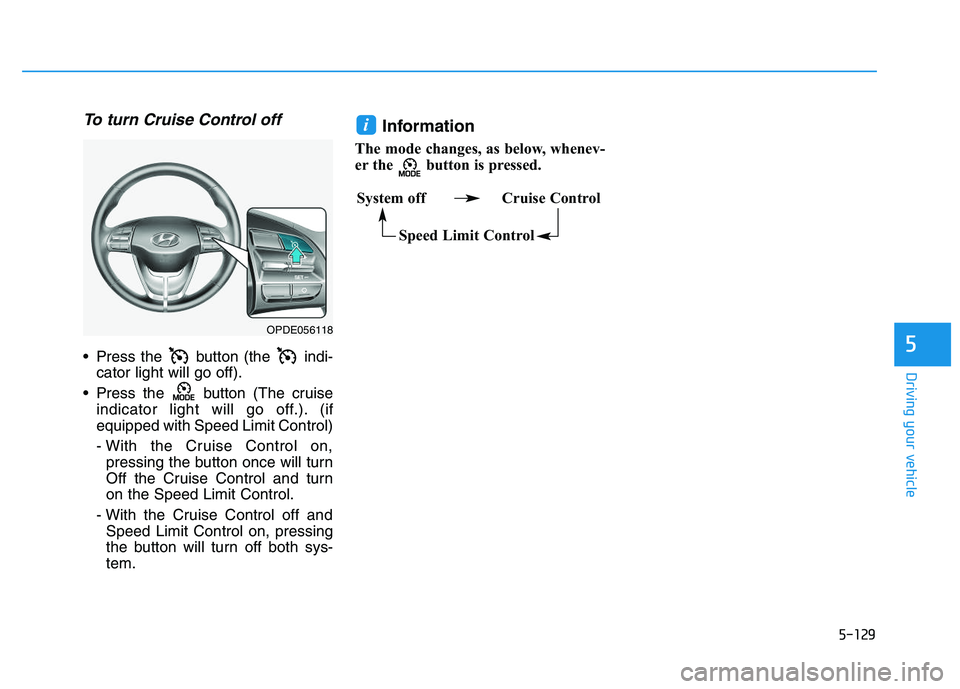
To turn Cruise Control off
Press the button (the indi-cator light will go off).
Press the button (The cruise indicator light will go off.). (if
equipped with Speed Limit Control)
- With the Cruise Control on,pressing the button once will turn
Off the Cruise Control and turn
on the Speed Limit Control.
- With the Cruise Control off and Speed Limit Control on, pressing
the button will turn off both sys-
tem.
Information
The mode changes, as below, whenev-
er the button is pressed.
i
System off Cruise Control
Speed Limit Control
OPDE056118
Page 435 of 659
5-131
Driving your vehicle
5
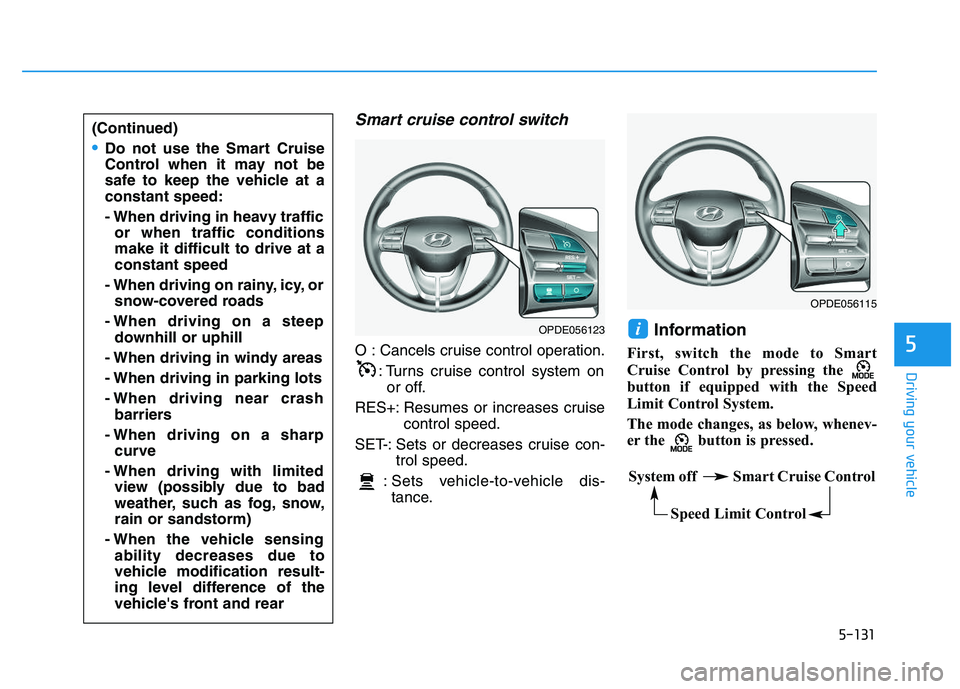
Smart cruise control switch
O : Cancels cruise control operation.: Turns cruise control system onor off.
RES+: Resumes or increases cruise control speed.
SET-: Sets or decreases cruise con- trol speed.
: Sets vehicle-to-vehicle dis- tance.
Information
First, switch the mode to Smart
Cruise Control by pressing the
button if equipped with the Speed
Limit Control System.
The mode changes, as below, whenev-
er the button is pressed.
i
(Continued)
Do not use the Smart Cruise
Control when it may not be
safe to keep the vehicle at a
constant speed:
- When driving in heavy traffic or when traffic conditions
make it difficult to drive at a
constant speed
- When driving on rainy, icy, or snow-covered roads
- When driving on a steep downhill or uphill
- When driving in windy areas
- When driving in parking lots
- When driving near crash barriers
- When driving on a sharp curve
- When driving with limited view (possibly due to bad
weather, such as fog, snow,
rain or sandstorm)
- When the vehicle sensing ability decreases due to
vehicle modification result-
ing level difference of the
vehicle's front and rear
OPDE056123
OPDE056115
System off Smart Cruise Control
Speed Limit Control
Page 438 of 659

5-134
Driving your vehicle
To temporarily accelerate withthe Smart Cruise Control on
If you want to speed up temporarily
when the Smart Cruise Control is on,
depress the accelerator pedal.
Increased speed will not interfere
with Smart Cruise Control operation
or change the set speed.
To return to the set speed, take your
foot off the accelerator pedal.
If you push the toggle switch down
(SET-) at increased speed, the cruis-
ing speed will be set again pedal.
Information
Be careful when accelerating tem-
porarily, because the speed is not con-
trolled automatically at this time even
if there is a vehicle in front of you.
Smart Cruise Control will betemporarily canceled when:
Cancelled manually
Depressing the brake pedal.
Pressing the button located on
the steering wheel.
The Smart Cruise Control turns off
temporarily when the Set Speed and
Vehicle-to-Vehicle Distance indicator
on the LCD display turns off.
The cruise ( ) indicator is
illuminated continuously. Cancelled automatically
The driver's door is opened.
The shift lever is shifted to N
(Neutral), R (Reverse) or P (Park).
The parking brake is applied.
The vehicle speed is over 190 km/h (120 mph).
The ESC (Electronic Stability Control), TCS (Traction Control
System) or ABS is operating.
The ESC is turned off.
The sensor or the cover is dirty or blocked with foreign matter.
The vehicle is stopped for a certain period of time.
The vehicle stops and goes repeat- edly for a long period of time.
The accelerator pedal is continu- ously depressed for a long period
of time.
The engine performance is abnor- mal.
The driver starts driving by pushing the toggle switch up (RES+)/down
(SET-) or depressing the accelera-
tor pedal, approximately 3 minutes
after the vehicle is stopped by the
Smart Cruise Control System with
no other vehicle ahead.i
OPDE056121
Page 440 of 659
5-136
Driving your vehicle
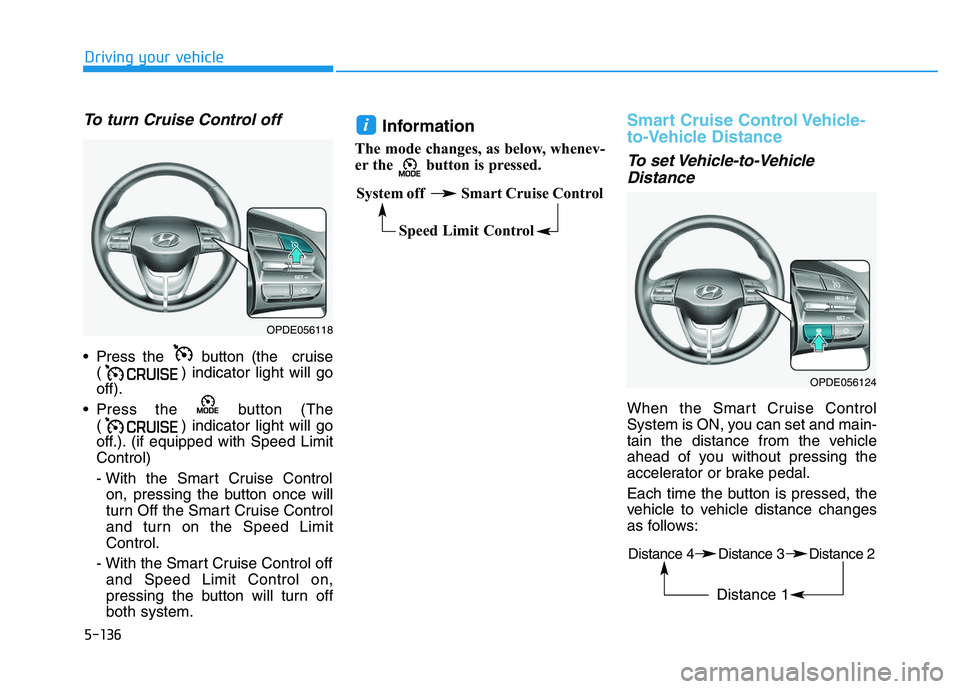
To turn Cruise Control off
Press the button (the cruise( ) indicator light will go
off).
Press the button (The ( ) indicator light will go
off.). (if equipped with Speed Limit
Control)
- With the Smart Cruise Controlon, pressing the button once will
turn Off the Smart Cruise Control
and turn on the Speed Limit
Control.
- With the Smart Cruise Control off and Speed Limit Control on,
pressing the button will turn off
both system.
Information
The mode changes, as below, whenev-
er the button is pressed.
Smart Cruise Control Vehicle-
to-Vehicle Distance
To set Vehicle-to-VehicleDistance
When the Smart Cruise Control
System is ON, you can set and main-
tain the distance from the vehicle
ahead of you without pressing the
accelerator or brake pedal.
Each time the button is pressed, the
vehicle to vehicle distance changes
as follows:
i
OPDE056118
System off Smart Cruise Control
Speed Limit Control
OPDE056124
Distance 4 Distance 3 Distance 2
Distance 1
Page 450 of 659
5-146
Driving your vehicleThe Smart Cruise Control System
may not operate temporarily due
to:
Electrical interference
Modifying the suspension
Differences of tire abrasion ortire pressure
Installing different type of tires
NOTICE(Continued)
Vehicles moving in front of you
with a frequent lane change
may cause a delay in the sys-
tem's reaction or may cause
the system to react to a vehicle
actually in an adjacent lane.
Always drive cautiously to pre-
vent unexpected and sudden
situations from occurring.
Always be aware of the select-
ed speed and vehicle to vehi-
cle distance. The driver
should not solely rely on the
system but always pay atten-
tion to driving conditions and
control your vehicle speed.
The Smart Cruise Control
System may not recognize
complex driving situations so
always pay attention to driv-
ing conditions and control
your vehicle speed.
Page 451 of 659
5-147
Driving your vehicle
5
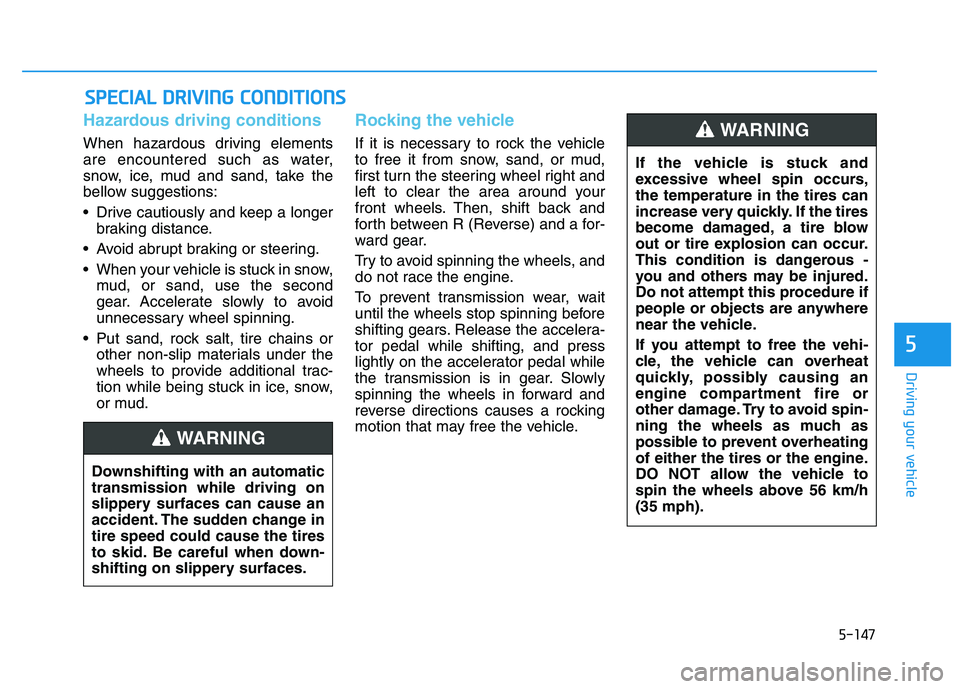
Hazardous driving conditions
When hazardous driving elements
are encountered such as water,
snow, ice, mud and sand, take the
bellow suggestions:
Drive cautiously and keep a longerbraking distance.
Avoid abrupt braking or steering.
When your vehicle is stuck in snow, mud, or sand, use the second
gear. Accelerate slowly to avoid
unnecessary wheel spinning.
Put sand, rock salt, tire chains or other non-slip materials under the
wheels to provide additional trac-
tion while being stuck in ice, snow,
or mud.
Rocking the vehicle
If it is necessary to rock the vehicle
to free it from snow, sand, or mud,
first turn the steering wheel right and
left to clear the area around your
front wheels. Then, shift back and
forth between R (Reverse) and a for-
ward gear.
Try to avoid spinning the wheels, and
do not race the engine.
To prevent transmission wear, wait
until the wheels stop spinning before
shifting gears. Release the accelera-
tor pedal while shifting, and press
lightly on the accelerator pedal while
the transmission is in gear. Slowly
spinning the wheels in forward and
reverse directions causes a rocking
motion that may free the vehicle.
S
S P
P E
E C
C I
I A
A L
L
D
D R
R I
I V
V I
I N
N G
G
C
C O
O N
N D
D I
I T
T I
I O
O N
N S
S
Downshifting with an automatic
transmission while driving on
slippery surfaces can cause an
accident. The sudden change in
tire speed could cause the tires
to skid. Be careful when down-
shifting on slippery surfaces.
WARNING
If the vehicle is stuck and
excessive wheel spin occurs,
the temperature in the tires can
increase very quickly. If the tires
become damaged, a tire blow
out or tire explosion can occur.
This condition is dangerous -
you and others may be injured.
Do not attempt this procedure if
people or objects are anywhere
near the vehicle.
If you attempt to free the vehi-
cle, the vehicle can overheat
quickly, possibly causing an
engine compartment fire or
other damage. Try to avoid spin-
ning the wheels as much as
possible to prevent overheating
of either the tires or the engine.
DO NOT allow the vehicle to
spin the wheels above 56 km/h
(35 mph).
WARNING
Page 545 of 659
7-32
Maintenance
E
E X
X P
P L
L A
A N
N A
A T
T I
I O
O N
N
O
O F
F
S
S C
C H
H E
E D
D U
U L
L E
E D
D
M
M A
A I
I N
N T
T E
E N
N A
A N
N C
C E
E
I
I T
T E
E M
M S
S
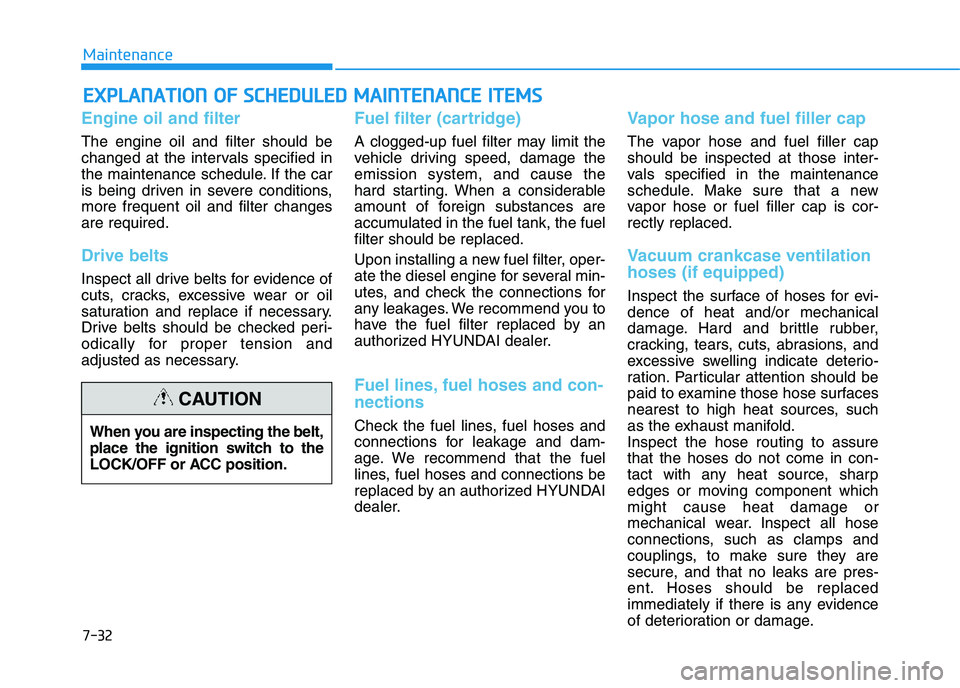
Engine oil and filter
The engine oil and filter should be
changed at the intervals specified in
the maintenance schedule. If the car
is being driven in severe conditions,
more frequent oil and filter changes
are required.
Drive belts
Inspect all drive belts for evidence of
cuts, cracks, excessive wear or oil
saturation and replace if necessary.
Drive belts should be checked peri-
odically for proper tension and
adjusted as necessary.
Fuel filter (cartridge)
A clogged-up fuel filter may limit the
vehicle driving speed, damage the
emission system, and cause the
hard starting. When a considerable
amount of foreign substances are
accumulated in the fuel tank, the fuel
filter should be replaced.
Upon installing a new fuel filter, oper-
ate the diesel engine for several min-
utes, and check the connections for
any leakages. We recommend you to
have the fuel filter replaced by an
authorized HYUNDAI dealer.
Fuel lines, fuel hoses and con-
nections
Check the fuel lines, fuel hoses and
connections for leakage and dam-
age. We recommend that the fuel
lines, fuel hoses and connections be
replaced by an authorized HYUNDAI
dealer.
Vapor hose and fuel filler cap
The vapor hose and fuel filler cap
should be inspected at those inter-
vals specified in the maintenance
schedule. Make sure that a new
vapor hose or fuel filler cap is cor-
rectly replaced.
Vacuum crankcase ventilation
hoses (if equipped)
Inspect the surface of hoses for evi-
dence of heat and/or mechanical
damage. Hard and brittle rubber,
cracking, tears, cuts, abrasions, and
excessive swelling indicate deterio-
ration. Particular attention should be
paid to examine those hose surfaces
nearest to high heat sources, such
as the exhaust manifold.
Inspect the hose routing to assure
that the hoses do not come in con-
tact with any heat source, sharp
edges or moving component which
might cause heat damage or
mechanical wear. Inspect all hose
connections, such as clamps and
couplings, to make sure they are
secure, and that no leaks are pres-
ent. Hoses should be replaced
immediately if there is any evidence
of deterioration or damage.
When you are inspecting the belt,
place the ignition switch to the
LOCK/OFF or ACC position.
CAUTION