Page 452 of 641
450
uuWhen Driving uECON Button
Driving
ECON Button
The ECON button turns the ECON mode on
and off. The ECON mode helps you improve
your fuel economy by adjusting the
performance of the engine, transmission,
heating and cooling system
*/climate control
system*, and cruise control*.
1 ECON Button
While in ECON mode, the climate control system has
greater temperature fluctuations.
Models with climate control system
Models with information display
Models with multi-information display
* Not available on all models
22 HR-V HDMC-31T7A6600.book 450 ページ 2021年4月12日 月曜日 午前10時50分
Page 461 of 641

459
uuWhen Driving uTire Pressure Monitoring System (TPMS)
Continued
Driving
Tire Pressure Monitoring System (TPMS)
Instead of directly measuring the pressure in each tire, the TPMS on this vehicle
monitors and compares the rolling radius and rotational characteristics of each
wheel and tire while you are driving to determine if one or more tires are
significantly under-inflated.
This will cause the low tire pressure/TPMS
indicator to come on and a message to appear
on the multi-information display
*.
U.S. models only
1 Tire Pressure Monitoring System (TPMS)
The system does not monitor the tires when driving
at low speed.
Conditions such as low ambient temperature and
altitude change directly affect tire pressure and can
trigger the low tire pressure/TPMS indicator to come
on.
Tire pressure checked and inflated in:
•Warm weather can beco me under-inflated in
colder weather.
•Cold weather can become overinflated in warmer
weather.
The low tire pressure/TPMS indicator will not come
on as a result of overinflation.
The TPMS may not function pr operly if tire type and
size are mixed. Make sure to use the same size and
type of tire. 2 Checking and Maintaining Tires P. 559
The low tire pressure/TPMS indicator may come on
with a delay or may not come on at all when:
•You rapidly accelerate, decelerate, or turn the
steering wheel.
•You drive on snowy or slippery roads.•Snow chains are used.
The low tire pressure/TPMS indicator may come on
under the following conditions:
•A compact spare tire is used.•There is a heavier and uneve n load on the tires than
the condition at calibration.
•Snow chains are used.
*
Low Tire Pressure/TPMS Indicator
* Not available on all models
22 HR-V HDMC-31T7A6600.book 459 ページ 2021年4月12日 月曜日 午前10時50分
Page 463 of 641
461
uuWhen Driving uTire Pressure Monitoring System (TPMS)
Driving
You can calibrate the system from the
customized features on the multi-information
display.
1. Press the button to select Vehicle
Settings , then press the SEL/RESET
button.
u TPMS Calibration appears on the
display.
2. Press the SEL/RESET button.
u The display swit ches to the
customization setup screen, where you
can select Cancel or Calibrate .
3. Press the button and select
Calibrate , then press the SEL/RESET
button.
u Calibration Started screen appears,
then the display returns to the
customization menu screen.
• If the Calibration Failed To Start message
appears, repeat steps 2-3.
• The calibration process finishes
automatically.
Models with multi- information display
22 HR-V HDMC-31T7A6600.book 461 ページ 2021年4月12日 月曜日 午前10時50分
Page 468 of 641
466
uuHonda Sensing ®*u
Driving
You can see the current state of ACC and
LKAS.
aIndicates that ACC and LKAS are ready to
be activated.
bIndicates that LKAS is activated and
whether or not traffic lane lines are
detected.
cIndicates whether or not a vehicle is
detected ahead.
dShows the set vehicle speed.
eShows the set vehicle interval.
■Multi-Information Display Content
22 HR-V HDMC-31T7A6600.book 466 ページ 2021年4月12日 月曜日 午前10時50分
Page 472 of 641
uuHonda Sensing ®*uCollision Mitigation Braking SystemTM (CMBSTM)
470
Driving
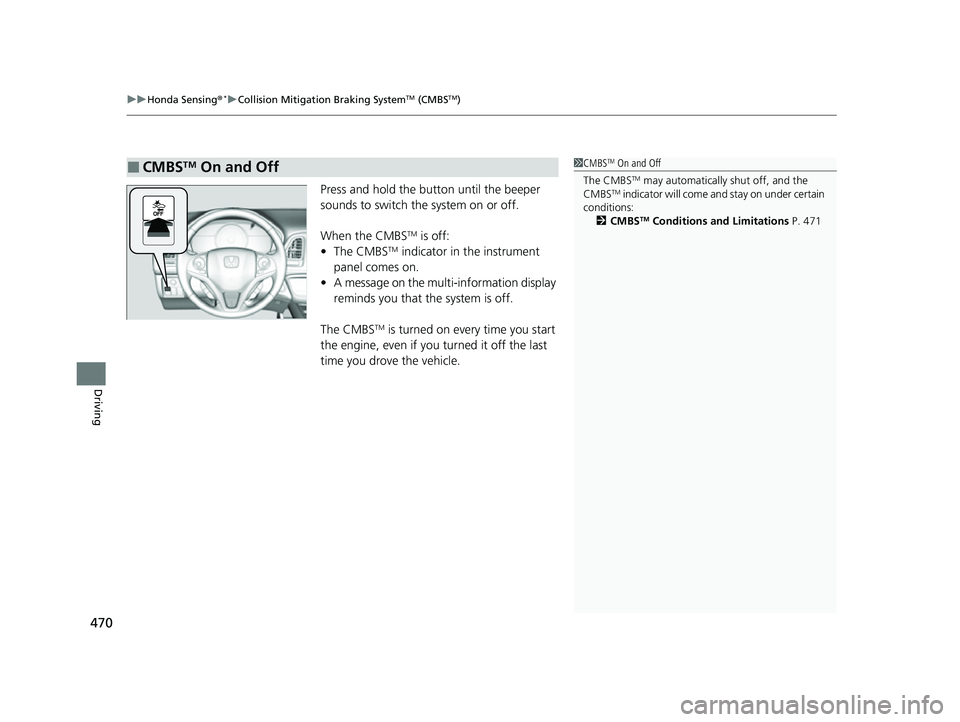
Press and hold the button until the beeper
sounds to switch the system on or off.
When the CMBS
TM is off:
• The CMBSTM indicator in the instrument
panel comes on.
• A message on the multi-information display
reminds you that the system is off.
The CMBS
TM is turned on every time you start
the engine, even if you turned it off the last
time you drove the vehicle.
■CMBSTM On and Off1 CMBSTM On and Off
The CMBS
TM may automatically shut off, and the
CMBSTM indicator will come an d stay on under certain
conditions: 2 CMBS
TM Conditions and Limitations P. 471
22 HR-V HDMC-31T7A6600.book 470 ページ 2021年4月12日 月曜日 午前10時50分
Page 480 of 641
uuHonda Sensing ®*uAdaptive Cruise Control (ACC)
478
Driving
■How to activate the system1Adaptive Cruise Control (ACC)
Important Reminder
As with any system, there are limits to ACC. Use the
brake pedal whenever necessary, and always keep a
safe interval betw een your vehicle and other vehicles.
You can read about handling information for the
camera equipped with this system. 2 Front Sensor Camera P. 504
For directions on the prop er handling of the radar
sensor, refer to the following page.
2 Radar Sensor P. 506
How to use
ACC is on in the multiL
information display.
Adaptive cruise control is
ready to use.
■Press the MAIN button on
the steering wheel.
22 HR-V HDMC-31T7A6600.book 478 ページ 2021年4月12日 月曜日 午前10時50分
Page 481 of 641
Continued479
uuHonda Sensing ®*uAdaptive Cruise Control (ACC)
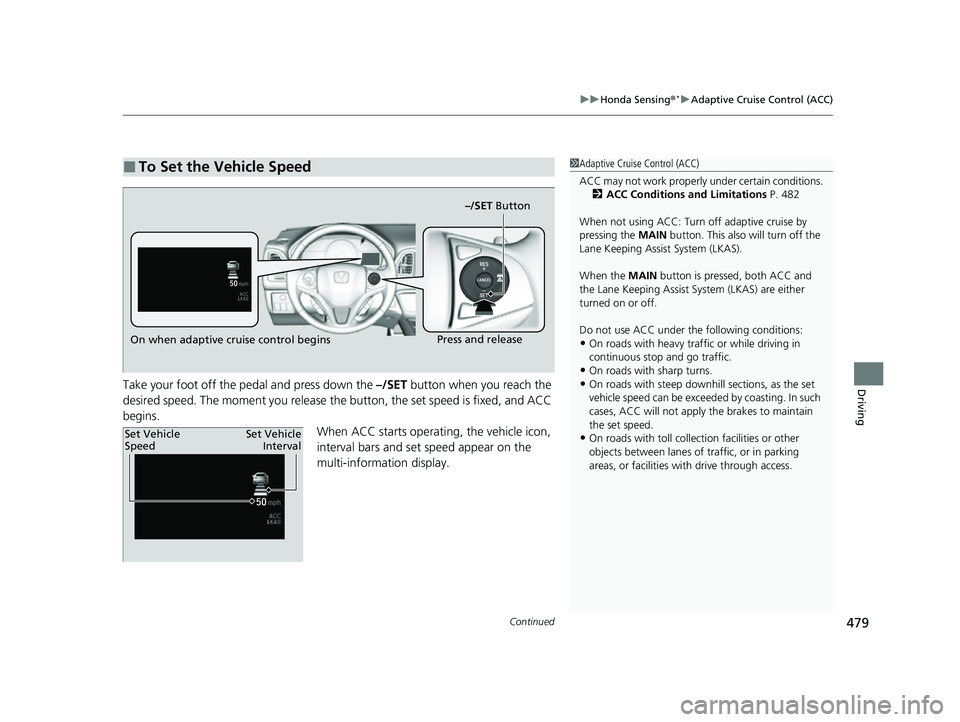
DrivingTake your foot off the pedal and press down the –/SET button when you reach the
desired speed. The moment you release the button, the set speed is fixed, and ACC
begins. When ACC starts operating, the vehicle icon,
interval bars and set speed appear on the
multi-information display.
■To Set the Vehicle Speed1Adaptive Cruise Control (ACC)
ACC may not work properly under certain conditions.
2 ACC Conditions and Limitations P. 482
When not using ACC: Turn off adaptive cruise by
pressing the MAIN button. This also will turn off the
Lane Keeping Assist System (LKAS).
When the MAIN button is pressed, both ACC and
the Lane Keeping Assist System (LKAS) are either
turned on or off.
Do not use ACC under the following conditions:
•On roads with heavy traf fic or while driving in
continuous stop and go traffic.
•On roads with sharp turns.
•On roads with steep downhill sections, as the set
vehicle speed can be exceeded by coasting. In such
cases, ACC will not apply the brakes to maintain
the set speed.
•On roads with toll collection facilities or other
objects between lanes of traffic, or in parking
areas, or faci lities with driv e through access.
On when adaptive cruise control begins –/SET ButtonPress and release
Set Vehicle
Speed
Set Vehicle
Interval
22 HR-V HDMC-31T7A6600.book 479 ページ 2021年4月12日 月曜日 午前10時50分
Page 482 of 641
uuHonda Sensing ®*uAdaptive Cruise Control (ACC)
480
Driving
■There is a vehicle ahead
ACC monitors if a vehicle ahead of you ente rs the ACC range. If a vehicle is detected
doing so, the ACC system maintains or decele rates your vehicle’s set speed in order
to keep the vehicle’s se t following-interval from the vehicle ahead.
2To Set or Change Following-interval P. 485
When a vehicle whose speed is slower than
your set speed is detected in front of you, your
vehicle starts to slow down.
■When in Operation1 When in Operation
If the vehicle ahead of you slows down abruptly, or if
another vehicle cuts in front of you, the beeper
sounds, a message appears on the multi-information
display.
Depress the brake pedal, and keep an appropriate
interval from the vehicle ahead.
Beep
ACC Range: 394 ft. (120 m)
A vehicle icon appears on the
multi-information display.
22 HR-V HDMC-31T7A6600.book 480 ページ 2021年4月12日 月曜日 午前10時50分