2022 FORD F-150 Weather
[x] Cancel search: WeatherPage 350 of 750

The driver-facing camera may not operate
correctly due to any of the following:
•
You have a pre-existing eye condition,
such as an eye misalignment, or have
had eye surgery.
• You cover your facial features by a
mask, hat or other items.
• The lighting conditions change
significantly.
• You are not in the field of view of the
camera.
• You position or tilt yourself to one side.
• You are moving around extensively.
• You are wearing glasses or sunglasses
that are too dark or reflective.
Note: The system has limited steering
assistance and may not be sufficient for all
driving situations.
Note: In exceptional conditions, such as
inclement weather or direct sunlight, the
system could deviate from the center line.
Note: The information provided by the
navigation map data could be inaccurate or
out of date.
BLUECRUISE SETTINGS
Enabling BlueCruise
1. Press Features on the touchscreen.
2. Press
Driver Assistance.
3. Press
Cruise Control.
4. Press
Lane Centering with
Hands-Free.
Enabling Activation Prompts
1. Press
Features on the touchscreen.
2. Press
Driver Assistance.
3. Press
Cruise Control.
4. Press
Activation Prompts. SWITCHING BLUECRUISE ON
AND OFF
Switching BlueCruise On
The controls are on the steering wheel.
Using Activation Prompts
When the prompt appears, press
the button to switch BlueCruise
on.
The indicator appears in the instrument
cluster. When the system is on, the color
of the indicator changes to indicate the
system status.
Note: You must enable activation prompts
in the touchscreen.
Using Steering Wheel Controls Using the adaptive cruise control
and lateral support buttons,
ensure both systems are active.
BlueCruise activates.
Switching BlueCruise Off Press either the lateral support
or adaptive cruise control button
when system is active or in
standby mode.
BlueCruise turns off through
each ignition cycle.
346
2022 F-150 (TFD) Canada/United States of America, enUSA, Edition date: 202109, First-Printing BlueCruise
(If Equipped)E144529 E308131 E144529 E308131 E144529
Page 365 of 750

WHAT IS THE LANE KEEPING
SYSTEM
The lane keeping system alerts you by
providing temporary steering assistance
or steering wheel vibration when it detects
an unintended lane departure.
HOW DOES THE LANE
KEEPING SYSTEM WORK
The lane keeping system uses a forward
looking camera mounted on the windshield
to monitor vehicle movement within the
travel lane.
When the camera detects a drift out of the
travel lane, the lane keeping system alerts
the driver by vibrating the steering wheel,
or aids the driver by providing a small
steering input to move the vehicle back
into the travel lane.
The driver can select one of three modes:
•
Alert (If Equipped)
• Aid
• Alert + Aid
LANE KEEPING SYSTEM
PRECAUTIONS WARNING: You are responsible for
controlling your vehicle at all times. The
system is designed to be an aid and does
not relieve you of your responsibility to
drive with due care and attention. Failure
to follow this instruction could result in
the loss of control of your vehicle,
personal injury or death. WARNING: The system will not
operate if the sensor cannot track the
road lane markings. WARNING:
The sensor may
incorrectly track lane markings as other
structures or objects. This can result in
a false or missed warning. WARNING:
In cold and severe
weather conditions the system may not
function. Rain, snow and spray can all
limit sensor performance. WARNING:
The system may not
operate properly if the sensor is blocked.
Keep the windshield free from
obstruction. WARNING:
If damage occurs in the
immediate area surrounding the sensor,
have your vehicle checked as soon as
possible. WARNING:
The system may not
correctly operate if your vehicle is fitted
with a suspension kit not approved by
us. WARNING:
Large contrasts in
outside lighting can limit sensor
performance.
LANE KEEPING SYSTEM
LIMITATIONS
The lane keeping system only operates
when the vehicle speed is greater than
40 mph (64 km/h)
.
The system works when the camera can
detect at least one lane marking.
Note: When you select Aid or Alert and Aid
mode and the system detects no steering
activity for a short period of time, the system
alerts you to put your hands on the steering
wheel. The system may detect a light grip
or touch on the steering wheel as hands-off
driving.
361
2022 F-150 (TFD) Canada/United States of America, enUSA, Edition date: 202109, First-Printing Lane Keeping System
(If Equipped)
Page 372 of 750

WHAT IS BLIND SPOT
INFORMATION SYSTEM
Blind spot information system detects
vehicles that may have entered the blind
spot zone.
HOW DOES BLIND SPOT
INFORMATION SYSTEM WORK
Blind spot information system uses
sensors on both sides of your vehicle,
detecting rearward from the exterior
mirrors to approximately 13 ft (4 m)
beyond the rear bumper. The detection
area extends to approximately 59 ft (18 m)
beyond the rear bumper when the vehicle
speed is greater than
30 mph (48 km/h)
to alert you of faster approaching vehicles. BLIND SPOT INFORMATION
SYSTEM PRECAUTIONS
WARNING:
Do not use the blind
spot information system as a
replacement for using the interior and
exterior mirrors or looking over your
shoulder before changing lanes. The
blind spot information system is not a
replacement for careful driving. WARNING:
The system may not
operate properly during severe weather
conditions, for example snow, ice, heavy
rain and spray. Always drive with due
care and attention. Failure to take care
may result in a crash.
Note: Blind spot information system does
not prevent contact with other vehicles. It
does not detect parked vehicles,
pedestrians, animals or other infrastructure.
BLIND SPOT INFORMATION
SYSTEM LIMITATIONS
Blind spot information system does not
operate in park (P) or reverse (R).
The system may not alert you if a vehicle
quickly passes through the detection zone.
BLIND SPOT INFORMATION
SYSTEM REQUIREMENTS
Blind spot information system turns on
when all the following occur:
• You start your vehicle.
• You shift into drive (D).
• The vehicle speed is greater than
6 mph (10 km/h)
.
SWITCHING BLIND SPOT
INFORMATION SYSTEM ON
AND OFF
To switch blind spot information system
on or off, use the touchscreen:
1. Press
Features on the touchscreen.
2. Press
Driver Assistance.
3. Press
Blind Spot Information System.
4. Switch the feature on or off.
368
2022 F-150 (TFD) Canada/United States of America, enUSA, Edition date: 202109, First-Printing Blind Spot Information System
(If Equipped)E255695
Page 376 of 750

WHAT IS CROSS TRAFFIC
ALERT
The system alerts you of vehicles
approaching from the sides behind your
vehicle when you shift into reverse (R).
HOW DOES CROSS TRAFFIC
ALERT WORK
Cross traffic alert detects vehicles that
approach at a speed between 4–
37 mph
(6–60 km/h). Coverage decreases when
the sensors are partially, mostly or fully
obstructed. The sensor on the left-hand side is only
partially obstructed and zone coverage on
the right-hand side is maximized.
Zone coverage also decreases when
parking at narrow angles. The sensor on
the left-hand side is mostly obstructed and
zone coverage on that side is severely
reduced.
Note:
Slowly reversing helps increase the
coverage area and effectiveness. CROSS TRAFFIC ALERT
PRECAUTIONS WARNING:
Do not use the cross
traffic alert system as a replacement for
using the interior and exterior mirrors or
looking over your shoulder before
reversing out of a parking space. The
cross traffic alert system is not a
replacement for careful driving. WARNING:
The system may not
operate properly during severe weather
conditions, for example snow, ice, heavy
rain and spray. Always drive with due
care and attention. Failure to take care
may result in a crash.
CROSS TRAFFIC ALERT
LIMITATIONS
The system may not correctly operate
when any of the following occur:
• Something is blocking the sensors.
• Adjacently parked vehicles or objects
are obstructing the sensors.
• Vehicles approach at speeds less than
4 mph (6 km/h) or greater than 37 mph
(60 km/h)
.
• Your vehicle speed is greater than
7 mph (12 km/h)
.
• You reverse out of an angled parking
space.
372
2022 F-150 (TFD) Canada/United States of America, enUSA, Edition date: 202109, First-Printing Cross Traffic Alert
(If Equipped)E142440 E142441
Page 379 of 750
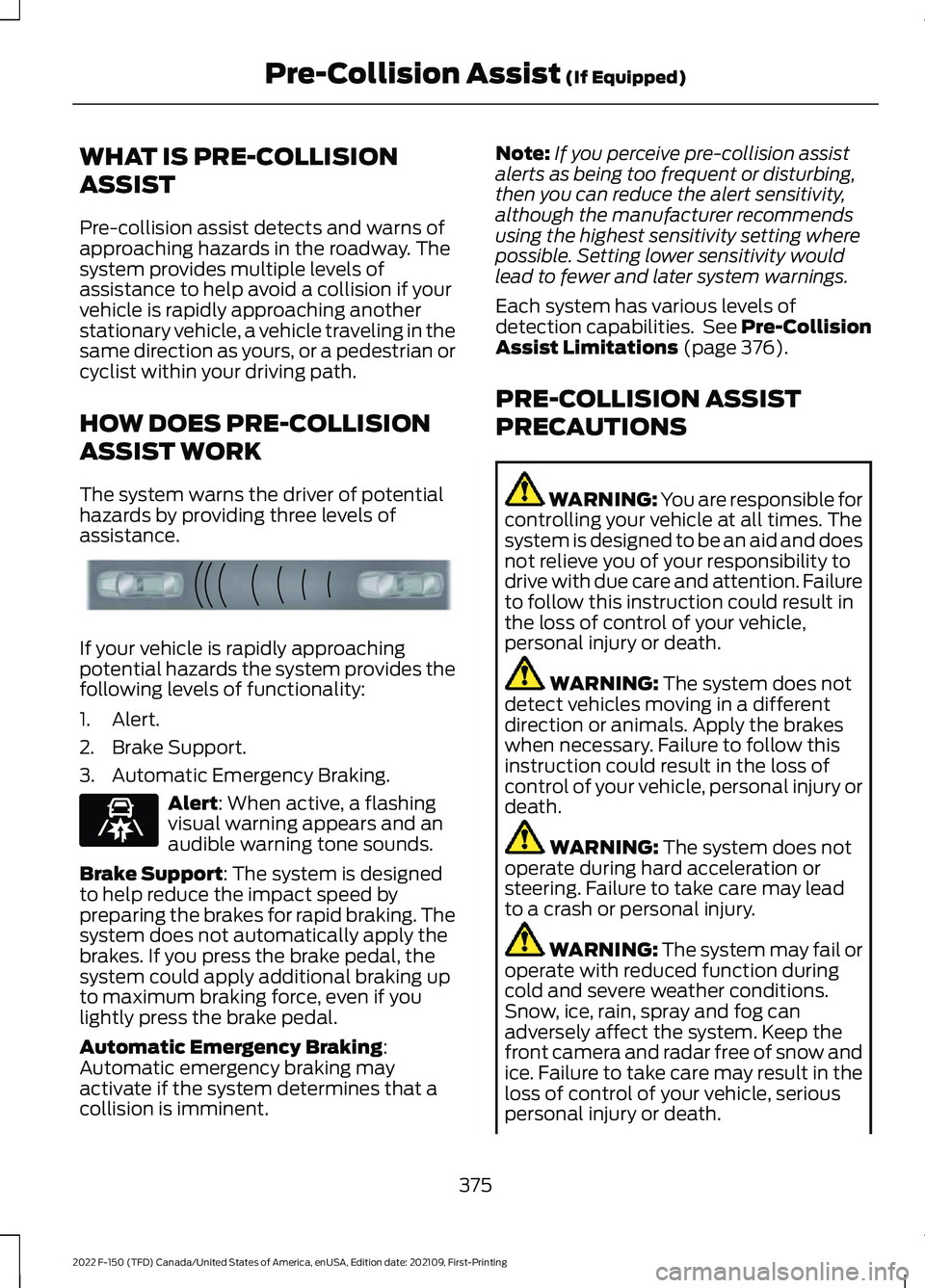
WHAT IS PRE-COLLISION
ASSIST
Pre-collision assist detects and warns of
approaching hazards in the roadway. The
system provides multiple levels of
assistance to help avoid a collision if your
vehicle is rapidly approaching another
stationary vehicle, a vehicle traveling in the
same direction as yours, or a pedestrian or
cyclist within your driving path.
HOW DOES PRE-COLLISION
ASSIST WORK
The system warns the driver of potential
hazards by providing three levels of
assistance.
If your vehicle is rapidly approaching
potential hazards the system provides the
following levels of functionality:
1. Alert.
2. Brake Support.
3. Automatic Emergency Braking.
Alert: When active, a flashing
visual warning appears and an
audible warning tone sounds.
Brake Support
: The system is designed
to help reduce the impact speed by
preparing the brakes for rapid braking. The
system does not automatically apply the
brakes. If you press the brake pedal, the
system could apply additional braking up
to maximum braking force, even if you
lightly press the brake pedal.
Automatic Emergency Braking
:
Automatic emergency braking may
activate if the system determines that a
collision is imminent. Note:
If you perceive pre-collision assist
alerts as being too frequent or disturbing,
then you can reduce the alert sensitivity,
although the manufacturer recommends
using the highest sensitivity setting where
possible. Setting lower sensitivity would
lead to fewer and later system warnings.
Each system has various levels of
detection capabilities. See Pre-Collision
Assist Limitations
(page 376).
PRE-COLLISION ASSIST
PRECAUTIONS WARNING: You are responsible for
controlling your vehicle at all times. The
system is designed to be an aid and does
not relieve you of your responsibility to
drive with due care and attention. Failure
to follow this instruction could result in
the loss of control of your vehicle,
personal injury or death. WARNING:
The system does not
detect vehicles moving in a different
direction or animals. Apply the brakes
when necessary. Failure to follow this
instruction could result in the loss of
control of your vehicle, personal injury or
death. WARNING:
The system does not
operate during hard acceleration or
steering. Failure to take care may lead
to a crash or personal injury. WARNING: The system may fail or
operate with reduced function during
cold and severe weather conditions.
Snow, ice, rain, spray and fog can
adversely affect the system. Keep the
front camera and radar free of snow and
ice. Failure to take care may result in the
loss of control of your vehicle, serious
personal injury or death.
375
2022 F-150 (TFD) Canada/United States of America, enUSA, Edition date: 202109, First-Printing Pre-Collision Assist
(If Equipped)E156130 E329466
Page 387 of 750

PRE-COLLISION ASSIST – INFORMATION MESSAGES
Action
Message
You have a blocked sensor due to bad
weather, ice, mud or water in front of the radar sensor. You can typically clean the sensor to resolve.
Pre-Collision Assist Not Available Sensor
Blocked
A fault with the system has occurred. Haveyour vehicle checked as soon as possible.
Pre-Collision Assist Not Available
383
2022 F-150 (TFD) Canada/United States of America, enUSA, Edition date: 202109, First-Printing Pre-Collision Assist (If Equipped)
Page 388 of 750

PRE-COLLISION ASSIST –
FREQUENTLY ASKED QUESTIONS
- POLICE RESPONDER
Camera Troubleshooting
The windshield in front of the camera
is dirty or obstructed.
Clean the outside of the windshield in
front of the camera.
The windshield in front of the camera
is clean, but the message remains in
the instrument cluster display. Wait a short time. It could take several
minutes for the camera to detect that
there is no obstruction.
PRE-COLLISION ASSIST –
FREQUENTLY ASKED QUESTIONS
Camera Troubleshooting
The windshield in front of the camera
is dirty or obstructed. Clean the outside of the windshield in
front of the camera.
The windshield in front of the camera
is clean, but the message remains in
the instrument cluster display. Wait a short time. It could take several
minutes for the camera to detect that
there is no obstruction.
Radar Troubleshooting (If Equipped)
The surface of the radar in the grille is
dirty or obstructed. Clean the grille surface in front of the
radar or remove the object causing the
obstruction. The surface of the radar in the grille is
clean, but the message remains in the
instrument cluster display.
Wait a short time. It could take several
minutes for the radar to detect that
there is no obstruction.
Heavy rain, spray or fog is interfering
with the radar signals. The pre-collision assist system is
temporarily disabled. Pre-collision
assist reactivates a short time after
the weather conditions improve.
Swirling water or snow or ice on the
surface of the road is interfering with
the radar signals. The pre-collision assist system is
temporarily disabled. Pre-collision
assist reactivates a short time after
the weather conditions improve.
Radar is out of alignment due to a
front-end impact. Have your vehicle serviced to have the
radar checked for proper coverage and
operation.
PRE-COLLISION ASSIST –
FREQUENTLY ASKED QUESTIONS
- VEHICLES WITH: INTERSECTION
ASSIST
Camera Troubleshooting
The windshield in front of the camera
is dirty or obstructed. Clean the outside of the windshield in
front of the camera.
The windshield in front of the camera
is clean, but the message remains in
the instrument cluster display. Wait a short time. It could take several
minutes for the camera to detect that
there is no obstruction.
384
2022 F-150 (TFD) Canada/United States of America, enUSA, Edition date: 202109, First-Printing Pre-Collision Assist
(If Equipped)
Page 389 of 750

Radar Troubleshooting (If Equipped)
The surface of the radar in the grille is
dirty or obstructed. Clean the grille surface in front of the
radar or remove the object causing the
obstruction.
The surface of the radar in the grille is
clean, but the message remains in the
instrument cluster display. Wait a short time. It could take several
minutes for the radar to detect that
there is no obstruction.
Heavy rain, spray or fog is interfering
with the radar signals. The pre-collision assist system is
temporarily disabled. Pre-collision
assist reactivates a short time after
the weather conditions improve.
Swirling water or snow or ice on the
surface of the road could interfere with
the radar signals. The pre-collision assist system is
temporarily disabled. Pre-collision
assist reactivates a short time after
the weather conditions improve.
Radar is out of alignment due to a front
end impact. Have your vehicle serviced to have the
radar checked for proper coverage and
operation.
385
2022 F-150 (TFD) Canada/United States of America, enUSA, Edition date: 202109, First-Printing Pre-Collision Assist
(If Equipped)