2022 FORD BRONCO SPORT media
[x] Cancel search: mediaPage 9 of 494

Switching Lane Centering On and Off
........................................................................\
.210
Switching Intelligent Mode On and Off ........................................................................\
.
212
Adjusting the Set Speed Tolerance .......
212
Adaptive Cruise Control – Troubleshooting .......................................
212
Driving Aids
Driver Alert ......................................................
215
Lane Keeping System ................................
216
Blind Spot Information System ............
220
Cross Traffic Alert ........................................
222
Speed Sign Recognition ...........................
225
Steering ...........................................................
227
Pre-Collision Assist .....................................
227
G.O.A.T. Mode Control
What Is G.O.A.T. Mode Control ...............
232
How Does G.O.A.T. Mode Control Work ........................................................................\
232
Selecting a G.O.A.T. Mode - 1.5L EcoBoost™ ...............................................
232
Selecting a G.O.A.T. Mode - 2.0L EcoBoost™ ...............................................
233
G.O.A.T. Modes .............................................
233
G.O.A.T. Mode Control – Troubleshooting ........................................................................\
235
Load Carrying
Roof Racks and Load Carriers ................
237
Load Limit ......................................................
237
Luggage Compartment
Adjusting the Luggage Compartment Load Floor .................................................
243
Adjusting the Luggage Compartment Divider .........................................................
243
Towing
Towing a Trailer ...........................................
245
Trailer Sway Control ..................................
246Recommended Towing Weights
..........
246
Essential Towing Checks ..........................
247
Towing the Vehicle on Four Wheels .....
249
Driving Hints
Off-Road Driving ..........................................
251
Breaking-In ....................................................
258
Driving Economically .................................
258
Floor Mats .....................................................
258
Roadside Emergencies
Roadside Assistance ................................
260
Hazard Flashers ...........................................
261
Fuel Shutoff ...................................................
261
Jump Starting the Vehicle .......................
262
Post-Crash Alert System .........................
263
Transporting the Vehicle ..........................
263
Towing Points - 1.5L EcoBoost™ ..........
264
Towing Points - 2.0L EcoBoost™ .........
265
Customer Assistance
Getting the Services You Need .............
266
In California (U.S. Only) ............................
267
The Better Business Bureau (BBB) Auto Line Program (U.S. Only) ....................
268
Utilizing the Mediation/Arbitration Program (Canada Only) ......................
269
Getting Assistance Outside the U.S. and Canada .......................................................
269
Ordering Additional Owner's Literature ........................................................................\
..
271
Reporting Safety Defects (U.S. Only) ........................................................................\
..
271
Reporting Safety Defects (Canada Only) ........................................................................\
..
271
Fuses
Fuse Box Locations ....................................
273
Fuse Specification Chart ..........................
273
Changing a Fuse .........................................
280
6
2022 Bronco Sport (CHD) Canada/United States of America, enUSA, Edition date: 202107, First-Printing Table of Contents
Page 18 of 494

If you connect a cell phone to the system,
the system creates a profile that links to
that cell phone. The cell phone profile
enables more mobile features and efficient
operation. The profile contains, for
example, data from your phonebook, read
and unread text messages and call history,
including history of calls when your cell
phone was not connected to the system.
If you connect a media device, the system
creates and retains a media device index
of supported media content. The system
also records a short diagnostic log of
approximately 10 minutes of all recent
system activity.
The cell phone profile, media device index
and diagnostic log remain in your vehicle
unless you delete them and are generally
accessible only in your vehicle when you
connect your cell phone or media device.
If you no longer plan to use the system or
your vehicle, we recommend you use the
master reset function to erase the stored
information. See Settings (page 391).
System data cannot be accessed without
special equipment and access to your
vehicle's module.
For additional information about our
privacy policy, refer to your local Ford
website.
Note: To find out if your vehicle has
connectivity technology, visit
www .For dC onne c t e d . c om .
Vehicles With an Emergency Call
System
(If Equipped)
When the emergency call system is active,
it may disclose to emergency services that
your vehicle has been in a crash involving
the deployment of an airbag or activation
of the fuel pump shut-off. Certain versions
or updates to the emergency call system
may also be capable of electronically or
verbally disclosing to emergency services
operators your vehicle location or other details about your vehicle or crash to assist
emergency services operators to provide
the most appropriate emergency services.
If you do not want to disclose this
information, do not activate the emergency
call system.
Note:
You cannot deactivate emergency
call systems that are required by law.
PERCHLORATE
Certain components in your vehicle such
as airbag modules, seatbelt pretensioners
and remote control batteries may contain
perchlorate material. Special handling
may apply for service or vehicle end of life
disposal.
For more information visit: Web Address
www.dtsc.ca.gov/hazard- ouswaste/perchlorate
FORD CREDIT
US Only
Ford Credit offers a full range of financing
and lease plans to help you acquire your
vehicle. If you have financed or leased your
vehicle through Ford Credit, thank you for
your business.
For assistance call 1-800-727-7000, or for
more information about Ford Credit and
access to the online Account Manager tool,
visit www.ford.com/finance.
15
2022 Bronco Sport (CHD) Canada/United States of America, enUSA, Edition date: 202107, First-Printing Introduction
Page 53 of 494

Passenger Airbag
Passenger Airbag Status
Indicator
Occupant
ON: Not illuminated Enabled
OFF: Not illuminated
Adult
ON: Illuminated
After all occupants have adjusted their
seats and put on seatbelts, it is very
important that they continue to sit upright,
leaning against the seat backrest, and
centered on the seat cushion, with their
feet comfortably extended on the floor.
Sitting improperly can increase the chance
of injury in a crash event. For example, if
an occupant slouches, lies down, turns
sideways, sits forward, leans forward or
sideways, or puts one or both feet up, the
chance of injury during a crash greatly
increases.
If you think that the status of the passenger
airbag off indicator is incorrect, check for
the following:
• Objects lodged underneath the seat.
• Objects between the seat cushion and
the center console.
• Objects hanging off the seat backrest.
• Objects stowed in the seat backrest
map pocket.
• Objects placed on the occupant's lap.
• Cargo interference with the seat.
• Other passengers pushing or pulling on
the seat.
• Rear passenger feet and knees resting
or pushing on the seat.
The listed conditions may cause the weight
of a properly seated occupant to be
incorrectly interpreted by the passenger
sensing system. The person in the front
passenger seat may appear heavier or
lighter due to the conditions listed. Make sure the front passenger
sensing system is operating
properly. See Crash Sensors
and Airbag Indicator (page 53).
Do not attempt to repair or service the
system. Take your vehicle in for service
immediately.
If it is necessary to modify an advanced
front airbag system to accommodate a
person with disabilities, contact your
authorized dealer.
SIDE AIRBAGS WARNING:
Do not place objects
or mount equipment on or near the
airbag cover, on the side of the front or
rear seatbacks, or in areas that may
come into contact with a deploying
airbag. Failure to follow these
instructions may increase the risk of
personal injury in the event of a crash. WARNING:
Accessory seat covers
not released by Ford Motor Company
could prevent the deployment of the
airbags and increase the risk of injuries
in a crash. WARNING:
Do not lean your head
on the door. The side airbag could injure
you as it deploys from the side of the
seatback.
50
2022 Bronco Sport (CHD) Canada/United States of America, enUSA, Edition date: 202107, First-Printing Supplementary Restraints SystemE67017
Page 56 of 494
Properly restrain children 12 years old and
under in the rear seats. The Safety Canopy
will not interfere with children restrained
using a properly installed child or booster
seat because it is designed to inflate
downward from the headliner above the
doors along the side window opening.
The design and development of the Safety
Canopy included recommended testing
procedures that were developed by a
group of automotive safety experts known
as the Side Airbag Technical Working
Group. These recommended testing
procedures help reduce the risk of injuries
related to the deployment of side airbags
(including the Safety Canopy).
CRASH SENSORS AND
AIRBAG INDICATOR
WARNING: Modifying or adding
equipment to the front of your vehicle
could affect the performance of the
airbag system, increasing the risk of
injury. This includes the hood, bumper
system, frame, front body structure, tow
hooks, hood pins, push bar and
snowplows.
Your vehicle has a collection of crash and
occupant sensors which provide
information to the restraints control
module. The restraints control module
deploys (activates) the seatbelt
pretensioners, driver airbag, passenger
airbag, knee airbag(s), seat mounted side
airbags and the Safety Canopy. Based on
the type of crash, the restraints control
module deploys the appropriate safety
devices. The restraints control module also
monitors the readiness of the above safety
devices plus the crash and occupant
sensors. The readiness of the safety
system is indicated by a warning indicator
light in the instrument cluster or by a
backup tone if the warning light is not
working. Routine maintenance of the
airbag is not required.
A difficulty with the system is indicated by
one or more of the following:
•
The readiness light will not illuminate
immediately after you switch the
ignition on.
• The readiness light either flashes or
stays on.
• A series of five beeps is heard. The tone
pattern repeats periodically until the
problem, the light or both are repaired.
If any of these things happen, even
intermittently, have the supplemental
restraint system serviced at an authorized
dealer immediately. Unless serviced, the
system may not function properly in the
event of a crash.
The restraint system is designed to
activate when the vehicle sustains
conditions sufficient to cause the restraint
control module to deploy a safety device.
53
2022 Bronco Sport (CHD) Canada/United States of America, enUSA, Edition date: 202107, First-Printing Supplementary Restraints SystemE67017
Page 58 of 494
WHAT IS 911 ASSIST
If a crash deploys an airbag, excluding knee
airbags and rear inflatable seatbelts, or
activates the fuel pump shut-off, your
vehicle may be able to contact emergency
services by dialing 911 through a paired and
connected Bluetooth®-enabled phone.
Website
www.owner.ford.com
www.syncmyride.ca
www.syncmaroute.ca
Not all crashes will deploy an airbag or
activate the fuel pump shut-off (the
triggers for 911 Assist). If a connected cell
phone sustains damage or loses its
connection to SYNC during a crash, SYNC
will search for and try to connect to a
previously paired cell phone; SYNC will
then attempt to call emergency services.
Before making the call:
• SYNC provides a short window of time
(about 10 seconds) to cancel the call.
If you fail to cancel the call, SYNC
attempts to dial 911.
• SYNC says the following, or a similar
message: "SYNC will attempt to call
911, to cancel the call, press Cancel on
your screen or press and hold the
phone button on your steering wheel."
If you do not cancel the call, and SYNC
makes a successful call, a pre-recorded
message plays for the 911 operator, and
then the occupant(s) in your vehicle is able
to talk with the operator. Be prepared to
provide your name, phone number and
location immediately, because not all 911
systems are capable of receiving this
information electronically.
During an emergency call, the system
transmits vehicle data to emergency
services. See
Data Recording (page 11). EMERGENCY CALL
REQUIREMENTS WARNING:
Do not wait for 911
Assist to make an emergency call if you
can do it yourself. Dial emergency
services immediately to avoid delayed
response time which could increase the
risk of serious injury or death after a
crash. If you do not hear 911 Assist within
five seconds of the crash, the system or
phone may be damaged or
non-functional. WARNING:
Always place your
phone in a secure location in your vehicle
so it does not become a projectile or get
damaged in a crash. Failure to do so may
cause serious injury to someone or
damage the phone which could prevent
911 Assist from working properly. WARNING:
Unless the 911 Assist
setting is set on before a crash, the
system will not dial for help which could
delay response time, potentially
increasing the risk of serious injury or
death after a crash.
• SYNC must be powered and working
properly at the time of the incident and
throughout feature activation and use.
• The 911 Assist feature must be set on
before the incident.
• You must pair and connect a
Bluetooth®
enabled and compatible
cell phone to SYNC.
• A connected
Bluetooth® enabled
phone must have the ability to make
and maintain an outgoing call at the
time of the incident.
55
2022 Bronco Sport (CHD) Canada/United States of America, enUSA, Edition date: 202107, First-Printing 911 Assist
Page 62 of 494
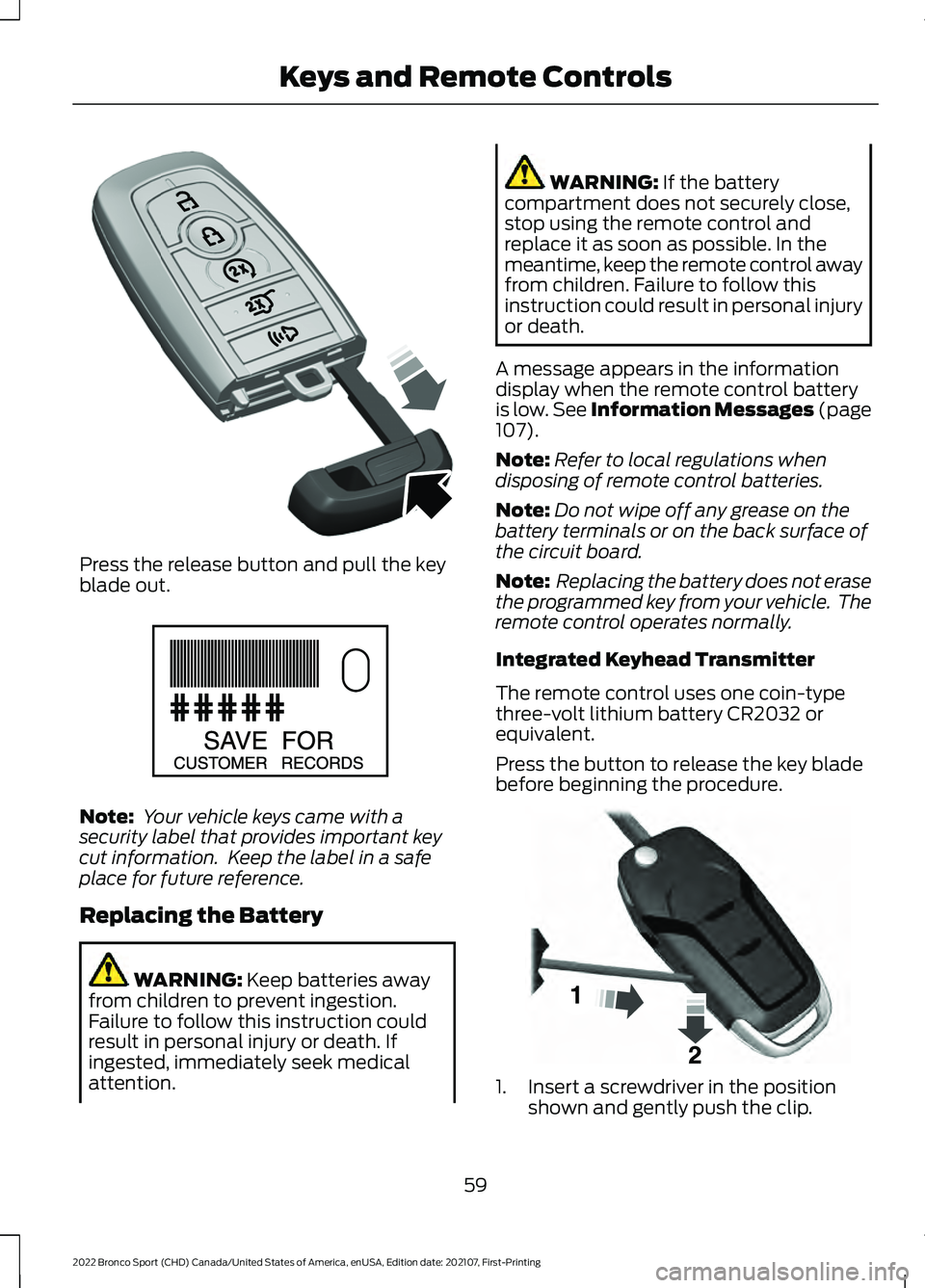
Press the release button and pull the key
blade out.
Note:
Your vehicle keys came with a
security label that provides important key
cut information. Keep the label in a safe
place for future reference.
Replacing the Battery WARNING: Keep batteries away
from children to prevent ingestion.
Failure to follow this instruction could
result in personal injury or death. If
ingested, immediately seek medical
attention. WARNING:
If the battery
compartment does not securely close,
stop using the remote control and
replace it as soon as possible. In the
meantime, keep the remote control away
from children. Failure to follow this
instruction could result in personal injury
or death.
A message appears in the information
display when the remote control battery
is low.
See Information Messages (page
107).
Note: Refer to local regulations when
disposing of remote control batteries.
Note: Do not wipe off any grease on the
battery terminals or on the back surface of
the circuit board.
Note: Replacing the battery does not erase
the programmed key from your vehicle. The
remote control operates normally.
Integrated Keyhead Transmitter
The remote control uses one coin-type
three-volt lithium battery CR2032 or
equivalent.
Press the button to release the key blade
before beginning the procedure. 1. Insert a screwdriver in the position
shown and gently push the clip.
59
2022 Bronco Sport (CHD) Canada/United States of America, enUSA, Edition date: 202107, First-Printing Keys and Remote ControlsE305199 E151795 E191533
Page 72 of 494
Activating Passive Key
General Information
You can unlock and lock your vehicle
without taking the keys out of your pocket
or purse when the passive key is within 3 ft
(1 m) of your vehicle. Passive key uses a
sensor on the back of the door handle for
unlocking and a separate sensor on the
face of each door handle for locking.
The system does not function if:
• The vehicle battery has no charge.
• The passive key battery has no charge.
• The passive key frequencies are
jammed.
Note: The system may not operate if the
passive key is close to metal objects or
electronic devices, for example keys or a cell
phone.
Note: If the system does not operate, use
the key blade to lock and unlock your
vehicle. See
Remote Control (page 57).
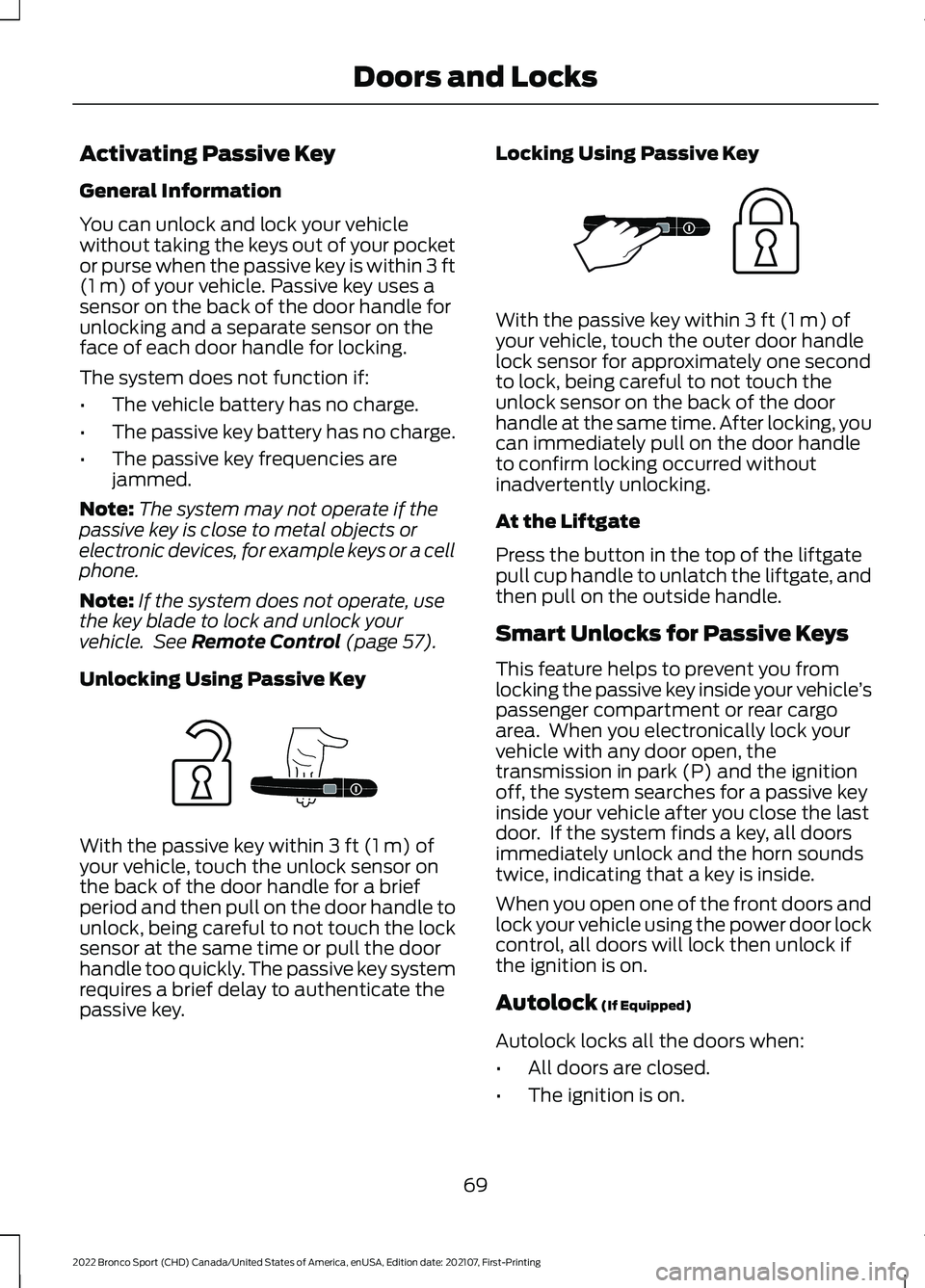
Unlocking Using Passive Key With the passive key within
3 ft (1 m) of
your vehicle, touch the unlock sensor on
the back of the door handle for a brief
period and then pull on the door handle to
unlock, being careful to not touch the lock
sensor at the same time or pull the door
handle too quickly. The passive key system
requires a brief delay to authenticate the
passive key. Locking Using Passive Key With the passive key within
3 ft (1 m) of
your vehicle, touch the outer door handle
lock sensor for approximately one second
to lock, being careful to not touch the
unlock sensor on the back of the door
handle at the same time. After locking, you
can immediately pull on the door handle
to confirm locking occurred without
inadvertently unlocking.
At the Liftgate
Press the button in the top of the liftgate
pull cup handle to unlatch the liftgate, and
then pull on the outside handle.
Smart Unlocks for Passive Keys
This feature helps to prevent you from
locking the passive key inside your vehicle ’s
passenger compartment or rear cargo
area. When you electronically lock your
vehicle with any door open, the
transmission in park (P) and the ignition
off, the system searches for a passive key
inside your vehicle after you close the last
door. If the system finds a key, all doors
immediately unlock and the horn sounds
twice, indicating that a key is inside.
When you open one of the front doors and
lock your vehicle using the power door lock
control, all doors will lock then unlock if
the ignition is on.
Autolock
(If Equipped)
Autolock locks all the doors when:
• All doors are closed.
• The ignition is on.
69
2022 Bronco Sport (CHD) Canada/United States of America, enUSA, Edition date: 202107, First-Printing Doors and LocksE248555 E248556
Page 78 of 494
PASSIVE ANTI-THEFT
SYSTEM
Note:
The system is not compatible with
non-Ford aftermarket remote start systems.
Use of these systems could result in vehicle
starting problems and a loss of security
protection.
Note: Metallic objects, electronic devices
or a second coded key on the same key
chain could cause vehicle starting problems
if they are too close to the key when starting
the engine. Prevent these objects from
touching the coded key while starting the
engine. Switch the ignition off, move all
objects on the key chain away from the
coded key and restart the engine if a
problem occurs.
Note: Do not leave a duplicate coded key
in the vehicle. Always take your keys and
lock all doors when leaving the vehicle.
SecuriLock®
The system is an engine immobilization
system. It helps to prevent anyone from
starting the engine without using a coded
key programmed to your vehicle. Using the
wrong key could prevent the engine from
starting. A message may appear in the
information display.
If you are unable to start the engine with a
correctly coded key, there is a problem with
the system and a message could appear
in the information display.
Automatic Arming
The vehicle arms immediately after you
switch the ignition off.
Automatic Disarming
Switching the ignition on with a coded key
disarms the vehicle. Replacement Keys
Note:
Your vehicle comes with two
integrated keyhead transmitters or two
intelligent access keys.
The integrated keyhead transmitter
functions as a programmed ignition key
that operates all the locks and starts the
vehicle, as well as a remote control.
The intelligent access key functions as a
programmed key that operates the driver
door lock and activates the intelligent
access with push button start system, as
well as a remote control.
If your programmed transmitters or
standard SecuriLock coded keys
(integrated keyhead transmitters only) are
lost or stolen and you do not have an extra
coded key, you will need to have your
vehicle towed to an authorized dealer. You
need to erase the key codes from your
vehicle and program new coded keys.
Store an extra programmed key away from
the vehicle in a safe place to help prevent
any inconveniences. See your authorized
dealer to purchase additional spare or
replacement keys.
Programming a Spare Intelligent
Access Key (If Equipped)
See your authorized dealer to have
additional keys programmed to your
vehicle.
ANTI-THEFT ALARM
The system will warn you of an
unauthorized entry to your vehicle. It will
be triggered if any door, the luggage
compartment or the hood is opened
without using the key, remote control or
keyless entry keypad.
The direction indicators will flash and the
horn will sound if unauthorized entry is
attempted while the alarm is armed.
75
2022 Bronco Sport (CHD) Canada/United States of America, enUSA, Edition date: 202107, First-Printing Security