2022 FORD BRONCO lock
[x] Cancel search: lockPage 428 of 562

4.Press a setting.
Occupancy Mode (If Equipped)
1.Press Settings on the touchscreen.
2.Press Sound Settings.
3.Press Occupancy Mode.
4.Press a setting.
Sound Mode (If Equipped)
1.Press Settings on the touchscreen.
2.Press Sound Settings.
3.Press Sound Mode.
4.Press a setting.
SETTING THE CLOCK AND
DATE
1.Press Settings on the touchscreen.
2.Press Clock Settings.
3.Set the time.
Note:The AM and PM options are notavailable if 24-hour mode is on.
Switching Automatic TimeUpdates On and Off
1.Press Settings on the touchscreen.
2.Press Clock Settings.
3.Switch Automatic time zone updateon or off.
AM/FM RADIO
AM/FM RADIO LIMITATIONS
The further you travel from an AM or FMstation, the weaker the signal and theweaker the reception.
Hills, mountains, tall buildings, bridges,tunnels, freeway overpasses, parkinggarages, dense tree foliage andthunderstorms can interfere with thereception.
When you pass a ground-based broadcastrepeating tower, a stronger signal mayovertake a weaker one and result in theaudio system muting.
SELECTING A RADIO STATION
Manually Selecting a RadioStation
Turn to search through the radio frequencyband.
Using Direct Tune
1.Press Direct Tune to open the numberpad.
2.Enter the station you prefer.
Note:You can only enter a valid station forthe audio source you are currently listeningto.
424
2022 Bronco (TG1) Canada/United States of America, enUSA, Edition date: 202109, First-PrintingAudio SystemE270235
Page 435 of 562

Your subscription does notinclude access to the listedcontent. You may need toupgrade your subscription.Navigate to Subscriptionunder the Satellite RadioSettings menu. If you havean active subscription whichincludes the listed channelor content and you see thiserror, you may need torefresh your radio. To refreshyour SiriusXM radio, visitwww.siriusxm.com/refreshin the US, or www.siri-usxm.ca/refresh in Canada.You may need to provideyour SiriusXM Radio identific-ation number. SeeLocating the SatelliteRadio IdentificationNumber (page 427).
Cannot listen to selectedcontent. Content mayappear grayed out and somefeatures may be disabled.
Upgrade to Listen
Content is not available inyour location or SiriusXM isunable to determine yourlocation. Tuning to adifferent channel mayresolve the issue.
Audio may mute.“Not avail-able in your location” or“Unable to determine yourlocation” may be displayed.
Location Restricted Content
The Block Explicit Contentfilter is turned on. Navigateto Listener Settings underthe Satellite Radio Settingsmenu to access the BlockExplicit Content filter.Navigate to ListenerSettings. See SatelliteRadio Settings (page 427).
Audio may mute. Radio maytune to a different channel.Channel Blocked
If issue persists, you mayneed to visit an authorizeddealer for service.
Audio may mute. Access toSiriusXM features may beunavailable.
Antenna Problem or Hard-ware Problem
431
2022 Bronco (TG1) Canada/United States of America, enUSA, Edition date: 202109, First-PrintingAudio System
Page 455 of 562

During an update you will not be able todrive your vehicle, start the vehicle, useremote controls to lock and unlock thevehicle. The alarm, central locks, and doortones are disabled. The electronic doorlock will not function during an update. Youcan open the doors using the mechanicallatch if child locks are not on. Pull thehandle until it stops to use the mechanicallatch Some updates may not allow you touse your vehicle during the update process.
Note:Some updates can complete in thebackground, but more complex updates cantake up to 45 minutes.
Note:Double locking is switched off andcentral locking is switched on during andafter an update.
Note:If your vehicle is plugged in, chargingwill stop during an update and resume whenthe update is complete.
Viewing Update Details
If an update is successful, the touchscreenwill provide additional details about theupdate. You can also access thisinformation under the System Update tile.
If an update is not successful, follow theprompt that appears on the touchscreen.
PERFORMING A MASTER
RESET
Press the settings option on thefeature bar.
1.Press the Reset tile.
2.Press Master Reset.
3.Follow the prompts on the screen tocomplete the reset.
451
2022 Bronco (TG1) Canada/United States of America, enUSA, Edition date: 202109, First-PrintingVehicle System UpdatesE280315
Page 461 of 562

WHAT IS FORD PROTECT
Protect yourself from the rising cost ofvehicle repairs with a Ford Protectextended service plan.
Ford Protect Extended ServicePlans - United States Only
Ford Protect extended service plans meanpeace of mind. Extended service plans arebacked by Ford Motor Company, andprovide more protection beyond the NewVehicle Limited Warranty coverage. Whenyou visit your Ford Dealer, insist on the FordProtect extended service plan.
Ford Protect Can Quickly Pay for Itself
One trip to the service center could easilyexceed the price of your Ford Protectextended service plan. With the FordProtect extended service plan, youminimize your risk for unexpected repairbills and rising repair costs.
Up to 1,000+ Covered VehicleComponents
There are four mechanical Ford Protectextended service plans with different levelsof coverage. Ask your authorized dealer fordetails.
1.PremiumCARE - Our mostcomprehensive coverage. With over1,000 covered components, this planis so complete it is probably easier tolist what is not covered.
2.ExtraCARE - Covers 113 components,and includes many high-tech items.
3.BaseCARE - Covers 84 components.
4.PowertrainCARE - Covers 29 criticalcomponents.
Ford Protect extended service plans arehonored by all authorized Ford dealers inthe United States, Canada and Mexico.
That means you get:
•Reliable, quality service at any Ford orLincoln dealership.
•Repairs performed by factory trainedtechnicians, using genuine parts.
Rental Car Reimbursement
First Day Rental Benefit
If you bring your car into your dealer forservice, we will give you a rental vehicle touse for the day.
Extended Rental Benefits
If your vehicle is kept overnight for coveredrepairs, you are eligible for rental carcoverage, warranty repairs, and fieldservice actions.
Roadside Assistance
Exclusive 24/7 roadside assistance,including:
•Towing, flat-tire change and batteryjump starts.
•Out of fuel and lock-out assistance.
•Travel expense reimbursement forlodging, meals and rental car.
•Assistance for taxi, shuttle, rental carcoverage or other transportation.
Transferable Coverage
If you sell your vehicle before your FordProtect extended service plan coverageexpires, you can transfer any remainingcoverage to the new owner. This shouldgive you and your potential buyer peace ofmind.
457
2022 Bronco (TG1) Canada/United States of America, enUSA, Edition date: 202109, First-PrintingFord Protect
Page 465 of 562

Check Every Six Months
The battery connections. Clean if necessary.
The body and door drain holes for obstructions. Clean if necessary.
The cooling system fluid level and the coolant system strength.
The door weatherstrips for wear. Lubricate if necessary.
The hinges, latches and outside locks for proper operation. Lubricate if necessary.
The parking brake for proper operation.
The seatbelts and seat latches for wear and function.
Safety warning lamps, brake, ABS, airbag and seatbelt for operation.
The washer spray and wiper operation. Clean or replace blades as necessary.
Multi-Point Inspection
It is important to have the systems on yourvehicle regularly checked. This can helpidentify potential issues and prevent majorproblems. We recommend having thefollowing multi-point inspection performedat every scheduled maintenance intervalto help make sure your vehicle keepsrunning great.
Multi-Point Inspection
Hazard warning system operationAccessory drive belt or belts
Horn operationBattery performance
Radiator, cooler, heater and air conditioninghosesEngine air filter
Suspension components for leaks ordamageExhaust system
Steering and linkageExterior lamps operation
Tires including the spare for wear and
proper pressure2Fluid levels1; fill if necessary
461
2022 Bronco (TG1) Canada/United States of America, enUSA, Edition date: 202109, First-PrintingScheduled Maintenance
Page 542 of 562

What Is Alert and Aid Mode............................251Alert Mode.....................................................250Adjusting the Steering Wheel VibrationIntensity.............................................................251How Does Alert Mode Work...........................251What Is Alert Mode...........................................250AM/FM Radio................................................424AM/FM Radio Limitations..............................424Selecting a Radio Station...............................424Ambient Lighting..........................................102Adjusting Ambient Lighting............................102Switching Ambient Lighting On andOff.......................................................................102Anti-Lock Braking System........................194Anti-Lock Braking SystemLimitations.......................................................194Appendices....................................................533Applying the Electric ParkingBrake..............................................................198Applying the Electric Parking Brake in anEmergency...................................................198App Precautions..........................................444App Requirements......................................444Apps.................................................................444Audio System................................................422AM/FM Radio......................................................424Audio System – Troubleshooting................429Digital Radio........................................................425Satellite Radio....................................................426Audio System Precautions.......................422Audio System – Troubleshooting..........429Audio System – InformationMessages.........................................................429Auto-Dimming Interior Mirror..................105Auto-Dimming Interior MirrorLimitations.......................................................105What Is the Auto-Dimming InteriorMirror..................................................................105Autolamps........................................................95Autolamp Settings..............................................95What Are Autolamps..........................................95Autolock.............................................................79Autolock Requirements.....................................79What Is Autolock..................................................79Automatically Releasing the ElectricParking Brake..............................................198
Automatic Crash Shutoff.........................305Automatic Crash ShutoffPrecautions.....................................................305Re-Enabling Your Vehicle...............................305What Is Automatic Crash Shutoff...............305Automatic Emergency Braking..............266Switching Automatic Emergency BrakingOn and Off......................................................266What Is Automatic EmergencyBraking..............................................................266Automatic Engine Stop..............................155How Does Automatic Engine StopWork....................................................................155Overriding Automatic Engine Stop..............156Switching Automatic Engine Stop On andOff.......................................................................156What Is Automatic Engine Stop....................155Automatic High Beam Control.................98Automatic High Beam ControlIndicators...........................................................99Automatic High Beam ControlLimitations.........................................................99Automatic High Beam ControlPrecautions.......................................................98Automatic High Beam ControlRequirements...................................................99How Does Automatic High Beam ControlWork.....................................................................98Overriding Automatic High BeamControl................................................................99Switching Automatic High Beam ControlOn and Off.........................................................99Automatic High Beam Control –Troubleshooting........................................100Automatic High Beam Control –Information Messages................................100Automatic Locking Mode............................54Disengaging Automatic Locking Mode........54Engaging Automatic Locking Mode..............54What Is Automatic Locking Mode.................54Automatic Transmission AudibleWarnings......................................................180Automatic Transmission............................178Automatic Transmission Positions..............178Brake Shift Interlock..........................................180Manually Shifting Gears...................................179Automatic Transmission Fluid Capacityand Specification.......................................412
538
2022 Bronco (TG1) Canada/United States of America, enUSA, Edition date: 202109, First-PrintingIndex
Page 543 of 562
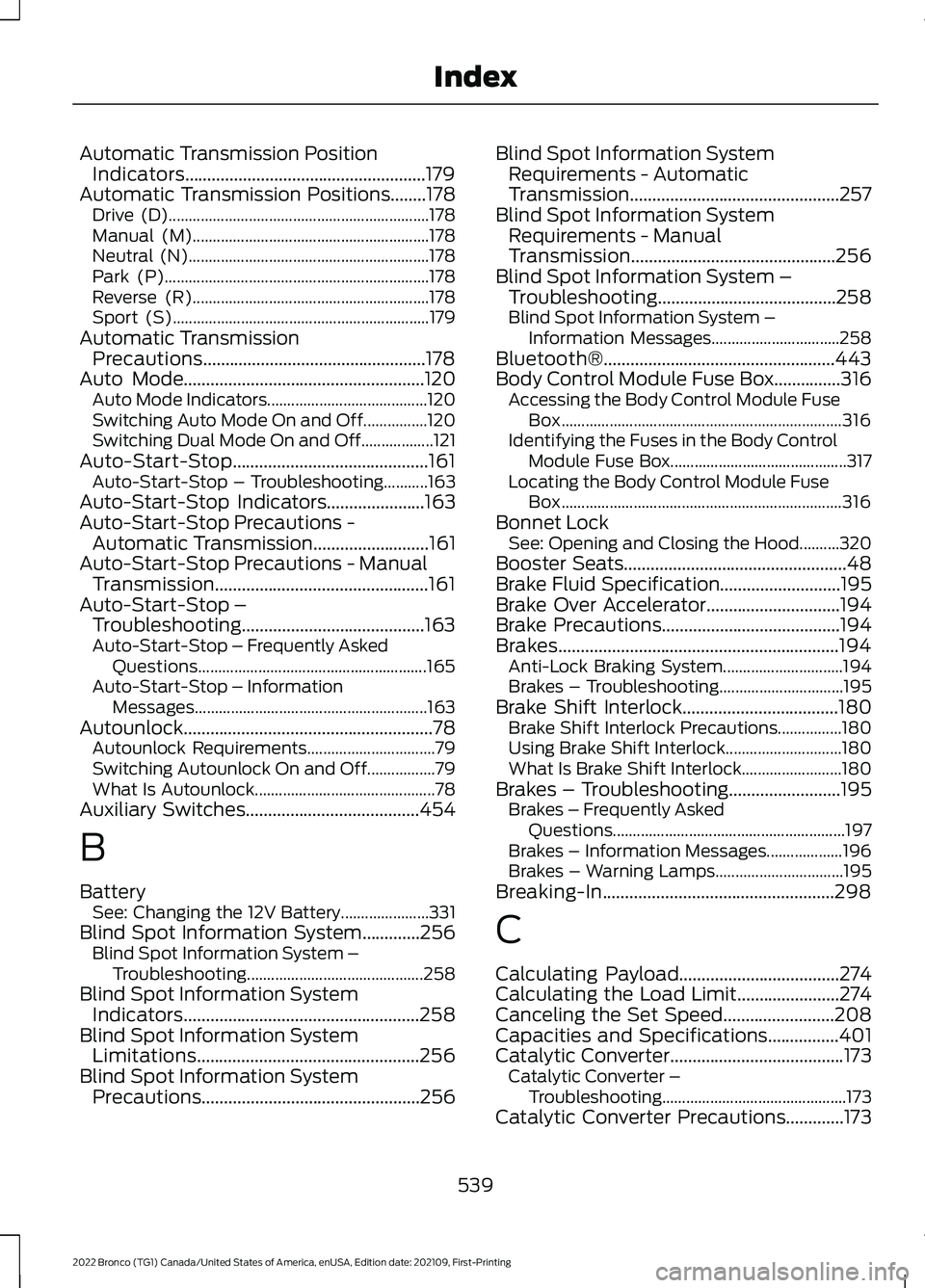
Automatic Transmission PositionIndicators......................................................179Automatic Transmission Positions........178Drive (D).................................................................178Manual (M)...........................................................178Neutral (N)............................................................178Park (P)..................................................................178Reverse (R)...........................................................178Sport (S)................................................................179Automatic TransmissionPrecautions..................................................178Auto Mode......................................................120Auto Mode Indicators........................................120Switching Auto Mode On and Off................120Switching Dual Mode On and Off..................121Auto-Start-Stop............................................161Auto-Start-Stop – Troubleshooting...........163Auto-Start-Stop Indicators......................163Auto-Start-Stop Precautions -Automatic Transmission..........................161Auto-Start-Stop Precautions - ManualTransmission................................................161Auto-Start-Stop –Troubleshooting.........................................163Auto-Start-Stop – Frequently AskedQuestions.........................................................165Auto-Start-Stop – InformationMessages..........................................................163Autounlock........................................................78Autounlock Requirements................................79Switching Autounlock On and Off.................79What Is Autounlock.............................................78Auxiliary Switches.......................................454
B
BatterySee: Changing the 12V Battery......................331Blind Spot Information System.............256Blind Spot Information System –Troubleshooting............................................258Blind Spot Information SystemIndicators.....................................................258Blind Spot Information SystemLimitations..................................................256Blind Spot Information SystemPrecautions.................................................256
Blind Spot Information SystemRequirements - AutomaticTransmission...............................................257Blind Spot Information SystemRequirements - ManualTransmission..............................................256Blind Spot Information System –Troubleshooting........................................258Blind Spot Information System –Information Messages................................258Bluetooth®....................................................443Body Control Module Fuse Box...............316Accessing the Body Control Module FuseBox......................................................................316Identifying the Fuses in the Body ControlModule Fuse Box............................................317Locating the Body Control Module FuseBox......................................................................316Bonnet LockSee: Opening and Closing the Hood..........320Booster Seats..................................................48Brake Fluid Specification...........................195Brake Over Accelerator..............................194Brake Precautions........................................194Brakes...............................................................194Anti-Lock Braking System..............................194Brakes – Troubleshooting...............................195Brake Shift Interlock...................................180Brake Shift Interlock Precautions................180Using Brake Shift Interlock.............................180What Is Brake Shift Interlock.........................180Brakes – Troubleshooting.........................195Brakes – Frequently AskedQuestions..........................................................197Brakes – Information Messages...................196Brakes – Warning Lamps................................195Breaking-In....................................................298
C
Calculating Payload....................................274Calculating the Load Limit.......................274Canceling the Set Speed.........................208Capacities and Specifications................401Catalytic Converter.......................................173Catalytic Converter –Troubleshooting..............................................173Catalytic Converter Precautions.............173
539
2022 Bronco (TG1) Canada/United States of America, enUSA, Edition date: 202109, First-PrintingIndex
Page 544 of 562

Catalytic Converter –Troubleshooting.........................................173Catalytic Converter – WarningLamps.................................................................173Center Console - AutomaticTransmission..................................................31Center Console..............................................149Locking the Center Console...........................149Opening the Center Console..........................149Center Console - ManualTransmission................................................30Center Display Limitations.......................433Center Display Overview...........................433Center Display Precautions.....................433Changing a Flat Tire...................................395Changing a Road Wheel...........................395Changing the 12V Battery..........................331Changing the Engine Air Filter................328Changing the Fuel Filter............................329Changing the Remote ControlBattery.............................................................70Changing the Vehicle Wi-Fi HotspotName or Password..................................420Charging a Device.........................................144Charging a Wireless Device......................148Checking MyKey System Status...............76Checking the Brake Fluid...........................194Checking the Clutch Fluid Level..............176Checking the Coolant.................................324Checking the Manual Transmission FluidLevel................................................................176Checking the Seatbelts...............................56Checking the Tire Pressures....................387Checking the Wiper Blades.........................91Children and Airbags....................................62Child Restraint Anchor Points....................41Locating the Child Restraint Lower AnchorPoints....................................................................41Locating the Child Restraint Top TetherAnchor Points...................................................42What Are the Child Restraint AnchorPoints....................................................................41Child Restraints...............................................42Child Restraint Position Information.............42Child Restraints Recommendation...............44Child Safety......................................................40Child Restraint Anchor Points..........................41Child Restraints.....................................................42
Installing Child Restraints.................................44Child Safety Locks.........................................50Child Safety Precautions............................40Cleaning Products......................................368Cleaning the Exterior..................................368Cleaning Camera Lenses andSensors.............................................................370Cleaning Chrome, Aluminium or StainlessSteel..................................................................369Cleaning Headlamps and RearLamps...............................................................369Cleaning Stripes or Graphics.........................370Cleaning the Convertible Top........................370Cleaning the Engine Compartment...........369Cleaning the Exterior Precautions..............368Cleaning the Hard Top.......................................371Cleaning the Underbody..................................371Cleaning Wheels................................................369Cleaning Windows and WiperBlades...............................................................369Cleaning the Interior.....................................371Cleaning Carpets and Floor Mats.................372Cleaning Displays and Screens......................371Cleaning Fabric Seats andHeadliners........................................................372Cleaning Leather and Vinyl.............................372Cleaning Plastic...................................................371Cleaning Seatbelts............................................373Cleaning the Instrument Panel......................371Clearing All MyKeys.......................................75Clearing the Garage Door Opener...........141Climate Control..............................................118Auto Mode.............................................................120Climate Control Hints...................................121Closing the Tailgate......................................84Closing the Tailgate From Outside YourVehicle.................................................................84Clutch Fluid Capacity andSpecification................................................176Cold Weather Precautions.......................298Connected Vehicle.......................................417Connected Vehicle –Troubleshooting.............................................418Connecting the Vehicle to a MobileNetwork.............................................................417Connected Vehicle Data..............................24Connected Vehicle Limitations................417Connected Vehicle Requirements..........417
540
2022 Bronco (TG1) Canada/United States of America, enUSA, Edition date: 202109, First-PrintingIndex