2022 CITROEN C4 SPACETOURER Car Play
[x] Cancel search: Car PlayPage 152 of 316

150
Pause
You can temporarily stop the speed limiter by
pressing button 4 again: the display confirms
that it has been stopped (Pause).
Modifying the cruise speed
setting
The cruise control must be active.
To modify the cruise speed setting from the
current speed of the vehicle:
F
i
n steps of +/- 1 mph (km/h), make
successive short presses on button 2
or 3,
F
c
ontinuously, in steps of +/- 5 mph (km/h),
press and hold button 2
or 3.
Take care: pressing and holding button
2
or 3 results in a rapid change in the
speed of your vehicle.
As a
precaution, it is recommended
that the cruise speed chosen be close
to the current speed of your vehicle, so
as to avoid any sudden acceleration or
deceleration of the vehicle.
F
P
ress button 2 or 3
: your vehicle's current
speed becomes the cruise speed.
The cruise control is activated (ON). To modify the cruise speed setting using
memorised speed settings and from the touch
screen:
F
p
ress button 5 to display the memorised
speed settings,
F
p
ress the button for the desired speed
setting.
The selection screen closes after a few
moments.
This setting becomes the new cruise speed.
To modify the cruise speed setting using
the speed suggested by the Speed Limit
recognition and recommendation system:
F t he speed suggested is displayed in the
instrument panel,
F
m
ake a first press on button 5; a message
is displayed to confirm the memorisation
request,
F
p
ress button 5 again to save the suggested
speed.
The speed displays immediately in the
instrument panel as the new speed setting.
Exceeding the programmed
speed
If the speed setting is exceeded, the displayed
speed flashes.
The display becomes steady again once the
speed of the vehicle has reached the level of
the speed setting again.
Switching off
F Turn wheel 1 to the 0 position. The display
of information related to the cruise control
disappears.
Operating fault
Flashing of the dashes indicates a fault with the
c ruise control.
Have it checked by a
CITROËN dealer or
a
qualified workshop.
Driving
Page 159 of 316

157
When the cruise control is working, take
care if keeping pressed one of the cruise
control programmed speed change
buttons: this can lead to a very rapid
change in the speed of your vehicle.
Do not use adaptive cruise control on
slippery sur faces or in heavy traffic.
When descending a
steep hill, the cruise
control system cannot prevent the vehicle
from exceeding the programmed speed.
On steep climbs or when towing, the
programmed speed may not be reached
or maintained.
The use of mats not approved by
CITROËN may inter fere with the operation
of the cruise control.
To avoid any risk of jamming of the pedals:
-
e
nsure that mats are secured correctly,
-
n
ever fit one mat on top of another. Operation of the radar, located in the
front bumper, may be impaired by the
accumulation of dirt (dust, mud, etc.) or in
certain weather conditions (snow, frost,
e t c .) .
The message "SYSTEM INACTIVE:
Reduced visibility". is displayed to indicate
that the function is in standby.
Clean the front bumper regularly.
If the front bumper is to be repainted or
retouched, contact a
CITROËN dealer
or a
qualified workshop. Certain types of
paint could inter fere with the operation of
the radar.
Adaptive cruise control
until vehicle is stopped/
until 19
mph (30 km/h)
Function until vehicle is stopped : with
automatic gearbox
Function until 19
mph (30 km/h): with manual
gearbox This system provides the following
functions:
-
A
utomatically maintains the
vehicle at the speed set by the
driver.
-
A
utomatic adjustment of the
distance between your vehicle
and the one in front.
Cruise control remains active after
changing gear regardless of the gearbox
type.
It manages the acceleration and deceleration
of the vehicle by automatically acting on the
engine and the braking system. With an automatic gearbox, automatic
adjustment of the distance can cause your
vehicle to come to a complete stop.
For this purpose there is a radar installed in the
front bumper.
6
Driving
Page 162 of 316

160
As a safety measure, wait until the current
s peed approaches the speed setting to
reactivate the function by pressing button 4 .
Modification of the speed
setting
With the engine running and cruise control on
(green), you can modify the speed setting.
Modification from the current
speed
F By successive short presses on button 2 or
3 , to lower or raise the setting in steps of +
or – 1
mph (km/h),
F
B
y a maintained press on button 2 or 3, to
lower or raise the setting in steps of + or –
5
mph (km/h). Take care: pressing and holding button
2
or 3 results in a rapid change in the
speed of your vehicle.
Modification from the
Speed Limit recognition and
recommendation system
F The suggested speed is displayed in the instrument panel.
F
M
ake an initial press on button 5 ; a
message is displayed to confirm the
memorisation request.
F
P
ress button 5 again to save the suggested
speed.
The speed displays immediately in the
instrument panel as the new speed setting.
For more information on the Speed Limit
recognition and recommendation , refer to
the corresponding section.
The driver should press the accelerator pedal
to move off, then reactivate the system above
19
mph (30
km/h) by pressing button 2
, 3
or 4
.
If the driver takes no action following this
immobilisation, the electric parking brake is
applied automatically after a
while (approx. five
minutes).
As a precaution, it is recommended
that you select a
cruise speed close to
the current speed of your vehicle, so
as to avoid any sudden acceleration or
deceleration of the vehicle.
Modification of the programmed
inter-vehicle distance
Engine running and with the wheel at the
" CRUISE " position:
F
P
ress button 6 to display the selection
screen for inter-vehicle distance.
F
B
y pressing button 6 repeatedly, cycle
through the predefined settings.
The selection screen closes after a
few
seconds.
The modification is then accepted.
This setting remains in memory, whatever the
state of the system and when the ignition is
switched off.
The selection also applies to the stopping
distance (versions with EAT6
and
EAT8
automatic gearbox).
Three threshold settings are suggested for the
inter-vehicle distance:
-
"
Distant " (3 dashes),
- "
Normal " (2 dashes),
- "
Close " (1 dash).
Driving
Page 169 of 316

167
In the following cases, deactivating the system
via the vehicle's configuration menu is advised:
-
t
owing a trailer,
-
c
arrying long objects on roof bars or roof
rack,
-
w
ith snow chains fitted,
-
b
efore using an automatic car wash, with
the engine running,
-
b
efore placing the vehicle on a rolling road
in a
workshop,
-
t
owed vehicle, engine running,
-
d
amaged front bumper (version with radar),
-
f
ollowing impact to the windscreen close to
the detection camera. The system is automatically deactivated
after the use of the "space-saver" type
spare wheel is detected, or if a
fault with
the lateral brake lamps is detected.
It is possible that warnings are not given,
are given too late or seem unjustified.
Consequently, always stay in control of
your vehicle and be prepared to react at
any time to avoid an accident.
After an impact, the function automatically
stops operating. Contact a
CITROËN
dealer or a
qualified workshop to have the
system checked.
If the front bumper is to be repainted or
retouched, contact a
CITROËN dealer
or a
qualified workshop. Certain types of
paint could inter fere with the operation of
the radar.
Collision Risk Alert
It warns the driver if their vehicle is at risk of
collision with the vehicle in front or a pedestrian
present in their traffic lane.
Modifying the alert trigger
threshold
This threshold determines how you wish
to be alerted of the presence of a moving
or stationary vehicle in front of you, or
a
pedestrian present in your traffic lane.
The current threshold can only be
modified via the touch screen's
Driving menu.
You can select one of three predefined
thresholds:
-
"Distant ",
-
"Normal ",
-
"Close ".
The last threshold selected is kept in memory
when the ignition is switched off.
Operation
Depending on the degree of risk of collision
detected by the system and the alert threshold
chosen by the driver, different levels of
alert can be triggered and displayed in the
instrument panel.
Clean the windscreen regularly,
particularly the area in front of the camera.
The internal sur face of the windscreen can
also become misted around the camera.
In humid and cold weather, demist the
windscreen regularly.
Do not allow snow to accumulate on the
bonnet or roof of the vehicle as this could
conceal the detection camera.
Clean the front bumper, especially around
the radar, removing mud, snow, etc.
6
Driving
Page 176 of 316

174
Operating fault
In the event of a fault with the
s ystem, this warning lamp flashes
for a
few moments in the instrument
panel, accompanied by the Ser vice
warning lamp coming on and the
display of a
message.
Contact a
CITROËN dealer or a qualified
workshop to have the system checked. The system may suffer temporary
interference in certain weather conditions
(rain, hail, etc.).
In particular, driving on a
wet sur face or
the transition from a dry area to a wet area
can cause false alerts (e.g. the presence
of water droplets in the blind spot is
interpreted as a vehicle).
In bad or wintry weather, ensure that the
sensors are not covered with mud, ice or
snow.
Take care not to cover the warning zone in
the door mirrors or the detection zones on
the front and rear bumpers with adhesive
labels or other objects; they may hamper
the correct operation of the system.
High pressure jet wash
When washing your vehicle, keep the
nozzle at a
minimum distance of 12 inches
(30
cm) from the sensors.
No alert will be given in the following situations:
-
i
n the presence of non-moving objects
(parked vehicles, barriers, street lamps,
road signs, etc.), -
w
ith vehicles moving in the opposite
direction,
-
d
riving on a winding road or a sharp corner,
-
w
hen overtaking or being overtaken by
a
very long vehicle (lorry, bus, etc.) which
is both detected in the rear blind spot and
present in the driver's front field of vision,
-
w
hen overtaking quickly,
-
i
n very heavy traffic: vehicles detected in
front and behind are confused with a lorry or
a
stationary object,
-
i
f the Park Assist function is activated.
Driving
Page 180 of 316

178
The rear parking sensors system will
be deactivated automatically if a trailer
or bicycle carrier is connected to
a
towing device installed in line with the
manufacturer's recommendations.
In this case, the outline of a
trailer is
displayed at the rear of the image of the
vehicle.
The parking sensors are deactivated while the
Park Assist system is measuring a
space.
For more information on the Park Assist , refer
to the corresponding section.
Operating limits
- A front or rear impact to the vehicle can distort the settings of the sensors, which is
not always detected by the system: distance
measurements may be incorrect.
-
T
he tilting of the vehicle if the boot is
very loaded can affect the distance
measurements.
-
T
he sensors may be affected by poor
weather conditions (heavy rain, thick fog,
snowfall, etc.).
Operating fault
If the system fails, when reverse
gear is engaged this warning lamp
flashes for a
few seconds before
lighting up continuously, together
with the Service warning lamp.
A message appears, accompanied by an
audible signal.
Contact a
CITROËN dealer or a qualified
workshop. In bad or wintry weather, ensure that the
sensors are not covered by mud, ice or
snow.
When reverse gear is engaged, an audible
signal (long beep) indicates that the
sensors may be dirty.
Certain sound sources (motorcycle,
lorry, pneumatic drill, etc.) may trigger
the audible signals of the parking sensor
system.
High pressure jet wash
When washing your vehicle, direct the
lance at least 30
cm away from the
sensors.
-
C
ertain obstacles located in the sensors'
blind spots may not be detected or no
longer be detected during the manoeuvre.
-
S
ounds such as those emitted by noisy
vehicles and machinery (e.g. lorries,
pneumatic drills, etc.) may inter fere with the
vehicle's sensors.
-
C
ertain materials (fabrics) absorb sound
waves: pedestrians may not be detected.
-
A
ccumulated snow or dead leaves on the
road sur face can inter fere with the vehicle's
sensors.
Reversing camera
The reversing camera is activated automatically
when reverse gear is engaged.
Driving
Page 184 of 316
182
During manoeuvring phases, the steering
wheel per forms rapid turns: do not hold
the steering wheel, do not put your hands
between the spokes of the steering wheel.
Watch out for any object that could block
the manoeuvre (loose clothing, scar ves,
ties, etc.) - injury risk!
When the Park Assist is active, it prevents
the Stop & Start going into STOP mode.
In STOP mode, activating Park Assist
restarts the engine.
The Park Assist system takes control
of the assistance for a maximum of
4
manoeuvre cycles. The function is
deactivated after these 4
cycles. If you
think that your vehicle is not positioned
correctly, you should then take control of
the steering to carry out the manoeuvre. The sequence of manoeuvres and the
driving instructions are displayed in the
instrument panel.
You should always check the surroundings
of your vehicle before starting
a
manoeuvre.The parking sensors function is
not available during parking space
measurement. It intervenes later when
manoeuvring to warn you that your vehicle
is approaching an obstacle: the audible
signal becomes continuous when the
obstacle is less than thirty centimetres
away.
If you have deactivated the parking
sensors, they are automatically
reactivated during assisted parking
manoeuvres.
Activation of Park Assist deactivates the
Blind Spot Detection.
Operation
Assistance with parallel parking
manoeuvres
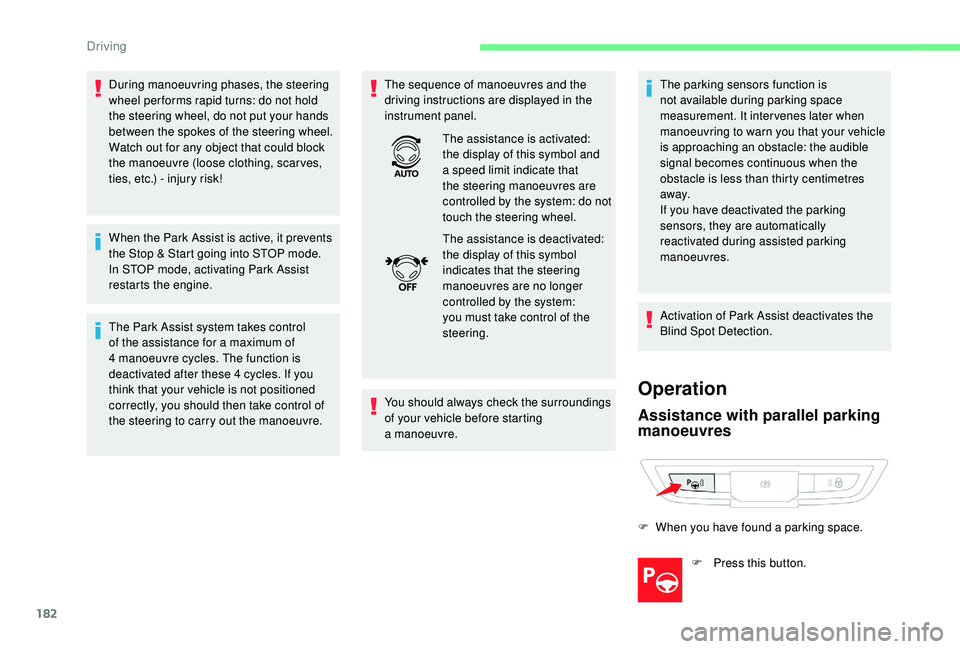
F When you have found a
parking space.
F
P
ress this button.
The assistance is activated:
the display of this symbol and
a
speed limit indicate that
the steering manoeuvres are
controlled by the system: do not
touch the steering wheel.
The assistance is deactivated:
the display of this symbol
indicates that the steering
manoeuvres are no longer
controlled by the system:
you must take control of the
steering.
Driving
Page 250 of 316

4
21,518,5
or Decrease volume.
or Media
(short press): change the
multimedia source.
Telephone (short press): start
telephone call.
Call in progress (short press):
access telephone menu.
Telephone (long press): reject an
incoming call, end call; when no call
is in progress, access telephone
menu.
or Radio
(rotate): previous/next preset.
Media (rotate): previous/next track,
move in a
list.
Short press : confirm a
selection; if
nothing selected, access to presets.
Radio : display the list of stations.
Media : display the list of tracks.
Radio (press and hold): update the
list of stations received.
Menus
Depending on model/Depending on version
Air conditioning
Manage various temperature and air
flow settings.
Applications
Access configurable equipment.
Radio Media
Select an audio source or radio
station.
Telephone
Connect a telephone by Bluetooth®.
Operate certain applications on
a
smartphone connected via
MirrorLink
TM, CarPlay® or Android
Auto.
CITROËN Connect Radio