2022 CITROEN C4 changing
[x] Cancel search: changingPage 4 of 292

2
Contents
■
Overview
■
Eco-driving
1Dashboard instrumentsDriver information 10
Instrument panels 10
Head-up display 12
Warning and indicator lamps 13
Indicators 19
Manual test 24
Total distance recorder 25
Lighting dimmer 25
Trip computer 25
5-inch touch screen 27
10-inch touch screen 27
Remotely operable additional functions
(Electric)
30
2AccessElectronic key with remote control function and
built-in key 32
Proximity Keyless Entry and Start 34
Central locking 36
Back-up procedures 37
Doors 39
Boot 40
Alarm 40
Electric windows 42
Sunroof 43
3Ease of use and comfortFront seats 45
Steering wheel adjustment 47
Heated steering wheel 47
Mirrors 48
Rear bench seat 49
Heating and Ventilation 51
Manual air conditioning 52
Dual-zone automatic air conditioning 53
Front demisting - defrosting 57
Heated windscreen 58
Rear screen demisting/defrosting 58
Temperature pre-conditioning (Electric) 58
Interior fittings 59
Courtesy lamps 62
Interior ambient lighting 63
Boot fittings 63
4Lighting and visibilityLighting control stalk 65
Direction indicators 66
Automatic illumination of headlamps 67
Headlamp beam height adjustment 67
Guide-me-home and welcome lighting 67
Automatic lighting systems - General
recommendations
68
Automatic headlamp dipping 69
Cornering lighting 70
Wiper control stalk 70
Intermittent wipers 71
Automatic wipers 72
Changing a wiper blade 73
5SafetyGeneral safety recommendations 74
Hazard warning lamps 74
Horn 75
Pedestrian horn (Electric) 75
Emergency or assistance 75
Electronic stability control (ESC) 77
Seat belts 79
Airbags 82
Child seats 84
Deactivating the front passenger airbag 86
ISOFIX child seats 87
i-Size child seats 89
Installing child seats 90
Child lock 92
6DrivingDriving recommendations 93
Starting / Switching off the engine with the key 95
Starting/Switching off the engine with Keyless
Entry and Start
96
Manual parking brake 98
Electric parking brake 99
6-speed manual gearbox 101
Automatic gearbox 101
Drive selector (Electric) 103
Driving modes 104
Hill start assist 105
Gear shift indicator 106
Stop & Start 106
Tyre under-inflation detection 108
Driving and manoeuvring aids - General
recommendations
109
Shortcuts for driving aids 111
Road signs recognition 111
Speed limiter 11 5
Cruise control - Specific recommendations 11 6
Cruise control 11 7
Highway Driver Assist 11 8
Adaptive cruise control 11 9
Lane positioning assist 123
Lane keeping assist 128
Blind spot monitoring 131
Active Safety Brake with Collision Risk Alert
and Intelligent emergency braking assistance
132
Distraction detection 136
Page 5 of 292

3
Contents
Parking sensors 137
Reversing camera 139
Top Rear Vision - 360 Vision 139
Top Rear Vision - 360 Vision 143
Park Assist 146
7Practical informationCompatibility of fuels 152
Refuelling 152
Misfuel prevention (Diesel) 153
Charging system (Electric) 153
Charging the traction battery (Electric) 160
Towing device 164
Towing device with quickly detachable towball 165
Roof bars 167
Snow chains 168
Energy economy mode 168
Bonnet 169
Engine compartment 170
Checking levels 171
Checks 173
AdBlue® (BlueHDi) 175
Free-wheeling 177
Advice on care and maintenance 177
8In the event of a breakdownWarning triangle 180
Running out of fuel (Diesel) 180
Tool kit 180
Temporary puncture repair kit 181
Spare wheel 184
Changing a bulb 187
Fuses 191
12
V battery
/ Accessory battery 191
Towing the vehicle 194
9Technical dataEngine technical data and towed loads 197
Petrol engines 198
Diesel engines 200
Electric motor 201
Dimensions 202
Identification markings 202
10Touch screen BLUETOOTH audio systemFirst steps 204
Steering mounted controls 204
Menus 205
Radio 206
DAB (Digital Audio Broadcasting) radio 207
Media 207
Telephone 208
Settings 210
Frequently asked questions 2 11
11MyCitroën PlayFirst steps 213
Steering mounted controls 214
Menus 214
Radio 215
DAB (Digital Audio Broadcasting) radio 217
Media 217
Telephone 218
Applications 222
Settings 223
Frequently asked questions 224
12MyCitroën DriveFirst steps 227
Steering mounted controls 228
Menus 228
Voice commands 229
Navigation 233
Connected navigation 236
Applications 238
Radio 241
DAB (Digital Audio Broadcasting) radio 242
Media 242
Telephone 244
Settings 246
Frequently asked questions 248
13MyCitroën Drive PlusFirst steps 252
Customisation 255
Steering mounted controls 256
Applications 257
Voice commands 257
Navigation 258
Connectivity 259
Mirror Screen 261
Media 262
Phone 264
Settings 265
Help 266
14Vehicle data recording and privacy
■
Alphabetical index
■
Appendix
Page 8 of 292

6
Overview
– Domestic charging in mode 2 using a
domestic socket and associated charging cable
7
.
–
Accelerated charging in mode 3 using an
accelerated charging unit (W
allbox).
–
Superfast charging in mode 4 using a fast
public charger
.
The 400
V traction battery 2 uses Lithium-Ion
technology. It stores and supplies the energy
required for the operation of the electric motor,
air conditioning and heating. Its charge level is
represented by an indicator and a reserve power
warning lamp on the instrument panel.
The 12
V accessory battery 3 powers the
vehicle’s conventional electrical system. It is
recharged automatically by the traction battery
via the on-board charger.
The heat pump
4 provides passenger
compartment heating and regulates traction
battery and on-board charger cooling.
The on-board charger 5 manages the domestic
charging
(mode 2) and accelerated charging
(mode 3) of the traction battery as well as the
recharging of the 12
V accessory battery.
The electric motor
6 provides propulsion in
accordance with the selected driving mode and
driving conditions. It recovers energy during
vehicle braking and deceleration
phases.
Labels
“Ease of use and comfort - Rear bench seat -
Rear head restraints” section:
"Ease of use and comfort - Front fittings -
Wireless smartphone charger" section:
"Lighting and visibility - Exterior lighting
control stalk" and "In the event of a
breakdown - Changing a bulb" sections:
"Safety - Child seats - Deactivating the front
passenger airbag" section:
"Safety - ISOFIX mountings" section:
i-SizeTOP TETHER
"Driving - Electric parking brake" section:
"Driving - Stop & Start" section:
"Practical information - Compatibility of
fuels" section:
"Practical information - Charging system
(Electric)" section:
"Practical information - Charging the traction
battery (Electric)" section:
"Practical information - Bonnet" section:
"Practical information - Checking levels -
Engine coolant" section:
Page 16 of 292

14
Dashboard instruments
System malfunction (Electric)Fixed.
A fault involving the electric motor or
traction battery has been detected.
Carry out (1) and then (2).
Cable connected (Electric)Fixed when the ignition is switched on.
The charging cable is connected to the
vehicle's connector.
Fixed when the ignition is switched on,
accompanied by a message.
It is not possible to start the vehicle while the
charging cable is connected to the vehicle’s
connector.
Disconnect the charging cable and close the
flap.
12 V battery chargeFixed.
The battery charging circuit is faulty
(e.g.
dirty terminals, loose or severed alternator
belt).
Carry out (1).
If the electric parking brake stops working,
immobilise the vehicle:
►
With the manual gearbox, engage a gear
.
►
With the automatic gearbox or drive selector
,
fit the chock against one of the wheels.
Clean and tighten the terminals. If the warning
lamp does not go off when the engine is started,
carry out (2).
BrakingFixed.
The brake fluid level in the braking circuit
has dropped significantly.
Carry out (1), then top up with fluid that complies
with the manufacturer's recommendations. If the
problem persists, carry out (2).
Fixed.
The electronic brake force
distribution
(EBFD) system is faulty.
Carry out (1) and then (2).
Manual parking brake (depending on
version)
Fixed.
The parking brake is applied or not
properly released.
Fixed.
The parking brake is applied or not
properly released.
Electric parking brakeFixed.
The electric parking brake is applied.
Flashing.
Application/release is faulty.
Carry out (1): park on flat ground (on a level
surface).
With a manual gearbox, engage a gear.
With an automatic gearbox or drive selector,
select mode
P.
Switch off the ignition and carry out (2).
Door(s) openFixed, associated with a message
identifying the access.
An audible signal supplements the alert if the
speed is higher than 6 mph (10
km/h).
A door or the boot is not properly closed.
Seat belts not fastened/unfastenedFixed or flashing, accompanied by an
increasing audible signal.
A seat belt has not been fastened or has been
unfastened.
Orange warning/indicator lamps
Service
Temporarily on, accompanied by the display of a message.
One or more minor faults, for which there is/are
no specific warning lamp(s), have been detected.
Identify the cause of the fault using the message
displayed on the instrument panel.
You may be able to deal with some faults
yourself, such as changing the battery in the
remote control.
For other faults, such as with the tyre under-
inflation detection system, carry out (3).
Fixed, accompanied by the display of a
message.
One or more major faults, for which there is/are
no specific warning lamp(s), have been detected.
Identify the cause of the fault using the message
displayed on the instrument panel, then carry
out (3).
Page 40 of 292

38
Access
Locking
► Open the doors.
► For the rear doors, check that the child lock
is not on.
Refer to the corresponding section.
►
Gently insert the key into the latch located in
the door lock, then turn the latch an eighth of a
turn towards the outside of the door
.
►
Close the doors and check from the outside
that the vehicle is locked.
Changing the battery
If the battery is flat, this warning lamp
comes on, accompanied by an audible
signal and the display of a message.
Battery type: CR2032/3 volts.
Without Keyless Entry and Start
With Keyless Entry and Start
► Unclip the cover by inserting a small
screwdriver in the slot and lift the cover .
►
Remove the flat battery from its housing.
►
Put the new battery in place, respecting the
polarity
. Start by inserting it into the contacts
located in the corner, then clip the cover onto
the unit.
►
Reinitialise the remote control.
For more information on Reinitialising the
remote control
, refer to the corresponding
section.
Do not throw remote control batteries
away, as they contain metals that are
harmful to the environment. Take them to an
approved disposal point.
This equipment contains a button type battery.
Do not swallow the battery. Risk of chemical
burns!
Swallowing the battery can cause serious
internal burning in only 2 hours and can be
fatal.
If batteries have been swallowed or inserted
into a part of the body, seek immediate
medical advice.
Keep new and used batteries out of the reach
of children.
If the battery compartment does not close
properly, stop using the product and keep it
out of the reach of children.
Risk of explosion if the battery is
replaced with an incorrect type!
Replace the battery with the same type.
Page 43 of 292

41
Access
2The alarm is triggered if anyone breaks a
window, enters the passenger compartment or
moves inside the vehicle.
Self-protection function
The system checks whether any of its
components are out of service.
The alarm is triggered if the battery, the central
control or the siren wiring is put out of service or
damaged.
Work on the alarm system
Contact a CITROËN dealer or a qualified
workshop.
Locking the vehicle with full
alarm system
Activation
► Switch off the ignition and exit the vehicle.
► Lock or deadlock the vehicle using the
remote control or by pressing on the driver's
door handle.
When the monitoring system is active, the red
indicator lamp in the button flashes once per
second and the direction indicators come on for
about 2 seconds.
The exterior perimeter monitoring is activated
after 5 seconds and the interior volumetric
monitoring after 45 seconds.
The alarm does not activate when locking automatically from a distance.
If an opening (door, boot or bonnet) is not
properly closed, the vehicle is not locked,
but the exterior perimeter monitoring will be
activated after 45 seconds, at the same time
as the interior volumetric monitoring.
Deactivation
► Press one of the remote control unlocking
buttons:
Short press.
Long press.
or
►
Unlock the vehicle by pressing the driver
’s
door handle.
The monitoring system is deactivated: the
indicator lamp in the button goes off and the
direction indicators flash for about 2 seconds.
After unlocking using the remote
control
If the vehicle automatically locks itself again
(as happens if a door or the boot is not
opened within 30 seconds of unlocking), the
monitoring system is automatically activated.
Locking the vehicle
with exterior perimeter
monitoring only
Deactivate the interior volumetric monitoring to
avoid the unwanted triggering of the alarm, in
certain cases such as:
–
Slightly open window
.
–
W
ashing the vehicle.
–
Changing a wheel.
–
T
owing the vehicle.
–
T
ransport on a ship or ferry.
Deactivating interior volumetric
monitoring
► Switch off the ignition and within 10 seconds
press the alarm button until the indicator lamp is
on fixed.
►
Exit the vehicle.
►
Immediately lock the vehicle using the remote
control or by pressing on the driver's door
handle.
Only exterior perimeter monitoring is activated;
the red indicator lamp in the button flashes every
second.
T
o take effect, this deactivation must be
performed whenever the ignition is switched
off.
Page 56 of 292
54
Ease of use and comfort
Automatic Comfort programme
This automatic mode ensures optimum
management of the passenger compartment
temperature, air flow and air distribution, based
on the selected comfort level.
►
Press knob
3 on the central controls or button
10 on the touch screen to activate/deactivate the
air conditioning system's automatic mode.
The indicator lamp in the button lights up
when the air conditioning system is operating
automatically.
You can adjust the intensity of the
automatic Comfort programme by using the
"OPTIONS "
button to select one of the available
settings:
–
"Soft": provides soft and quiet operation by
limiting air flow.
–
"Normal": offers the best compromise
between a comfortable temperature and quiet
operation (default setting).
–
"Fast": provides strong and effective air flow.
To change the current setting (shown by the
corresponding indicator lamp), press button
14
repeatedly until the desired setting is displayed.
To ensure passenger comfort in the rear seats,
favour "Normal" and "Fast" settings.
This setting is associated with automatic mode
only. However, on deactivation of
AUTO mode,
the indicator lamp for the most recently selected
setting remains on.
Changing the setting does not reactivate AUTO
mode if it was deactivated.
In cold weather with the engine cold, the
air flow is increased gradually until the
comfort setting has been reached, in order to
limit the delivery of cold air into the passenger
compartment.
On entering the vehicle, if the interior
temperature is much colder or warmer than
the comfort setting requested, there is no
need to alter the value displayed to more
quickly reach the required level of comfort.
The system automatically corrects the
temperature difference as quickly as possible.
Manual control
It is possible to manually adjust one or more
of these functions, while the system retains
automatic control of the other functions:
–
air flow
.
–
air distribution.
The indicator lamp in the " AUT
O” button goes
out if a setting is changed.
►
Press knob
3 or button 10 of the touch
screen again to reactivate the automatic Comfort
programme.
Adjusting the air flow
► Turn the knob 3 or press one of the buttons
3 on the touch screen to increase or decrease
the air flow. The air flow symbol (a fan) is filled in according
to the request.
When the air flow is reduced to a minimum,
ventilation stops.
"OFF
" is displayed alongside the fan.
Adjusting the air distribution
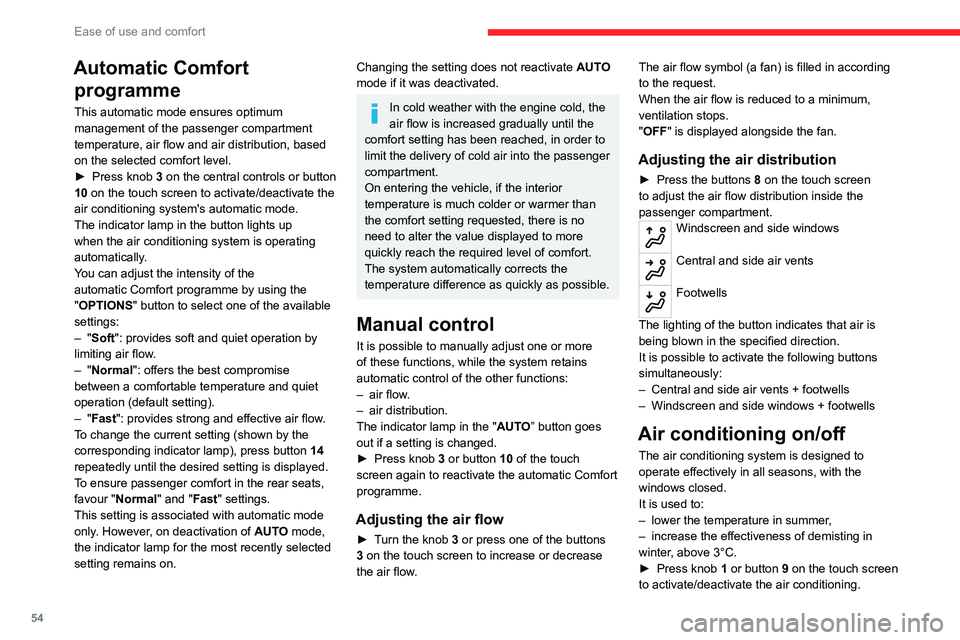
► Press the buttons 8 on the touch screen
to adjust the air flow distribution inside the
passenger compartment.
Windscreen and side windows
Central and side air vents
Footwells
The lighting of the button indicates that air is
being blown in the specified direction.
It is possible to activate the following buttons
simultaneously:
–
Central and side air vents + footwells
–
Windscreen and side windows + footwells
Air conditioning on/off
The air conditioning system is designed to
operate effectively in all seasons, with the
windows closed.
It is used to:
–
lower the temperature in summer
,
–
increase the effectiveness of demisting in
winter
, above 3°C.
►
Press knob
1 or button 9 on the touch screen
to activate/deactivate the air conditioning.
Page 75 of 292

73
Lighting and visibility
4Before removing a windscreen wiper blade
Operating the wiper control stalk immediately
after switching off the ignition will place the wiper
blades in a vertical position.
►
Proceed with the desired operation or the
replacement of the wiper blades.
After refitting a windscreen wiper blade
► To return the wiper blades to their initial
position after the operation, switch on the ignition
and operate the wiper control stalk.
Changing a wiper blade
Removing/Refitting at the front
► Carry out these wiper blade replacement
operations from the driver's side.
►
Starting with the wiper blade farthest from
you, hold each arm by the rigid section and raise
it as far as possible.
Do not touch the wiper blades - risk of
irreparable deformation.
Do not release them while moving them. Risk
of damaging the windscreen!
►
Clean the windscreen using screenwash
fluid.
Do not apply "Rain X" type water-
repellent products.
►
Unclip the worn wiper blade closest to you
and remove it. ►
Install the new wiper blade and clip it to the
arm.
►
Repeat the procedure for the other wiper
blade.
►
Starting with the wiper blade closest to you,
once again hold each arm by the rigid section,
then guide it carefully onto the windscreen.