2022 CHEVROLET EQUINOX coolant change
[x] Cancel search: coolant changePage 105 of 360
Chevrolet Equinox Owner Manual (GMNA-Localizing-U.S./Canada-
16540728) - 2023 - crc - 6/16/22
104 Instruments and Controls
conditions change. Reset the average
consumption by pressing
Vwhen it is
displayed.
Fuel Range : Displays the approximate
distance the vehicle can be driven without
refueling. The fuel range estimate is based
on an average of the vehicle's fuel economy
over recent driving history and the amount
of fuel remaining in the fuel tank. Fuel
range cannot be reset.
Average Vehicle Speed : Displays the
average vehicle speed of the vehicle in
kilometers per hour (km/h) or miles per
hour (mph). This average is based on the
various vehicle speeds recorded since the
last reset. Reset the average speed by
pressing
Vwhen it is displayed.
Timer : To start the timer, press
Vwhile
Timer is displayed. The display will show the
amount of time that has passed since the
timer was last reset, not including time the
ignition is off. Time will continue to be
counted as long as the ignition is on, even if
another display is being shown on the DIC.
The timer will record up to 99 hours,
59 minutes, and 59 seconds (99:59:59) after
which the display will return to zero. To stop the timer, press
Vbriefly while Timer
is displayed. To reset the timer to zero,
press and hold
V.
Navigation : Used for the OnStar
Turn-by-Turn guidance.
Blank Display : Displays no information.
Vehicle Information Menu (VEHICLE) Items
Units : Choose between Metric or US when
Units is active. Press
Vto confirm the
setting. This will change the displays on the
DIC to the type of measurements you select.
Speed Warning : This display is used to set
the vehicle speed at which the speed
warning chime sounds and the alert is
displayed. The speed can be set by pressing
Vwhile the speed warning display is
showing.
Remaining Oil Life : Displays an estimate of
the oil's remaining useful life. If REMAINING
OIL LIFE 99% is displayed, that means 99%
of the current oil life remains.
When the remaining oil life is low, the
CHANGE ENGINE OIL SOON message will
appear on the display. The oil should be
changed as soon as possible. See Engine Oil
0 252. In addition to the engine oil life system monitoring the oil life, additional
maintenance is recommended. See
Maintenance Schedule
0316.
The Oil Life display must be reset after each
oil change. Do not reset the Oil Life display
accidentally at any time other than when
the oil has just been changed. It cannot be
reset accurately until the next oil change. To
reset, see Engine Oil Life System 0254.
Oil Pressure : Oil pressure is displayed in
either kilopascal (kPa) or in pounds per
square inch (psi).
Tire Pressure : Displays a vehicle with the
approximate pressures of all four tires. Tire
pressure is displayed in either
kilopascal (kPa) or in pounds per square
inch (psi). See Tire Pressure Monitor System
0 283 and
Tire Pressure Monitor Operation 0284.
Battery Voltage : Displays the current
battery voltage, if equipped. Battery voltage
changes are normal while driving. See
Charging System Light 095. If there is a
problem with the battery charging system,
the DIC will display a message.
Coolant Temperature : Displays the coolant
temperature in degrees Celsius (°C) or
degrees Fahrenheit (°F).
Page 108 of 360

Chevrolet Equinox Owner Manual (GMNA-Localizing-U.S./Canada-
16540728) - 2023 - crc - 6/16/22
Instruments and Controls 107
display is active and the timer is running. To
reset the timer to zero, press and hold
V
while this display is active, or presspand
select reset.
Follow Distance : If equipped, the current
follow time to the vehicle ahead is displayed
as a time value on this page.
Battery Voltage : Displays the current
battery voltage, if equipped. Battery voltage
changes are normal while driving. See
Charging System Light 095. If there is a
problem with the battery charging system, a
DIC will display a message.
Coolant Temperature : Displays the coolant
temperature in degrees Celsius (°C) or
degrees Fahrenheit (°F).
Economy Trend : Shows history of the
Average Fuel Economy from the last 50 km
(30 mi). Each bar represents about 5 km
(3 mi) of driving. During driving the bars will
shift to always reflect the most recent
distance on the right side. Press and hold
V
to clear the graph or presspto reset
through the menu.
Oil Pressure : Oil pressure is displayed in
either kilopascal (kPa) or in pounds per
square inch (psi). Oil pressure can vary with engine speed, outside temperature, and oil
viscosity. On some models, the oil pump will
vary engine oil pressure according to engine
needs. Oil pressure may change quickly as
the engine speed or load varies. This is
normal. If the oil pressure warning light or
Driver Information Center (DIC) message
indicates oil pressure outside the normal
operating range, check the vehicle's oil as
soon as possible.
Driver Information Center (DIC)
(Uplevel)
The DIC displays are shown in the center of
the instrument cluster in the Info App. See
Instrument Cluster (Base and Midlevel)
087
or
Instrument Cluster (Uplevel) 090. The
displays show the status of many vehicle
systems.worx: Press to move up or down in
a list.
oorp: Press to move between the
interactive display zones in the cluster.
V: Press to open a menu or select a menu
item. Press and hold to reset values on
certain screens.
Info Page Options
The info pages on the DIC can be turned on
or off through the Options menu.
1. Press
oorpto scroll to the Options
application.
2. Press
worxto scroll to the Info Page
Options and press
V.
Page 110 of 360
Chevrolet Equinox Owner Manual (GMNA-Localizing-U.S./Canada-
16540728) - 2023 - crc - 6/16/22
Instruments and Controls 109
pounds per square inch (psi). If the pressure
is low, the value for that tire is shown in
amber. SeeTire Pressure Monitor System
0 283 and
Tire Pressure Monitor Operation 0284.
Air Filter Life : Shows an estimate of the
engine air filter’s remaining useful life and
the state of the system. Engine Air Filter Life
95% means 95% of the current air filter life
remains. Messages will display based on the
engine air filter life and the state of the
system. When the REPLACE AT NEXT OIL
CHANGE message displays, the engine air
filter should be replaced at the time of the
next oil change. When the REPLACE SOON
message displays, the engine air filter
should be replaced at the earliest
convenience.
The Air Filter Life display must be reset after
the engine air filter replacement. To reset,
see Engine Air Filter Life System 0255.
Fuel Economy : The center displays the
approximate instantaneous fuel economy as
a number and bar graph. Displayed above
the bar graph is a running average of fuel
economy for the most recently traveled
selected distance. Displayed below the bar
graph is the best average fuel economy that has been achieved for the selected distance.
The selected distance is displayed at the top
of the page as
“last xxx mi/km.”
Press
Vto select the distance or reset best
value. Use
wandxto choose the
distance and press
V. Presswandxto
select “Reset Best Score.” Press
Vto reset
the best average fuel economy. After reset,
the best value displays “-,-”until the
selected distance has been traveled.
The display provides information on how
current driving behavior affects the running
average and how well recent driving
compares to the best that has been
achieved for the selected distance.
Average Speed : Displays the average
vehicle speed of the vehicle in kilometers
per hour (km/h) or miles per hour (mph).
This average is based on the various vehicle
speeds recorded since the last reset. Reset
the average speed by pressing
Vwhile this
display is active to show a confirmation
window to select yes or no and press
V.
Timer : This display can be used as a timer.
To start the timer, press
Vto open the
menu while this display is active. Use
w
andxto select Start Timer or Reset. Press
V. To stop the timer, pressVwhile this
display is active. The display will show the
amount of time that has passed since the
timer was last reset.
Follow Distance/Gap Setting : If equipped,
the current follow time to the vehicle ahead
is displayed as a time value on this page.
When Adaptive Cruise Control (ACC) has
been engaged, the display switches to the
gap setting page. This page shows the
current gap setting along with the vehicle
ahead indicator.
Driver Assistance : If equipped, shows
information for Lane Keep Assist (LKA), Lane
Departure Warning (LDW), and Forward
Collision Alert (FCA).
Battery Voltage : Displays the current
battery voltage, if equipped. Battery voltage
changes are normal while driving. See
Charging System Light 095. If there is a
problem with the battery charging system, a
DIC will display a message.
Coolant Temperature : Displays the coolant
temperature in degrees Celsius (°C) or
degrees Fahrenheit (°F).
Economy Trend : Shows history of the
Average Fuel Economy from the last 50 km
(30 mi). Each bar represents about 5 km
Page 253 of 360
Chevrolet Equinox Owner Manual (GMNA-Localizing-U.S./Canada-
16540728) - 2023 - crc - 6/16/22
252 Vehicle Care
1.Engine Air Cleaner/Filter 0255.
2. Engine Oil Fill Cap. See Engine Oil0252.
3. Engine Oil Dipstick. See Engine Oil0252.
4. Engine Cooling Fan. See Cooling System
0 257.
5. Brake Fluid Reservoir. See Brake Fluid
0 262.
6. Engine Compartment Fuse Block 0271.
7. Remote Positive (+) Terminal (Under Cover). See Jump Starting - North
America 0300.
8. Engine Coolant Surge Tank and Pressure Cap. See Cooling System 0257.
9. Battery - North America 0263.
10. Remote Negative (−) Terminal. See Jump
Starting - North America 0300.
11. Windshield Washer Fluid Reservoir. See Washer Fluid 0260.
Engine Oil
To ensure proper engine performance and
long life, careful attention must be paid to
engine oil. Following these simple, but
important steps will help protect your
investment:
.Use engine oil approved to the proper
specification and of the proper viscosity
grade. See “Selecting the Right Engine
Oil” in this section.
.Check the engine oil level regularly and
maintain the proper oil level. See
“Checking Engine Oil” and“When to Add
Engine Oil” in this section.
.Change the engine oil at the appropriate
time. SeeEngine Oil Life System 0254.
.Always dispose of engine oil properly. See
“What to Do with Used Oil” in this
section.
Checking Engine Oil
Check the engine oil level regularly, every
650 km (400 mi), especially prior to a long
trip. The engine oil dipstick handle is a loop.
See Engine Compartment Overview 0251 for
the location.
{Warning
The engine oil dipstick handle may be
hot; it could burn you. Use a towel or
glove to touch the dipstick handle. If a low oil Driver Information Center (DIC)
message displays, check the oil level. If the
oil is not low and the low oil message
remains on, take the vehicle to your dealer
for service.
Follow these guidelines:
.To get an accurate reading, park the
vehicle on level ground. Check the engine
oil level after the engine has been off for
at least two hours. Checking the engine
oil level on steep grades or too soon after
engine shutoff can result in incorrect
readings. Accuracy improves when
checking a cold engine prior to starting.
Remove the dipstick and check the level.
.If unable to wait two hours, the engine
must be off for at least 15 minutes if the
engine is warm, or at least 30 minutes if
the engine is not warm. Pull out the
dipstick, wipe it with a clean paper towel
or cloth, then push it back in all the way.
Remove it again, keeping the tip down,
and check the level.
Page 259 of 360
Chevrolet Equinox Owner Manual (GMNA-Localizing-U.S./Canada-
16540728) - 2023 - crc - 6/16/22
258 Vehicle Care
changed at appropriate levels. See
Recommended Fluids and Lubricants0320
and
Maintenance Schedule 0316.
The following explains the cooling system
and how to check and add coolant when it
is low. If there is a problem with engine
overheating, see Engine Overheating 0259.
What to Use
{Warning
Plain water, or other liquids such as
alcohol, can boil before the proper
coolant mixture will. With plain water or
the wrong mixture, the engine could get
too hot but there would not be an
overheat warning. The engine could catch
fire and you or others could be burned.
Use a 50/50 mixture of clean, drinkable
water and DEX-COOL coolant. If using this
mixture, nothing else needs to be added.
This mixture:
.Gives freezing protection down to −37 °C
(−34 °F), outside temperature.
.Gives boiling protection up to 129 °C
(265 °F), engine temperature.
.Protects against rust and corrosion.
.Will not damage aluminum parts.
.Helps keep the proper engine
temperature.
Caution
Do not use anything other than a mix of
DEX-COOL coolant that meets GM
Standard GMW3420 and clean, drinkable
water. Anything else can cause damage
to the engine cooling system and the
vehicle, which would not be covered by
the vehicle warranty.
Never dispose of engine coolant by putting
it in the trash, pouring it on the ground,
or pouring into sewers, streams, or bodies of
water. Have the coolant changed by an
authorized service center, familiar with legal
requirements regarding used coolant
disposal. This will help protect the
environment and your health.
Checking Coolant
The vehicle must be on a level surface when
checking the coolant level.
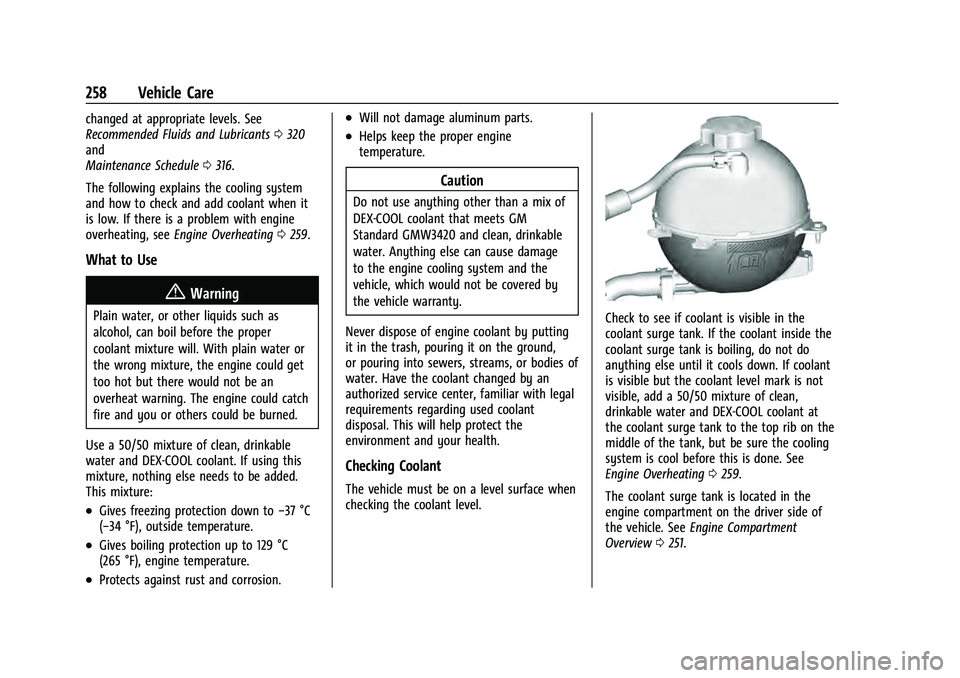
Check to see if coolant is visible in the
coolant surge tank. If the coolant inside the
coolant surge tank is boiling, do not do
anything else until it cools down. If coolant
is visible but the coolant level mark is not
visible, add a 50/50 mixture of clean,
drinkable water and DEX-COOL coolant at
the coolant surge tank to the top rib on the
middle of the tank, but be sure the cooling
system is cool before this is done. See
Engine Overheating 0259.
The coolant surge tank is located in the
engine compartment on the driver side of
the vehicle. See Engine Compartment
Overview 0251.
Page 352 of 360
Chevrolet Equinox Owner Manual (GMNA-Localizing-U.S./Canada-
16540728) - 2023 - crc - 6/16/22
Index 351
Fog Lamps . . . . . . . . . . . . . . . . . . . . . . . . . . . . . . . . 117
Folding Mirrors . . . . . . . . . . . . . . . . . . . . . . . . . . . .25
ForwardCollision Alert (FCA) System . . . . . . . . . . . 227
Frequency Statement Radio . . . . . . . . . . . . . . . . . . . . . . . . . . . . . . . . . . 335
Front
Heated and Ventilated Seats . . . . . . . . . . . . 37
Pedestrian Braking (FPB) System . . . . . . . 230
Front Seats Adjustment . . . . . . . . . . . . . . . . . . . . . . . . . . . . . . 31
Fuel Additives . . . . . . . . . . . . . . . . . . . . . . . . . . . . . . 236
Economy, Driving for Better . . . . . . . . . . . 178
Filling a Portable Fuel Container . . . . . . . 238
Filling the Tank . . . . . . . . . . . . . . . . . . . . . . . . 236
Foreign Countries . . . . . . . . . . . . . . . . . . . . . . 236
Gauge . . . . . . . . . . . . . . . . . . . . . . . . . . . . . . . . . . 92
Low Fuel Warning Light . . . . . . . . . . . . . . . 101
Prohibited Fuels . . . . . . . . . . . . . . . . . . . . . . . 236
Recommended . . . . . . . . . . . . . . . . . . . . . . . . . 235
Top Tier . . . . . . . . . . . . . . . . . . . . . . . . . . . . . . . 235
Fuses Engine Compartment Fuse Block . . . . . . . . 271
Fuses and Circuit Breakers . . . . . . . . . . . . . . 271
Instrument Panel Fuse Block . . . . . . . . . . . 273
Rear Compartment Fuse Block . . . . . . . . . 275G
Garage Door Opener . . . . . . . . . . . . . . . . . . . . . . 111Programming . . . . . . . . . . . . . . . . . . . . . . . . . . . 111
Gas Strut(s) . . . . . . . . . . . . . . . . . . . . . . . . . . . . . . 265
Gauges Engine Coolant Temperature . . . . . . . . . . . . 93
Fuel . . . . . . . . . . . . . . . . . . . . . . . . . . . . . . . . . . . . . 92
Odometer . . . . . . . . . . . . . . . . . . . . . . . . . . . . . . 92
Speedometer . . . . . . . . . . . . . . . . . . . . . . . . . . . 92
Tachometer . . . . . . . . . . . . . . . . . . . . . . . . . . . . . 92
Trip Odometer . . . . . . . . . . . . . . . . . . . . . . . . . . 92
Warning Lights and Indicators . . . . . . . . . . 86
General Information Service and Maintenance . . . . . . . . . . . . . . 315
Towing . . . . . . . . . . . . . . . . . . . . . . . . . . . . . . . . 238
Vehicle Care . . . . . . . . . . . . . . . . . . . . . . . . . . . 248
Global Positioning System (GPS) . . . . . . . . . .143
Glove Box . . . . . . . . . . . . . . . . . . . . . . . . . . . . . . . . .75
GM Mobility Reimbursement Program . . . . . . . . . . . . . . . . . . . . . . . . . . . . . . . 330
Guidance Problems with the Route . . . . . . . . . . . . . . 144
H
Halogen Bulbs . . . . . . . . . . . . . . . . . . . . . . . . . . . 266
Hazard Warning Flashers . . . . . . . . . . . . . . . . . 117
Head Restraints . . . . . . . . . . . . . . . . . . . . . . . . . . . 30
Headlamps . . . . . . . . . . . . . . . . . . . . . . . . . . . . . . 267 Headlamps (cont'd)
Aiming . . . . . . . . . . . . . . . . . . . . . . . . . . . . . . . . 266
Automatic . . . . . . . . . . . . . . . . . . . . . . . . . . . . . . 116
Bulb Replacement . . . . . . . . . . . . . . . . . . . . . . 266
Daytime Running Lamps (DRL) . . . . . . . . . . 116
Flash-to-Pass . . . . . . . . . . . . . . . . . . . . . . . . . . . . 116
High Intensity Discharge (HID)
Lighting . . . . . . . . . . . . . . . . . . . . . . . . . . . . . . 267
High-Beam On Light . . . . . . . . . . . . . . . . . . . 102
High/Low Beam Changer . . . . . . . . . . . . . . . 115
Lamps On Reminder . . . . . . . . . . . . . . . . . . . 102
Heated
Mirrors . . . . . . . . . . . . . . . . . . . . . . . . . . . . . . . . . 25
Rear Seats . . . . . . . . . . . . . . . . . . . . . . . . . . . . . . 40
Steering Wheel . . . . . . . . . . . . . . . . . . . . . . . . . 80
Ventilated Front Seats . . . . . . . . . . . . . . . . . . 37
Heater Engine . . . . . . . . . . . . . . . . . . . . . . . . . . . . . . . . . 195
Heating . . . . . . . . . . . . . . . . . . . . . . . . . . . . . . 169, 171
High-Beam On Light . . . . . . . . . . . . . . . . . . . . . 102
Hill and Mountain Roads . . . . . . . . . . . . . . . . 184
Hill Start Assist (HSA) . . . . . . . . . . . . . . . . . . . . 203
Hood . . . . . . . . . . . . . . . . . . . . . . . . . . . . . . . . . . . . 249
Horn . . . . . . . . . . . . . . . . . . . . . . . . . . . . . . . . . . . . . . 80
How to Wear Seat Belts Properly . . . . . . . . . 42
HVAC . . . . . . . . . . . . . . . . . . . . . . . . . . . . . . . . 169, 171