2022 CHEVROLET CORVETTE keyless
[x] Cancel search: keylessPage 21 of 338

Chevrolet Corvette Owner Manual (GMNA-Localizing-U.S./Canada/Mexico-
15342622) - 2022 - CRC - 5/4/21
20 Keys, Doors, and Windows
Warning (Continued)
To help avoid potential injury from
pinching, lift or close the hatch/trunk lid
by using only the middle section. If the
hatch/trunk lid near the area of the
raised portion of the spoiler is used, use
one hand to raise/lower the hatch/trunk
lid enough to clear the spoiler, and use
the other hand to fully open/close the
hatch/trunk lid.
Convertible Shown, Coupe Similar
.PressNon the driver door.
.Presspon the remote key two times
quickly. See Remote Keyless Entry (RKE)
System 07.
.Press the hatch/trunk release touchpad
while unlocked, or if locked, with the
remote key within 1 m (3 ft). See Keys
0 6.
.From the rear of the vehicle, lift the
hatch/trunk until the gas strut system
automatically raises and holds it in the
fully open position.
Manual Hatch/Trunk Open
Use the mechanical key in the backup key
cylinder behind the license plate to
manually open the hatch/trunk. The license
plate must be removed.
Page 23 of 338
Chevrolet Corvette Owner Manual (GMNA-Localizing-U.S./Canada/Mexico-
15342622) - 2022 - CRC - 5/4/21
22 Keys, Doors, and Windows
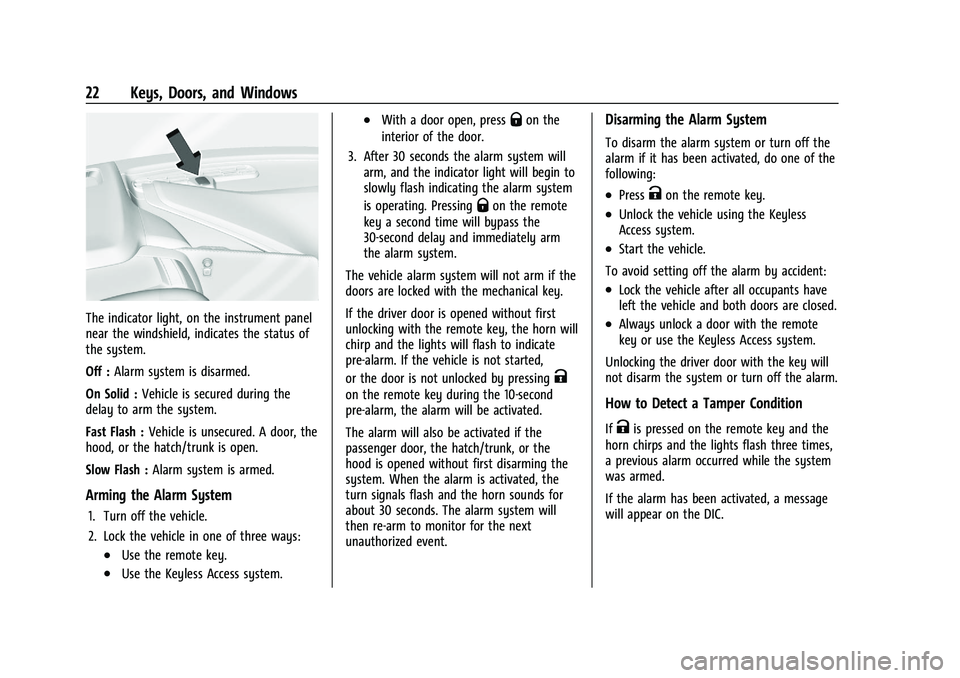
The indicator light, on the instrument panel
near the windshield, indicates the status of
the system.
Off :Alarm system is disarmed.
On Solid : Vehicle is secured during the
delay to arm the system.
Fast Flash : Vehicle is unsecured. A door, the
hood, or the hatch/trunk is open.
Slow Flash : Alarm system is armed.
Arming the Alarm System
1. Turn off the vehicle.
2. Lock the vehicle in one of three ways:
.Use the remote key.
.Use the Keyless Access system.
.With a door open, pressQon the
interior of the door.
3. After 30 seconds the alarm system will arm, and the indicator light will begin to
slowly flash indicating the alarm system
is operating. Pressing
Qon the remote
key a second time will bypass the
30-second delay and immediately arm
the alarm system.
The vehicle alarm system will not arm if the
doors are locked with the mechanical key.
If the driver door is opened without first
unlocking with the remote key, the horn will
chirp and the lights will flash to indicate
pre-alarm. If the vehicle is not started,
or the door is not unlocked by pressing
K
on the remote key during the 10-second
pre-alarm, the alarm will be activated.
The alarm will also be activated if the
passenger door, the hatch/trunk, or the
hood is opened without first disarming the
system. When the alarm is activated, the
turn signals flash and the horn sounds for
about 30 seconds. The alarm system will
then re-arm to monitor for the next
unauthorized event.
Disarming the Alarm System
To disarm the alarm system or turn off the
alarm if it has been activated, do one of the
following:
.PressKon the remote key.
.Unlock the vehicle using the Keyless
Access system.
.Start the vehicle.
To avoid setting off the alarm by accident:
.Lock the vehicle after all occupants have
left the vehicle and both doors are closed.
.Always unlock a door with the remote
key or use the Keyless Access system.
Unlocking the driver door with the key will
not disarm the system or turn off the alarm.
How to Detect a Tamper Condition
IfKis pressed on the remote key and the
horn chirps and the lights flash three times,
a previous alarm occurred while the system
was armed.
If the alarm has been activated, a message
will appear on the DIC.
Page 24 of 338

Chevrolet Corvette Owner Manual (GMNA-Localizing-U.S./Canada/Mexico-
15342622) - 2022 - CRC - 5/4/21
Keys, Doors, and Windows 23
Inclination Sensor and Intrusion Sensor
In addition to the standard theft-deterrent
system features, this system may also have
an inclination sensor and intrusion sensor.
The inclination sensor can activate the alarm
if it senses movement of the vehicle, such
as a change in vehicle orientation.
The intrusion sensor monitors the vehicle
interior, and can activate the alarm if it
senses unauthorized entry into the vehicle’s
interior. Do not allow passengers or pets to
remain in the vehicle when the intrusion
sensor is activated.
Before arming the theft-deterrent system
and activating the intrusion sensor:
.Make sure both doors and windows are
completely closed.
.Secure any loose items such as
sunshades.
.Make sure there are no obstructions
blocking the sensors.
Intrusion and Inclination Sensors Disable
Switch
It is recommended that the intrusion and
inclination sensors be deactivated if pets are
left in the vehicle or if the vehicle is being
transported.When the roof panel is off, or the
convertible top is down, the intrusion
system is turned off.
With the vehicle turned off, press
oon the
overhead console, next to OnStar. The
indicator light will display momentarily,
indicating that these sensors have been
disabled until the next time the alarm
system is armed.
Immobilizer
See Radio Frequency Statement 0315.
Immobilizer Operation
The vehicle has a passive theft-deterrent
system.
The security light comes on in the
instrument cluster if there is a problem with
arming or disarming the theft-deterrent
system. This light also comes on briefly
when the engine is started. The system is automatically armed when
the ignition is turned off.
The immobilization system is disarmed
when the ignition is turned on or placed in
ACC/ACCESSORY and a valid remote key is
found in the vehicle.
You do not have to manually arm or disarm
the system.
The system has one or more remote keys
that are matched to an immobilizer control
unit in the vehicle. Only a correctly matched
remote key starts the vehicle. The vehicle
may not start if the remote key is damaged.
If the engine does not start and the security
light comes on, there may be a problem
with the immobilizer system. Try starting
the vehicle again.
If the vehicle does not start and the remote
key appears to be undamaged, try another
remote key. Or, place the remote key in the
cupholder backup location. See
Remote
Keyless Entry (RKE) System Operation 07.
If the engine still does not start with the
other remote key, or with the remote key in
the cupholder backup location, the vehicle
needs service. If the engine does start, the
Page 25 of 338

Chevrolet Corvette Owner Manual (GMNA-Localizing-U.S./Canada/Mexico-
15342622) - 2022 - CRC - 5/4/21
24 Keys, Doors, and Windows
first remote key may be faulty. See your
dealer or have a new remote key
programmed to the vehicle.
The immobilizer system can learn new or
replacement remote keys. Up to eight
remote keys can be programmed for the
vehicle. To program additional remote keys,
see“Programming Remote Keys to the
Vehicle” underRemote Keyless Entry (RKE)
System Operation 07.
Do not leave the remote key or device that
disarms or deactivates the theft-deterrent
system in the vehicle.
Exterior Mirrors
Convex Mirrors
{Warning
A convex mirror can make things, like
other vehicles, look farther away than
they really are. If you cut too sharply
into the right lane, you could hit a
vehicle on the right. Check the inside
mirror or glance over your shoulder
before changing lanes. The passenger side mirror is convex shaped.
A convex mirror's surface is curved so more
can be seen from the driver seat.
Power Mirrors
To adjust each mirror:
1. Press
}or|to select the driver or
passenger side mirror. The indicator light
will illuminate.
2. Press the arrows on the control pad to move the mirror in the desired position.
3. Adjust each outside mirror so that a little of the vehicle and the area behind it can
be seen.
4. Press
}or|again to deselect the
mirror. Memory Mirrors
The vehicle may have memory mirrors. See
Memory Seats
041.
Side Blind Zone Alert (SBZA)
The vehicle may have SBZA. See Side Blind
Zone Alert (SBZA) 0222.
Folding Mirrors
Manual Folding Mirrors
If equipped, manually fold the mirrors
inward toward the vehicle to prevent
damage with tight parking. Push the mirror
outward to return it to the original position.
Power Folding Mirrors
Page 26 of 338

Chevrolet Corvette Owner Manual (GMNA-Localizing-U.S./Canada/Mexico-
15342622) - 2022 - CRC - 5/4/21
Keys, Doors, and Windows 25
If equipped, press{to power fold the
mirrors. Press
{again to unfold.
The outside mirrors may automatically
unfold when the vehicle is driven above
20 km/h (12 mph), but may be folded with
the power folding mirror switch. If the
vehicle speed is driven above 40 km/h
(25 mph) they may automatically unfold and
may not be refolded with the power folding
mirror switch.
Resetting the Power Folding Mirrors
Reset the power folding mirrors if:
.The mirrors are accidentally obstructed
while folding.
.They are accidentally manually folded/
unfolded.
.The mirrors do not stay in the unfolded
position.
.The mirrors vibrate at normal driving
speeds.
Fold and unfold the mirrors one time using
the mirror controls to reset them to their
normal position. A noise may be heard
during the resetting of the power folding
mirrors. This sound is normal after a manual
folding operation. Remote Mirror Folding
If equipped with power folding mirrors and
the mirrors have not been folded with the
power folding mirror switch and the vehicle
is in P (Park), they may be automatically
folded/unfolded as follows:
1. If doors are locked by pressing
Hon the
remote key, the mirrors may fold.
If doors are unlocked by pressing
Ion
the remote key, the mirrors may unfold.
See Remote Keyless Entry (RKE) System
Operation 07.
2. If doors are locked by pressing the door handle button, the mirrors will fold.
If doors are unlocked by pressing the
driver door handle button, the mirrors
may unfold. See “Keyless Unlocking/
Locking from the Driver Door” inRemote
Keyless Entry (RKE) System Operation
0 7.
3. If passive locking is enabled and doors are locked by that feature, the mirrors
may fold. See “Passive Locking” in
Remote Keyless Entry (RKE) System
Operation 07.
If equipped with power folding mirrors,
remote mirror folding is on, and the mirrors
have been folded with the power folding mirror switch, they may not be
automatically unfolded. See
“Remote Mirror
Folding” underVehicle Personalization 098
to turn on.
Heated Mirrors
1: Press to heat the mirrors.
See “Rear Window Defogger” underDual
Automatic Climate Control System 0168.
Automatic Dimming Mirror
If equipped, the driver side mirror
automatically adjusts for the glare of
headlamps from behind.
Reverse Tilt Mirrors
If equipped with reverse tilt mirrors and
memory seats, the passenger and/or driver
mirror tilts to a preselected position when
the vehicle is in R (Reverse). This allows the
curb to be seen when parallel parking.
The mirror(s) may move from their tilted
position when:
.The vehicle is shifted out of R (Reverse),
or remains in R (Reverse) for about
30 seconds.
.The vehicle is turned off.
Page 36 of 338
Chevrolet Corvette Owner Manual (GMNA-Localizing-U.S./Canada/Mexico-
15342622) - 2022 - CRC - 5/4/21
Keys, Doors, and Windows 35
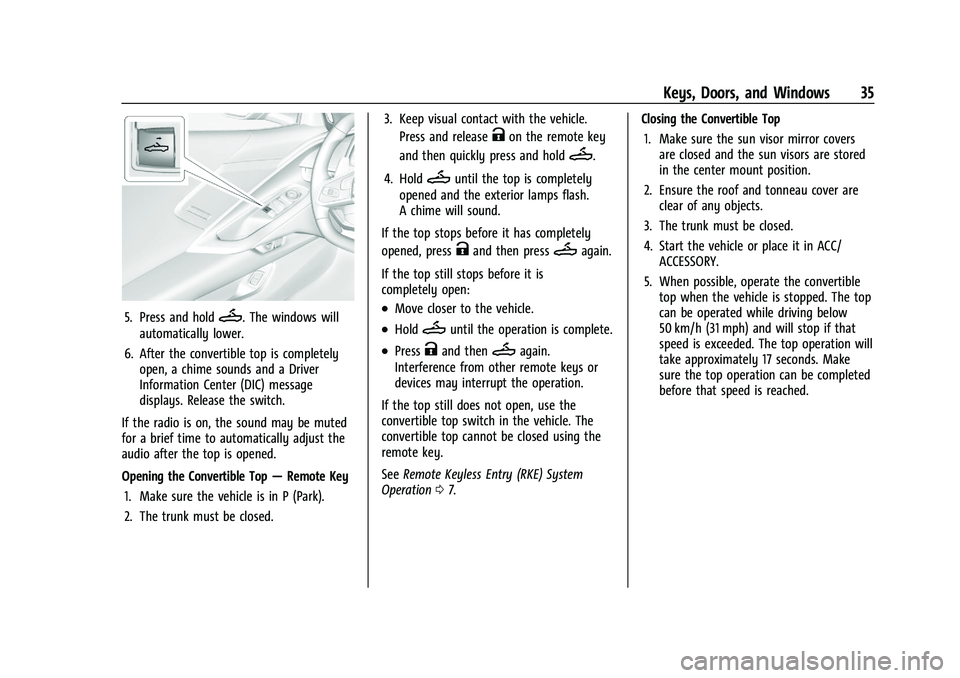
5. Press and holdM. The windows will
automatically lower.
6. After the convertible top is completely open, a chime sounds and a Driver
Information Center (DIC) message
displays. Release the switch.
If the radio is on, the sound may be muted
for a brief time to automatically adjust the
audio after the top is opened.
Opening the Convertible Top —Remote Key
1. Make sure the vehicle is in P (Park).
2. The trunk must be closed. 3. Keep visual contact with the vehicle.
Press and release
Kon the remote key
and then quickly press and hold
M.
4. Hold
Muntil the top is completely
opened and the exterior lamps flash.
A chime will sound.
If the top stops before it has completely
opened, press
Kand then pressMagain.
If the top still stops before it is
completely open:
.Move closer to the vehicle.
.HoldMuntil the operation is complete.
.PressKand thenMagain.
Interference from other remote keys or
devices may interrupt the operation.
If the top still does not open, use the
convertible top switch in the vehicle. The
convertible top cannot be closed using the
remote key.
See Remote Keyless Entry (RKE) System
Operation 07. Closing the Convertible Top
1. Make sure the sun visor mirror covers are closed and the sun visors are stored
in the center mount position.
2. Ensure the roof and tonneau cover are clear of any objects.
3. The trunk must be closed.
4. Start the vehicle or place it in ACC/ ACCESSORY.
5. When possible, operate the convertible top when the vehicle is stopped. The top
can be operated while driving below
50 km/h (31 mph) and will stop if that
speed is exceeded. The top operation will
take approximately 17 seconds. Make
sure the top operation can be completed
before that speed is reached.
Page 102 of 338

Chevrolet Corvette Owner Manual (GMNA-Localizing-U.S./Canada/Mexico-
15342622) - 2022 - CRC - 5/4/21
Instruments and Controls 101
.Remote Lock Feedback
.Remote Door Unlock
.Remote Start Auto Cool Seats
.Remote Start Auto Heat Seats
.Remote Window Operation
.Passive Door Unlock
.Passive Door Lock
.Remote Left in Vehicle Alert
.Remote Removed from Vehicle Alert
Remote Unlock Light Feedback
This setting flashes the exterior lamps when
the vehicle is unlocked with the remote key.
Touch Off or Flash Lights.
Remote Lock Feedback
This setting specifies how the vehicle
responds when the vehicle is locked with
the remote key.
Touch Off, Lights and Horn, Lights Only,
or Horn Only.
Remote Door Unlock
This setting specifies whether all doors,
or just the driver door, unlock when pressing
Kon the remote key.
Touch All Doors or Driver Door. Remote Start Auto Cool Seats
This setting automatically turns on the
ventilated seats when using the remote
start function on warm days. See
Heated
and Ventilated Front Seats 044 and
Remote Vehicle Start 012.
Touch Off or On.
Remote Start Auto Heat Seats
This setting automatically turns on the
heated seats when using the remote start
function on cold days. See Heated and
Ventilated Front Seats 044 and
Remote Vehicle Start 012.
If equipped with Auto Heated Steering
Wheel, this feature will turn on when the
Remote Start Auto Heat Seats turn on.
Touch Off or On.
Remote Window Operation
When enabled, this feature allows the
windows to be opened remotely when
pressing and holding
Kon the remote key.
See Remote Keyless Entry (RKE) System
Operation 07.
Touch Off or On. Passive Door Unlock
This setting specifies which doors unlock
when using the button on the driver door
handle to unlock the vehicle.
Touch Off, All Doors, or Driver Door Only.
Passive Door Lock
This setting specifies if the vehicle will
automatically lock, or lock and provide an
alert after all the doors are closed, and you
walk away from the vehicle with the remote
key. See
Remote Keyless Entry (RKE) System
Operation 07.
Touch Off, On with Horn Chirp, or On.
Remote Left in Vehicle Alert
This feature sounds an alert when the
remote key is left in the vehicle.
Touch Off or On.
Remote Removed from Vehicle Alert
This feature beeps the horn 3 times when
exiting a running vehicle with the
remote key.
Touch Off or On.
Page 110 of 338

Chevrolet Corvette Owner Manual (GMNA-Localizing-U.S./Canada/Mexico-
15342622) - 2022 - CRC - 5/4/21
Lighting 109
.Keyless access is used to unlock.
.The ignition is switched off.
The engine compartment lamp turns off
after all doors are closed.
If any door or the engine compartment
hatch/trunk remains open, while the vehicle
is off, a battery saver timer will turn the
lamp off after about 10 minutes.
Lighting Features
Entry Lighting
The interior lamps turn on when pressingK
on the remote key or opening any doors,
and the dome lamp control is in the DOOR
position.
Some exterior lamps also turn on when
pressing
Kon the remote key or opening
any doors. Low-Beam lamps will only turn
on briefly at night, or in areas with limited
lighting.
All lamps will gradually fade out after about
30 seconds. Entry lighting can be disabled manually by
closing all doors, pressing
Qon the remote
key, or starting the vehicle.
This feature can be changed. See “Vehicle
Locator Lights” underVehicle Personalization
0 98.
Exit Lighting
Some exterior lamps and interior lamps turn
on when the driver door is opened after the
ignition is turned off.
The interior lights turn on when the ignition
is turned off.
The exterior and interior lamps remain on
for a set amount of time, then automatically
turn off.
The exterior lamps turn off immediately by
turning the exterior lamp control off.
This feature can be changed. See Vehicle
Personalization 098.
Battery Power Protection
This feature helps prevent the battery from
being drained, if the interior courtesy lamps
or reading lamps are accidentally left on.
If any of these lamps are left on, they
automatically turn off after 10 minutes,
if the ignition is off. The lamps will not
come back on again until one of the
following occurs:
.The ignition is turned on.
.The doors are closed and then re-opened.
Exterior Lighting Battery Saver
The exterior lamps turn off about 10 minutes
after the ignition is turned off, if the parking
lamps or headlamps have been manually
left on. This protects against draining the
battery. To restart the 10-minute timer, turn
the exterior lamp control to the
Oposition
and then back to the
;or2position.
To keep the lamps on for more than
10 minutes, the ignition must be on or in
ACC/ACCESSORY.