Page 128 of 656

uuLocking and Unlocking the Doors uLocking/Unlocking the Doors from the Outside
126
Controls
■Locking the doors and trunk (Walk
away auto lock ®)
When you walk away from the vehicle with all
doors closed while carrying the keyless
remote, the doors, fuel fill door and trunk will
automatically lock.
The auto lock function activates when all
doors are closed, and the keyless remote is
within about 5 feet (1.5 m) radius of the
outside door handle or trunk release button.
Exit vehicle while carrying keyless remote and
close door(s).
1. While within about 5 feet (1.5 m) radius of
the vehicle.
u The beeper sounds; the auto lock
function will be activated.
2. Carry the keyless remote beyond about 5
feet (1.5 m) from the vehicle and remain
outside this range fo r 2 or more seconds.
u Some exterior lights flash; the beeper
sounds; all doors, fuel fill door and trunk
will then lock.1Locking the doors and trunk (Walk away auto lock ®)
The auto lock function is set to OFF as the factory
default setting. The auto lo ck function can be set to
ON using the audio/information screen.
If you set the auto lock function to ON using the
audio/information screen, the setting change will
only apply to the remote transmitter that was used to
unlock the driver’s door prio r to the setting change.
2 Customized Features P. 302
After the auto lock function has been activated, when
you stay within the locking/unlocking operation range,
the indicator on the keyless remote will continue to
flash until the doors are locked.
When you stay beside the vehicle within the
operation range, the doors wi ll automatically lock
approximately 30 seconds after the auto lock
function activating beeper sounds.
When you open a door after the auto lock function
activating beeper sounds, the auto lock function will
be canceled.
Under the following circumstances, the auto lock
function will not activate:
•The keyless remote is inside the vehicle.
•The keyless remote is taken out of its operational
range before all the doors are closed. uThe beeper will not sound.
u The beeper will sound.
The activation range of
the auto lock function is
about 5 feet (1.5 m)
22 ACURA TLX-31TGV6100.book 126 \b
Page 130 of 656

uuLocking and Unlocking the Doors uLocking/Unlocking the Doors from the Outside
128
Controls
■Locking the doors
Press the lock button.
Once: u Some exterior lights flash, all the doors,
fuel fill door and trunk lock, and the
security system sets.
Twice (within five seco nds after the first
push): u Some exterior lights flash and the beeper
sounds and verifies the security system is
set.
■Unlocking the doors
Press the unlock button.
Once: u Some exterior lights flash twice, and the
driver’s door and fuel fill door unlocks.
Twice: u Some exterior lights flash twice, and the
remaining doors and trunk unlock.
*1:
Checking Door Lock Status* P. 131
■Using the Remote Transmitter1 Using the Remote Transmitter
If you do not open a door within 30 seconds of
unlocking the vehicle with the remote transmitter,
the doors, fuel fill door a nd trunk will automatically
relock.
You can change the relock timer setting.
2 Customized Features P. 302
You can lock or unlock doors, fuel fill door and trunk
using the remote transmitter only when the power
mode is in VEHICLE OFF.
The remote transmitter us es low-power signals, so
the operating range may vary depending on the
surroundings.
The remote will not lock th e vehicle when a door is
open.
If the distance at which the remote transmitter works
varies, the batter y is probably low.
If the LED does not come on when you press a
button, the battery is dead. 2 Replacing the Remote Battery P. 568
You can customize the door unlock mode setting. 2 Customized Features P. 302
LED
Unlock
Button Lock
Button
LED*1
Unlock
Button
Lock
Button
* Not available on all models
22 ACURA TLX-31TGV6100.book 128 \b
Page 131 of 656
Continued129
uuLocking and Unlocking the Doors uLocking/Unlocking the Doors from the Outside
Controls
If the lock or unlock button of the key less remote does not work, use the key
instead. Fully insert the key and turn it.
■Locking/Unlocking the Doors Using a Key1Locking/Unlocking the Doors Using a Key
When you lock the driver’s door with a key, all the
other doors, fuel fill door and trunk lock at the same
time. When unlocking, the dr iver’s door and fuel fill
door unlock first. Turn the key a second time within a
few seconds to unlock the remaining doors and
trunk.
You can customize the door unlock mode setting.
2 Customized Features P. 302
Lock
Unlock
22 ACURA TLX-31TGV6100.book 129 \b
Page 132 of 656
uuLocking and Unlocking the Doors uLocking/Unlocking the Doors from the Outside
130
Controls
If you do not have the key on you, or if for some reason you cannot lock a door using
the key, you can lock the door without it.
■Locking the front doors
Push the lock tab forward
a or push the
master door lock switch in the lock direction
b, and close the door.
■Locking the rear doors
Push the lock tab forward and close the door.
■Lockout prevention system
The doors cannot be locked when the keyless remote is inside the vehicle.
■Locking a Door Without Using a Key1Locking a Door Without Using a Key
When you lock the driver’s door, all the other doors,
fuel fill door and trunk lock at the same time.
Before locking a door, make sure that the key is not
inside the vehicle.
22 ACURA TLX-31TGV6100.book 130 \b
Page 134 of 656
132
uuLocking and Unlocking the Doors uLocking/Unlocking the Doors from the Inside
Controls
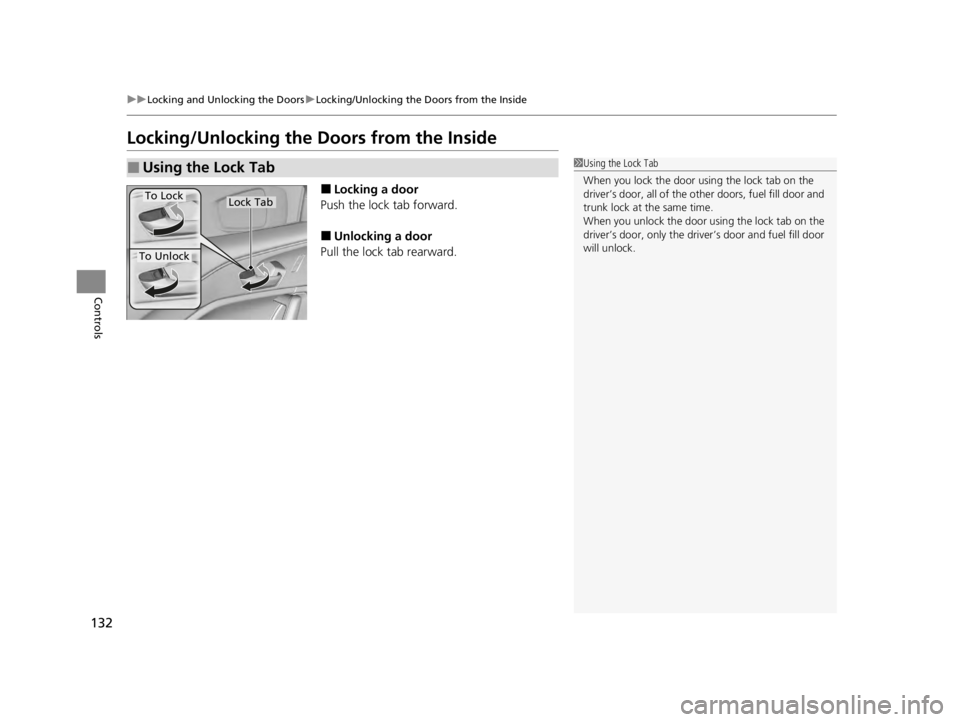
Locking/Unlocking the Doors from the Inside
■Locking a door
Push the lock tab forward.
■Unlocking a door
Pull the lock tab rearward.
■Using the Lock Tab1 Using the Lock Tab
When you lock the door using the lock tab on the
driver’s door, all of the othe r doors, fuel fill door and
trunk lock at the same time.
When you unlock the door using the lock tab on the
driver’s door, only the driver ’s door and fuel fill door
will unlock.
To Unlock
To LockLock Tab
22 ACURA TLX-31TGV6100.book 132 \b
Page 135 of 656
Continued133
uuLocking and Unlocking the Doors uLocking/Unlocking the Doors from the Inside
Controls
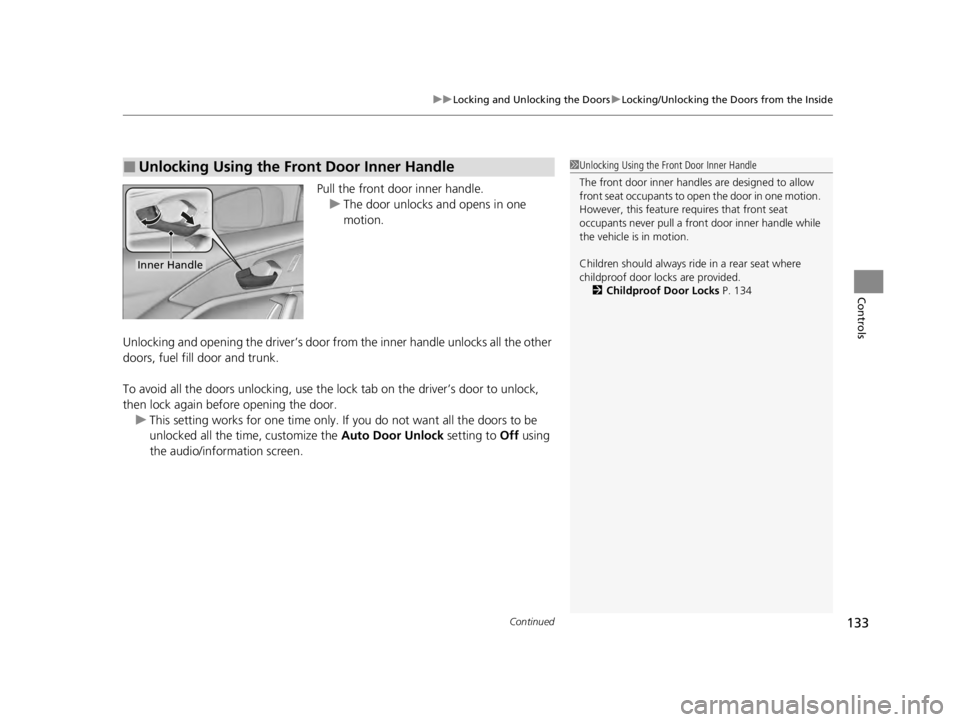
Pull the front door inner handle.
u The door unlocks and opens in one
motion.
Unlocking and opening the driver’s door from the inner handle unlocks all the other
doors, fuel fill door and trunk.
To avoid all the doors unlocking, use the lock tab on the driver’s door to unlock,
then lock again before opening the door. u This setting works for one time only. If you do not want all the doors to be
unlocked all the time, customize the Auto Door Unlock setting to Off using
the audio/information screen.
■Unlocking Using the Front Door Inner Handle1 Unlocking Using the Front Door Inner Handle
The front door inne r handles are designed to allow
front seat occupants to ope n the door in one motion.
However, this feature requires that front seat
occupants never pull a front door inner handle while
the vehicle is in motion.
Children should always ride in a rear seat where
childproof door locks are provided. 2 Childproof Door Locks P. 134
Inner Handle
22 ACURA TLX-31TGV6100.book 133 \b
Page 136 of 656
uuLocking and Unlocking the Doors uChildproof Door Locks
134
Controls
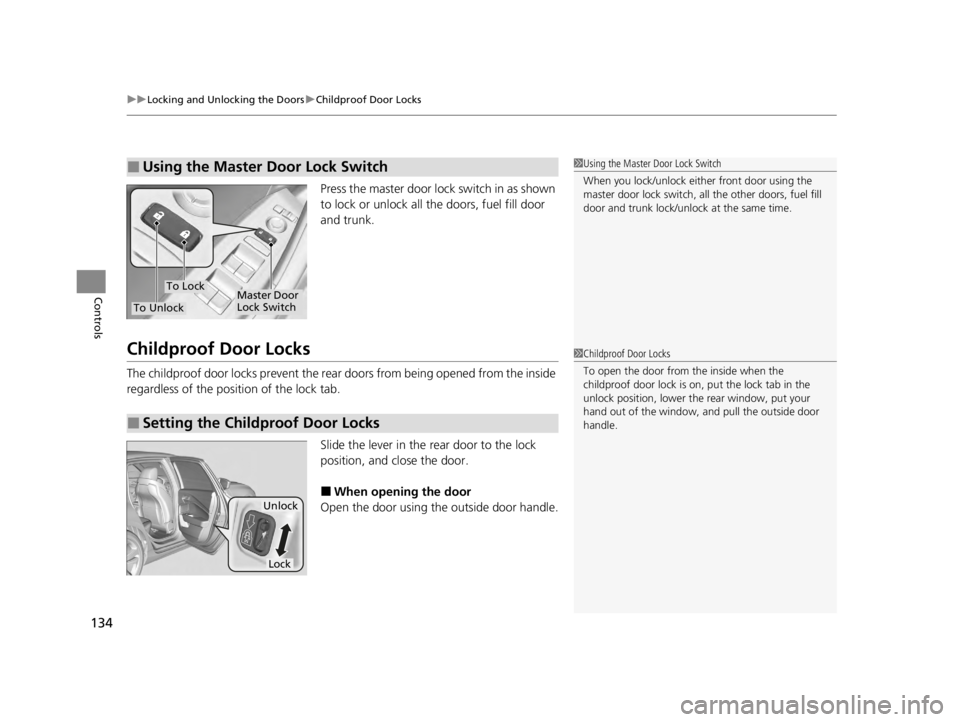
Press the master door lock switch in as shown
to lock or unlock all the doors, fuel fill door
and trunk.
Childproof Door Locks
The childproof door locks prevent the rear doors from being opened from the inside
regardless of the position of the lock tab.
Slide the lever in the rear door to the lock
position, and close the door.
■When opening the door
Open the door using the outside door handle.
■Using the Master Door Lock Switch1 Using the Master Door Lock Switch
When you lock/unlock eith er front door using the
master door lock switch, all the other doors, fuel fill
door and trunk lock/unlock at the same time.
To Unlock
To LockMaster Door
Lock Switch
■Setting the Childproof Door Locks
1 Childproof Door Locks
To open the door from the inside when the
childproof door lock is on, put the lock tab in the
unlock position, lower the rear window, put your
hand out of the window, and pull the outside door
handle.
Unlock
Lock
22 ACURA TLX-31TGV6100.book 134 \b
Page 137 of 656
135
uuLocking and Unlocking the Doors uAuto Door Locking/Unlocking
Controls
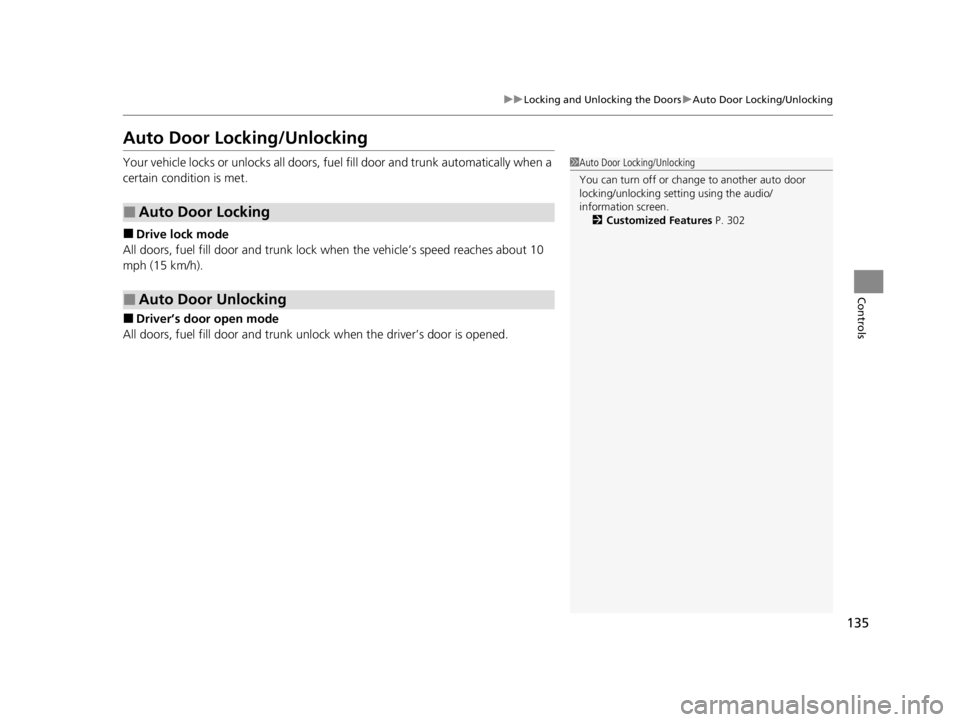
Auto Door Locking/Unlocking
Your vehicle locks or unlocks all doors, fuel fill door and trunk automatically when a
certain condition is met.
■Drive lock mode
All doors, fuel fill door and trunk lock when the vehicle’s speed reaches about 10
mph (15 km/h).
■Driver’s door open mode
All doors, fuel fill door and trunk unlock when the driver’s door is opened.
■Auto Door Locking
■Auto Door Unlocking
1 Auto Door Locking/Unlocking
You can turn off or cha nge to another auto door
locking/unlocking sett ing using the audio/
information screen. 2 Customized Features P. 302
22 ACURA TLX-31TGV6100.book 135 \b