2022 ACURA NSX ECU
[x] Cancel search: ECUPage 242 of 492

240
uuGeneral Information on the Audio System uLegal Information on Apple CarPlay/Android Auto
Features
YOU EXPRESSLY ACKNOWLEDGE AND AGREE THAT USE OF APPLE CARPLAY OR ANDROID AUTO (“THE APPLICATIONS”) IS AT YOUR
SOLE RISK AND THAT THE ENTIRE RISK AS TO SATISFACTORY QUALITY, PERFORMANCE, ACCURACY AND EFFORT IS WITH YOU TO THE
MAXIMUM EXTENT PERMITTED BY APPLICABLE LAW, AND THAT TH E APPLICATIONS AND INFORMATION ON THE APPLICATIONS IS
PROVIDED “AS IS” AND “AS AVAILABLE,” WITH ALL FAULTS AND WITHOUT WARRANTY OF ANY KIND, AND HONDA HEREBY
DISCLAIMS ALL WARRANTIES AND CONDITIONS WITH RESPECT TO TH E APPLICATIONS AND INFORMATION ON THE APPLICATIONS,
EITHER EXPRESS, IMPLIED OR STATUTORY, INCLUDING, BUT NOT LIMITED TO, TH E IMPLIED WARRANTIES AND/OR CONDITIONS OF
MERCHANTABILITY, SATISFACTORY QUALITY, FITNESS FOR A PART ICULAR PURPOSE, ACCURACY, QUIET ENJOYMENT, AND NON-
INFRINGEMENT OF THIRD PARTY RIGHTS. NO ORAL OR WRI TTEN INFORMATION OR ADVICE GIVEN BY HONDA OR AN AUTHORIZED
REPRESENTATIVE SHALL CREATE A WARRANT Y. AS EXAMPLES, AND WITHOUT LIMITATION, HONDA DISCLAIMS ANY WARRANTY
REGARDING THE ACCURACY OF DATA PROVIDED BY THE APPL ICATIONS, SUCH AS THE ACCURACY OF DIRECTIONS, ESTIMATED
TRAVEL TIME, SPEED LIMITS, ROAD CONDITIONS, NEWS, WEATHER, TRAFFIC, OR OTHER CONTENT PROVIDED BY APPLE, GOOGLE, THEIR
AFFILIATES, OR THIRD PARTY PROVIDERS; HONDA DOES NOT GUARANTEE AGAINST LOSS OF APPLICATION DATA, WHICH MAY BE LOST
AT ANY TIME; HONDA DOES NOT GUARANTEE THAT THE APPLICATION S OR ANY SERVICES PROVIDED THROUGH THEM WILL BE
PROVIDED AT ALL TIMES OR THAT ANY OR ALL SERVICES WILL BE AVAILABLE AT ANY PA RTICULAR TIME OR LOCATION. FOR EXAMPLE,
SERVICES MAY BE SUSPENDED OR INTERRUPTED WITHOUT NOTICE FOR REPAIR, MAINTENANCE, SECURITY FIXES, UPDATES, ETC.,
SERVICES MAY BE UNAVAILABLE IN YOUR AREA OR LOCATION, ETC. IN ADDITION, YOU UNDERSTAND THAT CHANGES IN THIRD PARTY
TECHNOLOGY OR GOVERNMENT REGULATION MAY RENDER THE SERVICES AND/OR APPLICATIONS OBSOLETE AND/OR UNUSABLE.
TO THE EXTENT NOT PROHIBITED BY LAW, IN NO EVENT SHALL HONDA OR ITS AFFILIATES BE LIABLE FOR PERSONAL INJURY, OR ANY
INCIDENTAL, SPECIAL, INDIRECT OR CONSEQUENTIAL DAMAG ES WHATSOEVER, INCLUDING, WITHOUT LIMITATION, DAMAGES FOR
LOSS OF PROFITS, CORRUPTION OR LOSS OF DATA, FAILURE TO TRANSMIT OR RECEIV E ANY DATA, BUSINESS INTERRUPTION OR ANY
OTHER COMMERCIAL DAMAGES OR LOSSES, ARISING OUT OF OR RELATE D TO THE APPLICATIONS OR YOUR USE OF OR INABILITY TO
USE THE APPLICATIONS OR INFORMATION ON THE APPLICATIONS, HOWEVER CAUSED, REGARDLESS OF THE THEORY OF LIABILITY
(CONTRACT, TORT OR OTHERWISE) AND EVEN IF HONDA WERE AD VISED OF THE POSSIBILITY OF SUCH DAMAGES. SOME STATES AND
JURISDICTIONS DISALLOW THE EXCLUSION OR LIMITATION OF LI ABILITY FOR DAMAGES, SO THESE LIMITATIONS AND EXCLUSIONS MAY
NOT APPLY TO YOU. IN NO EVENT SHALL HONDA’S TOTAL LIABILIT Y TO YOU FOR ALL DAMAGES (OTHER THAN AS MAY BE REQUIRED
BY APPLICABLE LAW IN CASES INVOLVING PERSONAL INJURY) EXC EED THE AMOUNT OF FIVE DOLLARS ($5.00). THE FOREGOING
LIMITATIONS WILL APPLY EVEN IF THE ABOVE STA TED REMEDY FAILS OF ITS ESSENTIAL PURPOSE.
■DISCLAIMER OF WARRANTIES; LIMITATION ON LIABILITY
22 ACURA NSX PMC-31T6N6500.book 240 ページ 2021年9月28日 火曜日 午後4時7分
Page 252 of 492

250
uuCustomized Features u
Features
Lighting SetupInterior Light Dimming Time
Headlight Auto Off Timer
Auto Light Sensitivity*
Auto Interior Illumination Sensitivity
Auto Door Lock
Key and Remote Unlock Mode
Door Setup
Apple CarPlay
Android Auto
Auto Headlight On with Wiper On
Keyless Lock Answer Back
Security Relock Timer
Keyless Access SetupDoor Unlock Mode
Keyless Access Light Flash
Keyless Access Beep
Smartphone
Auto Door Unlock
Maintenance Info
Default
Default
Reset
Dynamic Mode SetupScheduler
* Not available on all models
22 ACURA NSX PMC-31T6N6500.book 250 ページ 2021年9月28日 火曜日 午後4時7分
Page 265 of 492
263
uuCustomized Features u
Continued
Features
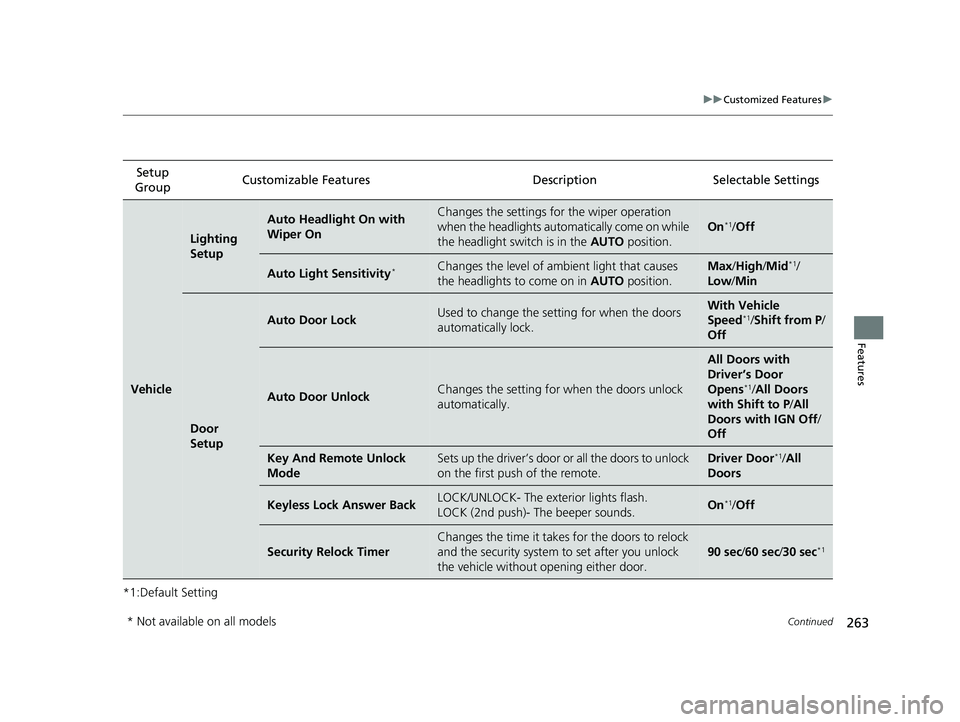
*1:Default SettingSetup
Group Customizable Features Description Selectable Settings
Vehicle
Lighting
Setup
Auto Headlight On with
Wiper OnChanges the settings for the wiper operation
when the headlights automatically come on while
the headlight switch is in the
AUTO position.
On*1/Off
Auto Light Sensitivity*Changes the level of ambient light that causes
the headlights to come on in AUTO position.Max/High /Mid*1/
Low/ Min
Door
Setup
Auto Door LockUsed to change the sett ing for when the doors
automatically lock.With Vehicle
Speed*1/ Shift from P /
Off
Auto Door UnlockChanges the setting for when the doors unlock
automatically.
All Doors with
Driver’s Door
Opens
*1/ All Doors
with Shift to P /All
Doors with IGN Off /
Off
Key And Remote Unlock
ModeSets up the driver’s door or all the doors to unlock
on the first push of the remote.Driver Door*1/ All
Doors
Keyless Lock Answer BackLOCK/UNLOCK- The exterior lights flash.
LOCK (2nd push)- The beeper sounds.On*1/ Off
Security Relock Timer
Changes the time it takes for the doors to relock
and the security system to set after you unlock
the vehicle without opening either door.
90 sec /60 sec /30 sec*1
* Not available on all models
22 ACURA NSX PMC-31T6N6500.book 263 ページ 2021年9月28日 火曜日 午後4時7分
Page 268 of 492

266
Features
HomeLink® Universal Transceiver
The HomeLink ® Universal Transceiver can be pr ogrammed to operate up to three
remote controlled devices around your home , such as garage doors, lighting, or
home security systems.
Refer to the safety information that came wi th your garage door opener to test that
the safety features are functioning properly. If you do not have the safety
information, contac t the manufacturer.
Before programming HomeLink, make sure th at people and objects are out of the
way of the garage or gate to prevent potential injury or damage.
When programming a garage door opener, park just outside the garage door’s path.
■Important Safety Precautions
1HomeLink ® Universal Transceiver
Before programming HomeLi nk to operate a garage
door opener, confirm that the opener has an external
entrapment protection system , such as an “electronic
eye,” or other safety and reverse stop features. If it
does not, HomeLink may not be able to operate it.
NOTE:
Some LED lightbulbs instal led in the garage door
opener can interfere with th e training and consistent
operation of your HomeLink device. Please consider
use of Low RF interference bulbs in your garage door
opener.
22 ACURA NSX PMC-31T6N6500.book 266 ページ 2021年9月28日 火曜日 午後4時7分
Page 305 of 492
303Continued
Features
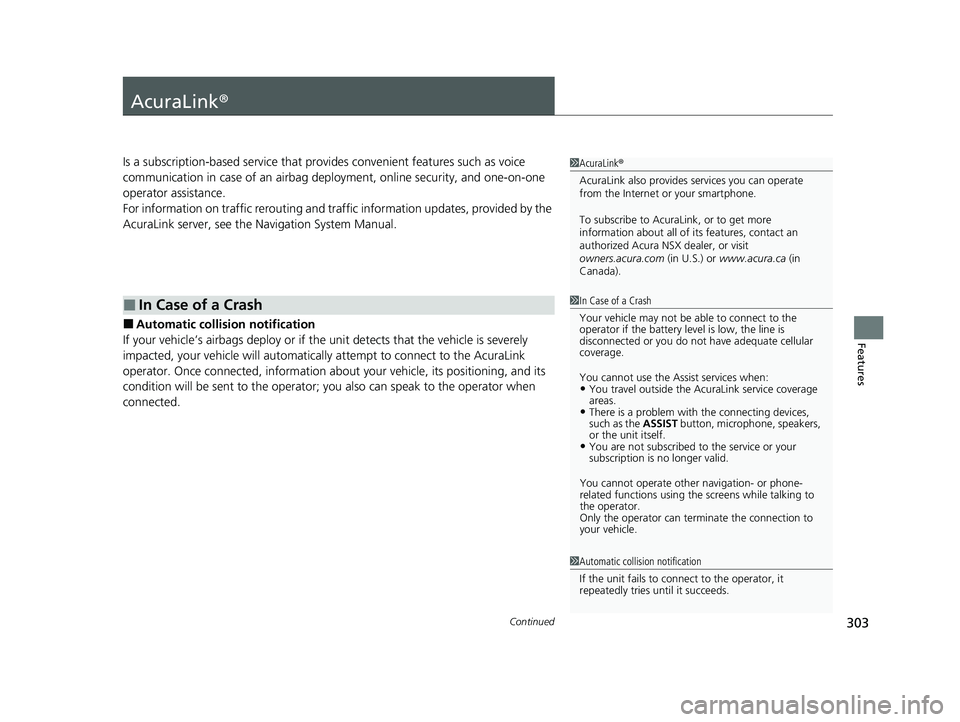
AcuraLink®
Is a subscription-based service that provides convenient features such as voice
communication in case of an airbag deployment, online security, and one-on-one
operator assistance.
For information on traffic rerout ing and traffic information updates, provided by the
AcuraLink server, see the Navigation System Manual.
■Automatic collis ion notification
If your vehicle’s airbags deploy or if the unit detects that the vehicle is severely
impacted, your vehicle will automaticall y attempt to connect to the AcuraLink
operator. Once connected, information about your vehicle, its positioning, and its
condition will be sent to the operator; you also can speak to the operator when
connected.
■In Case of a Crash
1 AcuraLink ®
AcuraLink also provides services you can operate
from the Internet or your smartphone.
To subscribe to AcuraLink, or to get more
information about all of its features, contact an
authorized Acura NS X dealer, or visit
owners.acura.com (in U.S.) or www.acura.ca (in
Canada).
1 In Case of a Crash
Your vehicle may not be able to connect to the
operator if the battery level is low, the line is
disconnected or you do not have adequate cellular
coverage.
You cannot use the Assist services when:
•You travel outside the AcuraLink service coverage
areas.
•There is a problem with the connecting devices,
such as the ASSIST button, microphone, speakers,
or the unit itself.
•You are not subscribed to the service or your
subscription is no longer valid.
You cannot operate othe r navigation- or phone-
related functions using the screens while talking to
the operator.
Only the operator can terminate the connection to
your vehicle.
1 Automatic collision notification
If the unit fails to connect to the operator, it
repeatedly tries until it succeeds.
22 ACURA NSX PMC-31T6N6500.book 303 ページ 2021年9月28日 火曜日 午後4時7分
Page 307 of 492

Continued305
uuAcuraLink ®u
Features
Your subscribed telematics service prov ider can track your vehicle’s location,
remotely lock or unlock doors, and help you find your vehicle.
To use these features, you n eed your user ID and personal identification number
(PIN).
■Stolen vehicle tracking
This feature searches and tracks down your vehicle position even if it is on the move.
If you believe that your vehicle has been stolen, contact the police as well as the
provider. Tracking requests must be initiated by the police.
■Remote door lock/unlock
The provider can remotely lock or unlock doors upon your request.
■Vehicle finder
This feature is convenient to use when trying to locate your vehicle in large areas,
such as a crowded parking lot. If you cannot locate your vehicle after using the
remote transmitter’s answerback function, you can contact the provider which can
then flash your vehicle’s exterior lights and sound the horn.
■Security alarm notification
If the security system in your vehicl e detects an abnormal condition, such as
someone tampering with the lock on your vehicle, the provider notifies you by email
or SMS.
■Security Features1 Security Features
The contact information of your provider, your user
ID and PIN will be given when you subscribe to
AcuraLink. If you forget any of the above, contact an
authorized Acura NSX dealer, or go to
owners.acura.com (in U.S.) or www.acura.ca (in
Canada).
You can also activate the remote door lock/unlock
and vehicle finder features from the Internet or using
your smartphone app. Ask an authorized Acura NSX
dealer, or visit owners.acura.com (in U.S.) or
www.acura.ca (in Canada) for details.
1Vehicle finder
The lights will stop flas hing and horn will stop
sounding under the foll owing conditions:
•When 30 seconds have elapsed.
•You unlock the doors using the remote transmitter.•You unlock the doors using the keyless access
system.
•You unlock the doors us ing the built-in key.•The power mode is set to ACCESSORY or ON.
22 ACURA NSX PMC-31T6N6500.book 305 ページ 2021年9月28日 火曜日 午後4時7分
Page 310 of 492

308
Driving
Before Driving
Driving Preparation
Check the following items before you start driving.
• Make sure there are no obstructions on the windows, door mirrors, exterior
lights, or other parts of the vehicle.
u Remove any frost, snow, or ice.
u Remove any snow on the roof, as this can slip down and obstruct your field of
vision while driving. If frozen solid , remove ice once it has softened.
u When removing ice from around the wheels, be sure not to damage the wheel
or wheel components.
• Make sure the hood is securely closed.
u If the hood opens while driving, your front view will be blocked.
• Make sure the tires are in good condition.
u Check air pressures, and check for damage and excessive wear.
2Checking and Maintaining Tires P. 407
•Make sure there are no people or ob jects behind or around the vehicle.
u There are blind spots from the inside.
• Check the front bumper ducts and side intercooler ducts for mud, leaves, and
road debris that could build up and prevent proper cooling performance.
■Exterior Checks1Exterior Checks
NOTICE
When doors are frozen s hut, use warm water around
the door edges to melt any ice. Do not try to force
them open, as this can damage the rubber trim
around the doors. When done, wipe dry to avoid
further freezing.
Do not pour warm water into the key cylinder.
You will be unable to insert the key if the water
freezes in the hole.
Heat from the engine and exhaust can ignite
flammable materials left und er the hatch, causing a
fire. If you’ve parked y our vehicle for an extended
period, inspect and remove any debris that may have
collected, such as dried grass and leaves that have
fallen or have been carried in for use as a nest by a
small animal.
Also, check under the hatch for leftover flammable
materials after you or so meone else has performed
maintenance on your vehicle.
22 ACURA NSX PMC-31T6N6500.book 308 ページ 2021年9月28日 火曜日 午後4時7分
Page 311 of 492
Continued309
uuBefore Driving uDriving Preparation
Driving
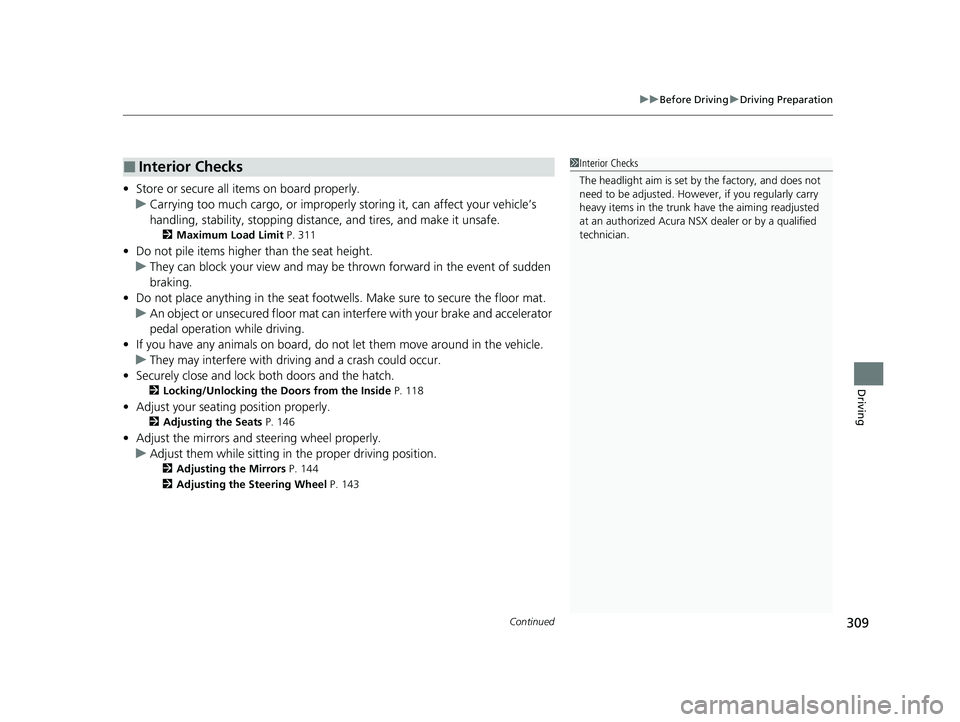
• Store or secure all items on board properly.
u Carrying too much cargo, or improperly storing it, can affect your vehicle’s
handling, stability, sto pping distance, and tires, and make it unsafe.
2Maximum Load Limit P. 311
•Do not pile items higher than the seat height.
u They can block your view and may be thrown forward in the event of sudden
braking.
• Do not place anything in the seat footwe lls. Make sure to secure the floor mat.
u An object or unsecured floor mat can in terfere with your brake and accelerator
pedal operation while driving.
• If you have any animals on board, do not let them move around in the vehicle.
u They may interfere with driving and a crash could occur.
• Securely close and lock both doors and the hatch.
2 Locking/Unlocking the Doors from the Inside P. 118
•Adjust your seating position properly.
2 Adjusting the Seats P. 146
•Adjust the mirrors and steering wheel properly.
u Adjust them while sitting in the proper driving position.
2 Adjusting the Mirrors P. 144
2 Adjusting the Steering Wheel P. 143
■Interior Checks1Interior Checks
The headlight aim is set by the factory, and does not
need to be adjusted. Howeve r, if you regularly carry
heavy items in the trunk ha ve the aiming readjusted
at an authorized Acura NS X dealer or by a qualified
technician.
22 ACURA NSX PMC-31T6N6500.book 309 ページ 2021年9月28日 火曜日 午後4時7分