Page 2 of 30
2
Congratulations
on your new
Pure Electric Volvo!
This Quick Guide is designed to help familiarize you with
your vehicle’s key systems, features, and operation. Please refer
to your Digital Owner’s Manual for complete information.
Page 3 of 30

3
Table of Contents
This Quick Guide is divided into the following sections:
(Click on any topic to jump to that page; use the Home icon in the lower
left of each page to return here)
1. Important to know 4
• No electrical 4
• Exterior engine noise 4
• High-voltage current 4
2. Getting ready for your new Pure Electric Volvo 5
• Preparing your home for charging of the vehicle’s
high-voltage battery 5
• Home charging 6
• Public charging 7
• An active Google account will enable access to key features 8
3. When You Take Delivery 9
• Shifter, parking brake, and front trunk storage 9-10
• Signing in with Google 11
• Activating Screen Lock 12
• Interacting with the Google entertainment interface 13
• Pairing a phone 14
• Interacting with the Digital Driver Display 15-16
• Charging basics 17-20
• Preconditioning the vehicle prior to driving 21
• Starting and driving 22
• One-pedal drive and regenerative braking 23-24
• The Volvo Cars app 25
• Volvo Cars app: Pairing Guide 26
4. After Delivery 27 • If desired, schedule a “2nd Delivery” with your Retailer 27
• Charging rates and approximate times 27
• Electrification terms and their meanings 28
• Roadside Assistance 29
Page 8 of 30
8
An Active Google Account Will Enable Access to Key Features
• For the most personalized experience in your new Pure Electric Volvo,
we recommend you set up a Google account, if you don’t already
have one.
• An active Google account enables built-in features like Google
Assistant, Google Maps, and Google Play.
• When taking delivery of your car, make sure you have your Google
account information readily available, together with your smartphone.
2. Getting ready for your new Pure Electric Volvo
Page 19 of 30
19
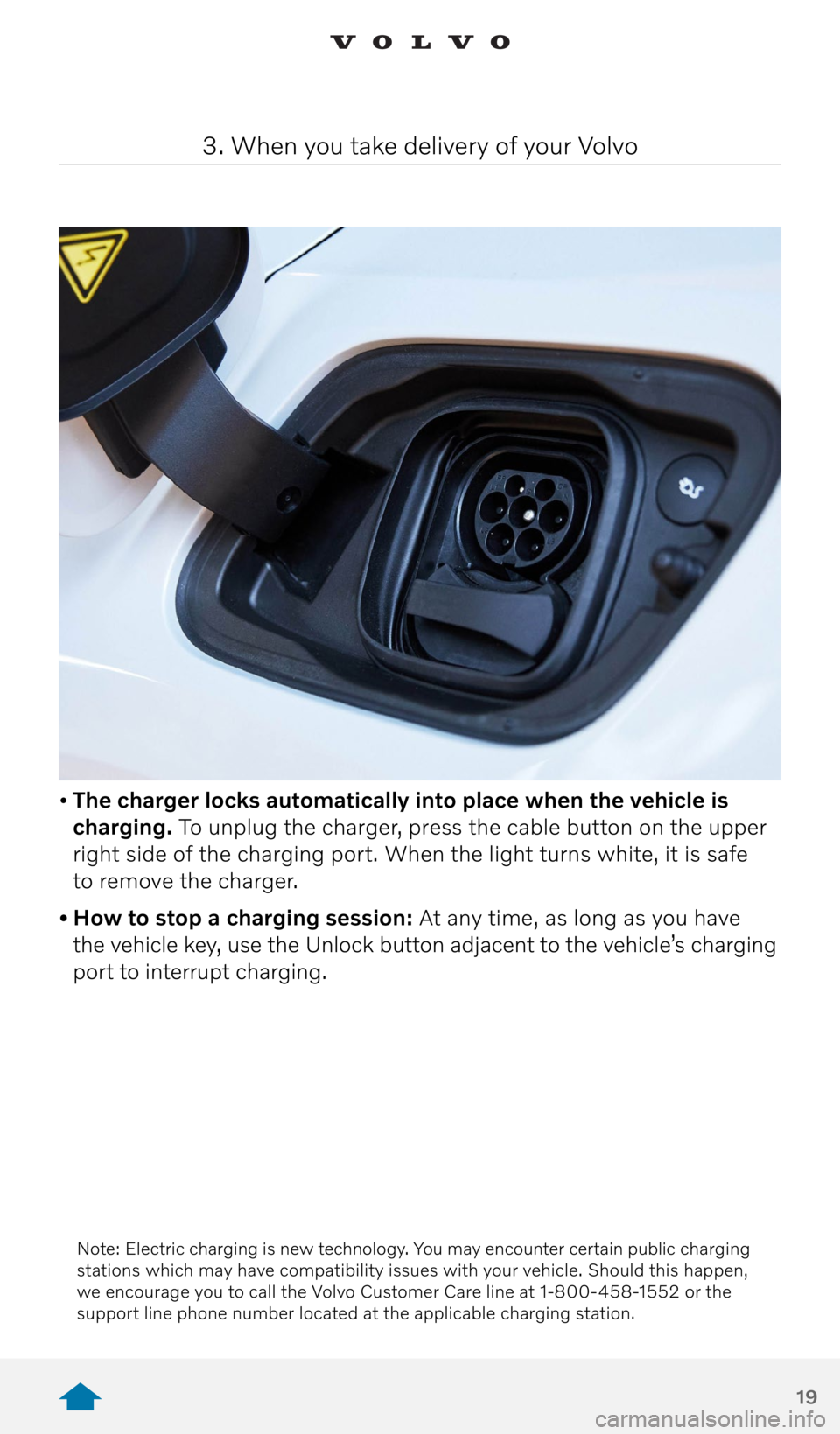
• The charger locks automatically into place when the vehicle is
charging. To unplug the charger, press the cable button on the upper
right side of the charging port. When the light turns white, it is safe
to remove the charger.
• How to stop a charging session: At any time, as long as you have
the vehicle key, use the Unlock button adjacent to the vehicle’s charging
port to interrupt charging.
3. When you take delivery of your Volvo
Note: Electric charging is new technology. You may encounter certain public charging
stations which may have compatibility issues with your vehicle. Should this happen,
we encourage you to call the Volvo Customer Care line at 1-800-458-1552 or the
support line phone number located at the applicable charging station.
Page 26 of 30

26
3. When you take delivery of your Volvo
Volvo Cars app: Pairing Guide Bring ALL keys with you to the car.
All keys need to be present inside the car when pairing for
the first time. The Owner is the only profile that must pair
with all keys.
Note: You must have a Volvo ID and password and Volvo Cars
app installed on a mobile device.
Sign in with your Volvo ID by navigating to:
> Profiles > Accounts > Add Account > Volvo
and sign in with your Volvo ID and password.
Enable Data Sharing in Privacy Settings (Must be an Admin)
This step is required during the first time pairing Volvo Cars app
to enable state of charge data in the app.
> Profiles > Volvo Privacy Settings > Volvo On Call > On
Begin the Pairing Procedure
On the screen, navigate to:
> Profiles > Volvo On Call Devices > Pair Phone
Sign into Volvo Cars on your mobile device.
If you are new to the Volvo Cars app, press “Add your car.”
If you have paired a car before, navigate to:
> Connected Vehicles > Add another vehicle
Enter the full VIN into the mobile app, then follow the steps
on the screen to complete pairing. Check that the numbers
on screen match with the numbers on Volvo Cars app.
Done
The mobile device is now paired to the car.
To pair another device to the car, make a new profile on the
infotainment screen and repeat the pairing process.
If you need support or have questions regarding the Volvo Cars app
pairing process, please reach out to your Volvo Retailer or contact Volvo
Customer Care 24/7/365 at 1.800.458.1552.