2021 TOYOTA PROACE CITY EV door lock
[x] Cancel search: door lockPage 221 of 320
221
Practical information
7
With drive selector and
electric parking brake /
Release procedure
► With the vehicle stationary and the engine running, depress the brake pedal and select mode N.Within 5 seconds:► Depress and hold the brake pedal, then observe this order: switch off the ignition (if start with START/STOP, press and hold the button for 2 seconds) and move the push selector forwards or backwards.► Release the brake pedal, then switch on the ignition again.► Place your foot on the brake and press the electric parking brake control to release it.► Release the brake pedal, then switch off the ignition.
NOTIC E
Keyless Entry and StartingYou must not depress the brake pedal while switching the ignition on again, then switching it off. If you do, the engine will start, requiring you to restart the procedure.
WARNI NG
A message is displayed on the instrument panel to confirm the unlocking of the wheels for 15 minutes.When the vehicle is free-wheeling, the audio system cannot be updated (message displayed on the instrument panel).
Reverting to normal operation
► While depressing the brake pedal, restart the engine, then set the gear selector to P.
Advice on care and
maintenance
General recommendations
Observe the following recommendations to avoid damaging the vehicle.
Exterior
WARNI NG
Never use a high-pressure jet wash in the engine compartment - risk of damaging the electrical components!Do not wash the vehicle in bright sunshine or extremely cold conditions.
NOTIC E
When washing the vehicle at an automatic roller-brush car wash, be sure to lock the doors and, depending on version, remove the electronic key.When using a pressure washer, hold the lance at least 30 cm from the vehicle (particularly when cleaning areas containing chipped paint, sensors or seals).Promptly clean up any stains containing chemicals liable to damage the vehicle's paint (including tree resin, bird droppings, insect secretions, pollen and tar).If justified by the environment, clean the vehicle frequently to remove salty deposits (in coastal areas), soot (in industrial areas) and mud/salts (in wet or cold areas). These substances can be highly corrosive.Contact any authorized Toyota retailer or Toyota authorized repairer, or any reliable repairer for advice on removing stubborn stains requiring special products (such as tar
or insect removers).Preferably, have paint touch-ups performed by any authorized Toyota retailer or Toyota authorized repairer, or any reliable repairer.
Page 235 of 320
235
In the event of a breakdown
8
Rear lamps
For more information on Changing a bulb and, in particular, the types of bulb, refer to the corresponding section.
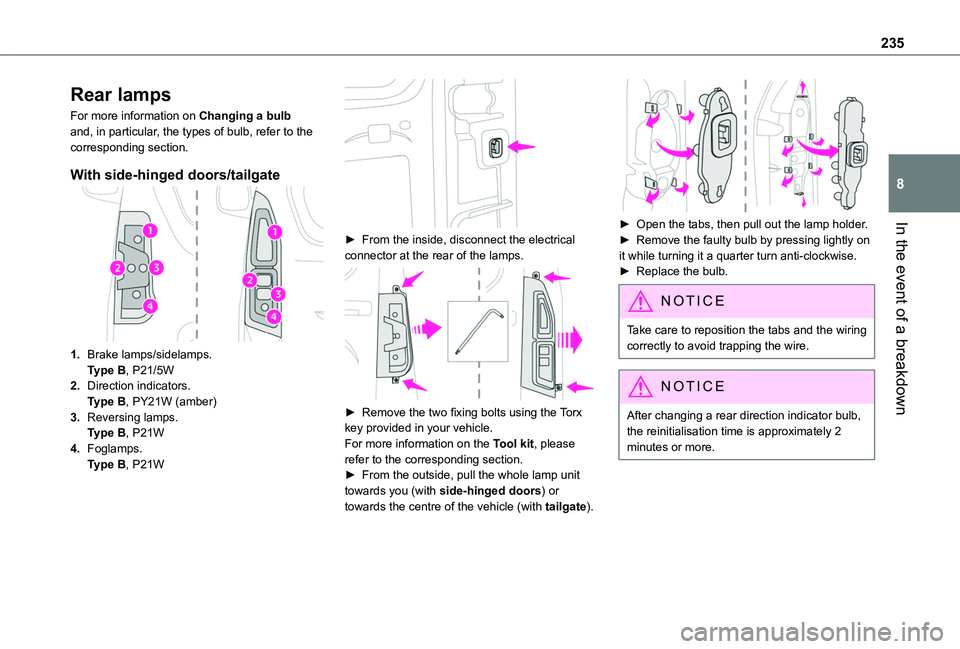
With side-hinged doors/tailgate
1.Brake lamps/sidelamps.Type B, P21/5W
2.Direction indicators.Type B, PY21W (amber)
3.Reversing lamps.Type B, P21W
4.Foglamps.Type B, P21W
► From the inside, disconnect the electrical connector at the rear of the lamps.
► Remove the two fixing bolts using the Torx key provided in your vehicle.For more information on the Tool kit, please refer to the corresponding section.► From the outside, pull the whole lamp unit towards you (with side-hinged doors) or towards the centre of the vehicle (with tailgate).
► Open the tabs, then pull out the lamp holder.► Remove the faulty bulb by pressing lightly on it while turning it a quarter turn anti-clockwise.► Replace the bulb.
NOTIC E
Take care to reposition the tabs and the wiring correctly to avoid trapping the wire.
NOTIC E
After changing a rear direction indicator bulb, the reinitialisation time is approximately 2
minutes or more.
Page 236 of 320
236
Number plate lamps
Type A, W5W - 5W
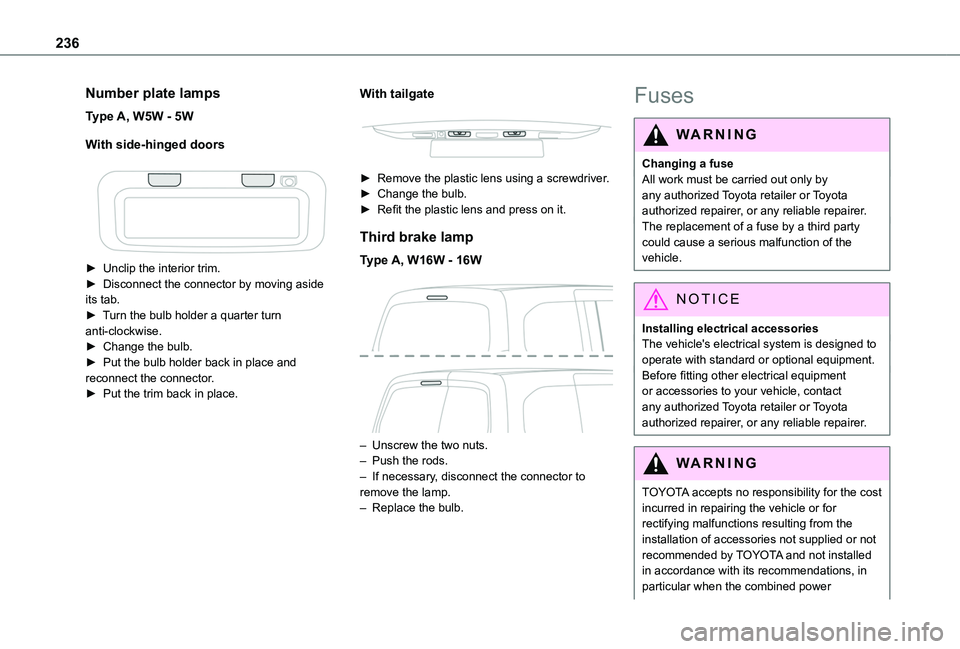
With side-hinged doors
► Unclip the interior trim.► Disconnect the connector by moving aside its tab.► Turn the bulb holder a quarter turn anti-clockwise.► Change the bulb.► Put the bulb holder back in place and reconnect the connector.► Put the trim back in place.
With tailgate
► Remove the plastic lens using a screwdriver.► Change the bulb.► Refit the plastic lens and press on it.
Third brake lamp
Type A, W16W - 16W
– Unscrew the two nuts.– Push the rods.– If necessary, disconnect the connector to remove the lamp.– Replace the bulb.
Fuses
WARNI NG
Changing a fuseAll work must be carried out only by any authorized Toyota retailer or Toyota authorized repairer, or any reliable repairer.The replacement of a fuse by a third party could cause a serious malfunction of the
vehicle.
NOTIC E
Installing electrical accessoriesThe vehicle's electrical system is designed to operate with standard or optional equipment.Before fitting other electrical equipment or accessories to your vehicle, contact any authorized Toyota retailer or Toyota authorized repairer, or any reliable repairer.
WARNI NG
TOYOTA accepts no responsibility for the cost incurred in repairing the vehicle or for rectifying malfunctions resulting from the installation of accessories not supplied or not
recommended by TOYOTA and not installed in accordance with its recommendations, in particular when the combined power
Page 240 of 320
240
Disconnecting/reconnecting
the battery
In order to maintain an adequate state of charge for starting the engine, we recommend disconnecting the battery if the vehicle is to be unused for an extended period.Before disconnecting the battery:► Close all openings (doors, boot, windows, roof).► Switch off all electricity-consuming devices (audio system, wipers, lamps, etc.).► Switch off the ignition and wait for 4 minutes.After accessing the battery, it is only necessary to disconnect the (+) terminal.
Quick-release terminal clamp
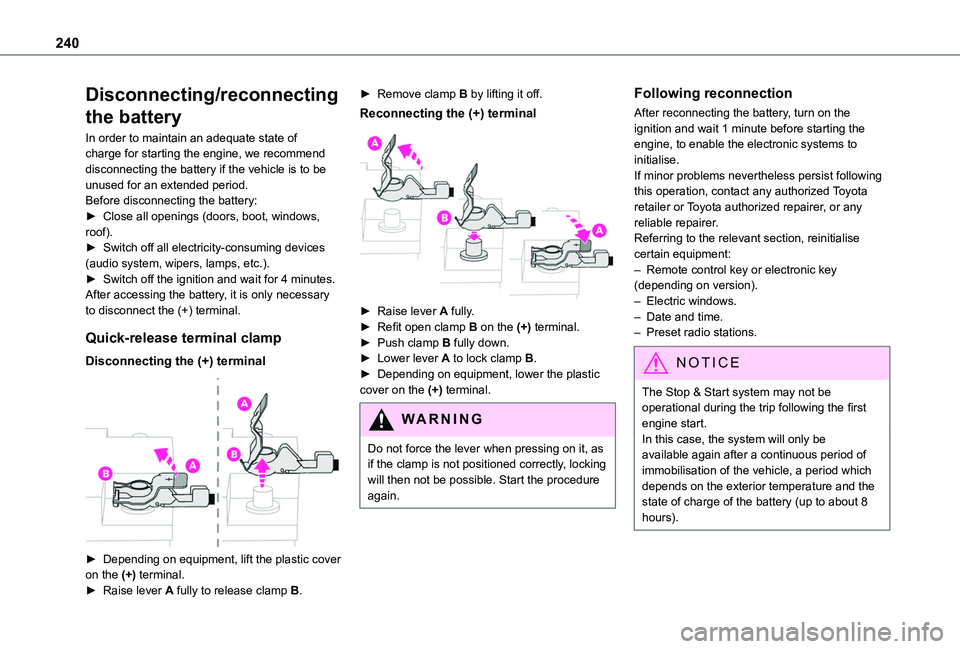
Disconnecting the (+) terminal
► Depending on equipment, lift the plastic cover on the (+) terminal.► Raise lever A fully to release clamp B.
► Remove clamp B by lifting it off.
Reconnecting the (+) terminal
► Raise lever A fully.► Refit open clamp B on the (+) terminal.► Push clamp B fully down.► Lower lever A to lock clamp B.► Depending on equipment, lower the plastic cover on the (+) terminal.
WARNI NG
Do not force the lever when pressing on it, as if the clamp is not positioned correctly, locking will then not be possible. Start the procedure again.
Following reconnection
After reconnecting the battery, turn on the ignition and wait 1 minute before starting the engine, to enable the electronic systems to initialise.If minor problems nevertheless persist following this operation, contact any authorized Toyota retailer or Toyota authorized repairer, or any reliable repairer.Referring to the relevant section, reinitialise certain equipment:– Remote control key or electronic key (depending on version).– Electric windows.– Date and time.– Preset radio stations.
NOTIC E
The Stop & Start system may not be operational during the trip following the first engine start.In this case, the system will only be
available again after a continuous period of immobilisation of the vehicle, a period which depends on the exterior temperature and the state of charge of the battery (up to about 8 hours).
Page 307 of 320
307
Alphabetical index
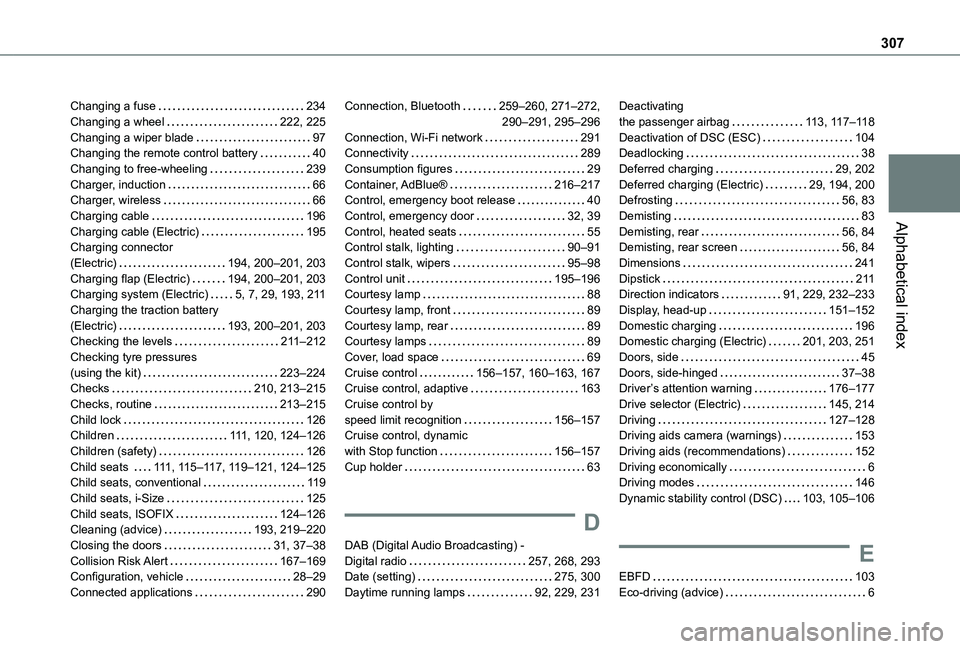
Changing a fuse 234Changing a wheel 222, 225Changing a wiper blade 97Changing the remote control battery 40Changing to free-wheeling 239Charger, induction 66Charger, wireless 66Charging cable 196Charging cable (Electric) 195Charging connector (Electric) 194, 200–201, 203Charging flap (Electric) 194, 200–201, 203Charging system (Electric) 5, 7, 29, 193, 2 11Charging the traction battery (Electric) 193, 200–201, 203Checking the levels 2 11–212Checking tyre pressures (using the kit) 223–224Checks 210, 213–215Checks, routine 213–215Child lock 126Children 111, 120, 124–126
Children (safety) 126Child seats 111, 11 5–11 7, 11 9–121, 124–125Child seats, conventional 11 9Child seats, i-Size 125Child seats, ISOFIX 124–126Cleaning (advice) 193, 219–220Closing the doors 31, 37–38Collision Risk Alert 167–169Configuration, vehicle 28–29Connected applications 290
Connection, Bluetooth 259–260, 271–272, 290–291, 295–296Connection, Wi-Fi network 291Connectivity 289Consumption figures 29Container, AdBlue® 216–217Control, emergency boot release 40Control, emergency door 32, 39Control, heated seats 55Control stalk, lighting 90–91Control stalk, wipers 95–98Control unit 195–196Courtesy lamp 88Courtesy lamp, front 89Courtesy lamp, rear 89Courtesy lamps 89Cover, load space 69Cruise control 156–157, 160–163, 167Cruise control, adaptive 163Cruise control by speed limit recognition 156–157Cruise control, dynamic
with Stop function 156–157Cup holder 63
D
DAB (Digital Audio Broadcasting) - Digital radio 257, 268, 293Date (setting) 275, 300Daytime running lamps 92, 229, 231
Deactivating the passenger airbag 11 3, 11 7–11 8Deactivation of DSC (ESC) 104Deadlocking 38Deferred charging 29, 202Deferred charging (Electric) 29, 194, 200Defrosting 56, 83Demisting 83Demisting, rear 56, 84Demisting, rear screen 56, 84Dimensions 241Dipstick 2 11Direction indicators 91, 229, 232–233Display, head-up 151–152Domestic charging 196Domestic charging (Electric) 201, 203, 251Doors, side 45Doors, side-hinged 37–38Driver’s attention warning 176–177Drive selector (Electric) 145, 214Driving 127–128Driving aids camera (warnings) 153
Driving aids (recommendations) 152Driving economically 6Driving modes 146Dynamic stability control (DSC) 103, 105–106
E
EBFD 103Eco-driving (advice) 6
Page 309 of 320
309
Alphabetical index
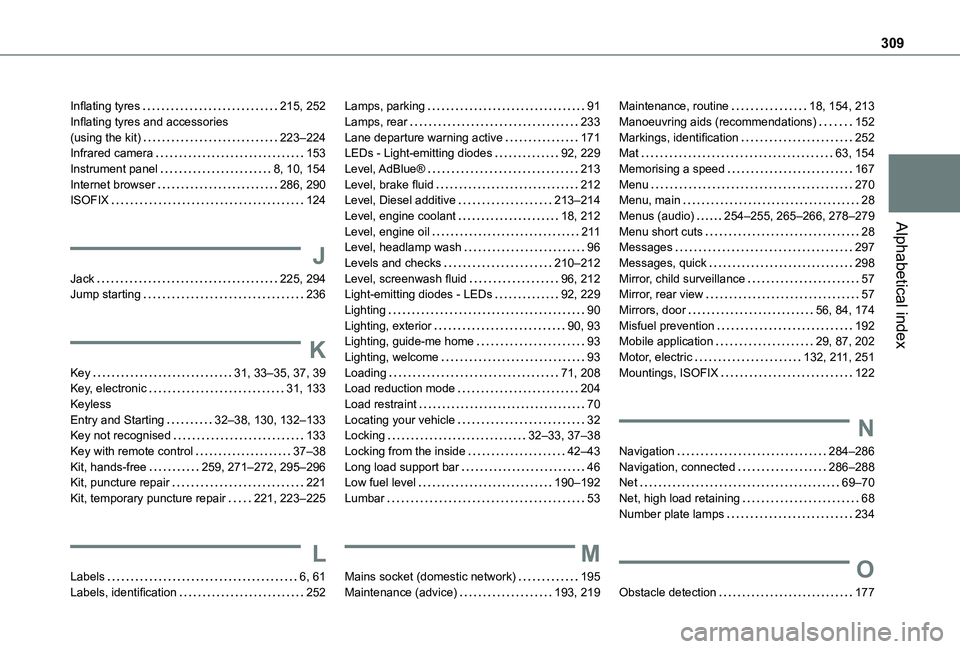
Inflating tyres 215, 252Inflating tyres and accessories (using the kit) 223–224Infrared camera 153Instrument panel 8, 10, 154Internet browser 286, 290ISOFIX 124
J
Jack 225, 294Jump starting 236
K
Key 31, 33–35, 37, 39Key, electronic 31, 133Keyless Entry and Starting 32–38, 130, 132–133Key not recognised 133
Key with remote control 37–38Kit, hands-free 259, 271–272, 295–296Kit, puncture repair 221Kit, temporary puncture repair 221, 223–225
L
Labels 6, 61Labels, identification 252
Lamps, parking 91Lamps, rear 233Lane departure warning active 171LEDs - Light-emitting diodes 92, 229Level, AdBlue® 213Level, brake fluid 212Level, Diesel additive 213–214Level, engine coolant 18, 212Level, engine oil 2 11Level, headlamp wash 96Levels and checks 210–212Level, screenwash fluid 96, 212Light-emitting diodes - LEDs 92, 229Lighting 90Lighting, exterior 90, 93Lighting, guide-me home 93Lighting, welcome 93Loading 71, 208Load reduction mode 204Load restraint 70Locating your vehicle 32Locking 32–33, 37–38
Locking from the inside 42–43Long load support bar 46Low fuel level 190–192Lumbar 53
M
Mains socket (domestic network) 195Maintenance (advice) 193, 219
Maintenance, routine 18, 154, 213Manoeuvring aids (recommendations) 152Markings, identification 252Mat 63, 154Memorising a speed 167Menu 270Menu, main 28Menus (audio) 254–255, 265–266, 278–279Menu short cuts 28Messages 297Messages, quick 298Mirror, child surveillance 57Mirror, rear view 57Mirrors, door 56, 84, 174Misfuel prevention 192Mobile application 29, 87, 202Motor, electric 132, 2 11, 251Mountings, ISOFIX 122
N
Navigation 284–286Navigation, connected 286–288Net 69–70Net, high load retaining 68Number plate lamps 234
O
Obstacle detection 177
Page 311 of 320
3 11
Alphabetical index
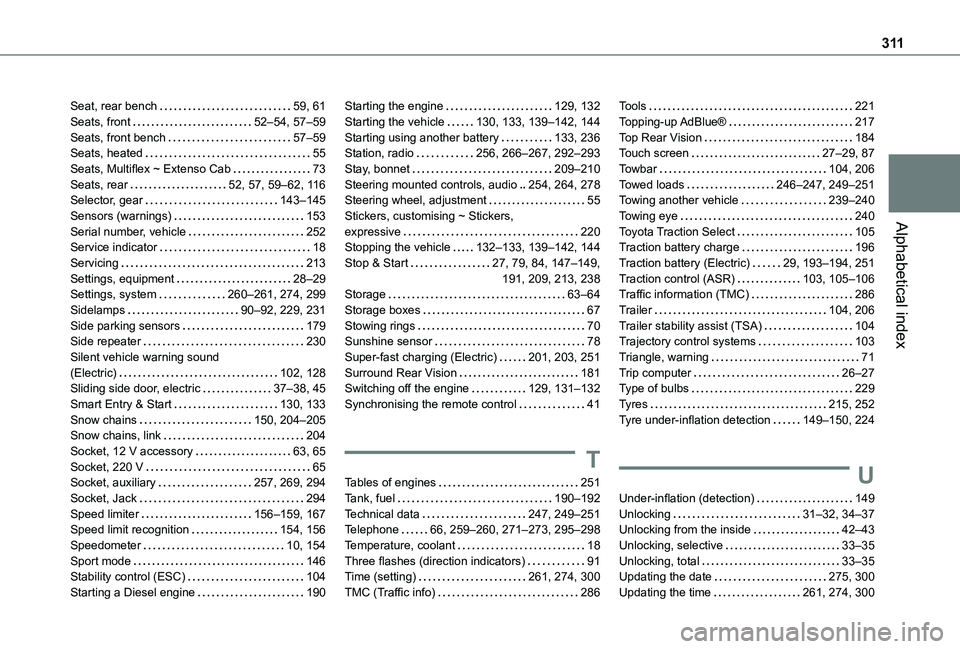
Seat, rear bench 59, 61Seats, front 52–54, 57–59Seats, front bench 57–59Seats, heated 55Seats, Multiflex ~ Extenso Cab 73Seats, rear 52, 57, 59–62, 11 6Selector, gear 143–145Sensors (warnings) 153Serial number, vehicle 252Service indicator 18Servicing 213Settings, equipment 28–29Settings, system 260–261, 274, 299Sidelamps 90–92, 229, 231Side parking sensors 179Side repeater 230Silent vehicle warning sound (Electric) 102, 128Sliding side door, electric 37–38, 45Smart Entry & Start 130, 133Snow chains 150, 204–205Snow chains, link 204
Socket, 12 V accessory 63, 65Socket, 220 V 65Socket, auxiliary 257, 269, 294Socket, Jack 294Speed limiter 156–159, 167Speed limit recognition 154, 156Speedometer 10, 154Sport mode 146Stability control (ESC) 104Starting a Diesel engine 190
Starting the engine 129, 132Starting the vehicle 130, 133, 139–142, 144Starting using another battery 133, 236Station, radio 256, 266–267, 292–293Stay, bonnet 209–210Steering mounted controls, audio 254, 264, 278Steering wheel, adjustment 55Stickers, customising ~ Stickers, expressive 220Stopping the vehicle 132–133, 139–142, 144Stop & Start 27, 79, 84, 147–149, 191, 209, 213, 238Storage 63–64Storage boxes 67Stowing rings 70Sunshine sensor 78Super-fast charging (Electric) 201, 203, 251Surround Rear Vision 181Switching off the engine 129, 131–132Synchronising the remote control 41
T
Tables of engines 251Tank, fuel 190–192Technical data 247, 249–251Telephone 66, 259–260, 271–273, 295–298Temperature, coolant 18Three flashes (direction indicators) 91Time (setting) 261, 274, 300TMC (Traffic info) 286
Tools 221Topping-up AdBlue® 217Top Rear Vision 184Touch screen 27–29, 87Towbar 104, 206Towed loads 246–247, 249–251Towing another vehicle 239–240Towing eye 240Toyota Traction Select 105Traction battery charge 196Traction battery (Electric) 29, 193–194, 251Traction control (ASR) 103, 105–106Traffic information (TMC) 286Trailer 104, 206Trailer stability assist (TSA) 104Trajectory control systems 103Triangle, warning 71Trip computer 26–27Type of bulbs 229Tyres 215, 252Tyre under-inflation detection 149–150, 224
U
Under-inflation (detection) 149Unlocking 31–32, 34–37Unlocking from the inside 42–43Unlocking, selective 33–35Unlocking, total 33–35Updating the date 275, 300Updating the time 261, 274, 300