Page 254 of 816
2543. Instrument cluster
Prius Plug-in Hybrid_OM_OM47D72E_(EE)
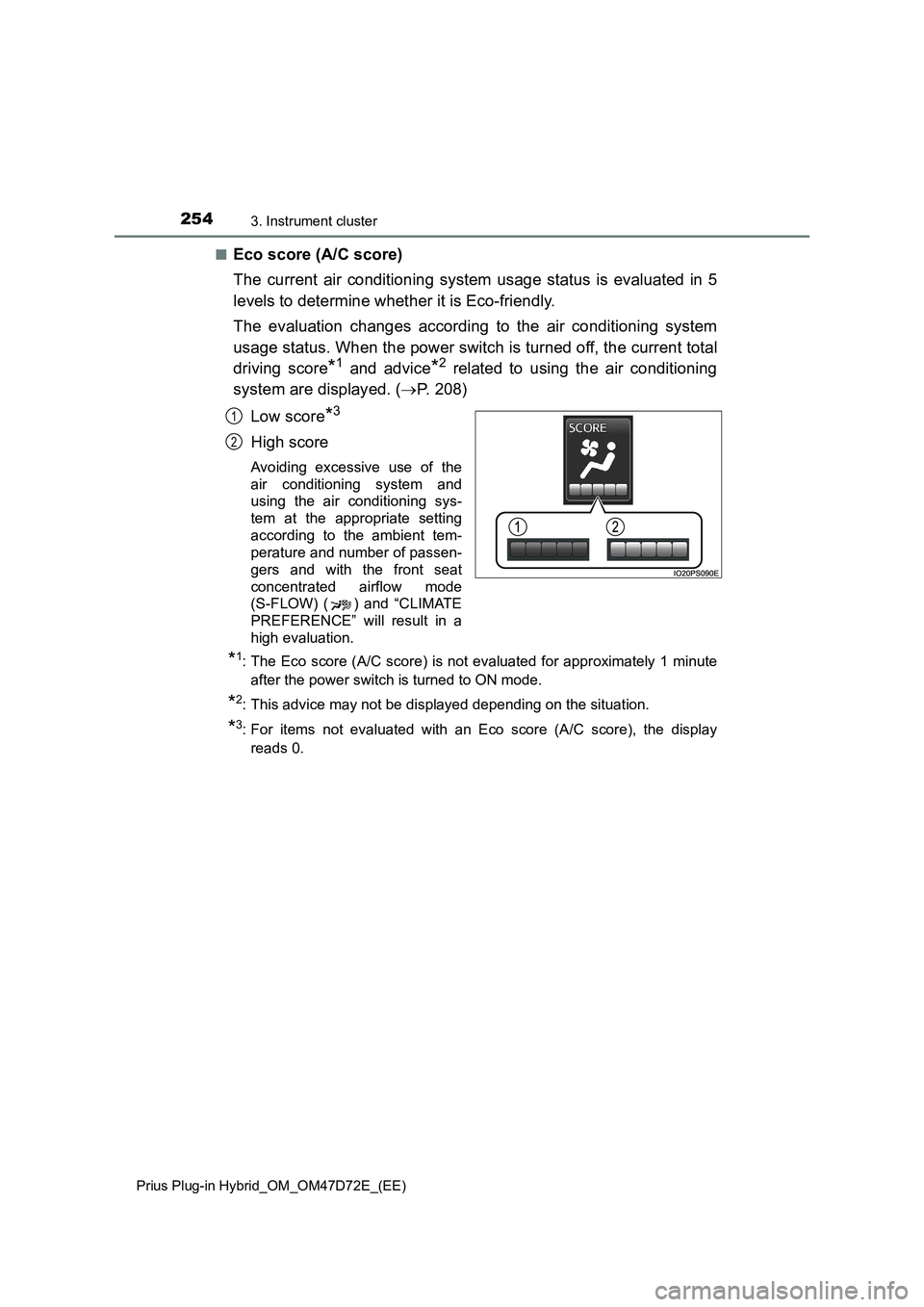
■Eco score (A/C score)
The current air conditioning system usage status is evaluated in 5
levels to determine whether it is Eco-friendly.
The evaluation changes according to the air conditioning system
usage status. When the power switch is turned off, the current total
driving score
*1 and advice*2 related to using the air conditioning
system are displayed. (P. 208)
Low score
*3
High score
Avoiding excessive use of the
air conditioning system and
using the air conditioning sys-
tem at the appropriate setting
according to the ambient tem-
perature and number of passen-
gers and with the front seat
concentrated airflow mode
(S-FLOW) ( ) and “CLIMATE
PREFERENCE” will result in a
high evaluation.
*1: The Eco score (A/C score) is not evaluated for approximately 1 minute
after the power switch is turned to ON mode.
*2: This advice may not be displayed depending on the situation.
*3: For items not evaluated with an Eco score (A/C score), the display
reads 0.
1
2
Page 255 of 816
2553. Instrument cluster
3
Instrument cluster
Prius Plug-in Hybrid_OM_OM47D72E_(EE)
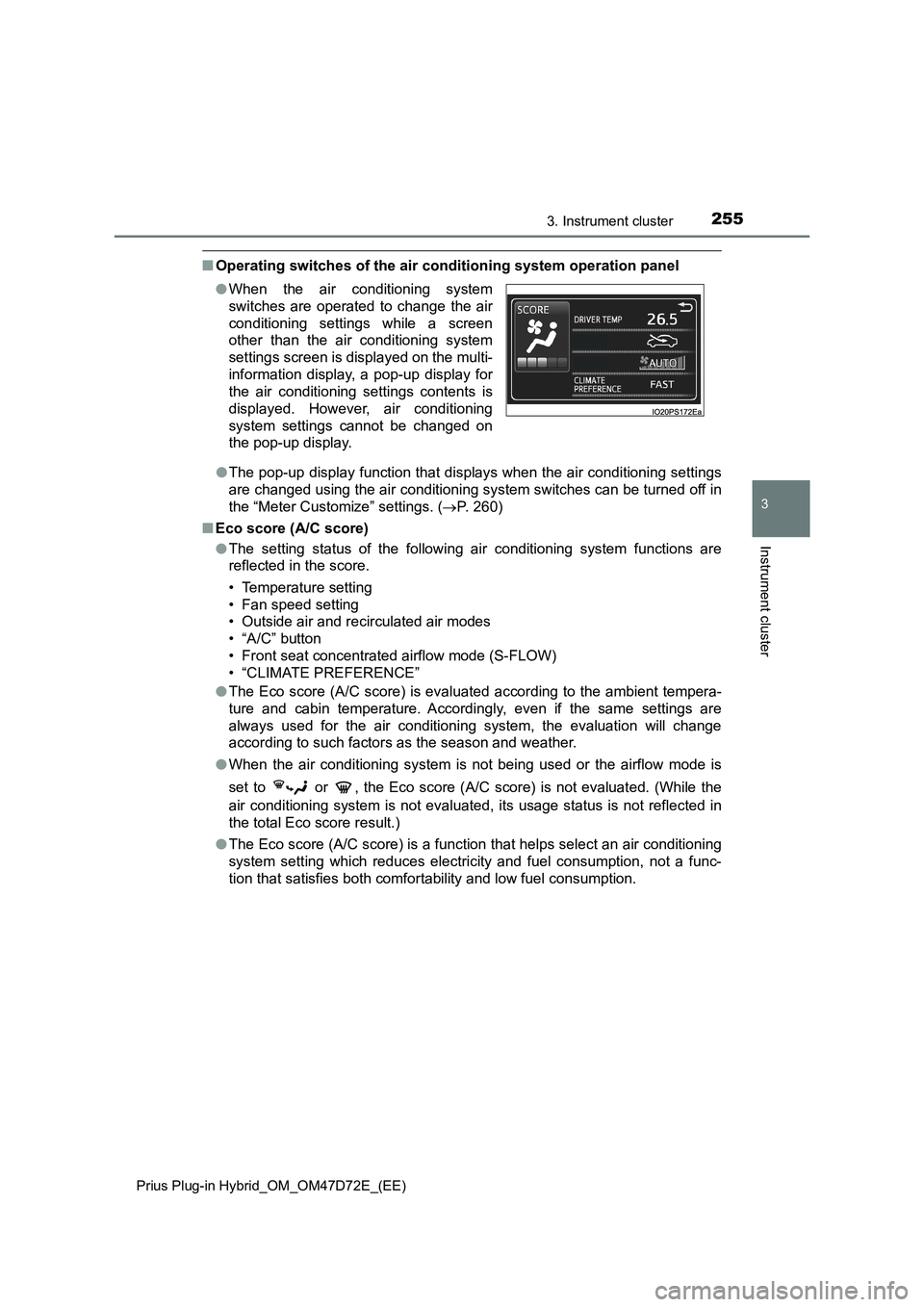
■Operating switches of the air conditioning system operation panel
●The pop-up display function that displays when the air conditioning settings
are changed using the air conditioning system switches can be turned off in
the “Meter Customize” settings. (P. 260)
■Eco score (A/C score)
●The setting status of the following air conditioning system functions are
reflected in the score.
• Temperature setting
• Fan speed setting
• Outside air and recirculated air modes
• “A/C” button
• Front seat concentrated airflow mode (S-FLOW)
• “CLIMATE PREFERENCE”
●The Eco score (A/C score) is evaluated according to the ambient tempera-
ture and cabin temperature. Accordingly, even if the same settings are
always used for the air conditioning system, the evaluation will change
according to such factors as the season and weather.
●When the air conditioning system is not being used or the airflow mode is
set to or , the Eco score (A/C score) is not evaluated. (While the
air conditioning system is not evaluated, its usage status is not reflected in
the total Eco score result.)
●The Eco score (A/C score) is a function that helps select an air conditioning
system setting which reduces electricity and fuel consumption, not a func-
tion that satisfies both comfortability and low fuel consumption. ●When the air conditioning system
switches are operated to change the air
conditioning settings while a screen
other than the air conditioning system
settings screen is displayed on the multi-
information display, a pop-up display for
the air conditioning settings contents is
displayed. However, air conditioning
system settings cannot be changed on
the pop-up display.
Page 265 of 816
2653. Instrument cluster
3
Instrument cluster
Prius Plug-in Hybrid_OM_OM47D72E_(EE)
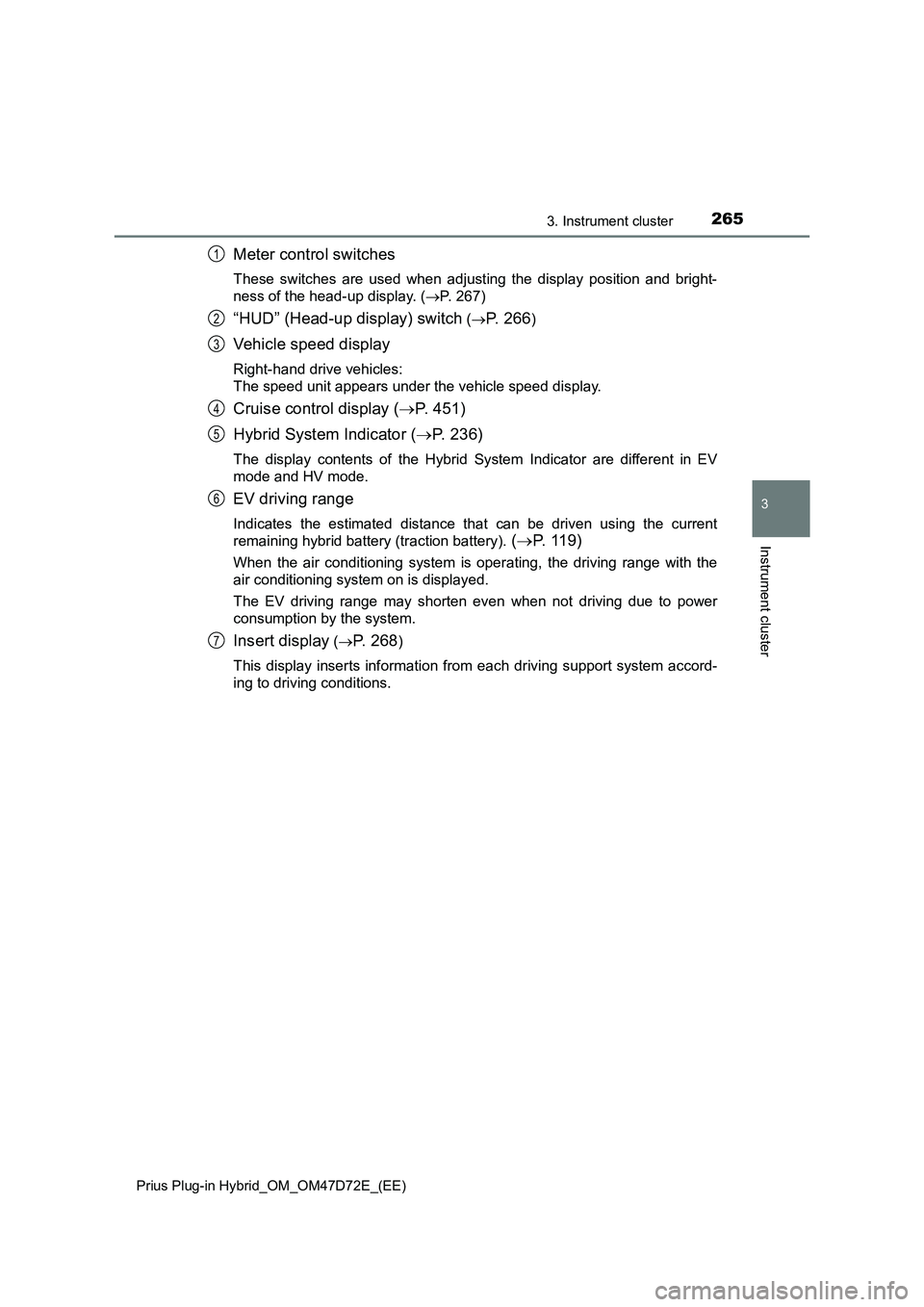
Meter control switches
These switches are used when adjusting the display position and bright-
ness of the head-up display. (P. 267)
“HUD” (Head-up display) switch (P. 266)
Vehicle speed display
Right-hand drive vehicles:
The speed unit appears under the vehicle speed display.
Cruise control display (P. 451)
Hybrid System Indicator (P. 236)
The display contents of the Hybrid System Indicator are different in EV
mode and HV mode.
EV driving range
Indicates the estimated distance that can be driven using the current
remaining hybrid battery (traction battery).
(P. 1 1 9 )
When the air conditioning system is operating, the driving range with the
air conditioning system on is displayed.
The EV driving range may shorten even when not driving due to power
consumption by the system.
Insert display (P. 2 6 8)
This display inserts information from each driving support system accord-
ing to driving conditions.
1
2
3
4
5
6
7
Page 388 of 816

3885-3. Operating the lights and wipers
Prius Plug-in Hybrid_OM_OM47D72E_(EE)
This system allows the headlights and front position lights to be turned
on for 30 seconds when the power switch is off.
Pull the lever toward you and
release it with the light switch is in
the position after turning
the power switch off.
Pull the lever toward you and
release it again to turn off the
lights.
■ Daytime running light system
To make your vehicle more visible to other drivers during daytime driving, the
daytime running lights turn on automatically whenever the hybrid system is
started and the parking brake is released with the headlight switch in the
position. Daytime running lights are not designed for use at night.
■ Headlight control sensor
Follow me home system
IO53PH031
The sensor may not function properly if an
object is placed on the sensor, or anything
that blocks the sensor is affixed to the
windshield.
Doing so interferes with the sensor
detecting the level of ambient light and
may cause the automatic headlight sys-
tem to malfunction.
Air conditioning operation may also be interrupted.
Page 416 of 816

4165-5. Using the driving support systems
Prius Plug-in Hybrid_OM_OM47D72E_(EE)
■If a warning message is displayed on the multi-information display
A system may be temporarily unavailable or there may be a malfunction in
the system.
●In the following situations, perform the actions specified in the table. When
the normal operating conditions are detected, the message will disappear
and the system will become operational.
If the message does not disappear, contact any authorized Toyota retailer or
Toyota authorized repairer, or any reliable repairer.
SituationActions
When the area around a sensor
is covered with dirt, moisture
(fogged up, covered with con-
densation, ice, etc.), or other
foreign matterTo clean the part of the windshield in front
of the front camera, use the windshield
wipers or the windshield defogger of the
air conditioning system (P. 577).
When the temperature around
the front camera is outside of
the operational range, such as
when the vehicle is in the sun or
in an extremely cold environ-
ment
If the front camera is hot, such as after
the vehicle had been parked in the sun,
use the air conditioning system to
decrease the temperature around the
front camera.
If a sunshade was used when the vehi-
cle was parked, depending on its type,
the sunlight reflected from the surface
of the sunshade may cause the tem-
perature of the front camera to become
excessively high.
If the front camera is cold, such after the
vehicle is parked in an extremely cold
environment, use the air conditioning
system to increase the temperature
around the front camera.
The area in front of the front
camera is obstructed, such as
when the hood is open or a
sticker is attached to the part of
the windshield in front of the
front camera.
Close the hood, remove the sticker, etc.
to clear the obstruction.
Page 469 of 816
4695-5. Using the driving support systems
Prius Plug-in Hybrid_OM_OM47D72E_(EE)
5
Driving
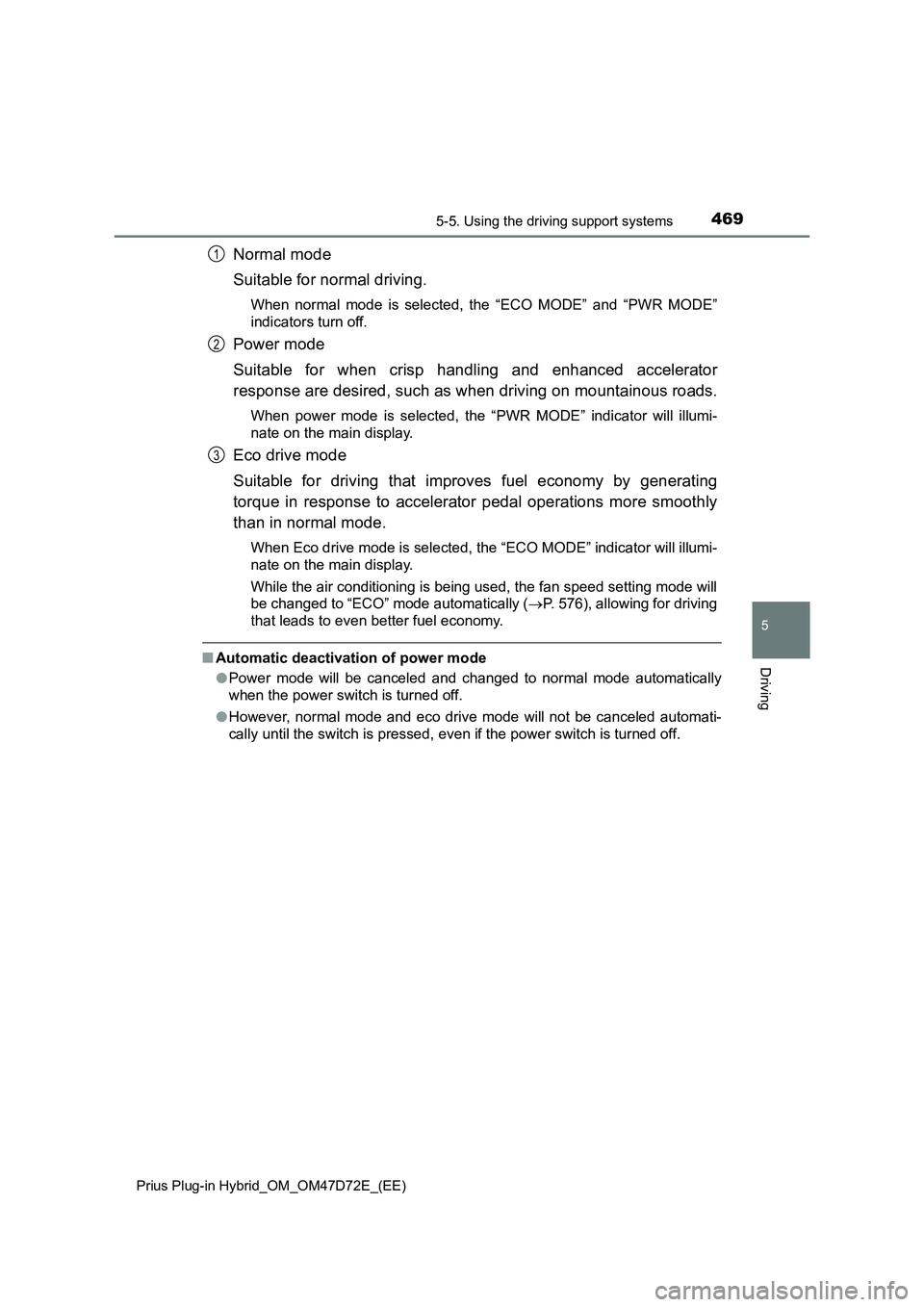
Normal mode
Suitable for normal driving.
When normal mode is selected, the “ECO MODE” and “PWR MODE”
indicators turn off.
Power mode
Suitable for when crisp handling and enhanced accelerator
response are desired, such as when driving on mountainous roads.
When power mode is selected, the “PWR MODE” indicator will illumi-
nate on the main display.
Eco drive mode
Suitable for driving that improves fuel economy by generating
torque in response to accelerator pedal operations more smoothly
than in normal mode.
When Eco drive mode is selected, the “ECO MODE” indicator will illumi-
nate on the main display.
While the air conditioning is being used, the fan speed setting mode will
be changed to “ECO” mode automatically (P. 576), allowing for driving
that leads to even better fuel economy.
■Automatic deactivation of power mode
●Power mode will be canceled and changed to normal mode automatically
when the power switch is turned off.
●However, normal mode and eco drive mode will not be canceled automati-
cally until the switch is pressed, even if the power switch is turned off.
1
2
3
Page 505 of 816
5055-5. Using the driving support systems
Prius Plug-in Hybrid_OM_OM47D72E_(EE)
5
Driving
■ Sensor detection information
● The sensor’s detection areas are limited to the areas around the vehicle’s
bumper.
● Depending on the shape of the obstacle and other factors, the detection dis-
tance may shorten, or detection may be impossible.
● Obstacles may not be detected if they are too close to the sensor.
● There will be a short delay between obstacle detection and display. Even
when traveling at a low speed, if you come too close to an obstacle before
the display and buzzer activate, the display and buzzer may not activate at
all.
● Thin posts or objects lower than the sensor may not be detected when
approached, even if they have been detected once.
● It might be difficult to hear beeps due to the volume of audio system or air
flow noise of the air conditioning system.
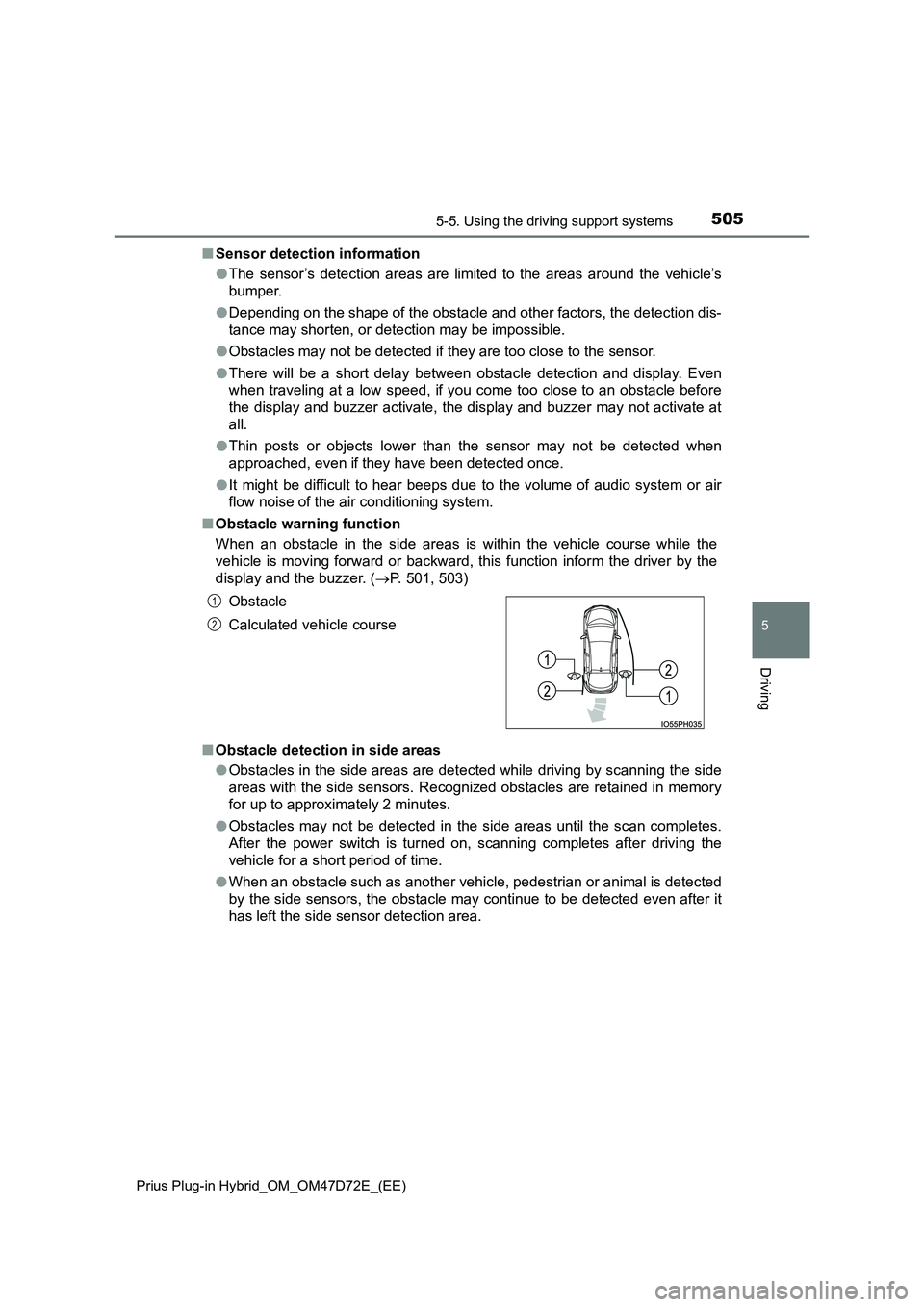
■ Obstacle warning function
When an obstacle in the side areas is within the vehicle course while the
vehicle is moving forward or backward, this function inform the driver by the
display and the buzzer. ( P. 501, 503)
■ Obstacle detection in side areas
● Obstacles in the side areas are detected while driving by scanning the side
areas with the side sensors. Recognized obstacles are retained in memory
for up to approximately 2 minutes.
● Obstacles may not be detected in the side areas until the scan completes.
After the power switch is turned on, scanning completes after driving the
vehicle for a short period of time.
● When an obstacle such as another vehicle, pedestrian or animal is detected
by the side sensors, the obstacle may continue to be detected even after it
has left the side sensor detection area.
Obstacle
Calculated vehicle course
1
2
Page 571 of 816
571
6Interior features
Prius Plug-in Hybrid_OM_OM47D72E_(EE)
6-1. Using the air conditioning
system and defogger
Automatic air conditioning
system ............................. 572
Remote Air Conditioning
System............................. 585
Seat heaters ...................... 589
6-2. Using the interior lights
Interior lights list ................. 591
• Front interior light .......... 592
• Front personal lights ...... 592
• Rear interior light ........... 593
6-3. Using the storage features
List of storage features ...... 594
• Glove box ...................... 595
• Console box .................. 595
• Cup holders ................... 596
• Bottle holders/
door pockets .................. 597
• Auxiliary boxes .............. 598
• Seat back pockets ......... 599
Luggage compartment
features............................ 600
6-4. Using the other interior
features
Other interior features ........ 605
• Sun visors...................... 605
• Vanity mirrors ................ 605
• Power outlets................. 606
• Wireless charger ........... 607
• Armrest .......................... 613
• Coat hooks .................... 613
• Assist grips .................... 614