2021 RAM 1500 lane assist
[x] Cancel search: lane assistPage 201 of 496

STARTING AND OPERATING199
The system will cancel the maneuver if the
vehicle speed exceeds 5 mph (7 km/h)
during active steering guidance into the
parking space. The system will provide a
warning to the driver at 3 mph (5 km/h) that
tells them to slow down. The driver is then
responsible for completing the maneuver if
the system is canceled.
If the system is canceled during the
maneuver for any reason, the driver must
take control of the vehicle.
LANESENSE — IF EQUIPPED
LANESENSE OPERATION
The LaneSense system is operational at speeds
above 37 mph (60 km/h) and below 112 mph
(180 km/h). The LaneSense system uses a
forward looking camera to detect lane markings
and measure vehicle position within the lane
boundaries. When both lane markings are detected and the
driver drifts out of the lane (no turn signal
applied), the LaneSense system provides a
haptic warning in the form of torque applied to
the steering wheel, as well as a visual warning
in the instrument cluster display, to prompt the
driver to remain within the lane boundaries.
The driver may manually override the haptic
warning by applying force into the steering
wheel at any time.
When only a single lane marking is detected
and the driver drifts across the lane marking (no
turn signal applied), the LaneSense system
provides a visual warning through the
instrument cluster display to prompt the driver
to remain within the lane.
When only a single lane marking is detected, a
haptic or a torque warning will not be provided.
NOTE:
When operating conditions have been met, the
LaneSense system will monitor if the driver’s
hands are on the steering wheel and provide an
audible and visual warning to the driver if
removed. The system will cancel if the driver
does not return their hands to the wheel.
WARNING!
Drivers must be careful when performing
parallel or perpendicular parking maneuvers
even when using the ParkSense Active Park
Assist system. Always check carefully behind
and in front of your vehicle, look behind and
in front of you, and be sure to check for
pedestrians, animals, other vehicles,
obstructions, and blind spots before backing
up and moving forward. You are responsible
for safety and must continue to pay attention
to your surroundings. Failure to do so can
result in serious injury or death.
CAUTION!
The ParkSense Active Park Assist system is
only a parking aid and it is unable to recog
-
nize every obstacle, including small obsta -
cles. Parking curbs might be temporarily
detected or not detected at all. Obstacles
located above or below the sensors will not
be detected when they are in close prox -
imity.
The vehicle must be driven slowly when
using the ParkSense Active Park Assist
system in order to be able to stop in time
when an obstacle is detected. It is recom -
mended that the driver looks over his/her
shoulder when using the ParkSense Active
Park Assist system.4
21_DT_OM_EN_USC_t.book Page 199
Page 245 of 496

MULTIMEDIA243
LaneSense Warning This setting will change the distance at which the steering wheel will
provide lane departure feedback. The available settings are “Early”,
“Medium”, and “Late”.
LaneSense Strength
This setting will change the strength of the steering wheel feedback
during a lane departure. The available setting are “Low”, “Medium”, and
“High”.
ParkSense This setting will change the type of ParkSense alert when a close object is
detected. The “Sound Only” setting will provide an audible chime when
an object is detected. The “Sound and Display” setting will provide both
an audible chime and a visual display when an object is detected.
Front ParkSense Volume This setting adjusts the volume of the Front ParkSense system. The
available settings are “Low”, “Medium”, and “High”.
Rear ParkSense Volume This setting adjusts the volume of the Rear ParkSense system. The
available settings are “Low”, “Medium”, and “High”.
Rear ParkSense Braking Assist This setting will turned the Rear ParkSense Braking Assist on or off.
Blind Spot Alert This setting will change the type of alert provided when an object is
detected in a vehicle’s blind spot. The “Off” setting will turn off Blind Spot
Alert. The “Lights” setting will activate the Blind Spot Alert lights on the
outside mirrors. The “Lights & Chime” setting will activate both the lights
on the outside mirrors and an audible chime.
Trailer Length For Blind Spot Alert This setting will auto detect the length of an attached trailer. The “Auto”
setting will have the system automatically set the trailer length. The
“Max” setting will always set the length to the maximum 39.5 ft (12 m).
Hill Start Assist This setting will turn the Hill Start Assist system on or off.
Setting NameDescription
5
21_DT_OM_EN_USC_t.book Page 243
Page 257 of 496

MULTIMEDIA255
The following are the available icons that can be customized in the cluster:
NOTE:
After the HUD layout customization is completed, press the Save button located in the upper left corner of the touchscreen, and then the OK button
under the “Save changes?” screen. Once saved, the instrument cluster will display a message “Setting Saved”.
Press the X button located in the upper right corner of the touchscreen, and then press the Cancel button to exit out of customizing the HUD layout.
Doing this will not retain any information customized in the layout view. The instrument cluster display will return to the layout options screen.
Pressing any other menu item on the touchscreen, for example “Climate”, will take the user back to whatever screen they were previously on before
accessing the HUD layout Ú page 118.
Feature Name IconDescription
Speed This icon will show the vehicle’s current speed.
Turn-By-Turn — If Equipped This icon will show the upcoming direction for
Navigation.
Speed Limit This icon will show the current speed limit of the
area you are driving in.
Driver Assist/Adaptive Cruise Control/Cruise Control And Lane Sense — If Equipped This icon will show information related to Driver
Assist, Adaptive Cruise Control, Cruise Control, and Lane Sense.
Gear This icon will show the current gear the vehicle
is in.
5
21_DT_OM_EN_USC_t.book Page 255
Page 489 of 496
487
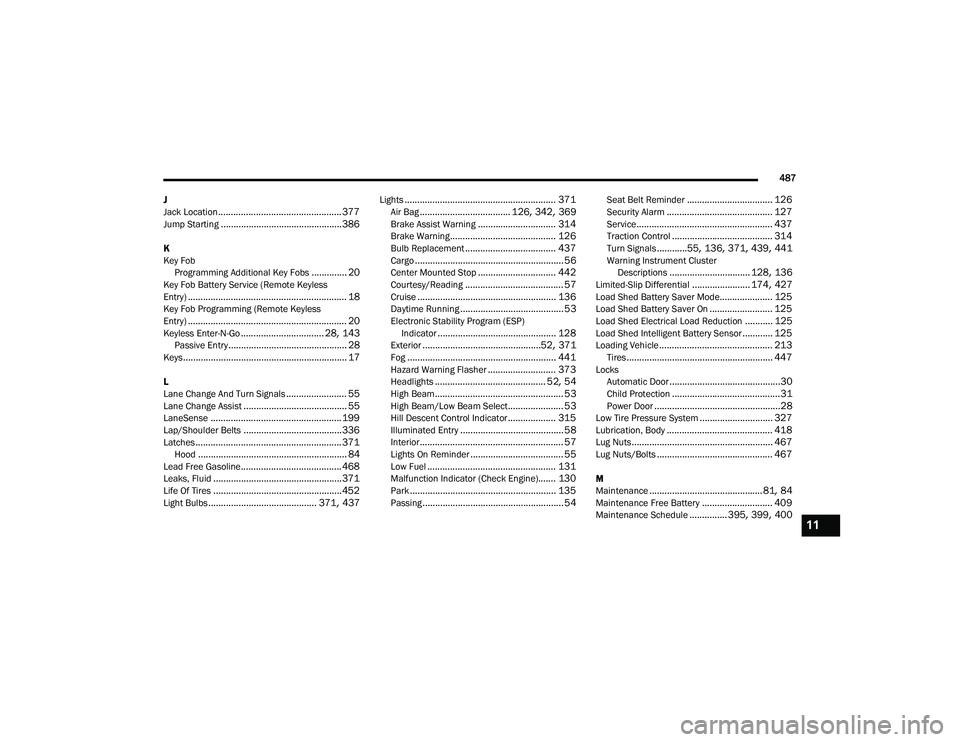
J
Jack Location
................................................. 377Jump Starting................................................ 386
K
Key Fob Programming Additional Key Fobs
.............. 20Key Fob Battery Service (Remote Keyless
Entry)............................................................... 18Key Fob Programming (Remote Keyless
Entry)............................................................... 20Keyless Enter-N-Go................................. 28, 143Passive Entry............................................... 28Keys................................................................. 17
L
Lane Change And Turn Signals........................ 55Lane Change Assist......................................... 55LaneSense.................................................... 199Lap/Shoulder Belts....................................... 336Latches.......................................................... 371Hood........................................................... 84Lead Free Gasoline........................................ 468Leaks, Fluid................................................... 371Life Of Tires................................................... 452Light Bulbs........................................... 371, 437
Lights............................................................ 371Air Bag.................................... 126, 342, 369Brake Assist Warning............................... 314Brake Warning.......................................... 126Bulb Replacement.................................... 437Cargo........................................................... 56Center Mounted Stop............................... 442Courtesy/Reading....................................... 57Cruise....................................................... 136Daytime Running......................................... 53Electronic Stability Program (ESP)Indicator............................................... 128Exterior...............................................52, 371Fog........................................................... 441Hazard Warning Flasher........................... 373Headlights............................................ 52, 54High Beam................................................... 53High Beam/Low Beam Select...................... 53Hill Descent Control Indicator................... 315Illuminated Entry......................................... 58Interior......................................................... 57Lights On Reminder..................................... 55Low Fuel................................................... 131Malfunction Indicator (Check Engine)....... 130Park.......................................................... 135Passing........................................................ 54
Seat Belt Reminder.................................. 126Security Alarm.......................................... 127Service...................................................... 437Traction Control........................................ 314Turn Signals............55, 136, 371, 439, 441Warning Instrument ClusterDescriptions................................ 128, 136Limited-Slip Differential....................... 174, 427Load Shed Battery Saver Mode..................... 125Load Shed Battery Saver On......................... 125Load Shed Electrical Load Reduction........... 125Load Shed Intelligent Battery Sensor............ 125Loading Vehicle............................................. 213Tires.......................................................... 447LocksAutomatic Door............................................30Child Protection...........................................31Power Door..................................................28Low Tire Pressure System............................. 327Lubrication, Body.......................................... 418Lug Nuts........................................................ 467Lug Nuts/Bolts.............................................. 467
M
Maintenance.............................................81, 84Maintenance Free Battery............................ 409Maintenance Schedule............... 395, 399, 40011
21_DT_OM_EN_USC_t.book Page 487