Page 290 of 516
5-48Starting and driving
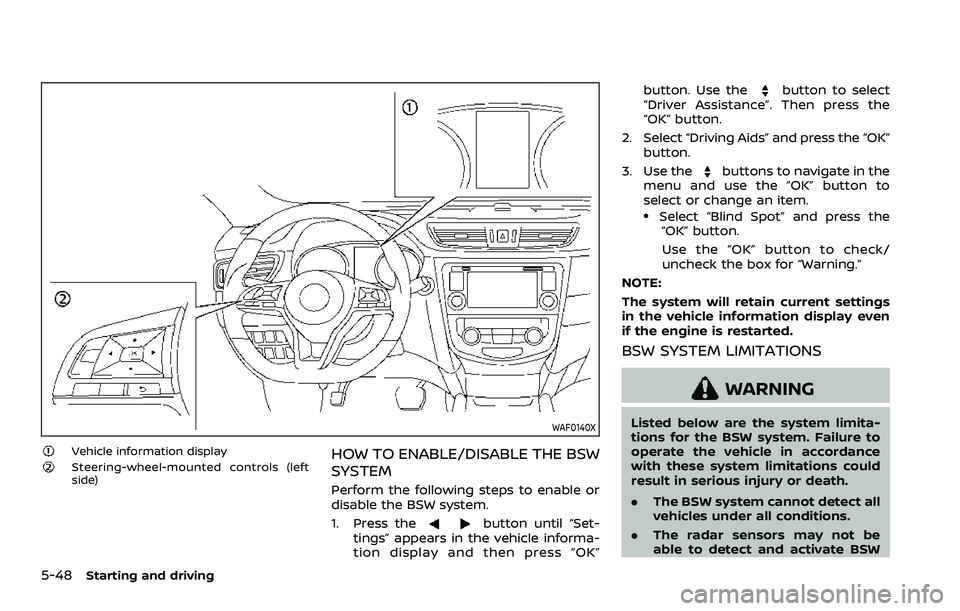
WAF0140X
Vehicle information displaySteering-wheel-mounted controls (left
side)HOW TO ENABLE/DISABLE THE BSW
SYSTEM
Perform the following steps to enable or
disable the BSW system.
1. Press the
button until “Set-
tings” appears in the vehicle informa-
tion display and then press “OK” button. Use the
button to select
“Driver Assistance”. Then press the
“OK” button.
2. Select “Driving Aids” and press the “OK” button.
3. Use the
buttons to navigate in the
menu and use the “OK” button to
select or change an item.
.Select “Blind Spot” and press the “OK” button.
Use the “OK” button to check/
uncheck the box for “Warning.”
NOTE:
The system will retain current settings
in the vehicle information display even
if the engine is restarted.
BSW SYSTEM LIMITATIONS
WARNING
Listed below are the system limita-
tions for the BSW system. Failure to
operate the vehicle in accordance
with these system limitations could
result in serious injury or death.
. The BSW system cannot detect all
vehicles under all conditions.
. The radar sensors may not be
able to detect and activate BSW
Page 436 of 516
8-22Do-it-yourself
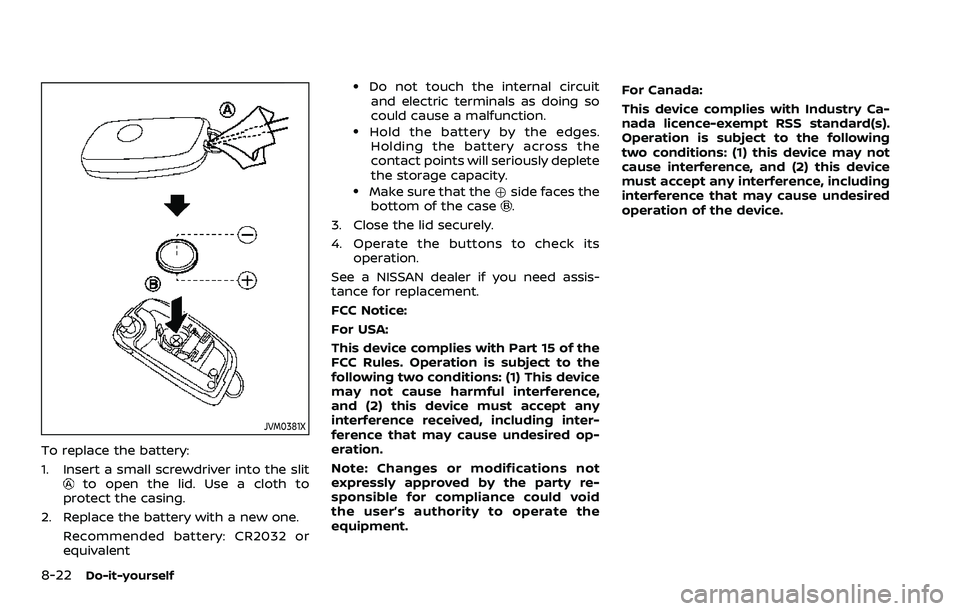
JVM0381X
To replace the battery:
1. Insert a small screwdriver into the slit
to open the lid. Use a cloth to
protect the casing.
2. Replace the battery with a new one. Recommended battery: CR2032 or
equivalent
.Do not touch the internal circuitand electric terminals as doing so
could cause a malfunction.
.Hold the battery by the edges.Holding the battery across the
contact points will seriously deplete
the storage capacity.
.Make sure that the +side faces the
bottom of the case.
3. Close the lid securely.
4. Operate the buttons to check its operation.
See a NISSAN dealer if you need assis-
tance for replacement.
FCC Notice:
For USA:
This device complies with Part 15 of the
FCC Rules. Operation is subject to the
following two conditions: (1) This device
may not cause harmful interference,
and (2) this device must accept any
interference received, including inter-
ference that may cause undesired op-
eration.
Note: Changes or modifications not
expressly approved by the party re-
sponsible for compliance could void
the user’s authority to operate the
equipment. For Canada:
This device complies with Industry Ca-
nada licence-exempt RSS standard(s).
Operation is subject to the following
two conditions: (1) this device may not
cause interference, and (2) this device
must accept any interference, including
interference that may cause undesired
operation of the device.
Page 438 of 516
8-24Do-it-yourself
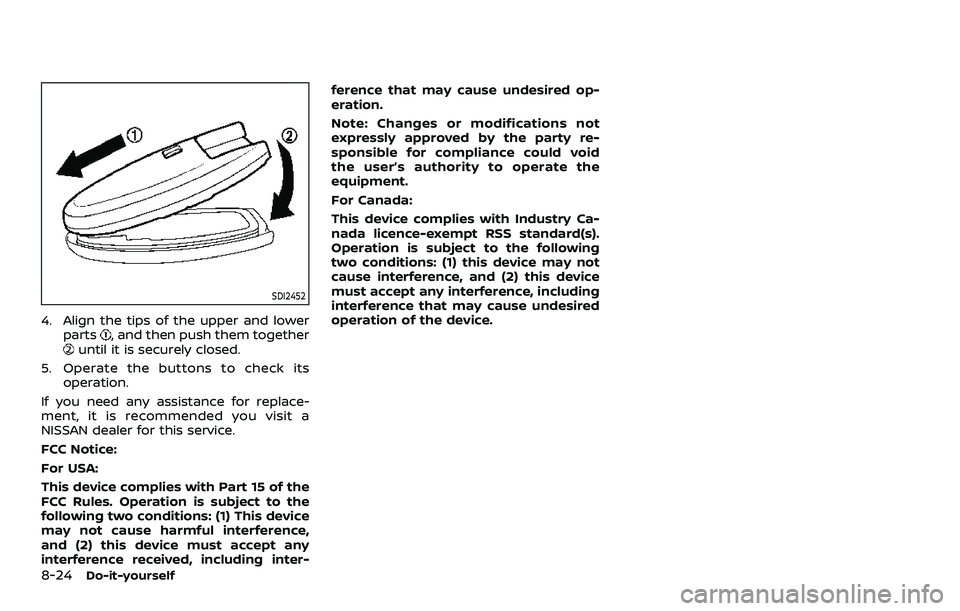
SDI2452
4. Align the tips of the upper and lowerparts, and then push them togetheruntil it is securely closed.
5. Operate the buttons to check its operation.
If you need any assistance for replace-
ment, it is recommended you visit a
NISSAN dealer for this service.
FCC Notice:
For USA:
This device complies with Part 15 of the
FCC Rules. Operation is subject to the
following two conditions: (1) This device
may not cause harmful interference,
and (2) this device must accept any
interference received, including inter- ference that may cause undesired op-
eration.
Note: Changes or modifications not
expressly approved by the party re-
sponsible for compliance could void
the user’s authority to operate the
equipment.
For Canada:
This device complies with Industry Ca-
nada licence-exempt RSS standard(s).
Operation is subject to the following
two conditions: (1) this device may not
cause interference, and (2) this device
must accept any interference, including
interference that may cause undesired
operation of the device.