Page 116 of 482
WARNING LIGHTS
For additional information on warnings
and indicators, refer to “Vehicle information
display” in this section.
Page 119 of 482
Master warning light
When the ignition is in the ON position, the
master warning light illuminates if any of
the following are displayed on the vehicle
information display.∙ No key warning
∙ Low fuel warning
∙ Low windshield-washer fluid warning
∙ Parking brake release
∙ Door open warning
∙ Low tire pressure warning
For additional information, refer to “Vehicle
information display” in this section.
Page 120 of 482
Supplemental air bagwarning light
When the ignition switch is placed in the ON
or START position, the supplemental air
bag warning light illuminates for about
7 seconds and then turns off. This means
the system is operational.
If any of the following conditions occur, the
front air bag, side air bag, curtain air bag,
and pretensioner seat belt systems need
servicing:
∙ The supplemental air bag warning light remains on af ter approximately 7 sec-
onds.
∙ The supplemental air bag warning light flashes intermittently.
∙ The supplemental air bag warning light does not come on at all.
It is recommended that you visit a NISSAN
dealer for these services.
Unless checked and repaired, the supple-
mental restraint system (air bag system)
and/or the pretensioner(s) may not func-
tion properly. For additional information, re-
fer to “Supplemental Restraint System (SRS)” in the “Safety—Seats, seat belts and
supplemental restraint system” section of
this manual.
Page 156 of 482

When the warning systems switch is
turned off, the indicator
�1on the switch is
off. The indicator will also be off if the warn-
ing system is deactivated using the set-
tings menu.
The BSW system will turn on the side indi-
cator light, located next to the outside mir-
rors, if the radar detects a vehicle in the
detection zone. If the turn signal is acti-
vated in the direction of the detected ve-
hicle, a chime sounds twice and the side
indicator light will flash. For additional infor-
mation, refer to “Blind Spot Warning (BSW)”
in the “Starting and driving” section of this
manual.
The RCTA system can help alert the driver
of an approaching vehicle when the driver
is backing out of a parking space. If the
system detects an approaching vehicle
from either side, the system chimes (once)
and the side BSW/RCTA indicator light
flashes on the side the vehicle is approach-
ing from. For additional information, refer
to “Rear Cross Traffic Alert (RCTA)” in the
“Starting and driving” section of this
manual. To use the outlets for devices that require
120v power, place the ignition in the ON
position and push the power inverter
switch.
The switch will illuminate when enabled.
Page 176 of 482

WARNING
There are some small distances imme-
diately before the closed position which
cannot be detected. Make sure that all
of the passengers have their hands,
etc., inside the vehicle before closing
the sunshade.When the ON switch
�1is pressed, the foot-
well lights (if so equipped), step lights (if so
equipped), map lights and rear personal
lights will automatically turn on and stay on
for a period of time when:
∙ The doors are unlocked by the Intelli- gent Key or the request switch (if so
equipped) while all doors are closed
and the ignition switch is in the OFF
position.
∙ When individually pushed.
When the OFF switch
�2is pushed, the in-
terior lights do not illuminate. NOTE:
The footwell lights (if so equipped) and
step lights (if so equipped) illuminate
when the driver and passenger doors
are open regardless of the interior light
switch position. These lights will turn off
automatically af ter a period of time
while doors are open to prevent the bat-
tery from becoming discharged.
Page 179 of 482

WARNING
∙ Your vehicle’s engine should beturned off while programming the
HomeLink® Universal Transceiver. For
additional information, refer to
“Push-button ignition switch” in the
“Starting and driving” section of this
manual. Do not breathe exhaust
gases; they contain colorless and
odorless carbon monoxide. Carbon
monoxide is dangerous. It can cause
unconsciousness or death.
∙ Do not use the HomeLink® Universal Transceiver with any garage door
opener that lacks safety stop and re-
verse features as required by federal
safety standards. (These standards
became effective for opener models
manufactured af ter April 1, 1982.) A
garage door opener which cannot de-
tect an object in the path of a closing
garage door and then automatically
stop and reverse does not meet cur-
rent federal safety standards. Using a
garage door opener without these
features increases the risk of serious
injury or death. ∙ During the programming procedure
your garage door or security gate will
open and close (if the transmitter is
within range). Make sure that people
or objects are clear of the garage door,
gate, etc., that you are programming.
PROGRAMMING HOMELINK®
If you have any questions or are having
difficulty programming your HomeLink®
buttons, refer to the HomeLink® web site at:
www.homelink.com or call 1-800-355-3515.
NOTE:
Place the ignition switch in the ON or ACC
position (without starting the engine)
when programming HomeLink®. It is also
recommended that a new battery be
placed in the hand-held transmitter of
the device being programmed to
HomeLink® for quicker programming
and accurate transmission of the radio
frequency. 1. Position the end of your hand-held
transmitter 1–3 in (2–8 cm) away from
the HomeLink® surface, keeping the
HomeLink® indicator light
�1in view.
Page 192 of 482

CAUTION
∙ Be sure to carry the Intelligent Keywith you when operating the vehicle.
∙ Never leave the Intelligent Key in the vehicle when you leave the vehicle.
The Intelligent Key is always communicat-
ing with the vehicle as it receives radio
waves. The Intelligent Key transmits weak
radio waves. Environmental conditions
may interfere with the operation of the In-
telligent Key under the following operating
conditions: ∙ When operating near a location where strong radio waves are transmitted,
such as a TV tower, power station and
broadcasting station.
∙ When in possession of wireless equip- ment, such as a cellular telephone,
transceiver, or a CB radio.
∙ When the Intelligent Key is in contact with or covered by metallic materials.
∙ When any type of radio wave remote control is used nearby.
∙ When the Intelligent Key is placed near an electric appliance such as a personal
computer. ∙ When the vehicle is parked near a park-
ing meter.
In such cases, correct the operating condi-
tions before using the Intelligent Key func-
tion or use the mechanical key.
Although the life of the battery varies de-
pending on the operating conditions, the
battery’s life is approximately two years. If
the battery is discharged, replace it with a
new one.
When the Intelligent Key battery is low, the
NISSAN Intelligent Key® warning light (if so
equipped) will blink green for about 30 sec-
onds af ter the ignition switch is placed in
the ON position.
Since the Intelligent Key is continuously re-
ceiving radio waves, if the key is lef t near
equipment which transmits strong radio
waves, such as signals from a TV and per-
sonal computer, the battery life may be-
come shorter.
When the battery is discharged, firmly ap-
ply the foot brake and touch the ignition
switch with the Intelligent Key. Then push
the ignition switch while depressing the
brake pedal within 10 seconds af ter the
chime sound. For additional information, refer to “Push-button ignition switch” in the
“Starting and driving” section of this
manual.
For additional information, refer to “Battery
replacement” in the “Do-it-yourself ” section
of this manual.
As many as four Intelligent Keys can be
registered and used with one vehicle. For
information about the purchase and use of
additional Intelligent Keys, it is recom-
mended that you visit a NISSAN dealer.
Page 195 of 482
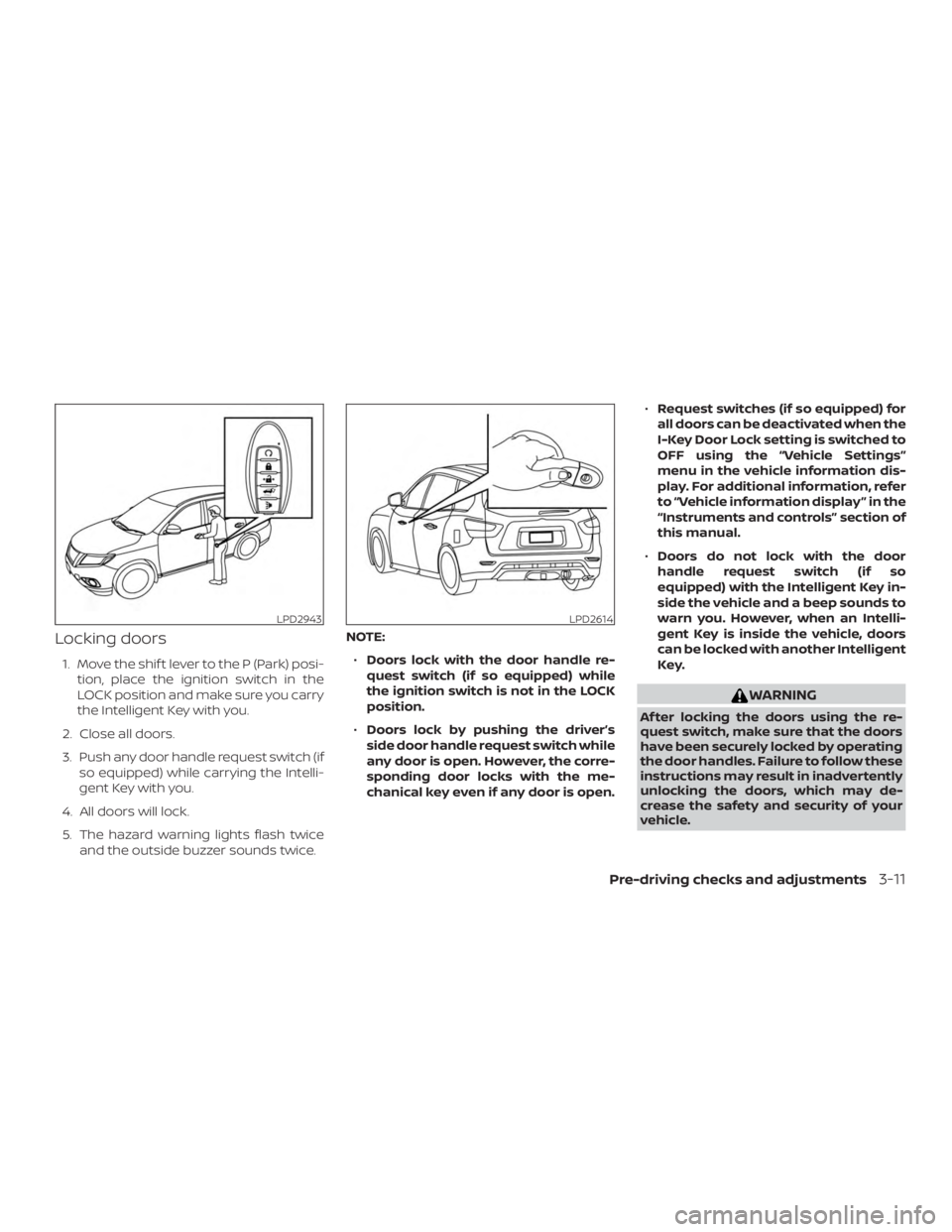
Locking doors
1. Move the shif t lever to the P (Park) posi-tion, place the ignition switch in the
LOCK position and make sure you carry
the Intelligent Key with you.
2. Close all doors.
3. Push any door handle request switch (if so equipped) while carrying the Intelli-
gent Key with you.
4. All doors will lock.
5. The hazard warning lights flash twice and the outside buzzer sounds twice. NOTE:
∙ Doors lock with the door handle re-
quest switch (if so equipped) while
the ignition switch is not in the LOCK
position.
∙ Doors lock by pushing the driver’s
side door handle request switch while
any door is open. However, the corre-
sponding door locks with the me-
chanical key even if any door is open. ∙
Request switches (if so equipped) for
all doors can be deactivated when the
I-Key Door Lock setting is switched to
OFF using the “Vehicle Settings”
menu in the vehicle information dis-
play. For additional information, refer
to “Vehicle information display ” in the
“Instruments and controls” section of
this manual.
∙ Doors do not lock with the door
handle request switch (if so
equipped) with the Intelligent Key in-
side the vehicle and a beep sounds to
warn you. However, when an Intelli-
gent Key is inside the vehicle, doors
can be locked with another Intelligent
Key.


