2021 NISSAN MURANO sensor
[x] Cancel search: sensorPage 340 of 508
WARNING
Listed below are the system limitations
for the I-FCW system. Failure to operate
the vehicle in accordance with these
system limitations could result in seri-
ous injury or death.
• The I-FCW system cannot detect all
vehicles under all conditions. •
The radar sensor does not detect the
following objects:
– Pedestrians, animals or obstacles
in the roadway
– Oncoming vehicles
– Crossing vehicles
• (Illustration A) The I-FCW system
does not function when a vehicle
ahead is a narrow vehicle, such as a
motorcycle. •
The radar sensor may not detect a
vehicle ahead in the following
conditions:
– Snow or heavy rain
– Dirt, ice, snow or other material
covering the radar sensor.
– Interference by other radar
sources.
– Snow or road spray from traveling
vehicles.
– Driving in a tunnel
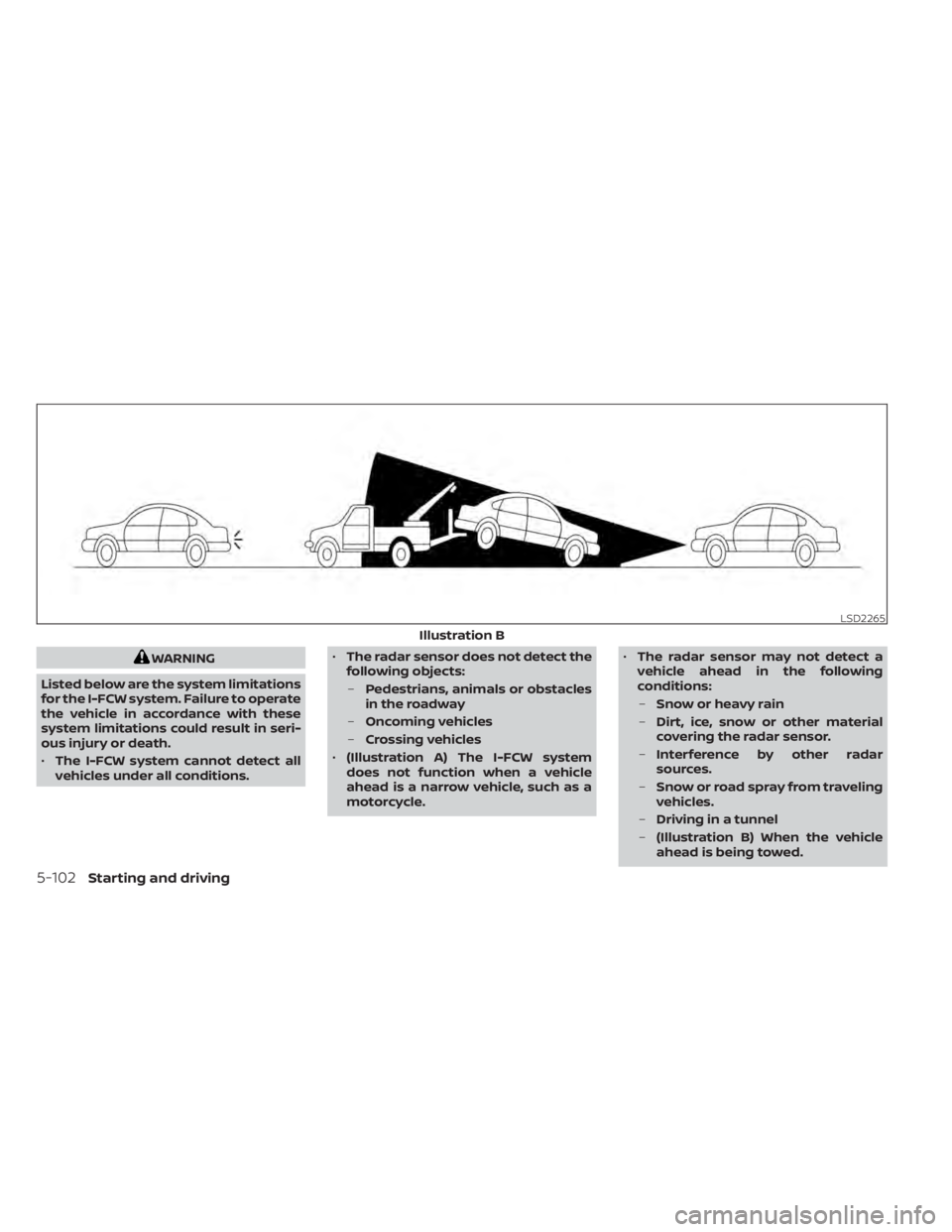
– (Illustration B) When the vehicle
ahead is being towed.
LSD2265
Illustration B
5-102Starting and driving
Page 341 of 508
–(Illustration C) When the distance
to the vehicle ahead is too close,
the beam of the radar sensor is
obstructed.
– (Illustration D) When driving on a
steep downhill slope or roads with
sharp curves.
• The system is designed to automati-
cally check the sensor’s functionality,
within certain limitations. The sys-
tem may not detect some forms of
obstruction of the sensor area such
as ice, snow, stickers, etc. In these
cases, the system may not be able to
warn the driver properly. Be sure that
you check, clean and clear the sensor
area regularly.
• Excessive noise will interfere with the
warning chime sound, and the chime
may not be heard.
Starting and driving5-103
Page 344 of 508
SYSTEM TEMPORARILY
UNAVAILABLE
Condition A
When the radar sensor picks up interfer-
ence from another radar source, making it
impossible to detect a vehicle ahead, the
I-FCW system is automatically turned off.
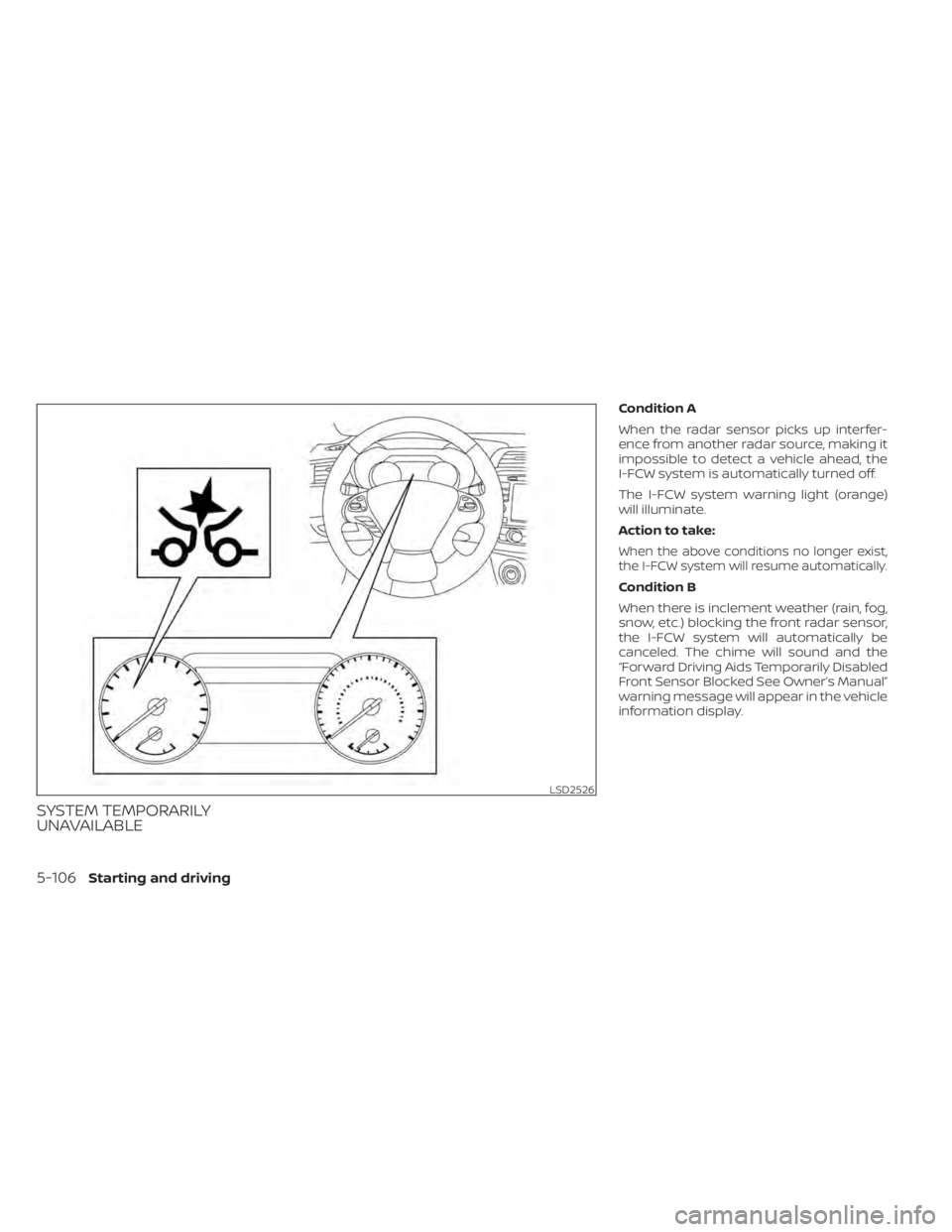
The I-FCW system warning light (orange)
will illuminate.
Action to take:
When the above conditions no longer exist,
the I-FCW system will resume automatically.
Condition B
When there is inclement weather (rain, fog,
snow, etc.) blocking the front radar sensor,
the I-FCW system will automatically be
canceled. The chime will sound and the
“Forward Driving Aids Temporarily Disabled
Front Sensor Blocked See Owner’s Manual”
warning message will appear in the vehicle
information display.
LSD2526
5-106Starting and driving
Page 345 of 508
Action to take:
When the conditions listed above are no
longer present, the warning message will
no longer be available in the vehicle infor-
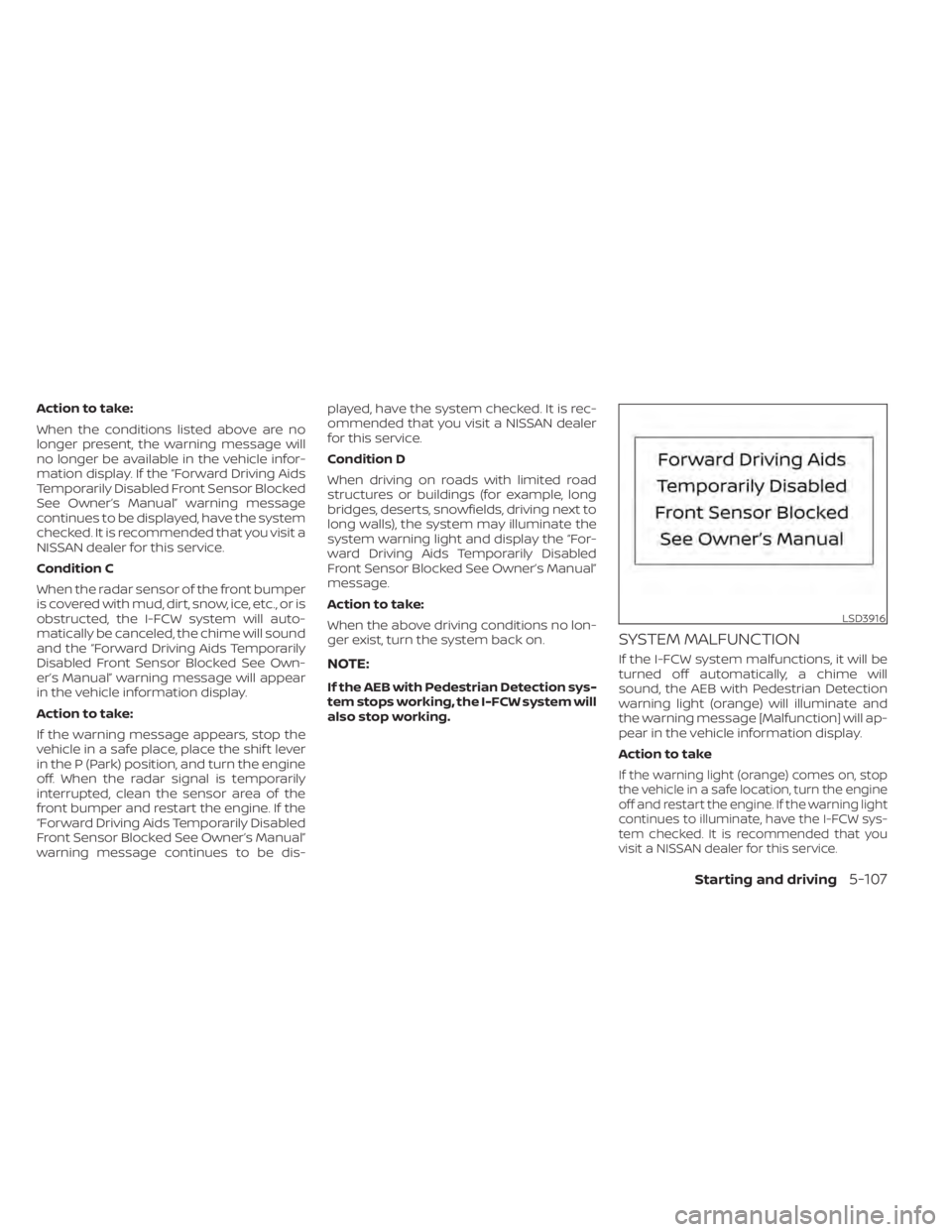
mation display. If the “Forward Driving Aids
Temporarily Disabled Front Sensor Blocked
See Owner’s Manual” warning message
continues to be displayed, have the system
checked. It is recommended that you visit a
NISSAN dealer for this service.
Condition C
When the radar sensor of the front bumper
is covered with mud, dirt, snow, ice, etc., or is
obstructed, the I-FCW system will auto-
matically be canceled, the chime will sound
and the “Forward Driving Aids Temporarily
Disabled Front Sensor Blocked See Own-
er’s Manual” warning message will appear
in the vehicle information display.
Action to take:
If the warning message appears, stop the
vehicle in a safe place, place the shif t lever
in the P (Park) position, and turn the engine
off. When the radar signal is temporarily
interrupted, clean the sensor area of the
front bumper and restart the engine. If the
“Forward Driving Aids Temporarily Disabled
Front Sensor Blocked See Owner’s Manual”
warning message continues to be dis-played, have the system checked. It is rec-
ommended that you visit a NISSAN dealer
for this service.
Condition D
When driving on roads with limited road
structures or buildings (for example, long
bridges, deserts, snowfields, driving next to
long walls), the system may illuminate the
system warning light and display the “For-
ward Driving Aids Temporarily Disabled
Front Sensor Blocked See Owner’s Manual”
message.
Action to take:
When the above driving conditions no lon-
ger exist, turn the system back on.
NOTE:
If the AEB with Pedestrian Detection sys-
tem stops working, the I-FCW system will
also stop working.
SYSTEM MALFUNCTION
If the I-FCW system malfunctions, it will be
turned off automatically, a chime will
sound, the AEB with Pedestrian Detection
warning light (orange) will illuminate and
the warning message [Malfunction] will ap-
pear in the vehicle information display.
Action to take
If the warning light (orange) comes on, stop
the vehicle in a safe location, turn the engine
off and restart the engine. If the warning light
continues to illuminate, have the I-FCW sys-
tem checked. It is recommended that you
visit a NISSAN dealer for this service.
LSD3916
Starting and driving5-107
Page 346 of 508
SYSTEM MAINTENANCE
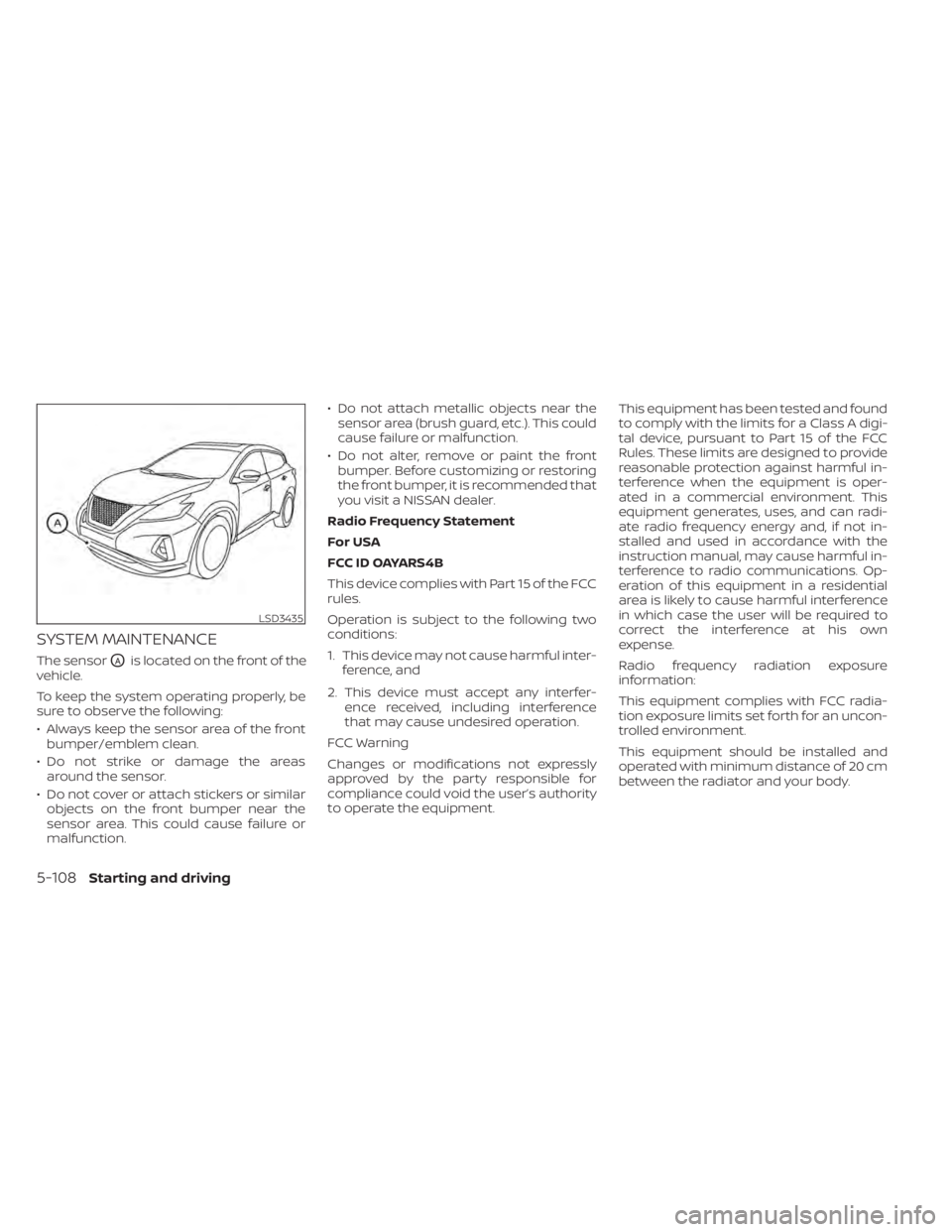
The sensorOAis located on the front of the
vehicle.
To keep the system operating properly, be
sure to observe the following:
• Always keep the sensor area of the front bumper/emblem clean.
• Do not strike or damage the areas around the sensor.
• Do not cover or attach stickers or similar objects on the front bumper near the
sensor area. This could cause failure or
malfunction. • Do not attach metallic objects near the
sensor area (brush guard, etc.). This could
cause failure or malfunction.
• Do not alter, remove or paint the front bumper. Before customizing or restoring
the front bumper, it is recommended that
you visit a NISSAN dealer.
Radio Frequency Statement
For USA
FCC ID OAYARS4B
This device complies with Part 15 of the FCC
rules.
Operation is subject to the following two
conditions:
1. This device may not cause harmful inter- ference, and
2. This device must accept any interfer- ence received, including interference
that may cause undesired operation.
FCC Warning
Changes or modifications not expressly
approved by the party responsible for
compliance could void the user’s authority
to operate the equipment. This equipment has been tested and found
to comply with the limits for a Class A digi-
tal device, pursuant to Part 15 of the FCC
Rules. These limits are designed to provide
reasonable protection against harmful in-
terference when the equipment is oper-
ated in a commercial environment. This
equipment generates, uses, and can radi-
ate radio frequency energy and, if not in-
stalled and used in accordance with the
instruction manual, may cause harmful in-
terference to radio communications. Op-
eration of this equipment in a residential
area is likely to cause harmful interference
in which case the user will be required to
correct the interference at his own
expense.
Radio frequency radiation exposure
information:
This equipment complies with FCC radia-
tion exposure limits set forth for an uncon-
trolled environment.
This equipment should be installed and
operated with minimum distance of 20 cm
between the radiator and your body.
LSD3435
5-108Starting and driving
Page 358 of 508
•Tire type and condition may also af-
fect braking effectiveness.
– When replacing tires, install the
specified size of tires on all four
wheels.
– When installing a spare tire, make
sure that it is the proper size and
type as specified on the Tire and
Loading Information label. For ad-
ditional information, see “Tire and
Loading Information label”
(P. 8-29).
– For additional information, see
“Wheels and tires” (P. 8-27).
The ABS controls the brakes so the wheels
do not lock during hard braking or when
braking on slippery surfaces. The system
detects the rotation speed at each wheel
and varies the brake fluid pressure to pre-
vent each wheel from locking and sliding.
By preventing each wheel from locking, the
system helps the driver maintain steering
control and helps to minimize swerving
and spinning on slippery surfaces.Using the system
Depress the brake pedal and hold it down.
Depress the brake pedal with firm steady
pressure, but do not pump the brakes. The
Anti-lock Braking System will operate to
prevent the wheels from locking up. Steer
the vehicle to avoid obstacles.
WARNING
Do not pump the brake pedal. Doing so
may result in increased stopping
distances.
Self-test feature
The Anti-lock Braking System (ABS) in-
cludes electronic sensors, electric pumps,
hydraulic solenoids and a computer. The
computer has a built-in diagnostic feature
that tests the system each time you start
the engine and move the vehicle at a low
speed in forward or reverse. When the self-
test occurs, you may hear a “clunk” noise
and/or feel a pulsation in the brake pedal.
This is normal and does not indicate a mal-
function. If the computer senses a mal-
function, it switches the ABS off and illumi-
nates the ABS warning light on the instrument panel. The brake system then
operates normally, but without anti-lock
assistance.
If the ABS warning light illuminates during
the self-test or while driving, have the ve-
hicle checked. It is recommended that you
visit a NISSAN dealer for this service.
Normal operation
The Anti-lock Braking System (ABS) oper-
ates at speeds abov
e3-6mph(5-10
km/h). The speed varies according to road
conditions.
When the ABS senses that one or more
wheels are close to locking up, the actuator
rapidly applies and releases hydraulic pres-
sure. This action is similar to pumping the
brakes very quickly. You may feel a pulsa-
tion in the brake pedal and hear a noise
from under the hood or feel a vibration
from the actuator when it is operating. This
is normal and indicates that the ABS is op-
erating properly. However, the pulsation
may indicate that road conditions are haz-
ardous and extra care is required while
driving.
5-120Starting and driving
Page 359 of 508
BRAKE ASSIST
When the force applied to the brake pedal
exceeds a certain level, the Brake Assist is
activated generating greater braking force
than a conventional brake booster even
with light pedal force.
WARNING
The Brake Assist is only an aid to assist
braking operation and is not a collision
warning or avoidance device. It is the
driver’s responsibility to stay alert,
drive safely and be in control of the ve-
hicle at all times. The VDC system uses various sensors to
monitor driver inputs and vehicle motion.
Under certain driving conditions, the VDC
system helps to perform the following
functions:
• Controls brake pressure to reduce wheel
slip on one slipping drive wheel so power
is transferred to a non-slipping drive
wheel on the same axle.
• Controls brake pressure and engine out- put to reduce drive wheel slip based on
vehicle speed (traction control function).
• Controls brake pressure at individual wheels and engine output to help the
driver maintain control of the vehicle in
the following conditions:– Understeer (vehicle tends to not follow the steered path despite increased
steering input)
– Oversteer (vehicle tends to spin due to certain road or driving conditions)
The VDC system can help the driver to
maintain control of the vehicle, but it can-
not prevent loss of vehicle control in all driv-
ing situations. When the VDC system operates, the
indicator light in the instrument panel
flashes so note the following:
• The road may be slippery or the system
may determine some action is required
to help keep the vehicle on the steered
path.
• You may feel a pulsation in the brake pedal and hear a noise or vibration from
under the hood. This is normal and indi-
cates that the VDC system is working
properly.
• Adjust your speed and driving to the road conditions.
For additional information, see “Slip indica-
tor light” (P. 2-15) and “Vehicle Dynamic Con-
trol (VDC) OFF indicator light” (P. 2-15).
If a malfunction occurs in the system, the
andindicator lights come on in
the instrument panel. The VDC system au-
tomatically turns off when these indicator
lights are on.
The VDC OFF switch is used to turn off the
VDC system. The
indicator light, RAB
warning light, and the AEB with Pedestrian
Detection system warning light will illumi-
nate to indicate the VDC, RAB and AEB with
Pedestrian Detection systems are off.
VEHICLE DYNAMIC CONTROL (VDC)
SYSTEM
Starting and driving5-121
Page 362 of 508

WARNING
• Never rely solely on the hill start as-
sist system to prevent the vehicle
from moving backward on a hill. Al-
ways drive carefully and attentively.
Depress the brake pedal when the
vehicle is stopped on a steep hill. Be
especially careful when stopped on a
hill on frozen or muddy roads. Failure
to prevent the vehicle from rolling
backwards may result in a loss of
control of the vehicle and possible
serious injury or death.
• The hill start assist system is not de-
signed to hold the vehicle at a stand-
still on a hill. Depress the brake pedal
when the vehicle is stopped on a
steep hill. Failure to do so may cause
the vehicle to roll backwards and
may result in a collision or serious
personal injury.
• The hill start assist may not prevent
the vehicle from rolling backwards
on a hill under all load or road condi-
tions. Always be prepared to depress
the brake pedal to prevent the ve-
hicle from rolling backwards. Failure
to do so may result in a collision or
serious personal injury. When the vehicle is stopped on a hill, the hill
start assist system automatically keeps
the brakes applied. This helps prevent the
vehicle from rolling backward in the time it
takes the driver to release the brake pedal
and apply the accelerator.
Hill start assist will operate automatically
under the following conditions:
• The shif t lever is moved to a forward or
reverse gear.
• The vehicle is stopped completely on a hill by applying the brake.
• The hill grade is above 10%.
The maximum holding time is two sec-
onds. Af ter two seconds the vehicle will be-
gin to roll back and hill start assist will stop
operating completely.
Hill start assist will not operate when the
shif t lever is moved to N (Neutral) or P (Park)
or on a flat and level road. The sonar (parking sensor) system sounds
a tone to inform the driver of obstacles
near the bumper.
When the “DISPLAY” key is ON, the sonar
view will automatically appear in the center
display.
LSD2427
HILL START ASSIST SYSTEM
FRONT AND REAR SONAR SYSTEM (if
so equipped)
5-124Starting and driving