2021 NISSAN LEAF ECO mode
[x] Cancel search: ECO modePage 318 of 602
When installing a CB, ham radio or car
phone in your vehicle, be sure to observe
the following precautions; otherwise, the
new equipment may adversely affect the
EV control system and other electronic
parts.
WARNING
• A cellular phone should not be used
for any purpose while driving so full
attention may be given to vehicle op-
eration. Some jurisdictions prohibit
the use of cellular phones while
driving.
• If you must make a call while your
vehicle is in motion, the hands-free
cellular phone operational mode is
highly recommended. Exercise ex-
treme caution at all times so full at-
tention may be given to vehicle
operation.
• If you are unable to devote full atten-
tion to vehicle operation while talk-
ing on the phone, pull off the road to
a safe location and stop your vehicle.
CAUTION
• Keep the antenna as far away as pos-
sible from the electronic control
modules.
• Keep the antenna wire more than 8 in
(20 cm) away from the electronic
control system harnesses. Do not
route the antenna wire next to any
harness.
• Adjust the antenna standing-wave
ratio as recommended by the
manufacturer.
• Connect the ground wire from the CB
radio chassis to the body.
• For additional information, it is rec-
ommended that you visit a NISSAN
certified LEAF dealer. “Made for iPod”, “Made for iPhone” and
“Made for iPad” mean that an electronic
accessory has been designed to connect
specifically to iPod, iPhone or iPad, respec-
tively, and has been certified by the devel-
oper to meet Apple performance stan-
dards. Apple is not responsible for the
operation of this device or its compliance
with safety and regulatory standards.
Please note that the use of this accessory
with iPod, iPhone or iPad may affect wire-
less performance.
iPad, iPhone, iPod classic, iPod nano, iPod
shuffle and iPod touch are trademarks of
Apple Inc., registered in the U.S. and other
countries. Lightning is a trademark of
Apple Inc.
CAR PHONE OR CB RADIO
iPod®/IPHONE®
Monitor, climate, audio, phone and voice recognition systems4-41
Page 319 of 602
5 Starting and driving
Precautions when starting and driving..........5-4
Tire Pressure Monitoring System
(TPMS) .......................................5-4
Avoiding collision and rollover ................5-7
Off-roadrecovery ............................5-8
Rapid air pressure loss .......................5-8
Drinking alcohol/drugs and driving ...........5-9
Push-button power switch ......................5-9
NISSAN Intelligent Key® system ..............5-10
Operating range for EV start function .......5-10
Power switch operation ......................5-11
Power switch positions ......................5-12
Emergency EV shut off ......................5-12
NISSAN Intelligent Key® battery
discharge ................................... 5-12
NISSAN Vehicle Immobilizer System .........5-13
Before starting the EV system ..................5-13
Starting the EV system ......................... 5-14
Driving the vehicle .............................. 5-14
Electric shif t control system .................5-14
Parking brake .................................. 5-18
Pedal type ................................... 5-19
Switch type (models with electronic
parking brake system) ......................5-19
e-Pedal system ................................ 5-21
e-Pedal system operation ...................5-21e-Pedal system limitations
..................5-24
System malfunction ......................... 5-24
Lane Departure Warning (LDW) .................5-25
LDW system operation ......................5-26
How to enable/disable the LDW system .....5-27
LDW system limitations .....................5-27
System temporarily unavailable .............5-28
System malfunction ......................... 5-29
System maintenance .......................5-29
Intelligent Lane Intervention (I-LI) ...............5-30
I-LI system operation ........................ 5-31
How to enable/disable the I-LI system ......5-32
I-LI system limitations .......................5-33
System temporarily unavailable .............5-34
System malfunction ......................... 5-35
S
ystem maintenance ....................... 5-35
Blind Spot Warning (BSW) .......................5-36
BSW system operation ......................5-37
How to enable/disable the BSW system .....5-38
BSW system limitations .....................5-39
BSW driving situations .......................5-40
System temporarily unavailable .............5-43
System maintenance .......................5-44
Intelligent Blind Spot Intervention (I-BSI) ........5-46
I-BSI system operation ......................5-47
How to enable/disable the I-BSI system .....5-48
Page 321 of 602

AEB with Pedestrian Detection system
limitations................................. 5-127
System temporarily unavailable ............5-129
System malfunction ........................ 5-130
System maintenance ......................5-130
Rear Automatic Braking (RAB) .................5-132
RAB system operation ......................5-133
Turning the RAB system on/off .............5-134
RAB system limitations .....................5-135
System malfunction ........................ 5-136
System maintenance ......................5-137
Intelligent Forward Collision Warning (I-FCW) . . 5-137 I-FCW System operation ....................5-138
Turning the I-FCW system on/off ...........5-140
I-FCW system limitations ...................5-141
System temporarily unavailable ............5-146
System malfunction ........................ 5-147
System maintenance ......................5-147
Intelligent Driver Alertness (I-DA) (if so
equipped) ..................................... 5-149
I-DA system operation .....................5-149
How to enable/disable the I-DA system ....5-150
I-DA system limitations .....................5-150
ECO Mode ..................................... 5-152
Increasing power economy ...................5-152ECO drive report
.............................. 5-153
Parking/parking on hills .......................5-154
Power steering system ........................5-156
Brake system ................................. 5-156
Brake precautions .......................... 5-156
Anti-lock Braking System (ABS) .............5-158
Brake Assist ................................ 5-159
Vehicle Dynamic Control (VDC) system ........5-159
Chassis control ............................... 5-161
Intelligent Trace Control ....................5-162
Intelligent Ride Control .....................
5-162
R
ear sonar system (RSS) (if so equipped) ......5-163
System operation .......................... 5-164
How to enable/disable the rear sonar
system ..................................... 5-166
Sonar limitations ........................... 5-167
System temporarily unavailable ............5-167
System maintenance ......................5-167
Hill start assist system ........................5-168
Cold weather driving .......................... 5-169
Freeing a frozen door lock ..................5-169
Antifreeze .................................. 5-169
12-volt battery .............................. 5-169
Draining of coolant water ..................5-169
Page 326 of 602

TPMS with Easy-Fill Tire Alert
When tire pressure is low, the low tire pres-
sure warning light illuminates.
This vehicle provides visual and audible
signals to help you inflate the tires to the
recommended COLD tire pressure.
Vehicle set-up:
1. Park the vehicle in a safe and level place.
2. Apply the parking brake and push the P(Park) position switch on the shif t lever.
3. Place the power switch in the ON posi- tion. Do not place in the READY to drive
mode.
Operation:
1. Add air to the tire.
2. Af ter a few seconds, the hazard indica- tors will start flashing.
3. When the designated pressure is reached, the horn beeps once and the
hazard indicators stop flashing.
4. Perform the above steps for each tire. • If the tire is over-inflated more thanapproximately 4 psi (30 kPa), the horn
beeps and the hazard indicators flash
three times. To correct the pressure,
push the core of the valve stem on the tire briefly to release pressure. When
the pressure reaches the designated
pressure, the horn beeps once.
• If the hazard indicator does not flash within approximately 15 seconds af ter
starting to inflate the tire, it indicates
that the Easy-Fill Tire Alert is not
operating.
• The TPMS will not activate the Easy-Fill
Tire Alert under the following conditions:– If there is interference from an exter- nal device or transmitter.
– The air pressure from the inflation device is not sufficient to inflate the
tire, such as those using a power
socket.
– If electrical equipment is being used in or near the vehicle.
– There is a malfunction in the TPMS.
– There is a malfunction in the horn or hazard indicators.
– If the Easy-Fill Tire Alert does not op- erate due to TPMS interference,
move the vehicle about 3 f t (1 m)
backward or forward and try again.
If the Easy-Fill Tire Alert is not working, use a
tire pressure gauge.
AVOIDING COLLISION AND
ROLLOVER
WARNING
Failure to operate this vehicle in a safe
and prudent manner may result in loss
of control or an accident.
Be alert and drive defensively at all times.
Obey all traffic regulations. Avoid excessive
speed, high speed cornering, or sudden
steering maneuvers because these driving
practices could cause you to lose control of
your vehicle. As with any vehicle, a loss of
control could result in a collision with
other vehicles or objects or cause the ve-
hicle to rollover, particularly if the loss of
control causes the vehicle to slide side-
ways. Be attentive at all times, and avoid
driving when tired. Never drive when under
the influence of alcohol or drugs (including
prescription or over-the-counter drugs
which may cause drowsiness). Always
wear your seat belt as outlined in “Seat
belts” (P. 7-6), and also instruct your passen-
gerstodoso.
Seat belts help reduce the risk of injury in col-
lisions and rollovers. In a rollover crash, an
unbelted person is significantly more likely
to die than a person wearing a seat belt.
Starting and driving5-7
Page 331 of 602
POWER SWITCH POSITIONS
LOCK (Normal parking position)
The power switch can only be locked in this
position.
The power switch will be unlocked when it
is placed in the ACC position while the
driver is carrying the Intelligent Key.
ACC (Accessories)
This position activates electrical accesso-
ries, such as the radio, when the EV system
is off.
ON
This position turns on the EV system and
electrical accessories.
READY (Normal operating
position)
This position turns on the EV system and
electrical accessories and the vehicle can
be driven.
OFF
This position turns off the EV system.The power switch cannot be placed in the
LOCK position until the vehicle is in the P
(Park) position.
CAUTION
Do not leave the vehicle with the power
switch in the ACC position for an ex-
tended period of time. This can dis-
charge the 12-volt battery.
NOTE:
If the power switch is pushed quickly or
is pushed twice quickly, the switch may
not function even if a chime sound is
heard. Push the switch again more
slowly.
EMERGENCY EV SHUT OFF
To shut off the EV system in an emergency
situation while driving, perform the follow-
ing procedure:
• Rapidly push the power switch three con- secutive times in less than 1.5 seconds, or
• Push and hold the power switch for more than 2 seconds.
NISSAN INTELLIGENT KEY®
BATTERY DISCHARGE
If the Intelligent Key battery is discharged
or environmental conditions interfere with
the Intelligent Key operation, start the EV
system in the READY to drive mode accord-
ing to the following procedure:
1. Push the P (Park) position switch on the shif t lever.
2. Firmly apply the foot brake.
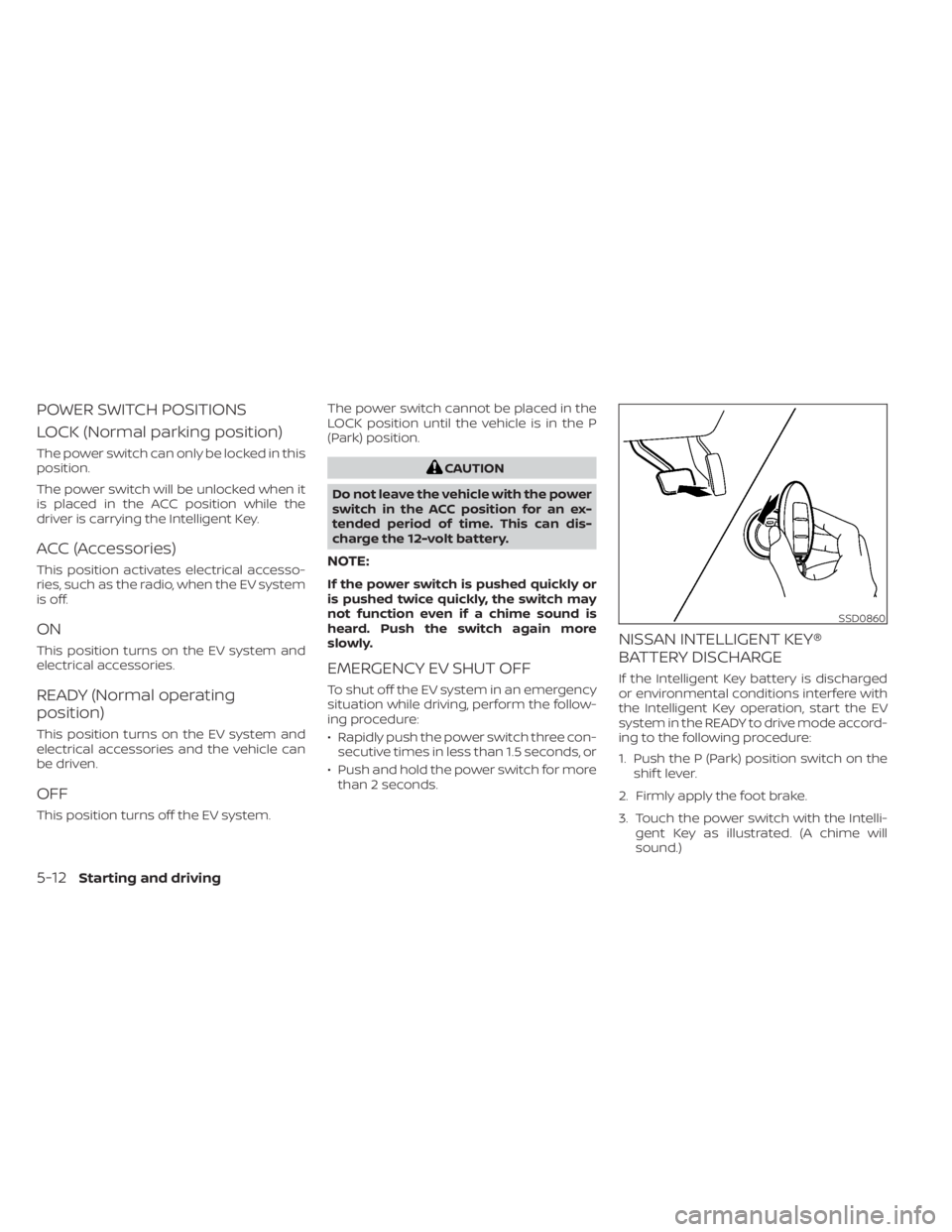
3. Touch the power switch with the Intelli- gent Key as illustrated. (A chime will
sound.)
SSD0860
5-12Starting and driving
Page 332 of 602
4. Push the power switch while depressingthe brake pedal within 10 seconds af ter
the chime sounds. The power switch
position changes to the READY to drive
mode.
Af ter step 3 is performed, if the power
switch is pushed without depressing the
brake pedal, the power switch position will
change to ACC.
NOTE:
• When the power switch is placed in the ACC or ON position or READY to drive
mode by the above procedure, the EV
system operation for discharged Intel-
ligent Key system indicator appears on
the vehicle information display even if
the Intelligent Key is inside the vehicle.
This is not a malfunction. To stop the
warning indicator from blinking, touch
the power switch with the Intelligent
Key again.
• If the Intelligent Key battery discharge indicator appears on the vehicle infor-
mation display, replace the battery as
soon as possible. For additional infor-
mation, see “NISSAN Intelligent Key®
battery replacement” (P. 8-19).
NISSAN VEHICLE IMMOBILIZER
SYSTEM
The NISSAN Vehicle Immobilizer System
will not allow the power switch to be placed
in the READY to drive position without the
use of the registered key.
If the power switch fails to place the vehicle
into the READY to drive position using the
registered key, it may be due to interfer-
ence caused by another registered key, an
automated toll road device or automated
payment device on the key ring. Restart the
EV system using the following procedure:
1. Leave the power switch in the ON posi- tion for approximately 5 seconds.
2. Place the power switch in the OFF posi- tion and wait approximately 10 seconds.
3. Repeat steps 1 and 2 again.
4. Place the power switch in the READY to drive position while holding the device
(which may have caused the interfer-
ence) separate from the registered key.
If this procedure allows the power
switch to be placed in the READY to drive
mode, NISSAN recommends placing the
registered key on a separate key ring to
avoid interference from other devices. • Make sure that the area around the ve-
hicle is clear.
• Check fluid levels such as coolant, brake fluid, and windshield-washer fluid as fre-
quently as possible.
• Check that all windows and lights are clean.
• Visually inspect tires for their appearance and condition. Also check tires for proper
inflation.
• Check that all doors are closed.
• Position the seat and adjust the head restraints/headrests.
• Adjust the inside and outside mirrors.
• Fasten seat belts and ask all passengers to do likewise.
• Check the operation of the warning lights when the power switch is pushed to the
ON position. For additional information,
see “Warning lights, indicator lights and
audible reminders” (P. 2-14).
BEFORE STARTING THE EV SYSTEM
Starting and driving5-13
Page 338 of 602

PEDAL TYPE
To engage:Firmly depress the parking
brake.
To release:
1. Firmly apply the foot brake.
2. Move the shif t lever to the P (Park) position.
3. Firmly depress the parking brake pedal and it will release.
4. Before driving, be sure the brake warn- ing light goes out.
SWITCH TYPE (models with
electronic parking brake system)
The electronic parking brake can be ap-
plied or released automatically or by oper-
ating the electronic parking brake switch.
Automatic operation
The electronic parking brake is automati-
cally released as soon as the vehicle starts
and the accelerator pedal is depressed.
In order for the electronic parking brake to
disable when the driver pushes the accel-
erator, the driver’s seat belt must be
fastened.
WARNING
• The electronic parking brake will not
be automatically applied when the
EV system is stopped without using
the power switch (for example, by EV
system stalling). •
Before leaving the vehicle, move the
shif t lever to the P (Park) position and
check that the electronic parking
brake indicator light (
or PARK) is
illuminated to confirm that the elec-
tronic parking brake is applied. The
electronic parking brake indicator
light (
or PARK) will remain on for
a period of time af ter the driver’s
door is locked.
CAUTION
• When parking in an area where the
outside temperature is below 32°F
(0°C), the parking brake, if applied,
may freeze in place and may be diffi-
cult to release.
• For safe parking, it is recommended
that you place the shif t lever in the P
(Park) position and securely block
the wheels.
NOTE:
• If a malfunction occurs in the elec- tronic parking brake system (for ex-
ample, due to battery discharge), it is
recommended that you visit a NISSAN
certified LEAF dealer.
LSD0158
Starting and driving5-19
Page 342 of 602

The e-Pedal system provides the following
driving features:
When driving and stopping the vehicle:
• Depressing or returning the acceleratorpedal changes the degree of accelera-
tion and deceleration accordingly.
• Returning the accelerator pedal gener- ates more deceleration than normal. (The
maximum deceleration changes accord-
ing to the vehicle speed.)
• Releasing (taking your foot off ) the accel- erator pedal reduces the vehicle speed
until the vehicle comes to a stop.
• The vehicle’s brake lights illuminate when the deceleration level reaches an ordi-
nary braking operation.
If the deceleration is not sufficient when the
accelerator pedal is returned or released,
depress the brake pedal. The brake pedal
can be operated to reduce the vehicle
speed in the same way as normal even
when the e-Pedal system is activated.
When restarting the vehicle:
• Af ter the vehicle comes to a stop by the e-Pedal system function, the vehicle re-
mains at a stop as long as the accelerator
pedal is released. • The vehicle’s brake lights remain illumi-
nated when the vehicle is stopped by the
e-Pedal system.
• Depress the accelerator pedal to start the vehicle again from a stop.
When the vehicle needs to be stopped for a
certain period of time, place the vehicle in
the P (Park) position and apply the parking
brake.
CAUTION
When the e-Pedal system is turned off,
remember to depress the brake pedal
firmly to prevent the vehicle from mov-
ing with the shif t lever in any position
other than P (Park).
When backing up the vehicle:
• With the shif t lever in the R (Reverse) po- sition, operating the accelerator pedal
adjusts the vehicle speed (acceleration,
deceleration, or stopping) in the same
way as the D (Drive) position. Other driving tips for the e-Pedal
system:
• For smooth deceleration when the
e-Pedal system is activated, it is recom-
mended that you adjust the accelerator
pedal by either depressing or returning,
not releasing, the pedal.
• Moving the shif t lever from D (Drive) to B mode or from B mode to D (Drive) does
not affect the e-Pedal system feature.
• The e-Pedal system does not function under the following conditions:– When the vehicle is placed in the P (Park) or N (Neutral) position
– When cruise control (if so equipped), ProPILOT Assist (if so equipped), or Au-
tomatic Emergency Braking with Pe-
destrian Detection operates
Starting and driving5-23