Page 356 of 602
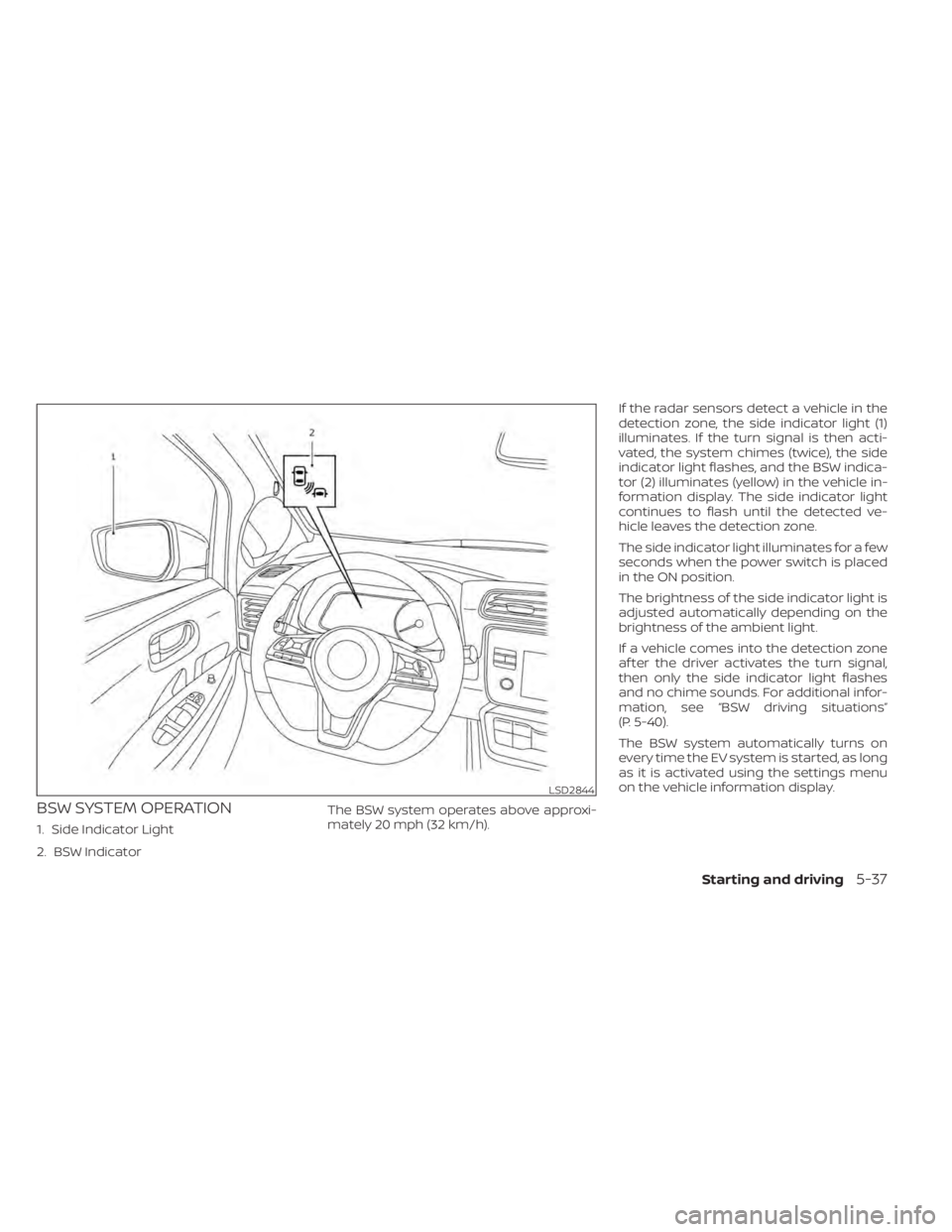
BSW SYSTEM OPERATION
1. Side Indicator Light
2. BSW IndicatorThe BSW system operates above approxi-
mately 20 mph (32 km/h).If the radar sensors detect a vehicle in the
detection zone, the side indicator light (1)
illuminates. If the turn signal is then acti-
vated, the system chimes (twice), the side
indicator light flashes, and the BSW indica-
tor (2) illuminates (yellow) in the vehicle in-
formation display. The side indicator light
continues to flash until the detected ve-
hicle leaves the detection zone.
The side indicator light illuminates for a few
seconds when the power switch is placed
in the ON position.
The brightness of the side indicator light is
adjusted automatically depending on the
brightness of the ambient light.
If a vehicle comes into the detection zone
af ter the driver activates the turn signal,
then only the side indicator light flashes
and no chime sounds. For additional infor-
mation, see “BSW driving situations”
(P. 5-40).
The BSW system automatically turns on
every time the EV system is started, as long
as it is activated using the settings menu
on the vehicle information display.
LSD2844
Starting and driving5-37
Page 359 of 602
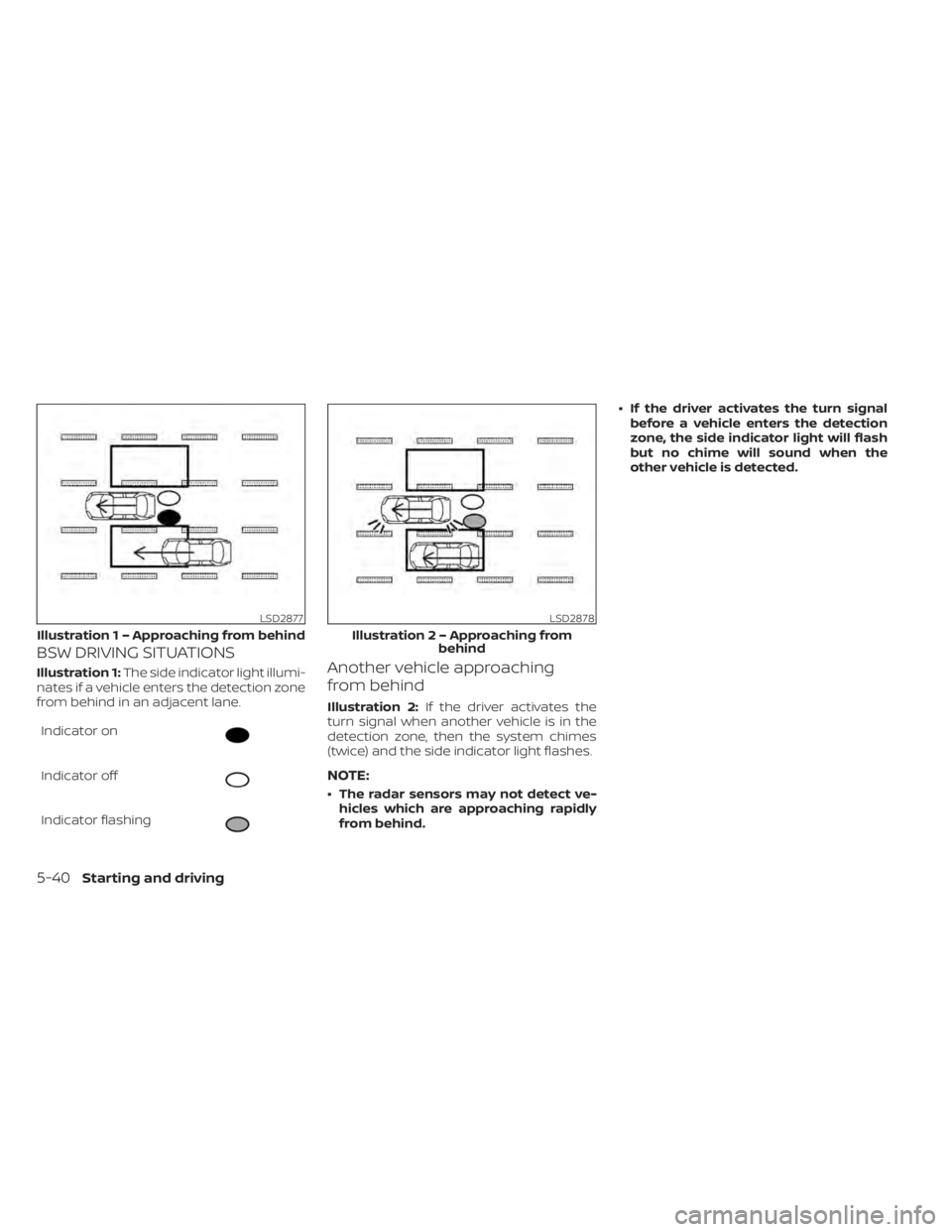
BSW DRIVING SITUATIONS
Illustration 1:The side indicator light illumi-
nates if a vehicle enters the detection zone
from behind in an adjacent lane.
Indicator on
Indicator off
Indicator flashing
Another vehicle approaching
from behind
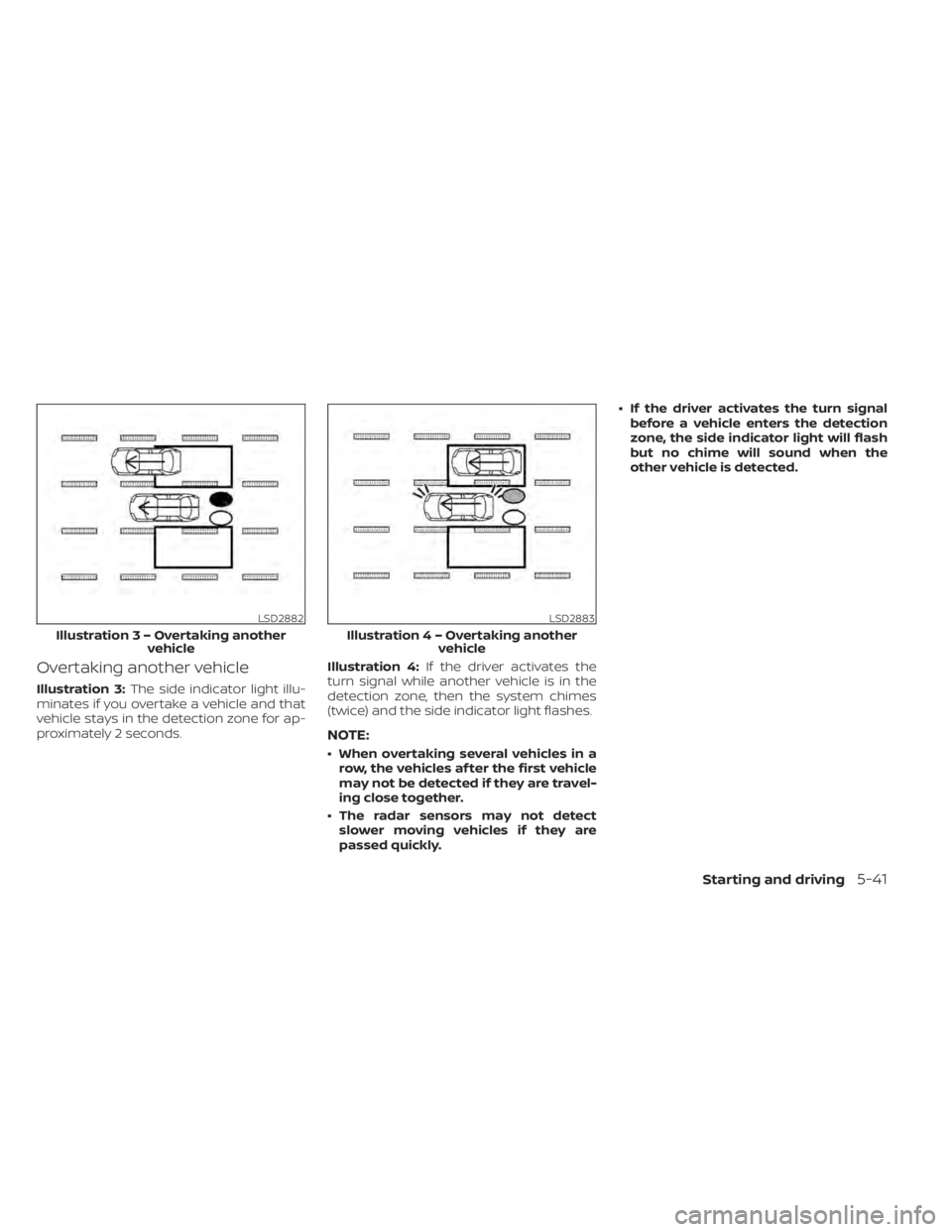
Illustration 2: If the driver activates the
turn signal when another vehicle is in the
detection zone, then the system chimes
(twice) and the side indicator light flashes.
NOTE:
• The radar sensors may not detect ve- hicles which are approaching rapidly
from behind. • If the driver activates the turn signal
before a vehicle enters the detection
zone, the side indicator light will flash
but no chime will sound when the
other vehicle is detected.
LSD2877
Illustratio n 1 – Approaching from behind
LSD2878
Illustration 2 – Approaching from
behind
5-40Starting and driving
Page 360 of 602
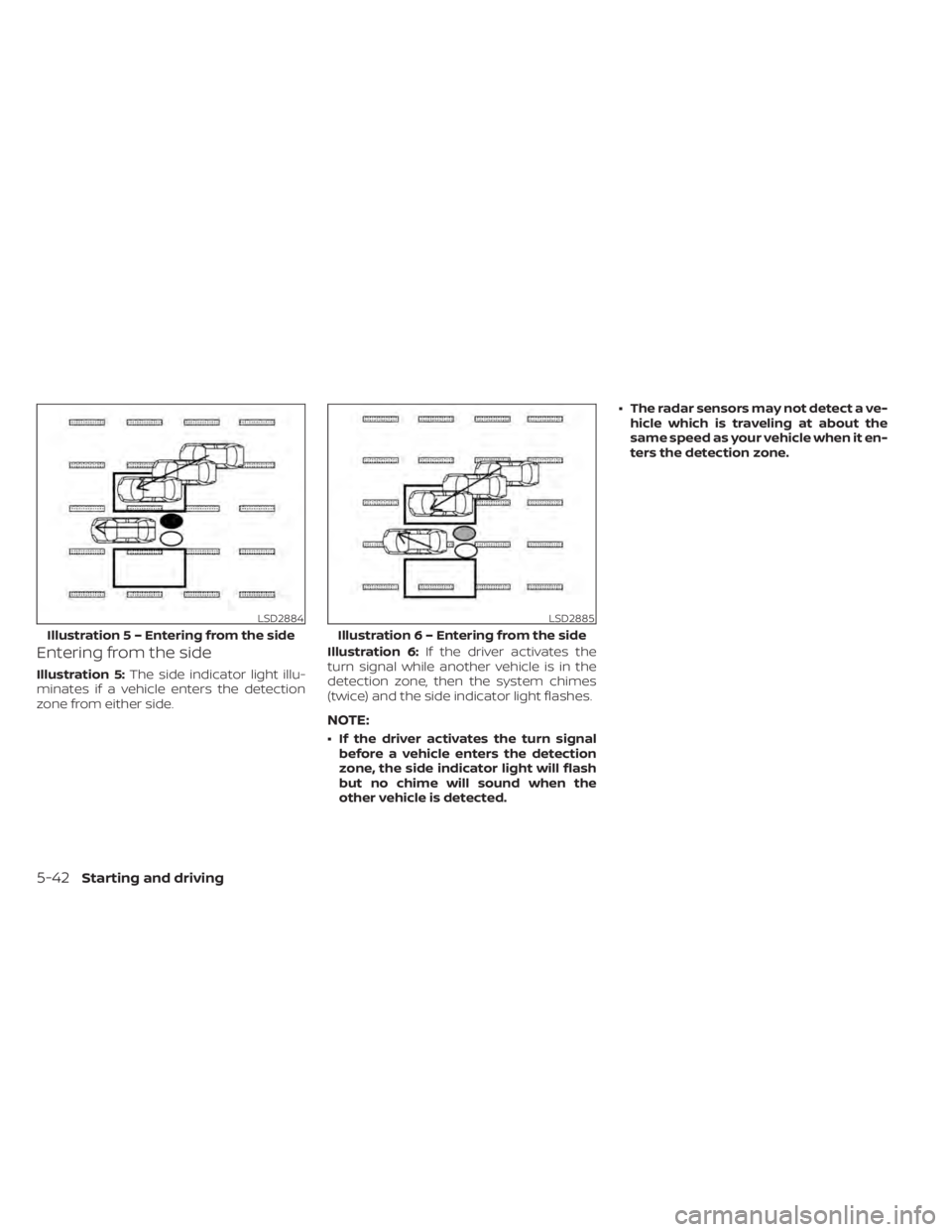
Overtaking another vehicle
Illustration 3:The side indicator light illu-
minates if you overtake a vehicle and that
vehicle stays in the detection zone for ap-
proximately 2 seconds. Illustration 4:
If the driver activates the
turn signal while another vehicle is in the
detection zone, then the system chimes
(twice) and the side indicator light flashes.
NOTE:
• When overtaking several vehicles in a row, the vehicles af ter the first vehicle
may not be detected if they are travel-
ing close together.
• The radar sensors may not detect slower moving vehicles if they are
passed quickly. • If the driver activates the turn signal
before a vehicle enters the detection
zone, the side indicator light will flash
but no chime will sound when the
other vehicle is detected.
LSD2882
Illustratio n3–Over taking another
vehicle
LSD2883
Illustratio n4–Over taking another
vehicle
Starting and driving5-41
Page 361 of 602
Entering from the side
Illustration 5:The side indicator light illu-
minates if a vehicle enters the detection
zone from either side. Illustration 6:
If the driver activates the
turn signal while another vehicle is in the
detection zone, then the system chimes
(twice) and the side indicator light flashes.
NOTE:
• If the driver activates the turn signal before a vehicle enters the detection
zone, the side indicator light will flash
but no chime will sound when the
other vehicle is detected. • The radar sensors may not detect a ve-
hicle which is traveling at about the
same speed as your vehicle when it en-
ters the detection zone.
LSD2884
Illustratio n 5 – Entering from the side
LSD2885
Illustration 6 – Entering from the side
5-42Starting and driving
Page 366 of 602
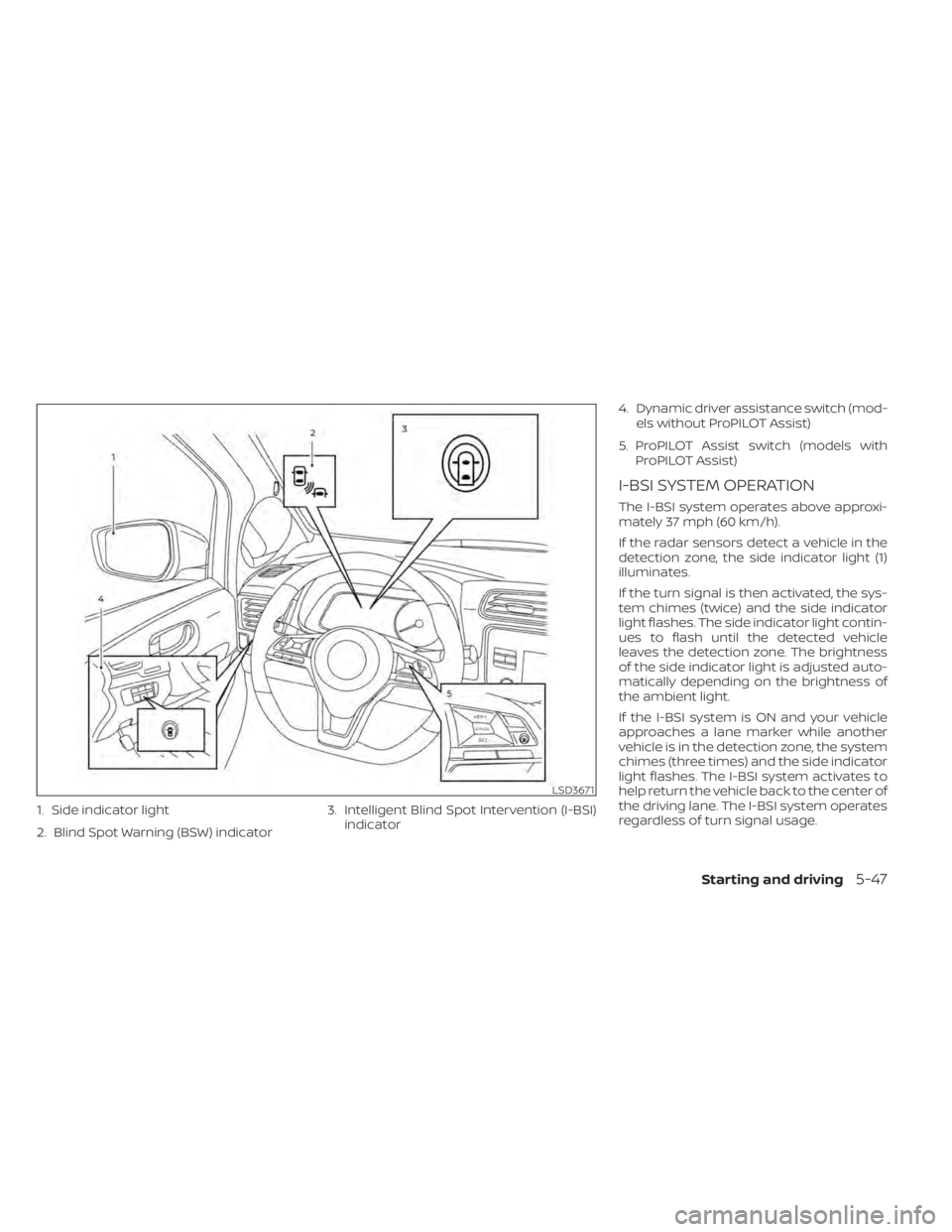
1. Side indicator light
2. Blind Spot Warning (BSW) indicator3. Intelligent Blind Spot Intervention (I-BSI)
indicator 4. Dynamic driver assistance switch (mod-
els without ProPILOT Assist)
5. ProPILOT Assist switch (models with ProPILOT Assist)
I-BSI SYSTEM OPERATION
The I-BSI system operates above approxi-
mately 37 mph (60 km/h).
If the radar sensors detect a vehicle in the
detection zone, the side indicator light (1)
illuminates.
If the turn signal is then activated, the sys-
tem chimes (twice) and the side indicator
light flashes. The side indicator light contin-
ues to flash until the detected vehicle
leaves the detection zone. The brightness
of the side indicator light is adjusted auto-
matically depending on the brightness of
the ambient light.
If the I-BSI system is ON and your vehicle
approaches a lane marker while another
vehicle is in the detection zone, the system
chimes (three times) and the side indicator
light flashes. The I-BSI system activates to
help return the vehicle back to the center of
the driving lane. The I-BSI system operates
regardless of turn signal usage.
LSD3671
Starting and driving5-47
Page 370 of 602
Another vehicle approaching
from behind
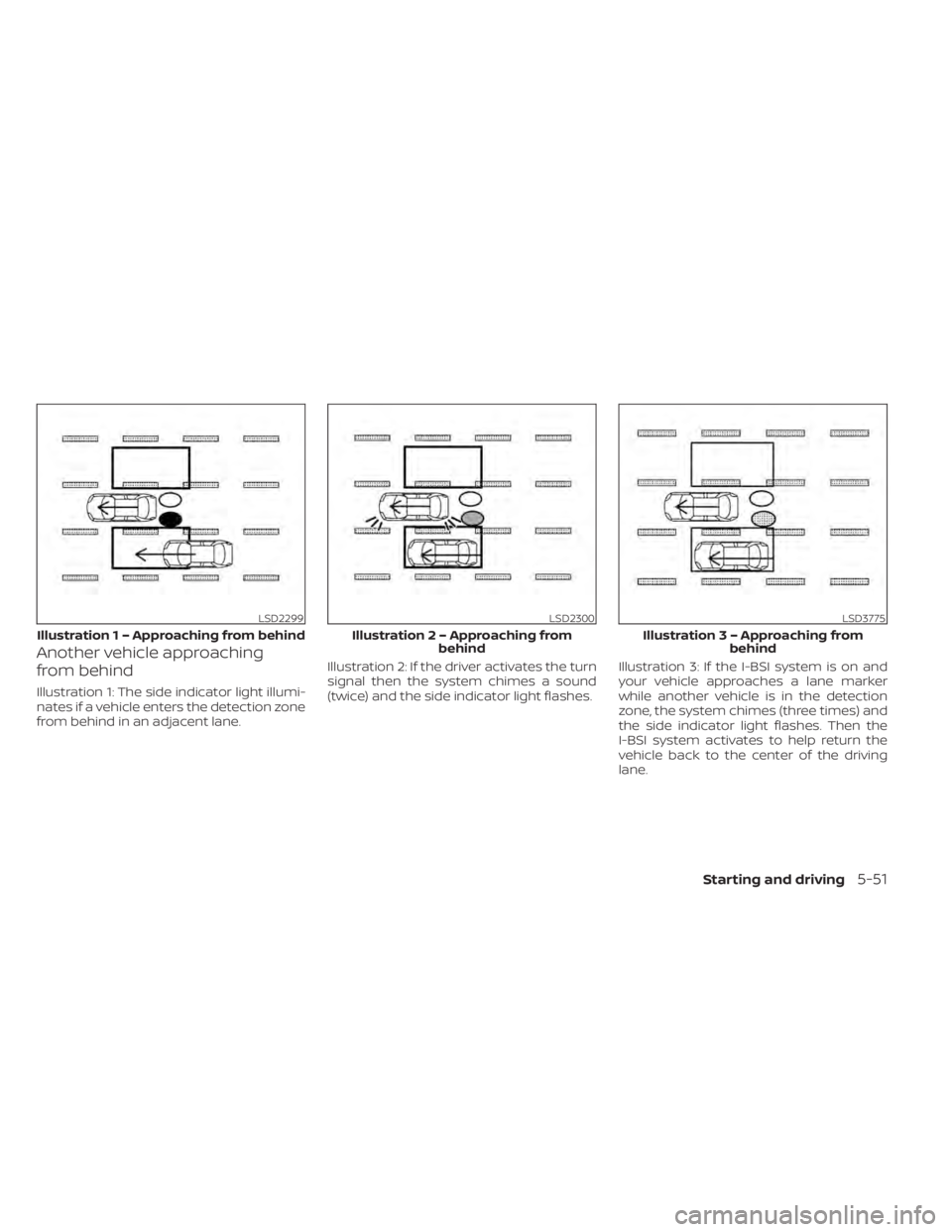
Illustration 1: The side indicator light illumi-
nates if a vehicle enters the detection zone
from behind in an adjacent lane.Illustration 2: If the driver activates the turn
signal then the system chimes a sound
(twice) and the side indicator light flashes.
Illustration 3: If the I-BSI system is on and
your vehicle approaches a lane marker
while another vehicle is in the detection
zone, the system chimes (three times) and
the side indicator light flashes. Then the
I-BSI system activates to help return the
vehicle back to the center of the driving
lane.
LSD2299
Illustratio
n 1 – Approaching from behind
LSD2300
Illustration 2 – Approaching from
behind
LSD3775
Illustratio n 3 – Approaching from
behind
Starting and driving5-51
Page 371 of 602
NOTE:
• The radar sensors may not detect ve-hicles which are approaching rapidly
from behind.
• If the driver activates the turn signal before a vehicle enters the detection
zone, the side indicator light will flash
but no chime will sound when the
other vehicle is detected.
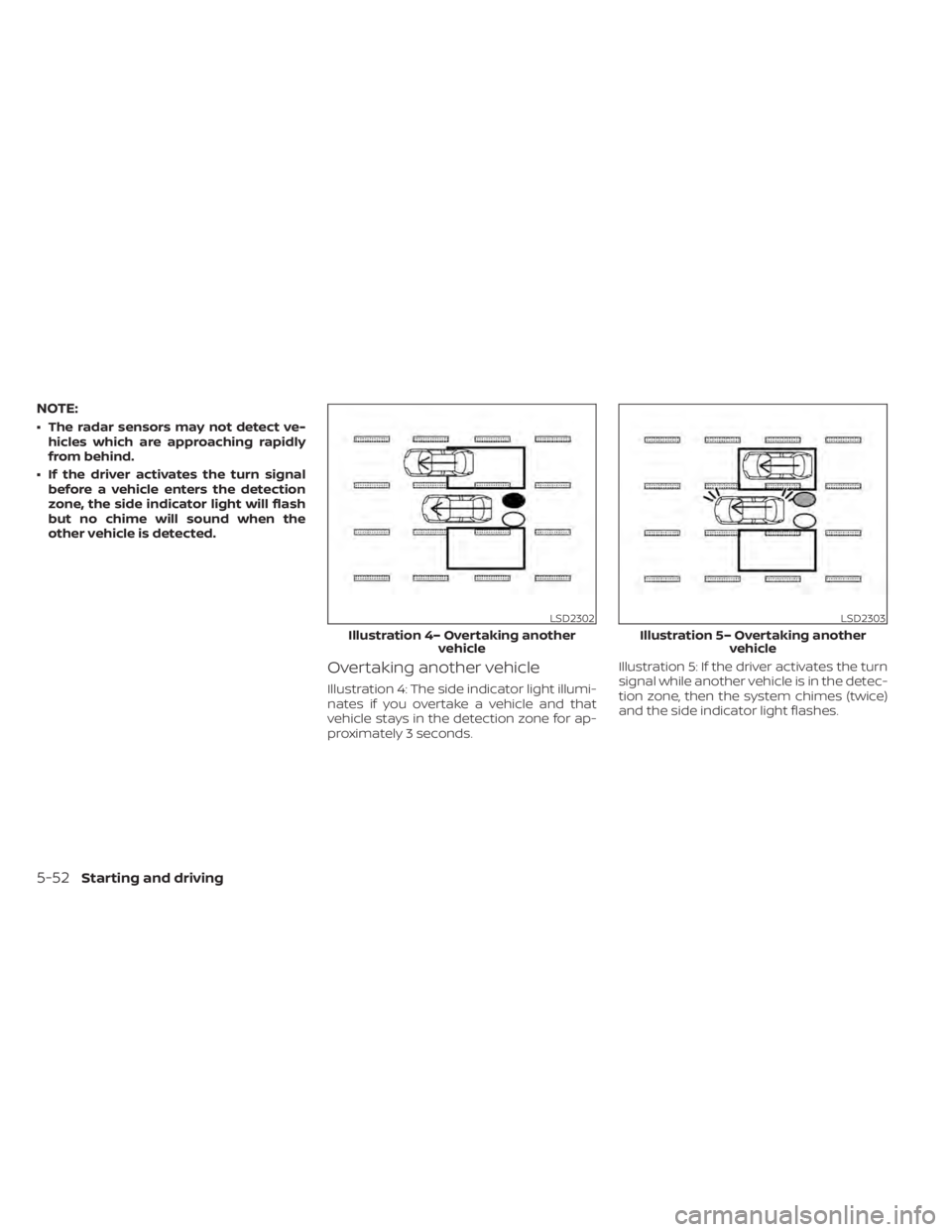
Overtaking another vehicle
Illustration 4: The side indicator light illumi-
nates if you overtake a vehicle and that
vehicle stays in the detection zone for ap-
proximately 3 seconds. Illustration 5: If the driver activates the turn
signal while another vehicle is in the detec-
tion zone, then the system chimes (twice)
and the side indicator light flashes.
LSD2302
Illustration 4– Overtaking another
vehicle
LSD2303
Illustration 5– Overtaking anothervehicle
5-52Starting and driving
Page 372 of 602
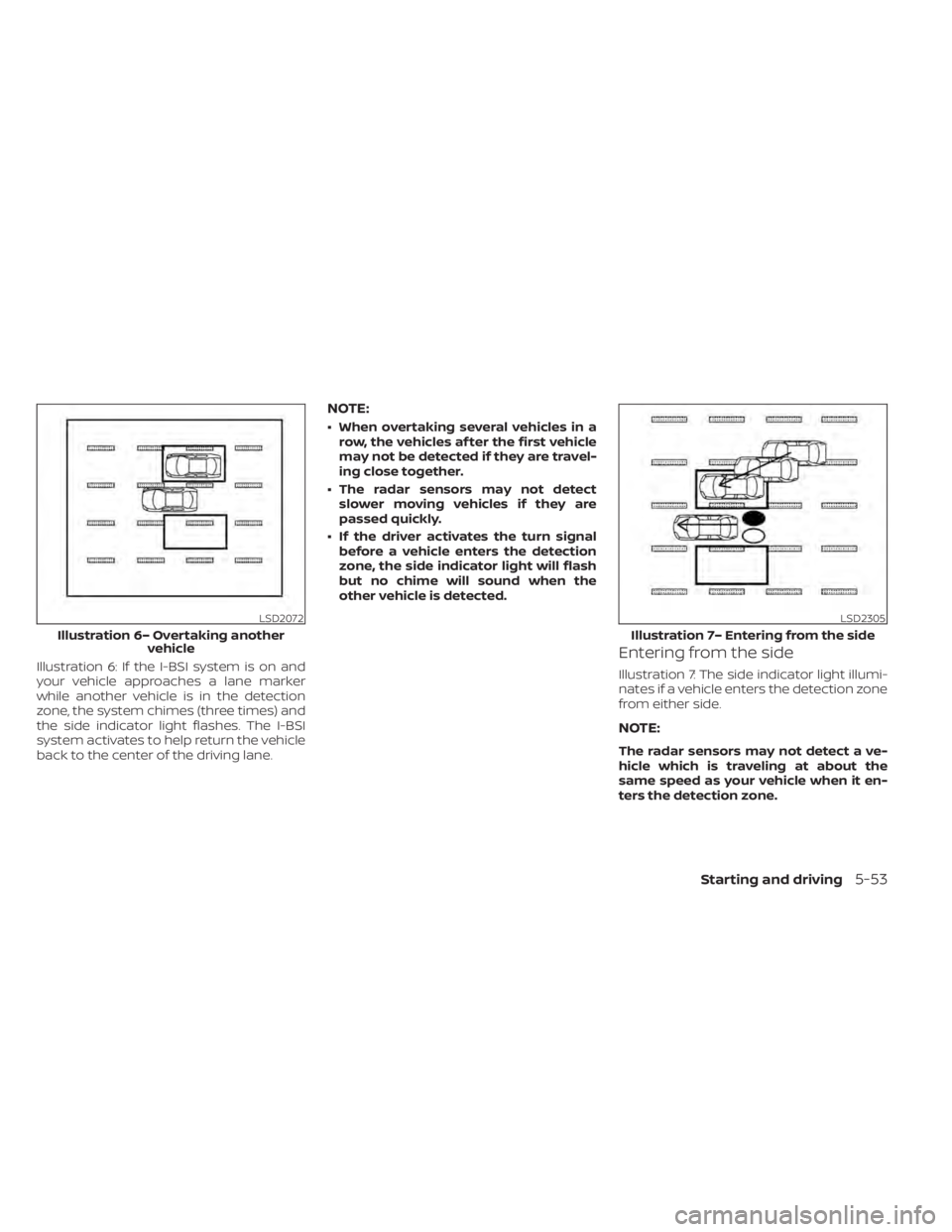
Illustration 6: If the I-BSI system is on and
your vehicle approaches a lane marker
while another vehicle is in the detection
zone, the system chimes (three times) and
the side indicator light flashes. The I-BSI
system activates to help return the vehicle
back to the center of the driving lane.
NOTE:
• When overtaking several vehicles in arow, the vehicles af ter the first vehicle
may not be detected if they are travel-
ing close together.
• The radar sensors may not detect slower moving vehicles if they are
passed quickly.
• If the driver activates the turn signal before a vehicle enters the detection
zone, the side indicator light will flash
but no chime will sound when the
other vehicle is detected.
Entering from the side
Illustration 7: The side indicator light illumi-
nates if a vehicle enters the detection zone
from either side.
NOTE:
The radar sensors may not detect a ve-
hicle which is traveling at about the
same speed as your vehicle when it en-
ters the detection zone.
LSD2072
Illustration 6– Overtaking another vehicle
LSD2305
Illustration 7– Entering from the side
Starting and driving5-53