2021 NISSAN LEAF headlight
[x] Cancel search: headlightPage 229 of 602
If the ambient image sensor is damaged
due to an accident, it is recommended that
you visit a NISSAN certified LEAF dealer for
this service.
Battery saver system
• When the headlight switch is in theorposition while the power switch
is in the ON position, the lights will auto-
matically turn off 45 seconds af ter the
power switch has been placed in the OFF
position.
• When the headlight switch remains in the
orposition af ter the lights
automatically turn off, the lights will turn
on when the power switch is placed in the
ON position.
CAUTION
• When you turn on the headlight
switch again af ter the lights auto-
matically turn off, the lights will not
turn off automatically. Be sure to turn
the light switch to the OFF position
when you leave the vehicle for ex-
tended periods of time, otherwise
the battery will be discharged. •
Never leave the light switch on when
the power switch is in the OFF, ACC or
ON position for extended periods of
time even if the headlights turn off
automatically.
LED DAYTIME RUNNING LIGHTS
(DRL) SYSTEM (Type A) (if so
equipped)
The LED portion of the headlights auto-
matically illuminates at 100% intensity
when the power switch is in the READY to
drive position with the parking brake re-
leased. The LED DRL system operates with
the headlight switch in the OFF position.
Turn headlight switch to the
position
for full illumination when driving at night.
If the parking brake is applied before the
power switch is in the READY to drive posi-
tion, the LED DRL system does not operate.
The LED DRL system illuminates once the
parking brake is released. The LED DRL sys-
tem will remain on until the power switch is
pushed to the OFF position.
WARNING
When the LED DRL system is active, tail
lights on your vehicle are not on. It is
necessary at dusk to turn on your
headlights. Failure to do so could cause
an accident injuring yourself and
others.
LED DAYTIME RUNNING LIGHTS
(DRL) SYSTEM (Type B) (if so
equipped)
The LED DRL automatically illuminate at
100% intensity when the power switch is in
the READY to drive position. The LED Day-
time Running Lights (DRL) operate with the
headlight switch in the OFF position. When
you turn the headlight switch to the
position for full illumination, the LED lights
switch from LED DRL to the park function.
The LED DRL will remain on until the ignition
switch is placed in the OFF position.
It is necessary at dusk to turn the headlight
switch ON for interior controls and
switches to illuminate, as those remain
OFF while the switch is in the OFF position.
2-52Instruments and controls
Page 230 of 602
WARNING
When the LED DRL system is active, tail
lights on your vehicle are not on. It is
necessary at dusk to turn on your
headlights. Failure to do so could cause
an accident injuring yourself and
others.
INSTRUMENT BRIGHTNESS
CONTROL
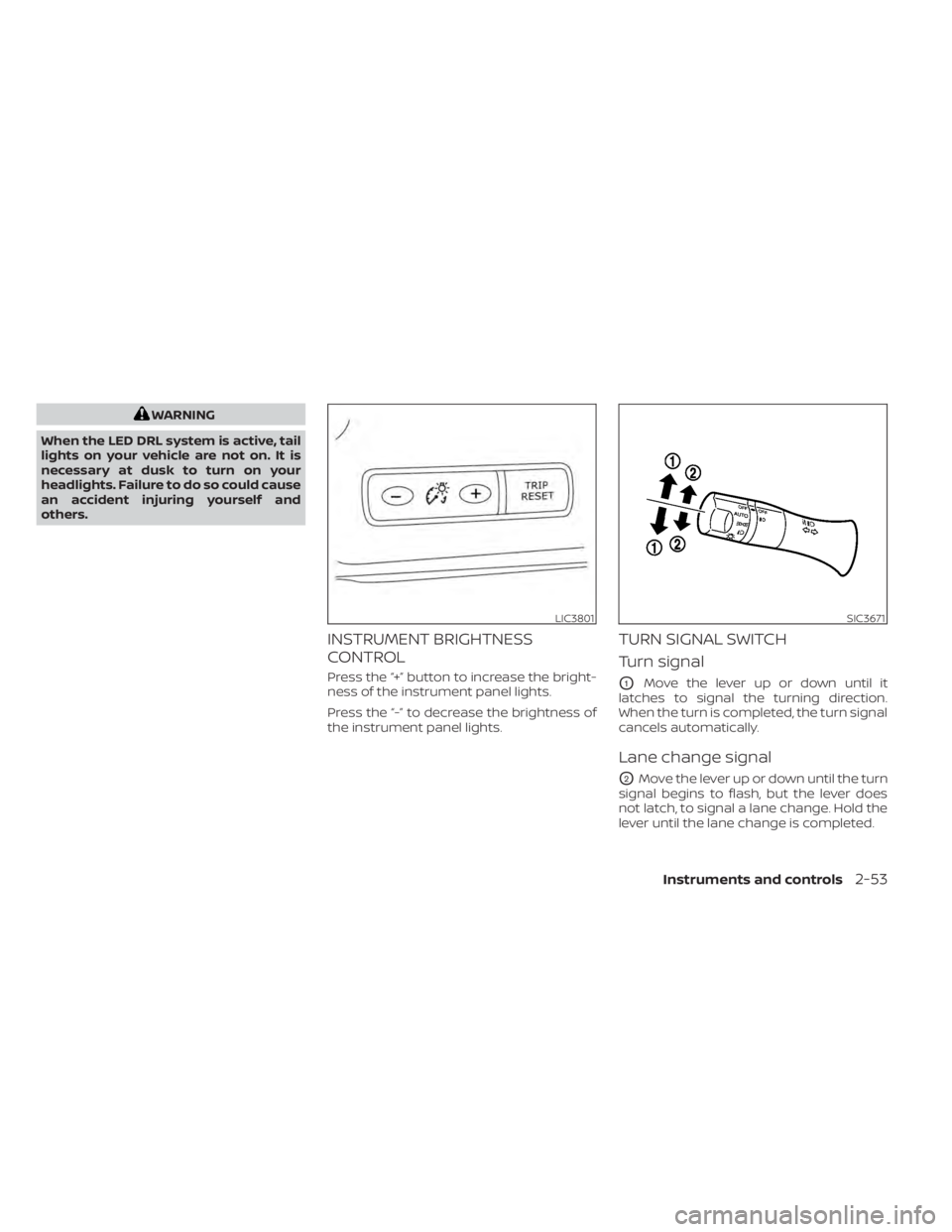
Press the “+” button to increase the bright-
ness of the instrument panel lights.
Press the “-” to decrease the brightness of
the instrument panel lights.
TURN SIGNAL SWITCH
Turn signal
O1Move the lever up or down until it
latches to signal the turning direction.
When the turn is completed, the turn signal
cancels automatically.
Lane change signal
O2Move the lever up or down until the turn
signal begins to flash, but the lever does
not latch, to signal a lane change. Hold the
lever until the lane change is completed.
LIC3801SIC3671
Instruments and controls2-53
Page 231 of 602
Move the lever up or down until the turn
signal begins to flash, but the lever does
not latch, and release the lever. The turn
signal will automatically flash three times.
Choose the appropriate method to signal
a lane change based on road and traffic
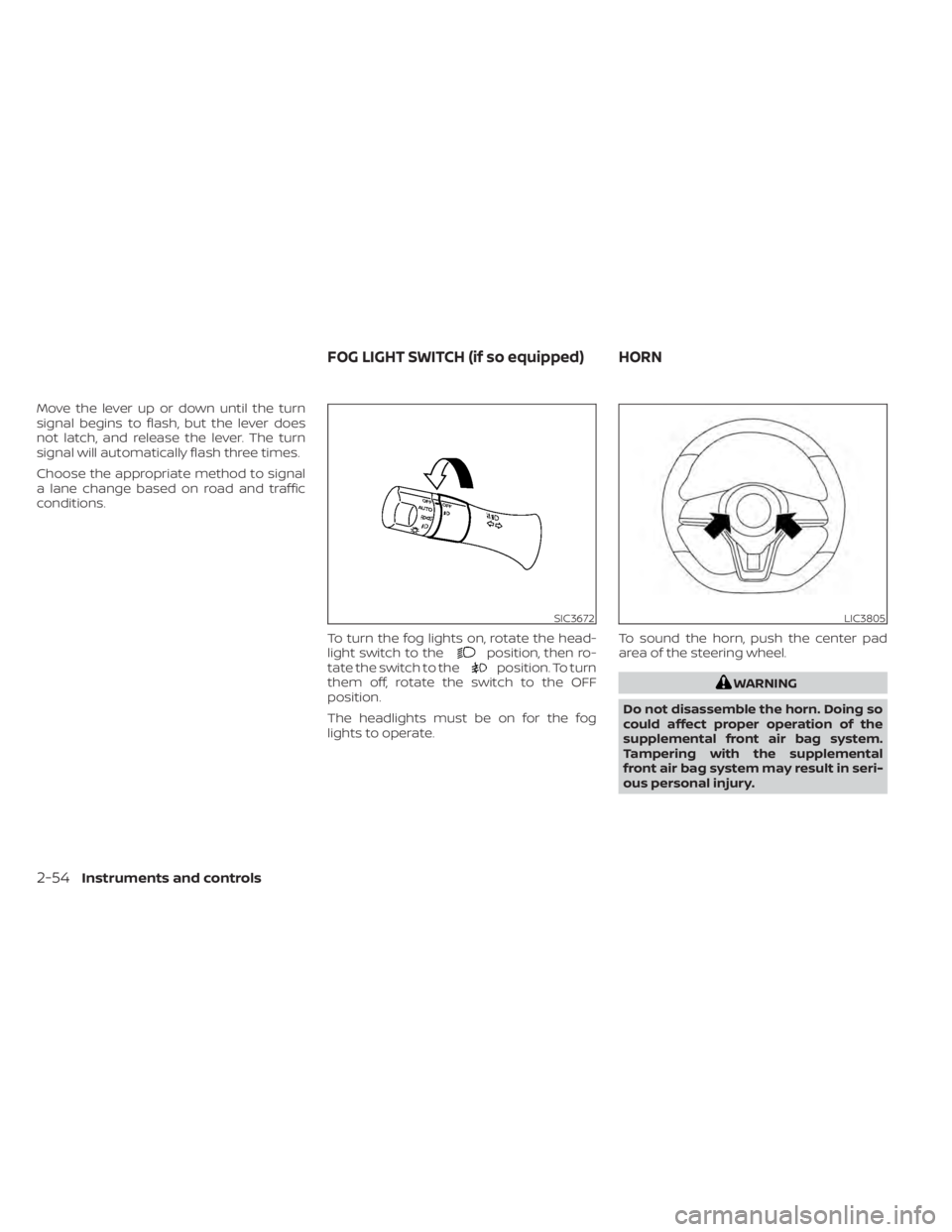
conditions.To turn the fog lights on, rotate the head-
light switch to the
position, then ro-
tate the switch to theposition. To turn
them off, rotate the switch to the OFF
position.
The headlights must be on for the fog
lights to operate. To sound the horn, push the center pad
area of the steering wheel.
WARNING
Do not disassemble the horn. Doing so
could affect proper operation of the
supplemental front air bag system.
Tampering with the supplemental
front air bag system may result in seri-
ous personal injury.
SIC3672LIC3805
FOG LIGHT SWITCH (if so equipped) HORN
2-54Instruments and controls
Page 237 of 602
NOTE:
If “Alert Only ” setting is selected, the
message alert will still be shown in the
vehicle information display but the horn
will not sound.
WARNING
• If the driver selects “Disable Alert”, no
audible alert will be provided regard-
less of rear door open/close status.
• There may be times when there is an
object or passenger in the rear
seat(s) but the audible alert does not
sound. For example, this may occur if
rear seat passengers enter or exit the
vehicle during a trip.
• The system does not directly detect
objects or passengers in the rear
seat(s). Instead, it can detect when a
rear door is opened and closed, indi-
cating that there may be something
in the rear seat(s).
NOTE:
There may be times when the horn
sounds but there are no objects or pas-
sengers in the rear seat(s).
For additional information, see “Rear Door
Alert is activated” (P. 2-35).
CAUTION
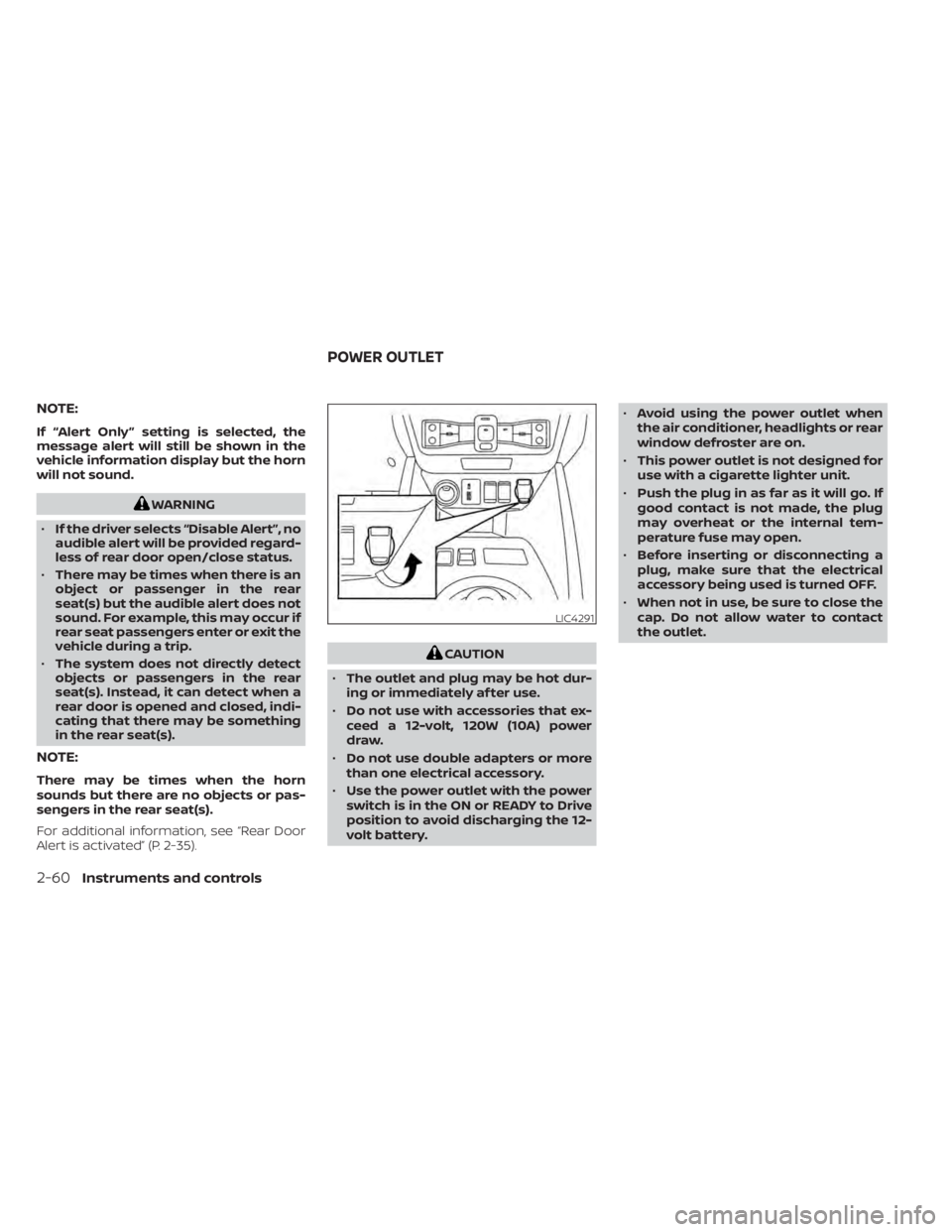
• The outlet and plug may be hot dur-
ing or immediately af ter use.
• Do not use with accessories that ex-
ceed a 12-volt, 120W (10A) power
draw.
• Do not use double adapters or more
than one electrical accessory.
• Use the power outlet with the power
switch is in the ON or READY to Drive
position to avoid discharging the 12-
volt battery. •
Avoid using the power outlet when
the air conditioner, headlights or rear
window defroster are on.
• This power outlet is not designed for
use with a cigarette lighter unit.
• Push the plug in as far as it will go. If
good contact is not made, the plug
may overheat or the internal tem-
perature fuse may open.
• Before inserting or disconnecting a
plug, make sure that the electrical
accessory being used is turned OFF.
• When not in use, be sure to close the
cap. Do not allow water to contact
the outlet.
LIC4291
POWER OUTLET
2-60Instruments and controls
Page 245 of 602

The interior lights can be turned onO1re-
gardless of door position. The lights will go
off af ter a period of time unless the power
switch is placed in the ON position when
any door is opened.
The interior lights can be set to operate
when the doors are opened
O2. To turn off
the interior lights when a is door open,
push the switch; the interior lights will not
illuminate, regardless of door position.
The lights will go off when the power switch
is placed in the ON position, or the driver’s
door is closed and locked. The lights will
also go off af ter a period of time when the
doors are open.
CAUTION
Do not use for extended periods of time
with the power switch in the OFF posi-
tion. This could result in a discharged
12-volt battery.
CONSOLE LIGHT (if so equipped)
The console light will turn on whenever the
parking lights or headlights are illuminated.
The console light brightness can be ad-
justed with the illumination brightness
control in the vehicle information display.
MAP LIGHTS
Press the button to turn the map lights on.
To turn them off, press the button again.
LIC3814LIC2304
INTERIOR LIGHTS
2-68Instruments and controls
Page 265 of 602
Opening charge port lid
The charge port lid may be opened by
pressing and holding thebutton.
For additional information, see "Opening
charge port lid" (P. 3-20).
Using the panic alarm
If you are near your vehicle and feel threat-
ened, you may activate the panic alarm to
call attention by pressing and holding the
button on the Intelligent Key for lon-
ger than 1 second.
The panic alarm and headlights will stay on
for a period of time.
The panic alarm stops when:
• It has run for a period of time.
• Any button is pressed on the Intelligent Key. (Note: The
button must be
pushed for more than 1 second.)
Setting hazard indicator and horn
mode
This vehicle is set in hazard indicator and
horn mode when you first receive the
vehicle.
In hazard indicator and horn mode, when
the
button is pressed, the hazard
indicator flashes twice and the horn chirps
once. When the
button is pressed, the
hazard indicator flashes once.
If horns are not necessary, the system can
be switched to the hazard indicator mode.
In hazard indicator mode, when the
button is pressed, the hazard indicator
flashes twice. When thebutton is
pressed, neither the hazard indicator nor
the horn operates.
3-14Pre-driving checks and adjustments
Page 275 of 602
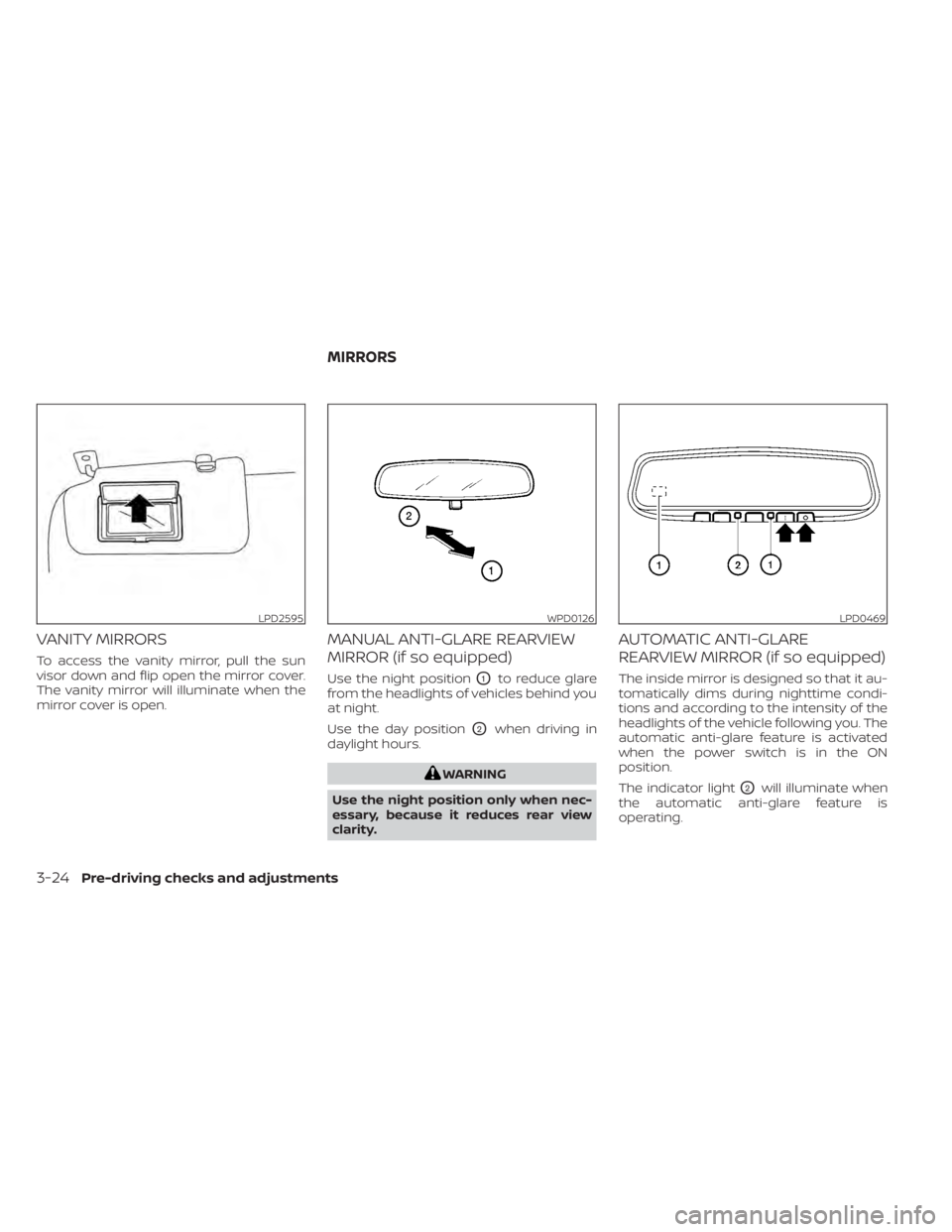
VANITY MIRRORS
To access the vanity mirror, pull the sun
visor down and flip open the mirror cover.
The vanity mirror will illuminate when the
mirror cover is open.
MANUAL ANTI-GLARE REARVIEW
MIRROR (if so equipped)
Use the night positionO1to reduce glare
from the headlights of vehicles behind you
at night.
Use the day position
O2when driving in
daylight hours.
WARNING
Use the night position only when nec-
essary, because it reduces rear view
clarity.
AUTOMATIC ANTI-GLARE
REARVIEW MIRROR (if so equipped)
The inside mirror is designed so that it au-
tomatically dims during nighttime condi-
tions and according to the intensity of the
headlights of the vehicle following you. The
automatic anti-glare feature is activated
when the power switch is in the ON
position.
The indicator light
O2will illuminate when
the automatic anti-glare feature is
operating.
LPD2595WPD0126LPD0469
MIRRORS
3-24Pre-driving checks and adjustments
Page 300 of 602
In the bird’s-eye view, the yellow frameO1is
displayed on each camera image (front,
rear, right, lef t) depending on where mov-
ing objects are detected.
The yellow frame
O2is displayed on each
view in the front view and rear view modes.
A blue MOD icon
O3is displayed in the view
where the MOD system is operative. A gray
MOD icon is displayed in the view where the
MOD system is not operative.
If the MOD system is turned off, the MOD
icon
O3is not displayed.
TURNING MOD ON AND OFF
Some vehicles include the option to allow
the MOD system to be turned on or off in
the vehicle information display.
To turn the MOD system on or off:
1. Use either the
ormenu control
switch on the steering wheel to select
“Settings”.
2. Select “Driver Assistance” and press the OK button.
3. Select “Parking Aids” and press the OK button.
4. Toggle ON or OFF “Moving Object” using the OK button.
MOD SYSTEM LIMITATIONS
WARNING
Listed below are the system limitations
for MOD. Failure to operate the vehicle
in accordance with these system limi-
tations could result in serious injury or
death.
• Excessive noise (for example, audio
system volume or open vehicle win-
dow) will interfere with the chime
sound, and it may not be heard.
• The MOD system performance will be
limited according to environmental
conditions and surrounding objects
such as:
– When there is low contrast be-
tween background and the mov-
ing objects.
– When there is a blinking source of
light.
– When strong light such as another
vehicle’s headlight or sunlight is
present.
– When camera orientation is not in
its usual position, such as when a
mirror is folded.
– When there is dirt, water drops or
snow on the camera lens. –
When the position of the moving
objects in the display is not
changed.
• The MOD system might detect flow-
ing water droplets on the camera
lens, white smoke from the muffler,
moving shadows, etc.
• The MOD system may not function
properly depending on the speed, di-
rection, distance or shape of the
moving objects.
• If your vehicle sustains damage to
the parts where the camera is in-
stalled, leaving it misaligned or bent,
the sensing zone may be altered and
the MOD system may not detect ob-
jects properly.
• When the temperature is extremely
high or low, the screen may not dis-
play objects clearly. This is not a
malfunction.
NOTE:
The blue MOD icon will change to orange
if one of the following has occurred:
• When the system is malfunctioning.
• When the component temperature reaches a high level (icon will blink).
Monitor, climate, audio, phone and voice recognition systems4-23