2021 NISSAN LEAF ESP
[x] Cancel search: ESPPage 221 of 602
FCC Notice:
For USA:
This device complies with Part 15 of the
FCC Rules. Operation is subject to the fol-
lowing two conditions: (1) This device
may not cause harmful interference, and
(2) this device must accept any interfer-
ence received, including interference
that may cause undesired operation.
NOTE:
Changes or modifications not expressly
approved by the party responsible for
compliance could void the user’s author-
ity to operate the equipment.
For Canada:
This device complies with Industry
Canada licence-exempt RSS standard(s).
Operation is subject to the following two
conditions: (1) this device may not cause
interference, and (2) this device must ac-
cept any interference, including interfer-
ence that may cause undesired opera-
tion of the device.
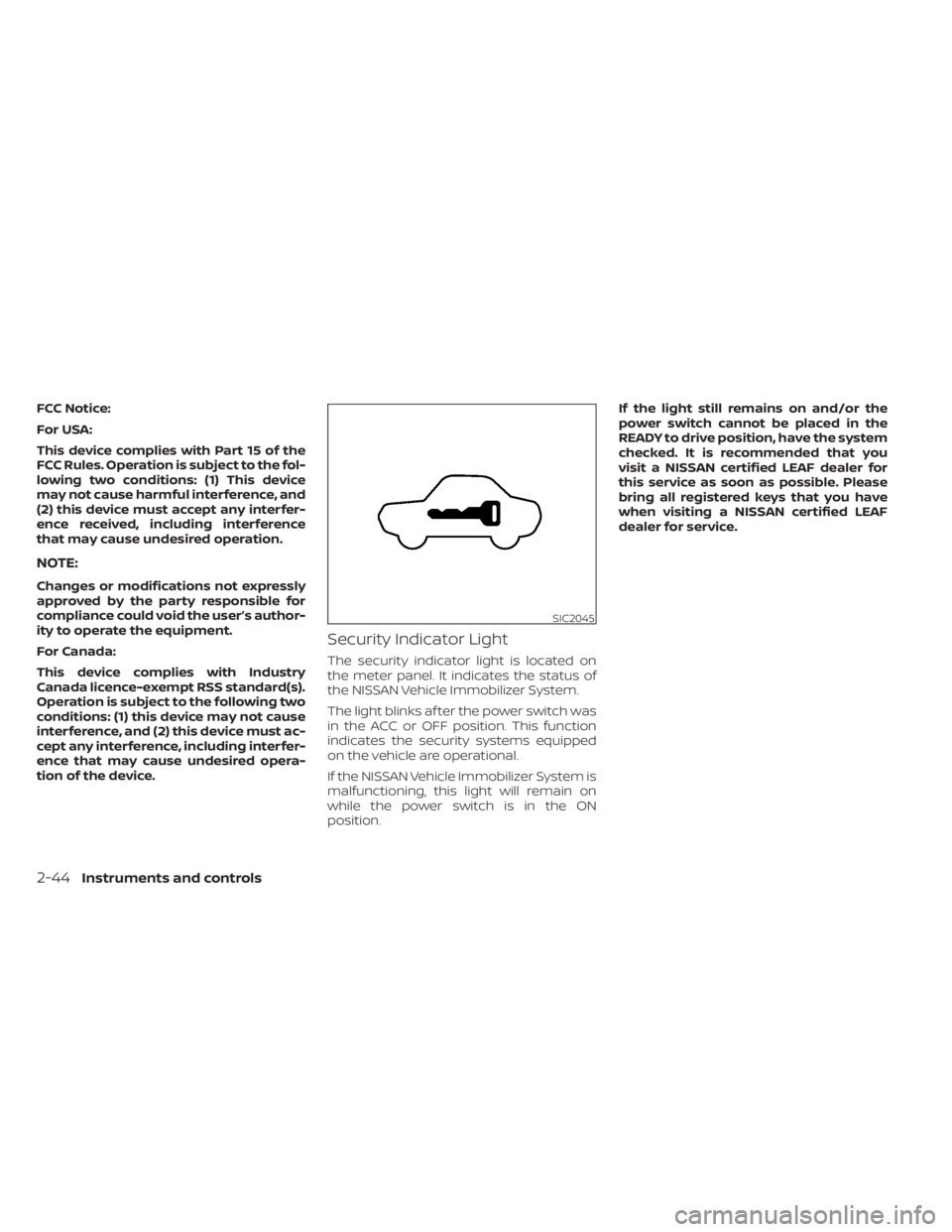
Security Indicator Light
The security indicator light is located on
the meter panel. It indicates the status of
the NISSAN Vehicle Immobilizer System.
The light blinks af ter the power switch was
in the ACC or OFF position. This function
indicates the security systems equipped
on the vehicle are operational.
If the NISSAN Vehicle Immobilizer System is
malfunctioning, this light will remain on
while the power switch is in the ON
position.If the light still remains on and/or the
power switch cannot be placed in the
READY to drive position, have the system
checked. It is recommended that you
visit a NISSAN certified LEAF dealer for
this service as soon as possible. Please
bring all registered keys that you have
when visiting a NISSAN certified LEAF
dealer for service.
SIC2045
2-44Instruments and controls
Page 234 of 602
Push the switch again to turn the heated
steering wheel system off manually. The
indicator light turns off.
NOTE:
• If the surface temperature of the steer-ing wheel is above 68°F (20°C) when the
switch is turned on, the system will not
heat the steering wheel. This is not a
malfunction.
• If the outside temperature is low (ap- proximately 50°F (10°C) or less) and the
Climate Control Timer or Remote Cli-
mate Control are used, the steering
wheel heater will automatically oper-
ate in the following conditions.– When using the Climate Control Timer: Operates from approximately
15 minutes before the set departure
time until the set departure time.
– When using Remote Climate Control: Operates 15 minutes af ter Remote
Climate Control starts.
• The heated steering wheel consumes less power than the heater and can be
used to either help extend vehicle
range by reducing heater use or to
maximize comfort by supplementing
the heater. The Emergency Call (SOS) system button is
used in combination with a
NissanConnect® Services powered by
SiriusXM® subscription to call for assis-
tance in case of an emergency.
Pressing the button will (with a paid sub-
scription) reach a Response Specialist that
will provide assistance based on the situa-
tion described by the vehicle’s occupant.
For additional information, or to enroll your
vehicle, refer to www.NissanUSA.com/
connect or call 855–426–6628.
To open the charge port lid, push the
charge port lid switch. For additional infor-
mation, see “Charge port lid” (P. 3-20).
LIC3913LIC3808
E-CALL (SOS) BUTTON (if so
equipped)
CHARGE PORT LID SWITCH
Instruments and controls2-57
Page 243 of 602

Main power window switch
(driver's side)
To open or close a window, push downOA
or pull upOBthe corresponding switch and
hold it. The main switches, on the driver's
side, will open or close all the windows.
Locking passengers' windows
When the lock buttonOCis pushed in, only
the driver side window can be opened or
closed. Push it in again to cancel.
Passenger side power window
switch
The passenger's side power window
switch will open or close only the corre-
sponding window. To open or close the
window, push down or pull up the switch
and hold it.
Rear power window switch
The rear power window switches open or
close only the corresponding windows. To
open the window, push the switch and hold
it down. To close the window, pull the
switch up.
JVC0051X
1. Driver side automatic switch
2. Front passenger side switch
3. Rear lef t passenger side switch
4. Rear right passenger side switch
5. Window lock button
JVC0052X
2-66Instruments and controls
Page 250 of 602

If you have any questions or are having
difficulty programming your HomeLink®
buttons, refer to the HomeLink® web site at:
www.homelink.com or call 1-800-355-3515.
CLEARING THE PROGRAMMED
INFORMATION
The following procedure clears the pro-
grammed information from both buttons.
Individual buttons cannot be cleared. How-
ever, individual buttons can be repro-
grammed. For additional information, see
“Reprogramming a single HomeLink® but-
ton” (P. 2-73).
To clear all programming:
1. Press and hold the two outer HomeLink®buttons until the indicator light begins to
flash in approximately 10 seconds. Do
not hold for longer than 20 seconds.
2. Release both buttons.
HomeLink® is now in the programming
mode and can be programmed at any
time beginning with “Programming
HomeLink®” - Step 1.
REPROGRAMMING A SINGLE
HOMELINK® BUTTON
To reprogram a HomeLink® Universal
Transceiver button, complete the following:
1. Press and hold the desired HomeLink® button. DO NOT release the button.
2. The indicator light will begin to flash af- ter 20 seconds. Without releasing the
HomeLink® button, proceed with “Pro-
gramming HomeLink®” - Step 1.
For questions or comments, contact
HomeLink® at: www.homelink.com or
1–800–355–3515 (except Mexico).
The HomeLink® Universal Transceiver but-
ton has now been reprogrammed. The new
device can be activated by pressing the
HomeLink® button that was just pro-
grammed. This procedure will not affect any
other programmed HomeLink® buttons.
IF YOUR VEHICLE IS STOLEN
If your vehicle is stolen, you should change
the codes of any non-rolling code device
that has been programmed into
HomeLink®. Consult the Owner's Manual of
each device or call the manufacturer or
dealer of those devices for additional
information. When your vehicle is recovered, you will
need to reprogram the HomeLink® Uni-
versal Transceiver with your new trans-
mitter information.
FCC Notice:
For USA:
This device complies with Part 15 of the
FCC Rules. Operation is subject to the fol-
lowing two conditions: (1) This device
may not cause harmful interference, and
(2) this device must accept any interfer-
ence received, including interference
that may cause undesired operation.
NOTE:
Changes or modifications not expressly
approved by the party responsible for
compliance could void the user’s author-
ity to operate the equipment.
For Canada:
This device complies with Industry
Canada licence-exempt RSS standard(s).
Operation is subject to the following two
conditions: (1) this device may not cause
interference, and (2) this device must ac-
cept any received, including interference
that may cause undesired operation of
the device.
Instruments and controls2-73
Page 267 of 602

Switching procedure:
To switch the hazard indicator and horn
(chime) operation, press the
andbuttons on the Intelligent Key simulta-
neously for more than two seconds.
• When the hazard indicator mode is set, the hazard indicator flashes three times.
• When the hazard indicator and horn mode is set, the hazard indicator flashes
once and the horn chirps once.
12-VOLT BATTERY SAVER SYSTEM
When all the following conditions are met
for a period of time, the battery saver sys-
tem will cut off the power supply to prevent
12-volt battery discharge.
• The power switch is in the ACC or ONposition,
• All doors are closed, and
• The vehicle is in the P (Park) position.
WARNING SIGNALS
To help prevent the vehicle from moving
unexpectedly by erroneous operation of
the Intelligent Key or to help prevent the
vehicle from being stolen, a chime or
buzzer sounds from inside and outside the
vehicle and a warning is displayed in the
instrument panel.
When a chime or beep sounds or a warning
is displayed, be sure to check the vehicle
and the Intelligent Key.
For additional information, see “Trouble-
shooting guide” (P. 3-16) and “Vehicle infor-
mation display warnings and indicator”
(P. 2-34 ).
TROUBLESHOOTING GUIDE
Verif y the location of all Intelligent Keys that
are programmed for the vehicle. If another
Intelligent Key is in range or inside the ve-
hicle, the vehicle system may respond dif-
ferently than expected.
NOS1695
3-16Pre-driving checks and adjustments
Page 289 of 602
WARNING
Failure to follow the warnings and in-
structions for proper use of the Intelli-
gent Around View Monitor system
could result in serious injury or death.
• The Intelligent Around View Monitor
is a convenience feature and is not a
substitute for proper vehicle opera-
tion because it has areas where ob-
jects cannot be viewed. The four cor-
ners of the vehicle in particular, are
areas where objects do not always
appear in the bird’s-eye, front, or rear
views. Always check your surround-
ings to be sure that it is safe to move
before operating the vehicle. Always
operate the vehicle slowly.
• The driver is always responsible for
safety during parking and other
maneuvers.
CAUTION
Do not scratch the camera lens when
cleaning dirt or snow from the front of
the camera. The Intelligent Around View Monitor sys-
tem is designed as an aid to the driver in
situations such as slot parking or parallel
parking. The monitor displays various
views of the position of the vehicle in a split
screen format. Not all views are available at
all times.
Available views:
• Front View
The view of the front of the vehicle.
• Rear View The view of the rear of the vehicle.
• Bird’s-Eye View The surrounding views of the vehicle
from above.
• Front-Side View The view around and ahead of the front
passenger’s side wheel.
• Full screen rear view The view to the rear of the vehicle (which
is a little wider than the standard rear
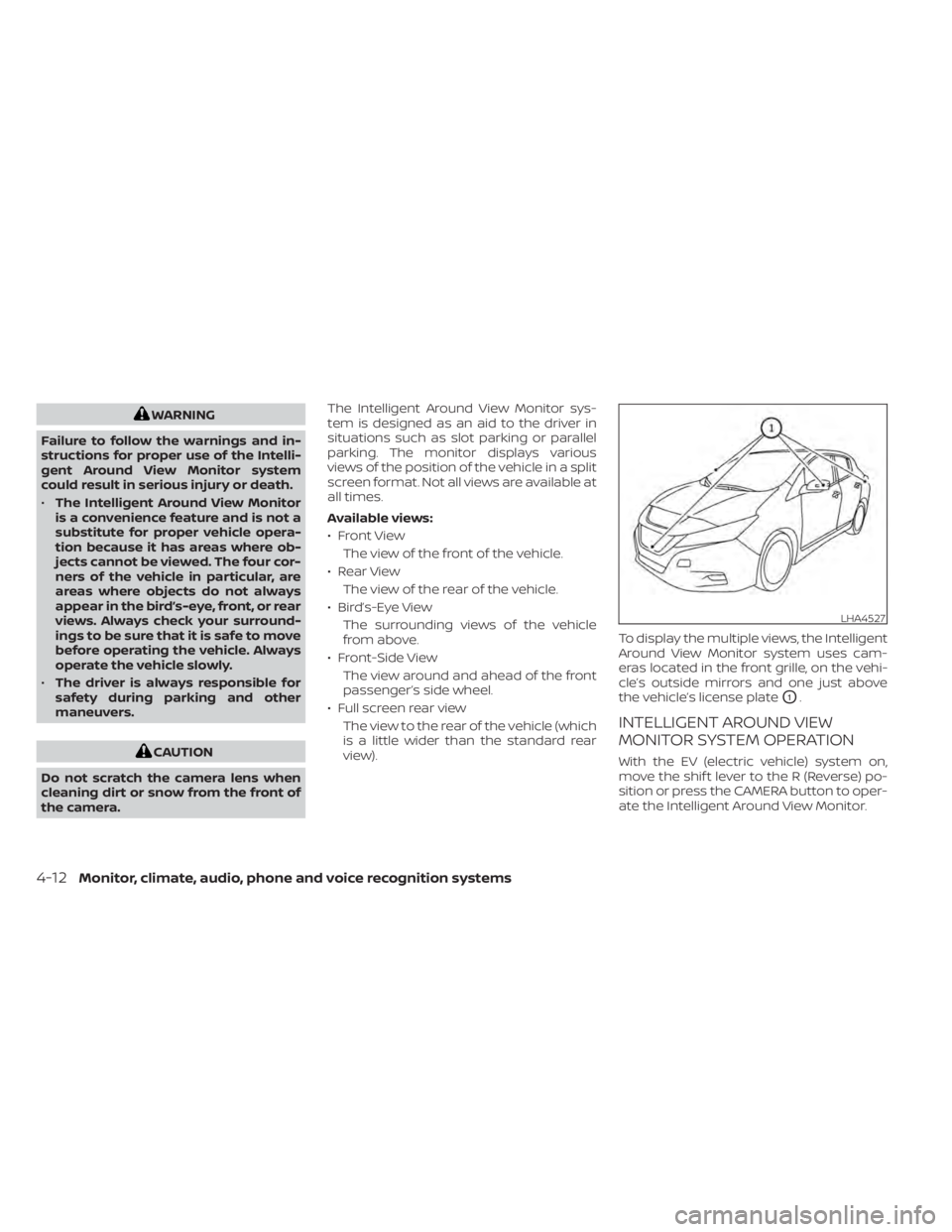
view). To display the multiple views, the Intelligent
Around View Monitor system uses cam-
eras located in the front grille, on the vehi-
cle’s outside mirrors and one just above
the vehicle’s license plate
O1.
INTELLIGENT AROUND VIEW
MONITOR SYSTEM OPERATION
With the EV (electric vehicle) system on,
move the shif t lever to the R (Reverse) po-
sition or press the CAMERA button to oper-
ate the Intelligent Around View Monitor.
LHA4527
4-12Monitor, climate, audio, phone and voice recognition systems
Page 318 of 602
When installing a CB, ham radio or car
phone in your vehicle, be sure to observe
the following precautions; otherwise, the
new equipment may adversely affect the
EV control system and other electronic
parts.
WARNING
• A cellular phone should not be used
for any purpose while driving so full
attention may be given to vehicle op-
eration. Some jurisdictions prohibit
the use of cellular phones while
driving.
• If you must make a call while your
vehicle is in motion, the hands-free
cellular phone operational mode is
highly recommended. Exercise ex-
treme caution at all times so full at-
tention may be given to vehicle
operation.
• If you are unable to devote full atten-
tion to vehicle operation while talk-
ing on the phone, pull off the road to
a safe location and stop your vehicle.
CAUTION
• Keep the antenna as far away as pos-
sible from the electronic control
modules.
• Keep the antenna wire more than 8 in
(20 cm) away from the electronic
control system harnesses. Do not
route the antenna wire next to any
harness.
• Adjust the antenna standing-wave
ratio as recommended by the
manufacturer.
• Connect the ground wire from the CB
radio chassis to the body.
• For additional information, it is rec-
ommended that you visit a NISSAN
certified LEAF dealer. “Made for iPod”, “Made for iPhone” and
“Made for iPad” mean that an electronic
accessory has been designed to connect
specifically to iPod, iPhone or iPad, respec-
tively, and has been certified by the devel-
oper to meet Apple performance stan-
dards. Apple is not responsible for the
operation of this device or its compliance
with safety and regulatory standards.
Please note that the use of this accessory
with iPod, iPhone or iPad may affect wire-
less performance.
iPad, iPhone, iPod classic, iPod nano, iPod
shuffle and iPod touch are trademarks of
Apple Inc., registered in the U.S. and other
countries. Lightning is a trademark of
Apple Inc.
CAR PHONE OR CB RADIO
iPod®/IPHONE®
Monitor, climate, audio, phone and voice recognition systems4-41
Page 323 of 602

WARNING
• Do not leave children or adults who
would normally require the support
of others alone in your vehicle. Pets
should not be lef t alone either. They
could accidentally injure themselves
or others through inadvertent opera-
tion of the vehicle. Also, on hot, sunny
days, temperatures in a closed ve-
hicle could quickly become high
enough to cause severe or possibly
fatal injuries to people or animals.
• Properly secure all cargo with ropes
or straps to help prevent it from slid-
ing or shif ting. Do not place cargo
higher than the seatbacks. In a sud-
den stop or collision, unsecured
cargo could cause personal injury.
TIRE PRESSURE MONITORING
SYSTEM (TPMS)
Each tire, including the spare (if provided),
should be checked monthly when cold and
inflated to the inflation pressure recom-
mended by the vehicle manufacturer on
the vehicle placard or tire inflation pressure
label. (If your vehicle has tires of a different
size than the size indicated on the vehicle
placard or tire inflation pressure label, you should determine the proper tire inflation
pressure for those tires.)
As an added safety feature, your vehicle
has been equipped with a Tire Pressure
Monitoring System (TPMS) that illuminates
a low tire pressure telltale when one or
more of your tires is significantly under-
inflated. Accordingly, when the low tire
pressure telltale illuminates, you should
stop and check your tires as soon as pos-
sible, and inflate them to the proper pres-
sure. Driving on a significantly under-
inflated tire causes the tire to overheat and
can lead to tire failure. Under-inflation also
reduces power efficiency and tire tread life,
and may affect the vehicle’s handling and
stopping ability.
Please note that the TPMS is not a substi-
tute for proper tire maintenance, and it is
the driver’s responsibility to maintain cor-
rect tire pressure, even if under-inflation
has not reached the level to trigger illumi-
nation of the TPMS low tire pressure telltale.
Your vehicle has also been equipped with a
TPMS malfunction indicator to indicate
when the system is not operating properly.
The TPMS malfunction indicator is com-
bined with the low tire pressure telltale.
When the system detects a malfunction,
the telltale will flash for approximately oneminute and then remain continuously illu-
minated. This sequence will continue upon
subsequent vehicle start-ups as long as
the malfunction exists. When the malfunc-
tion indicator is illuminated, the system
may not be able to detect or signal low tire
pressure as intended. TPMS malfunctions
may occur for a variety of reasons, includ-
ing the installation of replacement or alter-
nate tires or wheels on the vehicle that
prevent the TPMS from functioning prop-
erly. Always check the TPMS malfunction
telltale af ter replacing one or more tires or
wheels on your vehicle to ensure that the
replacement or alternate tires and wheels
allow the TPMS to continue to function
properly.
Additional information
• When using a wheel without the TPMS
such as the spare tire, the TPMS does not
monitor the tire pressure of the spare tire.
• The TPMS will activate only when the ve- hicle is driven at speeds above 16 mph (25
km/h). Also, this system may not detect a
sudden drop in tire pressure (for example,
a flat tire while driving).
PRECAUTIONS WHEN STARTING AND
DRIVING
5-4Starting and driving