Page 143 of 1672
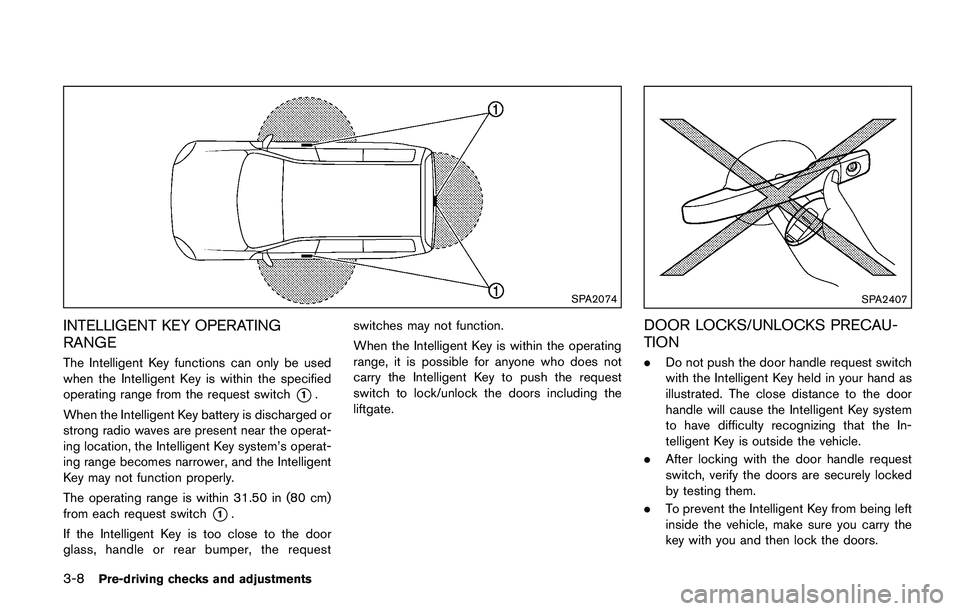
To defog/defrost the rear window glass and
outside mirrors (if so equipped) , start the engine
and push the switch
*1on. The indicator light
*2will illuminate. Push the switch again to turn
the defroster off.
It will automatically turn off in approximately 15
minutes.
Page 145 of 1672
SAA1232
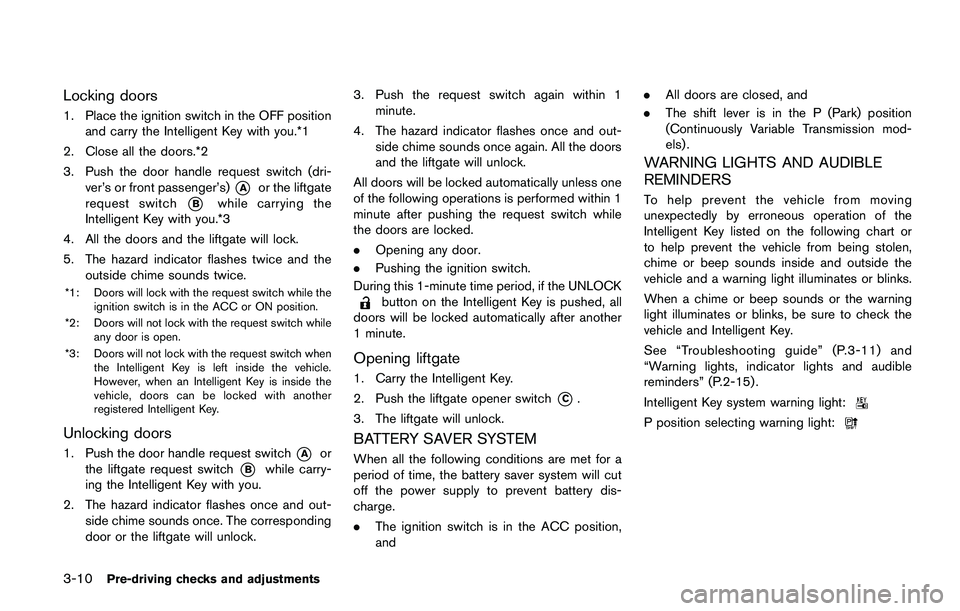
Be sure not to put anything on top of the
photo sensor
*1located on the top of the
instrument panel. The photo sensor con-
trols the autolight; if it is covered, the
photo sensor reacts as if it is dark and the
headlights will illuminate.
Automatic headlights off delay
You can keep the headlights on for up to 45
seconds after you place the ignition switch in the
OFF position and open any door then close all
the doors.
Page 146 of 1672
Daytime running light system (for NISMO
models and Canada)
The daytime running lights automatically illumi-
nate when the engine is started with the parking
brake released. The daytime running lights
operate with the headlight switch in the OFF
position. Turn the headlight switch to the
Page 150 of 1672
The heater is controlled by a thermostat,
automatically turning the heater on and off.
The indicator light will remain on as long as
the switch is on.
When the vehicle’s interior is warmed, or
before you leave the vehicle, be sure to turn
off the switch.
Page 156 of 1672
Page 157 of 1672
passenger’s door is opened during this period of
about 45 seconds, power to the moonroof is
canceled.
Sunshade
The sunshade will open automatically when the
moonroof is opened. However, it must be closed
manually.
Page 205 of 1672
the lens, a malfunction, fire or an
electric shock.
. Do not strike the cameras. They are
precision instruments. Doing so
could cause a malfunction or cause
damage resulting in a fire or an
electric shock.
The following are operating limitations and do
not represent a system malfunction:
. The screen displayed on the Around View
Š
Monitor will automatically return to the
previous screen 3 minutes after the CAM-
ERA button has been pushed while the shift
lever is in a position other than the R
(Reverse) position.
. When the view is switched, the display
images on the screen may be displayed with
some delay.
. When the temperature is extremely high or
low, the screen may not display objects
clearly.
. When strong light is shining directly on the
camera, objects may not be displayed
clearly.
. The screen may flicker under fluorescent
light. .
The colors of objects on the Around View
Š
Monitor may differ somewhat from the actual
color of objects.
. Objects on the monitor may not be clear and
the color of the object may differ in a dark
environment.
. There may be differences in sharpness
between each camera view of the bird’s-
eye view.
. If dirt, rain or snow accumulates on the
camera, the Around View
ŠMonitor may not
display objects clearly. Clean the camera.
. Do not use wax on the camera lens. Wipe off
any wax with a clean cloth that has been
dampened with a mild detergent diluted with
water.
Page 219 of 1672
OPERATING TIPS (for automatic air
conditioner)
.When the engine coolant temperature and
outside air temperature are low, the air flow
from the foot outlets may not operate. This is
not a malfunction. After the coolant tem-
perature warms up, air will flow normally
from the foot outlets.
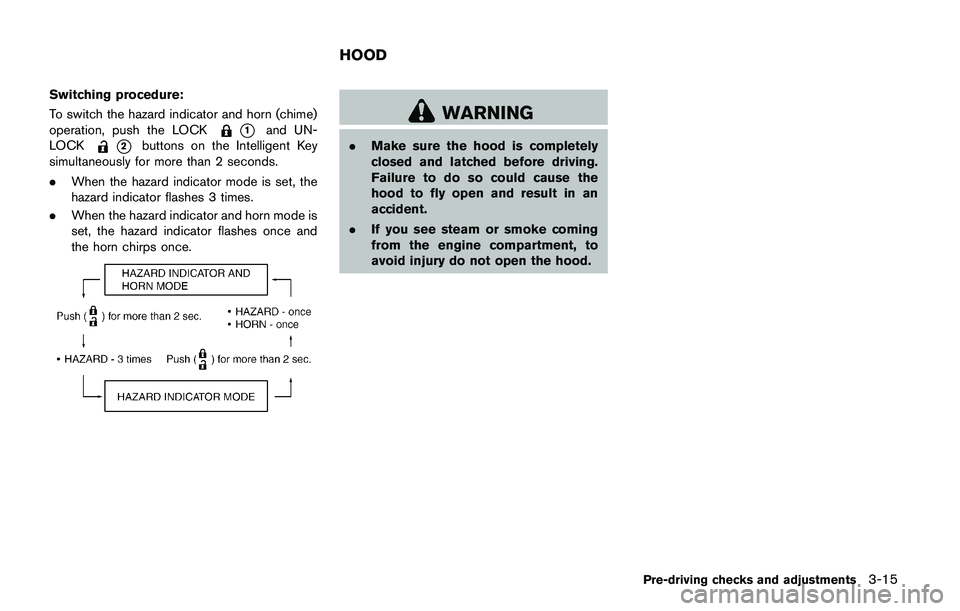
. The automatic air conditioner is equipped
with sensors as illustrated. The sensors
*A
and*Bon the instrument panel help
maintain a constant temperature. Do not
put anything on or around these sensors.
IN-CABIN MICROFILTER
The air conditioning system is equipped with an
in-cabin microfilter which collects dirt, pollen,
dust, etc. To make sure the air conditioner heats,
defogs, and ventilates efficiently, replace the
filter in accordance with the specified main-
tenance intervals listed in the “9. Maintenance
and schedules” section. It is recommended to
see a NISSAN dealer to replace the filter.
The filter should be replaced if the air flow
decreases significantly or if windows fog
up easily when operating the heater or air
conditioning system.
SERVICING AIR CONDITIONER
The air conditioner system in your vehicle is
charged with a refrigerant designed with the
environment in mind. This refrigerant will not
harm the earth’s ozone layer. Special char-
ging equipment and lubricant are required when
servicing your vehicle air conditioner. Using
improper refrigerants or lubricants will cause
severe damage to your air conditioner system.
(See “Capacities and recommended fluids/
lubricants” (P.10-2) for air conditioner system
refrigerant and lubricant recommendations.)
Your NISSAN dealer will be able to service your
environmentally friendly air conditioner system.